
Draws boxes on images from annotations in YOLO format

Project description





Draws boxes on images from annotations in YOLO format.
Installation
Install using pip:
pip install drawyoloOr directly from the repository:
pip install git+https://github.com/rbturnbull/drawyolo.gitDrawing boxes from labels
If you have a label file in YOLO format like this:
class_id x_center y_center width heightFor example:
0 0.35 0.35 0.14 0.14
0 0.55 0.3 0.14 0.14
1 0.7 0.15 0.2 0.2
Then you can draw the boxes on an image like this:
drawyolo image.jpg output.jpg --labels labels.txt --classes class1,class2To try it out on the image in the repository:
drawyolo tests/test-data/terrier.webp tests/test-data/output.jpg --labels tests/test-data/labels.txt --classes eye,earThat will create an image like this:
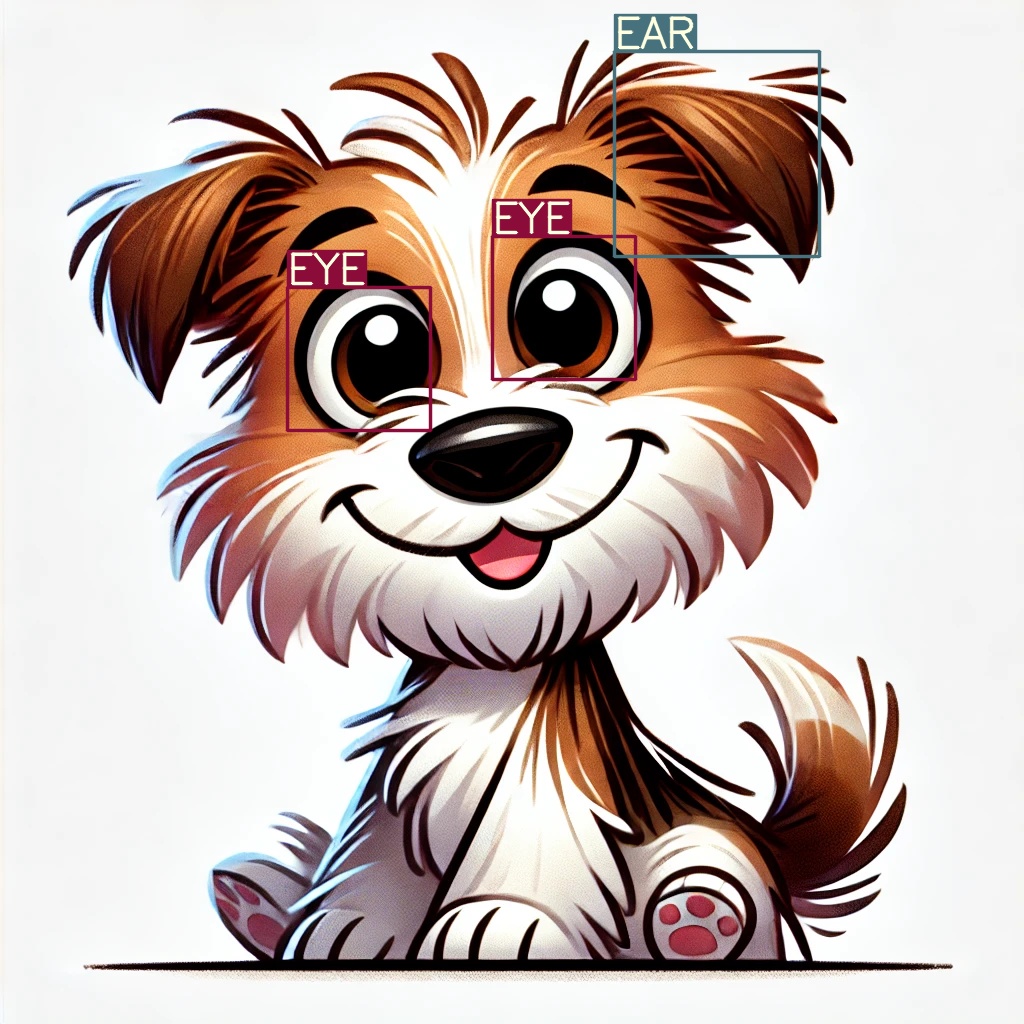
To resize the image, use the --width and/or --height options. The aspect ratio will be preserved if you do not set both --width and --height.
For example:
drawyolo tests/test-data/terrier.webp tests/test-data/output-thumbnail.jpg --labels tests/test-data/labels.txt --classes eye,ear --width 240
The thickness of the line will be set according to the final size of the image. You can change the thickness with the --line-thickness option.
Drawing boxes from a YOLO model
If you have a YOLO model with weights, you can draw the boxes on an image like this:
drawyolo image.jpg output.jpg --weights model.ptYou can also resize the image as before with the --width and --height options.
Advanced usage
For more options see the help
drawyolo --helpCredits
Robert Turnbull (Melbourne Data Analytics Platform) - https://robturnbull.com


Download files
Download the file for your platform. If you're not sure which to choose, learn more about installing packages.
Source Distribution
Built Distribution
Filter files by name, interpreter, ABI, and platform.
If you're not sure about the file name format, learn more about wheel file names.
Copy a direct link to the current filters
File details
Details for the file drawyolo-0.1.3.tar.gz.
File metadata
- Download URL: drawyolo-0.1.3.tar.gz
- Upload date:
- Size: 8.4 kB
- Tags: Source
- Uploaded using Trusted Publishing? No
- Uploaded via: poetry/2.1.1 CPython/3.13.1 Darwin/24.4.0
File hashes
| Algorithm | Hash digest | |
|---|---|---|
| SHA256 |
9e46332cba6b8534059be3f9b58e2af0bd300571ef1ea6781cd448af7d4036b2
|
|
| MD5 |
e1209eef460b1008e6c69d05db8282f7
|
|
| BLAKE2b-256 |
00be533337e2dd042018966d6a4b6a0783eeb1459f798e64179369ebe24320e8
|
File details
Details for the file drawyolo-0.1.3-py3-none-any.whl.
File metadata
- Download URL: drawyolo-0.1.3-py3-none-any.whl
- Upload date:
- Size: 9.5 kB
- Tags: Python 3
- Uploaded using Trusted Publishing? No
- Uploaded via: poetry/2.1.1 CPython/3.13.1 Darwin/24.4.0
File hashes
| Algorithm | Hash digest | |
|---|---|---|
| SHA256 |
b84715551373be7dfdb4f4dcc96f7e18841987381ceb81ef3f227ef296b93450
|
|
| MD5 |
0a9ae6a8b4f9cfc56bc3078378fa7e03
|
|
| BLAKE2b-256 |
f3aede95816adec792270a9696070b4ddb2b583fd21272312d9359ae3704182a
|






