
PyTorch tools for activation atlases, feature visualization, and image amplification.

Project description
DreamLens



Feature visualization in native PyTorch. DreamLens works with torchvision and
other compatible torch.nn.Module models through one FeatureVisualizer API.
Install
pip install dreamlens
Install the notebook dependencies with:
pip install "dreamlens[examples]"
API
from torchvision.models import ResNet18_Weights, resnet18
from dreamlens import FeatureTarget, FeatureVisualizer

model = resnet18(weights=ResNet18_Weights.DEFAULT).eval()
visualizer = FeatureVisualizer(model, normalize=True)
target = FeatureTarget.for_channel("layer2.1.conv2", 17, reduction="norm")

result = visualizer.visualize(target, method="maximize")
result.save("channel_17.png")
The same class provides four workflows:
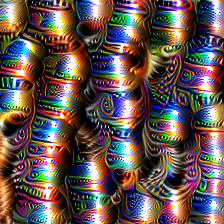
visualizer.visualize(target, method="maximize")
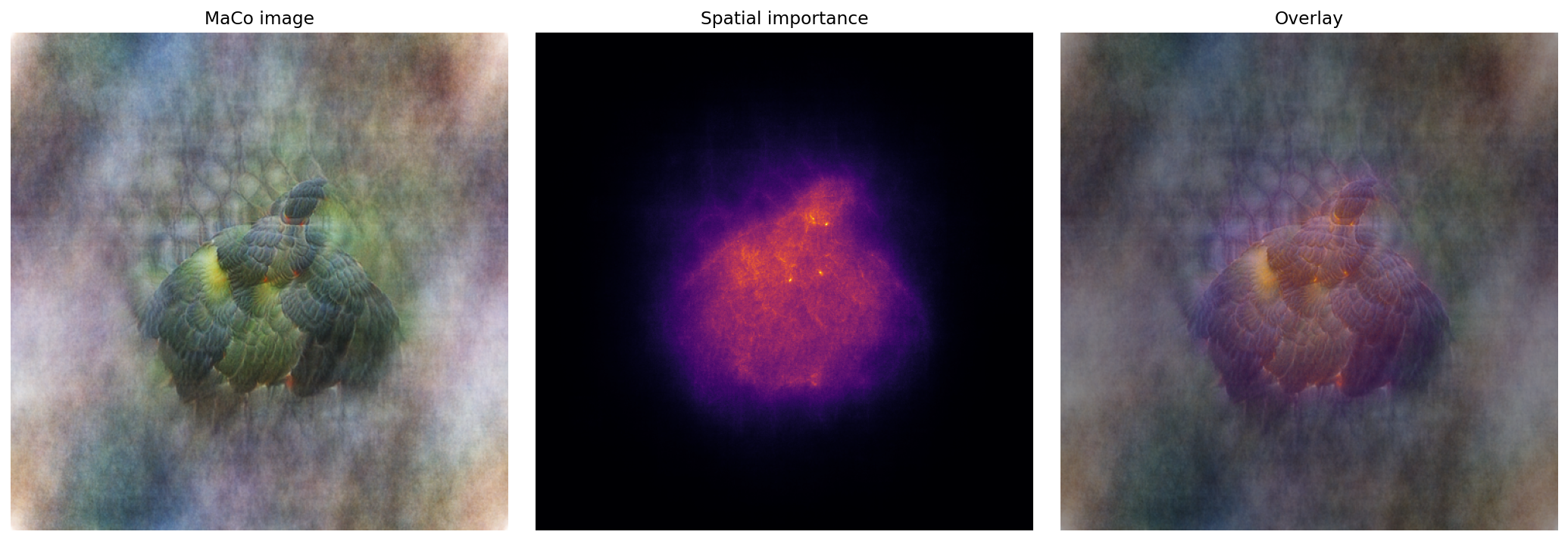
visualizer.visualize(target, method="maco")
visualizer.visualize(
    target,
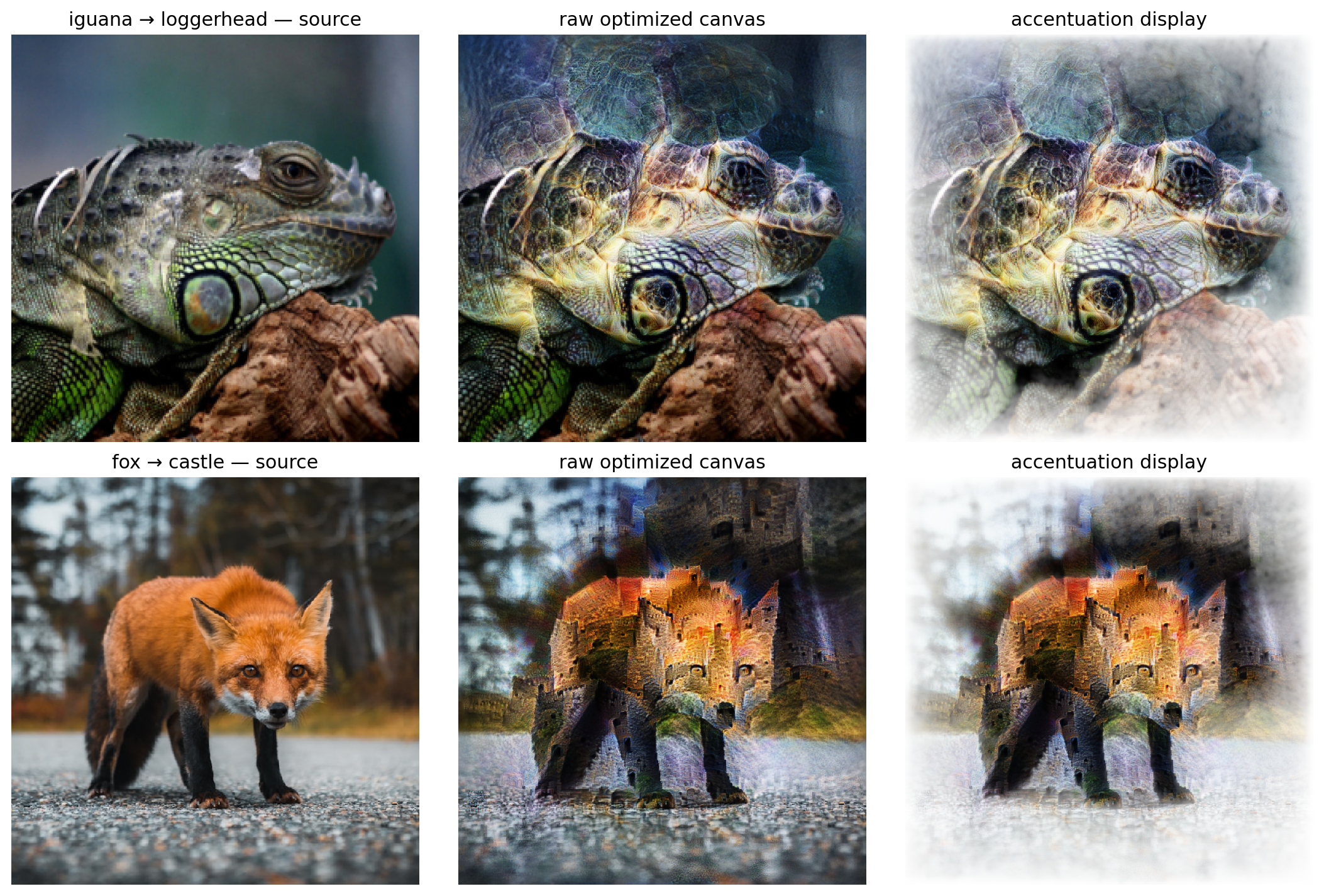
    method="feature_accentuation",
    image="image.jpg",
    regularization_layer="layer2.1",
)
visualizer.visualize(
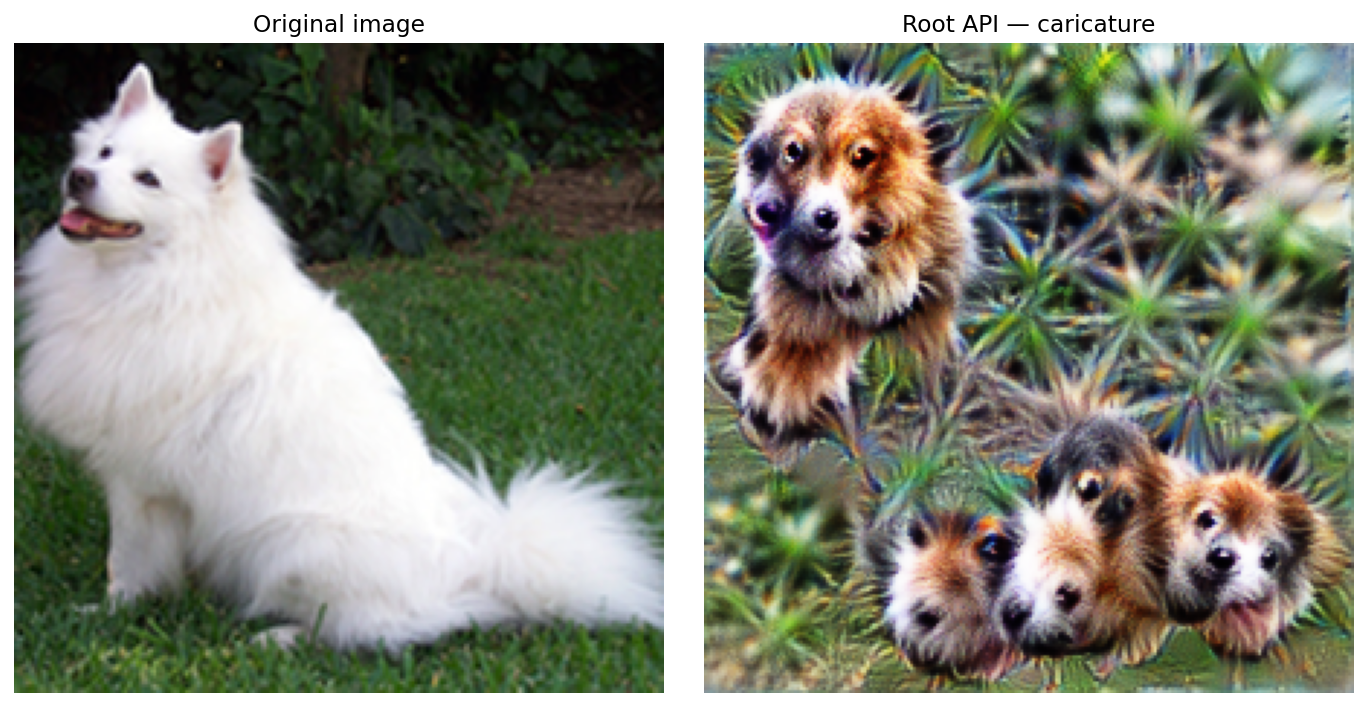
    method="caricature",
    image="image.jpg",
    layers=["layer3.1.conv2"],
)
The notebooks contain the complete configurations for each method.
Results
Activation maximization
MaCo
Feature accentuation
Caricature
Notebooks
Research
DreamLens brings ideas from three papers into one PyTorch API:
- Feature Visualization, Distill 2017
- MAgnitude Constrained Optimization, NeurIPS 2023
- Feature Accentuation, 2024
This is an independent project for education and research. It is not an official implementation from the paper authors.
License
DreamLens code is Apache-2.0 licensed. Papers, model weights, datasets and example images keep their original rights and licenses. Educational use does not remove those obligations. See NOTICE for sources and attribution.
Release history Release notifications | RSS feed


Download files
Download the file for your platform. If you're not sure which to choose, learn more about installing packages.
Source Distribution
Built Distribution
Filter files by name, interpreter, ABI, and platform.
If you're not sure about the file name format, learn more about wheel file names.
Copy a direct link to the current filters
File details
Details for the file dreamlens-0.1.1.tar.gz.
File metadata
- Download URL: dreamlens-0.1.1.tar.gz
- Upload date:
- Size: 1.5 MB
- Tags: Source
- Uploaded using Trusted Publishing? No
- Uploaded via: uv/0.11.15 {"installer":{"name":"uv","version":"0.11.15","subcommand":["publish"]},"python":null,"implementation":{"name":null,"version":null},"distro":{"name":"macOS","version":null,"id":null,"libc":null},"system":{"name":null,"release":null},"cpu":null,"openssl_version":null,"setuptools_version":null,"rustc_version":null,"ci":null}
File hashes
| Algorithm | Hash digest | |
|---|---|---|
| SHA256 |
ab1dc6b1dd441db98ea962dae4c4e5bcad34f9dd7463ab1019da1ad5e4b430a3
|
|
| MD5 |
518c96cc10c3c482897ef716d8cde26b
|
|
| BLAKE2b-256 |
03372ecf25de5646c1318bb3c6aeff1cbc7e6b0e4ade332555a567cc38b67495
|
File details
Details for the file dreamlens-0.1.1-py3-none-any.whl.
File metadata
- Download URL: dreamlens-0.1.1-py3-none-any.whl
- Upload date:
- Size: 1.5 MB
- Tags: Python 3
- Uploaded using Trusted Publishing? No
- Uploaded via: uv/0.11.15 {"installer":{"name":"uv","version":"0.11.15","subcommand":["publish"]},"python":null,"implementation":{"name":null,"version":null},"distro":{"name":"macOS","version":null,"id":null,"libc":null},"system":{"name":null,"release":null},"cpu":null,"openssl_version":null,"setuptools_version":null,"rustc_version":null,"ci":null}
File hashes
| Algorithm | Hash digest | |
|---|---|---|
| SHA256 |
bc48796279854b594acf80d33472f57604ee7fa433dbecfda38ff885918b48c5
|
|
| MD5 |
a570c66fd0d1c828c6a996e67857faa2
|
|
| BLAKE2b-256 |
57b933d6218b89e48400b60b1671d1a4bf25d785ee1c9637c0665554d8df8ba1
|






