
DRF API Logger





An API Logger for your Django Rest Framework project.
It logs all the API information for content type "application/json".
- URL
- Request Body
- Request Headers
- Request Method
- API Response
- Status Code
- API Call Time
- Server Execution Time
- Client IP Address
You can log API information into the database or listen to the logger signals for different use-cases, or you can do both.
- The logger usage a separate thread to run, so it won't affect your API response time.
Installation
Install or add drf-api-logger.
pip install drf-api-logger
Add in INSTALLED_APPS
INSTALLED_APPS = [
    'django.contrib.admin',
    'django.contrib.auth',
    'django.contrib.contenttypes',
    'django.contrib.sessions',
    'django.contrib.messages',
    'django.contrib.staticfiles',

    'drf_api_logger',  #  Add here
]
Add in MIDDLEWARE
MIDDLEWARE = [
    'django.middleware.security.SecurityMiddleware',
    'django.contrib.sessions.middleware.SessionMiddleware',
    'django.middleware.common.CommonMiddleware',
    'django.middleware.csrf.CsrfViewMiddleware',
    'django.contrib.auth.middleware.AuthenticationMiddleware',
    'django.contrib.messages.middleware.MessageMiddleware',
    'django.middleware.clickjacking.XFrameOptionsMiddleware',

    'drf_api_logger.middleware.api_logger_middleware.APILoggerMiddleware', # Add here
]
* Add these lines in Django Rest Framework settings file.
Store logs into the database
Log every request into the database.
DRF_API_LOGGER_DATABASE = True # Default to False
-
Logs will be available in Django Admin Panel.
-
The search bar will search in Request Body, Response, Headers and API URL.
-
You can also filter the logs based on the "added_on" date, Status Code and Request Methods.
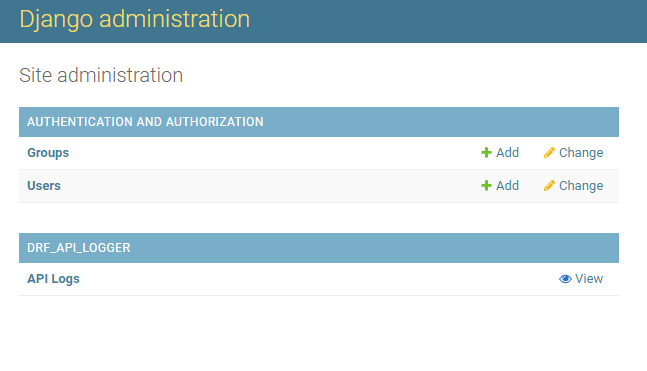
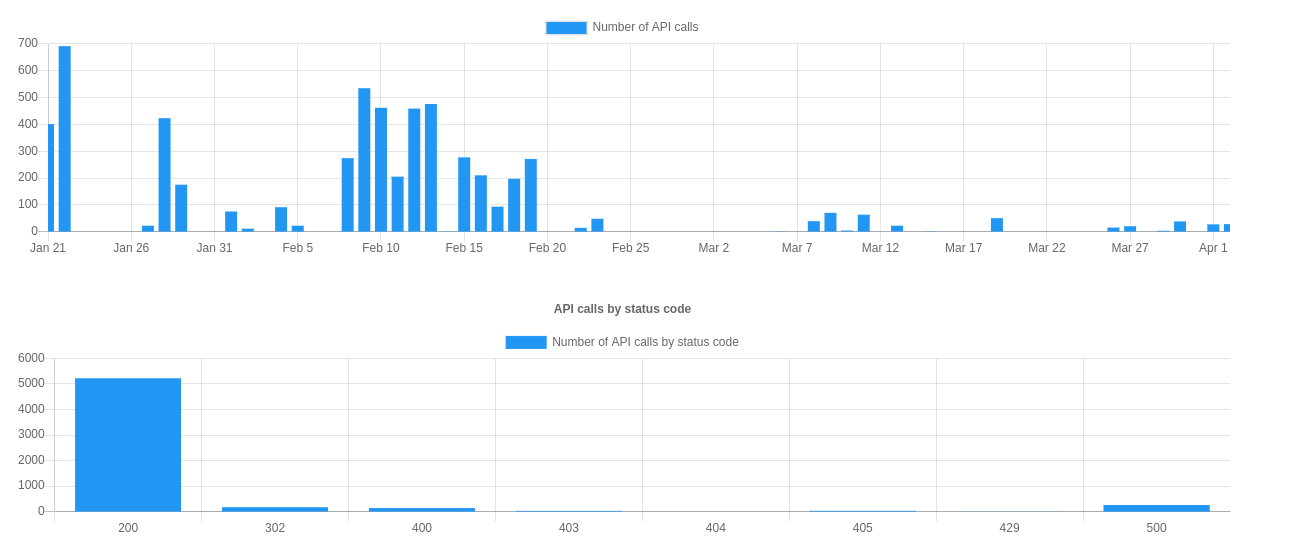
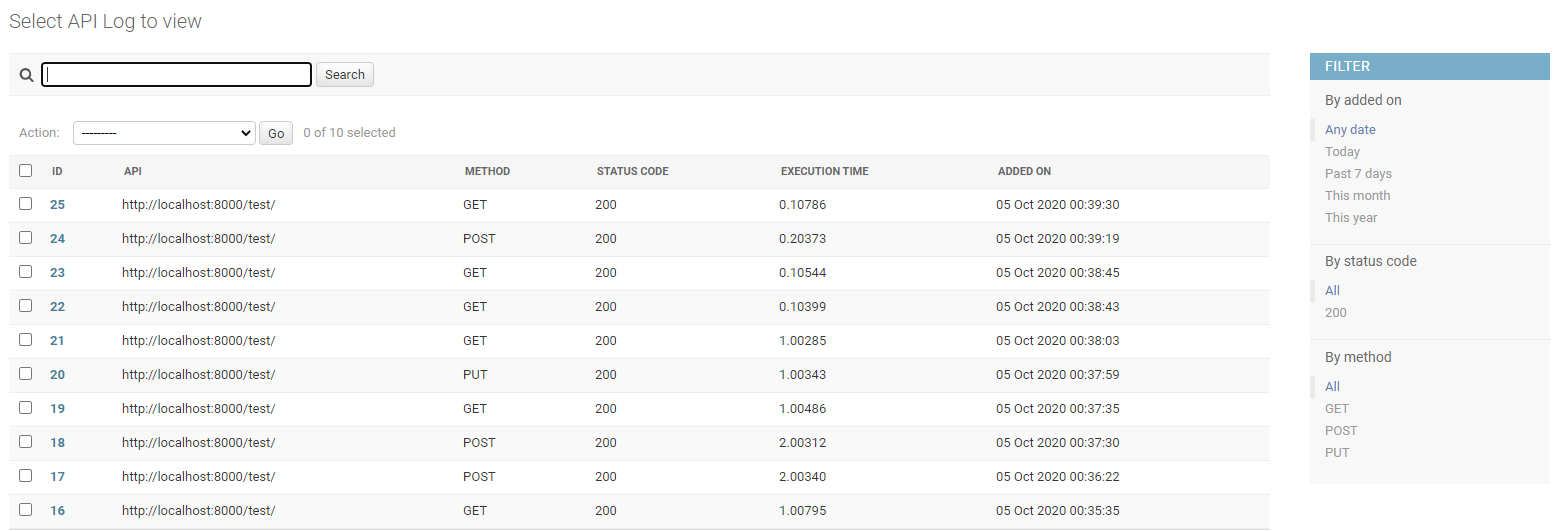
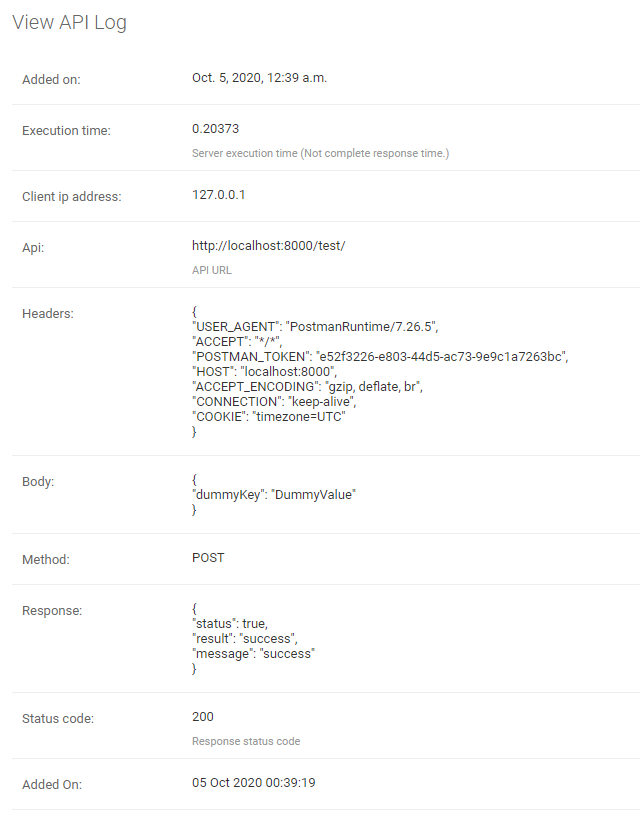
Note: Make sure to migrate. It will create a table for logger if "DRF_API_LOGGER_DATABASE" is True else if already exists, it will delete the table.
To listen for the logger signals.
Listen to the signal as soon as any API is called. So you can log the API data into a file or for different use-cases.
DRF_API_LOGGER_SIGNAL = True # Default to False
Example code to listen to the API Logger Signal.
"""
Import API_LOGGER_SIGNAL
"""
from drf_api_logger import API_LOGGER_SIGNAL


"""
Create a function that is going to listen to the API logger signals.
"""
def listener_one(**kwargs):
    print(kwargs)

def listener_two(**kwargs):
    print(kwargs)

"""
It will listen to all the API logs whenever an API is called.
You can also listen signals in multiple functions.
"""
API_LOGGER_SIGNAL.listen += listener_one
API_LOGGER_SIGNAL.listen += listener_two

"""
Unsubscribe to signals.
"""

API_LOGGER_SIGNAL.listen -= listener_one
Queue
DRF API Logger usage queue to hold the logs before inserting into the database. Once queue is full, it bulk inserts into the database.
Specify the queue size.
DRF_LOGGER_QUEUE_MAX_SIZE = 50 # Default to 50 if not specified.
Interval
DRF API Logger also waits for a period of time. If queue is not full and there are some logs to be inserted, it inserts after interval ends.
Specify an interval (In Seconds).
DRF_LOGGER_INTERVAL = 10 # In Seconds, Default to 10 seconds if not specified.
Note: The API call time (added_on) is a timezone aware datetime object. It is actual time of API call irrespective of interval value or queue size.
Skip namespace
You can skip the entire app to be logged into the database by specifying namespace of the app as list.
DRF_API_LOGGER_SKIP_NAMESPACE = ['APP_NAMESPACE1', 'APP_NAMESPACE2']
Skip URL Name
You can also skip any API to be logged by using url_name of the API.
DRF_API_LOGGER_SKIP_URL_NAME = ['url_name1', 'url_name2']
Note: It does not log Django Admin Panel API calls.
API with or without Host
You can specify an endpoint of API should have absolute URI or not by setting this variable in DRF settings.py file.
DRF_API_LOGGER_PATH_TYPE = 'ABSOLUTE'  # Default to ABSOLUTE if not specified
# Possible values are ABSOLUTE, FULL_PATH or RAW_URI
Considering we are accessing the following URL: http://127.0.0.1:8000/api/v1/?page=123 DRF_API_LOGGER_PATH_TYPE possible values are:
-
ABSOLUTE (Default) :
Function used
request.build_absolute_uri()Output:
http://127.0.0.1:8000/api/v1/?page=123 -
FULL_PATH
Function used
request.get_full_path()Output:
/api/v1/?page=123 -
RAW_URI
Function used
request.get_raw_uri()Output:
http://127.0.0.1:8000/api/v1/?page=123Note: Similar to ABSOLUTE but skip allowed hosts protection, so may return an insecure URI.
Use DRF API Logger Model to query
You can use the DRF API Logger Model to query some information.
Note: Make sure to set "DRF_API_LOGGER_DATABASE = True" in settings.py file.
from drf_api_logger.models import APILogsModel

"""
Example:
Select records for status_code 200.
"""
result_for_200_status_code = APILogsModel.objects.filter(status_code=200)
DRF API Logger Model:
class APILogsModel(Model):
   id = models.BigAutoField(primary_key=True)
   api = models.CharField(max_length=512, help_text='API URL')
   headers = models.TextField()
   body = models.TextField()
   method = models.CharField(max_length=10, db_index=True)
   client_ip_address = models.CharField(max_length=50)
   response = models.TextField()
   status_code = models.PositiveSmallIntegerField(help_text='Response status code', db_index=True)
   execution_time = models.DecimalField(decimal_places=5, max_digits=8,
                                       help_text='Server execution time (Not complete response time.)')
   added_on = models.DateTimeField()
1 maintainer

Metadata
1 maintainer
Release files for drf-api-logger 1.0.6
For a detailed explanation of source distributions (sdists) and built distributions (wheels), please see the package formats documentation.
Source distribution (sdist)
| File | Size | Uploaded | Provenance | Actions |
|---|---|---|---|---|
| drf_api_logger-1.0.6.tar.gz | 14.1 kB | Without provenance | Details for drf_api_logger-1.0.6.tar.gz |
Release files / drf_api_logger-1.0.6.tar.gz
| Download URL | drf_api_logger-1.0.6.tar.gz |
|---|---|
| Size | 14.1 kB |
| Tags | Source |
|
SHA-256 checksum How to use checksums |
b81ac77f9231db56dad5b90b32104da46bd362159a912c78b94adf61f4ef3472
|
|
BLAKE2b-256 checksum How to use checksums |
d7e25c9562e9aacbf4ed1bf6aa6027321e547e04c185bb3f8347bce4dfdd7a28
|
| Upload date | |
|
Uploaded using Trusted Publishing? What is trusted publishing? |
No |
| Uploaded via |
twine/3.4.1 importlib_metadata/3.10.0 pkginfo/1.7.0 requests/2.25.1 requests-toolbelt/0.9.1 tqdm/4.59.0 CPython/3.8.5
|
Security for drf-api-logger 1.0.6
Provenance
Provenance describes where a file came from. On PyPI, provenance is shared via attestations, which provide a verifiable record of the build or publishing details. View details, limitations and caveats.
No provenance found
None of the files in this release were uploaded with provenance metadata.
A note on package security
PyPI is a repository for distributing packages, not a service for auditing them. While third-party security researchers and our staff do their best to detect and remove malicious packages, PyPI cannot guarantee the quality, security or suitability of any given package.
To learn more about protecting yourself from malicious actors, visit our package security documentation.














