
Professional browser automation for Codex, Claude Code, and MCP clients powered by DrissionPage

Project description
DrissionPage MCP Server
Professional browser automation for Codex, Claude Code, and MCP clients powered by DrissionPage







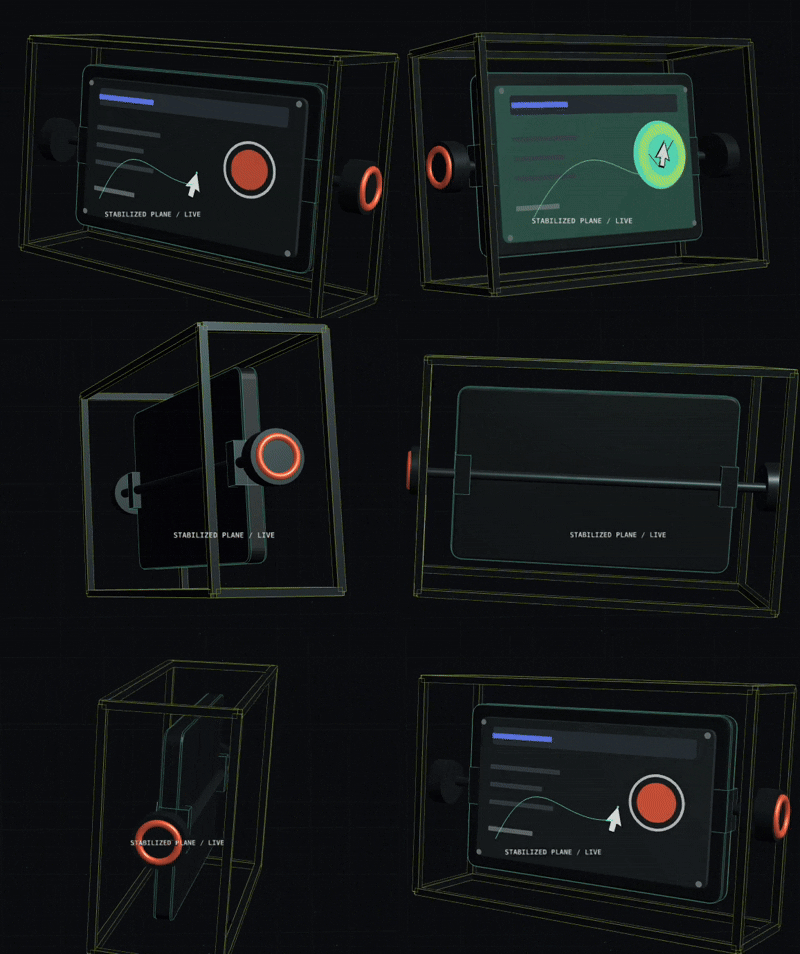
A new interaction layer for multimodal AI — vision coordinates in, natural pointer action chains out.
Official Repositories: GitHub | GitCode
🖱️ Vision-Guided Human–Computer Interaction
DrissionPage MCP 0.5.8 adds a major new interaction layer for multimodal AI: it can turn a vision model's viewport coordinate into a complete, physically plausible pointer action chain—not just a raw teleport-and-click.
One MCP call connects visual understanding to real browser interaction. The model identifies where to act; DrissionPage MCP handles how the pointer gets there and performs the click.
Screenshot / page observation
        ↓
Multimodal model identifies viewport coordinates
        ↓
page_click_xy(profile="natural")
        ↓
Cubic Bézier motion → reaction pause → press → hold → release
        ↓
Observe and verify the resulting page state
What makes this interaction layer different?
- Natural pointer dynamics: 20–35 cubic Bézier movement steps instead of coordinate teleportation.
- Human-like timing: 8–25ms point intervals, smoothstep ease-in-out, and a 100–300ms reaction pause after arrival.
- Physical click semantics: 50–120ms press duration with correct Chromium CDP button state for left, right, and middle clicks.
- Controlled micro-motion: bounded ±0.5 CSS-pixel intermediate jitter while the final point remains exact.
- Failure-safe execution: a pressed button is always released if the action chain is interrupted.
- Model-readable evidence: results include the chosen profile, start and target coordinates, step count, reaction delay, hold duration, and planned duration.
This makes vision-guided operation practical for canvas controls, visual editors, maps, charts, non-semantic widgets, responsive interfaces, and other surfaces where selectors or accessibility metadata are incomplete. Structured DOM automation remains the preferred path when reliable selectors are available; the vision interaction layer expands what an MCP agent can operate when they are not.
{
  "x": 442,
  "y": 369,
  "start_x": 100,
  "start_y": 100,
  "profile": "natural",
  "button": "left",
  "element": "visually identified control"
}
Designed for legitimate UI automation, testing, accessibility workflows, and technical research. Security or anti-automation challenge completion is not offered as a guaranteed supported capability.
🧭 Client Setup Navigation
- Vision-guided human–computer interaction
- Install + screenshot walkthrough
- Codex CLI/IDE quick setup
- Codex CLI/IDE integration example
- Claude Code setup
- Cursor setup
- Claude Desktop setup
- Troubleshooting
🚀 What is DrissionPage MCP?
DrissionPage MCP Server is a local Model Context Protocol (MCP) server that brings DrissionPage browser automation tools to Codex CLI/IDE, Claude Code, Claude Desktop, and other MCP clients.
Structured, deterministic automation remains the default through 52 tools plus MCP Resources/Prompts. When selectors or accessibility metadata are insufficient, 0.5.8 also provides an optional vision-guided human–computer interaction layer that converts viewport coordinates into natural Chromium pointer action chains, powered by DrissionPage.
🌟 Why Choose DrissionPage MCP?
- Structured-First, Vision-Ready: Uses DOM structure when available and multimodal coordinates when visual interaction is the better tool
- Deterministic: Reliable element selection with CSS/XPath normalization for LLM-friendly selectors
- Vision-Ready Interaction: Converts multimodal model coordinates into natural pointer movement and physically timed clicks
- Fast & Lightweight: Built on DrissionPage's efficient engine with minimal overhead
- Type-Safe: Full type hints and Pydantic validation for all tools
- Open-source Friendly: Includes compatibility notes, troubleshooting, and CI checks for maintainable contributions
- Easy Integration: Simple
pip install+ Codex TOML or MCP JSON configuration
✅ Quality and Real-World Validation
DrissionPage MCP is backed by a strict regression suite and browser-backed scenario checks:
- Strict automated tests: unit, protocol, schema snapshot, response-contract, resource/prompt, release-metadata, security-policy, browser-integration, and coverage checks run in CI.
- 95% coverage floor: CI enforces the current 95% coverage threshold and uploads coverage reports.
- Real browser verification: Chrome/Chromium-backed integration tests exercise the same MCP tools exposed to clients.
- Scenario validation: the playground MCP Lab covers realistic forms, commerce pages, social feeds, timelines, dynamic waits, iframe cases, and recovery paths without depending on public demo websites.
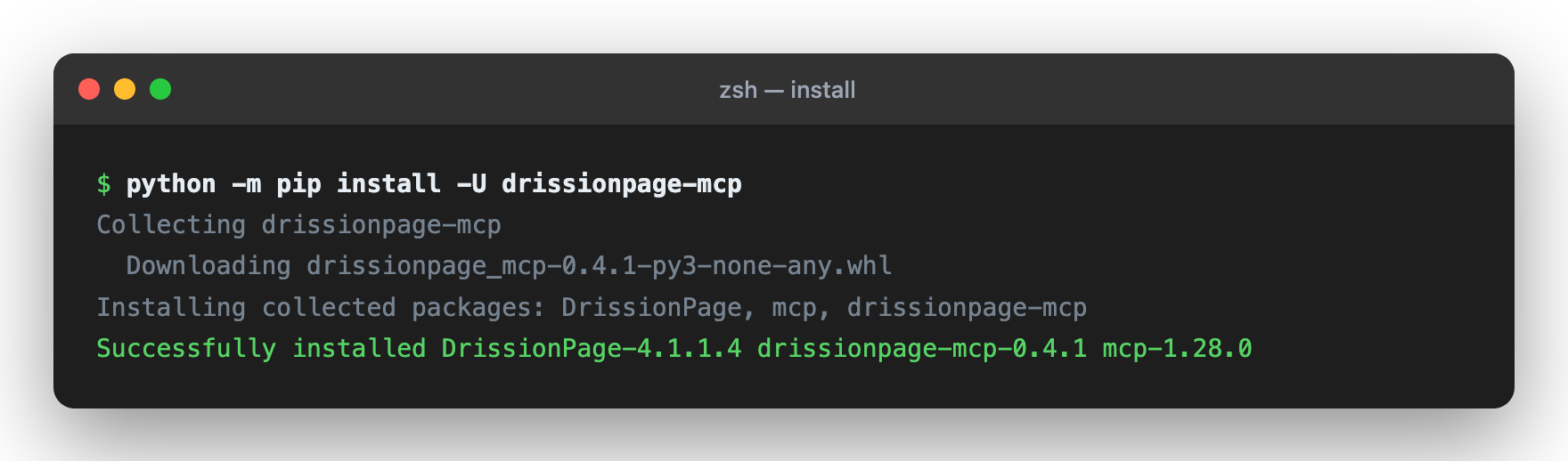
⚡ First Success Path
# Install from PyPI
python -m pip install -U drissionpage-mcp

# Verify package and environment
drissionpage-mcp --version
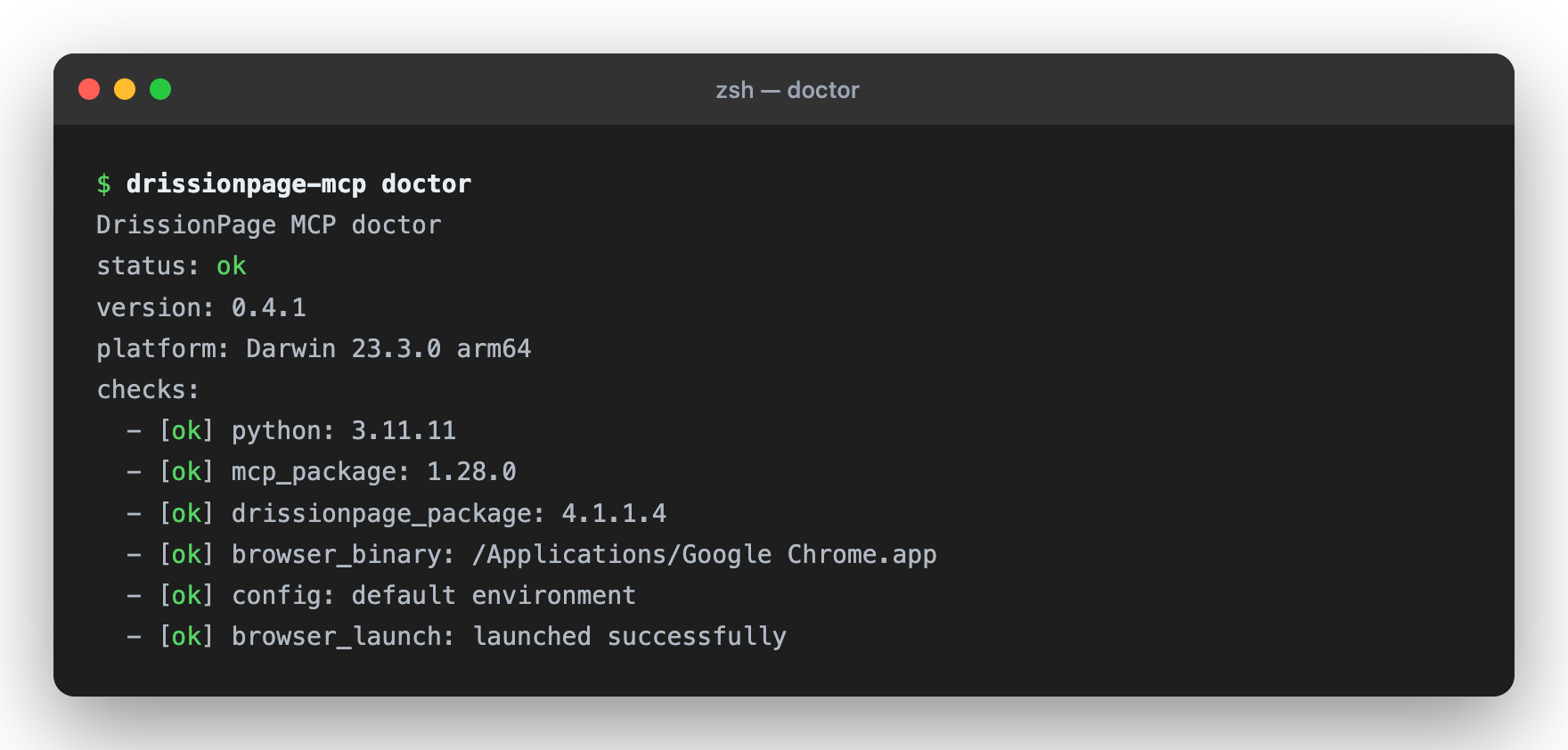
drissionpage-mcp doctor
Then add the Codex or MCP client configuration below and restart your client.
📦 Setup in Codex CLI/IDE (30 seconds)
Codex supports local stdio MCP servers through config.toml; the CLI and IDE extension share the same MCP configuration.
-
Edit Codex configuration:
- User-level:
~/.codex/config.toml - Project-level:
.codex/config.tomlinside a trusted project
- User-level:
-
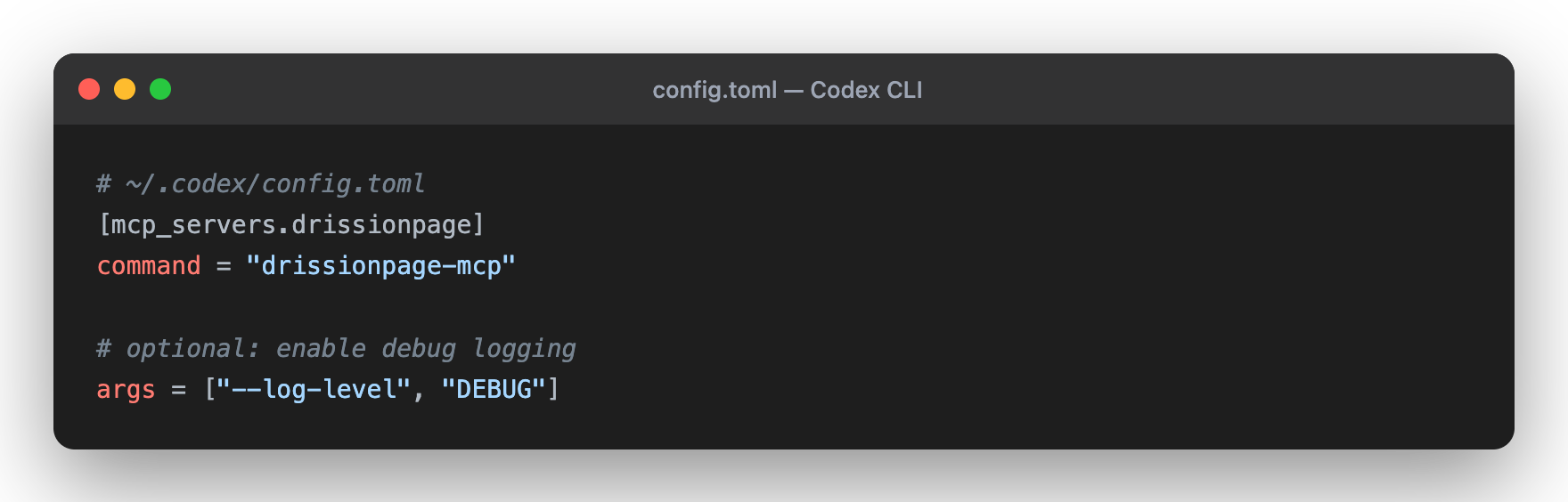
Add this configuration:
[mcp_servers.drissionpage]
command = "drissionpage-mcp"
startup_timeout_sec = 20
tool_timeout_sec = 60
-
Restart Codex. In the TUI, run
/mcp; from a shell, runcodex mcp list.
For Claude Code, Claude Desktop, and other JSON-based MCP clients, see Integration Examples.
🎯 Quick Examples
Navigate and Screenshot
"Visit https://example.com and take a screenshot for me"
Search and Extract
"Go to Wikipedia, search for Python, and get the first paragraph"
Form Automation
"Fill out the form at https://httpbin.org/forms/post and submit it"
Data Scraping
"Get the top 10 news headlines from news.ycombinator.com"
🛠️ 52 Powerful Tools + MCP Resources/Prompts
🌐 Navigation (4 tools)
page_navigate- Navigate to any URL; optionally open it in a new tab withnew_tabor return anobservechange summarypage_go_back/page_go_forward- Browser historypage_refresh- Reload current page
🗂️ Tab Operations (3 tools)
tab_list- List open browser tabs with stable MCP tab IDstab_switch- Switch to a tab returned bytab_listtab_close- Close one tab without closing the whole browser
🎯 Element Interaction & Extraction (13 tools)
element_find- Find one element by CSS selector or XPath; bare selectors likeh1are treated as CSSelement_find_all- Extract bounded repeated elements with text, attributes, and recommended selectorselement_click- Click any elementelement_type- Input text into elementselement_upload_file- Upload files fromDP_MCP_UPLOAD_ROOTtoinput[type=file]element_scroll_into_view- Bring an element into the viewport before actingelement_hover- Hover an element to trigger menu/tooltip stateselement_select- Select an option by value, text, or indexelement_check- Check or uncheck checkbox/radio controlselement_get_text- Get element or page textelement_get_attribute- Get an HTML attributeelement_get_property- Get a live DOM property such as an input valueelement_get_html- Get element or page HTML
🧾 Form Operations (1 tool)
form_inspect- Inspect forms and controls with labels, selectors, requirements, options, and safe optional values
📸 Page Operations (11 tools)
page_screenshot- Capture an inline full-page or viewport screenshotpage_screenshot_save- Save a screenshot underDP_MCP_SCREENSHOT_ROOTpage_snapshot- Return a bounded page outline with headings, links, buttons, inputs, forms, and selector recommendationspage_observe- Return a compact page fingerprint with URL, title, counts, visible text samples, active element, and recent console summarypage_evaluate- Run bounded JavaScript in the current page and return a JSON-safe resultpage_scroll- Scroll the page by direction or to a positionkeyboard_press- Send keys to the active element/pagepage_resize- Adjust browser windowpage_click_xy- Convert vision-model viewport coordinates into natural Bézier pointer movement and physically timed clickspage_close- Close browserpage_get_url- Get current URL
🧱 Frame / Shadow DOM (5 tools)
frame_list- List iframe/frame contexts without changing global frame stateframe_snapshot- Inspect a selected iframe with bounded outline dataframe_find- Find an element inside a selected iframeshadow_find- Find one element inside an open shadow rootshadow_find_all- Extract repeated elements inside an open shadow root
🍪 Cookies & Storage (4 tools)
browser_cookies_get- Read normalized cookies with values redacted by defaultstorage_get- Read localStorage/sessionStorage by key or as a mapstorage_set- Set one localStorage/sessionStorage item without echoing the valuestorage_clear- Clear one storage key or an entire storage area
🧪 Debug / Observability (1 tool)
page_console_logs- Read bounded browser console messages with level filtering, cursor pagination, and limits
⏱️ Wait Operations (4 tools)
wait_for_element- Wait for element to appear (with timeout)wait_for_url- Wait until the current URL contains textwait_until- Wait for observable conditions such as clickable, hidden, stable, text, or URL matcheswait_time- Delay execution
🧩 MCP Resources and Prompts
- Resources:
drissionpage://session/summary,drissionpage://session/history,drissionpage://session/state,drissionpage://session/config,drissionpage://guide/model-usage,drissionpage://page/current,drissionpage://tools/catalog,drissionpage://policy/summary - Prompts:
drissionpage_mcp_usage_playbook,browser_navigate_and_summarize,browser_extract_structured_data,browser_fill_form_safely,browser_vision_guided_interaction,browser_debug_page_issue
📚 Documentation
| Guide | Description |
|---|---|
| README.md | Installation, tools, and architecture |
| docs/compatibility.md | Supported Python, DrissionPage, MCP, and browser versions |
| docs/tool-contract.md | Public MCP tool names, inputs, annotations, and response shape |
| docs/troubleshooting.md | Doctor command, browser startup, and client setup fixes |
| CHANGELOG.md | Release notes |
🏗️ Architecture
Built with clean, modular design:
DrissionMCP/
├── drissionpage_mcp/
│   ├── cli.py              # Entry point
│   ├── server.py           # MCP server
│   ├── context.py          # Browser management
│   ├── response.py         # Response formatting
│   ├── tab.py              # Page operations
│   └── tools/              # 46 automation, tab/frame/shadow, page-understanding, form, debug, and session-state tools
├── tests/                  # Unit tests
└── playground/             # MCP Lab business-scenario playground
Key Principles:
- ✅ Type-safe Pydantic models for all tools
- ✅ Async/await throughout
- ✅ Clean separation of concerns
- ✅ Comprehensive error handling
- ✅ Unit and protocol test coverage for core tool registration/response behavior
🔧 Configuration
Codex CLI / IDE (Recommended)
[mcp_servers.drissionpage]
command = "drissionpage-mcp"
startup_timeout_sec = 20
tool_timeout_sec = 60

# Optional browser/runtime environment variables:
# [mcp_servers.drissionpage.env]
# CHROME_PATH = "/custom/path/to/chrome"
# DP_HEADLESS = "1"
You can also add it with the Codex CLI:
codex mcp add drissionpage -- drissionpage-mcp
If Codex/Cursor/Claude Desktop is launched from a GUI and cannot see your shell
PATH or virtualenv, use the absolute Python executable instead:
[mcp_servers.drissionpage]
command = "/absolute/path/to/python"
args = ["-m", "drissionpage_mcp.cli"]
startup_timeout_sec = 20
tool_timeout_sec = 60
JSON MCP Clients
{
  "mcpServers": {
    "drissionpage": {
      "command": "drissionpage-mcp"
    }
  }
}
Advanced JSON Setup
{
  "mcpServers": {
    "drissionpage": {
      "command": "drissionpage-mcp",
      "args": ["--log-level", "DEBUG"],
      "env": {
        "CHROME_PATH": "/custom/path/to/chrome"
      }
    }
  }
}
Absolute-Python fallback for GUI clients:
{
  "mcpServers": {
    "drissionpage": {
      "command": "/absolute/path/to/python",
      "args": ["-m", "drissionpage_mcp.cli"],
      "env": {
        "CHROME_PATH": "/custom/path/to/chrome",
        "DP_HEADLESS": "1"
      }
    }
  }
}
📋 Requirements
- Python 3.10+ (3.11+ recommended)
- Chrome or Chromium browser
- Any MCP-compatible client: Codex CLI/IDE, Claude Code, Claude Desktop, Cursor, VS Code, etc.
🧪 Testing
Verify Installation
# Environment diagnostics; add --launch-browser for a browser startup check
drissionpage-mcp doctor
drissionpage-mcp doctor --launch-browser

# Source checkout tests
python -m pip install -e ".[dev]"
python -m pytest tests/

# Coverage report (CI enforces the current 95% floor and uploads coverage.xml)
python -m pytest tests/ --cov=drissionpage_mcp --cov-report=term-missing --cov-report=xml

# Browser-backed MCP Lab scenario checks
DP_HEADLESS=1 python playground/run_mcp_lab.py --all --json
GitHub Actions runs lint, unit, protocol, package, browser integration, and
coverage jobs. Codecov is configured through codecov.yml and the CI workflow.
Try It Out
# No-browser MCP registry check
python playground/run_mcp_lab.py --case registry

# Local deterministic site check
python playground/run_mcp_lab.py --case site

# Browser-backed form inspection scenario
DP_HEADLESS=1 python playground/run_mcp_lab.py --case form-inspect
🚀 Use Cases
✅ Automated Testing - Test web applications ✅ Data Scraping - Extract structured data from websites ✅ Form Automation - Fill and submit forms ✅ Monitoring - Check for updates or changes ✅ Screenshot Verification - Capture and verify page state ✅ Content Analysis - Analyze web content programmatically
🐛 Troubleshooting
Tools Not Loading?
drissionpage-mcp --version
Should output the installed package version, for example drissionpage-mcp 0.5.8.
Browser Issues?
# Check browser installation
which google-chrome    # Linux
which chromium         # macOS
Codex / MCP Client Not Finding Server?
- Codex: run
codex mcp list; in the TUI, run/mcp - JSON clients: verify config file path and JSON syntax
- Restart Codex or your MCP client after changes
- Check logs:
drissionpage-mcp --log-level DEBUG
See docs/troubleshooting.md for the complete troubleshooting guide.
📊 Project Status
| Component | Status |
|---|---|
| Core Features | ✅ Complete |
| Testing | ✅ Strict unit/protocol/schema checks plus browser-backed scenarios |
| Documentation | ✅ Setup, compatibility, troubleshooting, and public tool contracts |
| Package | ✅ PyPI metadata and build checks |
| Status | 🟡 Beta; real browser behavior depends on local Chrome/Chromium and target sites |
Version: 0.5.8 | License: Apache 2.0 | Maintained: ✅ Active
🗺️ Roadmap
Current (v0.5.8)
- 52 core automation, tab/frame/shadow, page-understanding, form-inspection, workflow, network-listener, session-state, and console-observability tools with removed alias surface
- stdio MCP server integration
- Doctor diagnostics for local setup
- Stable JSON mirror,
structuredContent, and typed per-tool MCPoutputSchema - Structured recovery hints in
error.details.hintsfor common failures - Balanced
page_snapshotoutput so link-heavy pages still expose controls and forms -
form_inspectread-only form inventory with labels, selectors, requirements, options, and safe optional values - Tab management with
tab_list,tab_switch,tab_close, andpage_navigate(new_tab=true) - Observable actions with
page_observe,page_evaluate,wait_until, and optionalobserve=truechanges on navigation, click, and type - Console observability with
page_console_logs, console summary inpage_observe, and console change fields inobserve=true - Workflow helpers with
browser_open_and_snapshot,browser_extract_links, andform_fill_preview - Network listener beta with
network_listen_start,network_listen_wait, andnetwork_listen_stopfor HTTP/XHR/Fetch observation - Natural
page_click_xypointer action chains with cubic Bézier motion, smoothstep easing, bounded jitter, reaction delay, and realistic button hold time - File upload, scrolling, hover, select/check, keyboard, iframe, shadow DOM, cookie, and storage tools for DrissionPage 4.x
- Chrome sandbox remains enabled by default;
DP_NO_SANDBOX=1is reserved for restricted container/root environments - Redacted session history resource and response size metadata for bounded outputs
- Opt-in local safety policy for navigation and screenshot paths
- Resources, prompts, eval harness, compatibility, and troubleshooting documentation
- PyPI distribution
Future (v0.6+)
- Promote workflow/network beta contracts toward 0.6.0 after field testing
- Optional session persistence beyond redacted state summaries
- Proxy support
- Network interception
📖 Integration Examples
Codex CLI / IDE
[mcp_servers.drissionpage]
command = "drissionpage-mcp"
startup_timeout_sec = 20
tool_timeout_sec = 60
Verify with:
codex mcp list
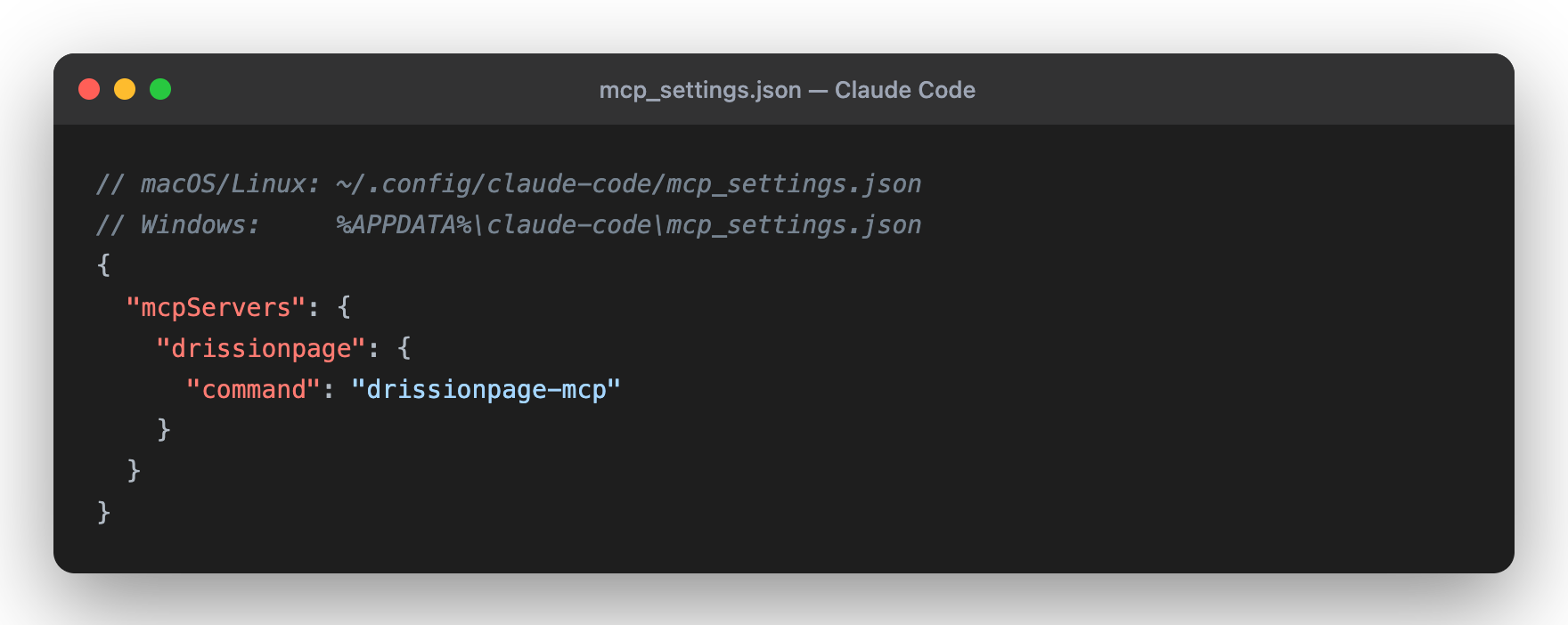
Claude Code
{
  "mcpServers": {
    "drissionpage": {
      "command": "drissionpage-mcp"
    }
  }
}
Config file: ~/.config/claude-code/mcp_settings.json (macOS/Linux) or
%APPDATA%\claude-code\mcp_settings.json (Windows).
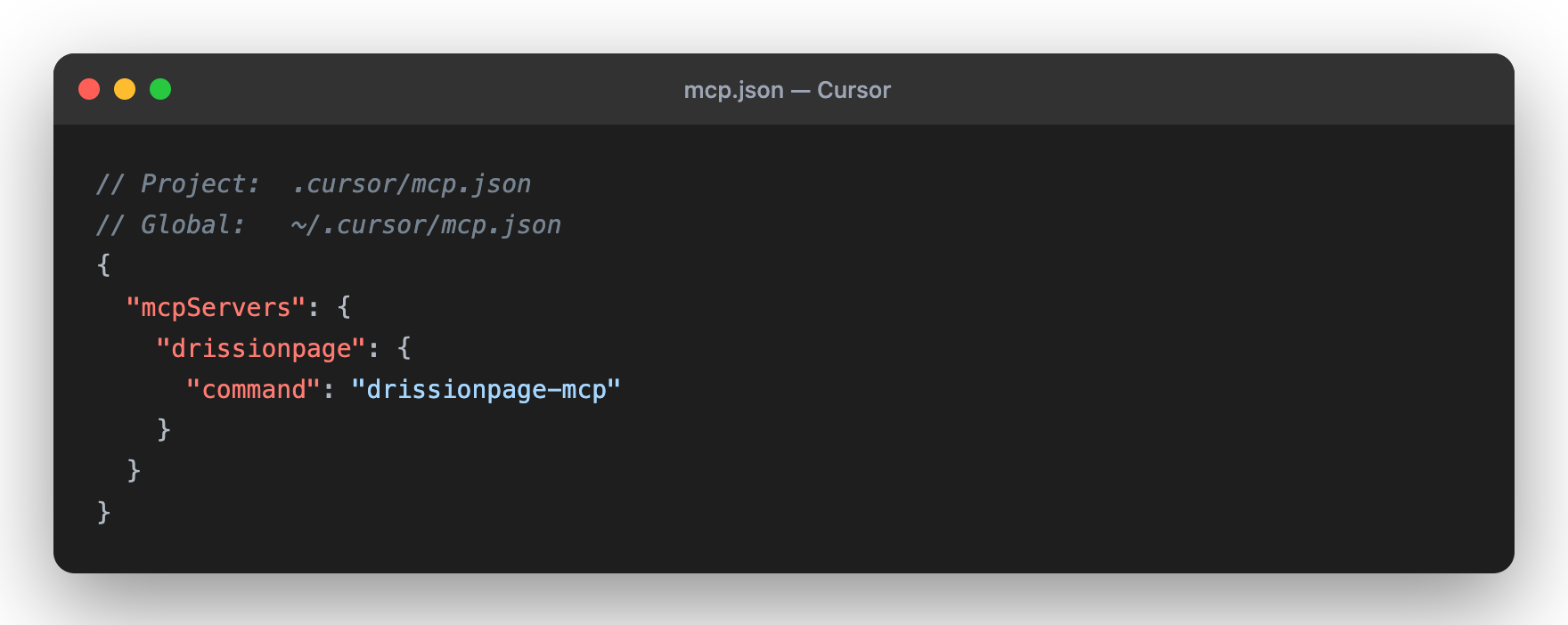
Cursor
{
  "mcpServers": {
    "drissionpage": {
      "command": "drissionpage-mcp"
    }
  }
}
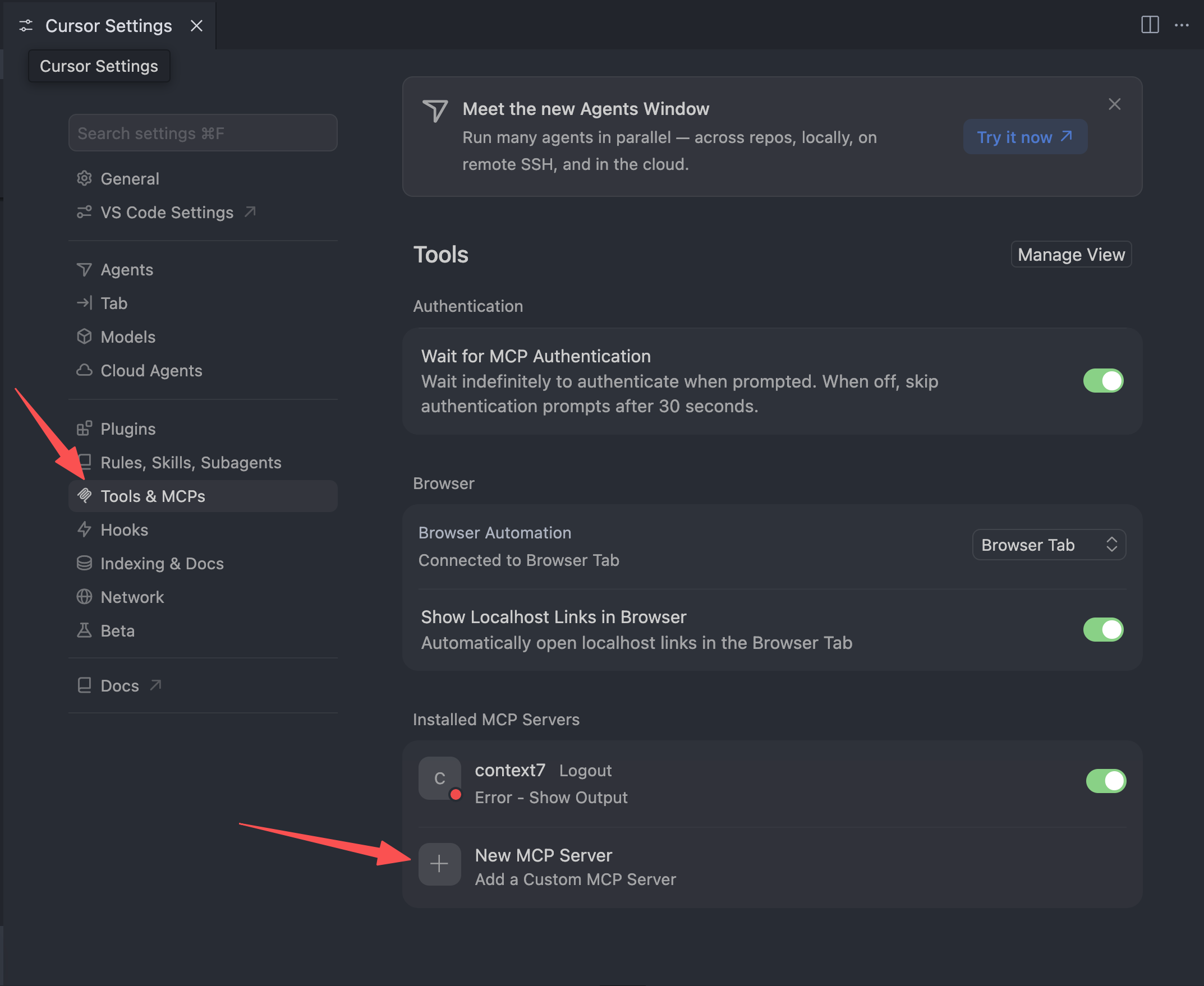
Config file: ~/.cursor/mcp.json (global) or .cursor/mcp.json (project). You
can also add it from Cursor Settings → Tools & MCPs → New MCP Server.
Claude Desktop
{
  "mcpServers": {
    "drissionpage": {
      "command": "drissionpage-mcp"
    }
  }
}
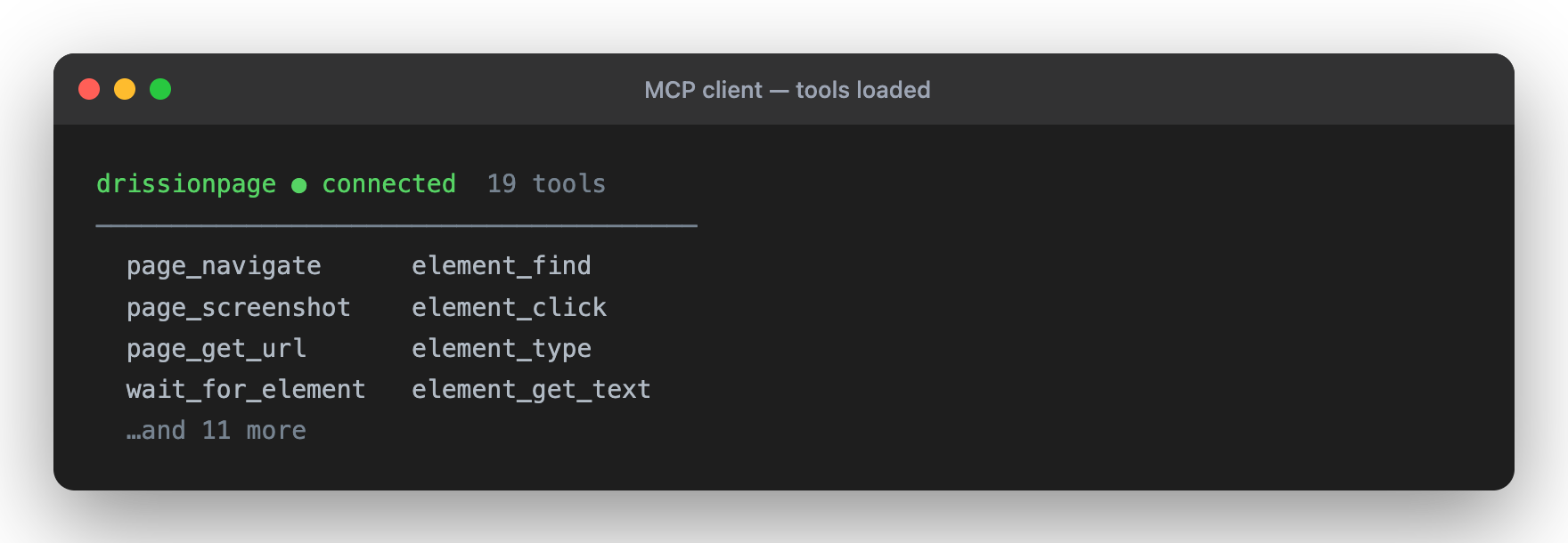
Once connected, the tools load automatically:
🤝 Contributing
Contributions are welcome!
- Fork the repository
- Create a feature branch
- Make focused changes
- Run the relevant checks
- Submit a pull request
See CONTRIBUTING.md for setup, validation, and compatibility expectations.
🔒 Security
- Runs locally in your environment
- Uses a local browser that may have access to authenticated sessions, cookies, downloads, and page content
- Can open and interact with any site reachable from the local machine
- Does not require external API credentials
Best Practices:
- Use a dedicated browser profile for sensitive workflows
- Review MCP client prompts before allowing actions on authenticated or production systems
- Respect website terms of service, robots.txt, and rate limits
- See SECURITY.md for reporting and safe-usage guidance
📄 License
Licensed under Apache License 2.0 - see LICENSE
📈 Statistics

🌟 Show Your Support
If you find this project useful, please consider:
- ⭐ Starring on GitHub
- 📤 Sharing with your network
- 💬 Leaving feedback or suggestions
- 🐛 Reporting issues to help improve
Made with ❤️ by Wukunyun
Ready to automate your workflows? Install now: python -m pip install -U drissionpage-mcp
🆕 Latest Version: v0.5.8
Released on 2026-07-10. This release upgrades the existing page_click_xy tool for vision-directed UI operation while preserving the 52-tool surface and DrissionPage 4.x support:
page_click_xynow defaults to thenaturalpointer profile: 20–35 cubic Bézier movement steps, 8–25 ms point intervals, ±0.5 CSS-pixel intermediate jitter, and exact target arrival.- Natural motion samples the path with
t*t*(3-2*t)smoothstep ease-in-out, pauses 100–300 ms after arrival, then holds the selected mouse button for 50–120 ms before release. natural,precise, anddirectprofiles share one pointer capability; an explicit start coordinate pair is available without adding compatibility wrappers or another public tool.- Pointer execution uses Chromium CDP move/press/release events, synchronizes DrissionPage cursor state, and releases a held button during failure cleanup.
- Model-facing guidance is now workflow-first: use
browser_open_and_snapshotfor fresh navigate-and-inspect tasks,browser_extract_linksfor bounded link discovery, andpage_navigateonly for navigation-only retries. - MCP prompts such as
drissionpage_mcp_usage_playbook, structured extraction, safe form filling, and page debugging now steer clients through workflow helpers and boundedpage_snapshot/page_observechecks before lower-level primitives. drissionpage://guide/model-usageexposesworkflow_routesso agents can choose summarize/inspect, link discovery, safe form fill, and network observation sequences without guessing.drissionpage://tools/catalognow includes descriptions alongside annotations and output data schema names, improving AI tool choice while preserving the existing catalog contract.- Recovery hints are more actionable: fresh sessions point to
browser_open_and_snapshot,MCP_ARGUMENT_INVALIDpoints to schema/catalog inspection, and unknown tools point todrissionpage://guide/model-usage. - The 0.5.6 helpers remain the stable foundation:
browser_open_and_snapshot,browser_extract_links,form_fill_preview,network_listen_start,network_listen_wait, anddrissionpage://session/configare unchanged. - Existing page-understanding, observable-action, console, tab, form, upload, iframe/shadow, cookie/storage, and recovery-hint tools remain compatible; observable changes still include
console_errors_added; bounded outputs keepmeta.approx_tokens. drissionpage-mcp doctorstill flags DrissionPage 5.x as unsupported anddrissionpage-mcp doctor --launch-browserremains the browser startup check; Chrome sandbox remains enabled by default andDP_NO_SANDBOX=1is reserved for restricted container/root environments.- The top-level JSON_RESULT envelope, strict validation,
structuredContent, and typedoutputSchemacontracts remain in place;page_click_xynow returns typed motion metadata and the public registry stays at 52 tools.
Release history Release notifications | RSS feed


Download files
Download the file for your platform. If you're not sure which to choose, learn more about installing packages.
Source Distribution
Built Distribution
Filter files by name, interpreter, ABI, and platform.
If you're not sure about the file name format, learn more about wheel file names.
Copy a direct link to the current filters
File details
Details for the file drissionpage_mcp-0.5.8.tar.gz.
File metadata
- Download URL: drissionpage_mcp-0.5.8.tar.gz
- Upload date:
- Size: 187.2 kB
- Tags: Source
- Uploaded using Trusted Publishing? No
- Uploaded via: twine/6.2.0 CPython/3.11.11
File hashes
| Algorithm | Hash digest | |
|---|---|---|
| SHA256 |
c6286abeca9164f390ec2948bdc1bb1a88323b316d473206b71d9642564ef157
|
|
| MD5 |
f40cce2c3b6d70f6a8cd137aff83df47
|
|
| BLAKE2b-256 |
9a09334ee2d736167c1912e531bff19f30e9ceacebe5f8532a79738dfd8ae5ec
|
File details
Details for the file drissionpage_mcp-0.5.8-py3-none-any.whl.
File metadata
- Download URL: drissionpage_mcp-0.5.8-py3-none-any.whl
- Upload date:
- Size: 114.4 kB
- Tags: Python 3
- Uploaded using Trusted Publishing? No
- Uploaded via: twine/6.2.0 CPython/3.11.11
File hashes
| Algorithm | Hash digest | |
|---|---|---|
| SHA256 |
4ba3411158daa5222c353055c90531251d9106c2193b011bf745430777039f2a
|
|
| MD5 |
116c2ac7963167432e2b484c7e59f734
|
|
| BLAKE2b-256 |
869dcb817ad0e54eef9a264f6d10f0d43118ea5d0cd271c88427bf829f162c26
|






