
A Flask-based command line file sharing application.

Project description
Dropit - Simple Cross-Platform File Sharing
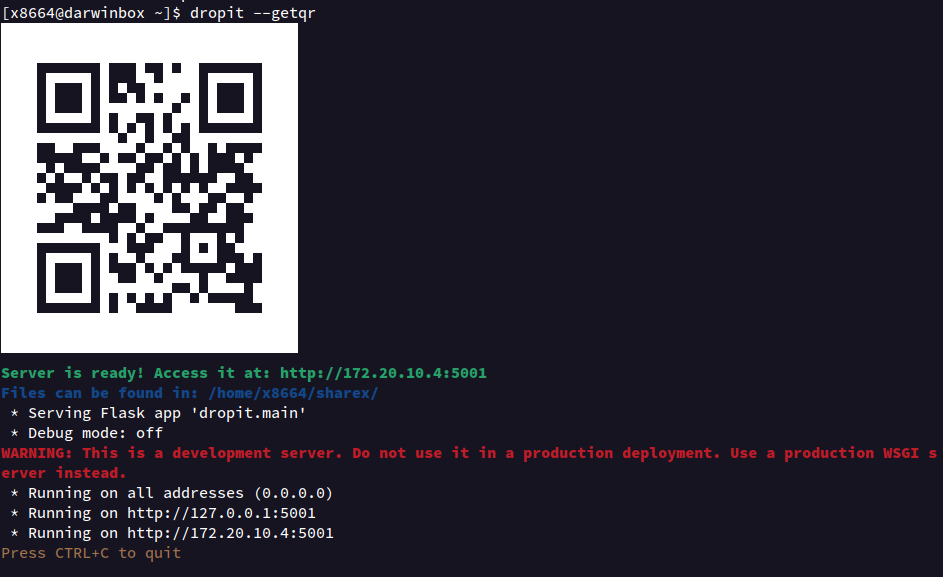
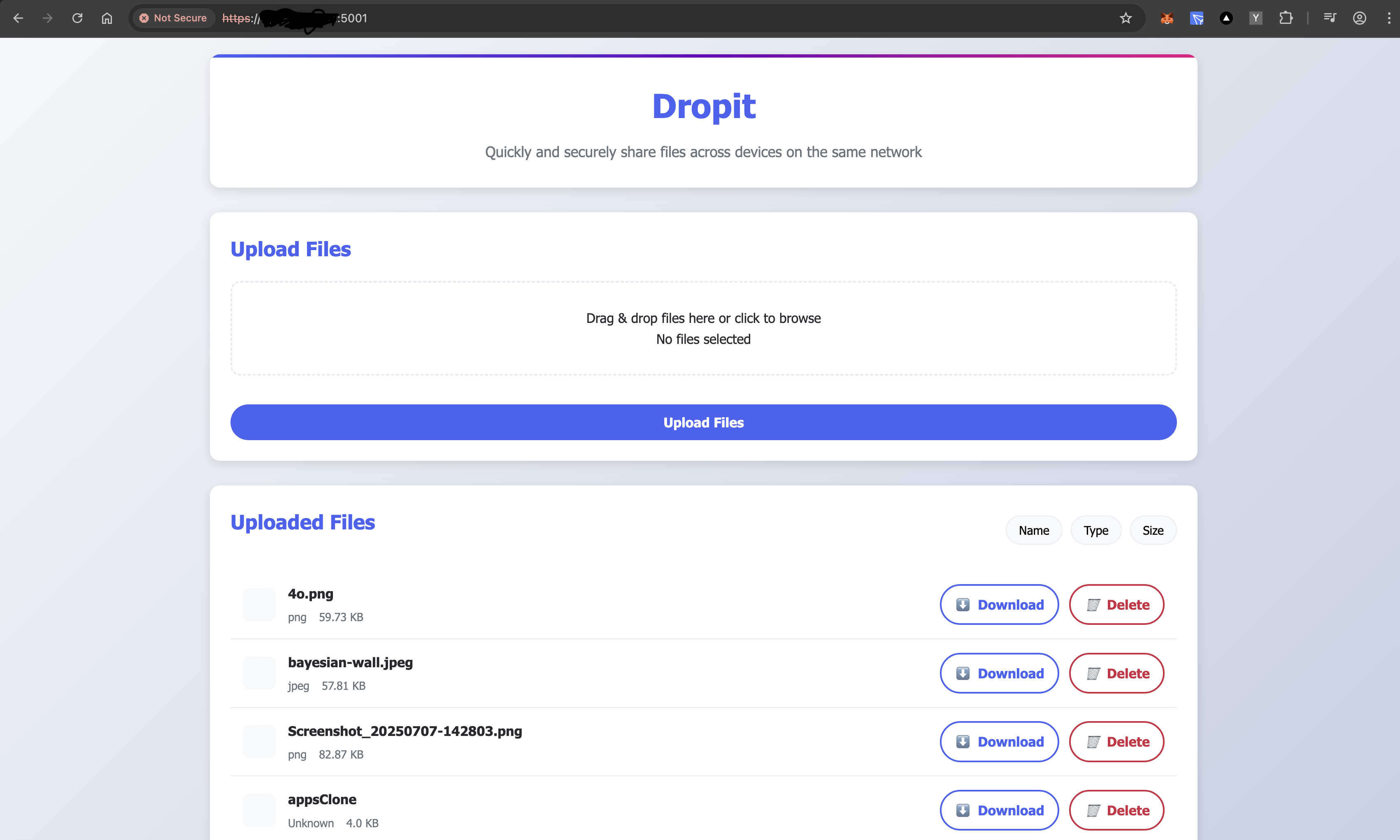
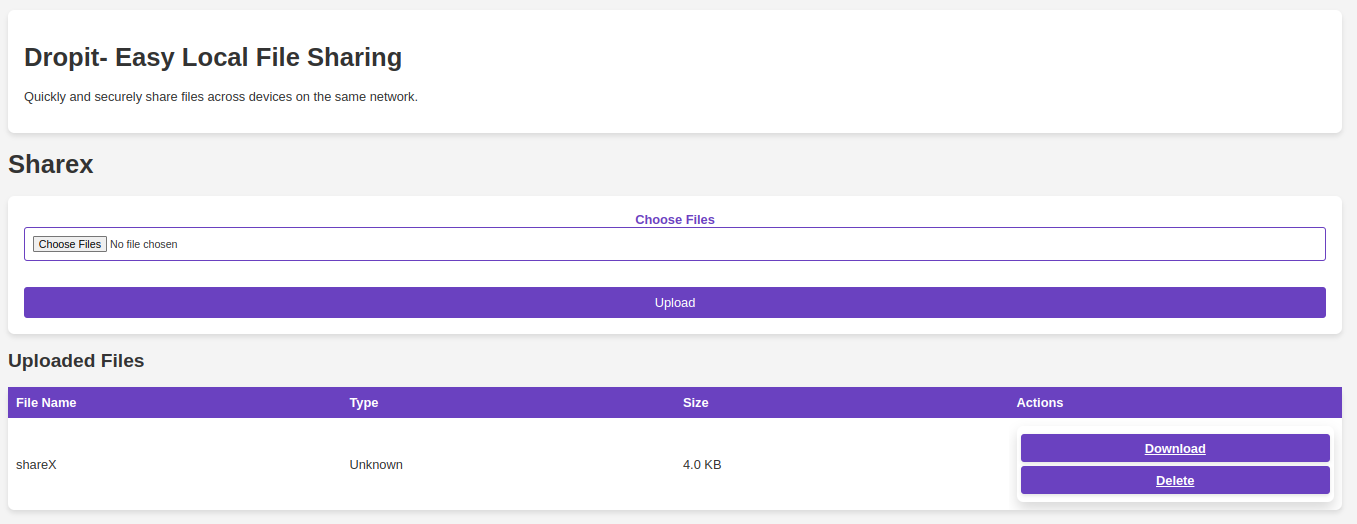
Below image for legacy <= v0.1.5 ( 0.1.6 is a bug should be skipped)
Introduction
Dropit simplifies the process of sharing files across multiple devices, including laptops and mobile phones, regardless of their operating system. Whether you're a developer working with multiple OS environments, or simply need to transfer files between devices, Dropit offers a straightforward solution.
Key Features
- Cross-Platform Compatibility: Share files seamlessly between any devices on the same network.
- Easy to Use: Just a single command is needed to start sharing files.
- Optional Password Protection: Enhance security with an optional password.
How to Use
To share files with Dropit, simply run the following command in your terminal:
dropit [--password <password>] [--geturl] [--getqr] [--maxsize <integer>]
Options
--password: <password>: Secures your file sharing session with basic authentication.
--geturl: Prints the URL to access Dropit from the other devices.
--getqr: Displays a QR code in the terminal, which can be scanned to connect to Dropit.
--maxsize <size_in_GB>: Sets a maximum file size for uploads (default is 2GB).
NOTE: The default username is admin
Accessing Dropit:
Open a web browser on any device connected to the same network and enter the URL displayed in the terminal. If a password is set, you will be prompted to enter it.
Additional Sections
Configuration Options
Detail other configuration settings if available, such as changing the default upload folder.
Troubleshooting
- Connection Issues: Ensure all devices are on the same network. Check firewall settings if devices cannot connect to the server.
- Performance Issues: For large file transfers, ensure the server machine has sufficient resources. Consider increasing the system limits if uploads fail due to file size.
- Mobile Device Compatibility: Some mobile devices might experience difficulties accessing
httpURLs.
Contributing
Contributions are welcome! If you have improvements or bug fixes, please open a pull request. For major changes, please open an issue first to discuss what you would like to change. Please ensure to update tests as appropriate.
Release history Release notifications | RSS feed


Download files
Download the file for your platform. If you're not sure which to choose, learn more about installing packages.
Source Distribution
Built Distribution
Filter files by name, interpreter, ABI, and platform.
If you're not sure about the file name format, learn more about wheel file names.
Copy a direct link to the current filters
File details
Details for the file dropit-0.1.14.tar.gz.
File metadata
- Download URL: dropit-0.1.14.tar.gz
- Upload date:
- Size: 14.9 kB
- Tags: Source
- Uploaded using Trusted Publishing? No
- Uploaded via: twine/6.1.0 CPython/3.13.7
File hashes
| Algorithm | Hash digest | |
|---|---|---|
| SHA256 |
8cde20f4f98be15354b5dc9a45e962be41c6a2534a6773f3a442e953a815f39d
|
|
| MD5 |
08a73f07e4a43e283c447162089805c2
|
|
| BLAKE2b-256 |
5a2e3cba86eb6026537c93fbfcec3ea9879d8e22de83a2353a8e84508ffb6a55
|
File details
Details for the file dropit-0.1.14-py3-none-any.whl.
File metadata
- Download URL: dropit-0.1.14-py3-none-any.whl
- Upload date:
- Size: 14.0 kB
- Tags: Python 3
- Uploaded using Trusted Publishing? No
- Uploaded via: twine/6.1.0 CPython/3.13.7
File hashes
| Algorithm | Hash digest | |
|---|---|---|
| SHA256 |
2057009c9eb8ce20a8b3cd304b775d2d40a3f7b3fea749d4e1b2cfb780f27bcc
|
|
| MD5 |
43f1135f2b806c6adf36f09c386333e5
|
|
| BLAKE2b-256 |
9e46059738b16bb434e61b99266bd6d5a3054f760bba191417f4448cb1023e8b
|






