
DynflowBrowser
Interactive browser for analyzing Dynflow task execution data from Foreman/Satellite.
Overview
- Dynflow data can be imported from a sosreport or by connecting to a live Foreman/Satellite server (connection is Read Only).
- There are available two interfaces for analyzing Dynflow execution:
- Terminal Browser: Fast keyboard/mouse-driven specifically designed TUI Dynflow browser.
- HTTPD Service: Web interface accessible from any browser.
How it works?
- It reads Dynflow csv files from a sosreport and saves the data to a SQLite file.
- Imported data can be filtered using similar sintax as the well known
foreman-rake. E.g:# foreman-rake foreman_tasks:export_tasks TASK_SEARCH='result != success' TASK_DAYS=3 # # dynflowbrowser --search="result != success" --task-days 3
- Imported data can be filtered using similar sintax as the well known
- The database is used to get the Tasks details while browsing using the TUI or HTTP server.
- HTTPD Service can be started in background while using the Terminal Browser.
- Share HTTP or SSH tunnel access with colleagues to dig into the same Dynflow data.
- Dynflow and Pulp statistics by execution time are available for all/specific Tasks.
Key Features
- Fast CSV parsing with pandas and optimized SQLite operations
- Filter tasks by state, result, search queries, or time range
- Expandable task hierarchies with automatic error expansion
- Dynflow and Pulp execution statistics
- Timezone-aware date conversion. Dynflow and Pulp UTC converted to sosreport TZ.
- System context display (hostname, version, CPU, RAM, tuning)
Screenshots
| Tasks list | Task details | Terminal |
|---|---|---|
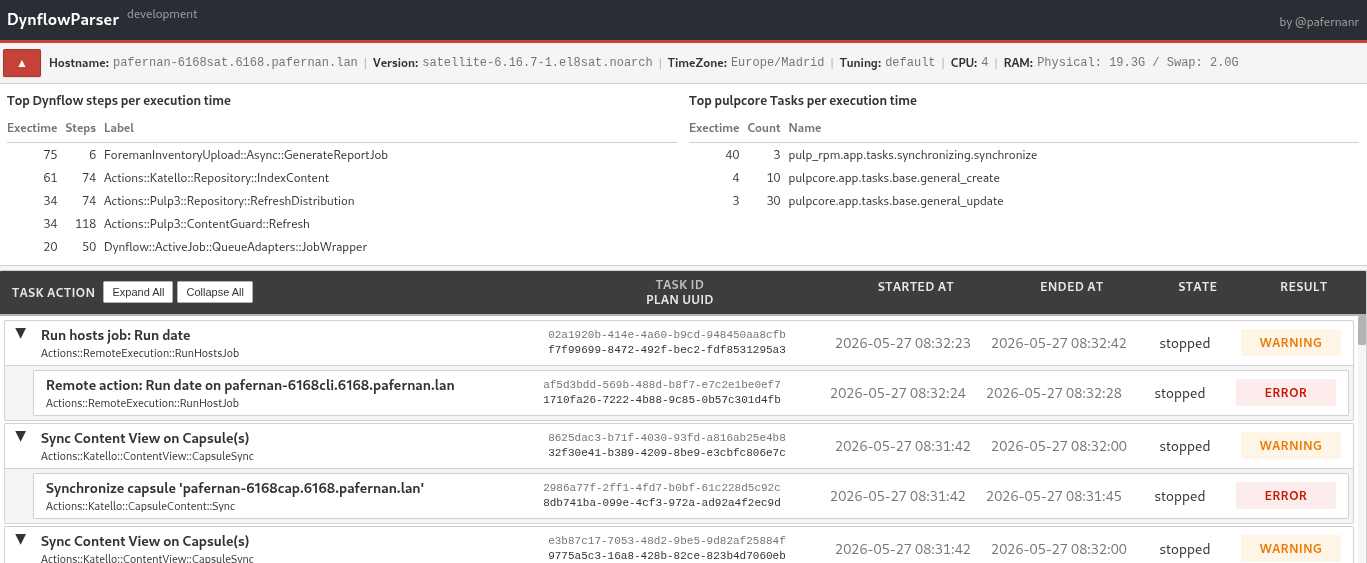 |
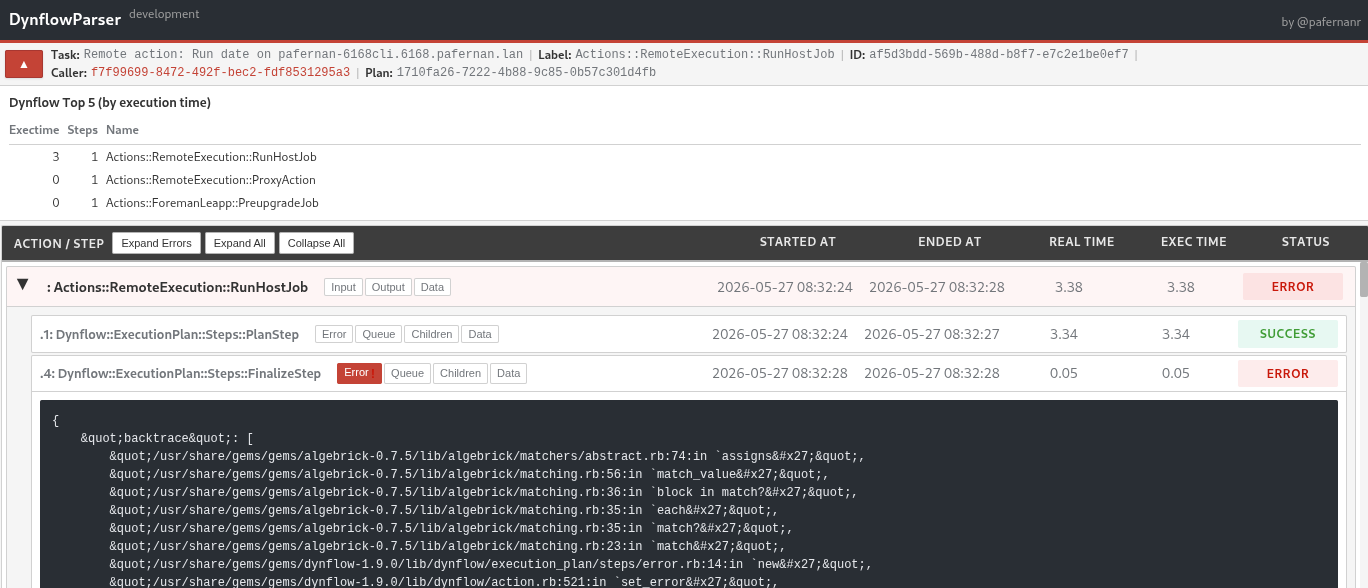 |
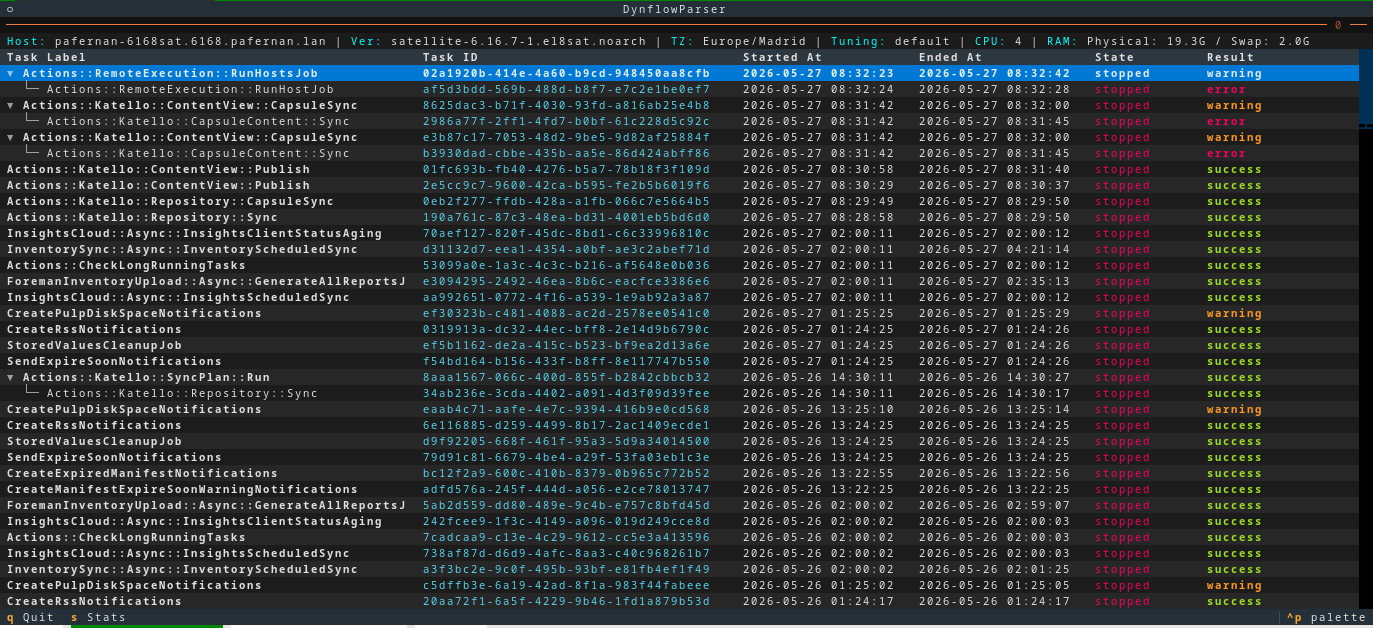 |
Installation
Using pip
pip install dynflowbrowser
Using prebuilt packages
Download from Latest Release
Requirements
- Python 3.8+
- Jinja2, pandas, pytz, textual
Usage
usage: dynflowbrowser [-h] [-v] [--search SEARCH] [--state {paused,pending,planned,planning,running,stopped}]
                      [--result {error,pending,success,warning}] [--task-days TASK_DAYS] [--dbserver] [-o OUTPUT_PATH]
                      [sosreport_path]

Get sosreport dynflow files and generates user friendly html pages for tasks, plans, actions and steps

positional arguments:
  sosreport_path        Path to sos report folder. Default is current path.

options:
  -h, --help            show this help message and exit
  -v, --version         show program's version number and exit
  --search SEARCH       Search query using foreman-rake syntax. Supports operators: =, !=, ~, !~, >, <, >=, <= and connectors: AND, OR
  --state {paused,pending,planned,planning,running,stopped}
                        Filter by task state. Valid: paused, pending, planned, planning, running, stopped
  --result {error,pending,success,warning}
                        Filter by task result. Valid: error, pending, success, warning
  --task-days TASK_DAYS
                        Import only tasks from last N days. Same as foreman-rake TASK_DAYS parameter.
  --dbserver            Connect directly to PostgreSQL instead of importing CSV to SQLite. Requires PostgreSQL connection details.
  -o OUTPUT_PATH, --output_path OUTPUT_PATH
                        Write output to this path. Default is './dynflowbrowser/'.

Examples:
  # Combine state, result and time filters
  dynflowbrowser --state stopped --result error --task-days 10

  # Complex search query (AND / OR operators)
  dynflowbrowser --search="result != success" --task-days 3
  dynflowbrowser --search="label ~ Sync AND state = stopped AND result = error"
Exporting Tasks from Foreman Database
For systems where sos is not installed or doesn't include dynflow data:
# Run on the Satellite server
dynflowbrowser-export-tasks

# Options:
#  -d DAYS    Number of days to export (default: 14)
#  -f FILTER  SQL filter query
#  -o PATH    Output directory (default: /tmp)
Creates a compressed export file compatible with DynflowBrowser.
1 maintainer

Metadata
1 maintainer
Release files for dynflowbrowser 0.0.8
For a detailed explanation of source distributions (sdists) and built distributions (wheels), please see the package formats documentation.
Source distribution (sdist)
| File | Size | Uploaded | Provenance | Actions |
|---|---|---|---|---|
| dynflowbrowser-0.0.8.tar.gz | 90.8 kB | With provenance | Details for dynflowbrowser-0.0.8.tar.gz |
Built distribution (wheel)
| File | Interpreter | ABI | Platform | Actions Reset |
|---|---|---|---|---|
| dynflowbrowser-0.0.8-py3-none-any.whl | Python 3 | none | any | Details for dynflowbrowser-0.0.8-py3-none-any.whl |
Total release size: 195.8 kB
Release files / dynflowbrowser-0.0.8.tar.gz
| Download URL | dynflowbrowser-0.0.8.tar.gz |
|---|---|
| Size | 90.8 kB |
| Tags | Source |
|
SHA-256 checksum How to use checksums |
345e0e08a260c31bbedd1fdeb3470a609a3a1479739107edd807d633e424e564
|
|
BLAKE2b-256 checksum How to use checksums |
70bf031d68b9e812891b938a75646c811d58d0ba637238c40bca6f006445b5d0
|
| Upload date | |
|
Uploaded using Trusted Publishing? What is trusted publishing? |
Yes |
| Uploaded via |
twine/6.1.0 CPython/3.13.14
|
Provenance
Provenance describes where a file came from. On PyPI, provenance is shared via attestations, which provide a verifiable record of the build or publishing details. View details, limitations and caveats.


PyPI Publish Attestation
PyPI verified that this artifact, at this checksum, originated from the publisher listed below.
Signed by GitHub Actions, verified by PyPI on Jul 22, 2026.
Transparency logRelease files / dynflowbrowser-0.0.8-py3-none-any.whl
| Download URL | dynflowbrowser-0.0.8-py3-none-any.whl |
|---|---|
| Size | 105.0 kB |
| Tags | Python 3 |
|
SHA-256 checksum How to use checksums |
bbee9f80ec4de13f621c78da89eecad83eea0ede768fd675d0b918ec5499aaf5
|
|
BLAKE2b-256 checksum How to use checksums |
4c82398768e21ce43456f13323eee204e707126dfa54391439a74598ed9cb266
|
| Upload date | |
|
Uploaded using Trusted Publishing? What is trusted publishing? |
Yes |
| Uploaded via |
twine/6.1.0 CPython/3.13.14
|
Provenance
Provenance describes where a file came from. On PyPI, provenance is shared via attestations, which provide a verifiable record of the build or publishing details. View details, limitations and caveats.
PyPI Publish Attestation
PyPI verified that this artifact, at this checksum, originated from the publisher listed below.
Signed by GitHub Actions, verified by PyPI on Jul 22, 2026.
Transparency logSecurity for dynflowbrowser 0.0.8
Provenance
Provenance describes where a file came from. On PyPI, provenance is shared via attestations, which provide a verifiable record of the build or publishing details. View details, limitations and caveats.
Full provenance
Both files in this release have been uploaded with provenance metadata.
Attestation for dynflowbrowser-0.0.8.tar.gz
PyPI Publish Attestation
PyPI verified that this artifact, at this checksum, originated from the publisher listed below.
Signed by GitHub Actions, verified by PyPI on Jul 22, 2026.
Transparency logA note on package security
PyPI is a repository for distributing packages, not a service for auditing them. While third-party security researchers and our staff do their best to detect and remove malicious packages, PyPI cannot guarantee the quality, security or suitability of any given package.
To learn more about protecting yourself from malicious actors, visit our package security documentation.














