
Interactive browser for analyzing Dynflow task execution data from TheForeman/Red Hat Satellite sosreports.
Verified details
These details have been verified by PyPIProject links
GitHub Statistics
Maintainers

Project description
DynflowBrowser
Interactive browser for analyzing Dynflow task execution data from TheForeman/Red Hat Satellite sosreports.
Overview
- DynflowBrowser is based on DynflowParser.
- Compared to previous application, DynflowBrowser is much more FASTER because it does not generate all Action pages but only saves data to a SQLite file.
- There are available two interfaces for analyzing Dynflow execution:
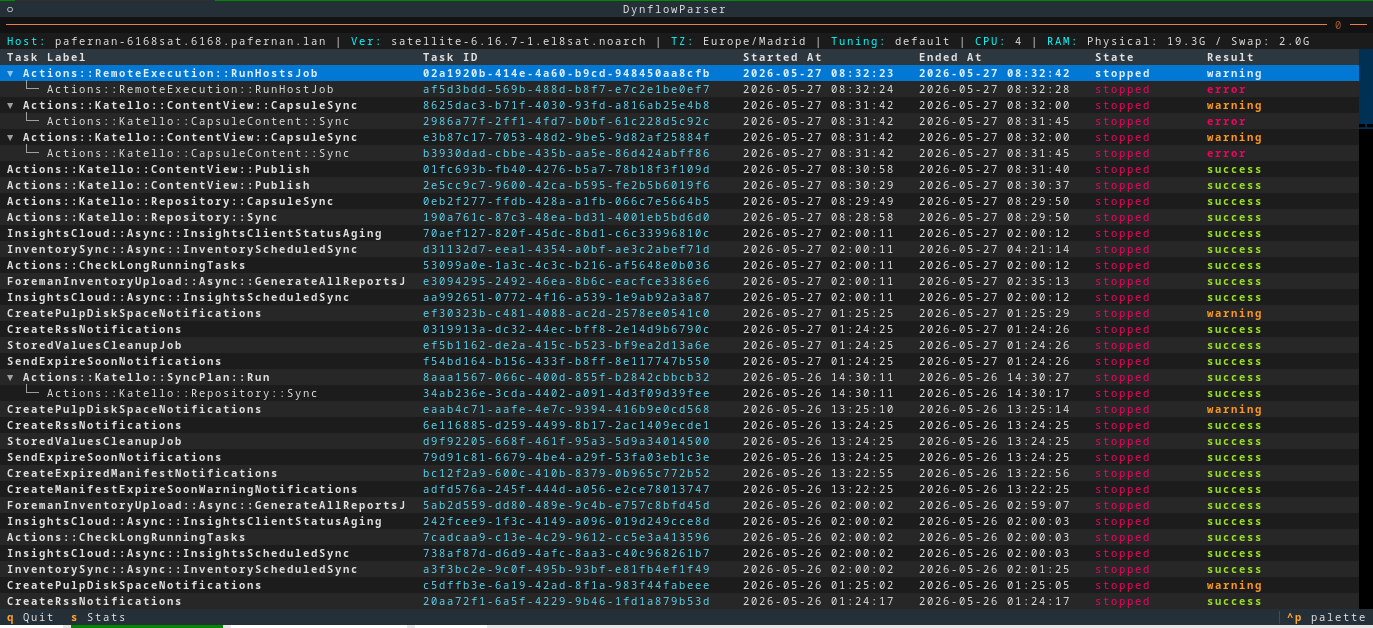
- Terminal Browser: Fast keyboard/mouse-driven specifically designed TUI Dynflow browser.
- HTTPD Service: Web interface accessible from any browser.
How it works?
- It reads Dynflow csv files from a sosreport and saves the data to a SQLite file.
- Imported data can be filtered using similar sintax as the well known
foreman-rake. E.g:# foreman-rake foreman_tasks:export_tasks TASK_SEARCH='result != success' TASK_DAYS=3 # # dynflowbrowser --search="result != success" --task-days 3
- Imported data can be filtered using similar sintax as the well known
- The database is used to get the Tasks details while browsing using the TUI or HTTP server.
- HTTPD Service can be started in background while using the Terminal Browser.
- Share HTTP or SSH tunnel access with colleagues to dig into the same Dynflow data.
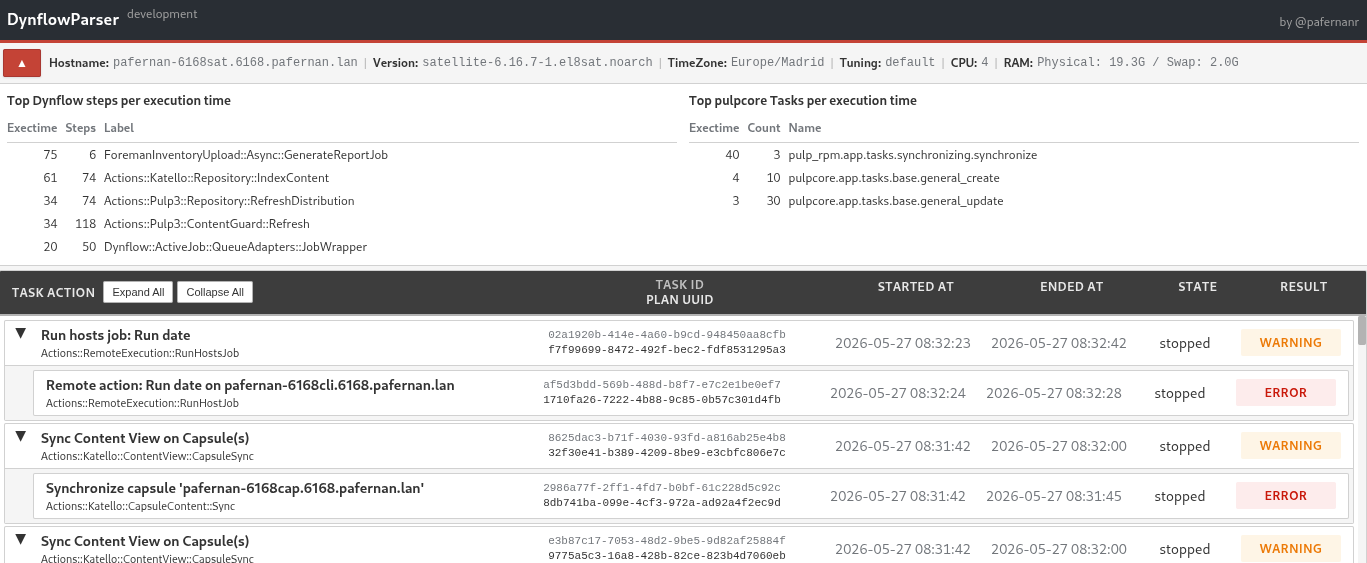
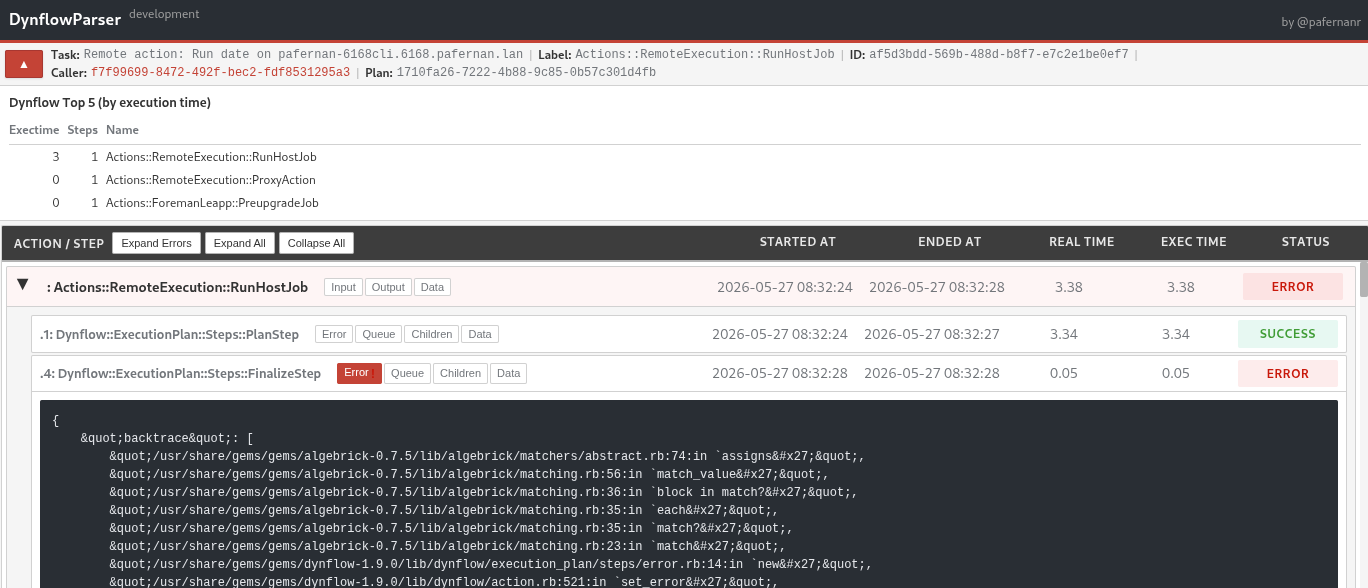
- Dynflow and Pulp statistics by execution time are available for all/specific Tasks.
Key Features
- Fast CSV parsing with pandas and optimized SQLite operations
- Filter tasks by state, result, search queries, or time range
- Expandable task hierarchies with automatic error expansion
- Dynflow and Pulp execution statistics
- Timezone-aware date conversion. Dynflow and Pulp UTC converted to sosreport TZ.
- System context display (hostname, version, CPU, RAM, tuning)
Screenshots
| Tasks list | Task details | Terminal |
|---|---|---|
 |
 |
 |
Installation
Using pip
pip install dynflowbrowser
Using prebuilt packages
Download from Latest Release
Requirements
- Python 3.6+
- Jinja2, pandas, pytz, textual
Usage
usage: dynflowbrowser [-h] [-v] [--search SEARCH] [--state {paused,pending,planned,planning,running,stopped}]
                      [--result {error,pending,success,warning}] [--task-days TASK_DAYS] [-o OUTPUT_PATH]
                      [sosreport_path]

Get sosreport dynflow files and generates user friendly html pages for tasks, plans, actions and steps

positional arguments:
  sosreport_path        Path to sos report folder. Default is current path.

options:
  -h, --help            show this help message and exit
  -v, --version         show program's version number and exit
  --search SEARCH       Search query using foreman-rake syntax. Supports operators: =, !=, ~, !~, >, <, >=, <= and connectors: AND,
                        OR
  --state {paused,pending,planned,planning,running,stopped}
                        Filter by task state. Valid: paused, pending, planned, planning, running, stopped
  --result {error,pending,success,warning}
                        Filter by task result. Valid: error, pending, success, warning
  --task-days TASK_DAYS
                        Import only tasks from last N days. Same as foreman-rake TASK_DAYS parameter.
  -o OUTPUT_PATH, --output_path OUTPUT_PATH
                        Write output to this path. Default is './dynflowbrowser/'.

Examples:
  # Combine state, result and time filters
  dynflowbrowser --state stopped --result error --task-days 10

  # Complex search query (AND / OR operators)
  dynflowbrowser --search="result != success" --task-days 3
  dynflowbrowser --search="label ~ Sync AND state = stopped AND result = error"
Exporting Tasks from Foreman Database
For systems where sos is not installed or doesn't include dynflow data:
# Run on the Satellite server
dynflowbrowser-export-tasks

# Options:
#  -d DAYS    Number of days to export (default: 14)
#  -f FILTER  SQL filter query
#  -o PATH    Output directory (default: /tmp)
Creates a compressed export file compatible with DynflowBrowser.
Project details
Verified details
These details have been verified by PyPIProject links
GitHub Statistics
Maintainers


Download files
Download the file for your platform. If you're not sure which to choose, learn more about installing packages.
Source Distribution
Built Distribution
Filter files by name, interpreter, ABI, and platform.
If you're not sure about the file name format, learn more about wheel file names.
Copy a direct link to the current filters
File details
Details for the file dynflowbrowser-0.0.4.tar.gz.
File metadata
- Download URL: dynflowbrowser-0.0.4.tar.gz
- Upload date:
- Size: 78.5 kB
- Tags: Source
- Uploaded using Trusted Publishing? Yes
- Uploaded via: twine/6.1.0 CPython/3.13.12
File hashes
| Algorithm | Hash digest | |
|---|---|---|
| SHA256 |
2f44ec9ec24e08f4b69dd8bb34f6c8beb946c9739c5109881bd682d56cc70db6
|
|
| MD5 |
ef4a2db5c94c60a4883c1171ef36fb75
|
|
| BLAKE2b-256 |
cf61a8d9ca8d856f6aa0d4f76f46b625a8ca3c31b84f1a749845b843a4427881
|
Provenance
The following attestation bundles were made for dynflowbrowser-0.0.4.tar.gz:
Publisher:
publish-pypi.yml on pafernanr/dynflowbrowser
-
Statement:
-
Statement type:
https://in-toto.io/Statement/v1 -
Predicate type:
https://docs.pypi.org/attestations/publish/v1 -
Subject name:
dynflowbrowser-0.0.4.tar.gz -
Subject digest:
2f44ec9ec24e08f4b69dd8bb34f6c8beb946c9739c5109881bd682d56cc70db6 - Sigstore transparency entry: 1755135999
- Sigstore integration time:
-
Permalink:
pafernanr/dynflowbrowser@ae5231c0e38c41e1cabf9e80d7152c570f166ef8 -
Branch / Tag:
refs/tags/v0.0.4 - Owner: https://github.com/pafernanr
-
Access:
public
-
Token Issuer:
https://token.actions.githubusercontent.com -
Runner Environment:
github-hosted -
Publication workflow:
publish-pypi.yml@ae5231c0e38c41e1cabf9e80d7152c570f166ef8 -
Trigger Event:
release
-
Statement type:
File details
Details for the file dynflowbrowser-0.0.4-py3-none-any.whl.
File metadata
- Download URL: dynflowbrowser-0.0.4-py3-none-any.whl
- Upload date:
- Size: 91.2 kB
- Tags: Python 3
- Uploaded using Trusted Publishing? Yes
- Uploaded via: twine/6.1.0 CPython/3.13.12
File hashes
| Algorithm | Hash digest | |
|---|---|---|
| SHA256 |
2e1647cc58a5d8c481bd339f69db1fc03bdaa4c16b9481efa0cd494e3a3e3225
|
|
| MD5 |
b3c67459d66c1ba9bbadb0d91b76da34
|
|
| BLAKE2b-256 |
4897d613a944d0fb5ce9f6df1472c3d56095f4a54e5d1545a2c2b5c469925bf1
|
Provenance
The following attestation bundles were made for dynflowbrowser-0.0.4-py3-none-any.whl:
Publisher:
publish-pypi.yml on pafernanr/dynflowbrowser
-
Statement:
-
Statement type:
https://in-toto.io/Statement/v1 -
Predicate type:
https://docs.pypi.org/attestations/publish/v1 -
Subject name:
dynflowbrowser-0.0.4-py3-none-any.whl -
Subject digest:
2e1647cc58a5d8c481bd339f69db1fc03bdaa4c16b9481efa0cd494e3a3e3225 - Sigstore transparency entry: 1755136021
- Sigstore integration time:
-
Permalink:
pafernanr/dynflowbrowser@ae5231c0e38c41e1cabf9e80d7152c570f166ef8 -
Branch / Tag:
refs/tags/v0.0.4 - Owner: https://github.com/pafernanr
-
Access:
public
-
Token Issuer:
https://token.actions.githubusercontent.com -
Runner Environment:
github-hosted -
Publication workflow:
publish-pypi.yml@ae5231c0e38c41e1cabf9e80d7152c570f166ef8 -
Trigger Event:
release
-
Statement type:






