
EDGAR Analytics





Analyze SEC EDGAR filings in seconds. Retrieve 10-K and 10-Q financial statements, compute 40+ GAAP/IFRS metrics and scoring models, forecast revenue with ARIMA/SARIMAX, and get actionable alerts — all from a single CLI command or Python import.
pip install edgar-analytics
edgar-analytics AAPL MSFT GOOGL --csv report.csv
import edgar_analytics as ea
result = ea.analyze("AAPL", peers=["MSFT", "GOOGL"])
print(result.main.annual_snapshot.metrics.revenue)
df = result.to_dataframe()  # One row per ticker
New to the library? See the User Guide for real-world workflows and practical recipes, the Metrics Reference for every supported concept and metric with business context, and the Architecture Guide for how the data pipeline works.
Table of Contents
- Overview
- Features
- Installation
- Quick Start
- Usage
- Core Modules
- Detailed Method Reference
- Logging & Debugging
- Extensibility
- Testing
- Contributing
- Star History
- License
Overview
EDGAR Analytics is a Python library designed to:
- Retrieve and parse financial statements from the SEC's EDGAR system (via edgartools).
- Compute key financial metrics (including GAAP, IFRS, intangible, goodwill, net debt, etc.).
- Optionally forecast revenue using a strategy-based architecture (ARIMA by default).
- Summarize results with rich, colorized console output and optional CSV exports.
It handles complexities such as:
- Multi-year and multi-quarter filing retrieval (10-K and 10-Q).
- Flexible synonyms to accommodate IFRS/GAAP labeling differences.
- Automatic sign-flipping of negative expenses.
- Common ratio calculations (Current Ratio, Debt-to-Equity, Free Cash Flow, etc.).
- Alert detection for negative margins, high leverage, negative free cash flow streaks, spikes in working capital.
- Strategy-based forecasting with a default ARIMA approach or customizable forecasting strategy.
- A fully scriptable CLI with rich console output.
IFRS & GAAP Filers
Supports both U.S. GAAP and IFRS filers. Foreign private issuers that file IFRS-based statements (e.g., Form 20-F) are automatically handled if synonyms match IFRS-labeled line items.
Features
- Typed Programmatic API:
ea.analyze("AAPL", peers=["MSFT"])returns anAnalysisResultdataclass with typed fields — no more dict-diving. - Annual & Quarterly Snapshots: Retrieve the latest 10-K (annual) and 10-Q (quarterly) metrics for a given company.
- Multi-Year Analysis: Pull multiple 10-K and 10-Q statements (income, balance sheet, cash flow) to compute YoY growth, QoQ growth, and CAGR for all metrics including FCF, CapEx, ROE, ROA, and D/E.
- 40+ Financial Ratios & Metrics:
- Margins: Gross, Operating, Net
- Liquidity: Current Ratio, Quick Ratio, Cash Ratio
- Leverage: Debt-to-Equity, Debt/Total Capital, Fixed Charge Coverage, Interest Coverage
- Quality: Accruals Ratio, Earnings Quality, Cash Flow Coverage, Sloan Accrual
- Profitability: ROE, ROA, EBIT, EBITDA (both approximate and standard)
- Balance sheet: Intangible ratio, goodwill ratio, net debt, lease liabilities, tangible equity
- Scoring Models: Piotroski F-Score, Altman Z-Score (manufacturing + non-manufacturing Z'' variants with auto-detection), Beneish M-Score, DuPont Decomposition, Capital Efficiency (ROIC/WACC), Per-Share Metrics (basic + diluted EPS), Working Capital Cycle (DSO/DIO/DPO).
- Financial Company Detection: Auto-detects banks and insurers via SIC code (6000-6999) and suppresses inapplicable models (Altman Z, working capital cycle) that produce garbage for financial institutions.
- Valuation Ratios: P/E, P/B, EV/EBITDA, and Earnings Yield from live market data (requires
pip install edgar-analytics[valuation]). - TTM (Trailing Twelve Months): Automatically computed from quarterly data and included in results.
- Alerts:
- Negative net margin
- High leverage (debt-to-equity above threshold)
- Consecutive quarters of negative free cash flow
- Significant quarterly spikes in inventory/receivables
- Accounting identity mismatch (Assets ≠ Liabilities + Equity)
- Revenue Forecasting:
- By default, uses an ARIMA-based strategy for annual or quarterly data.
- Easily swap in your own forecasting logic by implementing a custom strategy (see Extensibility).
- Disk Caching: SQLite-backed caching with TTL support. Past filings cached forever, current filings cached 24h. Install with
pip install edgar-analytics[cache]. - CompanyFacts Cross-Validation: Automatic cross-check against SEC XBRL CompanyFacts API. Discrepancies logged as warnings, never modifies parsed values.
- Concurrent Peer Fetching: Peers analyzed in parallel with
ThreadPoolExecutorand SEC rate-limit compliance (time-based 10 req/sec limiter). - Output Formats:
result.to_dataframe()— One row per ticker, columns for metricsresult.to_panel()— MultiIndex DataFrame (ticker × period × metric) for quant researchresult.to_parquet(path)— Write to Parquet (pip install edgar-analytics[parquet])result.to_json_dict()/AnalysisResult.from_json_dict()— JSON serialization round-trip- CSV export via CLI
- Command-Line Interface (CLI):
- Analyze one or more tickers with a single command
- Rich, colorized console output
- Configurable logging levels and output formats
- Optional forecast disabling for faster analysis
- Comprehensive Logging:
- Colorized console output with configurable verbosity
- Structured JSON logs for debugging and analysis
- Type-Safe: PEP 561
py.typedmarker — full type checking support for downstream consumers.
Installation
You can install EDGAR Analytics using pip or set it up within a local virtual environment for development.
Using pip
pip install edgar-analytics

# With optional extras:
pip install edgar-analytics[cache]      # Disk caching (diskcache)
pip install edgar-analytics[parquet]    # Parquet output (pyarrow)
pip install edgar-analytics[forecast]   # Revenue forecasting (statsmodels)
pip install edgar-analytics[valuation]  # Market data & valuation ratios (yfinance)
pip install edgar-analytics[cache,parquet,forecast,valuation]  # All extras
Setting Up a Local Virtual Environment
-
Create a Virtual Environment
python3 -m venv venv
source ./venv/bin/activate   # or venv\Scripts\activate on Windows
pip install --upgrade pip setuptools wheel
-
Install in Editable Mode (for contributing)
pip install -e ".[test]"
Make sure you're in the repo's root directory (where
setup.pyis located).
Quick Start
Once installed, analyze a company via the CLI:
edgar-analytics AAPL --csv my_report.csv
This command:
- Fetches Apple's latest annual (10-K) and quarterly (10-Q) metrics.
- Retrieves multi-year data for deeper analysis (CAGR, YoY growth, etc.).
- Automatically forecasts next annual and quarterly revenue using the default ARIMA strategy.
- Logs everything to the console with rich, colorized output and saves a CSV summary to
my_report.csv.
Usage
CLI Usage
Use the edgar-analytics command with various options to customize your analysis:
edgar-analytics TICKER [PEER1 PEER2...] [OPTIONS]
Options:
--csv PATH: Save results to a CSV file--years N: Number of years of 10-K data to retrieve (default: 3)--quarters N: Number of quarters of 10-Q data to retrieve (default: 10)--log-level LEVEL: Set console logging level (DEBUG/INFO/WARNING/ERROR/CRITICAL)--debug: Enable debug mode (shortcut for --log-level DEBUG)--disable-forecast: Skip revenue forecasting to speed up analysis--identity NAME <EMAIL>: Override default EDGAR identity for SEC compliance--suppress-logs: Show only final summary panels for cleaner output
The console output is colorized using Rich, making it easy to read and navigate results.
Examples:
-
Basic Analysis
edgar-analytics AAPLAnalyzes AAPL with default settings (3 years, 10 quarters).
-
Extended Historical Data
edgar-analytics AAPL --years 5 --quarters 12
Retrieves 5 years of annual data and 12 quarters of quarterly data.
-
Multiple Companies with Debug Output
edgar-analytics AAPL MSFT GOOGL --debug --csv results.csv
Analyzes multiple companies with full debug logging and CSV output.
-
Fast Analysis (No Forecasting)
edgar-analytics AAPL --disable-forecast --suppress-logs
Quick analysis without forecasting and minimal console output.
Programmatic Usage
The recommended entry point is ea.analyze(), which returns typed dataclasses:
import edgar_analytics as ea

# Full analysis with peers — returns AnalysisResult dataclass
result = ea.analyze("AAPL", peers=["MSFT", "GOOGL"])

# Access typed fields directly
metrics = result.main.annual_snapshot.metrics
print(f"Revenue: {metrics.revenue:,.0f}")
print(f"Net Margin: {metrics.net_margin_pct:.1f}%")
print(f"Piotroski Score: {metrics.scores.piotroski.score}")

# TTM data (trailing twelve months from quarterly)
print(f"TTM Revenue: {result.main.multiyear.ttm.get('Revenue', 0):,.0f}")

# Multi-period trends (FCF, ROE, D/E over time)
annual = result.main.multiyear.annual_data
print(f"ROE % by year: {annual.get('ROE %', {})}")
print(f"FCF by year: {annual.get('Free Cash Flow', {})}")

# Export to various formats
df = result.to_dataframe()         # One row per ticker
panel = result.to_panel()          # MultiIndex: ticker × period × metric
result.to_parquet("output.parquet")  # Requires: pip install edgar-analytics[parquet]
Serialization round-trip (save/load results as JSON):
import json
import edgar_analytics as ea

result = ea.analyze("AAPL")
# Serialize (NaN/Inf safely converted to null)
with open("analysis.json", "w") as f:
    json.dump(result.to_json_dict(), f)
# Deserialize
with open("analysis.json") as f:
    restored = ea.AnalysisResult.from_json_dict(json.load(f))
For CLI-style console output with optional CSV export:
from edgar_analytics.orchestrator import TickerOrchestrator

# Context manager ensures cache file descriptors are released
with TickerOrchestrator() as orchestrator:
    result = orchestrator.analyze_company(
        ticker="AAPL",
        peers=["MSFT", "GOOGL"],
        csv_path="summary.csv",
        n_years=5,
        n_quarters=8,
        identity="Name <email>"
    )
Core Modules
-
models.py
Typed dataclass models:AnalysisResult,TickerAnalysis,FilingSnapshot,SnapshotMetrics,ScoresResult, etc. -
metrics.py
Computes 40+ financial metrics (Revenue, margins, ROE/ROA, liquidity, leverage, quality factors, EBIT/EBITDA, interest coverage, etc.). -
scores.py
Scoring models: Piotroski F-Score, Altman Z-Score, Beneish M-Score, DuPont Decomposition, Capital Efficiency (ROIC), Per-Share Metrics, Working Capital Cycle, TTM computation. -
forecasting.py
Strategy-based revenue forecasting. Default:ArimaForecastStrategy(ARIMA/SARIMAX). -
multi_period_analysis.py
Multi-year/quarter data retrieval across income, balance sheet, and cash flow statements. Computes YoY growth, CAGR, FCF/CapEx/ROE/ROA/D/E time series, and derived margin ratios. -
orchestrator.py
High-level orchestration with disk caching, concurrent peer fetching, CompanyFacts cross-validation, and TTM integration. -
cache.py
SQLite-backed disk caching with TTL support (requiresdiskcache). Transparent no-op when not installed. -
company_facts.py
SEC XBRL CompanyFacts API cross-validation. Logs discrepancies, never modifies parsed values. -
reporting.py
Rich console output, CSV export, multi-year trend display with TTM. -
cli.py
Click-based CLI with rich output formatting. -
market_data.py
Valuation ratios (P/E, P/B, EV/EBITDA, Earnings Yield) from yfinance market data. Guards behind optionalyfinancedependency. -
logging_utils.py,data_utils.py,synonyms_utils.py,synonyms.py,config.py
Logging, data parsing, synonyms, numeric formatting, and config thresholds.
Detailed Method Reference
Below is a select reference for the most commonly used methods. For a deeper or more technical reference, see the in-code docstrings.
| Method | Purpose | Usage |
|---|---|---|
cli.main() |
Entry point for the CLI (edgar-analytics). |
CLI: Invoked by console script. Not typically called directly in Python code. |
TickerOrchestrator.analyze_company() |
Orchestrates data retrieval, multi-year analysis, forecasting, and final reporting for a main ticker + optional peers. | Python: python<br/>orch = TickerOrchestrator()<br/>orch.analyze_company("AAPL", ["MSFT"], csv_path="out.csv")<br/> |
metrics.get_single_filing_snapshot() |
Retrieves the latest 10-K or 10-Q for a Company, parses it into a dictionary of metrics + filing info. | Internally used by _analyze_ticker_for_metrics(). |
multi_period_analysis.retrieve_multi_year_data() |
Fetches multiple 10-K/10-Q filings for multi-year or multi-quarter growth analysis, CAGR, etc. Returns annual_data, quarterly_data, yoy_revenue_growth, and cagr_revenue. |
Python: python<br/>data = retrieve_multi_year_data("AAPL", 3, 8)<br/>print(data["annual_data"], data["cagr_revenue"])<br/> |
forecasting.forecast_revenue() |
Main entry for forecasting next revenue (1-step) using a specified or default strategy (ArimaForecastStrategy). Negative forecasts are preserved to surface declining trends; NaN/Inf results fall back to the last known value. |
CLI: Called under the hood by the Orchestrator. Python: python<br/>from edgar_analytics.forecasting import forecast_revenue<br/>fcst = forecast_revenue(rev_dict) |
forecasting.ArimaForecastStrategy |
Default ARIMA-based strategy that tries ARIMA/SARIMAX model candidates and picks one by AIC. | Custom: python<br/>strategy = ArimaForecastStrategy()<br/>fcst = forecast_revenue(rev_data, strategy=strategy)<br/> |
reporting.ReportingEngine.summarize_metrics_table() |
Builds a final summary of metrics for all tickers, renders rich console output, and optionally saves to CSV. | Internally used by analyze_company(), though you can call it directly with a valid metrics_map. |
TickerDetector.validate_ticker_symbol() |
Regex-based validation of ticker format. | Used to filter out invalid tickers (e.g., @@@). |
Refined FCF Computation
Starting with v0.1.0+, EDGAR Analytics applies a smarter fallback when a direct "capital expenditures" line item is missing from the cash flow statement. Specifically:
- Checks for an explicit "capital expenditures" row (via synonyms).
- If not found:
- Takes the net investing outflow (if negative).
- Subtracts intangible purchases and business acquisitions (when detected).
- The remainder is treated as approximated "capex."
This helps avoid over-counting large M&A deals or intangible acquisitions as ongoing capital expenditures. You can see this improvement in:
synonyms_utils.compute_capex_single_periodandcompute_capex_for_columnmetrics.pyfor single filing snapshots.multi_period_analysis.pyfor multi-quarter data.
Disclaimer:
Even with these refinements, certain unusual transactions may still appear in overall investing outflows. Thus, the library's fallback remains an approximation for investor/analyst guidance only.
Logging & Debugging
EDGAR Analytics provides two parallel logging outputs:
-
Console (Rich):
- Level controlled by
--log-level(INFO by default) or--debug - Colorized, minimal, user-friendly log messages
- Can be suppressed with
--suppress-logsfor cleaner output - Supports multiple log levels (DEBUG/INFO/WARNING/ERROR/CRITICAL)
- Level controlled by
-
JSON Log File (opt-in for library users, automatic for CLI):
- Written to
edgar_analytics_debug.jsonlwhen enabled - Contains all logs at DEBUG level (and above) in structured JSON
- Uses
RotatingFileHandler(10 MB max, 3 backups) to prevent unbounded growth - Ideal for debugging or integration with log management systems
- Includes detailed context (file, line number, function name)
- Handlers are flushed and closed on process exit via
atexit - Library users can opt in via
configure_logging(level, enable_file_logging=True)
- Written to
Test Logging & Ticker Orchestrator
- The Orchestrator and ReportingEngine now consistently use loggers named
edgar_analytics.orchestratorandedgar_analytics.reporting - This ensures that test fixtures using
caplog.at_level(..., logger="edgar_analytics.orchestrator")or"edgar_analytics.reporting"will capture and verify expected log lines - Third-party loggers (edgar, edgartools, httpx) are automatically adjusted based on the chosen log level
Extensibility
EDGAR Analytics is modular, letting you add or override behavior easily:
- Synonyms: Extend or override synonyms in
synonyms.pyfor custom labeling. - Alert Thresholds:
config.pycontains all alert thresholds (negative margins, high leverage, net debt/EBITDA, interest coverage, FCF streaks, inventory/receivables spikes). Override at runtime viaea.analyze("AAPL", alerts_config={"HIGH_LEVERAGE": 5.0}). - Additional Metrics: Add new ratio logic to
metrics.pyor wherever suitable. - Custom Forecast Strategies:
- The library exposes a
ForecastStrategyabstract base class inforecasting.py. - By default, we use
ArimaForecastStrategy. You can create your own strategy subclass and pass it toforecast_revenue()(or the Orchestrator if you modify its internal logic).
from edgar_analytics.forecasting import ForecastStrategy, forecast_revenue
from edgar_analytics.data_utils import parse_period_label

class MyGrowthStrategy(ForecastStrategy):
    def forecast(self, rev_dict: dict, is_quarterly=False) -> float:
        # Example: always increase last known revenue by +5%
        if not rev_dict:
            return 0.0
        sorted_periods = sorted(rev_dict.keys(), key=parse_period_label)
        last_val = rev_dict[sorted_periods[-1]]
        return last_val * 1.05

# Usage:
data_map = {"2020": 100, "2021": 200}
fcst = forecast_revenue(data_map, strategy=MyGrowthStrategy())
print(fcst)
- The library exposes a
- Reporting Formats:
ReportingEnginesupports rich console output and CSV. Extend it for Excel, JSON, or any other output format.
Testing
We use pytest to ensure reliability and coverage.
From the project root (where pytest can discover tests/):
pytest -v --cov=edgar_analytics --cov-report=term-missing
# To run in parallel threads: pytest --maxfail=1 --disable-warnings -v -n auto tests
The test suite includes fixtures for capturing and verifying log outputs, particularly useful for testing the Orchestrator and ReportingEngine components.
Contributing
We welcome contributions! See CONTRIBUTING.md for the full guide, including development setup, coding standards, and financial accuracy guidelines.
Quick links:
- Report a bug
- Report a data accuracy issue
- Request a feature
- Ask a question
- Security policy
- Code of Conduct
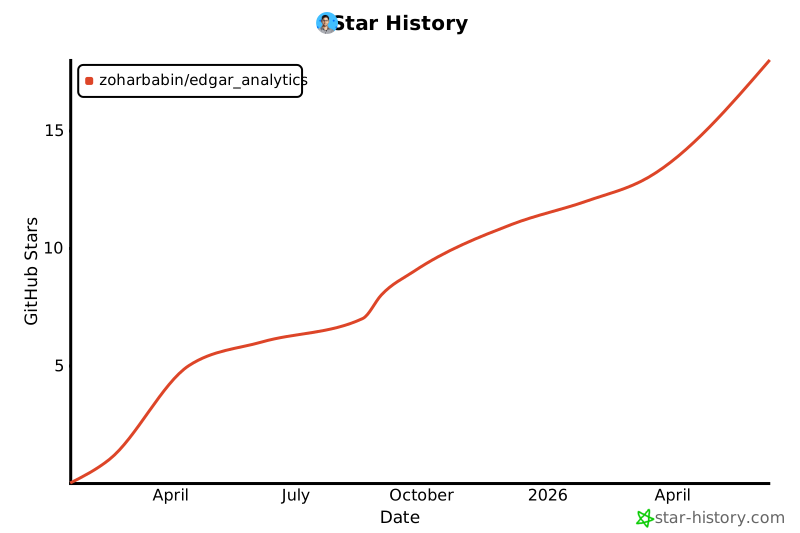
Star History
License
MIT License
(See LICENSE for details.)
Disclaimer:
This tool extracts data from public SEC filings. Always review official filings directly for investment decisions. The library and its maintainers are not responsible for any inaccuracies or any decisions made based on these outputs.
Happy Analyzing! If you find this useful, please give us a star — it helps others discover the project.
1 maintainer

Metadata
1 maintainer
Release files for edgar-analytics 1.0.7
For a detailed explanation of source distributions (sdists) and built distributions (wheels), please see the package formats documentation.
Source distribution (sdist)
| File | Size | Uploaded | Provenance | |
|---|---|---|---|---|
| edgar_analytics-1.0.7.tar.gz | 146.3 kB | With provenance | Details |
Built distribution (wheel)
| File | Interpreter | ABI | Platform | Reset |
|---|---|---|---|---|
| edgar_analytics-1.0.7-py3-none-any.whl | Python 3 | none | any | Details |
Total release size: 271.0 kB
Release files / edgar_analytics-1.0.7.tar.gz
| Download URL | edgar_analytics-1.0.7.tar.gz |
|---|---|
| Size | 146.3 kB |
| Tags | Source |
|
SHA-256 checksum How to use checksums |
6c08b45a4d92f8f820b13855709381241274282aa330e26071984c0989f80cfb
|
|
BLAKE2b-256 checksum How to use checksums |
1cbbfab98955db4eeccd34e7e5eb8a86aaac4189bbc264b12d77d353b287ab27
|
| Upload date | |
|
Uploaded using Trusted Publishing? What is trusted publishing? |
Yes |
| Uploaded via |
twine/6.1.0 CPython/3.13.12
|
Provenance
Provenance describes where a file came from. On PyPI, provenance is shared via attestations, which provide a verifiable record of the build or publishing details. View details, limitations and caveats.


PyPI Publish Attestation
PyPI verified that this artifact, at this checksum, originated from the publisher listed below.
Signed by GitHub Actions, verified by PyPI on Jul 9, 2026.
Transparency logRelease files / edgar_analytics-1.0.7-py3-none-any.whl
| Download URL | edgar_analytics-1.0.7-py3-none-any.whl |
|---|---|
| Size | 124.7 kB |
| Tags | Python 3 |
|
SHA-256 checksum How to use checksums |
c652a97a7919ce9f6d214b1d7a95e224260e8793b7bbd4f48b1a3f594b443ffe
|
|
BLAKE2b-256 checksum How to use checksums |
85bc4ca3a02ce91b135ec03458051ea770ab870ae2fbfa2a797193ef518dc387
|
| Upload date | |
|
Uploaded using Trusted Publishing? What is trusted publishing? |
Yes |
| Uploaded via |
twine/6.1.0 CPython/3.13.12
|
Provenance
Provenance describes where a file came from. On PyPI, provenance is shared via attestations, which provide a verifiable record of the build or publishing details. View details, limitations and caveats.
PyPI Publish Attestation
PyPI verified that this artifact, at this checksum, originated from the publisher listed below.
Signed by GitHub Actions, verified by PyPI on Jul 9, 2026.
Transparency logSecurity for edgar-analytics 1.0.7
Provenance
Provenance describes where a file came from. On PyPI, provenance is shared via attestations, which provide a verifiable record of the build or publishing details. View details, limitations and caveats.
Full provenance
All 2 files in this release have been uploaded with provenance metadata.
Attestation for edgar_analytics-1.0.7.tar.gz
PyPI Publish Attestation
PyPI verified that this artifact, at this checksum, originated from the publisher listed below.
Signed by GitHub Actions, verified by PyPI on Jul 9, 2026.
Transparency logA note on package security
PyPI is a repository for distributing packages, not a service for auditing them. While third-party security researchers and our staff do their best to detect and remove malicious packages, PyPI cannot guarantee the quality, security or suitability of any given package.
To learn more about protecting yourself from malicious actors, visit our package security documentation.














