





Educhain 🎓🔗
Educhain is a powerful Python package that leverages Generative AI to create engaging and personalized educational content. From generating multiple-choice questions to crafting comprehensive lesson plans with 8 pedagogical approaches, Educhain makes it easy to apply AI in various educational scenarios with sound educational theory.
🚀 Features
📝 Generate Multiple Choice Questions (MCQs)
from educhain import Educhain

client = Educhain()

# Basic MCQ generation
mcq = client.qna_engine.generate_questions(
    topic="Solar System",
    num=3,
    question_type="Multiple Choice"
)

# Advanced MCQ with custom parameters
advanced_mcq = client.qna_engine.generate_questions(
    topic="Solar System",
    num=3,
    question_type="Multiple Choice",
    difficulty_level="Hard",
    custom_instructions="Include recent discoveries"
)

print(mcq.model_dump_json())  # View in JSON format , For Dictionary format use mcq.model_dump()
📊 Create Lesson Plans
from educhain import Educhain

client = Educhain()

# Basic lesson plan
lesson = client.content_engine.generate_lesson_plan(
    topic="Photosynthesis"
)

# Advanced lesson plan with specific parameters
detailed_lesson = client.content_engine.generate_lesson_plan(
    topic="Photosynthesis",
    duration="60 minutes",
    grade_level="High School",
    learning_objectives=["Understanding the process", "Identifying key components"]
)

print(lesson.model_dump_json())  # View in JSON format , For Dictionary format use lesson.model_dump()
🔄 Support for Various LLM Models
from educhain import Educhain, LLMConfig
from langchain_google_genai import ChatGoogleGenerativeAI
from langchain_openai import ChatOpenAI

# Using Gemini
gemini_model = ChatGoogleGenerativeAI(
    model="gemini-2.0-flash",
    google_api_key="YOUR_GOOGLE_API_KEY"
)
gemini_config = LLMConfig(custom_model=gemini_model)
gemini_client = Educhain(gemini_config)

# Using GPT-4
gpt4_model = ChatOpenAI(
    model_name="gpt-4.1",
    openai_api_key="YOUR_OPENAI_API_KEY"
)
gpt4_config = LLMConfig(custom_model=gpt4_model)
gpt4_client = Educhain(gpt4_config)
📁 Export Questions to Different Formats
from educhain import Educhain

client = Educhain()
questions = client.qna_engine.generate_questions(topic="Climate Change", num=5)

# Export to JSON
questions.json("climate_questions.json")

# Export to PDF
questions.to_pdf("climate_questions.pdf")

# Export to CSV
questions.to_csv("climate_questions.csv")
🎨 Customizable Prompt Templates
from educhain import Educhain

client = Educhain()

# Custom template for questions
custom_template = """
Generate {num} {question_type} questions about {topic}.
Ensure the questions are:
- At {difficulty_level} level
- Focus on {learning_objective}
- Include practical examples
- {custom_instructions}
"""

questions = client.qna_engine.generate_questions(
    topic="Machine Learning",
    num=3,
    question_type="Multiple Choice",
    difficulty_level="Intermediate",
    learning_objective="Understanding Neural Networks",
    custom_instructions="Include recent developments",
    prompt_template=custom_template
)
📚 Generate Questions from Files
from educhain import Educhain

client = Educhain()

# From URL
url_questions = client.qna_engine.generate_questions_from_data(
    source="https://example.com/article",
    source_type="url",
    num=3
)

# From PDF
pdf_questions = client.qna_engine.generate_questions_from_data(
    source="path/to/document.pdf",
    source_type="pdf",
    num=3
)

# From Text File
text_questions = client.qna_engine.generate_questions_from_data(
    source="path/to/content.txt",
    source_type="text",
    num=3
)
📹 Generate Questions from YouTube Videos 
from educhain import Educhain

client = Educhain()

# Basic usage - Generate 3 MCQs from a YouTube video
questions = client.qna_engine.generate_questions_from_youtube(
    url="https://www.youtube.com/watch?v=dQw4w9WgXcQ",
    num=3
)
print(questions.model_dump_json())

# Generate questions preserving original language
preserved_questions = client.qna_engine.generate_questions_from_youtube(
    url="https://www.youtube.com/watch?v=dQw4w9WgXcQ",
    num=2,
    target_language='hi',
    preserve_original_language=True  # Keeps original language
)
🥽 Generate Questions from Images
from educhain import Educhain

client = Educhain() #Default is 4o-mini (make sure to use a multimodal LLM!)

question = client.qna_engine.solve_doubt(
    image_source="path-to-your-image",
    prompt="Explain the diagram in detail",
    detail_level = "High"
    )

print(question)
🥽 Generate Visual Questions
from langchain_google_genai import ChatGoogleGenerativeAI
from educhain import Educhain, LLMConfig

gemini_flash = ChatGoogleGenerativeAI(model="gemini-2.0-flash", google_api_key=GOOGLE_API_KEY)

flash_config = LLMConfig(custom_model=gemini_flash)

client = Educhain(flash_config)

ques = client.qna_engine.generate_visual_questions(
        topic="GMAT Statistics", num=10 )

print(ques.model_dump_json())
🎓 Generate Pedagogy-Based Content
from educhain import Educhain, LLMConfig

client = Educhain()

# Bloom's Taxonomy - All cognitive levels
blooms_content = client.content_engine.generate_pedagogy_content(
    topic="Data Science Fundamentals",
    pedagogy="blooms_taxonomy",
    target_level="All levels",  # or specific: "Remember", "Understand", "Apply", "Analyze", "Evaluate", "Create"
    grade_level="University",
    custom_instructions="Include Python programming and statistical concepts"
)

# Socratic Questioning - Strategic questioning for critical thinking
socratic_content = client.content_engine.generate_pedagogy_content(
    topic="Climate Change Solutions",
    pedagogy="socratic_questioning",
    depth_level="Intermediate",  # "Basic", "Intermediate", "Advanced"
    student_level="High School",  # "Elementary", "Middle School", "High School", "University"
    custom_instructions="Encourage analysis of multiple perspectives and evidence"
)

# Project-Based Learning - Comprehensive project design
project_content = client.content_engine.generate_pedagogy_content(
    topic="Documentary Filmmaking",
    pedagogy="project_based_learning",
    team_size="2-3 students",  # "Individual", "2-3 students", "4-5 students", "Large group"
    project_duration="2 weeks",  # "1 week", "2 weeks", "4-6 weeks", "Full semester"
    industry_focus="Media Production",  # "General", "Technology", "Healthcare", "Arts", etc.
    custom_instructions="Focus on social justice themes and community impact"
)

# Flipped Classroom - Pre-class study with in-class activities
flipped_content = client.content_engine.generate_pedagogy_content(
    topic="Machine Learning Algorithms",
    pedagogy="flipped_classroom",
    class_duration="40 minutes",  # "30 minutes", "50 minutes", "90 minutes"
    prep_time="30 minutes",  # "15-30 minutes", "30-45 minutes", "45-60 minutes"
    technology_level="Low",  # "Low", "Moderate", "High"
    custom_instructions="Include coding exercises and peer programming"
)

# Inquiry-Based Learning - Student-driven exploration
inquiry_content = client.content_engine.generate_pedagogy_content(
    topic="Impact of Social Media on Democracy",
    pedagogy="inquiry_based_learning",
    inquiry_type="Guided",  # "Guided", "Open", "Structured"
    investigation_scope="Moderate",  # "Narrow", "Moderate", "Broad"
    student_autonomy="Balanced",  # "Low", "Balanced", "High"
    custom_instructions="Use primary sources and contemporary case studies"
)

# Constructivist - Experience-based learning
constructivist_content = client.content_engine.generate_pedagogy_content(
    topic="Statistical Analysis",
    pedagogy="constructivist",
    prior_knowledge_level="Mixed",  # "Beginner", "Mixed", "Advanced"
    social_interaction_focus="Moderate",  # "Low", "Moderate", "High"
    reflection_emphasis="Strong",  # "Weak", "Moderate", "Strong"
    custom_instructions="Use real datasets and collaborative problem-solving"
)

# Gamification - Game mechanics for motivation
gamified_content = client.content_engine.generate_pedagogy_content(
    topic="Japanese Language Fundamentals",
    pedagogy="gamification",
    game_mechanics="Points, streaks, badges, social challenges",  # Customize game elements
    competition_level="Low",  # "Low", "Moderate", "High"
    technology_platform="Mobile App",  # "Web-based", "Mobile App", "Classroom", "Mixed"
    custom_instructions="Include cultural context and conversation practice"
)

# Peer Learning - Structured collaboration
peer_content = client.content_engine.generate_pedagogy_content(
    topic="Contemporary World Literature",
    pedagogy="peer_learning",
    group_size="2-3 students",  # "Pairs", "2-3 students", "3-4 students", "Large groups"
    collaboration_type="Book clubs and discussion circles",  # "Mixed", "Peer tutoring", "Group projects", etc.
    skill_diversity="High",  # "Low", "Moderate", "High"
    custom_instructions="Include cross-cultural perspectives and author research"
)

# Available pedagogies: 'blooms_taxonomy', 'socratic_questioning',
# 'project_based_learning', 'flipped_classroom', 'inquiry_based_learning',
# 'constructivist', 'gamification', 'peer_learning'

print(blooms_content.model_dump_json())
🎓 Pedagogy & Educational Theory
Built on Sound Educational Principles 📚
Educhain integrates proven pedagogical frameworks to ensure effective learning outcomes:
🧠 Supported Pedagogical Approaches
| Pedagogy | Description | Key Parameters |
|---|---|---|
| Bloom's Taxonomy | Structures learning by cognitive levels (Remember → Create) | target_level, grade_level |
| Socratic Questioning | Promotes critical thinking through strategic questioning | depth_level, student_level |
| Project-Based Learning | Real-world projects for deep understanding | project_duration, team_size, industry_focus |
| Flipped Classroom | Home study + active classroom collaboration | class_duration, prep_time, technology_level |
| Inquiry-Based Learning | Student-driven investigation and exploration | inquiry_type, investigation_scope, student_autonomy |
| Constructivist | Active knowledge building through experience | prior_knowledge_level, social_interaction_focus |
| Gamification | Game elements for motivation and engagement | game_mechanics, competition_level, technology_platform |
| Peer Learning | Collaborative learning with structured peer interaction | group_size, collaboration_type, skill_diversity |
🎯 Educational Framework Integration
- Learning Objectives Alignment: Clear, measurable outcomes
- Assessment Strategies: Formative, summative, and authentic assessments
- Differentiated Instruction: Multiple learning pathways
- Universal Design for Learning: Accessible content for all learners
📈 Workflow
Reimagining Education with AI 🤖
- 📜 QnA Engine: Generates an infinte variety of Questions
- 📰 Content Engine: One-stop content generation - lesson plans, flashcards, notes etc
- 📌 Personalization Engine: Adapts to your individual level of understanding for a tailored experience.

🛠 Installation
pip install educhain
🎮 Usage
📚 Starter Guide

Quick Start
Get started with content generation in < 3 lines!
from educhain import Educhain

client = Educhain()

ques = client.qna_engine.generate_questions(topic="Newton's Law of Motion",
                                            num=5)
print(ques.model_dump_json())
ques.model_dump_json() # ques.model_dump()
Supports Different Question Types
Generates different types of questions. See the advanced guide to create a custom question type.
# Supports "Multiple Choice" (default); "True/False"; "Fill in the Blank"; "Short Answer"

from educhain import Educhain

client = Educhain()

ques = client.qna_engine.generate_questions(topic = "Psychology",
                                            num = 10,
                                            question_type="Fill in the Blank"
                                            custom_instructions = "Only basic questions")

print(ques.model_dump_json())
ques.model_dump_json() #ques.model_dump()
Use Different LLM Models
To use a custom model, you can pass a model configuration through the LLMConfig class
Here's an example using the Gemini Model
from langchain_google_genai import ChatGoogleGenerativeAI
from educhain import Educhain, LLMConfig

gemini_flash = ChatGoogleGenerativeAI(
    model="gemini-2.0-flash",
    google_api_key="GOOGLE_API_KEY")

flash_config = LLMConfig(custom_model=gemini_flash)

client = Educhain(flash_config) #using gemini model with educhain

ques = client.qna_engine.generate_questions(topic="Psychology",
                                            num=10)

print(ques.model_dump_json())
ques.model_dump_json() #ques.model_dump()
Customizable Prompt Templates
Configure your prompt templates for more control over input parameters and output quality.
from educhain import Educhain

client = Educhain()

custom_template = """
Generate {num} multiple-choice question (MCQ) based on the given topic and level.
Provide the question, four answer options, and the correct answer.
Topic: {topic}
Learning Objective: {learning_objective}
Difficulty Level: {difficulty_level}
"""

ques = client.qna_engine.generate_questions(
    topic="Python Programming",
    num=2,
    learning_objective="Usage of Python classes",
    difficulty_level="Hard",
    prompt_template=custom_template,
)

print(ques.model_dump_json())
Generate Questions from Data Sources
Ingest your own data to create content. Currently supports URL/PDF/TXT.
from educhain import Educhain
client = Educhain()

ques = client.qna_engine.generate_questions_from_data(
    source="https://en.wikipedia.org/wiki/Big_Mac_Index",
    source_type="url",
    num=5)

print(ques.model_dump_json())
ques.model_dump_json() # ques.model_dump()
Generate Lesson Plans
Create interactive and detailed lesson plans.
from educhain import Educhain

client = Educhain()

plan = client.content_engine.generate_lesson_plan(
                              topic = "Newton's Law of Motion")

print(plan.model_dump_json())
plan.model_dump_json()  # plan.model_dump()
📊 Supported Question Types
- Multiple Choice Questions (MCQ)
- Short Answer Questions
- True/False Questions
- Fill in the Blank Questions
🔧 Troubleshooting
Common Issues and Solutions
API Key Authentication Errors
Error: Authentication failed. Please check your API key.
Solution: Verify that your API key is correct and properly set. For OpenAI or Google API keys, ensure they are active and have sufficient quota remaining.
# Correct way to set API keys
import os
os.environ["OPENAI_API_KEY"] = "your-api-key-here"
# or
os.environ["GOOGLE_API_KEY"] = "your-api-key-here"
Model Not Generating Expected Output
Issue: The model generates content that doesn't match your expectations or requirements.
Solution: Try adjusting the parameters or providing more specific instructions:
# Be more specific with your requirements
questions = client.qna_engine.generate_questions(
    topic="Python Programming",
    num=3,
    difficulty_level="Intermediate",
    custom_instructions="Focus on object-oriented programming concepts. Include code examples in each question."
)
Package Import Errors
ModuleNotFoundError: No module named 'educhain'
Solution: Ensure you've installed the package correctly:
pip install educhain --upgrade
If you're using a virtual environment, make sure it's activated before installing.
Memory Issues with Large Outputs
Issue: Generating a large number of questions causes memory errors.
Solution: Generate questions in smaller batches:
# Instead of generating 50 questions at once
all_questions = []
for i in range(5):
    batch = client.qna_engine.generate_questions(
        topic="History",
        num=10
    )
    all_questions.extend(batch.questions)
🗺 Roadmap
✅ Completed Features
- Bulk Generation
- Outputs in JSON format
- Custom Prompt Templates
- Custom Response Models using Pydantic
- Exports questions to JSON/PDF/CSV
- Support for other LLM models
- Generate questions from text/PDF file
- 8 Pedagogical Approaches: Bloom's Taxonomy, Socratic Questioning, Project-Based Learning, Flipped Classroom, Inquiry-Based Learning, Constructivist, Gamification, Peer Learning
- Educational Theory Integration: Learning objectives alignment and assessment strategies
🚧 In Development
- Pedagogical Analytics: Learning outcome tracking and analysis
- Adaptive Learning Paths: AI-driven personalized learning sequences
- Assessment Rubrics: Automated rubric generation for different pedagogies
🔮 Future Enhancements
- Integration with popular Learning Management Systems
- Mobile app for on-the-go content generation
- Cognitive Load Optimization: Smart content complexity management
- Multi-language Pedagogy: Culturally responsive educational content
🤝 Open Source Contributions Welcome!
We invite you to help enhance our library. If you have any ideas, improvements, or suggestions for enhancements to contribute, please open a GitHub issue or submit a pull request. Be sure to adhere to our existing project structure and include a detailed README.md for any new Contribution.
Thank you for your continued support, community!
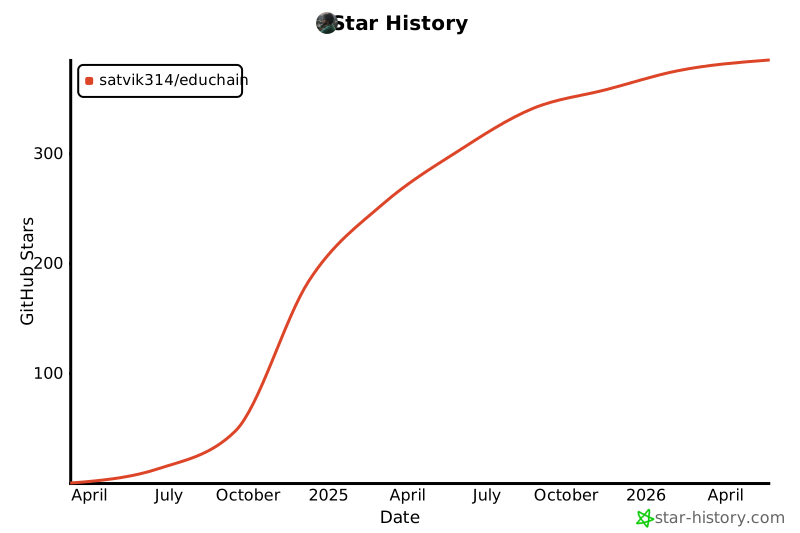
📈 Version History
v0.3.13 (October 2024) - Current Version
- 🎓 Major Pedagogy Update: Added comprehensive pedagogical framework support
- ✨ 8 Pedagogical Approaches: Bloom's Taxonomy, Socratic Questioning, Project-Based Learning, Flipped Classroom, Inquiry-Based Learning, Constructivist, Gamification, Peer Learning
- 📚 Educational Theory Integration: Learning objectives alignment and assessment strategies
- 🧠 Cognitive Framework: Built-in support for educational best practices
- 🔧 LangChain v1 Compatibility:
- ⚡️ Updated all dependencies for LangChain v1 compatibility
- 🐛 Fixed sync/async API key handling issues
- 📦 Added langchain-classic for deprecated functionality support
- 🐍 Updated Python requirements (now requires Python 3.10+)
- ✨ Enhanced Content Generation:
- 🎯
generate_pedagogy_content()method with 8 pedagogical approaches - 📊 Structured educational content with proper learning frameworks
- 🎨 Customizable pedagogical parameters for each approach
- 🎯
v0.3.12 (September 2024)
- ✨ Added support for generating visual questions with multimodal LLMs
- ✨ Added support for generating questions from YouTube videos
- ✨ Added support for generating questions from images
- 🐛 Fixed issue with PDF parsing for certain file formats
- ⚡️ Improved performance for large document processing
v0.3.11 (August 2024)
- ✨ Added support for custom prompt templates
- ✨ Added export functionality to PDF, CSV, and JSON
- 🔄 Enhanced compatibility with Gemini models
- 📚 Expanded documentation with more examples
v0.3.10 (July 2024)
- ✨ Added support for generating questions from data sources (URL, PDF, TXT)
- 🔧 Improved question type handling
- 📊 Enhanced output formatting options
- 🐛 Various bug fixes and stability improvements
v0.3.0 (June 2024)
- 🚀 Major release with enhanced architecture
- ✅ Modular engine design (QnA Engine, Content Engine)
- ✅ Support for multiple question types (MCQ, Short Answer, True/False, Fill in the Blank)
- ✅ Comprehensive lesson plan generation
- ✅ Multi-LLM support (OpenAI, Google Gemini)
- 📱 Export capabilities (JSON, PDF, CSV)
v0.2.0 (May 2024)
- ✨ Added content engine for lesson plan generation
- 🔄 Improved question generation algorithms
- 📚 Enhanced documentation and examples
- 🐛 Bug fixes and performance improvements
v0.1.0 (April 2024)
- 🚀 Initial release
- ✅ Core question generation functionality
- ✅ Basic MCQ generation
- ✅ OpenAI integration
- ✅ Simple export options
📝 License

This project is licensed under the MIT License - see the LICENSE file for details.
📬 Connect With Us




Made with ❤️ by Buildfastwithai
1 maintainer

Metadata
1 maintainer
Release files for educhain 0.4.0
For a detailed explanation of source distributions (sdists) and built distributions (wheels), please see the package formats documentation.
Source distribution (sdist)
| File | Size | Uploaded | Provenance | |
|---|---|---|---|---|
| educhain-0.4.0.tar.gz | 66.0 kB | Without provenance | Details |
Built distribution (wheel)
| File | Interpreter | ABI | Platform | Reset |
|---|---|---|---|---|
| educhain-0.4.0-py3-none-any.whl | Python 3 | none | any | Details |
Total release size: 128.3 kB
Release files / educhain-0.4.0.tar.gz
| Download URL | educhain-0.4.0.tar.gz |
|---|---|
| Size | 66.0 kB |
| Tags | Source |
|
SHA-256 checksum How to use checksums |
32a0ad1d24cff60f7ca82cc3289b5e706299f1ba36d2b5ed6add919ccb948972
|
|
BLAKE2b-256 checksum How to use checksums |
8e0cf7f0c1e3a637e517ab8a087c60f9b34dabe2428bf480b5ba89eefe227b0b
|
| Upload date | |
|
Uploaded using Trusted Publishing? What is trusted publishing? |
No |
| Uploaded via |
twine/6.2.0 CPython/3.10.16
|
Release files / educhain-0.4.0-py3-none-any.whl
| Download URL | educhain-0.4.0-py3-none-any.whl |
|---|---|
| Size | 62.3 kB |
| Tags | Python 3 |
|
SHA-256 checksum How to use checksums |
745b71a551d3899ea46719d8dbf40e53f114dfd6f6a524c8ed1dd1bc476415b8
|
|
BLAKE2b-256 checksum How to use checksums |
430844da0aac12aef18eaeec28595e32728711f1263d3520e33343569e49b5b0
|
| Upload date | |
|
Uploaded using Trusted Publishing? What is trusted publishing? |
No |
| Uploaded via |
twine/6.2.0 CPython/3.10.16
|
Security for educhain 0.4.0
Provenance
Provenance describes where a file came from. On PyPI, provenance is shared via attestations, which provide a verifiable record of the build or publishing details. View details, limitations and caveats.
No provenance found
None of the files in this release were uploaded with provenance metadata.
A note on package security
PyPI is a repository for distributing packages, not a service for auditing them. While third-party security researchers and our staff do their best to detect and remove malicious packages, PyPI cannot guarantee the quality, security or suitability of any given package.
To learn more about protecting yourself from malicious actors, visit our package security documentation.














