
Detect and visualize electrode locations from CT and MR scans.

Project description
🧠 ElecMap: Intracranial Electrode Localization Toolkit


Automated detection and visualization of intracranial electrodes from CT/MR scans for neurosurgical planning and research.
📁 Table of Contents
- Introduction
- Features
- Installation
- Usage
- Sample Output
- Project Structure
- Dependencies
- License
- Contact
📘 Introduction
ElecMap is a Python package designed for the automated detection of intracranial electrodes from CT and MR brain scans. Its primary purpose is to accurately identify and localize electrode centroids within medical imaging data. Complementary to its core detection capability, the package also includes a visualization tool to help users review and display the detected electrode locations.
This package leverages powerful libraries such as SimpleITK for image processing, nipype for interfacing with FSL's brain extraction tool (BET), and matplotlib for generating insightful visualizations.
🌟 Key Features
- Precise Electrode Mapping: Accurately localizes electrode centroids in 3D space
- Multi-Modal Integration: Combines CT and MR data for improved detection
- Clinical-Grade Output: Generates standardized PDF reports for documentation
- Smart Filtering: Automatic outlier rejection and duplicate detection
📦 Installation
-
Clone the repository:
git clone https://github.com/saberm2837/ElecMap.git
cd ElecMap
-
Install dependencies (preferably inside a virtual environment):
pip install -r requirements.txt
-
FSL Dependency: Make sure FSL is installed and accessible in your environment.
export FSLDIR=/opt/fsl
source $FSLDIR/etc/fslconf/fsl.sh
🛠️ Usage
1. Electrode Detection
from ElecMap import detect_electrodes

# Input files
ct_file = '/path/to/your/sample_ct.nii'
mr_file = '/path/to/your/sample_mr.nii'

# Detect electrodes using CT and MR images
detect_electrodes(ct_file, mr_file)
- This step performs:
- Image loading
- Skull-stripping of the MR scan
- Application of the MR brain mask to the CT
- Electrode candidate detection and outlier elimination
- Saves electrode coordinates to:
processed_scans/electrodes_sample_ct.json
2. Electrode Visualization
from ElecMap import display_electrode_locations

# Input files
ct_file = '/path/to/your/sample_ct.nii'
generated_json_path = 'processed_scans/electrodes_sample_ct.json'

# Visualize and generate PDF report
display_electrode_locations(ct_file, generated_json_path)
-
Outputs a PDF report in the current directory:
./report_sample_ct.pdf -
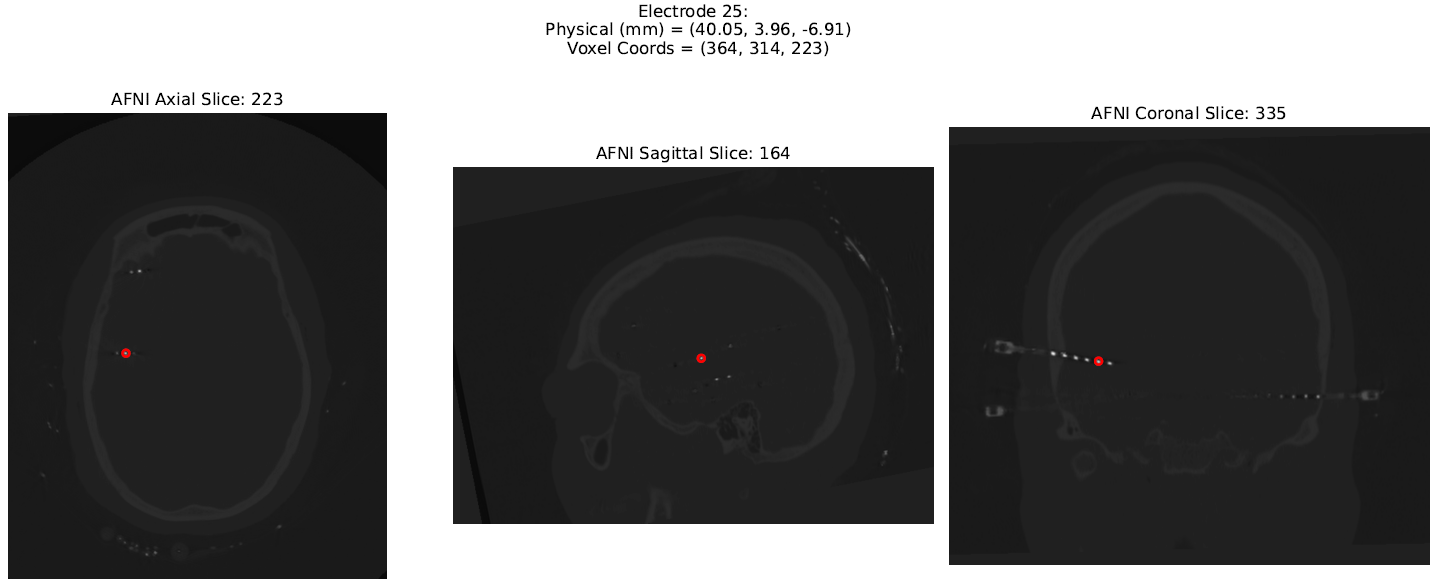
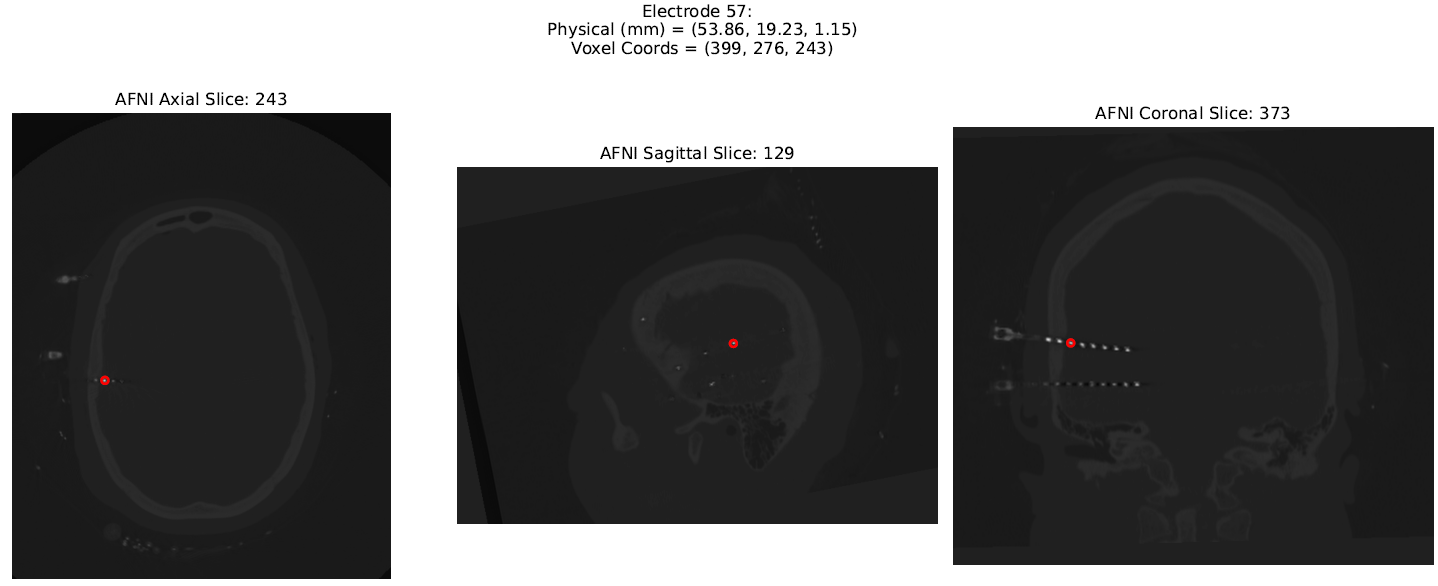
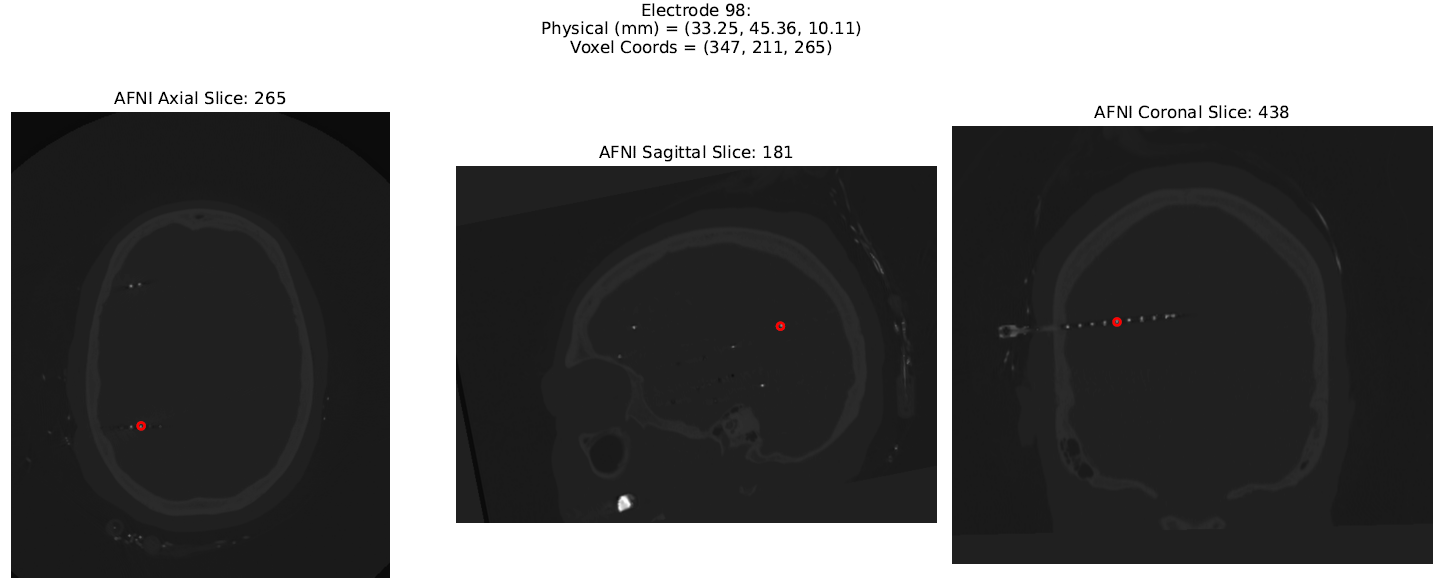
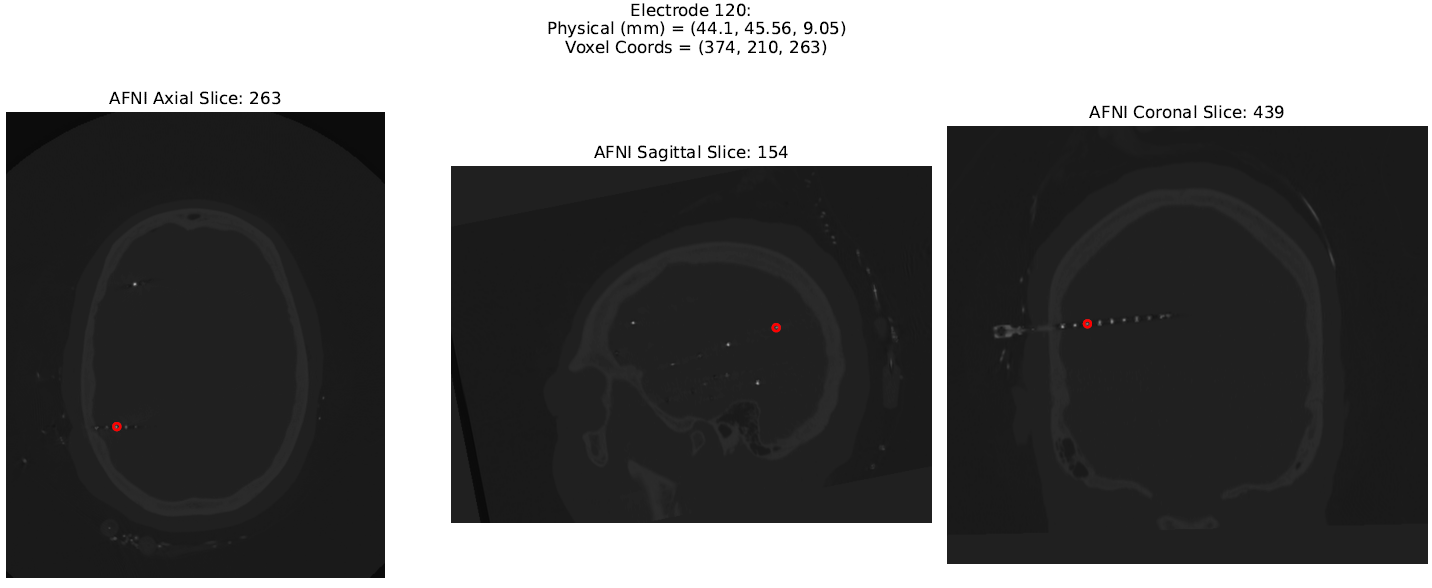
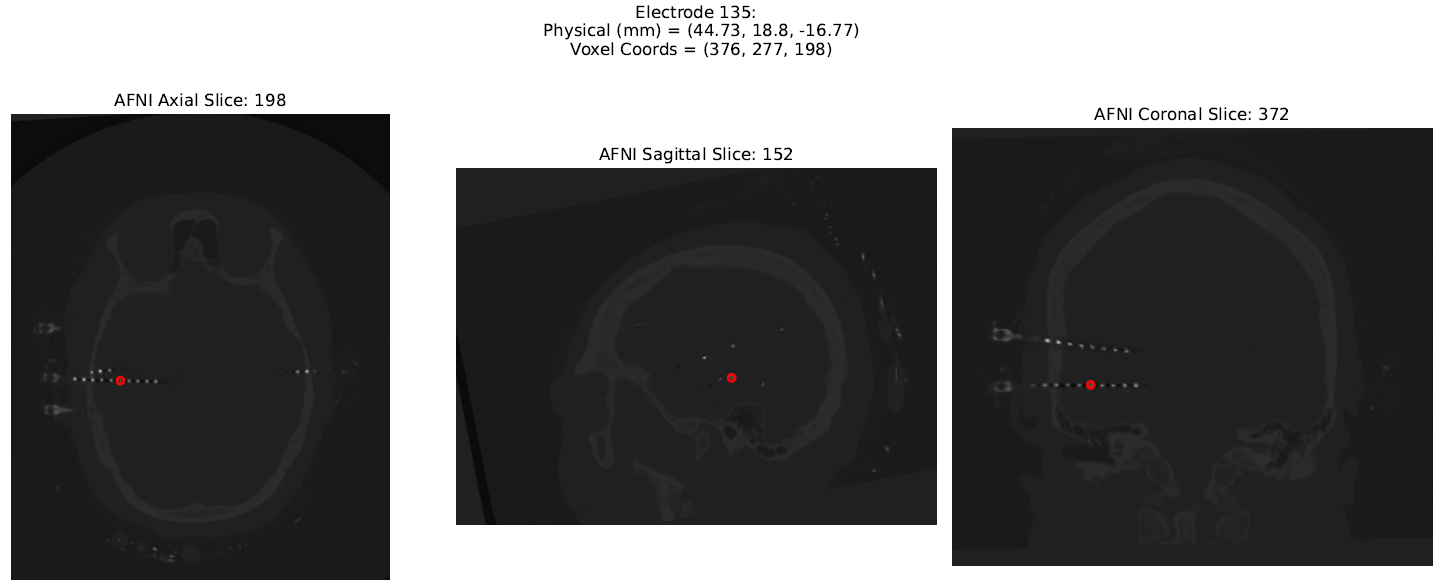
A part of an example PDF report is shown below:
📂 Directory Structure
ElecMap/
├── elecmap/
│	├── __init__.py
|   ├── electrode_detection.py
|	├── electrode_visualization.py
|	└── utils.py
|
├── examples/
│   └── run_elecmap_demo.py
|
├── LICENCE
├── README.md
├── requirements.txt
├── setup.py
└── pyproject.toml
📋 JSON Output Format
The JSON file electrodes_sample_ct.json contains a list of electrode coordinates:
[
  {
    "physical_mm": [51.74, -40.14, -2.88],
    "voxel_coords": [394, 324, 250]
  },
  ...
]
✅ Example Output
- Sample console output from
ElecMap.electrode_detection:
[10:24:39] STEP 1: Loading images...
Images loaded successfully.
CT array shape: (481, 650, 529)
voxel intensity range: -4734.0 to 31743.0
Z-axis bounds: 38 to 443
Y-axis bounds: 52 to 598
X-axis bounds: 42 to 487

[10:24:41] STEP 2: Performing skull stripping on MR using FSL BET...
250610-10:24:41,560 nipype.interface WARNING:
	 FSLOUTPUTTYPE environment variable is not set. Setting FSLOUTPUTTYPE=NIFTI
Skull stripping complete.
Skull-stripped MR image saved at: /path/to/your/processed_scans/sample_mr_bet.nii.gz
Brain mask saved at: /path/to/your/processed_scans/sample_mr_bet_mask.nii

[10:24:55] STEP 3: Loading the generated MR brain mask and applying it to the CT scan...
MR brain mask loaded successfully.

[10:24:55] Dilating the brain mask by 30 voxels...
Successfully Skull stripped the CT scan.

[10:25:16] STEP 4: Compute the centroid of electrodes...
Detected total number of potential electrodes: 142

[10:25:16] STEP 5: Eliminate outliers from the list of potential electrodes...
Electrode outside margin 1: physical = (29.92, -35.9, -83.28), voxel = (339, 414, 31)
Electrode outside margin 2: physical = (-27.22, -37.28, -88.78), voxel = (196, 417, 18)
Electrode outside margin 3: physical = (-27.55, -38.4, -87.82), voxel = (195, 420, 20)
Electrode outside margin 4: physical = (-27.75, -38.8, -87.42), voxel = (195, 421, 21)
Electrode outside margin 5: physical = (-25.96, -38.0, -88.62), voxel = (199, 419, 18)
Electrode outside margin 6: physical = (-26.36, -38.4, -88.22), voxel = (198, 420, 19)
Electrode outside margin 7: physical = (26.76, -35.6, -83.43), voxel = (331, 413, 31)
Final electrode count after eliminating 7 potential outliers: 135

[10:25:17] STEP 5: Saving electrode coordinates to the disk...

Electrode coordinates successfully saved to: processed_scans/electrodes_sample_ct.json
- Sample console output from
ElecMap.electrode_visualizaion:
[10:25:17] Loading image and electrode data ...
CT image loaded from sample_ct.nii for visualization.
Electrode data loaded from processed_scans/electrodes_sample_ct.json.

[10:25:18] Generating report from identified electrode locations in the CT scan ...
A total of 135 electrodes were detected. This may take some time to plot all locations.

[10:26:22] Finalizing electrode localization plots ...

All electrode localization plots successfully saved to reports_elecmap/report_sample_ct.pdf
PDF preview shows axial/sagittal/coronal views with electrode markers for each contact.
🧪 Requirements
- Python 3.7+
SimpleITKmatplotlibnumpyfsl(installed on system)- Optional:
nibabel,nipypeif extending the pipeline
Install dependencies using:
pip install -r requirements.txt
🧾 License
MIT License. See LICENSE for details.
🤝 Contributing
Feedback and bug reports are welcome! Please open an issue on GitHub to discuss suggestions.
📫 Contact
Created by Mohammad Saber.
For questions or feedback, open an issue or email: mohammadsaber@gmail.com
Release history Release notifications | RSS feed


Download files
Download the file for your platform. If you're not sure which to choose, learn more about installing packages.
Source Distribution
Built Distribution
Filter files by name, interpreter, ABI, and platform.
If you're not sure about the file name format, learn more about wheel file names.
Copy a direct link to the current filters
File details
Details for the file elecmap-0.1.0.tar.gz.
File metadata
- Download URL: elecmap-0.1.0.tar.gz
- Upload date:
- Size: 12.4 kB
- Tags: Source
- Uploaded using Trusted Publishing? No
- Uploaded via: twine/6.1.0 CPython/3.8.18
File hashes
| Algorithm | Hash digest | |
|---|---|---|
| SHA256 |
f799e4a8bcc6e7297c049e19603974ad24bdff8ee23e1a499d52ad392a9942b9
|
|
| MD5 |
11e968ac1b2dc7f962094720fd698802
|
|
| BLAKE2b-256 |
ad6470a95ec9e6e58ed6ac595a878edbdff0ea4a0339607edfd9fcba18b1f7cb
|
File details
Details for the file elecmap-0.1.0-py3-none-any.whl.
File metadata
- Download URL: elecmap-0.1.0-py3-none-any.whl
- Upload date:
- Size: 11.4 kB
- Tags: Python 3
- Uploaded using Trusted Publishing? No
- Uploaded via: twine/6.1.0 CPython/3.8.18
File hashes
| Algorithm | Hash digest | |
|---|---|---|
| SHA256 |
ddde76af7d90b051142eae674fc0e6d22c6ed2bfaee2f66ad0415c18009f3594
|
|
| MD5 |
c1786f34e0b8bb060f8058297a776ab0
|
|
| BLAKE2b-256 |
23f7a5afafbd5ccfc88b08b5a68f0632c8e411a18e9190606607cfb3e6f525a7
|






