
Enodia
Wardriving on foot, without GPS. A talking Wi-Fi scanner, a paper notebook, and a map built from your own walks.





Why Enodia?
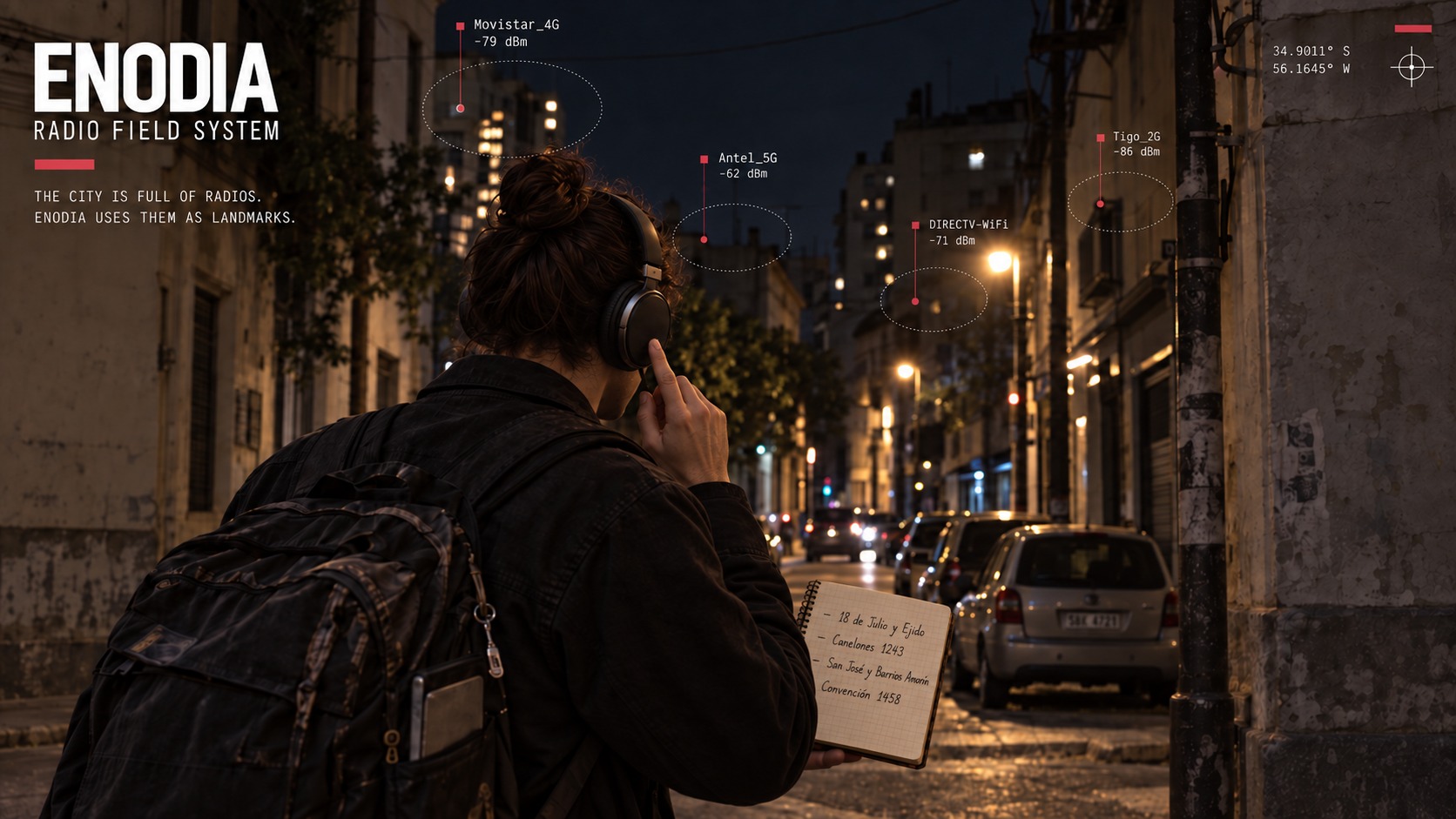
The city is full of radios. Enodia uses them as landmarks.
Walk down a street and networks appear, signals grow stronger, fade and disappear. A Linux laptop in your backpack records that changing landscape and speaks through your headphones.
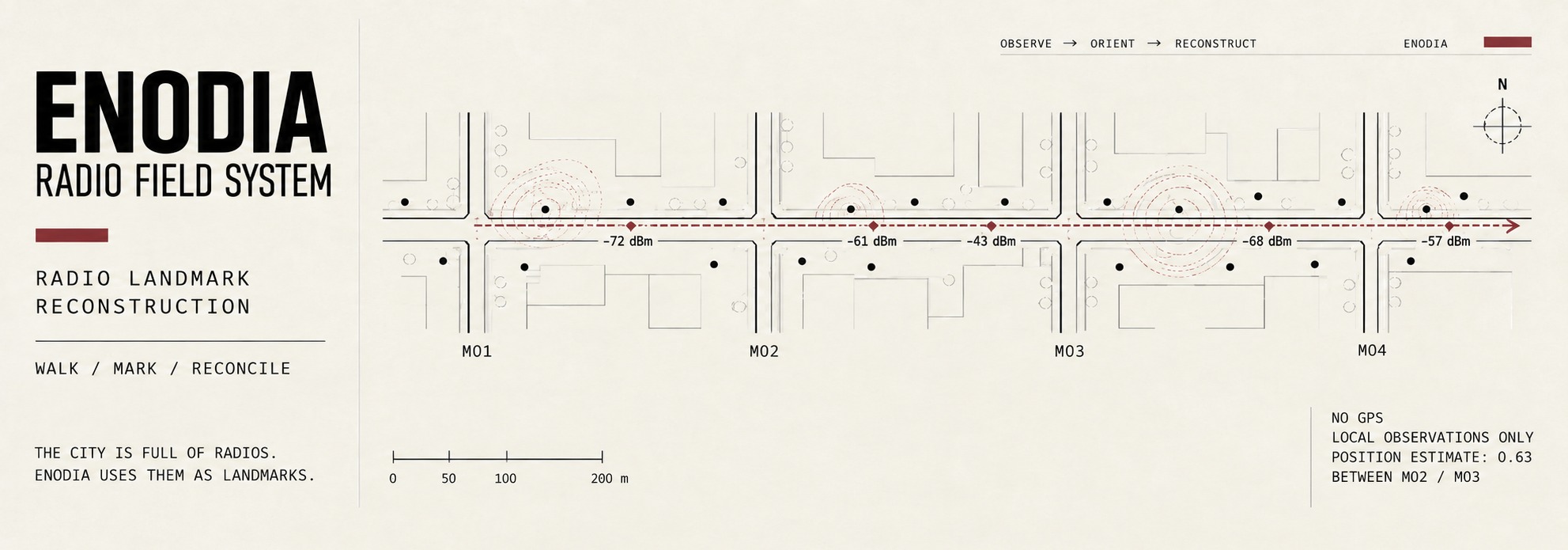
At each crossing, press the headset button: "Mark 1." "Mark 2." Write the crossing beside the mark number in a paper notebook. Without a button, write the crossing and the time you hear instead. The log keeps the moment. The notebook gives it a place.
Back home, Enodia joins the two: scans placed along your route, estimates of where access points stand, and fingerprints you can keep. Walk there again and a new scan can tell you where you are: between these crossings, this far along.
No GNSS receiver and no external geolocation database: position comes from a radio map you walked yourself. Everything else follows, and runs offline.
Get started
You need Linux, Python 3.10+, and a Wi-Fi interface managed by iwd, NetworkManager or wpa_supplicant, with permission to scan through D-Bus. For speech, install espeak-ng or SVOX Pico. Without a voice engine, Enodia prints its announcements.
Install it as a command with uv:
uv tool install enodia
uv tool upgrade enodia follows new releases, and uvx enodia --help runs it once without installing anything. --geocode --proxy needs the socks extra: uv tool install "enodia[socks]". From a clone of the repository, uv sync and then uv run enodia do the same as enodia below.
For a guided terminal menu covering the whole workflow:
enodia --assistant
Before walking, follow machine setup to keep the laptop awake with its lid closed and enable the headset button.
See it work
Try the bundled example, from a clone of the repository, without scanning any radios:
enodia --locate samples/rivera-query.jsonl \
  --map samples/rivera-map.jsonl --voice none
You are between "Rivera y Brito del Pino" and "Rivera y Simón Bolívar", 53% of the way
  around [-34.90311, -56.15836]
  2 walks agree, best similarity 89%, spread 0% of the stretch (1 m)
  from evidence last gathered 2026-09-17 17:02
The street names, coordinates and geometry are real OpenStreetMap data. The radio observations are synthetic. This demonstrates the workflow, not measured accuracy on a real walk. Inputs and reproduction commands.
Your first walk
1. Check the machine, then start a short outing.
enodia --preflight --log walk.jsonl
enodia --say-status --log walk.jsonl
Resolve preflight failures before leaving. Check that you hear announcements with the lid closed. Use a new log filename for each outing.
2. Mark the crossings.
Mark the first crossing, each crossing along the way, and the last one. Write each name beside its announced mark number, or beside the spoken time if you have no button. Two or three blocks are enough to try the whole process. Press Ctrl+C when you finish.
3. Transcribe the notebook into notebook.txt.
#1 Rivera y Avenida Doctor Francisco Soca
#2 Rivera y Brito del Pino
#1 means button mark 1. For timed notes, replace it with a time such as 17:45:00. Keep crossing names consistent between outings.
Coordinates are optional: append @ latitude, longitude after a crossing name. Without them, positions are fractions of the stretch between two crossings.
4. Reconcile the walk and add it to your map.
enodia --reconcile walk.jsonl notebook.txt
enodia --map-add walk.jsonl notebook.txt
Reconciliation places scans between crossings and estimates access-point positions. Adding the walk to the map keeps its scans as fingerprints.
On a later visit, ask where you are, once or as you walk:
enodia --locate
enodia --locate --watch
Go further
- Draw the route. Add coordinates by hand or look up crossings with
--geocode. Use--streetsfor street geometry and export with--csv,--geojsonor--svg. Geocoding is the only command that accesses the internet, and it supports an explicit proxy. - Check the estimates.
--check-pacecompares inferred movement with the clock,--check-passescompares repeated passes, and--check-mapholds out each outing in turn to test localisation. - Share an outing.
--export-publicproduces a pseudonymised log and notebook. Review both before publishing. Stable fingerprints and route geometry can still identify a place. Publishing a walk says what the export promises and what it cannot.
See the CLI reference for command syntax and options.
Limits
Enodia is experimental. Field use so far covers one real outing. Its pace, access-point and localisation estimates are tested on synthetic observations, and their accuracy on real streets remains to be established.
Enodia has no GPS on purpose. The question is whether a self-built Wi-Fi map can give a position on its own, and a receiver in the loop answers it by making the radio a second opinion. Where GPS does belong is as ground truth: coordinates can be written into the notebook beside any crossing (@ -34.9066, -56.2001) before reconciling, and --check-pace then measures the estimates against them in metres.
The map covers places you have already walked and ages as routers move or disappear. A map recognising the same outing it was built from proves little. Access-point positions are estimates, and scans follow straight lines between crossings unless you supply street geometry.
Fresh Wi-Fi scans send probe requests. --preflight checks scan-address randomisation settings but does not change them. Logs and maps contain network identifiers and location information.
Documentation
- Machine setup: the lid, the Wi-Fi daemon, the voice and headset permissions.
- CLI reference: every flag, by the command you reach for it with.
- File formats: the notebook you write and the log Enodia writes.
- Methodology: positioning, fingerprints and what the self-checks measure.
- Design notes: engineering decisions and the failure behind each one.
- Publishing a walk: what
--export-publicpromises, and the three things it cannot. - From Python: the same operations as function calls.
License
MIT.
1 maintainer

Release files for enodia 0.2.1
For a detailed explanation of source distributions (sdists) and built distributions (wheels), please see the package formats documentation.
Source distribution (sdist)
| File | Size | Uploaded | |
|---|---|---|---|
| enodia-0.2.1.tar.gz | 333.2 kB | Details |
Built distribution (wheel)
| File | Interpreter | ABI | Platform | Reset |
|---|---|---|---|---|
| enodia-0.2.1-py3-none-any.whl | Python 3 | none | any | Details |
Total release size: 480.9 kB
Release files / enodia-0.2.1.tar.gz
| Download URL | enodia-0.2.1.tar.gz |
|---|---|
| Size | 333.2 kB |
| Tags | Source |
|
SHA-256 checksum How to use checksums |
8b97323697c20ae8e02a8335bace98de537994bc5c6a221006519e6c48e35109
|
|
BLAKE2b-256 checksum How to use checksums |
21dcb4a24e72698bcbc156b1d2c63ff89045d9976a3fa7d8d42d6b1dbb3e761e
|
| Upload date | |
|
Uploaded using Trusted Publishing? What is trusted publishing? |
Yes |
| Uploaded via |
twine/7.0.0 CPython/3.13.14
|
Provenance
Provenance describes where a file came from. On PyPI, provenance is shared via attestations, which provide a verifiable record of the build or publishing details. View details, limitations and caveats.


PyPI Publish Attestation
PyPI verified that this artifact, at this checksum, originated from the publisher listed below.
Signed by GitHub Actions, verified by PyPI on Sep 23, 2026.
Transparency logRelease files / enodia-0.2.1-py3-none-any.whl
| Download URL | enodia-0.2.1-py3-none-any.whl |
|---|---|
| Size | 147.7 kB |
| Tags | Python 3 |
|
SHA-256 checksum How to use checksums |
d80593d54692fb8451f76016ce8ec59c29b6590f1febbceef654023dbfe2924a
|
|
BLAKE2b-256 checksum How to use checksums |
44a5507bafb3cb93c23a21d5945480416d757fe5f62d419bf408913c68d6743b
|
| Upload date | |
|
Uploaded using Trusted Publishing? What is trusted publishing? |
Yes |
| Uploaded via |
twine/7.0.0 CPython/3.13.14
|
Provenance
Provenance describes where a file came from. On PyPI, provenance is shared via attestations, which provide a verifiable record of the build or publishing details. View details, limitations and caveats.
PyPI Publish Attestation
PyPI verified that this artifact, at this checksum, originated from the publisher listed below.
Signed by GitHub Actions, verified by PyPI on Sep 23, 2026.
Transparency log













