
Tools for working with the Jeffrey Epstein documents released in November 2025.

Project description
I Made Epstein's Text Messages Great Again
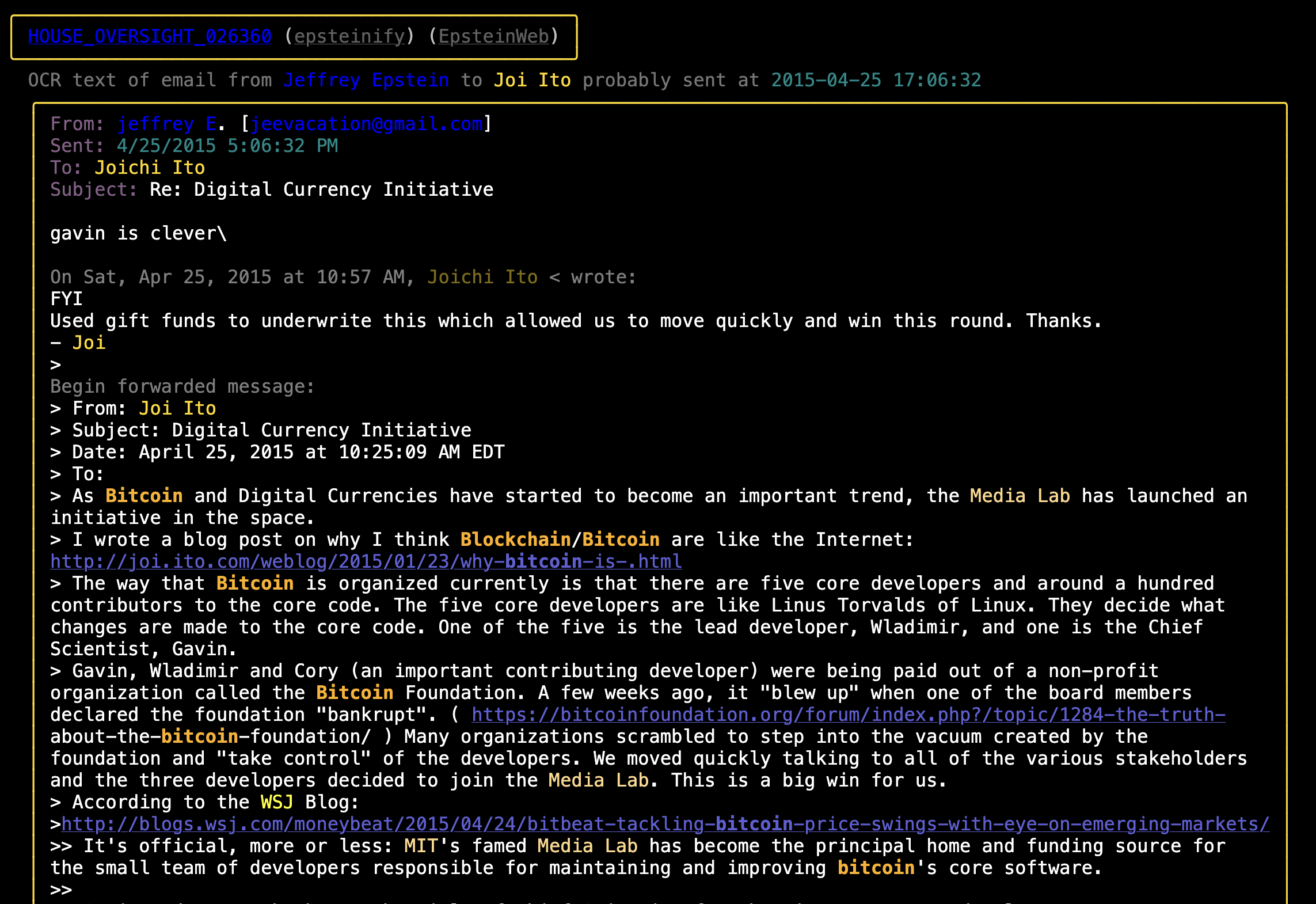
- The Epstein text messages (and selected emails and other files) generated by this code can be viewed here.
- All of His Emails along with descriptions of the 496 files that were neither emails nor text messages can be read at another page also generated by this code.
- Word counts for all of the communications.
- Metadata containing what I have figured out about who sent or received the communications in a given file (and a brief explanation for how I figured it out for each file) is deployed here
- I Made Epstein's Text Messages Great Again (And You Should Read Them) post on Substack
Usage
Installation
- Requires you have a local copy of the OCR text files from the House Oversight document release in a directory
/path/to/epstein/ocr_txt_files. You can download those OCR text files from the Congressional Google Drive folder (make sure you grab both the001/and002/folders). - Use
poetry installfor easiest time installing.pip install epstein-filesshould also work, thoughpipx install epstein-filesis usually better.
Command Line Tools
You need to set the EPSTEIN_DOCS_DIR environment variable with the path to the folder of files you just downloaded when running. You can either create a .env file modeled on .env.example (which will set it permanently) or you can run with:
EPSTEIN_DOCS_DIR=/path/to/epstein/ocr_txt_files epstein_generate --help
All the tools that come with the package require EPSTEIN_DOCS_DIR to be set. These are the available tools:
# Generate color highlighted texts/emails/other files
epstein_generate

# Search for a string:
epstein_search Bannon
# Or a regex:
epstein_search '\bSteve\s*Bannon|Jeffrey\s*Epstein\b'

# Show a file with color highlighting of keywords:
epstein_show 030999
# Show both the highlighted and raw versions of the file:
epstein_show --raw 030999
# The full filename is also accepted:
epstein_show HOUSE_OVERSIGHT_030999

# Count words used by Epstein and Bannon
epstein_word_count --name 'Jeffrey Epstein' --name 'Steve Bannon'

# Diff two epstein files after all the cleanup (stripping BOMs, matching newline chars, etc):
epstein_diff 030999 020442
The first time you run anything it will take a few minutes to fix all the janky OCR text, attribute the redacted emails, etc. After that things will be quick.
Run epstein_generate --help for command line option assistance.
Optional: There are a handful of emails that I extracted from the legal filings they were contained in. If you want to include these files in your local analysis you'll need to copy those files from the repo into your local document directory. Something like:
cp ./emails_extracted_from_legal_filings/*.txt "$EPSTEIN_DOCS_DIR"
As A Library
from epstein_files.epstein_files import EpsteinFiles
epstein_files = EpsteinFiles.get_files()

# All files
for document in epstein_files.all_documents():
    do_stuff(document)

# Emails
for email in epstein_files.emails:
    do_stuff(email)

# iMessage Logs
for imessage_log in epstein_files.imessage_logs:
    do_stuff(imessage_log)

# JSON files
for json_file in epstein_files.json_files:
    do_stuff(json_file)

# Other Files
for file in epstein_files.other_files:
    do_stuff(file)
Release history Release notifications | RSS feed


Download files
Download the file for your platform. If you're not sure which to choose, learn more about installing packages.
Source Distribution
Built Distribution
Filter files by name, interpreter, ABI, and platform.
If you're not sure about the file name format, learn more about wheel file names.
Copy a direct link to the current filters
File details
Details for the file epstein_files-1.0.15.tar.gz.
File metadata
- Download URL: epstein_files-1.0.15.tar.gz
- Upload date:
- Size: 124.3 kB
- Tags: Source
- Uploaded using Trusted Publishing? No
- Uploaded via: poetry/1.6.1 CPython/3.11.11 Darwin/22.6.0
File hashes
| Algorithm | Hash digest | |
|---|---|---|
| SHA256 |
bca8fec17de703ca3c3e1f3419d5b6e12283e7638dc330d5d125c29ac6373b23
|
|
| MD5 |
506007253e7fd82124a172f400ba8fe4
|
|
| BLAKE2b-256 |
03ec888c9c5aba4fb53122e355113ee69c7e4b6ac386b920359726b6f754f3ea
|
File details
Details for the file epstein_files-1.0.15-py3-none-any.whl.
File metadata
- Download URL: epstein_files-1.0.15-py3-none-any.whl
- Upload date:
- Size: 136.3 kB
- Tags: Python 3
- Uploaded using Trusted Publishing? No
- Uploaded via: poetry/1.6.1 CPython/3.11.11 Darwin/22.6.0
File hashes
| Algorithm | Hash digest | |
|---|---|---|
| SHA256 |
d157ec1ff95ad2aaba9104b921aa88be3d3cacf9c31ecd3fdb55bac7b0bf63ef
|
|
| MD5 |
61e877f3813792a2cb40e9b590b7800e
|
|
| BLAKE2b-256 |
f27e5e5962e98adcba936d24a38d925f1e9f3683cd5837c7d91a74aef1032989
|






