A desktop application to extract GPS coordinates from images and display them on an interactive map
Verified details
These details have been verified by PyPIProject links
GitHub Statistics
Maintainers

Project description



ExifMapper
A simple, user-friendly desktop application that lets you extract GPS coordinates from images and display them on an interactive map. Whether your photos are stored locally or hosted online, this tool makes it easy to visualize their locations. Developed by SirCryptic
Features
- Load GPS Data: Extract coordinates from local images (e.g., .jpg, .png) or web URLs with EXIF GPS metadata.
- Interactive Map: View locations on a map with customizable styles (OpenStreetMap, Stamen Terrain, CartoDB Positron).
- Add Custom Locations: Manually input latitude and longitude for places without GPS data.
- Edit & Manage: Rename or remove locations from your list.
- Save & Load: Save your locations to a JSON file and load them later.
- Beginner-Friendly: Clear tooltips, examples, and a help section guide new users.
- Supports linux & windows!
Screenshots
Preview
Click to expand!
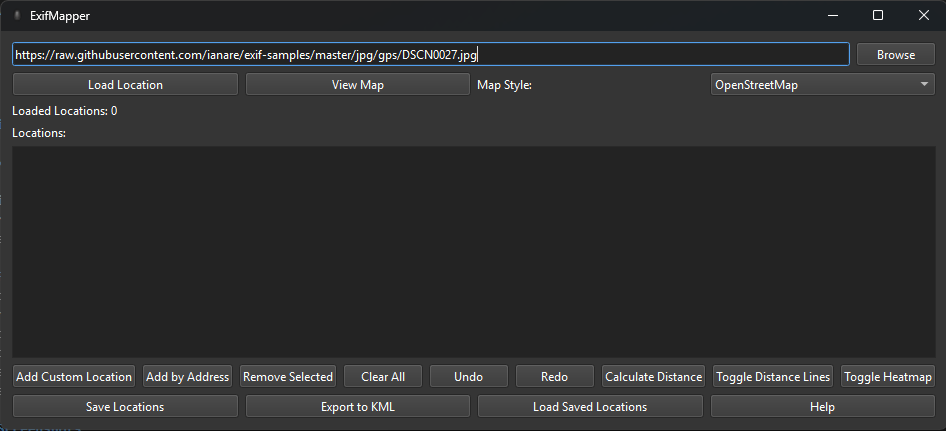
Main Interface
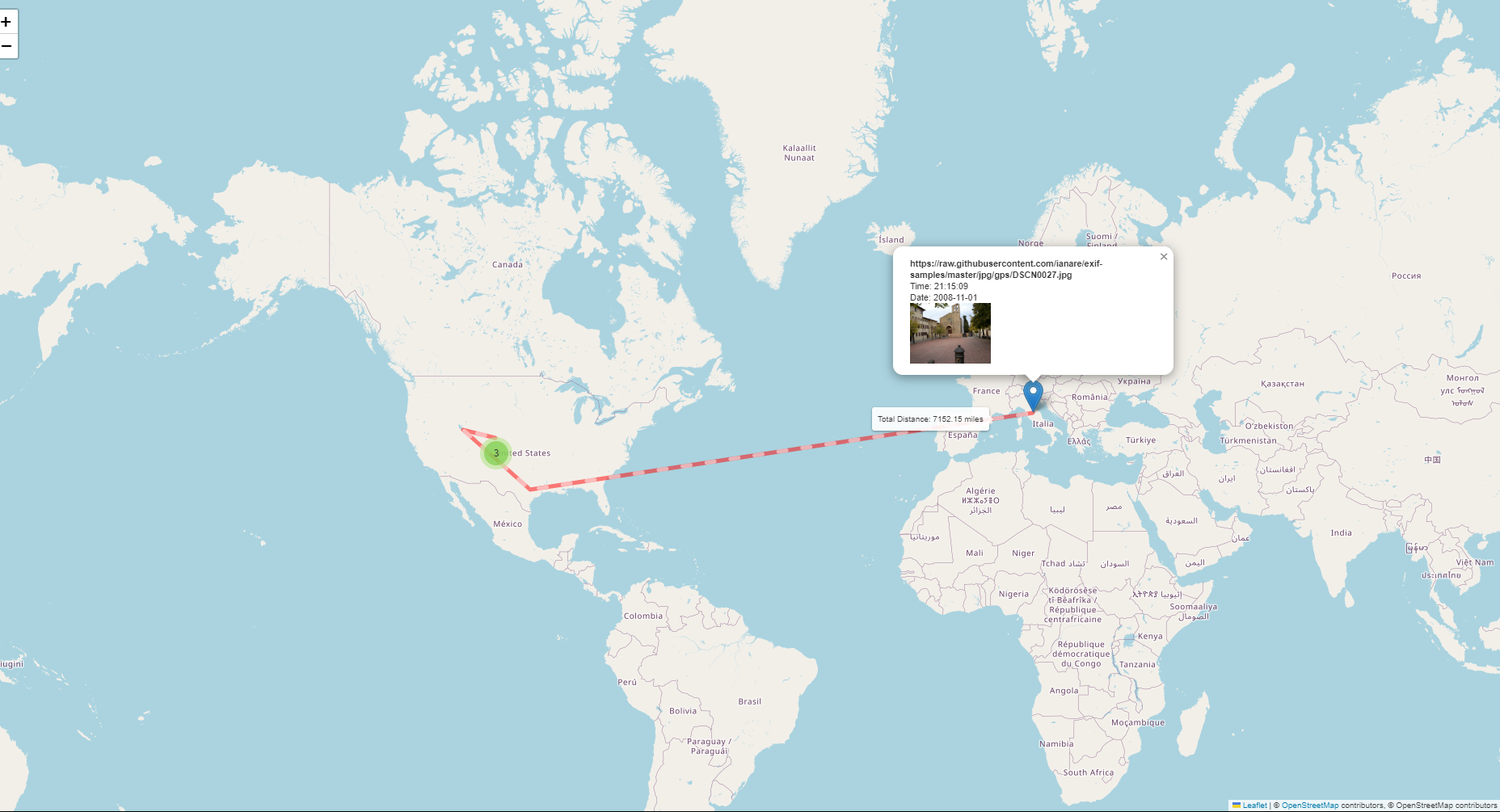
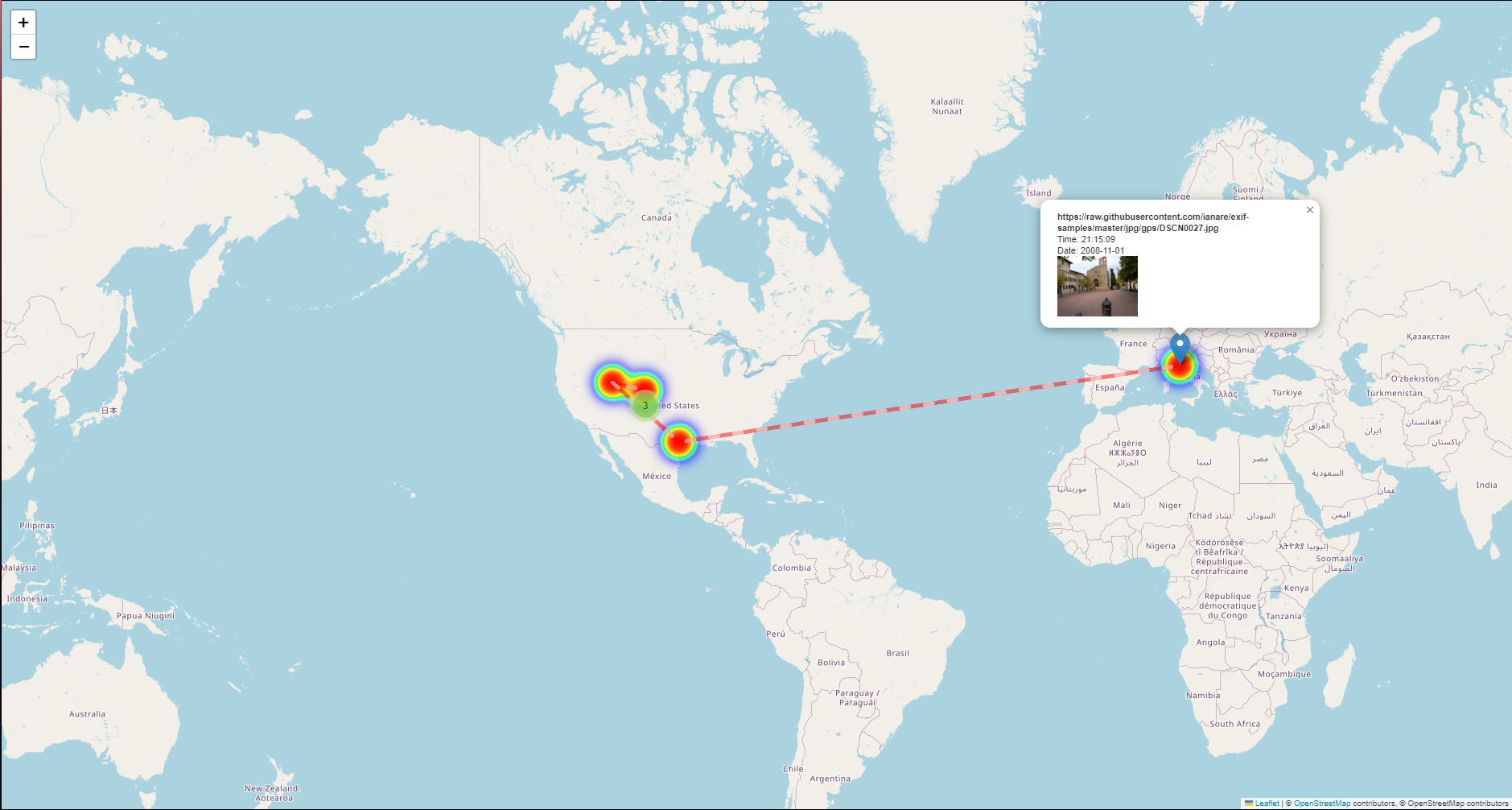
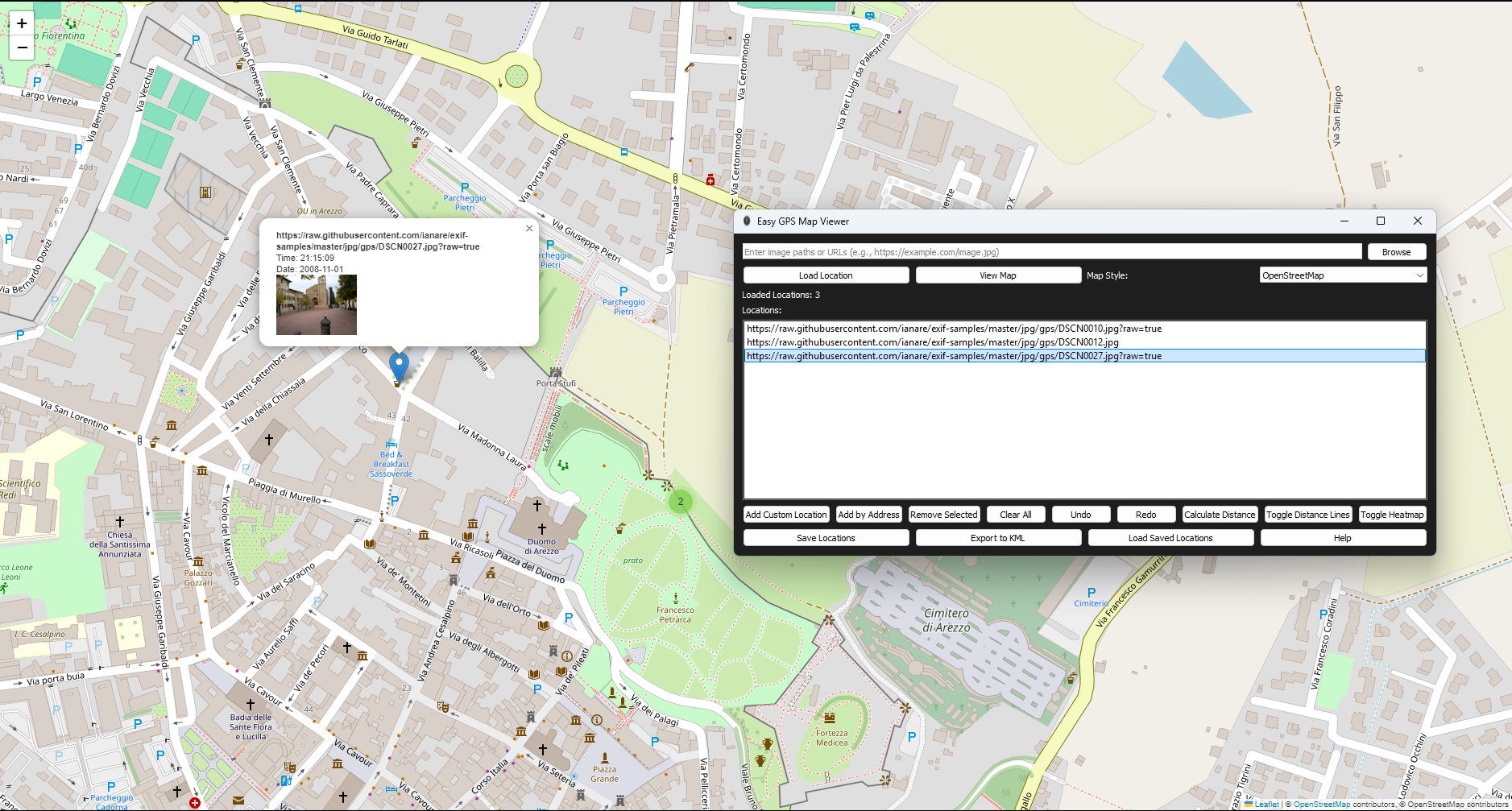
Map View
Interactive map displayed in the browser.
Installation
Prerequisites
- Python 3.11+
- Windows: Just use the compiled .exe unless you want to run from source (note: other OS support possible with source also the exe version isnt up to date as of 16/04/2025).
Option 1: Run from Source
Clone the Repository:
git clone https://github.com/SirCryptic/exifmapper.git
cd exifmapper
- Install Dependencies:
pip install -r requirements.txt
- Run the Installer: This is so you can launch from any cli , windows & linux!
python setup_exifmapper.py
- Launch The app.
if installed you can launch it using any cli & the cmd below
exifmapper
Option 2: Use the Compiled Executable
- Download the Latest Release:
- Go to Releases.
- Download gpsviewer.exe.
- Run the exe (no Python installation needed - outdated gui)
Usage
1.Load an Image:
- Enter a URL (e.g., https://raw.githubusercontent.com/ianare/exif-samples/master/jpg/gps/DSCN0027.jpg) or local path (e.g., C:\Photos\image.jpg) in the input field or just Click "Browse" to select local files.
- Click "Load Location" to extract GPS data.
- View the Map:
- Select a map style from the dropdown.
- Click "View Map" to open an interactive map in your browser.
- Manage Locations:
- Double-click a location in the app istelf to rename it it will reflect on the map in the browser once reloaded.
- Click "Add Custom Location" to enter coordinates manually.
- Select a location and click "Remove Selected" to delete it.
- Save or Load:
- Click "Save Locations" to save to a .json file.
- Click "Load Saved Locations" to restore from a file.
- Need Help?:
- Click "Help" for a quick guide.
Project details
Verified details
These details have been verified by PyPIProject links
GitHub Statistics
Maintainers
Release history Release notifications | RSS feed


Download files
Download the file for your platform. If you're not sure which to choose, learn more about installing packages.
Source Distribution
Built Distribution
Filter files by name, interpreter, ABI, and platform.
If you're not sure about the file name format, learn more about wheel file names.
Copy a direct link to the current filters
File details
Details for the file exifmapper-1.0.0.tar.gz.
File metadata
- Download URL: exifmapper-1.0.0.tar.gz
- Upload date:
- Size: 474.8 kB
- Tags: Source
- Uploaded using Trusted Publishing? Yes
- Uploaded via: twine/6.1.0 CPython/3.12.9
File hashes
| Algorithm | Hash digest | |
|---|---|---|
| SHA256 |
e23589813a7052956f73847eb3455e8f6ca7a8ee5a0be48ddb89296a84ea9fb1
|
|
| MD5 |
c83ea13f32bbb52c07538a2ceb8cd3f9
|
|
| BLAKE2b-256 |
3dd0f93c406d7345caf59d83c5d4135febd035642bcf60a1297d76be416a6693
|
Provenance
The following attestation bundles were made for exifmapper-1.0.0.tar.gz:
Publisher:
publish.yml on SirCryptic/exifmapper
-
Statement:
-
Statement type:
https://in-toto.io/Statement/v1 -
Predicate type:
https://docs.pypi.org/attestations/publish/v1 -
Subject name:
exifmapper-1.0.0.tar.gz -
Subject digest:
e23589813a7052956f73847eb3455e8f6ca7a8ee5a0be48ddb89296a84ea9fb1 - Sigstore transparency entry: 200203643
- Sigstore integration time:
-
Permalink:
SirCryptic/exifmapper@94a6ea2ff407c5adb89deb079ad7178ef3dcd344 -
Branch / Tag:
refs/tags/v1.0.0 - Owner: https://github.com/SirCryptic
-
Access:
public
-
Token Issuer:
https://token.actions.githubusercontent.com -
Runner Environment:
github-hosted -
Publication workflow:
publish.yml@94a6ea2ff407c5adb89deb079ad7178ef3dcd344 -
Trigger Event:
release
-
Statement type:
File details
Details for the file exifmapper-1.0.0-py3-none-any.whl.
File metadata
- Download URL: exifmapper-1.0.0-py3-none-any.whl
- Upload date:
- Size: 473.7 kB
- Tags: Python 3
- Uploaded using Trusted Publishing? Yes
- Uploaded via: twine/6.1.0 CPython/3.12.9
File hashes
| Algorithm | Hash digest | |
|---|---|---|
| SHA256 |
b32980c2c747db820d7d736c9a7391e48c954449c5032c922ef3d0890be7878b
|
|
| MD5 |
308ceef1a428388bea6b161293848616
|
|
| BLAKE2b-256 |
cfd80df309ca2bef640149fd840b8249cc6ddf491172d571a5e88c40c3ad9c2f
|
Provenance
The following attestation bundles were made for exifmapper-1.0.0-py3-none-any.whl:
Publisher:
publish.yml on SirCryptic/exifmapper
-
Statement:
-
Statement type:
https://in-toto.io/Statement/v1 -
Predicate type:
https://docs.pypi.org/attestations/publish/v1 -
Subject name:
exifmapper-1.0.0-py3-none-any.whl -
Subject digest:
b32980c2c747db820d7d736c9a7391e48c954449c5032c922ef3d0890be7878b - Sigstore transparency entry: 200203653
- Sigstore integration time:
-
Permalink:
SirCryptic/exifmapper@94a6ea2ff407c5adb89deb079ad7178ef3dcd344 -
Branch / Tag:
refs/tags/v1.0.0 - Owner: https://github.com/SirCryptic
-
Access:
public
-
Token Issuer:
https://token.actions.githubusercontent.com -
Runner Environment:
github-hosted -
Publication workflow:
publish.yml@94a6ea2ff407c5adb89deb079ad7178ef3dcd344 -
Trigger Event:
release
-
Statement type: