
Experiential

Experiential is an open source gateway and router for agent workflows:
- Use hosted, BYOK, and local models through one OpenAI-compatible API.
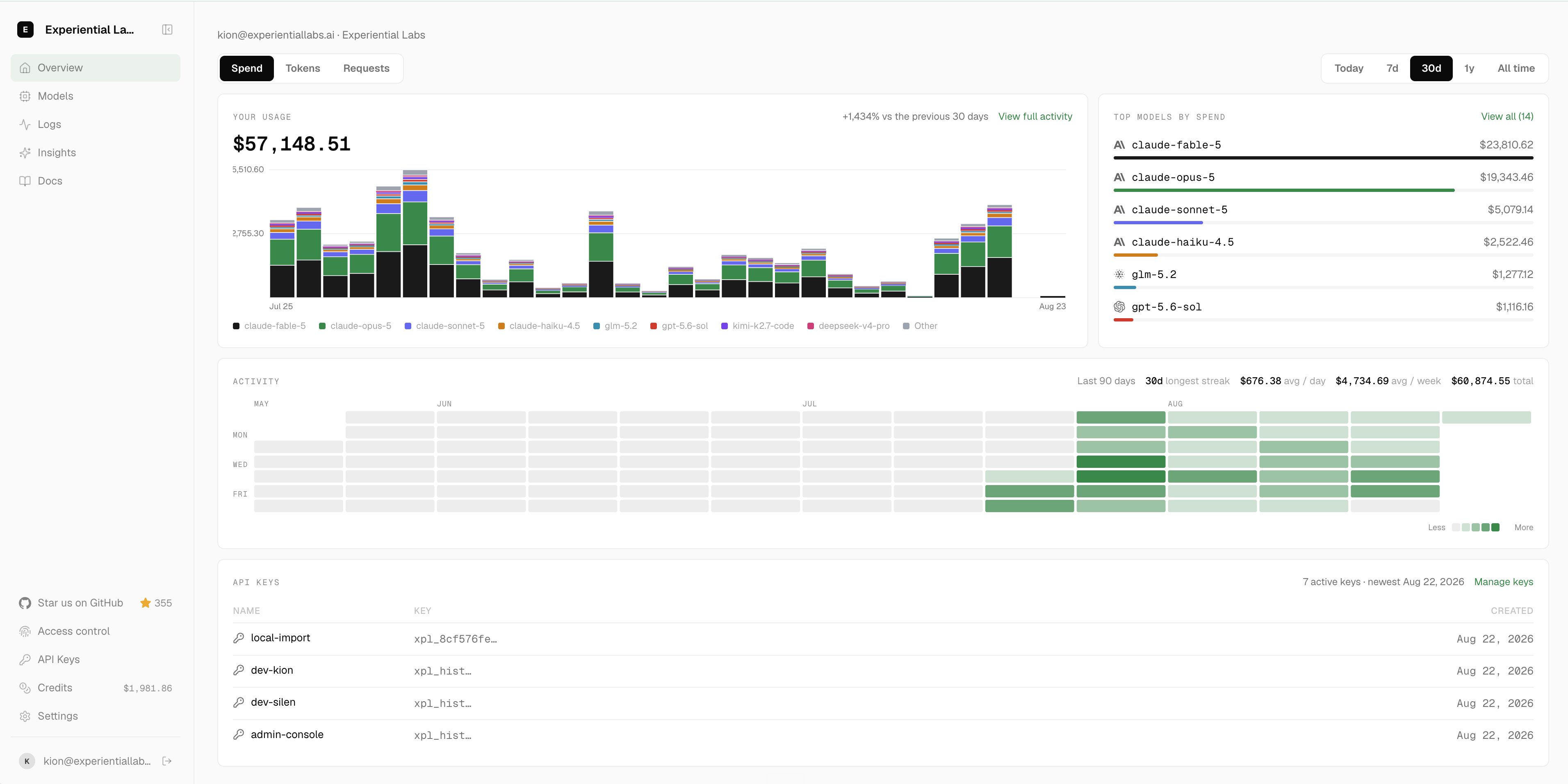
- Control which users and agents can use which models, for which use cases, and how much they can spend.
- Turn production traffic into a custom router or model optimized for quality, speed, and cost.
 Discord
Getting Started
Start a local OpenAI-compatible gateway. On first run, the setup wizard uses the shared provider,
model, and reasoning-effort selectors, persists every selected provider connection, then shows
defaults for the public alias, identity, and $50.00 command budget before printing a one-time key:
pip install experiential
exp
Choose a public alias such as opus-5, capture the issued key, and send a request:
export EXP_GATEWAY_KEY=...
curl http://127.0.0.1:8000/v1/chat/completions \
  -H "Authorization: Bearer $EXP_GATEWAY_KEY" \
  -H 'Content-Type: application/json' \
  -d '{"model":"opus-5","messages":[{"role":"user","content":"Help me"}]}'
Setup / get started with the hosted gateway
Prefer a managed gateway to running one locally? The hosted platform at
platform.experientiallabs.ai serves the same
OpenAI-compatible (and Anthropic Messages) API at https://api.experientiallabs.ai/v1.
See SETUP.md for copy-paste prompts you hand to your coding agent
(Claude Code, Cursor, Codex, and similar); the agent runs the setup for you. It
collects four prompts:
- Upload your LLM traces as telemetry: create an account instantly from your email, then pull or upload your existing LLM traces onto the platform as telemetry.
- Connect your inference provider keys (BYOK): create an account, then connect your own OpenAI, Anthropic, Gemini, Azure, Bedrock, Fireworks, or OpenRouter keys for free pass-through.
- Start calling models on the gateway: make your first
/v1call with the OpenAI and Anthropic SDKs using anxpl_key, and optionally repoint your existing coding agents. - Full onboarding: create an account instantly from your email, connect your keys, import your spend, then repoint every coding agent (Claude Code, Cursor, Codex, Aider, and similar) or Conductor at the gateway.
Using the API
Start the local gateway with exp (or exp run); the compiled native data plane
serves every route on loopback. From Python, load a fitted project router as an
official OpenAI client backed by its own private gateway:
import exp

with exp.load_router("my-project") as client:
    response = client.chat.completions.create(
        model="my-project",
        messages=[{"role": "user", "content": "hello"}],
    )
Optimize from Traffic
First, collect OpenTelemetry traces from your current agent. If you just want to try it out, grab the public terminal-tasks OTLP dataset:
curl -L -o traces.otel.jsonl \
  https://huggingface.co/datasets/experiential-labs/wmo-terminal-tasks-traces/resolve/540883e451dc13d34fb50fdd36b143cb0f1fb0db/traces.otel.jsonl
Then build a project. The build command walks you through providers, models, and budget, and asks for your trace file:
# Build simulation from your agent traces and optimize a router against it
exp build support-agent
After collecting traces from your router, fine-tune an open source model you own using Tinker.
exp optimize model support-agent
Telemetry
Anonymous aggregate PostHog product telemetry is enabled by default. It never includes prompts, traces, actions, observations, paths, model names, credentials, or raw customer content.
exp config telemetry status
exp config telemetry disable
exp config telemetry enable
The preference is stored locally in .exp/settings.toml.
Development
uv sync --extra dev
uv run ruff format --check .
uv run ruff check .
uv run ty check
uv run pytest -q
Repository and documentation conventions live in AGENTS.md.
1 maintainer

Download files
Download the file for your platform. If you're not sure which to choose, learn more about installing packages.
Source Distribution
Built Distribution
Filter files by name, interpreter, ABI, and platform.
If you're not sure about the file name format, learn more about wheel file names.
Copy a direct link to the current filters
File details
Details for the file experiential-0.7.41.tar.gz.
File metadata
- Download URL: experiential-0.7.41.tar.gz
- Upload date:
- Size: 2.8 MB
- Tags: Source
- Uploaded using Trusted Publishing? Yes
- Uploaded via:
uv/0.12.10 {"installer":{"name":"uv","version":"0.12.10","subcommand":["publish"]},"python":null,"implementation":{"name":null,"version":null},"distro":{"name":"Ubuntu","version":"24.04","id":"noble","libc":null},"system":{"name":null,"release":null},"cpu":null,"openssl_version":null,"setuptools_version":null,"rustc_version":null,"ci":true}
File hashes
| Algorithm | Hash digest | |
|---|---|---|
| SHA256 |
90e38471180d6374b75b0f37bcbde14a4a9ef834a8e71bc29bee747317fd6d55
|
|
| MD5 |
6f12620dfa4a08dcb7f666a3f6140f90
|
|
| BLAKE2b-256 |
3d50e2f97566ed5c02ccf8878c8cb54b72528a12ce2faa43d3ca6149c855b5e7
|
File details
Details for the file experiential-0.7.41-py3-none-any.whl.
File metadata
- Download URL: experiential-0.7.41-py3-none-any.whl
- Upload date:
- Size: 1.8 MB
- Tags: Python 3
- Uploaded using Trusted Publishing? Yes
- Uploaded via:
uv/0.12.10 {"installer":{"name":"uv","version":"0.12.10","subcommand":["publish"]},"python":null,"implementation":{"name":null,"version":null},"distro":{"name":"Ubuntu","version":"24.04","id":"noble","libc":null},"system":{"name":null,"release":null},"cpu":null,"openssl_version":null,"setuptools_version":null,"rustc_version":null,"ci":true}
File hashes
| Algorithm | Hash digest | |
|---|---|---|
| SHA256 |
f5579f829899f3d463c7869ed019d95e2b41c083403f32c56f586d0b0bca81a1
|
|
| MD5 |
6f72c2d350c6356b6ad51409ab8ac61c
|
|
| BLAKE2b-256 |
50c6cd6b7b5abf68b453a67bef1f1344c17d7da6cc83227215390b2339fd72b2
|














