
A Python package for tracking experiments in Notion

Project description

ExperimentHQ
ExperimentHQ is a Python package that allows you to track and manage experiments directly from your Python code, and seamlessly sync the results to a Notion database. With ExperimentHQ, you can easily monitor the performance of your models, log custom metrics, and compare experiments with ease, all from a single, intuitive interface.
The purpose of this document is to provide a guide for using ExperimentHQ to track experiments and sync the results to Notion.
Prerequisites
Before you can use ExperimentHQ, you need to set up the following prerequisites:
- Set up a Notion account.
- Set up an ExperimentHQ account.
- Connect you Notion account with ExperimentHQ
- Copy your personal API token from ExperimentHQ
- Install ExperimentHQ.
Installation
To install ExperimentHQ, simply run the following command:
pip install experimenthq
Usage
Creating an Experiment
To create an experiment and log it to Notion, you can use the following code snippet as an example:
import experimenthq as ex

experiment = ex.Experiment(
    name="My First Experiment",
    project="Project A",
    api_key="YOUR_API_KEY"
)

experiment.log_parameter("accuracy", 0.85)
experiment.log_parameter("loss", 0.05)
This code creates an experiment with the name "My First Experiment" and tags it with the project "Project A". It then logs two parameters, "accuracy" and "loss", with values 0.85 and 0.05 respectively.
Viewing Experiments in Notion
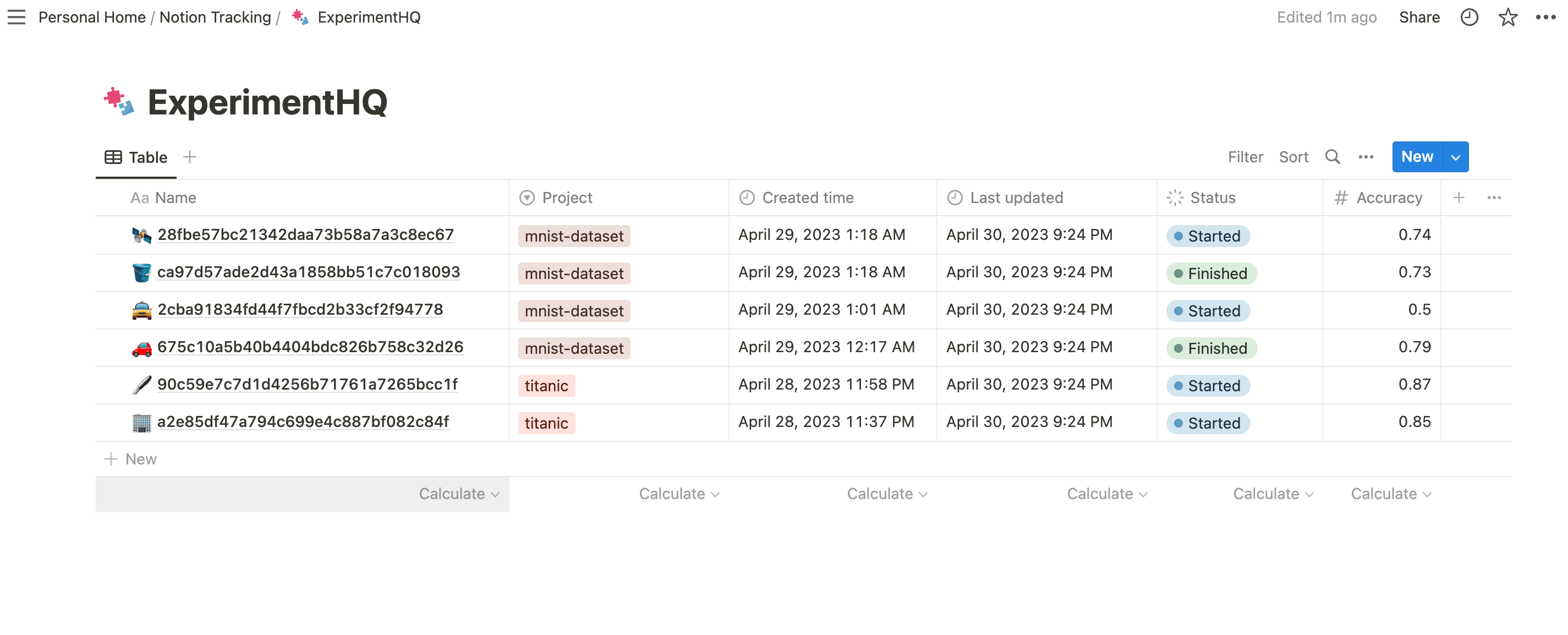
To view the experiments that you've logged with ExperimentHQ in Notion go to the Notion page that you've linked to ExperimentHQ. You should see a table with the experiments that you've logged.
Conclusion
ExperimentHQ provides a simple and intuitive way to track and manage your experiments in Python and sync the results to Notion. By using ExperimentHQ, you can streamline your experiment tracking and make your work more efficient and effective. Try it out today and see the difference it can make in your workflow!
Release history Release notifications | RSS feed


Download files
Download the file for your platform. If you're not sure which to choose, learn more about installing packages.
Source Distribution
Built Distribution
Filter files by name, interpreter, ABI, and platform.
If you're not sure about the file name format, learn more about wheel file names.
Copy a direct link to the current filters
File details
Details for the file experimenthq-0.0.0.dev5.tar.gz.
File metadata
- Download URL: experimenthq-0.0.0.dev5.tar.gz
- Upload date:
- Size: 5.8 kB
- Tags: Source
- Uploaded using Trusted Publishing? No
- Uploaded via: twine/4.0.2 CPython/3.11.2
File hashes
| Algorithm | Hash digest | |
|---|---|---|
| SHA256 |
50f4f89464a003cec5da3e7b05f105ab010c873f2e97f356ad2562ff27ceb47f
|
|
| MD5 |
b8d27d0e2f8a2725eebbdd72c80e0563
|
|
| BLAKE2b-256 |
c866394945e846c468545f9042313e1706b6d768ada6a5fe290e1ea8148693b7
|
File details
Details for the file experimenthq-0.0.0.dev5-py3-none-any.whl.
File metadata
- Download URL: experimenthq-0.0.0.dev5-py3-none-any.whl
- Upload date:
- Size: 4.9 kB
- Tags: Python 3
- Uploaded using Trusted Publishing? No
- Uploaded via: twine/4.0.2 CPython/3.11.2
File hashes
| Algorithm | Hash digest | |
|---|---|---|
| SHA256 |
ccafc3de574aae8bf7cb638c744b9123a0f161c446709bf74900f380c7218e6c
|
|
| MD5 |
0e98aa13fb744b06aaa44420399f791a
|
|
| BLAKE2b-256 |
1212e4440adfdd4a0a633f595511be0402ef87b7ee9ff33b5e963cd6cf835733
|






