
Full-stack FastAPI + Next.js template generator with PydanticAI/LangChain agents, WebSocket streaming, 20+ enterprise integrations, and Logfire/LangSmith observability. Ship AI apps fast. CLI tool to generate production-ready FastAPI + Next.js projects with AI agents, auth, and observability.
Verified details
These details have been verified by PyPIProject links
GitHub Statistics
Maintainers

Project description
Full-Stack AI Agent Template
Production-ready FastAPI + Next.js project generator with AI agents, RAG, and 20+ enterprise integrations.
Quick Start • Features • Demo • Documentation • Configurator • PyPI











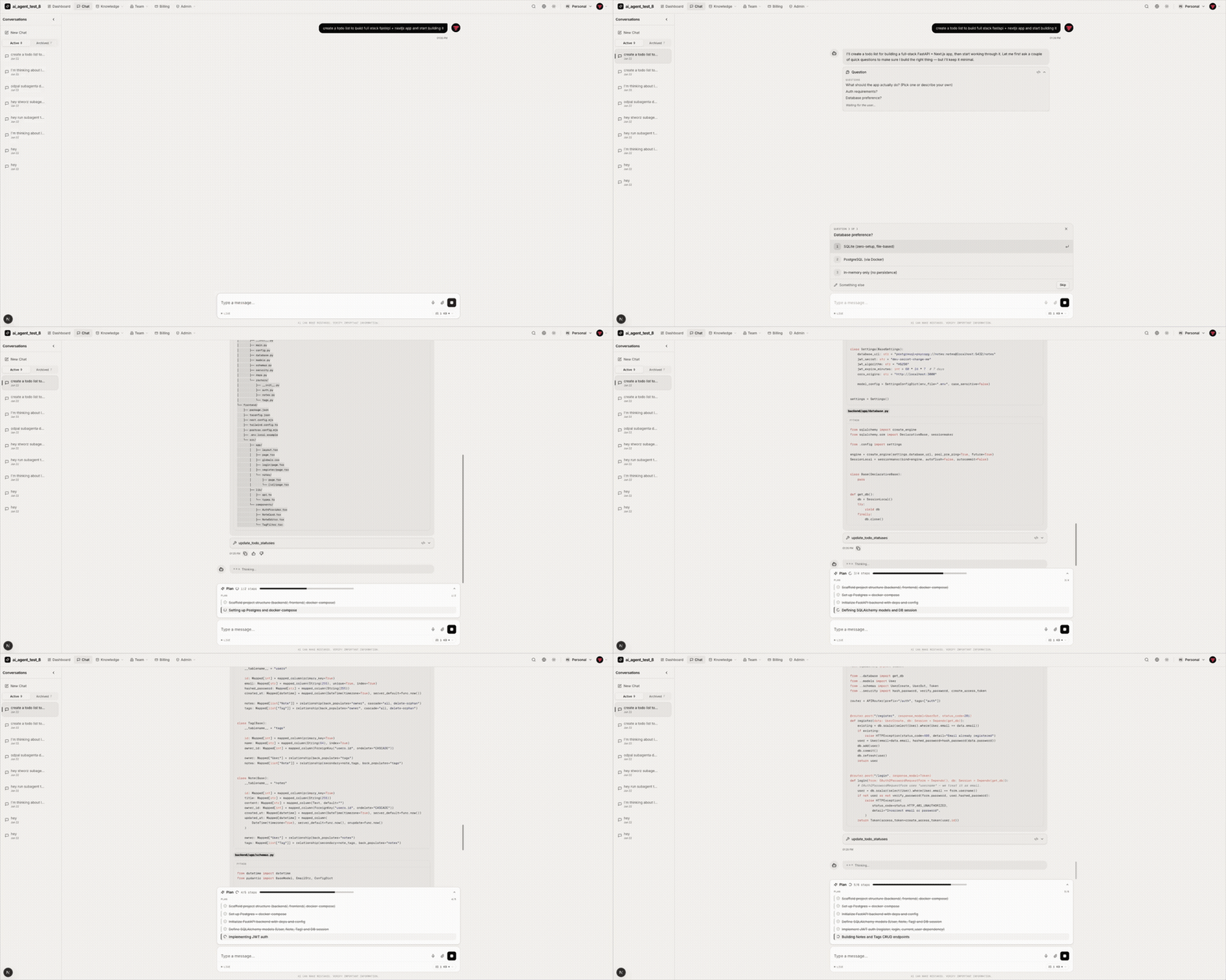
🤖 5 AI Agent Frameworks (PydanticAI, PydanticDeep, LangChain, LangGraph, DeepAgents)
📄 RAG Pipeline (Milvus, Qdrant, pgvector, ChromaDB)
⚡ FastAPI + Next.js 15 (WebSocket streaming, real-time chat UI)
🔗 Conversation Sharing (direct sharing, public links, admin browser)
🔒 Enterprise-Ready (JWT, OAuth, admin panel, Celery, Docker, K8s)
Table of Contents
Vstorm OSS Ecosystem
This template is part of a broader open-source ecosystem for production AI agents:
| Project | Description | |
|---|---|---|
| pydantic-deepagents | The modular agent runtime for Python. Claude Code-style CLI with Docker sandbox, browser automation, multi-agent teams, and /improve. |  |
| pydantic-ai-shields | Drop-in guardrails for Pydantic AI agents. 5 infra + 5 content shields. |  |
| pydantic-ai-subagents | Declarative multi-agent orchestration with token tracking. |  |
| summarization-pydantic-ai | Smart context compression for long-running agents. |  |
| pydantic-ai-backend | Sandboxed execution for AI agents. Docker + Daytona. |  |
Want the runtime behind this template's AI agents? pydantic-deepagents powers the
deepagentsframework option — install it standalone withcurl -fsSL .../install.sh | bash.
Browse all projects at oss.vstorm.co
🚀 Quick Start
[!TIP] Prefer a visual configurator? Use the Web Configurator to configure your project in the browser and download a ZIP — no CLI installation needed.
Installation
# pip
pip install fastapi-fullstack

# uv (recommended)
uv tool install fastapi-fullstack

# pipx
pipx install fastapi-fullstack
From zero to a running app
Three steps. The wizard scaffolds the project, make bootstrap brings up the whole backend, and the frontend runs with a single command:
# 1. Generate your project — just answer the wizard's prompts
fastapi-fullstack

# 2. Backend + PostgreSQL up, migrations applied, default admin seeded
cd my_ai_app
make bootstrap

# 3. Frontend (in a second terminal)
cd frontend && bun install && bun dev
What
make bootstrapdoes (=make dev+make seed): builds the backend Docker image, starts the stack viadocker-compose.dev.yml, waits for PostgreSQL (pg_isready), applies Alembic migrations, and seedsadmin@example.com/admin123. It's idempotent — re-run it anytime.
Then access:
| URL | ||
|---|---|---|
| Backend API | http://localhost:8000 | |
| Docs | http://localhost:8000/docs | OpenAPI / Swagger |
| Admin | http://localhost:8000/admin | admin@example.com / admin123 (after make seed) |
| Frontend | http://localhost:3000 | make dev-frontend (Docker) or cd frontend && bun install && bun dev (local) |
Day-to-day commands
make dev           # bootstrap or restart (no admin re-seed)
make seed          # one-shot admin creation (no-op if admin exists)
make dev-down      # stop everything
make dev-logs      # tail container logs
make dev-rebuild   # force-rebuild backend image (after pyproject.toml changes)
make dev-frontend  # start the Next.js container
After the first make bootstrap, day-to-day you just run make dev (skips admin re-seed). Run make help inside the project for the full list.
Other ways to generate (flags, presets, minimal)
Skip the wizard and pass options directly:
# Non-interactive with explicit options
fastapi-fullstack create my_ai_app --database postgresql --frontend nextjs

# Presets for common scenarios (run `fastapi-fullstack templates` for the full list)
fastapi-fullstack create my_ai_app --preset ai-agent           # AI agent with streaming
fastapi-fullstack create my_ai_app --preset production         # Full production setup
fastapi-fullstack create my_ai_app --preset production-saas    # SaaS: billing, teams, admin

# Bare-bones project (PostgreSQL, no Docker/Redis/CI)
fastapi-fullstack create my_ai_app --minimal
Environments
make target |
Compose file | When to use |
|---|---|---|
make dev |
docker-compose.dev.yml |
Local development with hot-reload + bind-mounted source. |
make stage |
docker-compose.yml |
Production-like build (no bind mounts) running on localhost. Sanity-check before deploy. |
make prod |
docker-compose.prod.yml |
Production. Requires backend/.env (copy from backend/.env.example, fill real secrets) + external Nginx using nginx/nginx.conf. |
Each env has matching -down, -logs, -rebuild siblings.
[!NOTE] Windows users:
makerequires GNU Make. Install via Chocolatey (choco install make) or use WSL2 / Git Bash. The Docker workflow is identical across macOS, Linux, and WSL2.
Local backend (no Docker, for IDE breakpoints)
If you want to run the backend on the host while the database stays in Docker:
cd my_ai_app
make install                                                # uv sync + pre-commit hooks

# Start only infrastructure containers
docker compose -f docker-compose.dev.yml up -d db redis    # add 'milvus etcd minio' if RAG

make db-upgrade                                             # apply migrations
make create-admin                                           # interactive
make run                                                    # uvicorn --reload
Production deploy
# On your server
git clone <your-repo>
cd my_ai_app

cp backend/.env.example backend/.env            # fill in real secrets
# Configure your nginx host using nginx/nginx.conf as reference

make prod                                       # builds + starts + migrates
make prod-logs                                  # tail logs
For frontend deployment to Vercel:
cd frontend && npx vercel --prod
In the Vercel dashboard set BACKEND_URL, BACKEND_WS_URL, NEXT_PUBLIC_AUTH_ENABLED=true.
Using the Project CLI
Each generated project has a CLI named after your project_slug. For example, if you created my_ai_app:
cd backend

# The CLI command is: uv run <project_slug> <command>
uv run my_ai_app server run --reload     # Start dev server
uv run my_ai_app db migrate -m "message" # Create migration
uv run my_ai_app db upgrade              # Apply migrations
uv run my_ai_app user create-admin       # Create admin user
Use make help to see all available Makefile shortcuts.
🎬 Demo
CLI generator — configure and scaffold a full-stack AI project in under 60 seconds:
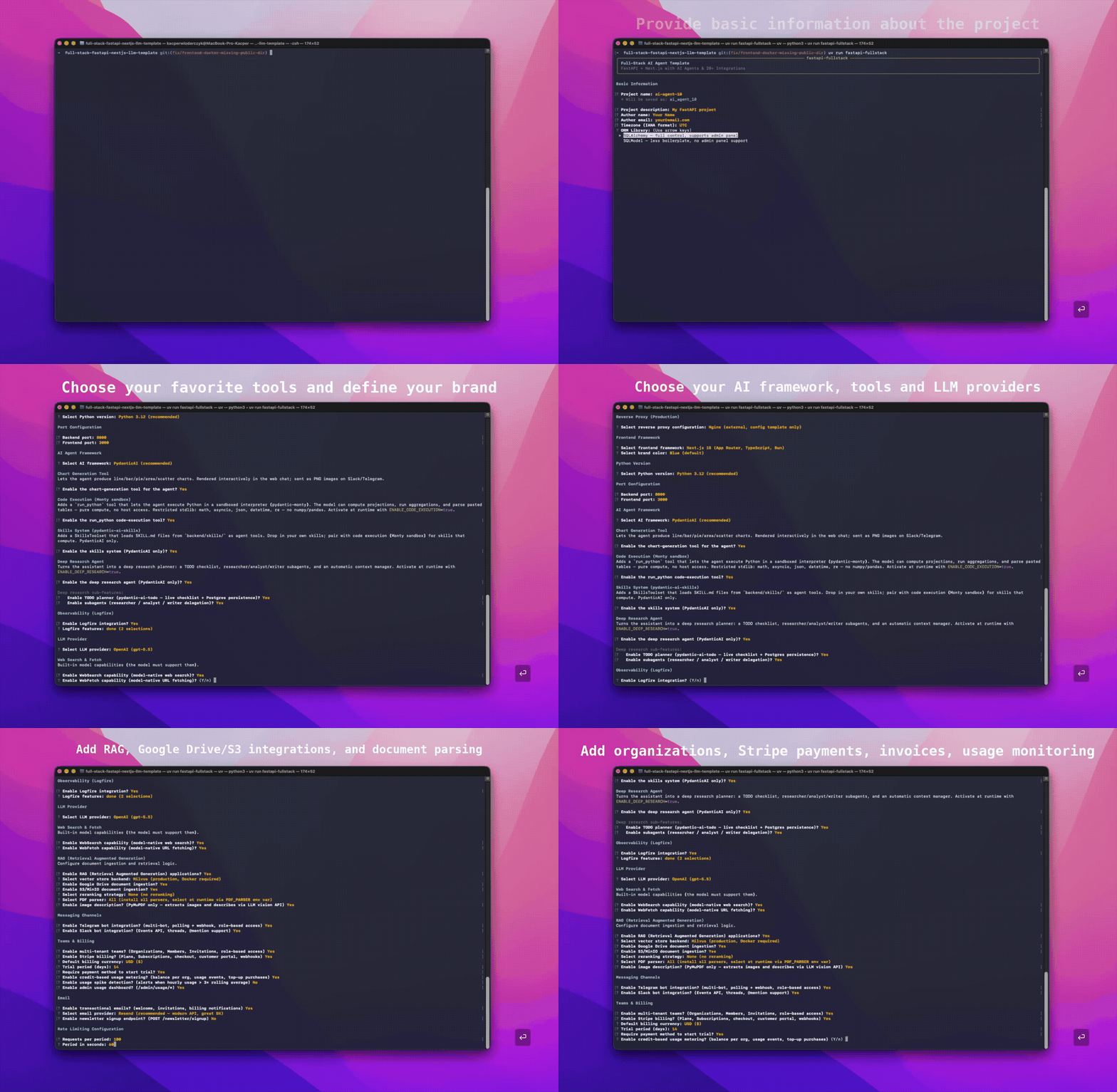
|
AI chat — streaming responses, tool calls, reasoning, and ask-user pauses: |
RAG ingestion — drop a document, watch it get chunked, embedded, and answered against: |
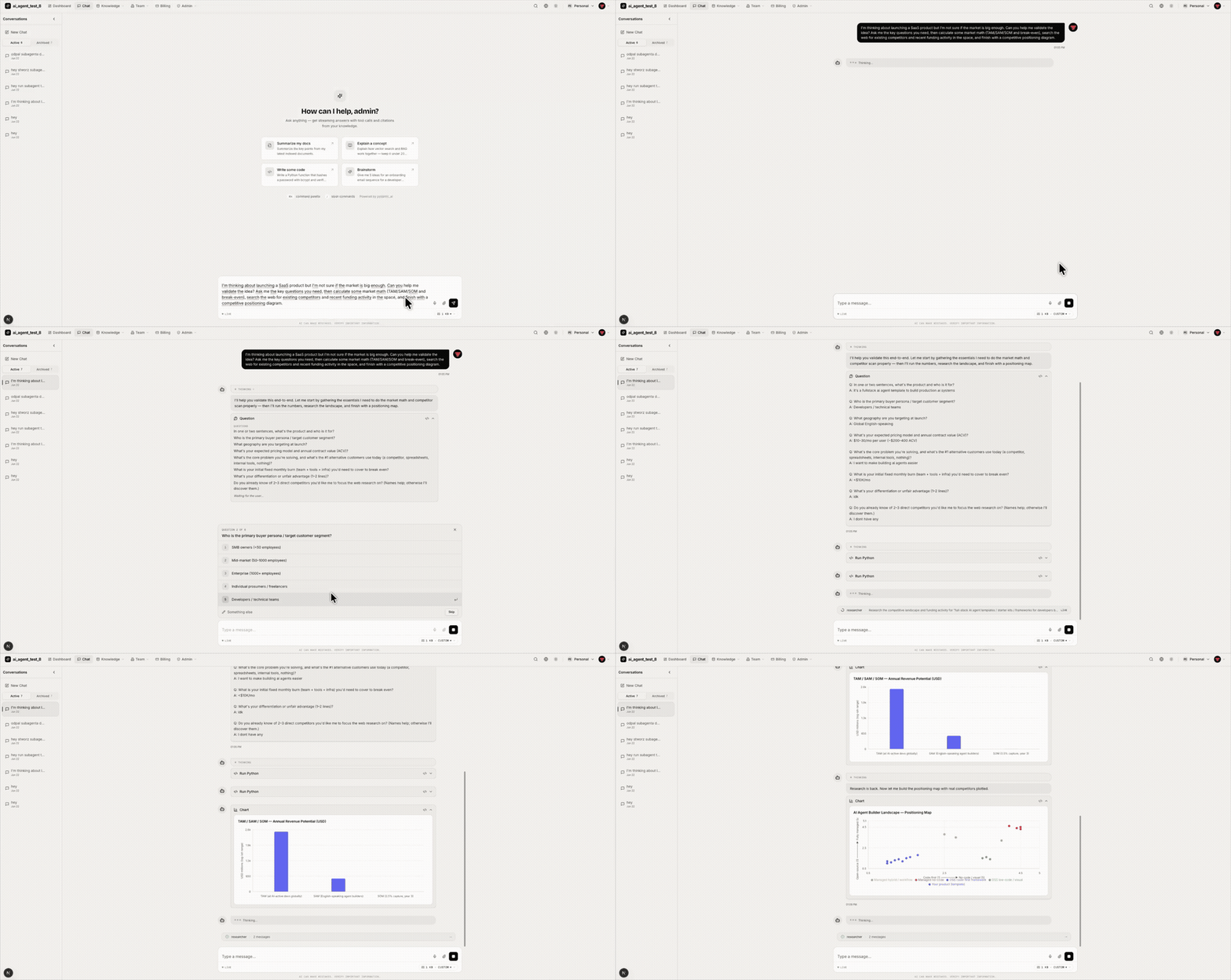
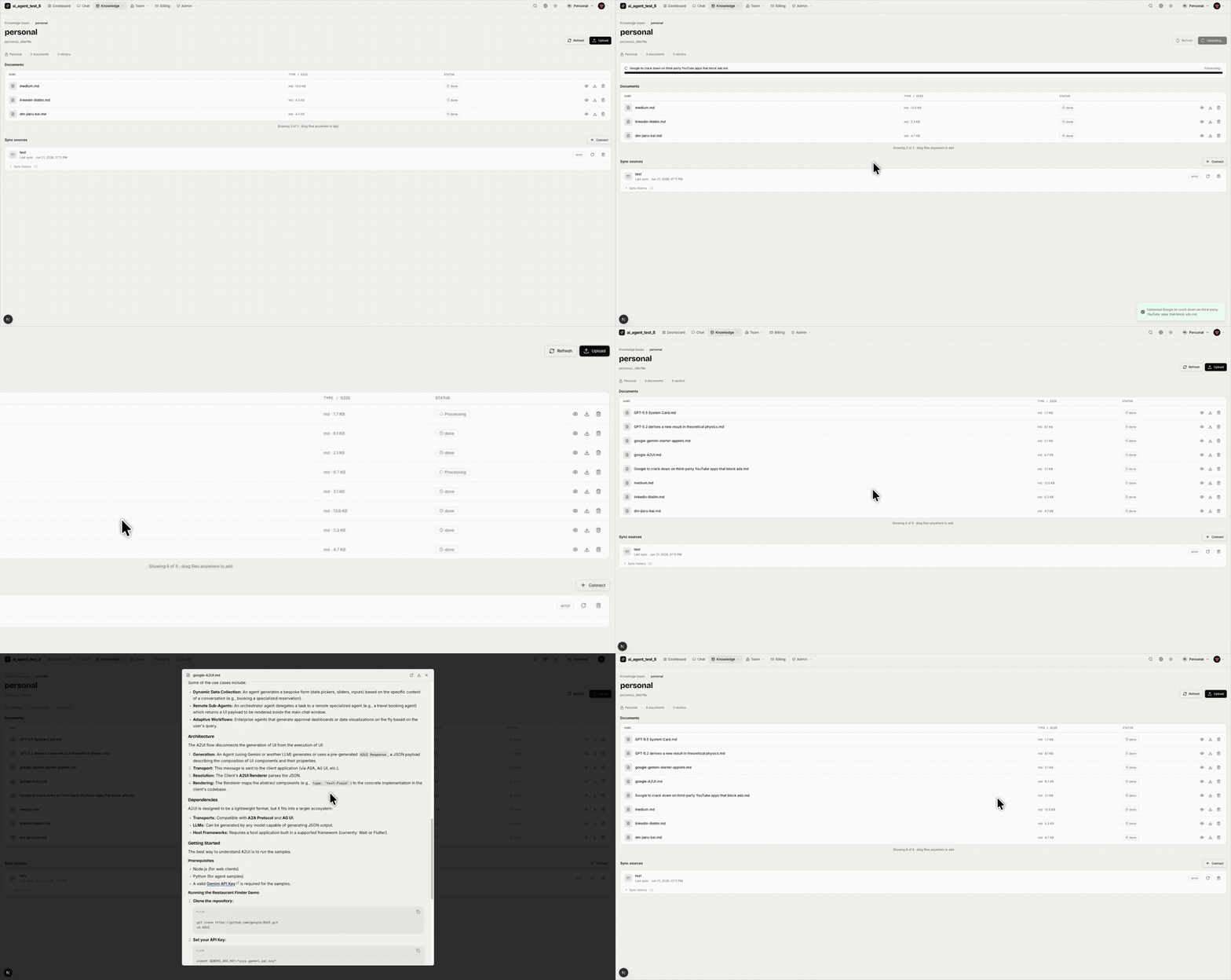
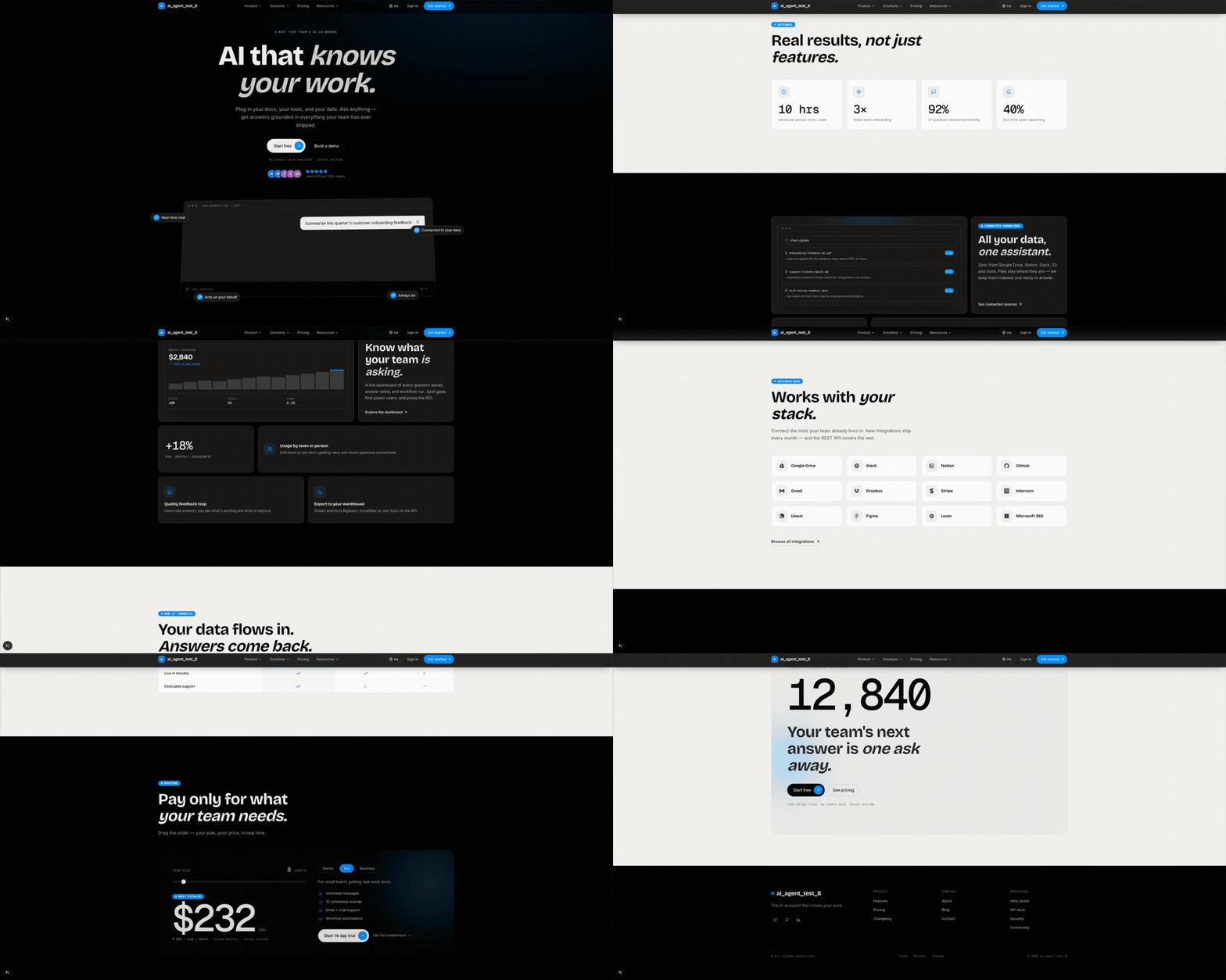
Generated marketing site — public landing page with hero, pricing, blog, and legal pages (enable_marketing_site):
📸 Screenshots
AI Chat
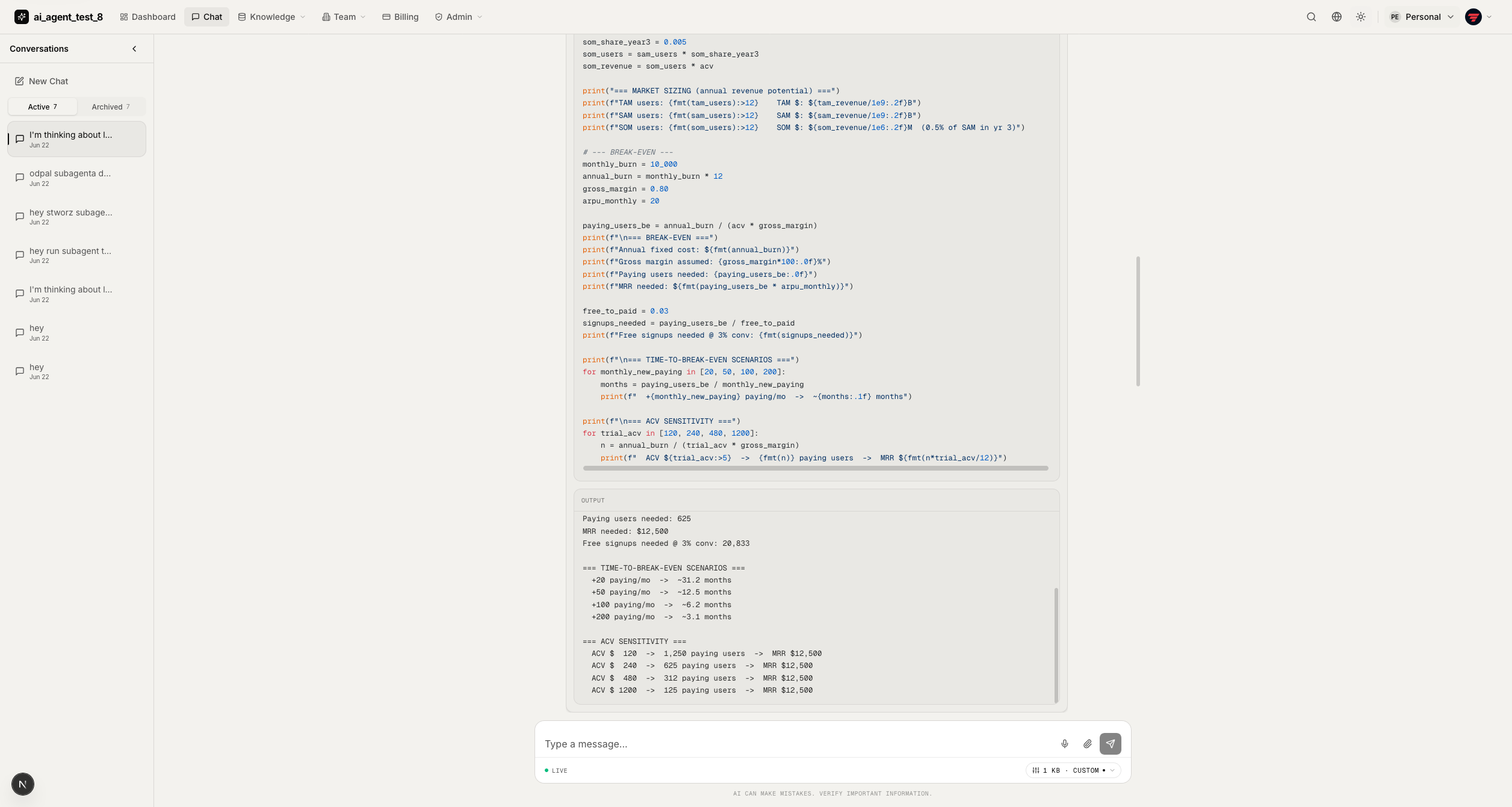
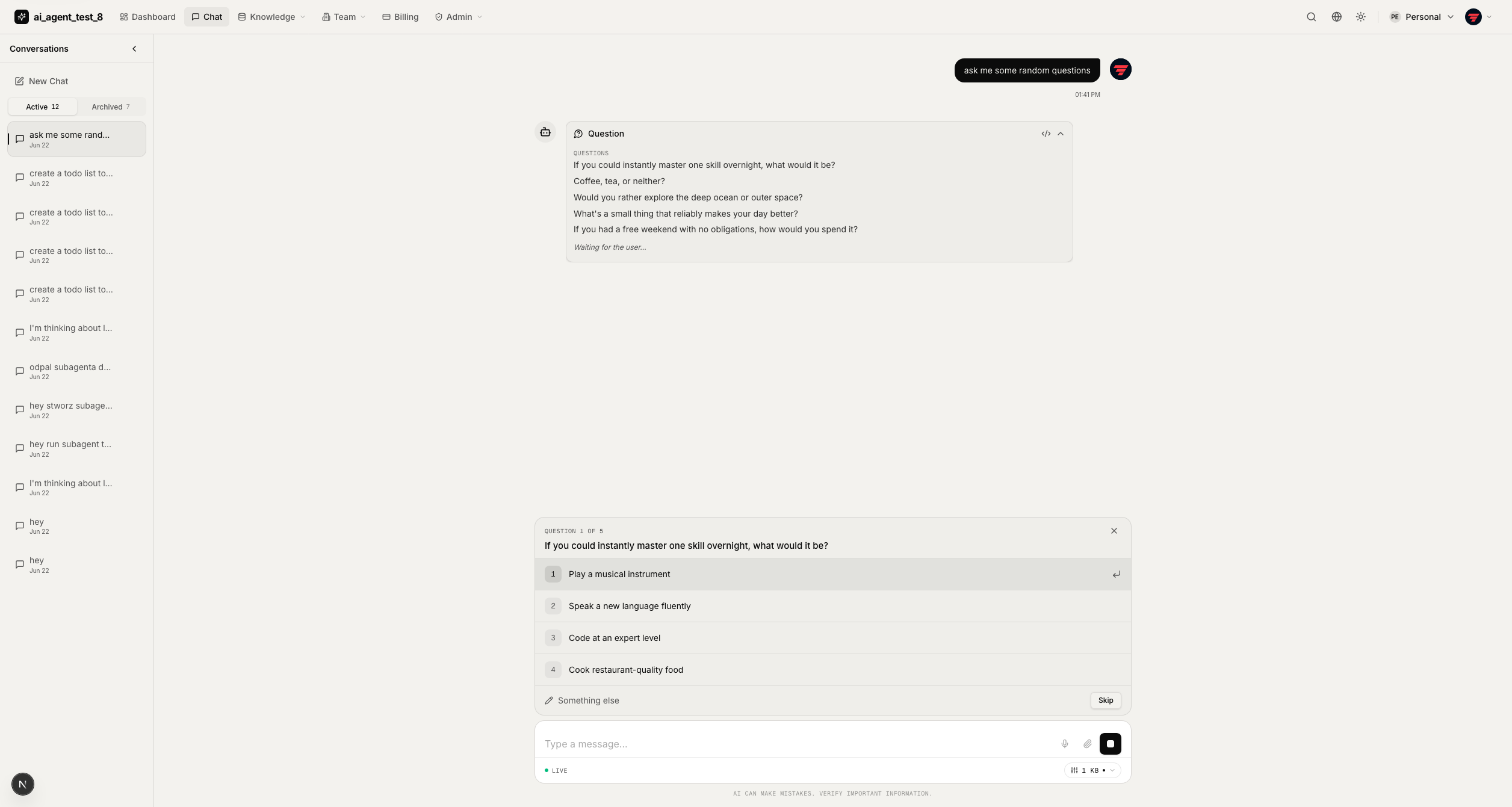
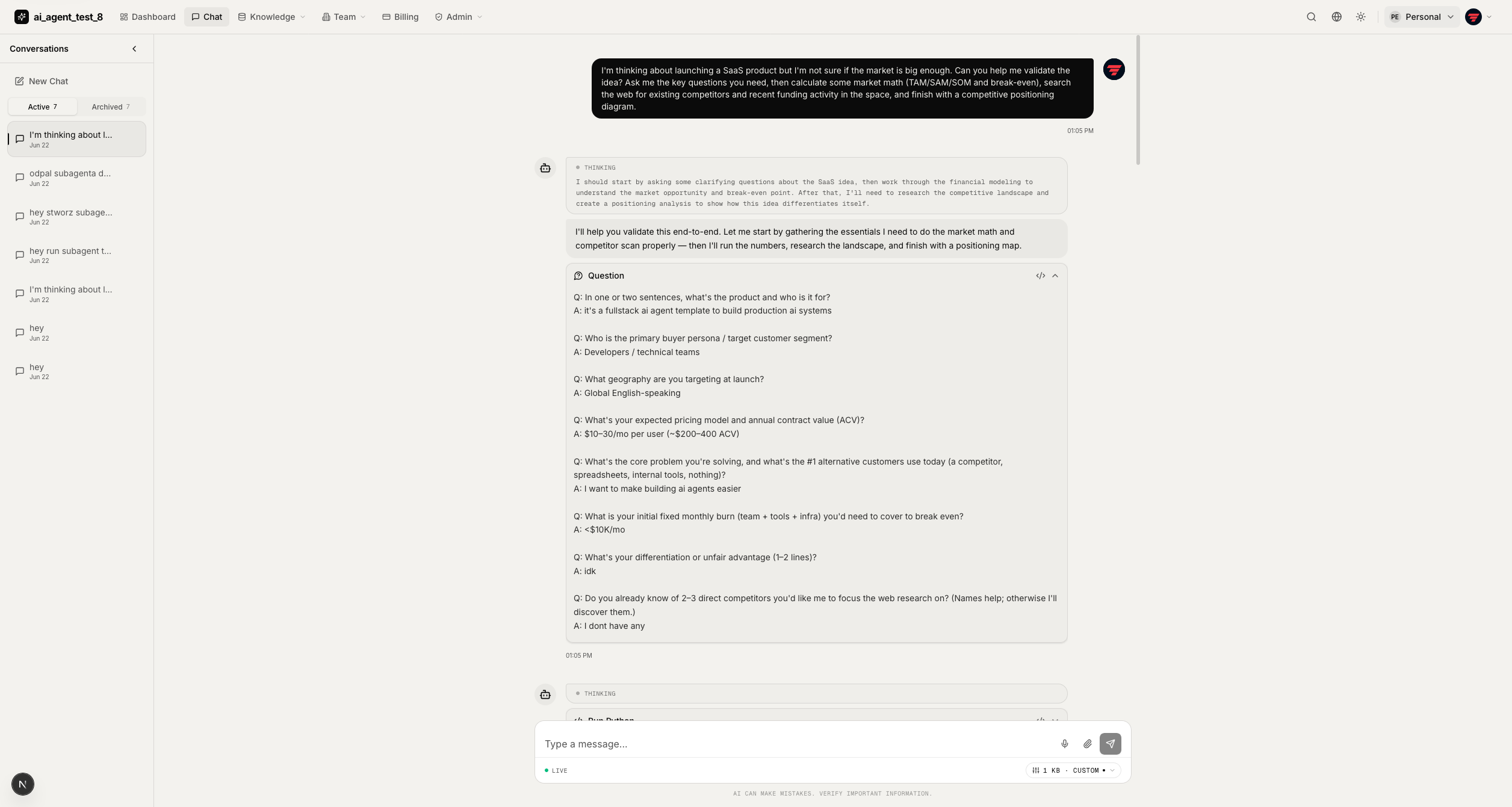
The chat UI streams responses over WebSocket and renders each tool call as a purpose-built card.
|
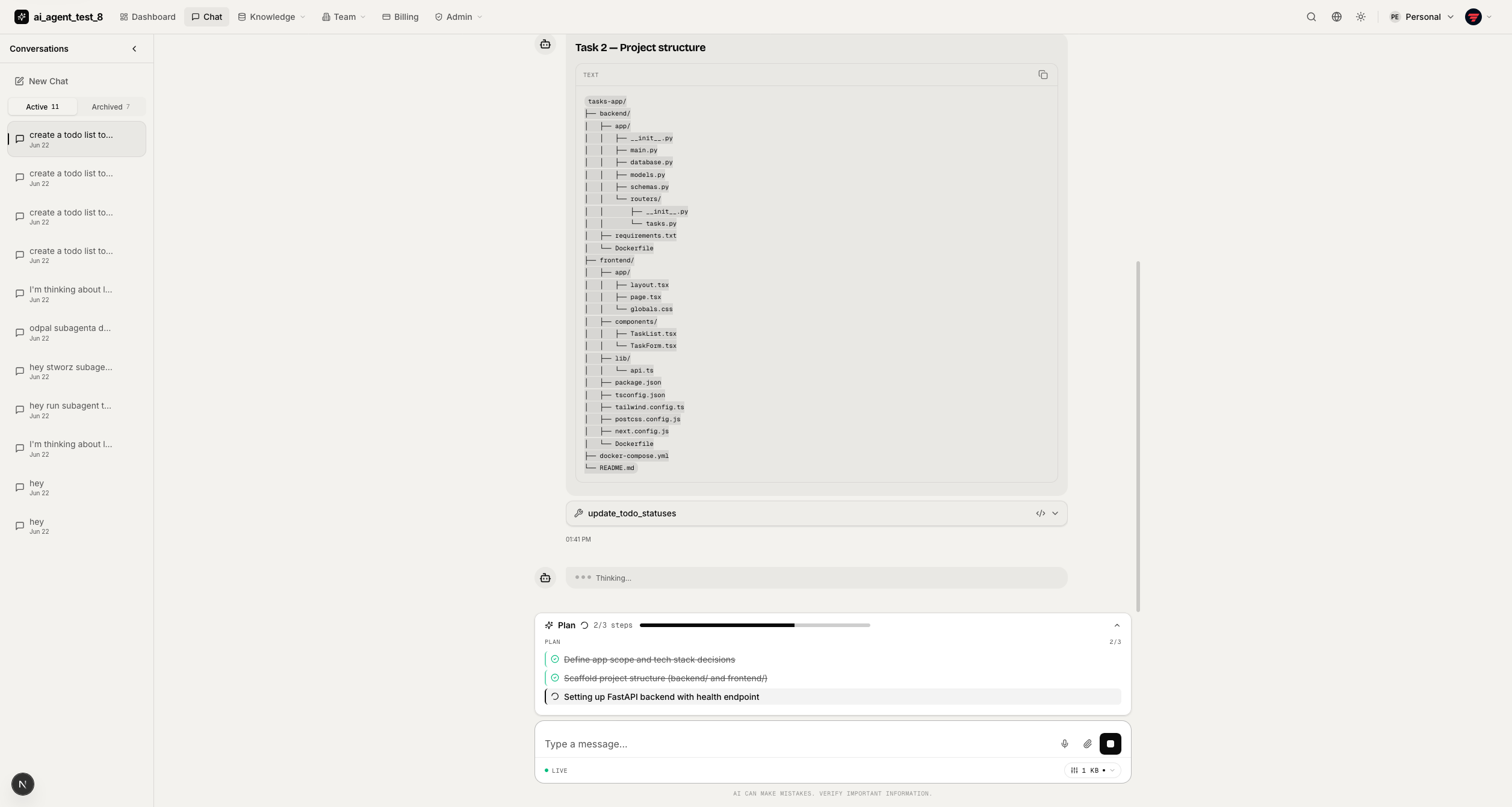
Plan & tasks — sticky checklist updating live as the agent works through steps. |
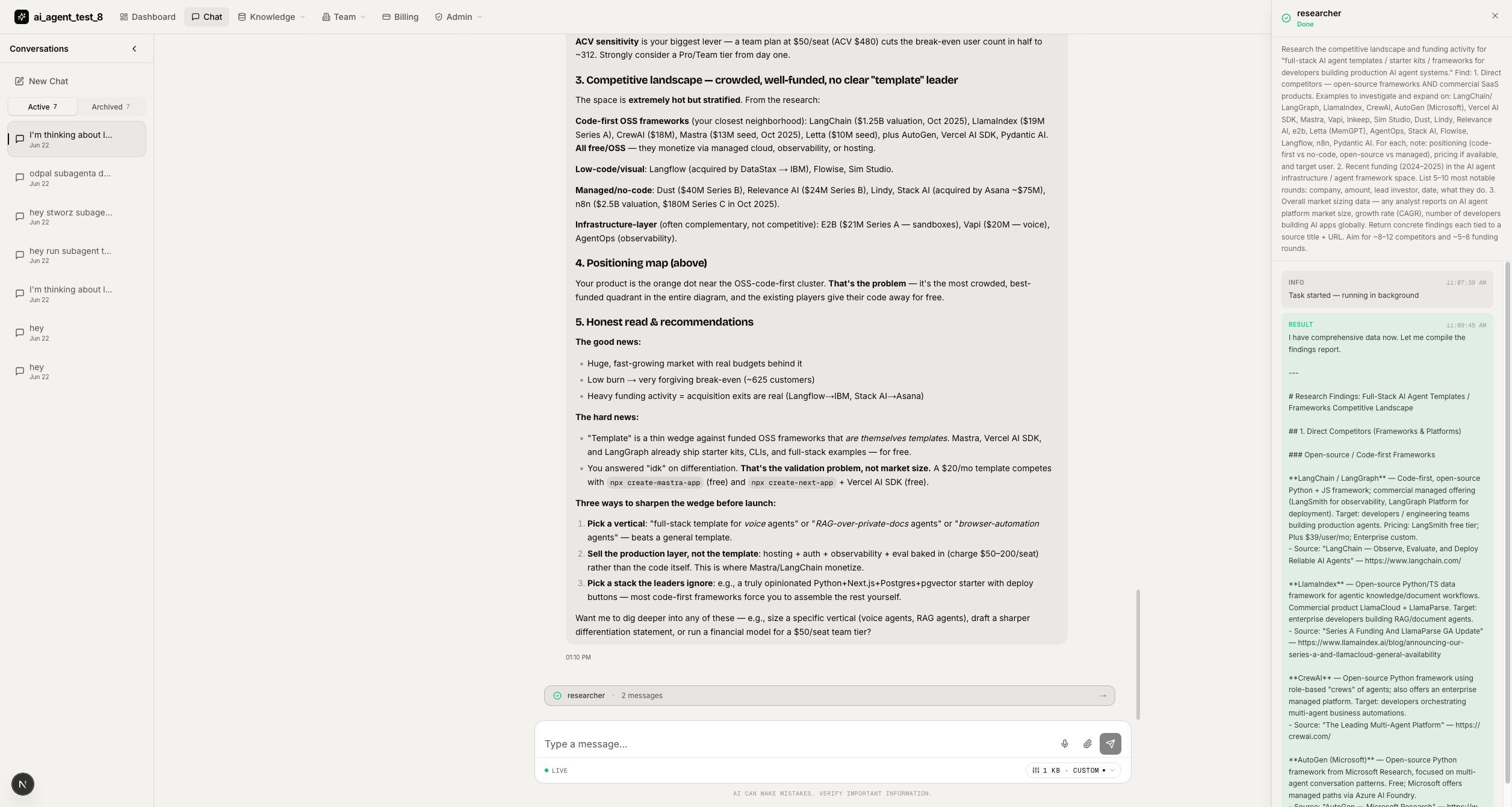
Subagents — live feed and side panel showing each subagent's status and messages. |
|
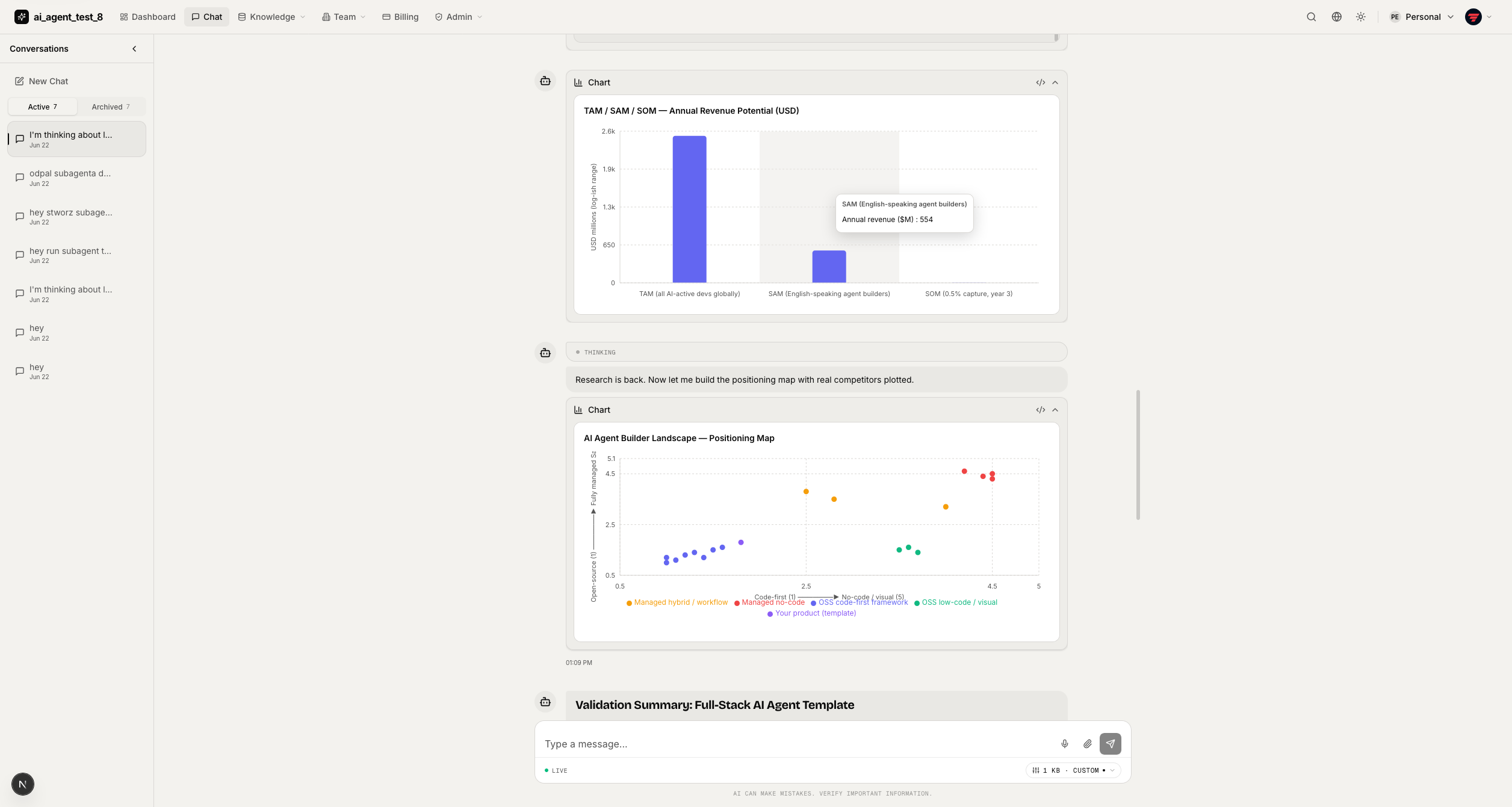
Charts — interactive bar/area/line/pie/scatter charts rendered inline. |
Code execution — |
|
Ask user — agent pauses to ask clarifying questions; card keeps the full transcript. |
Reasoning — clean thinking view + answered-question history for long agent turns. |
Auth & Dashboard
|
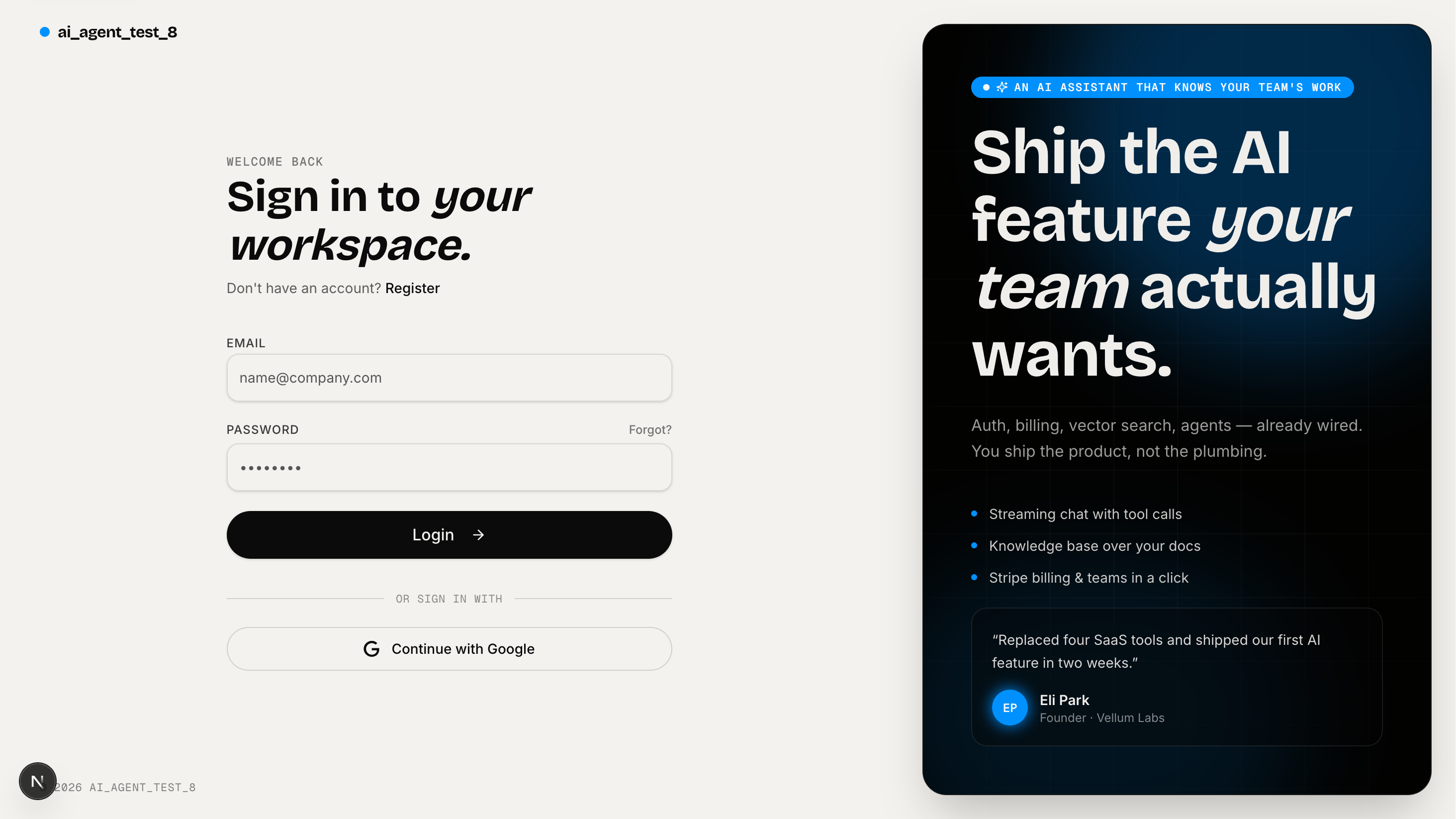
Login — split-screen with Google OAuth + email/password, HTTP-only cookie session. |
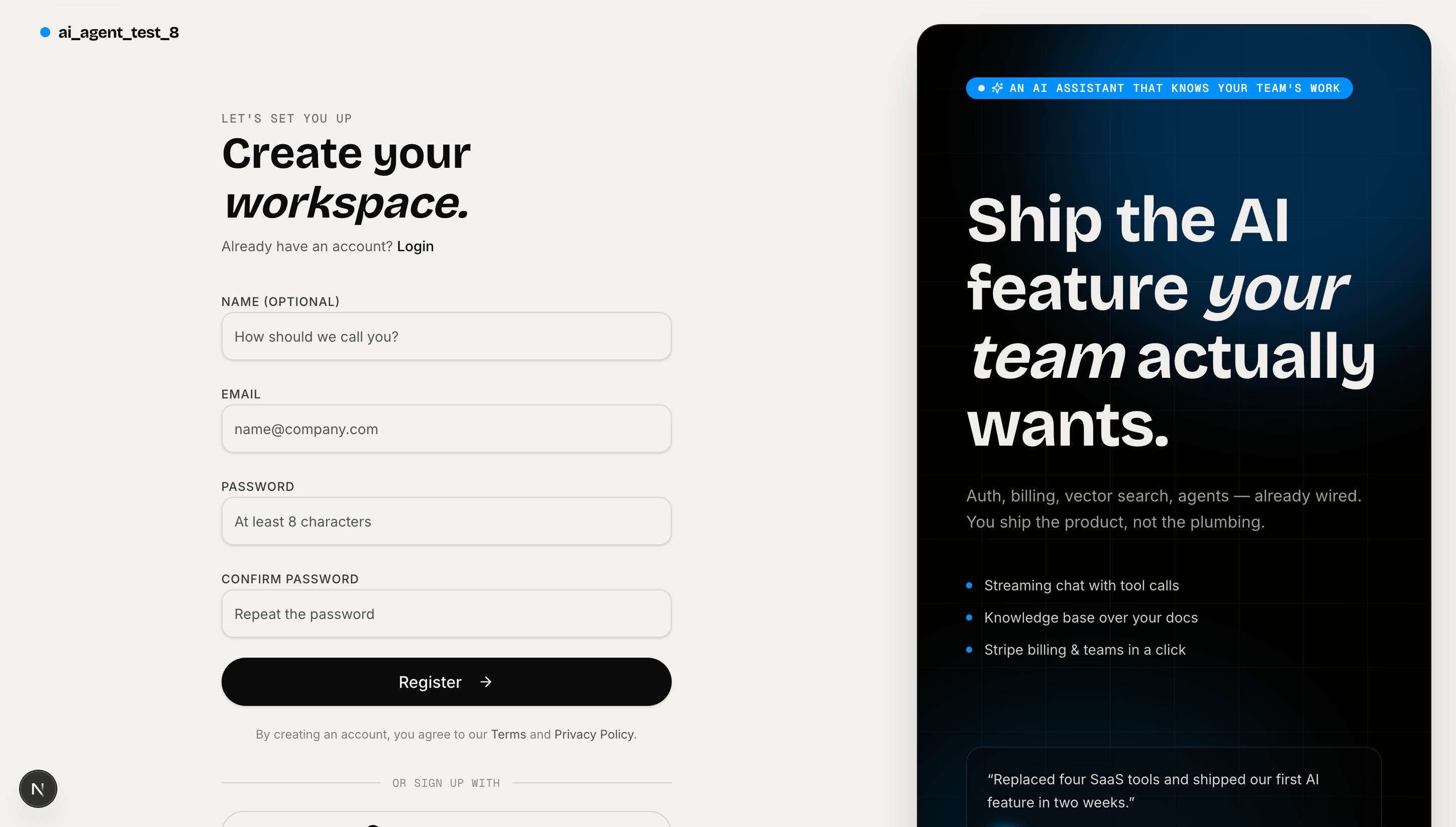
Register — same split-screen layout with confirm-password and terms acceptance. |
|
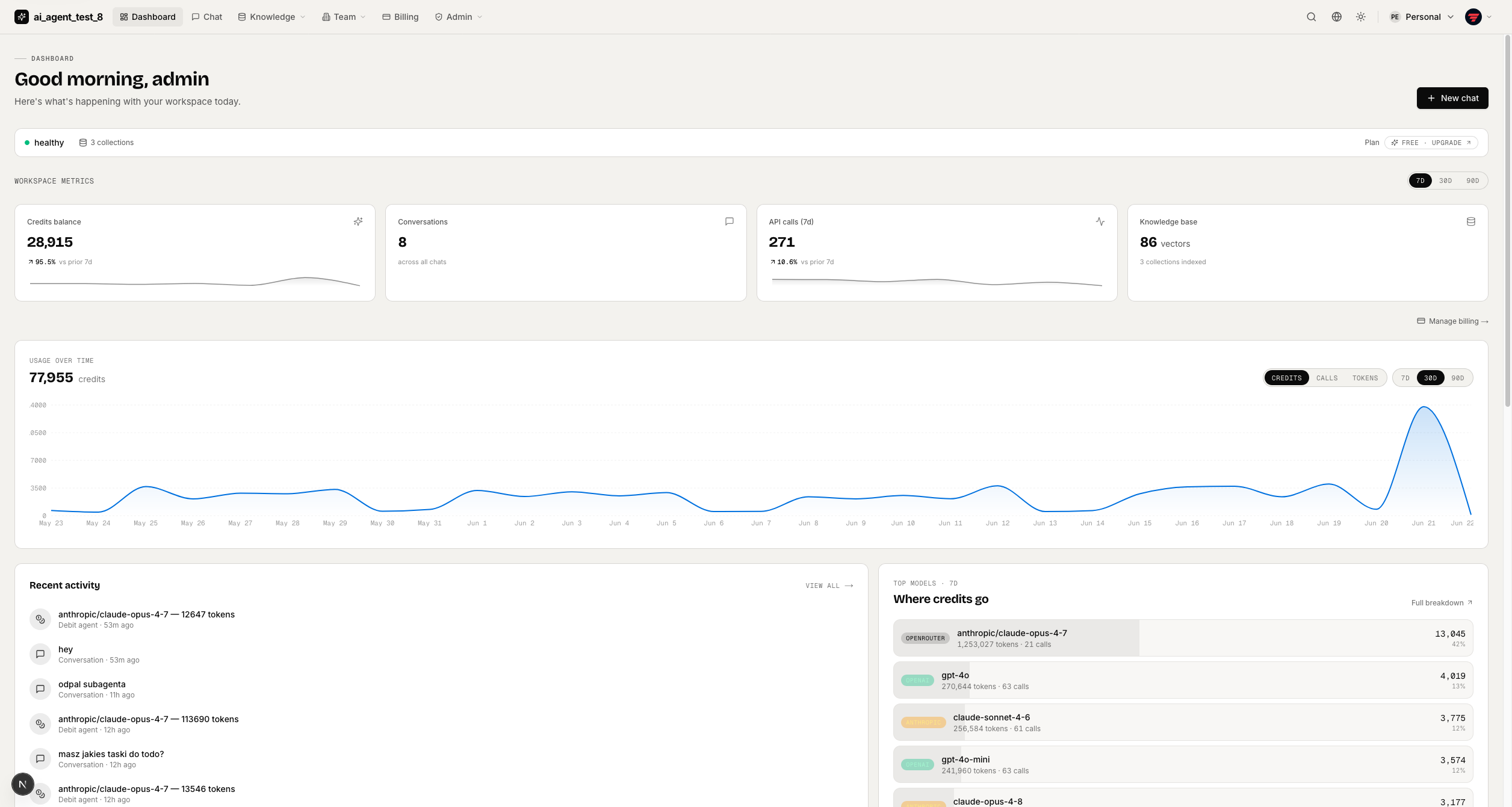
Dashboard (light) — stat cards, usage timeline, recent activity, onboarding banner. |
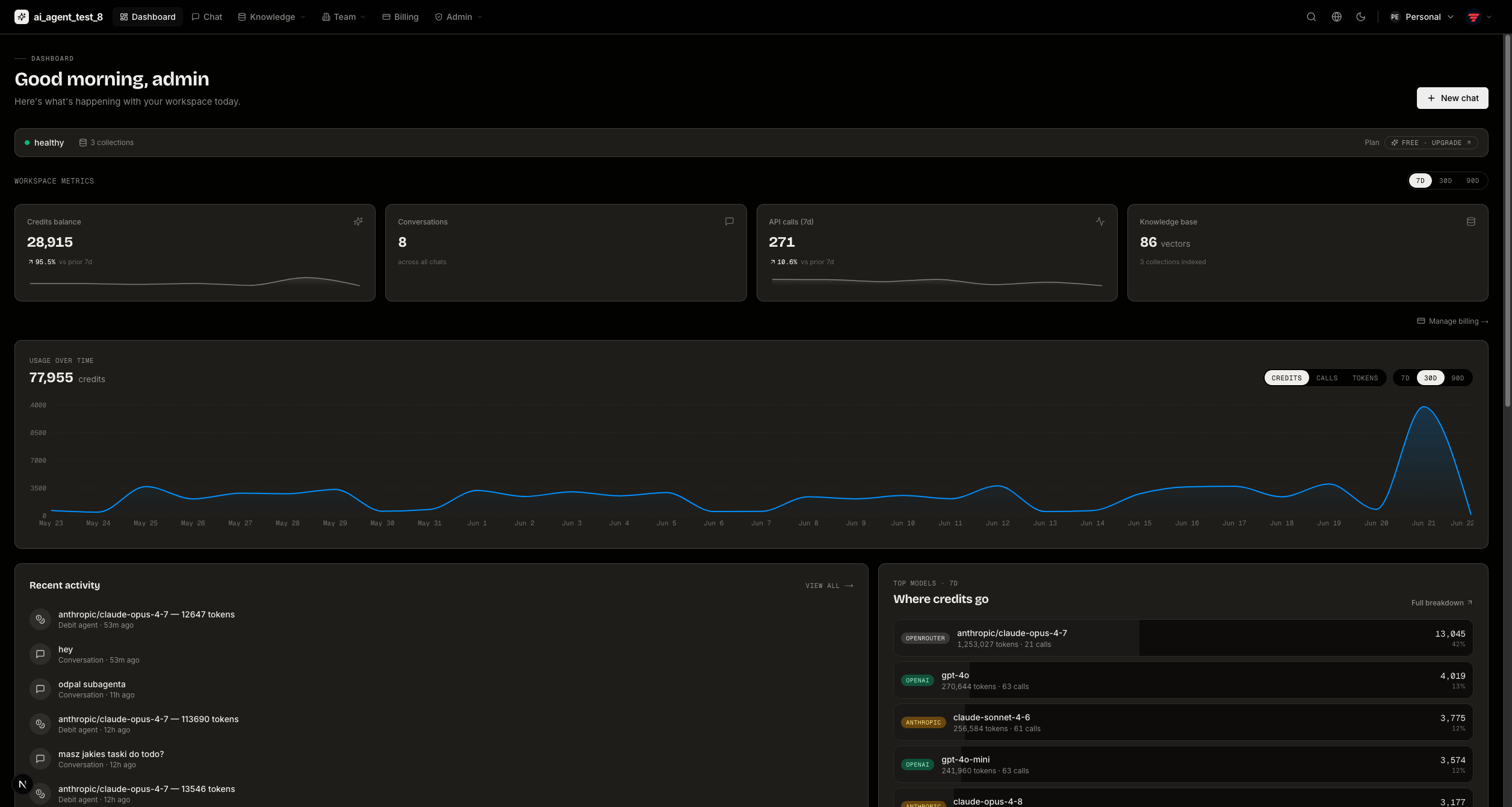
Dashboard (dark) — same view in dark theme; saved per-device. |
Teams & Knowledge Bases
|
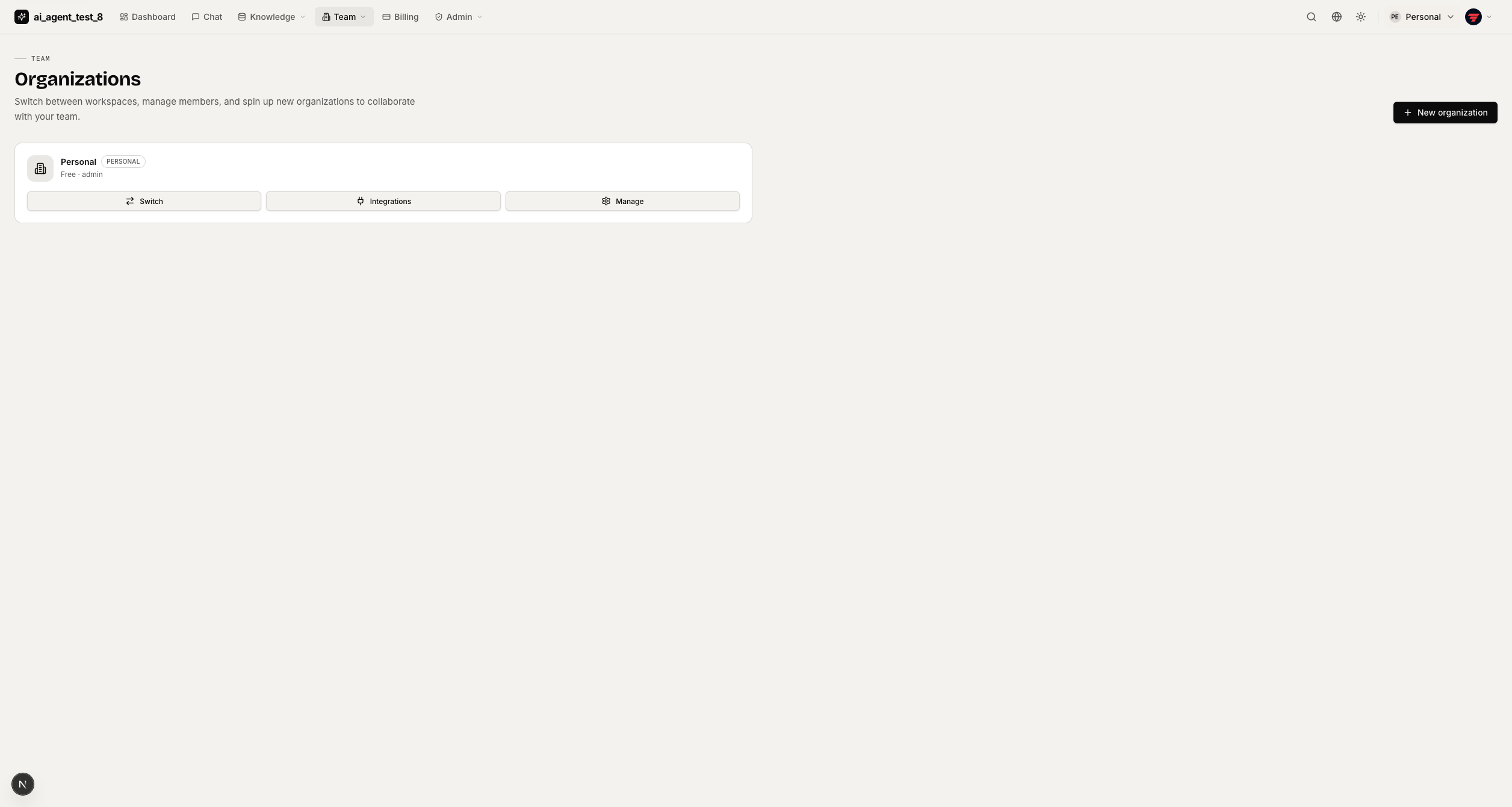
Workspaces — list of all orgs with plan tier and role; switch or create new workspace. |
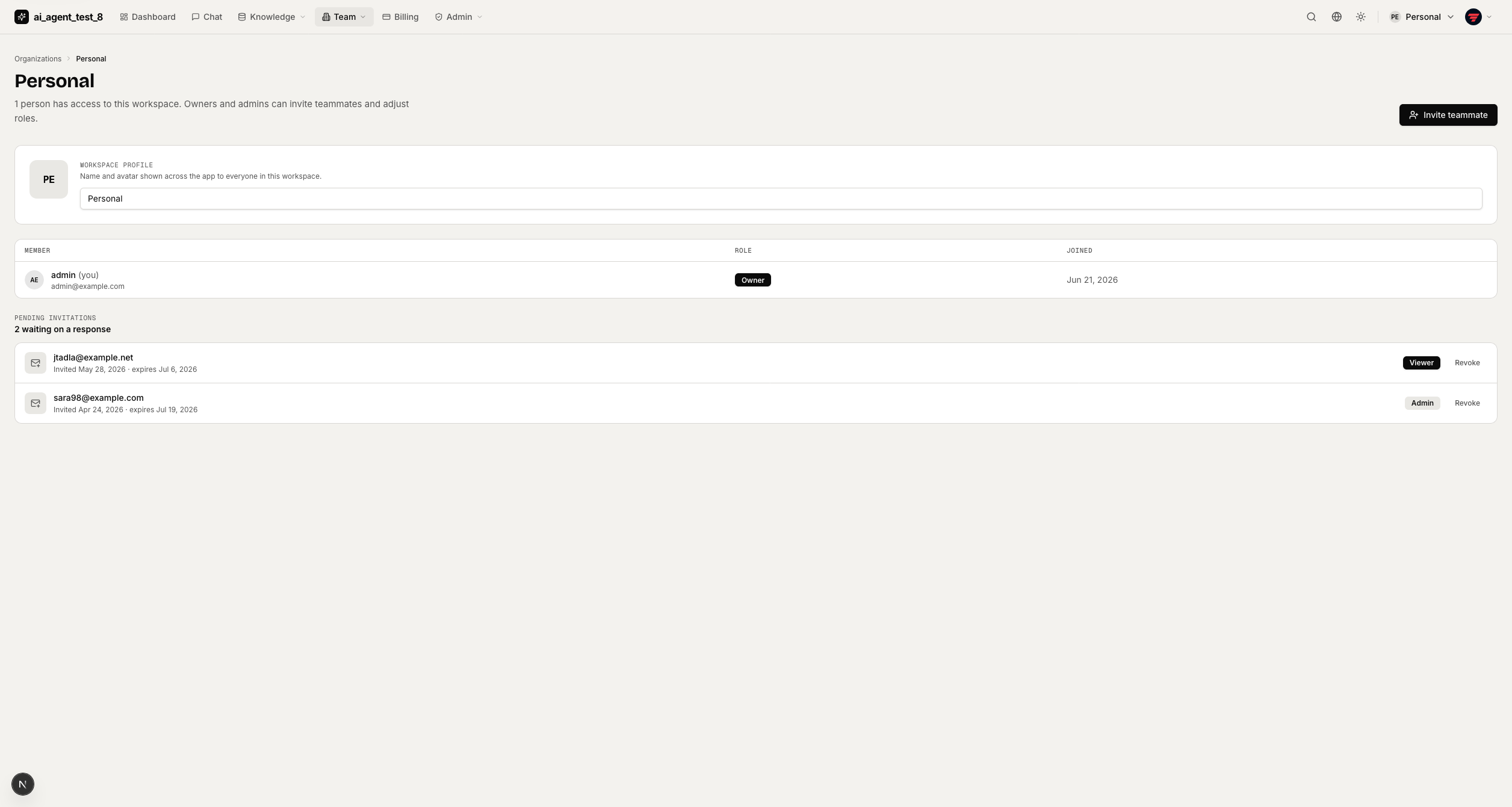
Team management — workspace profile, member list with roles, invite button. |
|
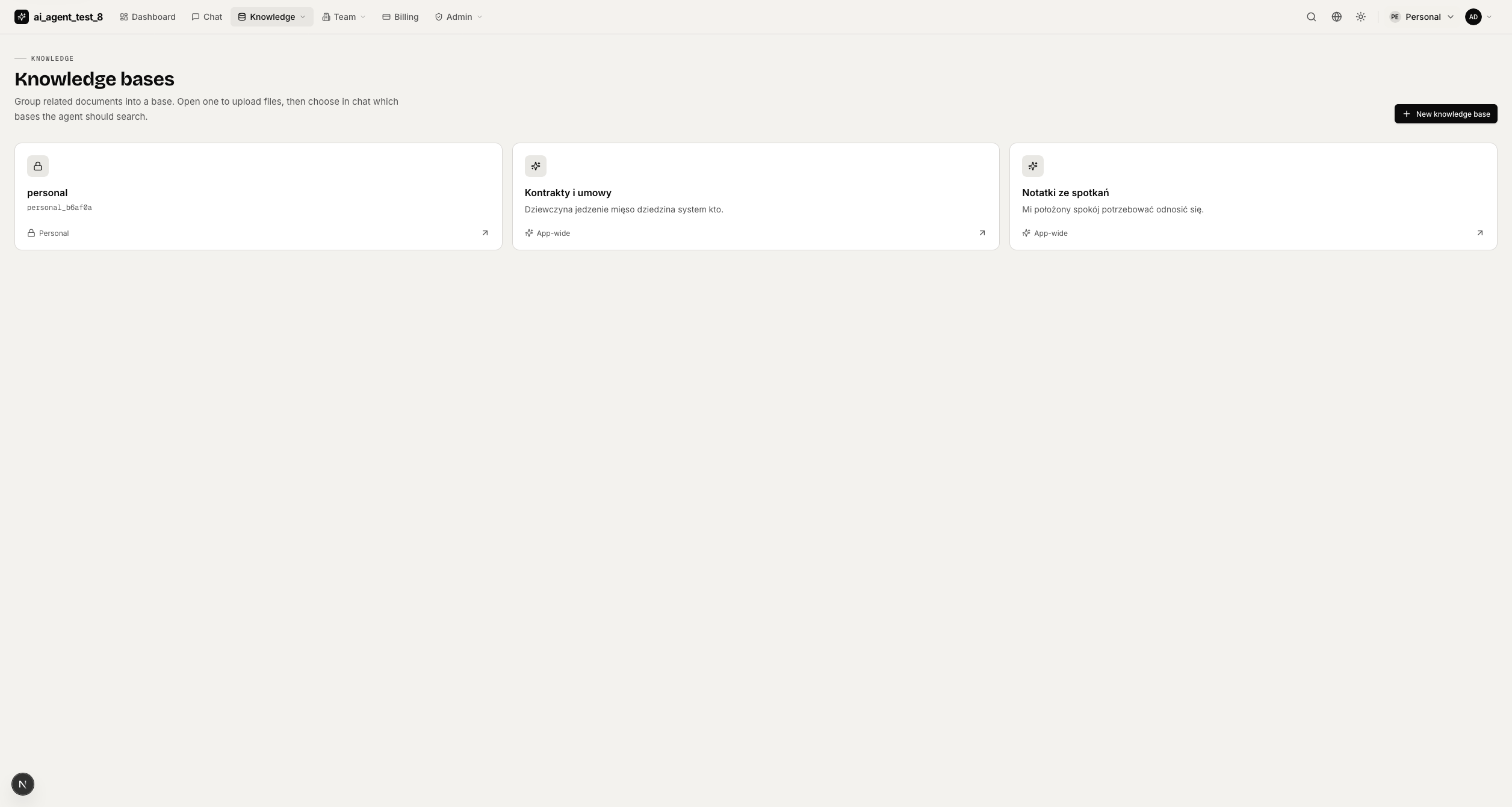
Knowledge bases — list of RAG collections; toggle active bases, upload documents. |
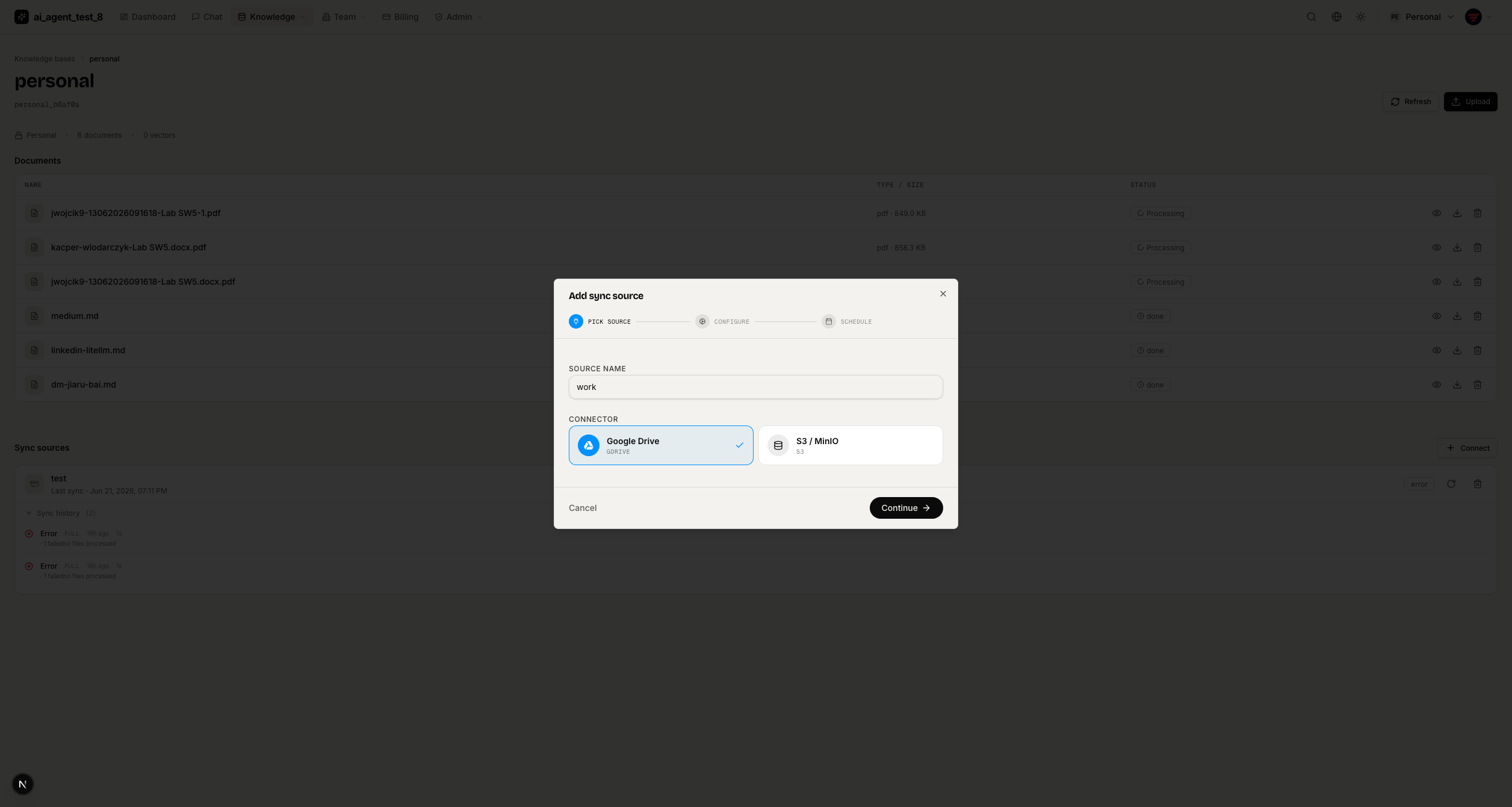
Documents & sync sources — preview files, manage Google Drive/S3 connectors, view run logs. |
Billing & Usage
|
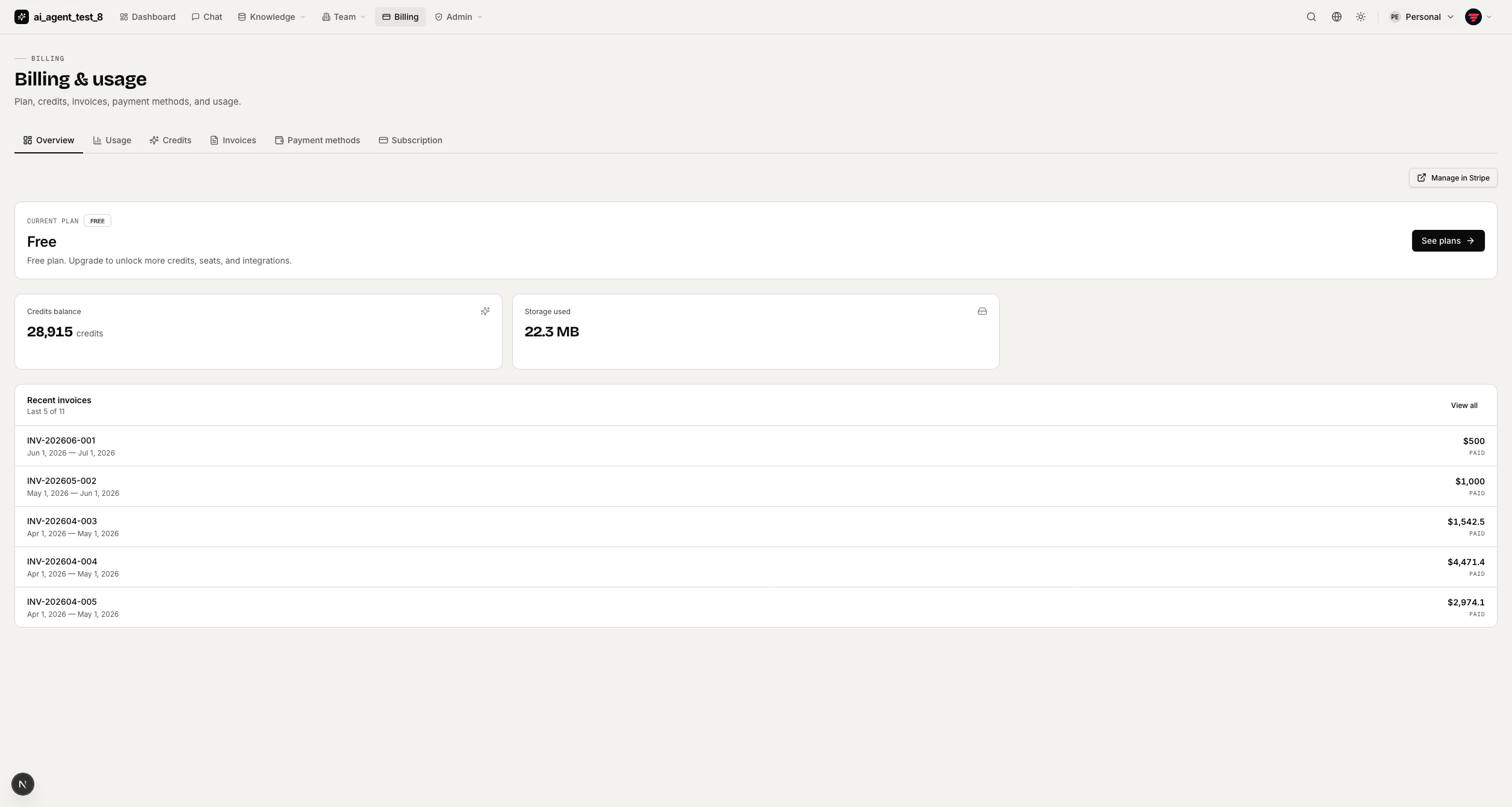
Billing overview — current plan, seats, storage usage, Customer Portal link. |
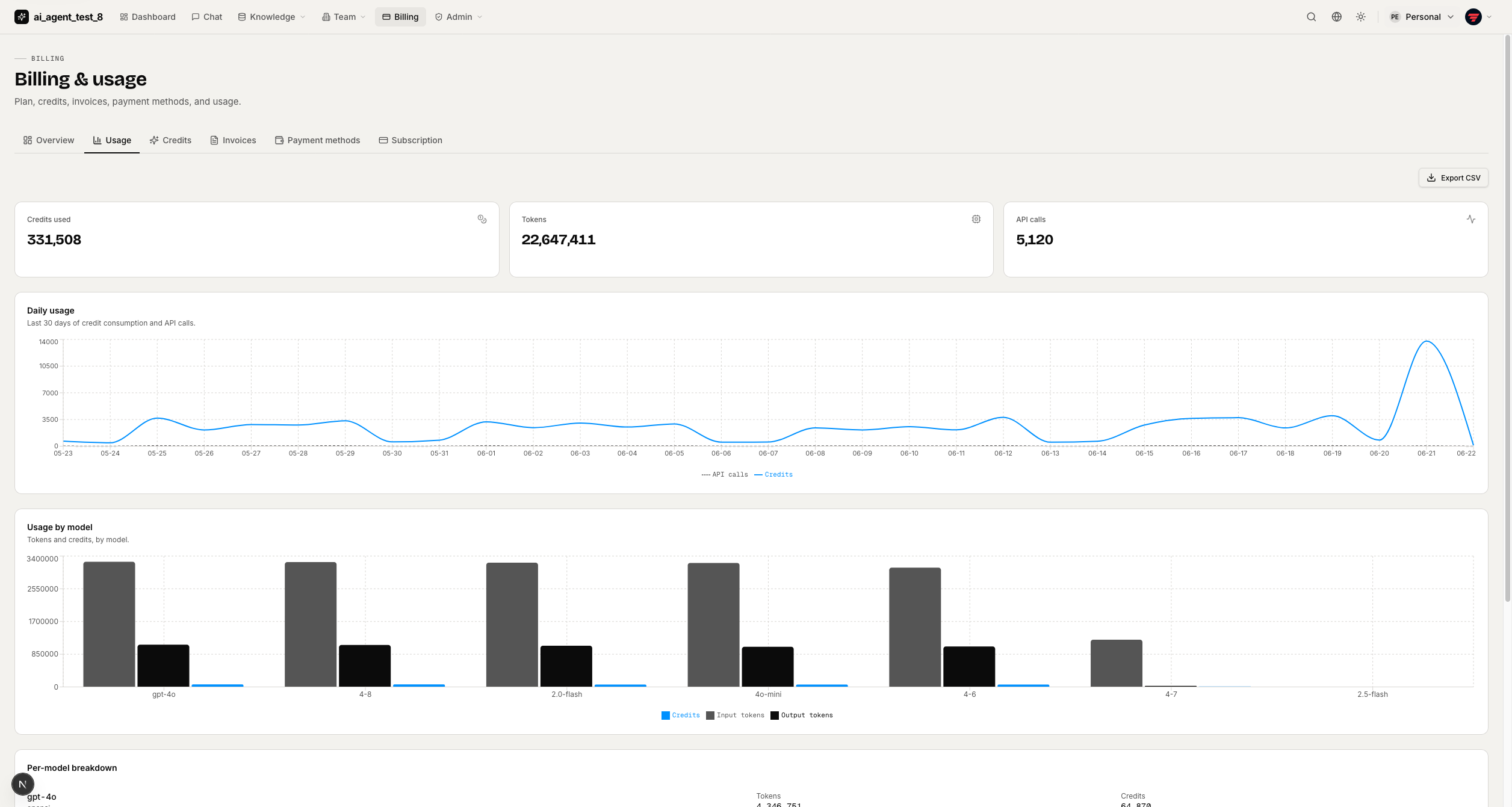
Usage charts — daily credits-spent + call-count charts, by-model token breakdown. |
|
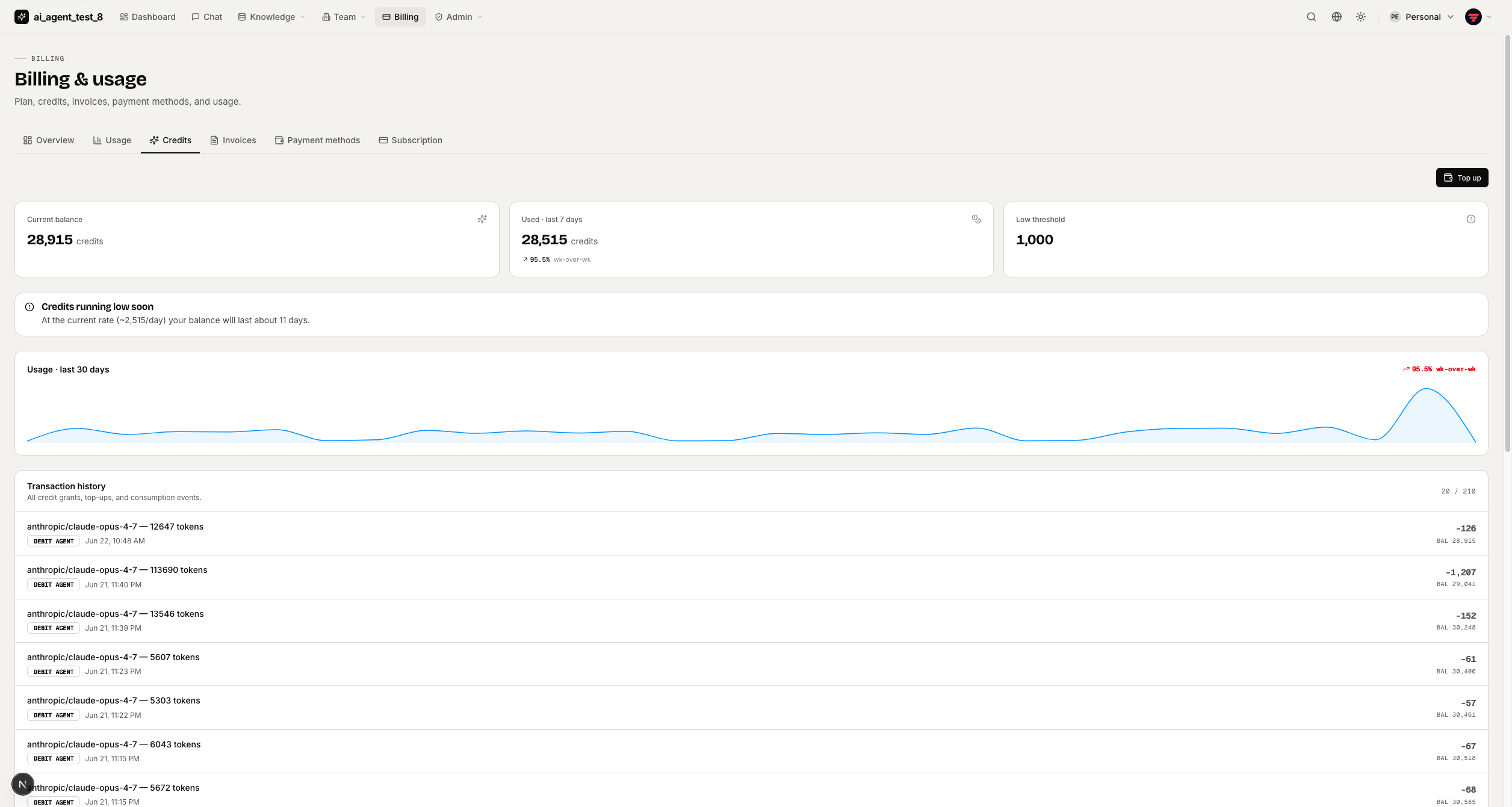
Credits — balance, immutable transaction ledger, usage sparkline. |
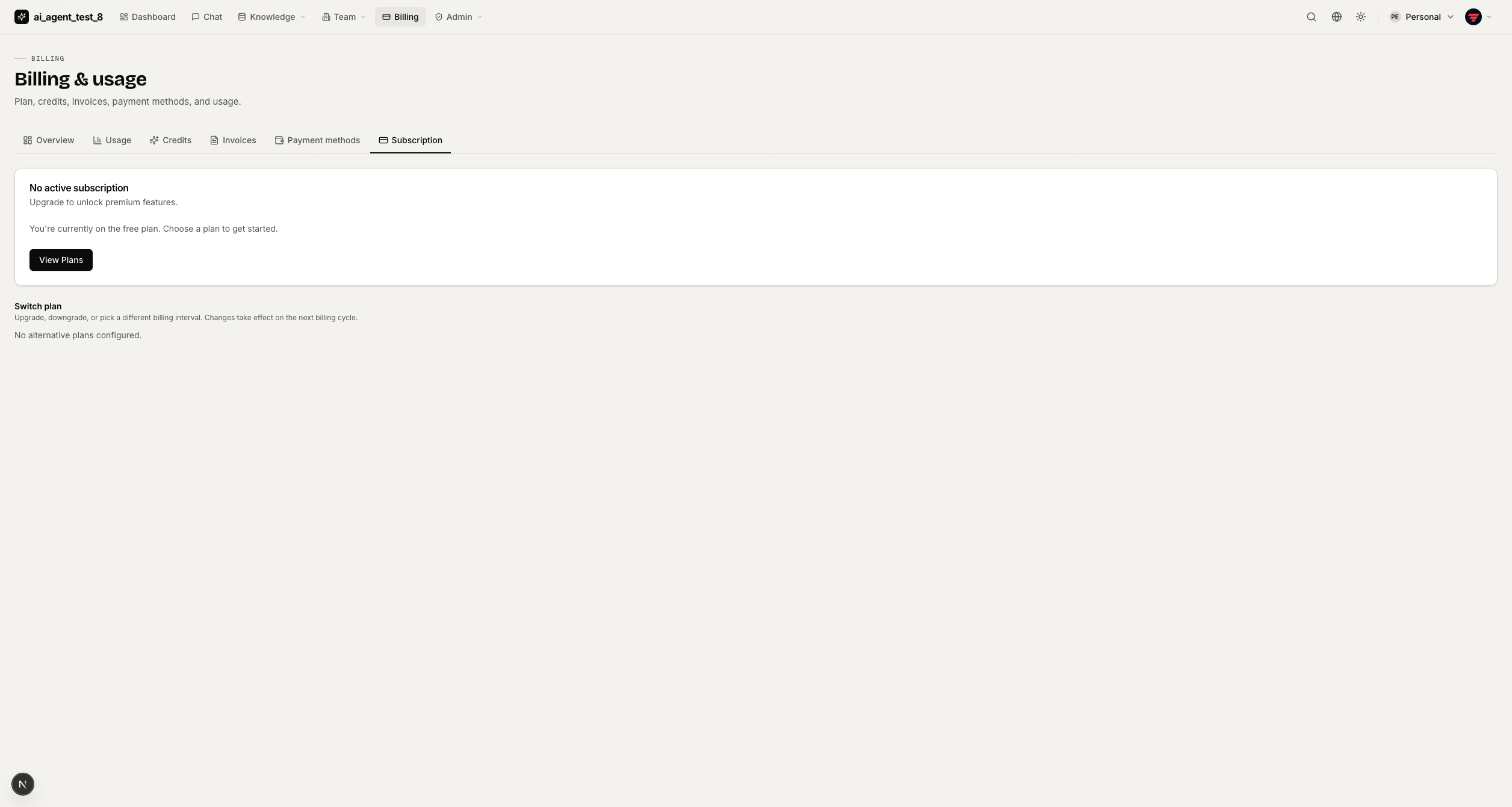
Subscription & invoices — plan management, invoice list, payment methods — all via Stripe. |
Profile & Settings
|
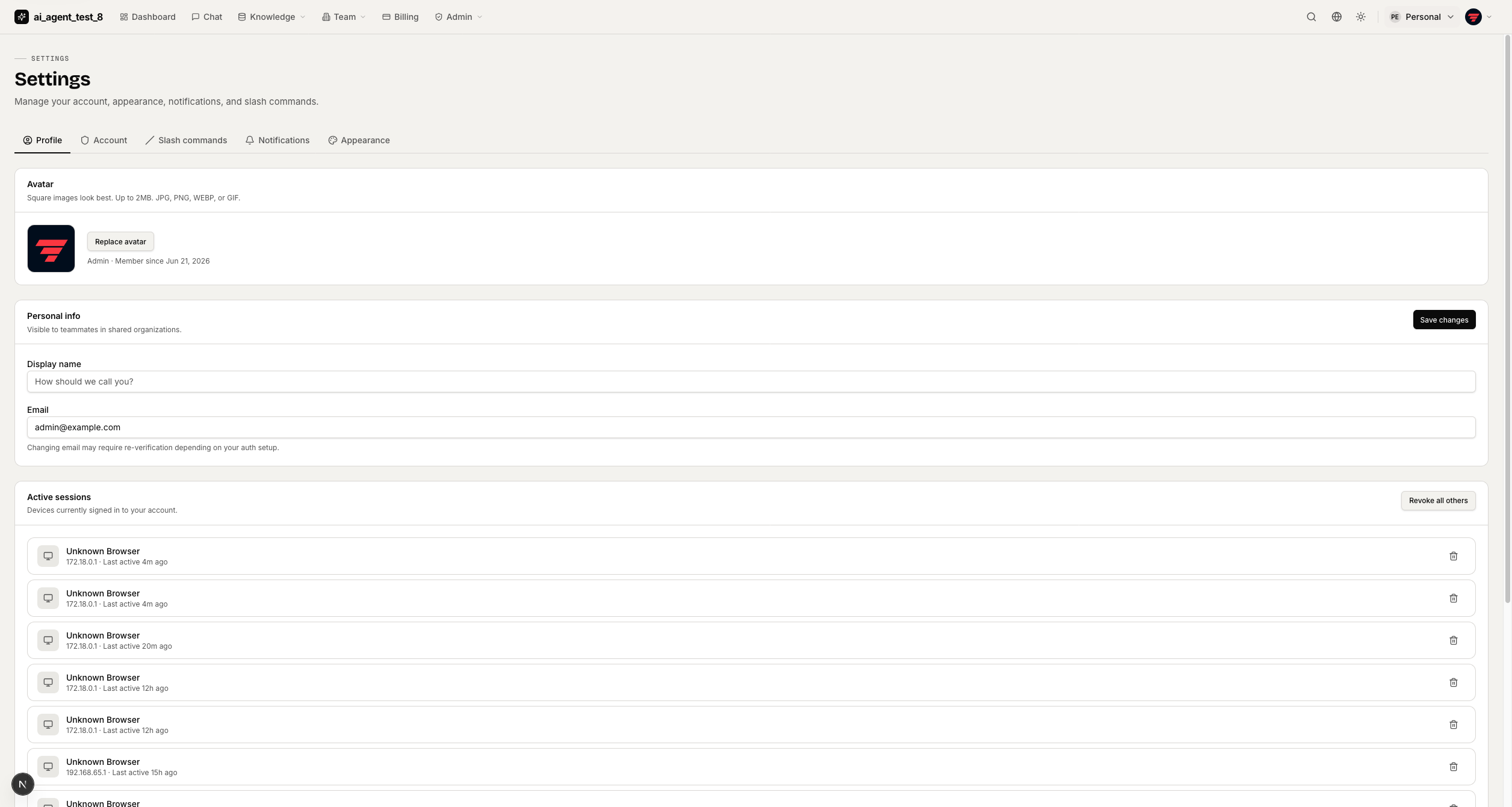
Profile — avatar upload, display name, email, active sessions with per-device revoke. |
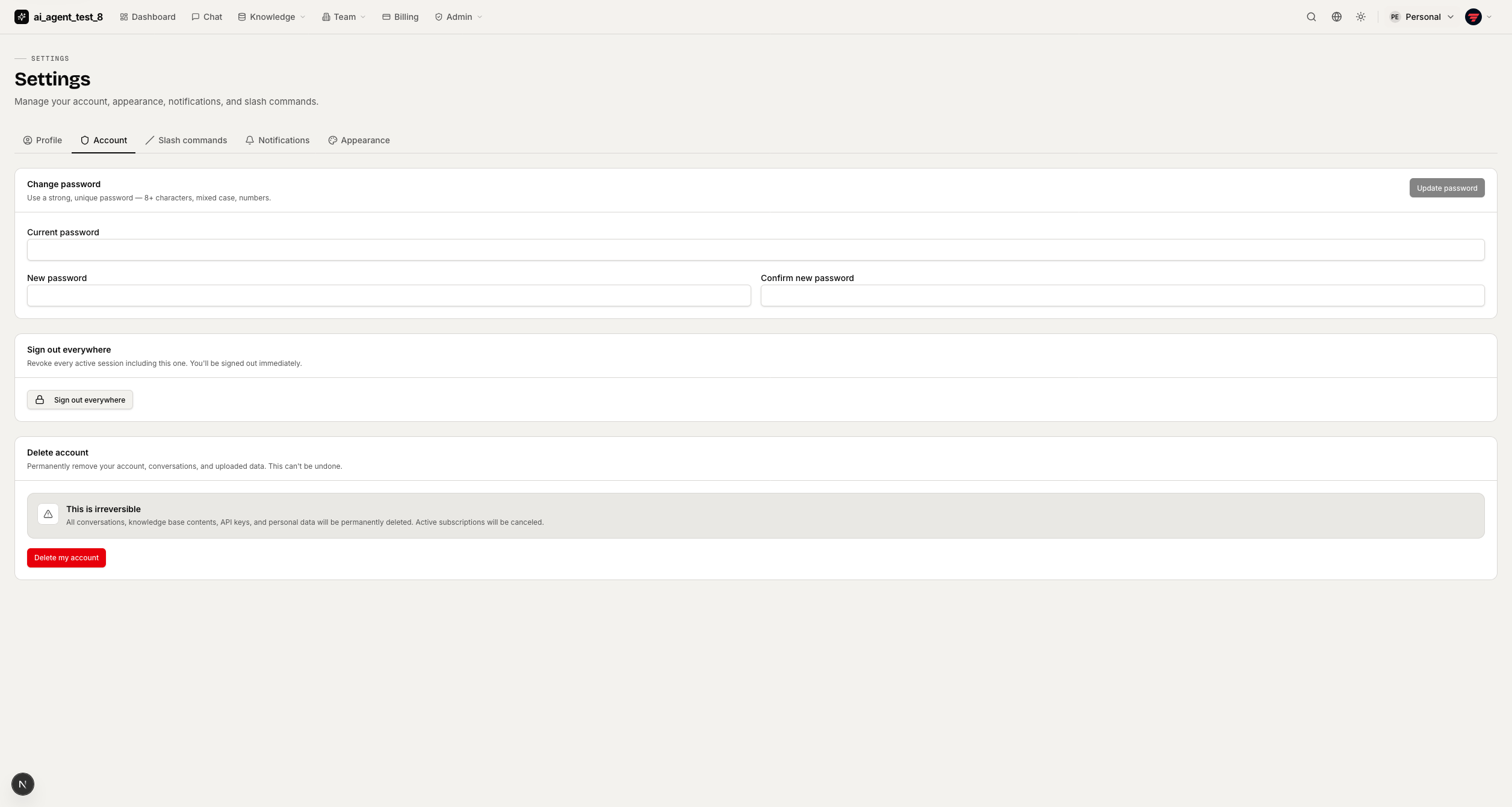
Account & security — password change, "sign out everywhere", account deletion zone. |
|
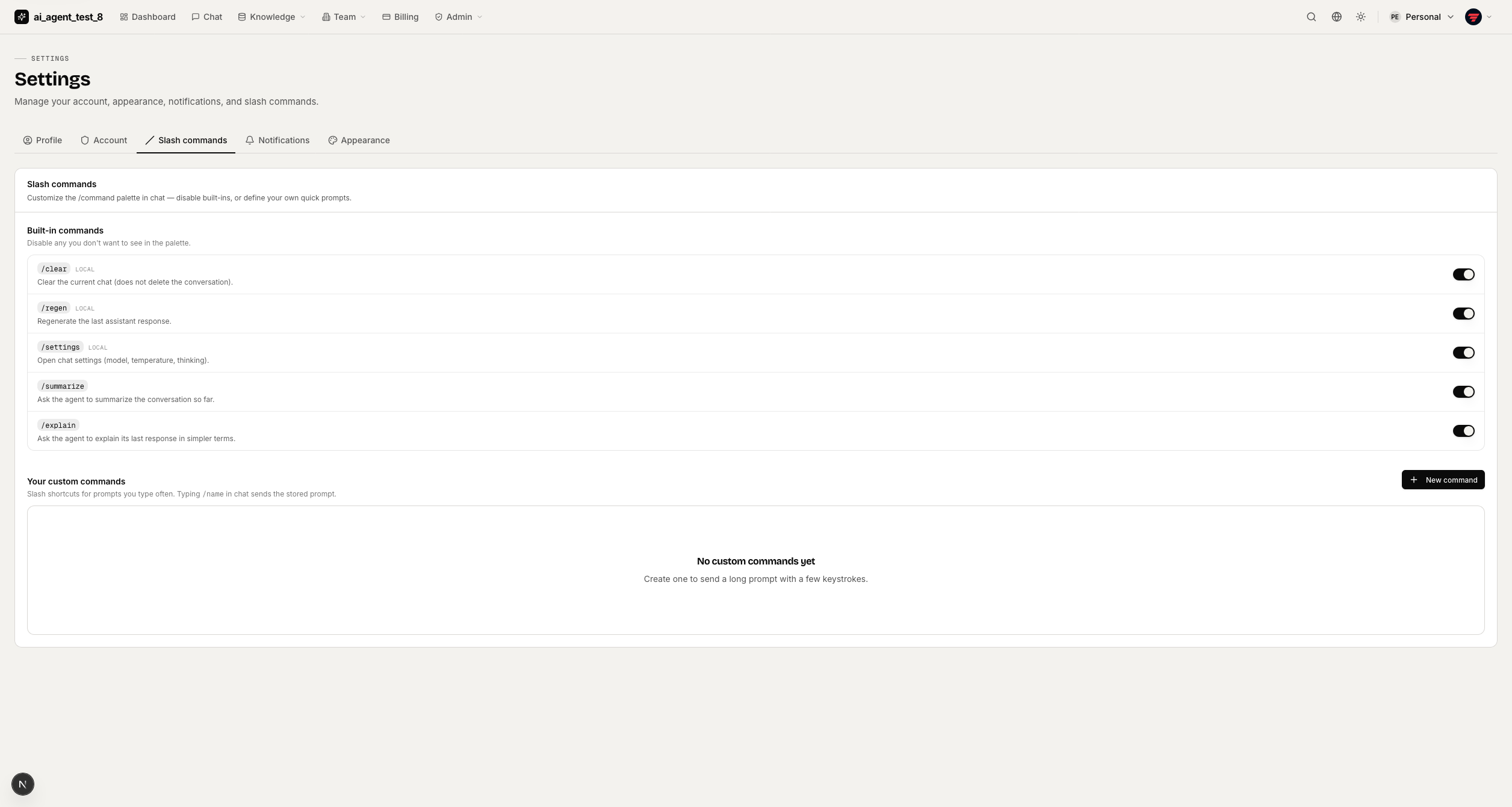
Slash commands — toggle built-ins, create custom prompt shortcuts for the chat palette. |
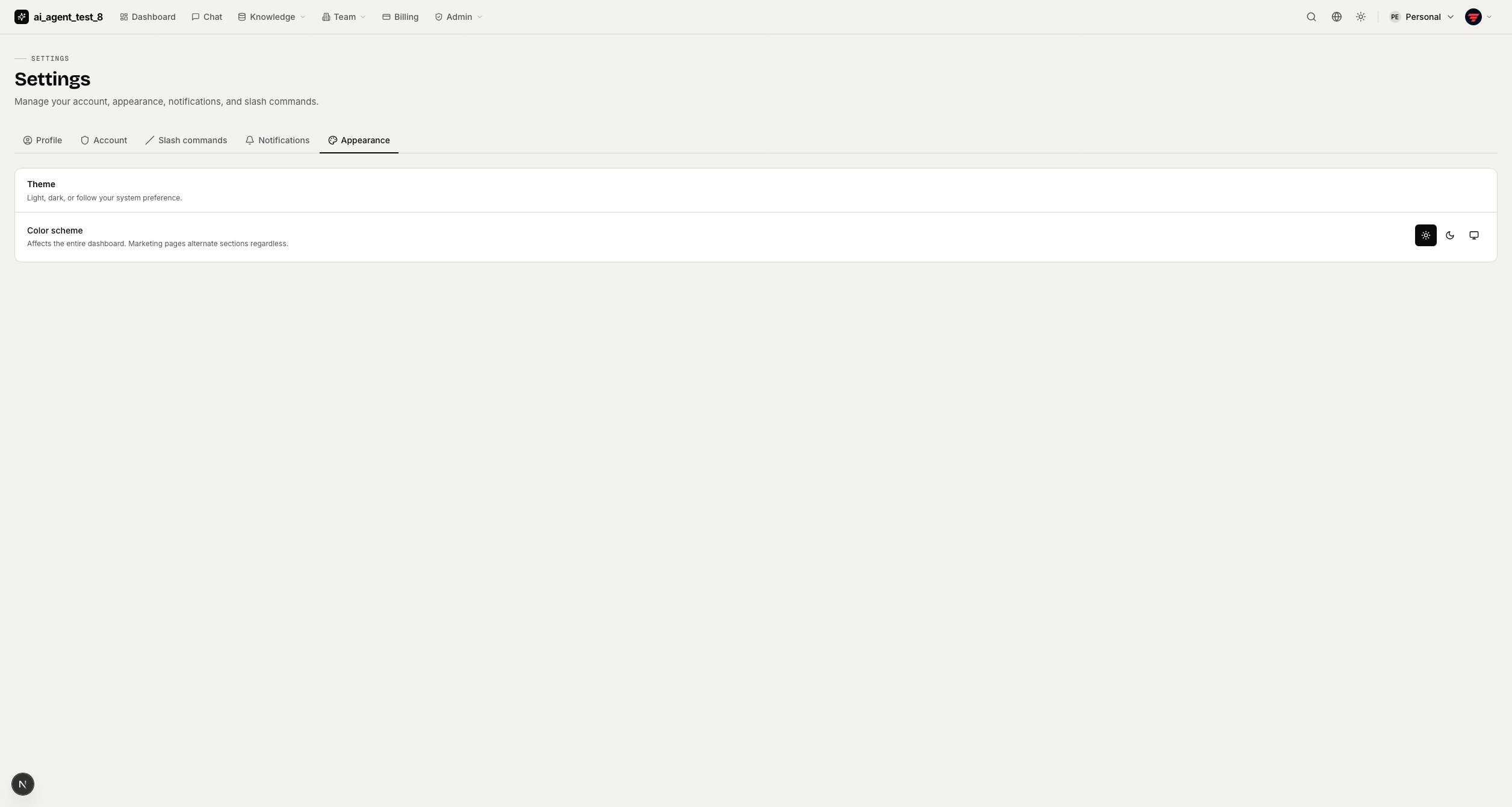
Appearance — light/dark/system theme + brand color picker (5 presets, saved per-device). |
Admin Panel
|
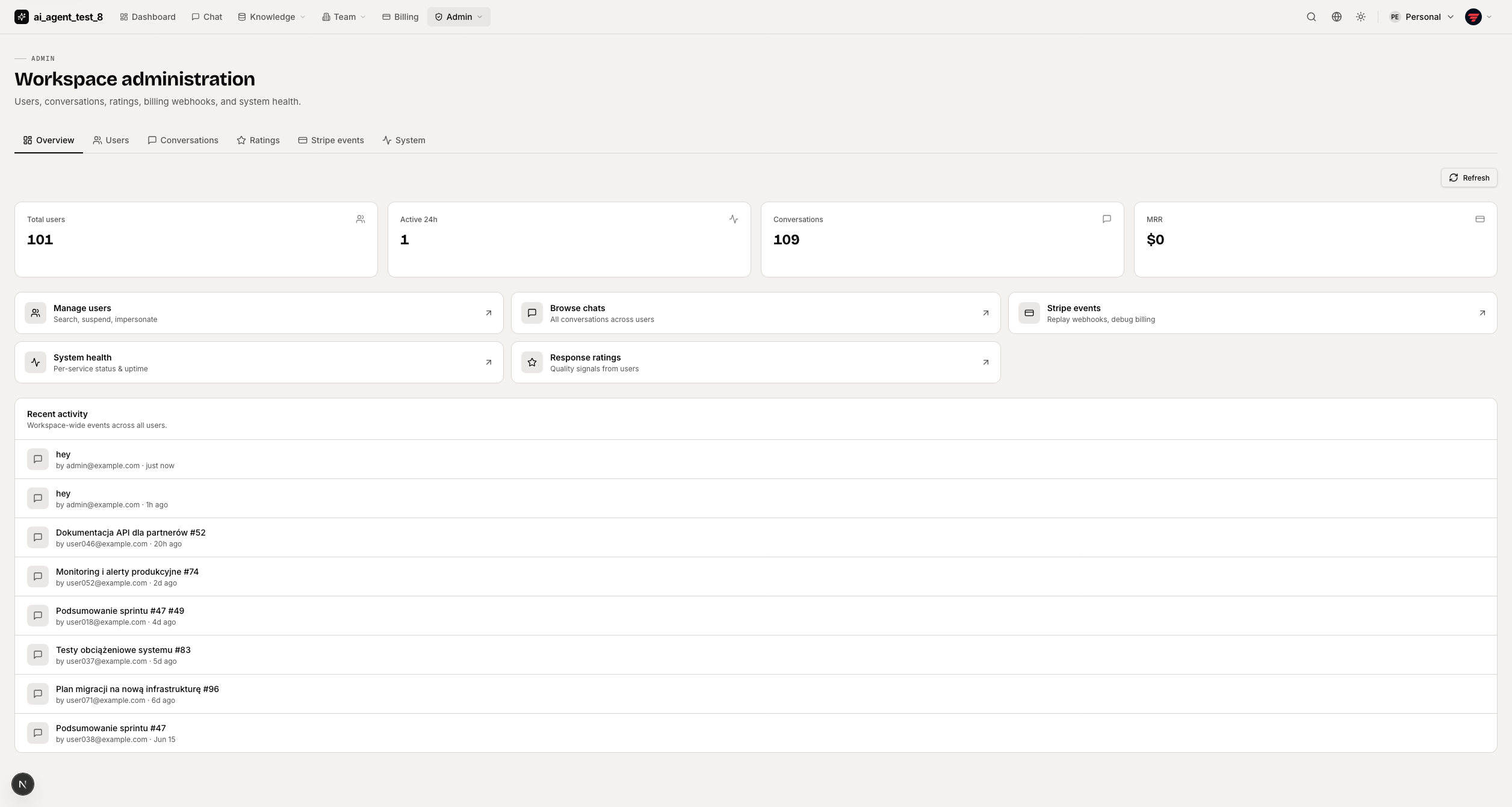
Overview — workspace-wide metrics (users, sessions, conversations, MRR) + activity feed. |
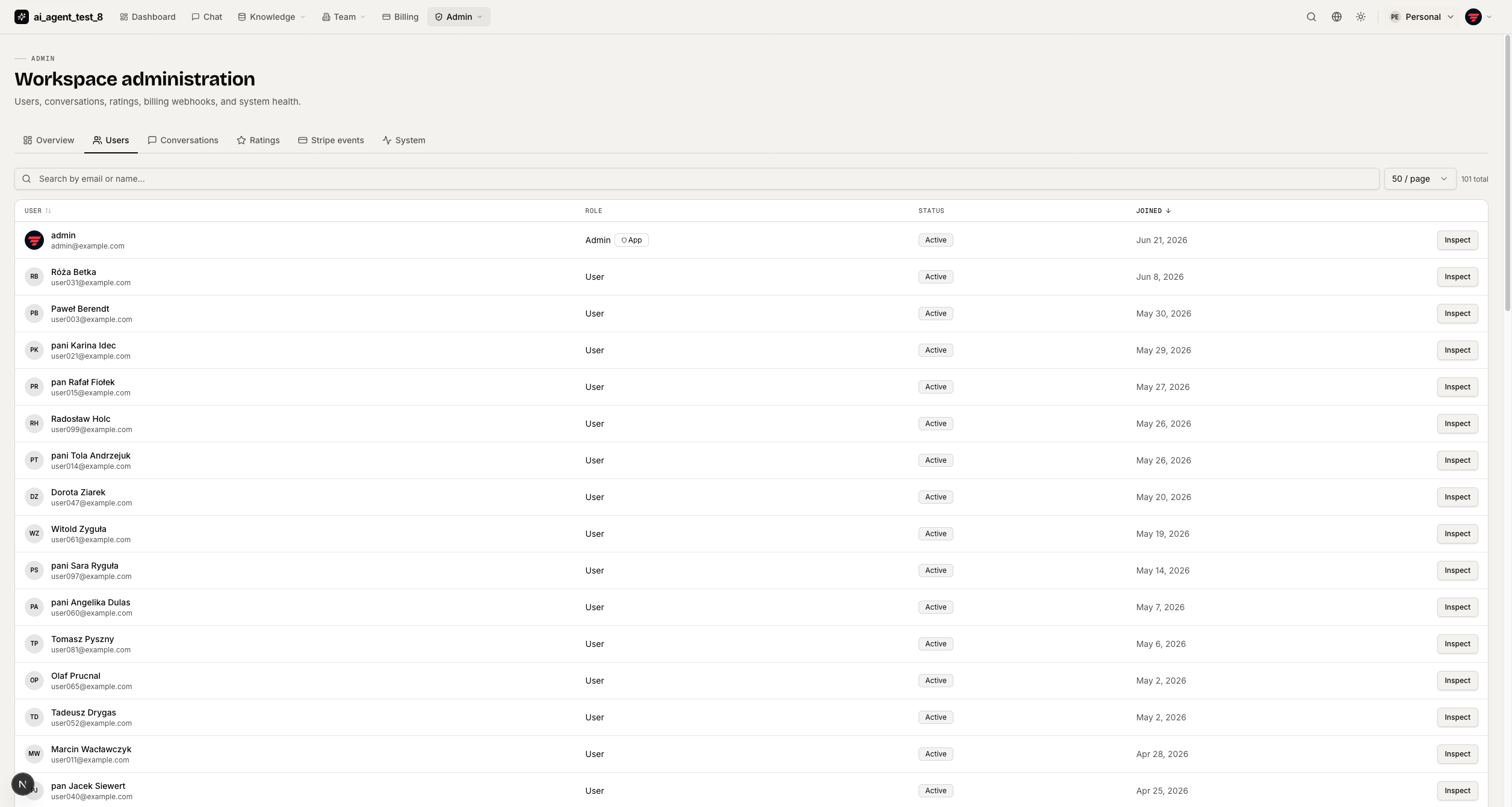
User management — search by email/name, roles, status, join date, inspect/suspend actions. |
|
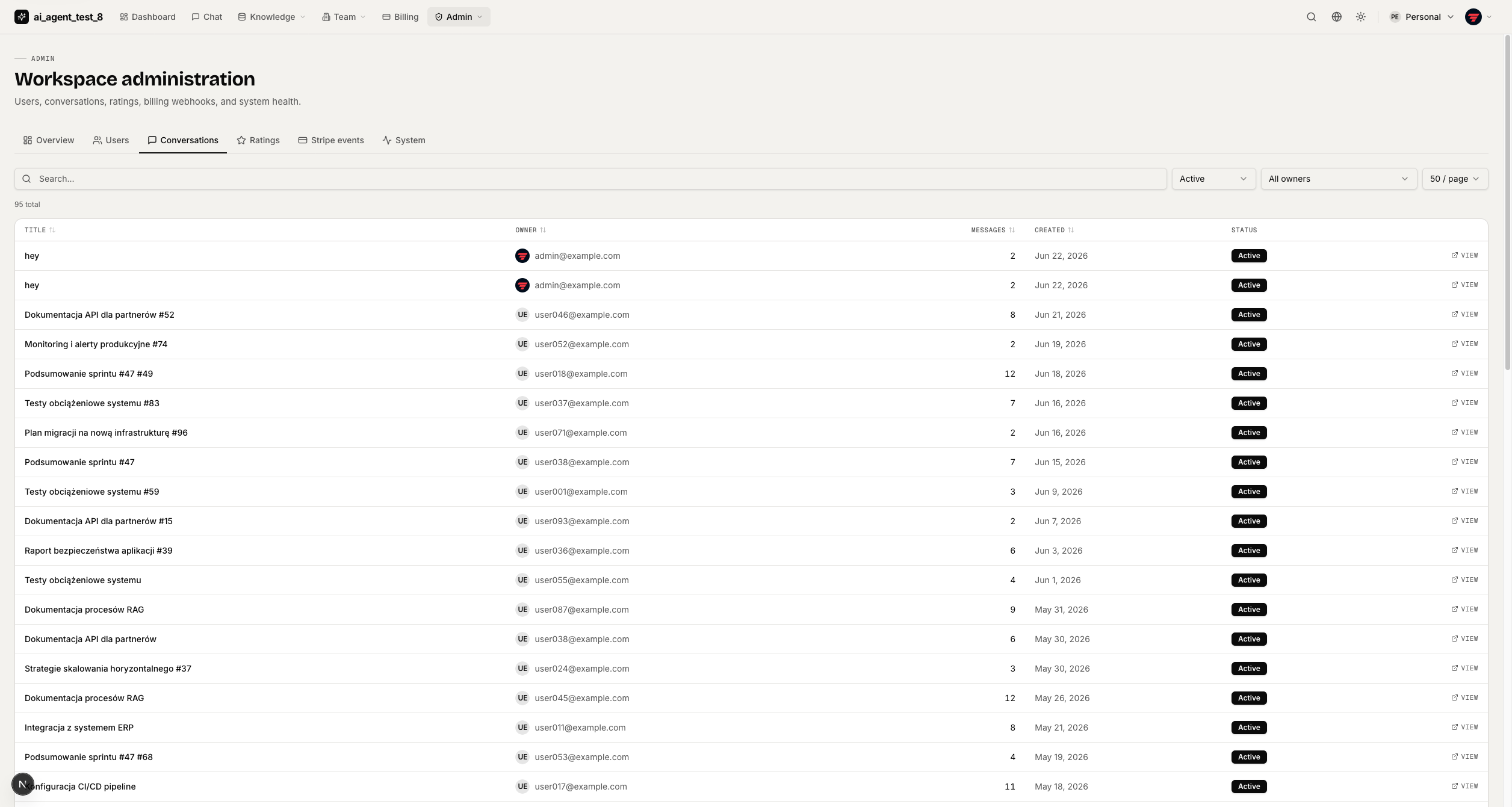
Conversation browser — filter by status/owner, open any conversation read-only. |
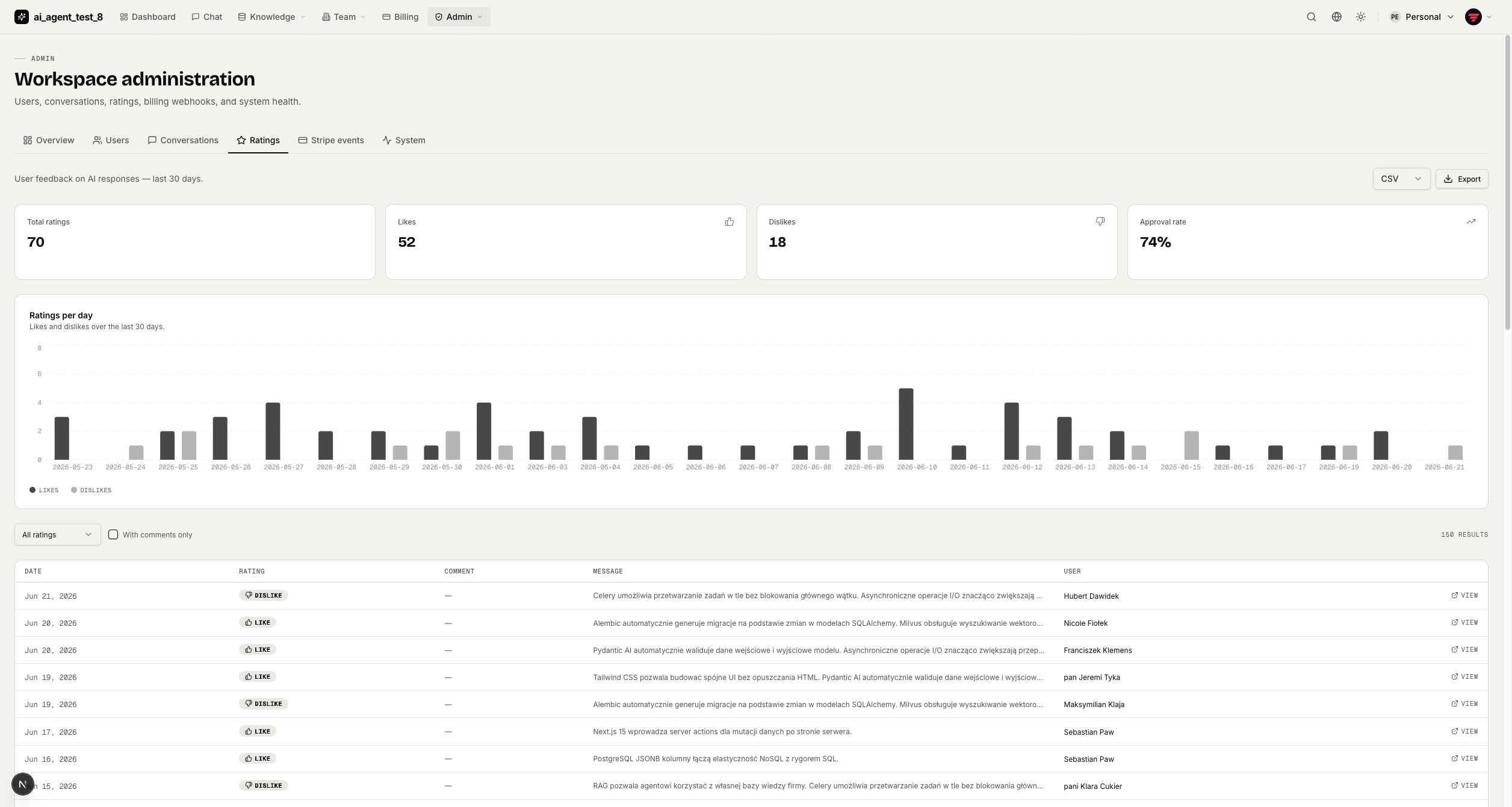
Message ratings — approval rate, daily chart, filterable rating table with comments. |
|
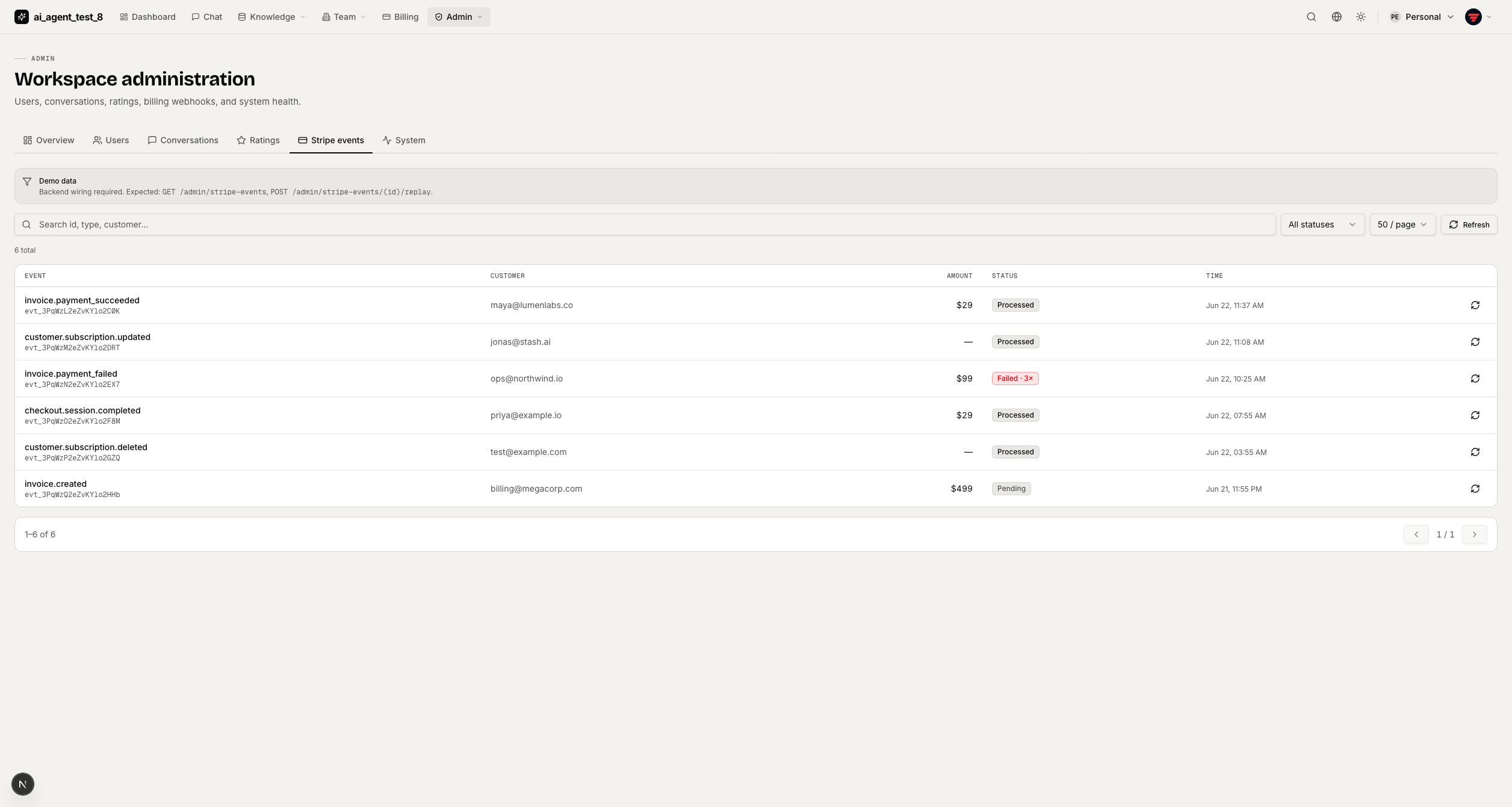
Stripe events log — webhook event browser with manual replay for debugging. |
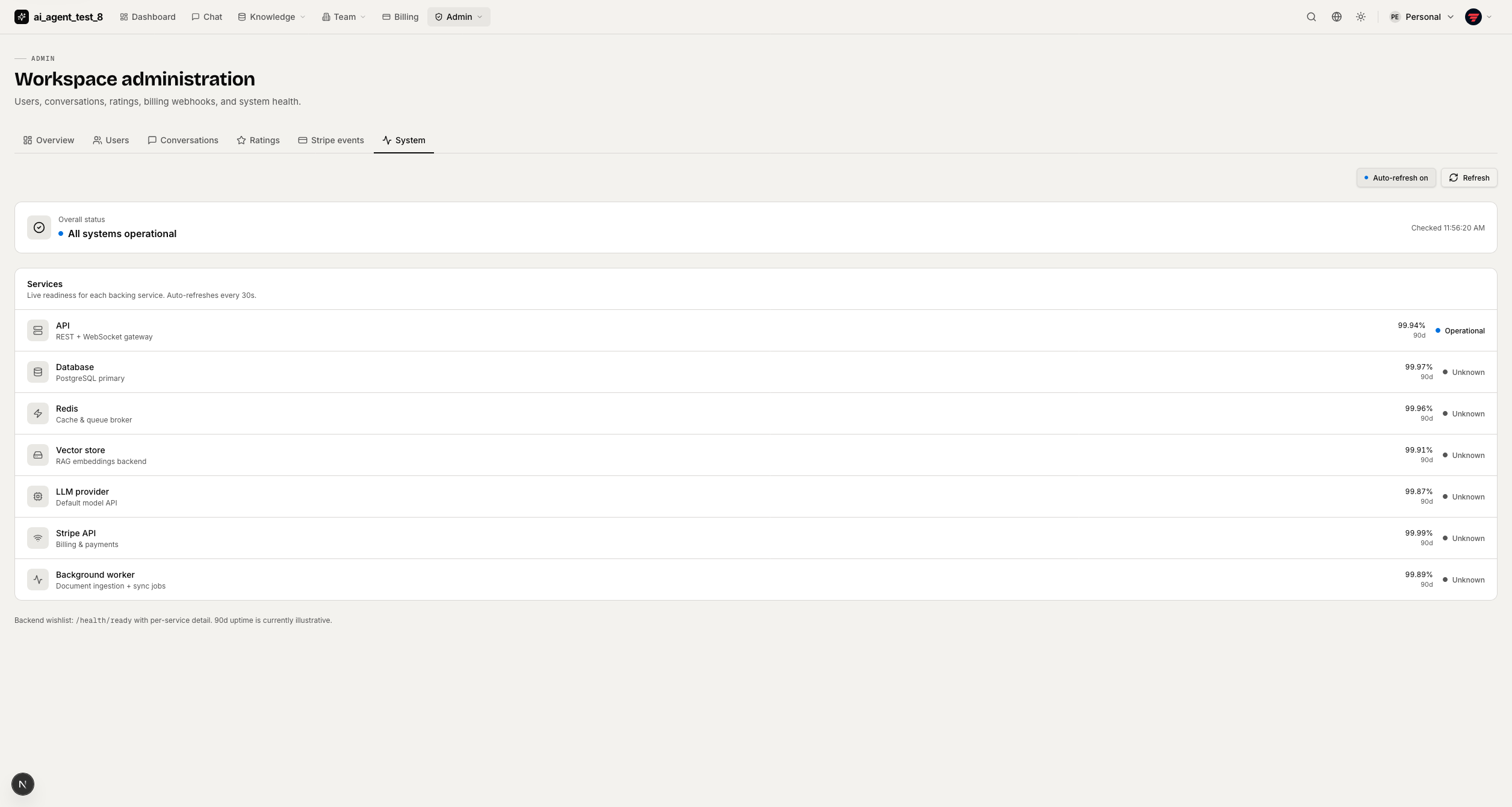
System health — live readiness checks: API, DB, Redis, vector store, LLM, worker, Stripe. |
Marketing Site
|
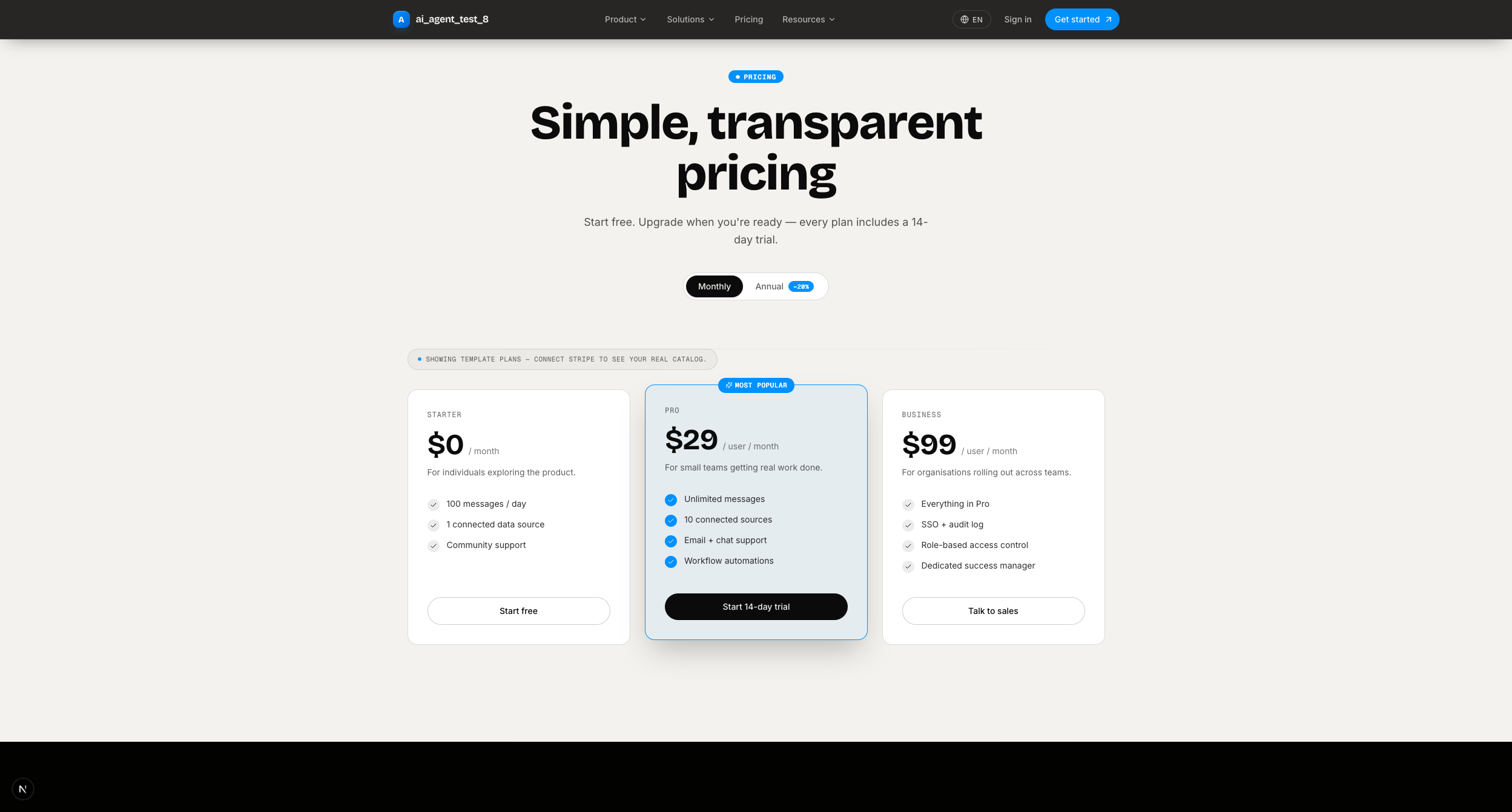
Pricing — three-tier page with monthly/annual toggle; pulls live Stripe plan data. |
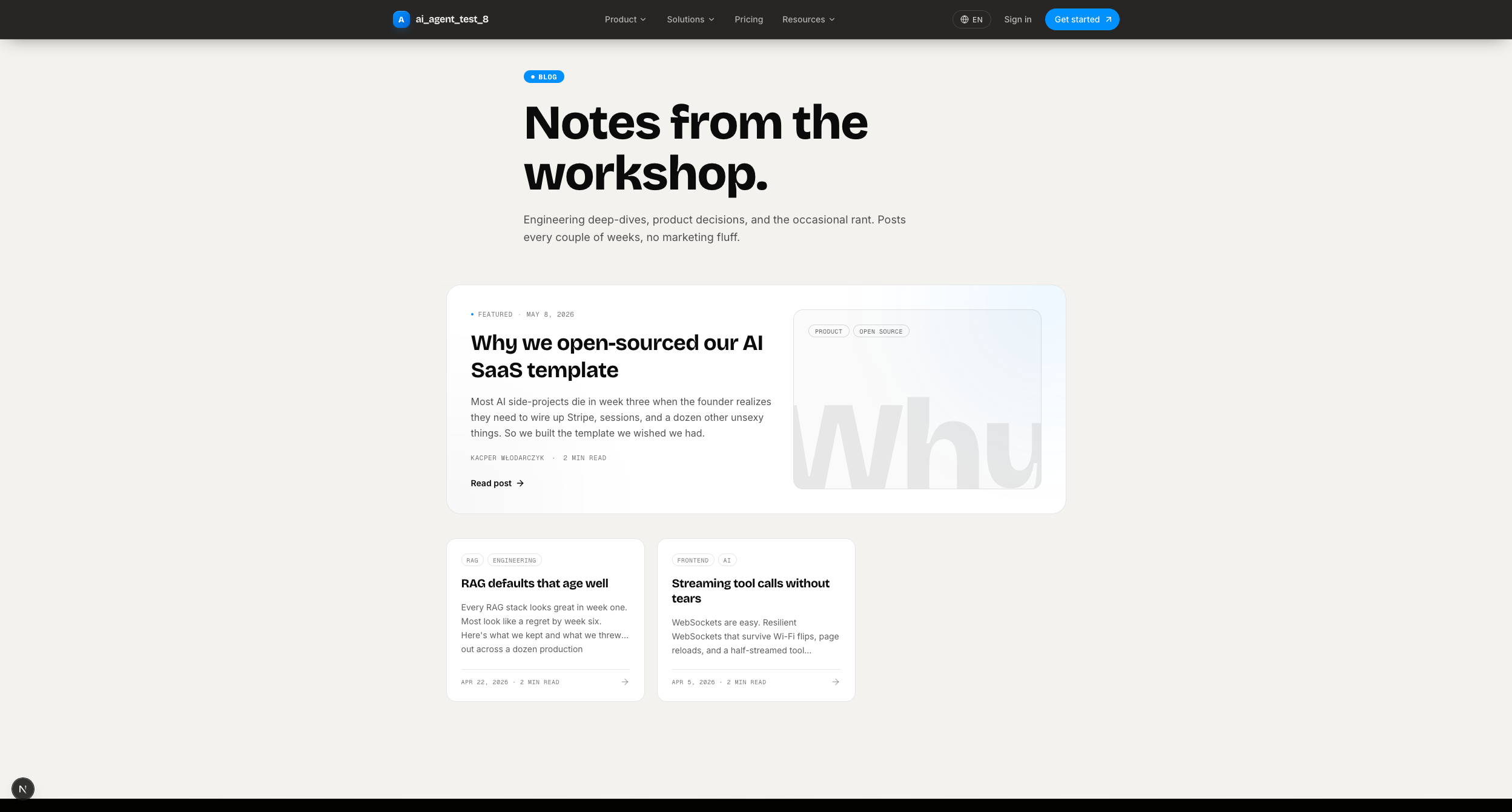
Blog — engineering blog from MDX files; tags, featured posts, author bylines. No CMS needed. |
Background Tasks, Observability & Channels
|
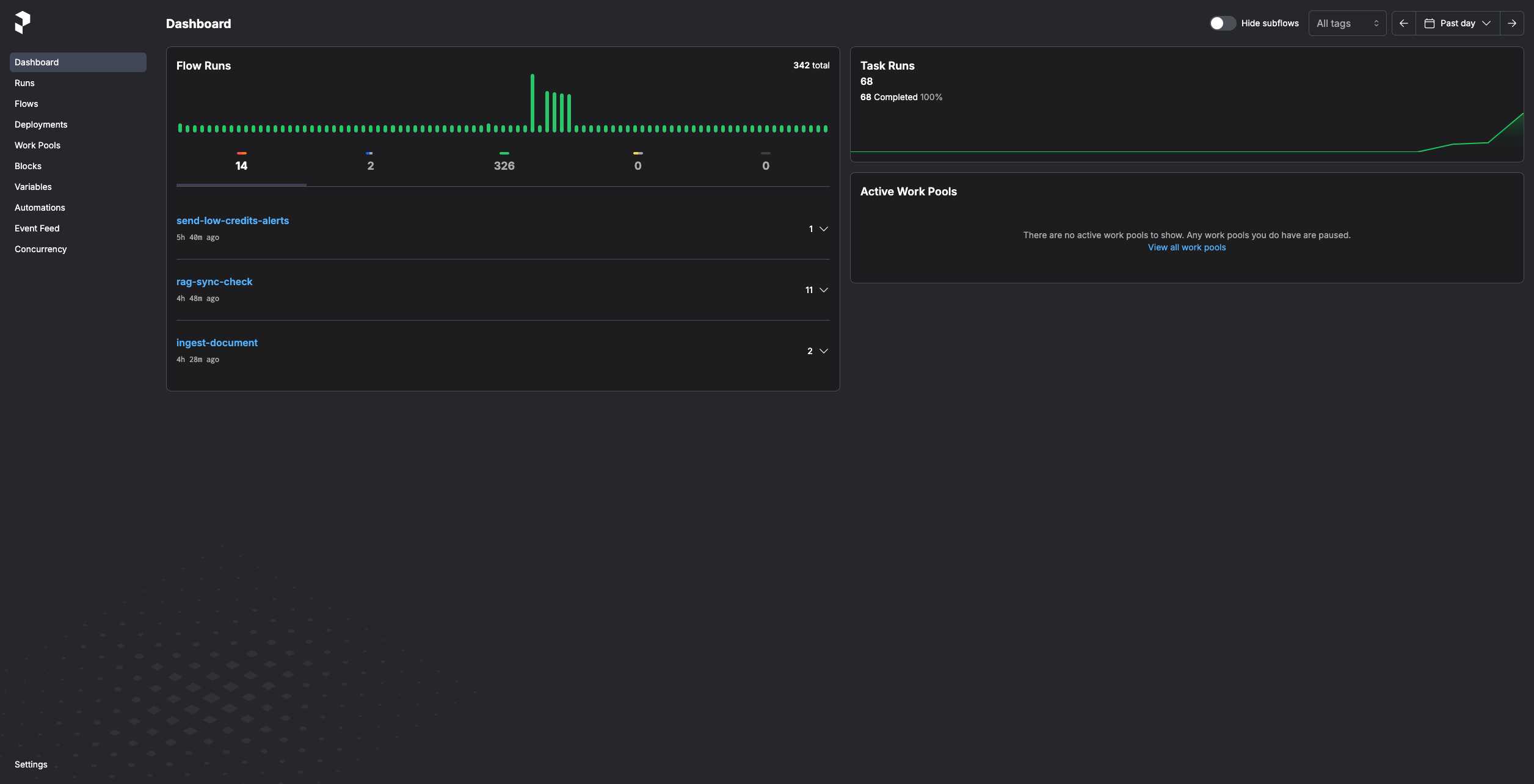
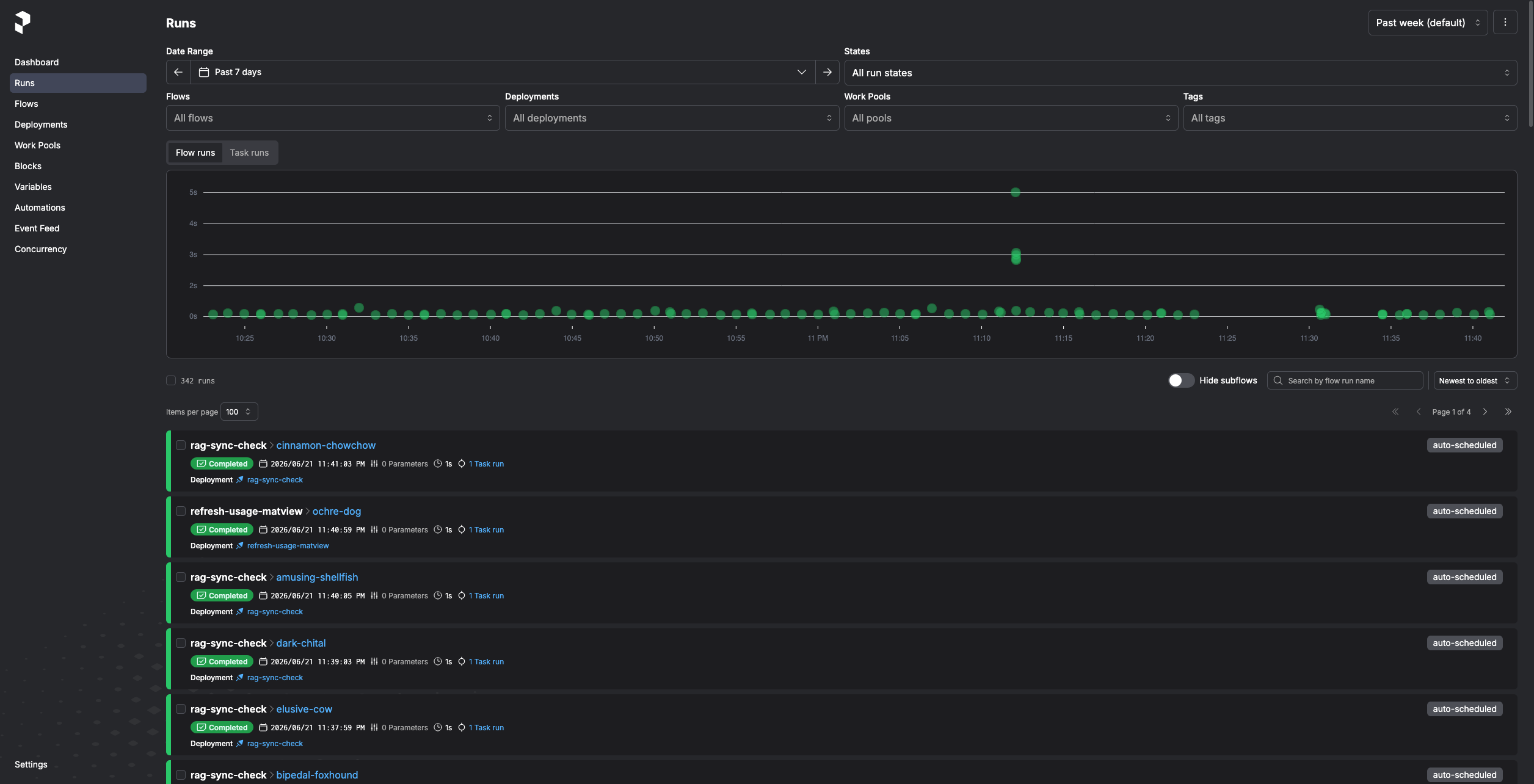
Prefect — self-hosted server with RAG, billing, and email flows on cron schedules. |
Prefect flow runs — per-run history, task timeline, and retry visibility. |
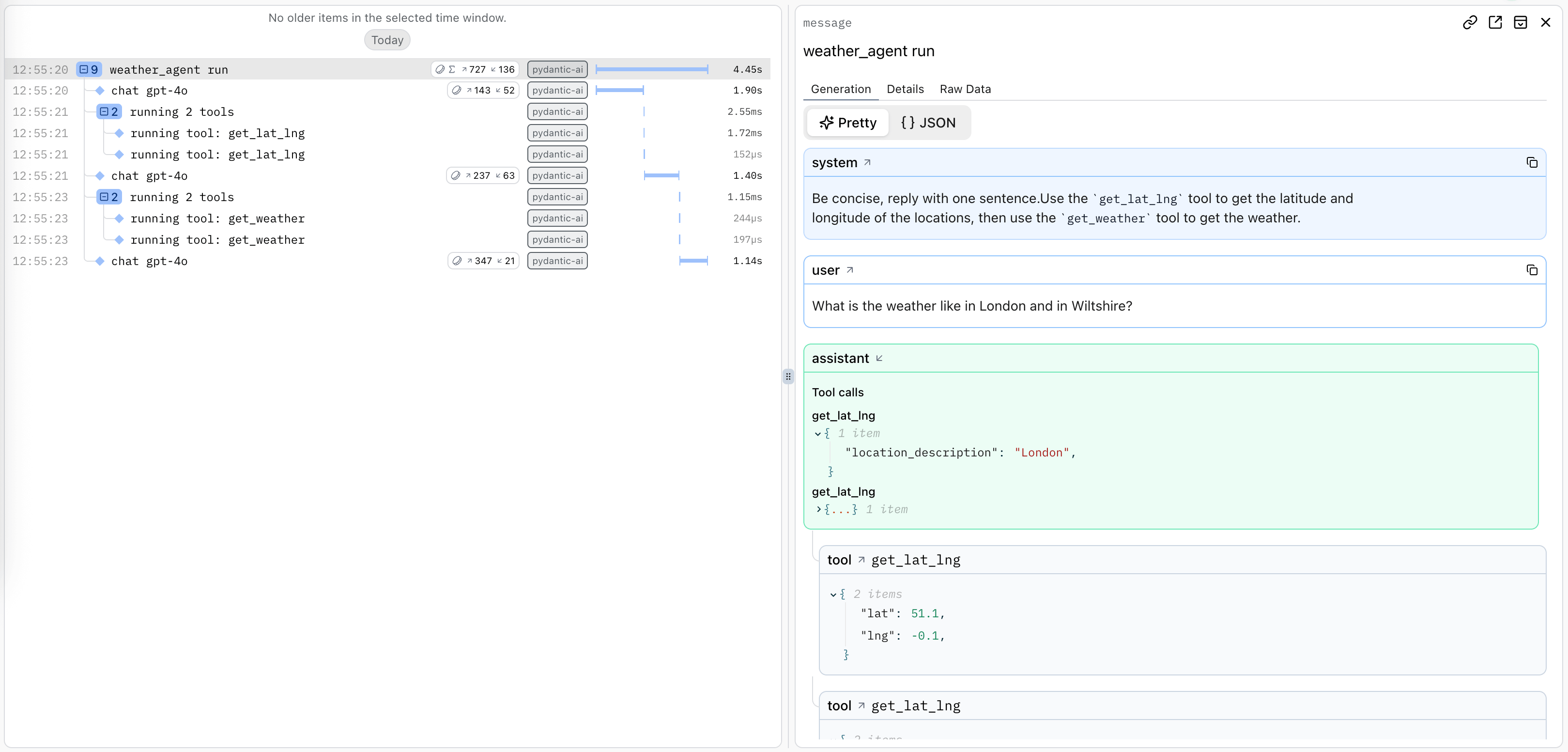
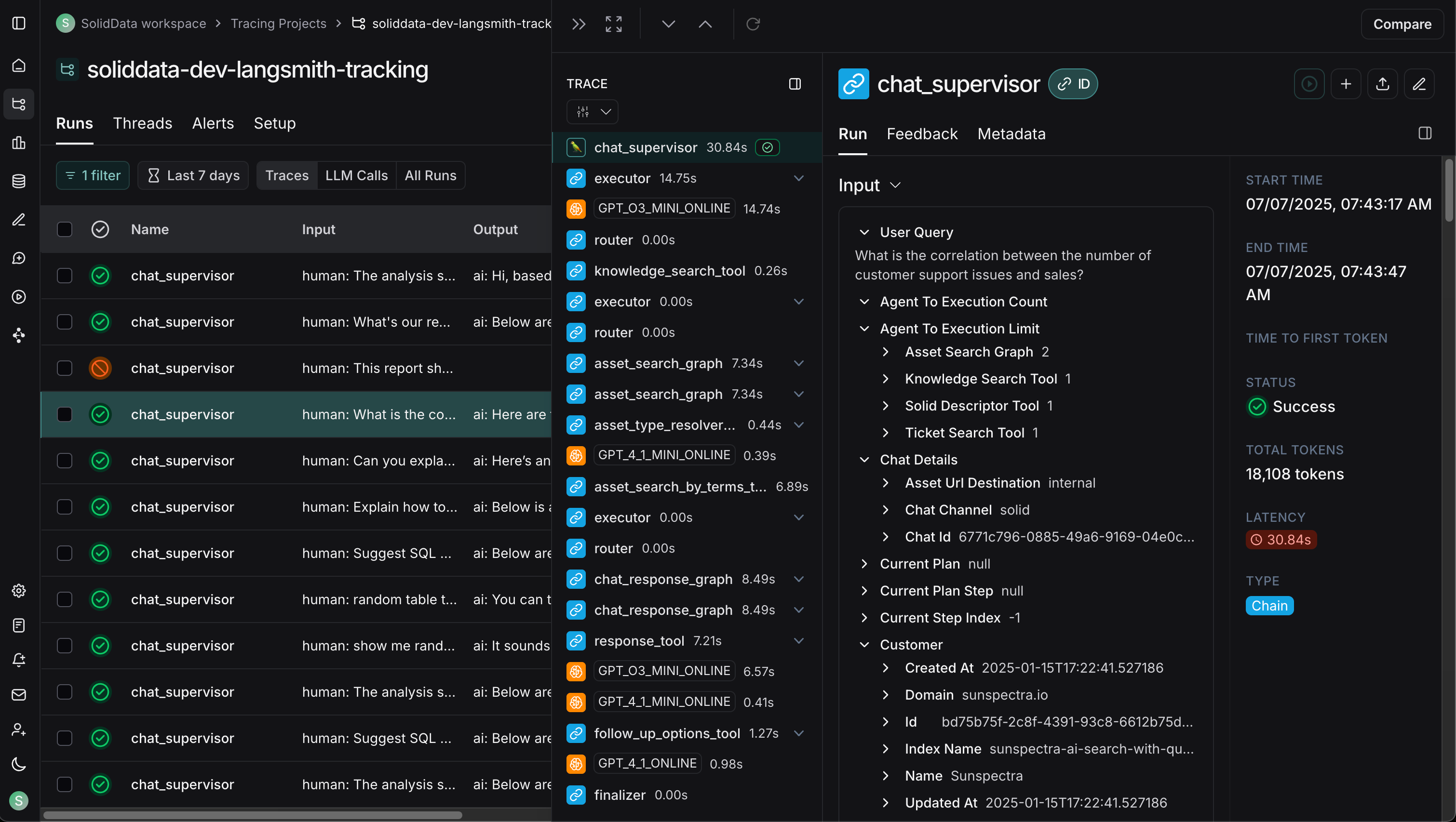
|
Logfire — distributed tracing: FastAPI, PydanticAI, DB, Redis, Celery, HTTPX in one timeline. |
LangSmith — trace viewer for LangChain/LangGraph: chains, token usage, feedback. |
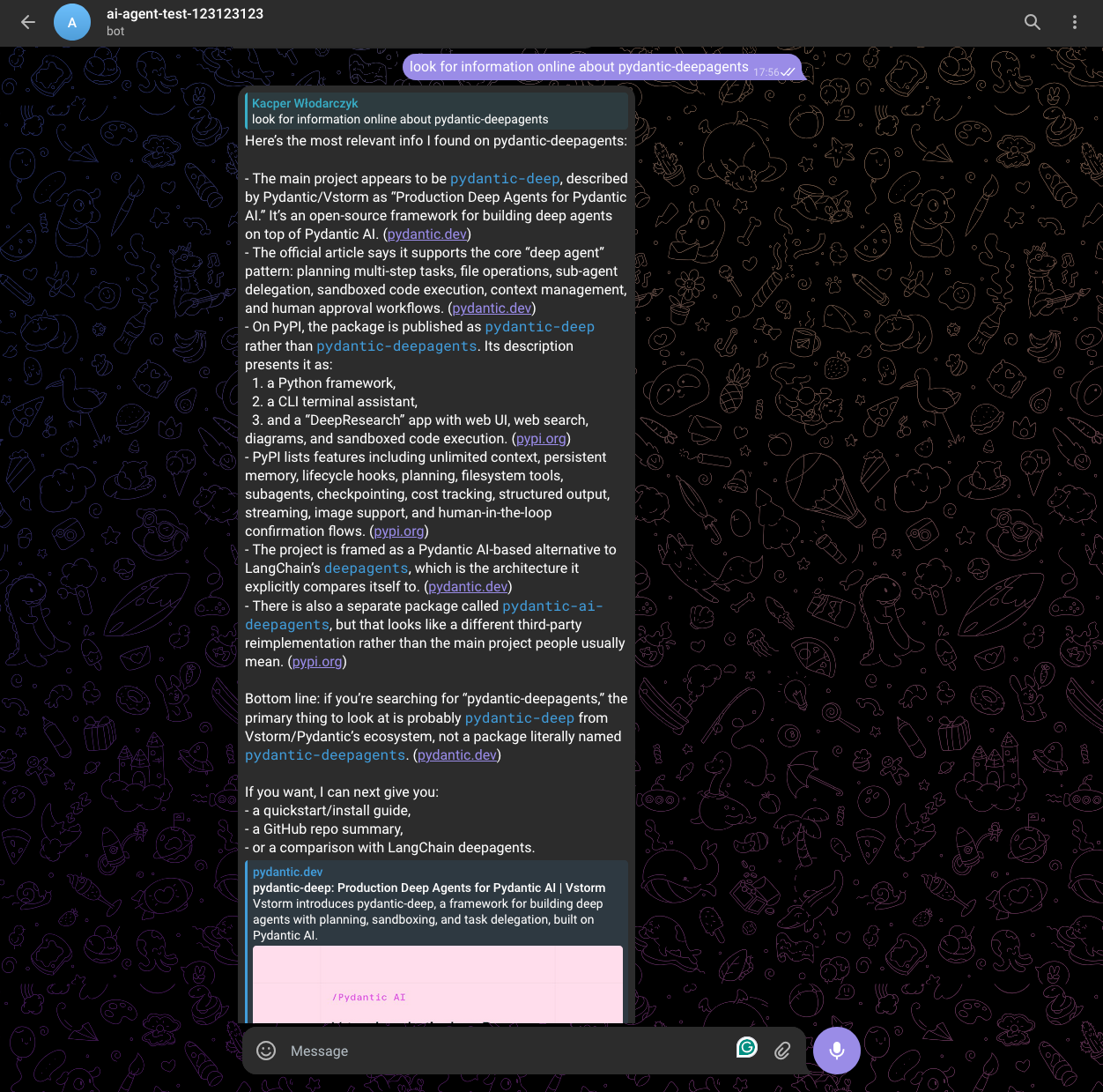
|
Telegram bot — multi-bot, polling + webhook, per-thread sessions, group concurrency control. |
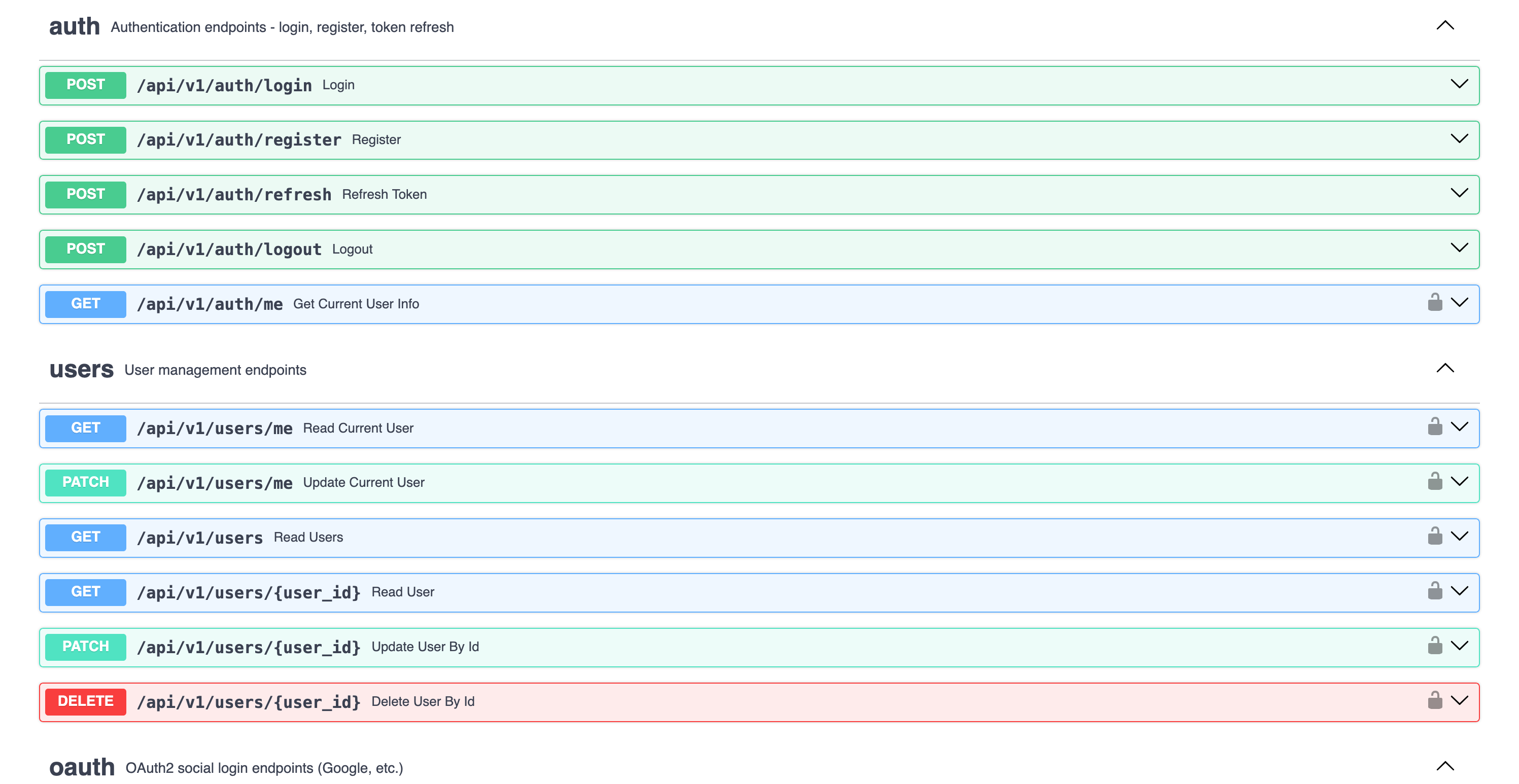
API docs — auto-generated OpenAPI / Swagger UI with schemas, auth, and example payloads. |
🎯 Why This Template
Building AI/LLM applications requires more than just an API wrapper. You need:
- Type-safe AI agents with tool/function calling
- Real-time streaming responses via WebSocket
- Conversation persistence and history management
- Production infrastructure - auth, rate limiting, observability
- Enterprise integrations - background tasks, webhooks, admin panels
This template gives you all of that out of the box, with 20+ configurable integrations so you can focus on building your AI product, not boilerplate.
Perfect For
- 🤖 AI Chatbots & Assistants - PydanticAI or LangChain agents with streaming responses
- 📊 ML Applications - Background task processing with Celery/Taskiq
- 🏢 Enterprise SaaS - Full auth, admin panel, webhooks, and more
- 🚀 Startups - Ship fast with production-ready infrastructure
AI-Agent Friendly
Generated projects include CLAUDE.md and AGENTS.md files optimized for AI coding assistants (Claude Code, Codex, Copilot, Cursor, Zed). Following progressive disclosure best practices - concise project overview with pointers to detailed docs when needed.
They also ship a ready-to-use .claude/ toolkit that adapts to the options you selected:
- Agent Skills (
.claude/skills/) — model-invoked playbooks that auto-trigger when relevant:alembic-migration,pytest-suite,agent-tool(framework-aware),frontend-feature,rag-knowledge,background-task(queue-aware),billing-stripe, andchannel-bot. Feature-gated — only the skills that match your stack are generated. - Slash commands (
.claude/commands/) —/add-endpoint,/fix-issue,/review. - Convention rules (
.claude/rules/) — architecture, code style, schemas, exceptions/security, testing, and frontend conventions, loaded automatically.
✨ Features




🤖 AI/LLM First
- 5 AI Frameworks - PydanticAI, PydanticDeep, LangChain, LangGraph, DeepAgents
- 4 LLM Providers - OpenAI, Anthropic, Google Gemini, OpenRouter
- RAG - Document ingestion, vector search, reranking (Milvus, Qdrant, ChromaDB, pgvector)
- WebSocket Streaming - Real-time responses with full event access
- Rich Chat UI - Specialized tool-call cards (web search, knowledge base, Python, charts, skills), live subagent feed, citation sources panel, plan/task checklist, reasoning view, and in-chat file previews
- Agent Tools - Web search, URL fetch, charts, code execution (
run_python), skills,ask_user, plus optional Deep Research (TODO planner + parallel subagents) - Messaging Channels - Telegram and Slack multi-bot integration with polling, webhooks, per-thread sessions, group concurrency control
- Conversation Sharing - Share conversations with users or via public links, admin conversation browser
- Conversation Persistence - Save chat history to database
- Message Ratings - Like/dislike responses with feedback, admin analytics
- Image Description - Extract images from documents, describe via LLM vision
- Multimodal Embeddings - Provider-aware: OpenAI, Voyage (Anthropic), Gemini (multimodal text + images)
- Document Sources - Local files, API upload, Google Drive, S3/MinIO
- Sync Sources - Per-organization connector management UI (Google Drive, S3/MinIO) with scheduled sync, manual triggers, encrypted credentials, and per-run logs
- Observability - Logfire for PydanticAI, LangSmith for LangChain/LangGraph/DeepAgents
⚡ Backend (FastAPI)
- FastAPI + Pydantic v2 - High-performance async API
- PostgreSQL (async) - SQLAlchemy 2.0 + Alembic migrations, pgvector-ready
- Authentication - JWT + Refresh tokens, API Keys, OAuth2 (Google)
- Background Tasks - Celery, Taskiq, ARQ, or Prefect
- Django-style CLI - Custom management commands with auto-discovery
🎨 Frontend (Next.js 15)
- React 19 + TypeScript + Tailwind CSS v4
- AI Chat Interface - WebSocket streaming, tool call visualization
- Authentication - HTTP-only cookies, auto-refresh, password reset, magic link
- Marketing Site - hero, pricing, FAQ, blog, contact form, legal pages (PL + EN)
- Billing Dashboard - subscription, payment methods, invoices, credits balance/ledger, and usage charts (Stripe)
- User Settings - profile, API keys CRUD (
sk_*tokens), onboarding tracking - Admin Panel - workspace stats, message-rating analytics, Stripe events browser
- SEO - per-page metadata, OG image, sitemap, robots, manifest, favicons
- Dark Mode + i18n (PL/EN via next-intl, locale-prefixed routes)
🔌 20+ Enterprise Integrations
| Category | Integrations |
|---|---|
| AI Frameworks | PydanticAI, PydanticDeep, LangChain, LangGraph, DeepAgents |
| LLM Providers | OpenAI, Anthropic, Google Gemini, OpenRouter |
| RAG / Vector Stores | Milvus, Qdrant, ChromaDB, pgvector |
| RAG Sources | Local files, API upload, Google Drive, S3/MinIO, Sync Sources (per-org UI, scheduled) |
| Embeddings | OpenAI, Voyage, Gemini (multimodal), SentenceTransformers |
| Background Tasks | Celery, Taskiq, ARQ, Prefect |
| Billing | Stripe subscriptions (seat-based), credits + usage metering, invoices, Customer Portal |
| Caching & State | Redis, fastapi-cache2 |
| Security | Rate limiting, CORS, CSRF protection |
| Observability | Logfire, LangSmith, Sentry, Prometheus |
| Admin | SQLAdmin panel with auth |
| Collaboration | Conversation sharing (direct + link), admin conversation browser |
| Messaging | Telegram multi-bot (polling + webhook), Slack multi-bot (Events API + Socket Mode) |
| Events | Webhooks, WebSockets |
| DevOps | Docker, GitHub Actions, GitLab CI, Kubernetes |
🗺️ Architecture Overview
┌──────────────────────────────────────────────────────────────────────────┐
│                         FRONTEND  (Next.js 15)                           │
│  Chat UI · Knowledge Base · Dashboard · Settings · Dark Mode · i18n      │
└──────────────┬───────────────────────────────────────────┬───────────────┘
               │  REST / WebSocket                         │  Vercel
               ▼                                           ▼
┌──────────────────────────────────────────────────────────────────────────┐
│                         BACKEND  (FastAPI)                               │
│                                                                          │
│  ┌─────────────────────────────────────────────────────────────────┐     │
│  │                     AI AGENTS                                   │     │
│  │  PydanticAI · LangChain · LangGraph · DeepAgents                │     │
│  │  ────────────────────────────────────────────────────────────   │     │
│  │  Tools: datetime · web_search (Tavily) · search_knowledge_base  │     │
│  │  Providers: OpenAI · Anthropic · Gemini · OpenRouter            │     │
│  └─────────────────────────────────────────────────────────────────┘     │
│                                                                          │
│  ┌─────────────────────────────────────────────────────────────────┐     │
│  │                     RAG PIPELINE                                │     │
│  │                                                                 │     │
│  │  Sources        Parse           Chunk          Embed            │     │
│  │  ─────────      ──────────      ──────────     ──────────────   │     │
│  │  Local files    PyMuPDF         recursive      OpenAI           │     │
│  │  API upload     LiteParse       markdown       Voyage           │     │
│  │  Google Drive   LlamaParse      fixed          Gemini (multi)   │     │
│  │  S3/MinIO       python-docx                    SentenceTransf.  │     │
│  │  Sync Sources                                                   │     │
│  │                                                                 │     │
│  │  Store              Search              Rank                    │     │
│  │  ──────────────     ──────────────      ──────────────          │     │
│  │  Milvus             Vector similarity   Cohere reranker         │     │
│  │  Qdrant             BM25 + vector RRF   CrossEncoder            │     │
│  │  ChromaDB           Multi-collection                            │     │
│  │  pgvector                                                       │     │
│  └─────────────────────────────────────────────────────────────────┘     │
│                                                                          │
│  Auth (JWT/API Key/OAuth) · Rate Limiting · Webhooks · Admin Panel       │
│  Billing (Stripe + credits) · Background Tasks (Celery/Taskiq/ARQ/       │
│  Prefect) · Django-style CLI · Observability (Logfire/LangSmith/         │
│  Sentry/Prometheus)                                                      │
└───────┬──────────────┬──────────────┬──────────────┬─────────────────────┘
        │              │              │              │
        ▼              ▼              ▼              ▼
   PostgreSQL       Redis         Vector DB      LLM APIs
   (async)                        (Milvus/       (OpenAI/
                                  Qdrant/        Anthropic/
                                  ChromaDB/      Gemini)
                                  pgvector)
🏗️ Architecture
graph TB
    subgraph Frontend["Frontend (Next.js 15)"]
        UI[React Components]
        WS[WebSocket Client]
        Store[Zustand Stores]
    end

    subgraph Backend["Backend (FastAPI)"]
        API[API Routes]
        Services[Services Layer]
        Repos[Repositories]
        Agent[AI Agent]
    end

    subgraph Infrastructure
        DB[(PostgreSQL)]
        Redis[(Redis)]
        Queue[Celery/Taskiq/ARQ/Prefect]
    end

    subgraph External
        LLM[OpenAI/Anthropic]
        Webhook[Webhook Endpoints]
    end

    UI --> API
    WS <--> Agent
    API --> Services
    Services --> Repos
    Services --> Agent
    Repos --> DB
    Agent --> LLM
    Services --> Redis
    Services --> Queue
    Services --> Webhook
Layered Architecture
The backend follows a clean Repository + Service pattern:
graph LR
    A[API Routes] --> B[Services]
    B --> C[Repositories]
    C --> D[(Database)]

    B --> E[External APIs]
    B --> F[AI Agents]
| Layer | Responsibility |
|---|---|
| Routes | HTTP handling, validation, auth |
| Services | Business logic, orchestration |
| Repositories | Data access, queries |
See Architecture Documentation for details.
🤖 AI Agent
Choose from 5 AI frameworks and 4 LLM providers when generating your project:
# PydanticAI with OpenAI (default)
fastapi-fullstack create my_app --ai-framework pydantic_ai

# LangGraph with Anthropic
fastapi-fullstack create my_app --ai-framework langgraph --llm-provider anthropic

# DeepAgents with OpenAI
fastapi-fullstack create my_app --ai-framework deepagents

# With RAG enabled
fastapi-fullstack create my_app --rag --database postgresql --task-queue celery
Supported Combinations
| Framework | OpenAI | Anthropic | Gemini | OpenRouter |
|---|---|---|---|---|
| PydanticAI | ✓ | ✓ | ✓ | ✓ |
| PydanticDeep | ✓ | ✓ | ✓ | - |
| LangChain | ✓ | ✓ | ✓ | - |
| LangGraph | ✓ | ✓ | ✓ | - |
| DeepAgents | ✓ | ✓ | ✓ | - |
PydanticAI Integration
Type-safe agents with full dependency injection:
# app/agents/assistant.py
from pydantic_ai import Agent, RunContext

@dataclass
class Deps:
    user_id: str | None = None
    db: AsyncSession | None = None

agent = Agent[Deps, str](
    model="openai:gpt-4o-mini",
    system_prompt="You are a helpful assistant.",
)

@agent.tool
async def search_database(ctx: RunContext[Deps], query: str) -> list[dict]:
    """Search the database for relevant information."""
    # Access user context and database via ctx.deps
    ...
LangChain Integration
Flexible agents with LangGraph:
# app/agents/langchain_assistant.py
from langchain.tools import tool
from langgraph.prebuilt import create_react_agent

@tool
def search_database(query: str) -> list[dict]:
    """Search the database for relevant information."""
    ...

agent = create_react_agent(
    model=ChatOpenAI(model="gpt-4o-mini"),
    tools=[search_database],
    prompt="You are a helpful assistant.",
)
WebSocket Streaming
Both frameworks use the same WebSocket endpoint with real-time streaming:
@router.websocket("/ws")
async def agent_ws(websocket: WebSocket):
    await websocket.accept()

    # Works with both PydanticAI and LangChain
    async for event in agent.stream(user_input):
        await websocket.send_json({
            "type": "text_delta",
            "content": event.content
        })
Observability
Each framework has its own observability solution:
| Framework | Observability | Dashboard |
|---|---|---|
| PydanticAI | Logfire | Agent runs, tool calls, token usage |
| LangChain | LangSmith | Traces, feedback, datasets |
See AI Agent Documentation for more.
📄 RAG (Retrieval-Augmented Generation)
Enable RAG to give your AI agents access to a knowledge base built from your documents.
Vector Store Backends
| Backend | Type | Docker Required | Best For |
|---|---|---|---|
| Milvus | Dedicated vector DB | Yes (3 services) | Production, large scale |
| Qdrant | Dedicated vector DB | Yes (1 service) | Production, simple setup |
| ChromaDB | Embedded / HTTP | No | Development, prototyping |
| pgvector | PostgreSQL extension | No (uses existing PG) | Already have PostgreSQL |
Document Ingestion (CLI)
# Local files
uv run my_app rag-ingest /path/to/document.pdf --collection docs
uv run my_app rag-ingest /path/to/folder/ --recursive

# Google Drive (service account)
uv run my_app rag-sync-gdrive --collection docs --folder-id <drive_folder_id>

# S3/MinIO
uv run my_app rag-sync-s3 --collection docs --prefix reports/ --bucket my-bucket
Embedding Providers
| Provider | Model | Dimensions | Multimodal |
|---|---|---|---|
| OpenAI | text-embedding-3-small | 1536 | - |
| Voyage | voyage-3 | 1024 | - |
| Gemini | gemini-embedding-exp-03-07 | 3072 | Text + Images |
| SentenceTransformers | all-MiniLM-L6-v2 | 384 | - |
Features
- Document parsing - PDF (PyMuPDF with tables, headers/footers, OCR), DOCX, TXT, MD + 130+ formats via LlamaParse
- Image description - Extract images from documents, describe via LLM vision API (opt-in)
- Chunking - RecursiveCharacterTextSplitter with configurable size/overlap
- Reranking - Cohere API or local CrossEncoder for improved search quality
- Agent integration - All 5 AI frameworks get a
search_knowledge_basetool automatically
📊 Observability
Logfire (for PydanticAI)
Logfire provides complete observability for your application - from AI agents to database queries. Built by the Pydantic team, it offers first-class support for the entire Python ecosystem.
graph LR
    subgraph Your App
        API[FastAPI]
        Agent[PydanticAI]
        DB[(Database)]
        Cache[(Redis)]
        Queue[Celery/Taskiq]
        HTTP[HTTPX]
    end

    subgraph Logfire
        Traces[Traces]
        Metrics[Metrics]
        Logs[Logs]
    end

    API --> Traces
    Agent --> Traces
    DB --> Traces
    Cache --> Traces
    Queue --> Traces
    HTTP --> Traces
| Component | What You See |
|---|---|
| PydanticAI | Agent runs, tool calls, LLM requests, token usage, streaming events |
| FastAPI | Request/response traces, latency, status codes, route performance |
| PostgreSQL | Query execution time, slow queries, connection pool stats |
| Redis | Cache hits/misses, command latency, key patterns |
| Celery/Taskiq | Task execution, queue depth, worker performance |
| HTTPX | External API calls, response times, error rates |
LangSmith (for LangChain)
LangSmith provides observability specifically designed for LangChain applications:
| Feature | Description |
|---|---|
| Traces | Full execution traces for agent runs and chains |
| Feedback | Collect user feedback on agent responses |
| Datasets | Build evaluation datasets from production data |
| Monitoring | Track latency, errors, and token usage |
LangSmith is automatically configured when you choose LangChain:
# .env
LANGCHAIN_TRACING_V2=true
LANGCHAIN_API_KEY=your-api-key
LANGCHAIN_PROJECT=my_project
Configuration
Enable Logfire and select which components to instrument:
fastapi-fullstack new
# ✓ Enable Logfire observability
#   ✓ Instrument FastAPI
#   ✓ Instrument Database
#   ✓ Instrument Redis
#   ✓ Instrument Celery
#   ✓ Instrument HTTPX
Usage
# Automatic instrumentation in app/main.py
import logfire

logfire.configure()
logfire.instrument_fastapi(app)
logfire.instrument_asyncpg()
logfire.instrument_redis()
logfire.instrument_httpx()
# Manual spans for custom logic
with logfire.span("process_order", order_id=order.id):
    await validate_order(order)
    await charge_payment(order)
    await send_confirmation(order)
For more details, see Logfire Documentation.
🛠️ Django-style CLI
Each generated project includes a powerful CLI inspired by Django's management commands:
Built-in Commands
# Server
my_app server run --reload
my_app server routes

# Database (Alembic wrapper)
my_app db init
my_app db migrate -m "Add users"
my_app db upgrade

# Users
my_app user create --email admin@example.com --superuser
my_app user list
Custom Commands
Create your own commands with auto-discovery:
# app/commands/seed.py
from app.commands import command, success, error
import click

@command("seed", help="Seed database with test data")
@click.option("--count", "-c", default=10, type=int)
@click.option("--dry-run", is_flag=True)
def seed_database(count: int, dry_run: bool):
    """Seed the database with sample data."""
    if dry_run:
        info(f"[DRY RUN] Would create {count} records")
        return

    # Your logic here
    success(f"Created {count} records!")
Commands are automatically discovered from app/commands/ - just create a file and use the @command decorator.
my_app cmd seed --count 100
my_app cmd seed --dry-run
📁 Generated Project Structure
my_project/
├── backend/
│   ├── app/
│   │   ├── main.py              # FastAPI app with lifespan
│   │   ├── api/
│   │   │   ├── routes/v1/       # Versioned API endpoints
│   │   │   ├── deps.py          # Dependency injection
│   │   │   └── router.py        # Route aggregation
│   │   ├── core/                # Config, security, middleware
│   │   ├── db/models/           # SQLAlchemy 2.0 models
│   │   ├── schemas/             # Pydantic schemas
│   │   ├── repositories/        # Data access layer
│   │   ├── services/            # Business logic
│   │   ├── agents/              # AI agents with centralized prompts
│   │   ├── rag/                 # RAG module (vector store, embeddings, ingestion)
│   │   ├── commands/            # Django-style CLI commands
│   │   └── worker/              # Background tasks
│   ├── cli/                     # Project CLI
│   ├── tests/                   # pytest test suite
│   └── alembic/                 # Database migrations
├── frontend/
│   ├── src/
│   │   ├── app/                 # Next.js App Router
│   │   ├── components/          # React components
│   │   ├── hooks/               # useChat, useWebSocket, etc.
│   │   └── stores/              # Zustand state management
│   └── e2e/                     # Playwright tests
├── docker-compose.yml
├── Makefile
└── README.md
Generated projects include version metadata in pyproject.toml for tracking:
[tool.fastapi-fullstack]
generator_version = "0.1.5"
generated_at = "2024-12-21T10:30:00+00:00"
⚙️ Configuration Options
Core Options
| Option | Values | Description |
|---|---|---|
| Database | postgresql, none |
Async PostgreSQL (SQLAlchemy 2.0 + Alembic) |
| ORM | sqlalchemy, sqlmodel |
SQLModel for simplified syntax |
| Auth | jwt, api_key, both, none |
JWT includes user management |
| OAuth | none, google |
Social login |
| AI Framework | pydantic_ai, pydantic_deep, langchain, langgraph, deepagents |
Choose your AI agent framework |
| LLM Provider | openai, anthropic, google, openrouter |
OpenRouter only with PydanticAI |
| RAG | --rag |
Enable RAG with vector database |
| Vector Store | milvus, qdrant, chromadb, pgvector |
pgvector uses existing PostgreSQL |
| Background Tasks | none, celery, taskiq, arq, prefect |
Distributed queues / orchestration |
| Frontend | none, nextjs |
Next.js 15 + React 19 |
Presets
| Preset | Description |
|---|---|
--preset production |
Full production setup with Redis, Sentry, Kubernetes, Prometheus |
--preset ai-agent |
AI agent with WebSocket streaming and conversation persistence |
--minimal |
Minimal project with no extras |
Integrations
Select what you need:
fastapi-fullstack new
# ✓ Redis (caching/sessions)
# ✓ Rate limiting (slowapi)
# ✓ Pagination (fastapi-pagination)
# ✓ Admin Panel (SQLAdmin)
# ✓ AI Agent (PydanticAI or LangChain)
# ✓ Webhooks
# ✓ Sentry
# ✓ Logfire / LangSmith
# ✓ Prometheus
# ... and more
🔄 Comparison
vs. Manual Setup
Setting up a production AI agent stack manually means wiring together 10+ tools yourself:
# Without this template, you'd need to manually:
# 1. Set up FastAPI project structure
# 2. Configure SQLAlchemy + Alembic migrations
# 3. Implement JWT auth with refresh tokens
# 4. Build WebSocket streaming for AI responses
# 5. Integrate PydanticAI/LangChain with tool calling
# 6. Set up RAG pipeline (parsing, chunking, embedding, vector store)
# 7. Configure Celery + Redis for background tasks
# 8. Build Next.js frontend with auth and chat UI
# 9. Write Docker Compose for all services
# 10. Add observability, rate limiting, admin panel...

# With this template:
pip install fastapi-fullstack
fastapi-fullstack
# Done. All of the above, configured and working.
vs. Alternatives
| Feature | This Template | full-stack-fastapi-template | create-t3-app |
|---|---|---|---|
| AI Agents (5 frameworks) | ✅ | ❌ | ❌ |
| RAG Pipeline (4 vector stores) | ✅ | ❌ | ❌ |
| WebSocket Streaming | ✅ | ❌ | ❌ |
| Conversation Persistence | ✅ | ❌ | ❌ |
| LLM Observability (Logfire/LangSmith) | ✅ | ❌ | ❌ |
| FastAPI Backend | ✅ | ✅ | ❌ |
| Next.js Frontend | ✅ (v15) | ❌ | ✅ |
| JWT + OAuth Authentication | ✅ | ✅ | ✅ (NextAuth) |
| Background Tasks (Celery/Taskiq/ARQ/Prefect) | ✅ | ✅ (Celery) | ❌ |
| Billing & Credits (Stripe + usage metering) | ✅ | ❌ | ❌ |
| Admin Panel | ✅ (SQLAdmin) | ❌ | ❌ |
| Async PostgreSQL (SQLAlchemy 2.0 + pgvector) | ✅ | ✅ | Prisma |
| Docker + K8s | ✅ | ✅ | ❌ |
| Interactive CLI Wizard | ✅ | ❌ | ✅ |
| Django-style Commands | ✅ | ❌ | ❌ |
| Document Sources (GDrive, S3, API) | ✅ | ❌ | ❌ |
| AI-Agent Friendly (CLAUDE.md) | ✅ | ❌ | ❌ |
❓ FAQ
How is this different from full-stack-fastapi-template?
full-stack-fastapi-template by @tiangolo is a great starting point for FastAPI projects, but it focuses on traditional web apps. This template is purpose-built for AI/LLM applications — it adds AI agents (5 frameworks), RAG with 4 vector stores, WebSocket streaming, conversation persistence, LLM observability, and a Next.js chat UI out of the box.
Can I use this without AI/LLM features?
Yes. The AI agent and RAG modules are optional. You can use this as a pure FastAPI + Next.js template with auth, admin panel, background tasks, and all other infrastructure — just skip the AI framework selection during setup.
What Python and Node.js versions are required?
Python 3.11+ and Node.js 18+ (for the Next.js frontend). We recommend using uv for Python and bun for the frontend.
Can I add integrations after project generation?
The generated project is plain code — no lock-in or runtime dependency on the generator. You can add, remove, or modify any integration manually. The template just gives you a well-structured starting point.
Can I use a different LLM provider than the one I selected?
Yes. The LLM provider is configured via environment variables (AI_MODEL, OPENAI_API_KEY, etc.). You can switch providers by changing the .env file and the model name — no code changes needed for PydanticAI (which supports all providers natively).
📚 Documentation
| Document | Description |
|---|---|
| Architecture | Repository + Service pattern, layered design |
| Frontend | Next.js setup, auth, state management |
| AI Agent | PydanticAI, tools, WebSocket streaming |
| Observability | Logfire integration, tracing, metrics |
| Deployment | Docker, Kubernetes, production setup |
| Development | Local setup, testing, debugging |
| Changelog | Version history and release notes |
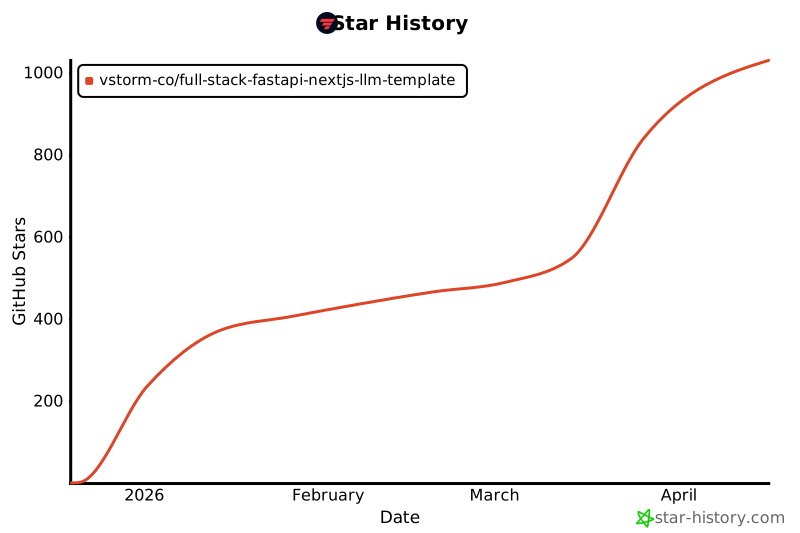
Star History
🙏 Inspiration
This project is inspired by:
- full-stack-fastapi-template by @tiangolo
- fastapi-template by @s3rius
- FastAPI Best Practices by @zhanymkanov
- Django's management commands system
🤝 Contributing
Contributions are welcome! Please read our Contributing Guide for details.

📄 License
MIT License - see LICENSE for details.

Project details
Verified details
These details have been verified by PyPIProject links
GitHub Statistics
Maintainers
Release history Release notifications | RSS feed


Download files
Download the file for your platform. If you're not sure which to choose, learn more about installing packages.
Source Distribution
Built Distribution
Filter files by name, interpreter, ABI, and platform.
If you're not sure about the file name format, learn more about wheel file names.
Copy a direct link to the current filters
File details
Details for the file fastapi_fullstack-0.2.15.tar.gz.
File metadata
- Download URL: fastapi_fullstack-0.2.15.tar.gz
- Upload date:
- Size: 910.0 kB
- Tags: Source
- Uploaded using Trusted Publishing? Yes
- Uploaded via: twine/6.1.0 CPython/3.13.12
File hashes
| Algorithm | Hash digest | |
|---|---|---|
| SHA256 |
173388e4b9764d3cfac4487d7429077e72c3bed3c64c7a03afee747600c08d38
|
|
| MD5 |
9e03e766eb479b591406d907f368b12b
|
|
| BLAKE2b-256 |
9310184bb8e25d0beb27fa5198fc1c9b3ed4d0eaacd3414f89158fea5c1aa2ee
|
Provenance
The following attestation bundles were made for fastapi_fullstack-0.2.15.tar.gz:
Publisher:
release.yml on vstorm-co/full-stack-ai-agent-template
-
Statement:
-
Statement type:
https://in-toto.io/Statement/v1 -
Predicate type:
https://docs.pypi.org/attestations/publish/v1 -
Subject name:
fastapi_fullstack-0.2.15.tar.gz -
Subject digest:
173388e4b9764d3cfac4487d7429077e72c3bed3c64c7a03afee747600c08d38 - Sigstore transparency entry: 2063632256
- Sigstore integration time:
-
Permalink:
vstorm-co/full-stack-ai-agent-template@cb61499051d63cfd5bf75e26d496356becf5a47c -
Branch / Tag:
refs/tags/0.2.15 - Owner: https://github.com/vstorm-co
-
Access:
public
-
Token Issuer:
https://token.actions.githubusercontent.com -
Runner Environment:
github-hosted -
Publication workflow:
release.yml@cb61499051d63cfd5bf75e26d496356becf5a47c -
Trigger Event:
release
-
Statement type:
File details
Details for the file fastapi_fullstack-0.2.15-py3-none-any.whl.
File metadata
- Download URL: fastapi_fullstack-0.2.15-py3-none-any.whl
- Upload date:
- Size: 1.4 MB
- Tags: Python 3
- Uploaded using Trusted Publishing? Yes
- Uploaded via: twine/6.1.0 CPython/3.13.12
File hashes
| Algorithm | Hash digest | |
|---|---|---|
| SHA256 |
21c522c0dd229214c323f384dc01bc223a13fbc3688444c98a15b2c3f8f72e09
|
|
| MD5 |
aa2dd27e0ee7eba345d92f9d434b2165
|
|
| BLAKE2b-256 |
0e68abe7c2c0f70063de6da3bebc0c3f0924e8c9c882cc1a39f64a8368e4f58b
|
Provenance
The following attestation bundles were made for fastapi_fullstack-0.2.15-py3-none-any.whl:
Publisher:
release.yml on vstorm-co/full-stack-ai-agent-template
-
Statement:
-
Statement type:
https://in-toto.io/Statement/v1 -
Predicate type:
https://docs.pypi.org/attestations/publish/v1 -
Subject name:
fastapi_fullstack-0.2.15-py3-none-any.whl -
Subject digest:
21c522c0dd229214c323f384dc01bc223a13fbc3688444c98a15b2c3f8f72e09 - Sigstore transparency entry: 2063632267
- Sigstore integration time:
-
Permalink:
vstorm-co/full-stack-ai-agent-template@cb61499051d63cfd5bf75e26d496356becf5a47c -
Branch / Tag:
refs/tags/0.2.15 - Owner: https://github.com/vstorm-co
-
Access:
public
-
Token Issuer:
https://token.actions.githubusercontent.com -
Runner Environment:
github-hosted -
Publication workflow:
release.yml@cb61499051d63cfd5bf75e26d496356becf5a47c -
Trigger Event:
release
-
Statement type:






