
fasthx-admin
A modern admin interface framework for FastAPI built with HTMX, Jinja2, and Bootstrap 5. Designed as a drop-in replacement for Flask-Admin with full control over rendering.
Table of Contents
- Features
- Installation
- Quick Start
- Architecture Overview
- Database Setup
- Defining Models
- The Admin Class
- CRUDView Configuration
- Column Filters
- Custom Endpoints
- Dependent Dropdowns
- Toast Notifications
- Modals
- Validation
- Model Lifecycle Hooks
- Audit Logging
- Progress Bar
- Authentication
- AI Chat (Optional) — full guide in docs/AI.md
- Wizards (Multi-Step Forms)
- Custom Pages (Dashboard, Tools, etc.)
- Custom Navigation Links
- Templates
- Theming
- Icons
- Auto-Generated Routes
- Environment Variables
- Flask-Admin Migration Guide
- Running the Demo
- Tech Stack
- Screenshots
Features
- Auto-generated CRUD -- list, detail, create, edit, delete routes from SQLAlchemy models
- Dark/light theme -- toggle with localStorage persistence, no flash on load
- HTMX-powered -- live search, sortable columns, auto-polling status cells, dependent dropdowns, progress bars
- Accordion form sections -- group form fields into collapsible sections
- Multi-step wizards -- declare the steps, get progress indicators, Back/Next, per-step validation and a review page
- Custom column formatters -- render badges, links, icons, code blocks in table cells
- Custom row actions -- per-row buttons with HTMX (deploy, build, reset, etc.)
- Multi row actions -- bulk operations on selected rows with checkboxes and "With Selected" dropdown
- Collapsible sidebar categories -- click category headers to collapse/expand, state persisted in localStorage, active category auto-expands
- Responsive sidebar -- auto-grouped from model metadata, collapses on mobile
- View-level access control -- restrict views by user or group (
allowed_users,allowed_groups) with both sidebar and route-level enforcement - Inline header filters -- per-column text filters in the table header with FK relationship support
- FK-aware search -- search through foreign key relationships using dotted notation (e.g.,
"serverid.hostname") - OIDC/Keycloak auth -- Resource Owner Password Credentials flow with group-based access
- Dev mode -- set
AUTH_DISABLED=1to bypass auth entirely - Foreign key dropdowns -- auto-populated from related models
- AJAX select fields -- searchable, paginated foreign key selects via HTMX (replaces Flask-Admin's
form_ajax_refs) - Pagination -- configurable page size with prev/next navigation
- Built-in templates -- 7 page templates + 8 partials, all customizable
- AI chat widget (optional) -- pluggable LLM-powered assistant with tool calling, settings UI, and OpenAI-compatible provider
Installation
pip install fasthx-admin
With AI chat support (adds httpx):
pip install fasthx-admin[ai]
With XLSX export support (adds openpyxl):
pip install fasthx-admin[xlsx]
With development extras (uvicorn, pytest, httpx):
pip install fasthx-admin[dev]
Quick Start
A minimal working app in one file:
import os
from contextlib import asynccontextmanager

from fastapi import FastAPI
from sqlalchemy import Column, Integer, String
from starlette.middleware.sessions import SessionMiddleware

from fasthx_admin import Admin, CRUDView, Base, init_db

# 1. Initialise the database
engine = init_db("sqlite:///./app.db", connect_args={"check_same_thread": False})

# 2. Define a model
class Customer(Base):
    __tablename__ = "customers"
    id = Column(Integer, primary_key=True)
    name = Column(String(100), nullable=False)
    email = Column(String(200))

    __admin_category__ = "CRM"
    __admin_icon__ = "people"
    __admin_name__ = "Customers"

    def __repr__(self):
        return f"<Customer {self.name}>"

# 3. Create the app with lifespan
@asynccontextmanager
async def lifespan(app):
    Base.metadata.create_all(bind=engine)
    yield

app = FastAPI(lifespan=lifespan)
app.add_middleware(SessionMiddleware, secret_key=os.environ.get("SESSION_SECRET", "change-me"))

# 4. Create admin and register views
admin = Admin(app, title="My Admin")

class CustomerView(CRUDView):
    model = Customer
    column_list = ["id", "name", "email"]

admin.add_view(CustomerView)
Run it:
AUTH_DISABLED=1 uvicorn app:app --reload
# Open http://127.0.0.1:8000/customers
This gives you a full CRUD interface with list/detail/create/edit/delete, search, sorting, pagination, and a sidebar -- all from 30 lines of code.
Architecture Overview
fasthx_admin/
├── __init__.py       # Public API exports
├── database.py       # init_db(), get_db(), Base
├── auth.py           # OIDC login, get_current_user, AUTH_DISABLED
├── crud.py           # CRUDView base class + Admin factory
├── templates/        # Jinja2 templates (base, list, form, detail, wizard, partials)
└── static/           # CSS (dark/light theme) + JS (theme toggle, HTMX hooks)
How it works:
- You define SQLAlchemy models inheriting from
Base - You subclass
CRUDViewfor each model, setting class-level configuration - The
Adminfactory instantiates your views, introspects the models, and auto-registers FastAPI routes - Built-in Jinja2 templates render list tables, detail pages, and forms
- HTMX handles dynamic interactions (search, polling, dropdowns) without page reloads
Database Setup
fasthx_admin uses a configurable database via init_db(). Call it once at startup before creating tables.
from fasthx_admin import init_db, Base

# SQLite (development)
engine = init_db(
    "sqlite:///./app.db",
    connect_args={"check_same_thread": False}
)

# PostgreSQL (production)
engine = init_db("postgresql://user:pass@localhost/mydb")

# Create tables
Base.metadata.create_all(bind=engine)
Available functions
| Function | Description |
|---|---|
init_db(url, **kwargs) |
Create engine + session factory. Returns the engine. kwargs are passed to create_engine(). |
get_db() |
FastAPI dependency that yields a database session. Auto-closes when done. |
get_engine() |
Returns the current engine (raises RuntimeError if init_db not called). |
Base |
SQLAlchemy declarative base -- use this for all your models. |
Defining Models
Models are standard SQLAlchemy models that inherit from Base. Add optional metadata attributes to control how they appear in the admin sidebar:
from sqlalchemy import Column, Integer, String, ForeignKey, Boolean, Enum as SAEnum
from sqlalchemy.orm import relationship
from fasthx_admin import Base
import enum

class DeviceStatus(str, enum.Enum):
    ONLINE = "online"
    OFFLINE = "offline"
    ERROR = "error"

class Device(Base):
    __tablename__ = "devices"

    id = Column(Integer, primary_key=True, index=True)
    hostname = Column(String(100), nullable=False)
    ip_address = Column(String(45))
    status = Column(SAEnum(DeviceStatus), default=DeviceStatus.OFFLINE)
    site_id = Column(Integer, ForeignKey("sites.id"))

    site = relationship("Site", back_populates="devices")

    # --- Admin UI metadata ---
    __admin_category__ = "Network"     # Sidebar group heading
    __admin_icon__ = "router"          # Bootstrap Icons name (https://icons.getbootstrap.com)
    __admin_name__ = "Devices"         # Display label in sidebar

    def __repr__(self):
        return f"<Device {self.hostname}>"
Model metadata attributes
| Attribute | Purpose | Default |
|---|---|---|
__admin_category__ |
Groups this model under a sidebar heading | "Other" |
__admin_icon__ |
Bootstrap Icons icon name | "table" |
__admin_name__ |
Display name in the sidebar and page titles | Table name, title-cased |
The __repr__ method is used to display items in foreign key dropdowns, so make it human-readable.
The Admin Class
Admin is the central factory that ties everything together.
from fasthx_admin import Admin

admin = Admin(
    app,                                    # Your FastAPI app (required)
    title="My Admin",                       # Brand name in sidebar + page titles
    static_url="/static/fasthx-admin",      # Where package CSS/JS are served
    mount_statics=True,                     # Auto-mount built-in static files
    public_pages={"login.html"},            # Templates that skip auth check
)
Parameters
| Parameter | Type | Default | Description |
|---|---|---|---|
app |
FastAPI |
required | Your FastAPI application instance |
templates |
Jinja2Templates |
None |
Custom templates (uses built-in if None) |
title |
str |
"Admin" |
Brand name shown in sidebar header and page titles |
static_url |
str |
"/static/fasthx-admin" |
URL path where static assets are mounted |
mount_statics |
bool |
True |
Whether to auto-mount built-in CSS/JS |
public_pages |
set[str] |
{"login.html"} |
Template names that don't require authentication |
ai_chat |
bool |
False |
Enable the AI chat widget and settings pages (requires fasthx-admin[ai]) |
extra_templates_dirs |
list[str] |
None |
Additional template directories to search before the built-in ones (for overriding or extending templates) |
settings_admin_groups |
list[str] |
None |
Keycloak group DNs allowed to see the Settings sidebar category (e.g. ["/Edge-Admins"]) |
settings_admin_users |
list[str] |
None |
Usernames allowed to see the Settings sidebar category (e.g. ["admin"]) |
Methods
| Method | Description |
|---|---|
admin.add_view(ViewClass) |
Instantiate a CRUDView subclass and register its routes. Returns the instance. |
admin.get_view("name") |
Look up a registered view by its name attribute. |
admin.add_link(name, url, display_name, icon="link", category="Other") |
Add a custom navigation link to the sidebar (non-CRUD). |
admin.get_nav_categories() |
Returns the sidebar navigation structure as a dict. |
admin.templates |
The Jinja2Templates instance -- use for rendering custom pages. |
What Admin does automatically
- Mounts static files -- CSS and JS at the configured
static_url - Sets up Jinja2 templates -- uses the package's built-in templates
- Wraps TemplateResponse -- every template automatically gets:
current_user-- the logged-in user (or mock user if auth disabled)nav_categories-- sidebar navigation built from all registered viewsstatic_url-- path to static assetsadmin_title-- the configured title- Auth redirect -- non-public pages redirect to
/loginif unauthenticated
CRUDView Configuration
CRUDView is the heart of fasthx-admin. Subclass it and set class-level attributes to configure each model's admin interface.
Basic Attributes
class DeviceView(CRUDView):
    model = Device                  # Required: SQLAlchemy model class
    name = "devices"                # URL prefix (default: model.__tablename__)
    display_name = "Network Devices"  # Sidebar + page title (default: model.__admin_name__)
    category = "Network"            # Sidebar group (default: model.__admin_category__)
    icon = "router"                 # Bootstrap Icons name (default: model.__admin_icon__)
    page_size = 25                  # Records per page (default: 20)
Column Configuration
Control which columns appear in the list table:
class DeviceView(CRUDView):
    model = Device

    # Option A: Explicitly list columns to show (in order)
    column_list = ["id", "hostname", "ip_address", "status", "site_id"]

    # Option B: Exclude specific columns (show everything else)
    column_exclude = ["deploy_progress"]

    # If neither is set, all model columns are shown

    # Rename column headers
    column_labels = {
        "site_id": "Site",
        "ip_address": "IP Address",
    }

    # Restrict which columns are searchable (default: all String columns)
    column_searchable = ["hostname", "ip_address"]

    # Search through foreign key relationships using dotted notation
    # This joins the related table and searches the specified column
    column_searchable = ["hostname", "serverid.hostname"]

    # Or search all string columns on the related table (no dot)
    column_searchable = ["hostname", "serverid"]

    # Restrict which columns are sortable (default: all columns)
    column_sortable = ["id", "hostname", "status"]

    # Override which columns are included in data exports (default: column_list).
    # May include or reorder columns that are NOT shown in the list view,
    # including dotted relationship paths.
    column_export_list = ["id", "hostname", "ip_address", "status", "site.name"]
column_export_listonly affects CSV/XLSX exports (see Export). When unset, exports usecolumn_list. A column that appears only incolumn_export_listis exported but not shown in the list table.
Column Formatters
Column formatters are functions that transform raw values into HTML for display. They receive (value, obj) where value is the column value and obj is the full SQLAlchemy model instance.
def format_status_badge(value, obj):
    """Render an enum value as a coloured badge."""
    colors = {
        DeviceStatus.ONLINE: "success",
        DeviceStatus.OFFLINE: "secondary",
        DeviceStatus.ERROR: "danger",
    }
    color = colors.get(value, "secondary")
    label = value.value.title() if hasattr(value, "value") else str(value)
    return f'<span class="badge bg-{color}">{label}</span>'

def format_ip_code(value, obj):
    """Render a value in monospace."""
    return f'<code>{value}</code>'

def format_site_link(value, obj):
    """Render a foreign key as a clickable link to the related item."""
    if obj.site:
        return f'<a href="/sites/{obj.site.id}">{obj.site.name}</a>'
    return str(value) if value else ""

def format_external_link(value, obj):
    """Render a URL as a clickable external link."""
    return f'<a href="https://{value}" target="_blank">{value} <i class="bi bi-box-arrow-up-right"></i></a>'

class DeviceView(CRUDView):
    model = Device
    column_formatters = {
        "status": format_status_badge,
        "ip_address": format_ip_code,
        "site_id": format_site_link,
    }
Formatters return raw HTML strings. The templates render them with | safe so Bootstrap classes, icons, and links all work.
Export formatters (column_formatters_export)
column_formatters produce HTML for the browser, which is rarely what you want inside a CSV or spreadsheet cell. Use column_formatters_export to apply plain-text formatting during exports. Formatters use the same (value, obj) signature.
class DeviceView(CRUDView):
    model = Device
    export_types = ["csv", "xlsx"]

    # HTML badge in the list view
    column_formatters = {
        "status": format_status_badge,
    }

    # Plain text in the export — overrides column_formatters for this column
    column_formatters_export = {
        "status": lambda value, obj: value.value if hasattr(value, "value") else str(value),
    }
Opt-in only. Unlike Flask-Admin, column_formatters_export does not fall back to column_formatters. Any column without an entry here is exported raw (enum values are unwrapped, None becomes an empty string). This keeps display HTML out of your exports unless you explicitly ask for a formatter.
Form Configuration
Control which fields appear in create/edit forms:
class DeviceView(CRUDView):
    model = Device

    # Explicitly list form fields (default: all columns except 'id')
    form_columns = ["hostname", "ip_address", "status", "site_id"]
Field types are auto-detected from the SQLAlchemy column type:
| SQLAlchemy Type | HTML Input Type |
|---|---|
Integer, Float |
<input type="number"> |
String, VARCHAR |
<input type="text"> |
Text |
<textarea> |
Boolean |
<input type="checkbox"> (toggle switch) |
DateTime |
<input type="datetime-local"> |
Date |
<input type="date"> |
Enum |
<select> with enum values |
| Foreign Key | <select> auto-populated from related model |
Detail View
The detail view (GET /{name}/{id}) shows a read-only page for a single record. By default it displays all model columns — not just the ones in column_list.
class DeviceView(CRUDView):
    model = Device

    # List view shows a subset
    column_list = ["id", "hostname", "status"]

    # Detail view shows ALL columns by default — no config needed

    # Or customize which columns appear in the detail view:
    detail_columns = ["id", "hostname", "ip_address", "serial_number",
                      "status", "site_id", "created_at", "updated_at"]
You can also exclude specific columns instead of listing them all:
class DeviceView(CRUDView):
    model = Device
    detail_columns_exclude = ["password", "api_key", "created_at"]
detail_columns_exclude works with both explicit detail_columns lists and the default (all columns). If both detail_columns and detail_columns_exclude are set, exclusions are applied after the explicit list.
column_labels and column_formatters apply to detail view fields when matching keys exist.
New in 0.5.8: Added
detail_columns_excludefor excluding columns without listing all others. New in 0.5.4: Detail view now shows all model columns by default instead of onlycolumn_listcolumns. Usedetail_columnsto customize.
Form Sections (Accordion Groups)
Group form fields into collapsible accordion sections:
class DeviceView(CRUDView):
    model = Device
    form_sections = {
        "Device Info": ["hostname", "ip_address"],
        "Status": ["status"],
        "Relationships": ["site_id"],
    }
The first section is expanded by default. If form_sections is None, all fields render in a flat list.
Form Widget Overrides
Customize individual form fields with extra attributes or replace their type entirely. Any key in the override dict is merged into the field metadata, so you can change field types, add attributes, or tweak behavior per field.
Supported override keys:
| Key | Description | Example |
|---|---|---|
type |
Change the HTML input type. Use "select" for dropdowns, "textarea" for multi-line text, "checkbox" for booleans, "file" for uploads (see File Upload Fields), or any HTML input type ("text", "number", "email", "date", etc.) |
"type": "select" |
choices |
List of (value, label) tuples for select fields |
"choices": [("v1", "Version 1")] |
label |
Override the auto-generated field label | "label": "Firmware" |
required |
Override whether the field is required. Enforced on both sides: the form blocks the submit and marks the field, and the save re-checks it server-side and raises ValidationError. Defaults to the column's own nullability |
"required": True |
placeholder |
Placeholder text for text inputs | "placeholder": "e.g. edge-001" |
hx_get |
HTMX hx-get URL for dependent dropdowns |
"hx_get": "/api/options" |
hx_target |
HTMX hx-target selector |
"hx_target": "#other_field" |
hx_trigger |
HTMX hx-trigger event (defaults to "change") |
"hx_trigger": "change" |
hx_swap |
HTMX hx-swap strategy (defaults to "innerHTML") |
"hx_swap": "outerHTML" |
depends_on |
Checkbox field key (or list of keys) — this field is visible only while all of them are checked. Prefix a key with ! to invert it (holds while unchecked) |
"depends_on": ["!wan1_is_pppoe", "!wan1_is_dhcp"] |
depends_on_any |
Same, but visible while any one of them holds | "depends_on_any": ["is_ha", "is_cluster"] |
autofill |
On a checkbox — map of {field_key: value} to fill and lock while it is checked |
"autofill": {"wan1": "0.0.0.0/0"} |
exclusive_with |
On a checkbox — field key (or list of keys) that must never be checked at the same time | "exclusive_with": "wan1_is_pppoe" |
description |
Tooltip text shown as an info icon next to the field label (Bootstrap tooltip) | "description": "Must be a public IP" |
Examples:
class EdgeView(CRUDView):
    model = Edge
    form_widget_overrides = {
        # Turn a text field into a select with static choices
        "firmware_version": {
            "type": "select",
            "choices": [
                ("6.4", "Version 6.4"),
                ("7.2", "Version 7.2"),
                ("7.4", "Version 7.4"),
            ],
        },
        # Override the label and make a field optional
        "serial_number": {
            "label": "S/N",
            "required": False,
        },
        # Add placeholder text
        "hostname": {
            "placeholder": "e.g. edge-001",
        },
        # Change a text field to a textarea
        "notes": {
            "type": "textarea",
        },
        # Add HTMX attributes to trigger dependent dropdowns
        "customer_id": {
            "hx_get": "/api/orchestrators-for-customer",
            "hx_target": "#orchestrator_id",
        },
        # Add a tooltip to explain a field
        "wan_ip": {
            "description": "Must be a public routable IP address",
        },
    }
Conditional field visibility:
Use depends_on to show fields only when a checkbox is checked. This is useful for toggling optional sections like HA (High Availability) settings:
class LaunchPadView(CRUDView):
    model = LaunchPad
    form_widget_overrides = {
        # These fields are hidden unless the "is_ha" checkbox is checked
        "ha_mode": {
            "depends_on": "is_ha",
            "type": "select",
            "choices": [("active-standby", "Active-Standby"), ("active-active", "Active-Active")],
        },
        "ha_switch_mode": {
            "depends_on": "is_ha",
            "type": "select",
            "choices": [("manual", "Manual"), ("automatic", "Automatic")],
        },
    }
When is_ha is unchecked, the ha_mode and ha_switch_mode fields are hidden. When the user toggles it on, the fields appear instantly (no server round-trip).
Prefix the key with ! to invert the relationship — the field is visible until the checkbox is checked:
form_widget_overrides = {
    # Static addressing fields, hidden once the WAN is set to PPPoE
    "cpe_wan1":    {"depends_on": "!wan1_is_pppoe"},
    "cpe_wan1_gw": {"depends_on": "!wan1_is_pppoe"},
}
Combining conditions — depends_on (all) vs depends_on_any (any):
Pass a list to require every condition. Note that depends_on states when a
field is visible, not when it is hidden — so "hide this if WAN1 is PPPoE or
DHCP" is written as "show it while not PPPoE and not DHCP":
form_widget_overrides = {
    # Visible only while both boxes are unchecked; checking either collapses it
    "cpe_wan1":    {"depends_on": ["!wan1_is_pppoe", "!wan1_is_dhcp"]},
    "cpe_wan1_gw": {"depends_on": ["!wan1_is_pppoe", "!wan1_is_dhcp"]},
}
Use depends_on_any when one condition holding is enough:
form_widget_overrides = {
    # Visible as soon as either mode is switched on
    "ha_peer_ip": {"depends_on_any": ["is_ha", "is_cluster"]},
}
Each entry in either list can be negated independently with !. Setting both
keys on one field raises a ValueError at startup — pick one.
Hiding is visual only. A hidden field is collapsed with CSS but still submits its current value, so a stale value can be saved for a field the user can no longer see. Clear it in
on_model_change()if that matters:def on_model_change(self, item, form_data, is_new, db, request): if item.wan1_is_pppoe: item.cpe_wan1 = None item.cpe_wan1_gw = None
Mutually exclusive checkboxes:
Use exclusive_with when two or more checkboxes represent modes that can't both be on. Checking one clears the others in its group:
class LaunchPadView(CRUDView):
    model = LaunchPad
    form_widget_overrides = {
        "wan1_is_dhcp": {
            "type": "checkbox",
            "exclusive_with": "wan1_is_pppoe",
        },
        "wan1_is_pppoe": {
            "type": "checkbox",
        },
    }
The link is undirected — declaring it on one side is enough, so wan1_is_pppoe needs no exclusive_with of its own. It is also transitive, so a three-way group only needs one declaration listing the others:
"wan1_is_dhcp": {
    "type": "checkbox",
    "exclusive_with": ["wan1_is_pppoe", "wan1_is_static"],
},
Checking any of the three clears the other two. Unchecking never touches the group, so "none selected" stays reachable. Clearing a peer fires the same change event a real click would, so any depends_on fields or autofill values wired to that peer roll back correctly.
This is a client-side convenience, not a constraint — enforce the invariant in on_model_change() if it matters to your data:
def on_model_change(self, item, form_data, is_new, db, request):
    if item.wan1_is_dhcp and item.wan1_is_pppoe:
        raise ValidationError("WAN1 cannot be both DHCP and PPPoE")
Field tooltips:
Use description to add a Bootstrap tooltip info icon next to any field label. Useful for providing context or instructions without cluttering the form:
class CustomerView(CRUDView):
    model = Customer
    form_widget_overrides = {
        "prisma_tsg_id": {
            "type": "select",
            "description": "The Prisma tenant service group to associate with this customer",
        },
        "contract_end": {
            "description": "Leave blank for month-to-month agreements",
        },
    }
Hovering over the info icon displays the tooltip. Works on all field types including checkboxes, selects, and AJAX selects.
File Upload Fields
Set "type": "file" on a string column to render a file input that saves the uploaded file to disk and stores its (relative) filename on the column. This is the fasthx-admin equivalent of Flask-Admin's FileUploadField configured via form_args.
The form automatically switches to multipart/form-data (including the HTMX hx-encoding) whenever a file field is present, so the binary is transmitted correctly.
Supported keys (set inside the field's form_widget_overrides entry):
| Key | Description |
|---|---|
base_path |
Required. Absolute directory the uploaded file is written under. |
relative_path |
Optional sub-path under base_path. It is also prefixed onto the value stored in the column. Default "". |
allowed_extensions |
List of permitted extensions, e.g. ["lic"] or ["png", "jpg"]. Rejected uploads raise a ValidationError. Also drives the file picker's accept filter. |
allow_overwrite |
If False, refuse to overwrite an existing file of the same name. Default True. |
namegen |
Optional callable namegen(item, upload) -> str returning the filename to save. item is the model instance (already populated with the other submitted fields), upload is a Starlette UploadFile (upload.filename). Defaults to the sanitized uploaded filename. |
Behavior:
- The value persisted on the column is the saved filename (prefixed with
relative_pathif set) — not the raw upload. Reconstruct the full path withos.path.join(base_path, value). - On edit, leaving the file input empty keeps the existing value. Choosing a new file replaces it (and the form shows the current filename as a hint).
- A
requiredfile field is only enforced on create (when the column has no existing value). - Cleaning up files on delete is your responsibility — do it in
on_model_delete.
Example:
import os, re

def license_name_generator(item, upload):
    """Name the saved file after the device serial; fall back to the upload name."""
    stem = item.serial_number or os.path.splitext(os.path.basename(upload.filename))[0]
    return f"{re.sub(r'[^A-Za-z0-9_.-]', '_', str(stem))}.lic"

class EdgeView(CRUDView):
    model = Edge
    form_columns = ["serial_number", "license_file"]
    form_widget_overrides = {
        "license_file": {
            "type": "file",
            "label": "License",
            "base_path": "/app/licenses/",
            "allowed_extensions": ["lic"],
            "allow_overwrite": True,
            "namegen": license_name_generator,
        },
    }

    def on_model_delete(self, item, db):
        # Remove the uploaded file when the row is deleted
        if item.license_file:
            path = os.path.join("/app/licenses/", item.license_file)
            if os.path.exists(path):
                os.remove(path)
AJAX Select (Searchable Foreign Keys)
For foreign key fields with large option sets, use form_ajax_refs to replace the standard dropdown with a searchable, paginated select powered by HTMX. This is the fasthx-admin equivalent of Flask-Admin's form_ajax_refs.
from myapp.models import Offering, Server

class OfferingView(CRUDView):
    model = Offering

    form_ajax_refs = {
        "serverid": {
            "model": Server,           # The related SQLAlchemy model
            "fields": ["hostname"],     # Columns to search against (ilike)
            "placeholder": "Please select uCPE",  # Search input placeholder
            "page_size": 10,            # Results per page (default: 10)
        }
    }
How it works:
- The form renders a single Tom Select dropdown (no separate search box). Tom Select uses its
virtual_scrollplugin to fetch options on demand. - When the dropdown opens, Tom Select calls
GET /{view}/ajax/{field}?q=&page=1to load the first page of options. - As the user types, Tom Select re-fires the same endpoint with
?q=<term>&page=1. The backend filters the target model withilikeover the configuredfields. - As the user scrolls toward the bottom of the open dropdown, Tom Select automatically requests the next page using the
nextURL the backend returned. This continues until the backend returnsmore: false. - On edit forms, the currently selected value is pre-populated in the select.
So page_size is not a hard cap on visible options — it's the chunk size per request. A user can scroll through all rows in the table, paginating transparently.
Configuration options:
| Key | Type | Default | Description |
|---|---|---|---|
model |
SQLAlchemy model | (required) | The related model to search |
fields |
list[str] |
[] |
Model columns to search with ilike |
placeholder |
str |
"Type to search..." |
Placeholder text for the search input |
page_size |
int |
10 |
Rows fetched per request (infinite scroll loads more on demand) |
Auto-registered endpoint:
Each form_ajax_refs entry registers a GET /{view_name}/ajax/{field_key} route that accepts:
q-- search term (optional)page-- page number (default: 1)
The response is JSON:
{
  "items": [{"value": "1", "label": "Customer 01"}, ...],
  "more": true,
  "next": "/orders/ajax/customer_id?q=acme&page=2"
}
more is true when more rows exist past this page, and next is the URL Tom Select will request when the user scrolls. When the result set is exhausted, more is false and next is null.
Row Actions
Add custom action buttons to each row in the list table:
class EdgeView(CRUDView):
    model = FortiEdge
    row_actions = [
        {
            "label": "Deploy",              # Button text
            "icon": "rocket",               # Bootstrap Icons name
            "hx_post": "/edges/{id}/deploy",  # HTMX POST URL ({id} is replaced per row)
            "hx_target": "closest tr",      # HTMX target element
            "hx_swap": "afterend",          # HTMX swap strategy
            "class": "btn-outline-success", # Bootstrap button class
        },
        {
            "label": "Reset",
            "icon": "arrow-counterclockwise",
            "hx_post": "/edges/{id}/reset",
            "hx_target": "closest tr",
            "hx_swap": "outerHTML",
            "class": "btn-outline-warning",
            "confirm": "Reset this edge device?",  # Confirmation dialog
        },
    ]
Every row also gets View and Edit buttons automatically (based on permissions), plus a Delete button with confirmation.
Tip: In your row-action endpoint, return
toast_response(..., refresh=True, request=request)instead oftoast_response(..., redirect=...)so the list refreshes in place and keeps the active search/filter/sort/page. A plain redirect reloads the whole page and loses that state.
Link-based row actions (file downloads, navigation)
For actions that should trigger a file download or navigate to a URL (instead of an HTMX swap), use href instead of hx_post:
class EdgeView(CRUDView):
    model = FortiEdge
    row_actions = [
        {
            "label": "Template",
            "icon": "download",
            "href": "/edges/{id}/template",   # Regular link ({id} replaced per row)
            "confirm": "Download onboarding template?",
        },
    ]
This renders a standard <a> link instead of an HTMX button, so the browser handles the response natively — essential for file downloads where the endpoint returns a StreamingResponse with Content-Disposition: attachment.
Row action fields
| Field | Description |
|---|---|
label |
Button text |
icon |
Bootstrap Icons name (optional) |
hx_post |
HTMX POST URL. {id} is replaced with the row's primary key. |
hx_target |
HTMX target selector (default: "closest tr") |
hx_swap |
HTMX swap strategy (default: "afterend") |
href |
Regular link URL. Use instead of hx_post for downloads or navigation. {id} is replaced with the row's primary key. |
download |
If true, adds the download attribute to the link (optional, use with href) |
target |
Link target (e.g., "_blank") for opening in a new tab (optional, use with href) |
class |
CSS class appended to the dropdown item (e.g. "text-warning") |
confirm |
If set, shows a confirmation dialog before executing. A single-line message. |
confirm_title |
Modal heading (default: "Confirm"). Enables the rich modal. |
confirm_lines |
List of strings, each rendered as its own paragraph in the modal body. |
confirm_prompt |
Emphasised closing question shown below the lines (e.g. "Do you want to continue?"). |
confirm_danger |
If true, styles the modal with a red warning icon and a red confirm button. |
confirm_ok_label |
Override the confirm button text (default: "Confirm"). |
confirm_cancel_label |
Override the cancel button text (default: "Cancel"). |
Rich confirmation dialogs
Any of confirm, confirm_title, confirm_lines, or confirm_prompt routes the action through a Bootstrap modal instead of the browser's native confirm() popup, giving you a title, multiple body lines, an emphasised prompt, and optional danger styling:
class ServerView(CRUDView):
    model = Server
    row_actions = [
        {
            "label": "Reset",
            "icon": "arrow-counterclockwise",
            "hx_post": "/server/{id}/reset",
            "hx_swap": "none",
            "class": "text-warning",
            "confirm_danger": True,
            "confirm_title": "Reset uCPE?",
            "confirm_lines": [
                "This will trigger a full rebuild of the uCPE.",
                "Status will be reset to ordered, Playmaker will be cleared, "
                "and the device will redeploy when registration is allowed again.",
            ],
            "confirm_prompt": "Do you want to continue?",
            "confirm_ok_label": "Reset",
        },
    ]
Notes:
- The plain
confirmstring still works and now renders in the same modal; a bareconfirmwith no other keys shows a simple one-line dialog. - The rich keys work on both HTMX button actions and
hreflink actions. - The built-in Delete action also uses this modal (with danger styling).
- If JavaScript fails to load, HTMX button actions fall back to the native
confirm()dialog (viahx-confirm), so state-changing actions are never left unguarded.
New in 0.5.69: Added rich confirm dialogs (
confirm_title,confirm_lines,confirm_prompt,confirm_danger,confirm_ok_label,confirm_cancel_label) forrow_actionsandmulti_row_actions, honored the actionclass, and routed the Delete action through the same modal.
Multi Row Actions
Add bulk actions that operate on multiple selected rows. When multi_row_actions is set, a checkbox column appears on the left of the table with a "Select all" checkbox in the header. A "With Selected" dropdown appears in the toolbar when items are checked:
class OfferingView(CRUDView):
    model = Offering
    multi_row_actions = [
        {
            "label": "Delete Selected",
            "icon": "trash",
            "hx_post": "/offerings/bulk-delete",
            "confirm": "Delete all selected items?",
            "class": "text-danger",
        },
        {
            "label": "Activate Selected",
            "icon": "check-circle",
            "hx_post": "/offerings/bulk-activate",
        },
    ]
Define the bulk action endpoint on your view. Selected IDs are sent as a single ids form field whose value is a comma-joined string (see the wire format note below for why):
@CRUDView.endpoint("/{name}/bulk-delete", methods=["POST"], response_class=HTMLResponse)
async def bulk_delete(self, request: Request, db: Session = Depends(get_db)):
    form = await request.form()
    ids = [i for i in form.get("ids", "").split(",") if i]
    db.query(self.model).filter(self.model.id.in_(ids)).delete(synchronize_session=False)
    db.commit()
    return toast_response(f"Deleted {len(ids)} items", type="success")
Multi row action fields
| Field | Description |
|---|---|
label |
Button text in the dropdown |
icon |
Bootstrap Icons name (optional) |
hx_post |
POST URL for the bulk action |
confirm |
If set, shows a confirmation dialog before executing. A single-line message. |
confirm_title |
Modal heading (default: "Confirm"). Enables the rich modal. |
confirm_lines |
List of strings, each rendered as its own paragraph in the modal body. |
confirm_prompt |
Emphasised closing question shown below the lines. |
confirm_danger |
If true, styles the modal with a red warning icon and a red confirm button. |
confirm_ok_label |
Override the confirm button text (default: "Confirm"). |
confirm_cancel_label |
Override the cancel button text (default: "Cancel"). |
class |
CSS class for the dropdown item (e.g., "text-danger") |
The same rich confirmation dialog as single-row actions applies here. The {count} placeholder is substituted with the number of selected ids across every text field (confirm, confirm_title, confirm_lines, confirm_prompt), not just confirm:
multi_row_actions = [
    {
        "label": "Reset Selected",
        "icon": "arrow-counterclockwise",
        "hx_post": "/servers/bulk-reset",
        "class": "text-warning",
        "confirm_danger": True,
        "confirm_title": "Reset {count} uCPEs?",
        "confirm_lines": ["This triggers a full rebuild of {count} devices."],
        "confirm_prompt": "Do you want to continue?",
        "confirm_ok_label": "Reset all",
    },
]
Cross-page selection (multi_row_select_all_pages)
By default, the header "select all" checkbox only selects rows visible on the current page — if you have 660 filtered records and the page shows 20, you get 20 ids. Opt into cross-page selection with one flag:
class OfferingView(CRUDView):
    model = Offering
    multi_row_actions = [
        {"label": "Delete Selected", "hx_post": "/offerings/bulk-delete",
         "confirm": "Delete {count} items?"},
    ]
    multi_row_select_all_pages = True
Behaviour:
- The header checkbox still selects only the current page (same as before — preserves muscle memory).
- As soon as anything is selected, an info banner appears above the table: "N items on this page selected. [Select all matching] [Clear selection]"
- Clicking Select all matching calls a framework-registered endpoint
GET /{name}/select-all-idsthat re-runs the active search + filter-badge + header-filter query and returns matching primary-key ids as JSON (capped at 50,000 — see below). The banner flips to "All X matching items are selected.", or "First 50000 of N matching items selected (max 50000 per action — refine your filter to act on the rest)." if the result set was truncated. - Clicking any action button in With Selected while in "all matching" mode posts the full id list to your
hx_posthandler. Yourconfirmstring is rendered with the full count via{count}. - Selection survives pagination: clicking any page link keeps the checked set (both for manual checks across pages and for "all matching" mode). This is backed by
sessionStoragekeyed on the view name plus a filter "signature" derived from the URL params (excludingpage). - Any change to search/filter/header-filter (HTMX table-body swap) automatically clears the selection so stale ids can never be posted.
Only the GET /{name}/select-all-ids route is auto-registered when the flag is on; it respects the same allowed_users / allowed_groups checks as the rest of the view.
Wire format and 50,000-row cap
Action POSTs send a single form field named ids whose value is a comma-joined string of primary-key ids ("1,2,3,..."). Parse it on the server with:
ids = [i for i in form.get("ids", "").split(",") if i]
Why one field instead of many? Starlette's multipart parser defaults to max_fields=1000, so posting one form field per id silently failed any action with more than ~1000 selected rows. The single-field format removes that ceiling entirely while staying compatible with application/x-www-form-urlencoded and the standard Form(...) dependency.
A hard cap of 50,000 ids per action is enforced in two places:
- Client-side: the action button refuses to POST a larger selection and shows an alert.
- Server-side:
/{name}/select-all-idsreturns at most 50,000 ids and setstruncated: trueplus the realtotalcount in its JSON response so the banner can warn the user.
The cap protects the action handler from large IN(...) clauses, multipart body size limits, and request timeouts. If you need to act on more than 50,000 rows, narrow the filter or move the bulk operation to a background job.
The action response is now also checked client-side — non-2xx responses surface an alert rather than reloading silently.
New in 0.5.13: Added
multi_row_actionsfor bulk operations on selected rows. New in 0.5.31: Addedmulti_row_select_all_pagesflag and/{name}/select-all-idsendpoint for cross-page selection that respects the active filter set. Changed in 0.5.48 (breaking formulti_row_actionsconsumers): Action POSTs now send a single comma-joinedidsfield instead of one form field per id. Handlers must switch fromform.getlist("ids")toform.get("ids", "").split(","). Added 50,000-row cap and non-silent error reporting on failed actions. New in 0.5.69: Added rich confirm dialogs (confirm_title,confirm_lines,confirm_prompt,confirm_danger,confirm_ok_label,confirm_cancel_label) with{count}substitution across all text fields.
HTMX Polling Columns
Auto-refresh specific table cells at an interval. The framework auto-generates GET endpoints that return the current value.
class EdgeView(CRUDView):
    model = FortiEdge
    htmx_columns = {
        "status": {
            "url": "/edges/{id}/status",    # Polling URL ({id} replaced per row)
            "trigger": "every 5s",          # HTMX trigger interval
        },
    }
This auto-generates a GET /edges/{item_id}/status endpoint that returns the current status value rendered through partials/status_cell.html. No custom endpoint code needed.
You can combine this with column formatters -- the initial render uses your formatter, and polling updates use the status_cell partial.
Permissions
Control which operations are available:
class AuditLogView(CRUDView):
    model = AuditLog
    can_create = False    # Hide "Create" button
    can_edit = False      # Hide "Edit" button on each row
    can_delete = False    # Hide "Delete" button on each row
All default to True.
Sidebar Visibility
Restrict which users or groups can see a view in the sidebar. By default all views are visible to everyone. When allowed_users or allowed_groups is set, only matching users see the view in the sidebar.
class InternalToolsView(CRUDView):
    model = InternalTool
    allowed_users = ["admin", "devops"]         # Only these usernames see this view

class NetworkView(CRUDView):
    model = NetworkDevice
    allowed_groups = ["/Edge-Admins", "/NOC"]    # Only members of these groups see this view
| Attribute | Type | Default | Description |
|---|---|---|---|
allowed_users |
list[str] |
None |
Usernames that can see this view in the sidebar. None = visible to all. |
allowed_groups |
list[str] |
None |
Group DNs that can see this view. None = visible to all. |
If both are set, matching either list grants access. This controls both sidebar visibility and route access — unauthorized users receive a 403 response when accessing any route on the view directly.
The same allowed_users and allowed_groups parameters are available on admin.add_link() for custom navigation links:
admin.add_link("debug", "/debug", "Debug Tools", icon="bug", category="Dev",
               allowed_users=["admin"])
Note: The Settings category (AI Settings) uses a separate mechanism — settings_admin_users and settings_admin_groups on the Admin constructor. Unlike views, Settings is hidden by default and requires an explicit allow list to be visible:
admin = Admin(app, ai_chat=True, settings_admin_users=["admin"])
Column Filters
Add dropdown filters to any list view with the column_filters attribute:
class CustomerView(CRUDView):
    model = Customer
    column_filters = ["currentstatus", "region"]
This renders filter dropdowns above the table, populated with distinct values from each column. Labels come from column_labels if set. Features:
- Filters apply alongside search and sorting
- Active filters carry through pagination, search, sort, and export links
- A "Clear" button appears when any filter is active
- Filter params use the format
?flt_columnname=valuein the URL - Enum columns are supported — values are converted automatically
class ServerView(CRUDView):
    model = Server
    column_filters = ["status", "datacenter", "os_type"]
    column_labels = {
        "status": "Status",
        "datacenter": "Data Center",
        "os_type": "OS Type",
    }
    export_types = ["csv"]  # export respects active filters
Inline Header Filters
Add per-column text filter inputs directly in the table header with column_header_filters. Each column gets a small text input that filters using "contains" matching with a 300ms debounce:
class OfferingView(CRUDView):
    model = Offering
    column_list = ["id", "serverid", "ipaddress", "status"]
    column_header_filters = ["ipaddress", "status"]
Header filters support foreign key relationships using dotted notation, the same as column_searchable:
class OfferingView(CRUDView):
    model = Offering
    column_list = ["id", "serverid", "ipaddress", "status"]

    # Filter the serverid column by searching server.hostname
    column_header_filters = ["serverid.hostname", "ipaddress", "status"]
Header filters work alongside the search box and column_filters dropdown — all are combined (AND logic). Filter values are preserved across pagination, sorting, and URL reloads via cf_ query parameters.
Regex matching (re: prefix)
By default each box does a case-insensitive literal "contains" match, so metacharacters in ordinary data are never misread — typing 10.0.0.1 matches that IP literally and won't false-positive on 10x0y0z1. To switch a box into regex mode, prefix the value with re::
| Input | Behaviour |
|---|---|
10.0.0.1 |
Literal contains — the . are plain characters |
re:^10\.0\.0\. |
Regex — anchored, . escaped to mean a literal dot |
| `re:^(up | down)$` |
re:web-0[12] |
Regex — web-01 or web-02 |
- Matching is case-insensitive and unanchored (use
^/$to anchor), matching Postgres~*semantics. - Regex is evaluated in SQL (Postgres
~*; SQLite via aREGEXPfunction registered byinit_db), so pagination and counts stay correct. - An empty or syntactically invalid pattern (e.g. a half-typed
re:[) safely falls back to a literal match — it never errors. - Works on dotted FK filters too (
re:after the value, e.g.cf_serverid.hostname=re:^web-).
Regex reference
Everything below the re: prefix is a regular expression. The tokens in this table work identically on both PostgreSQL and SQLite (see the portability note for the two exceptions).
Anchors
| Symbol | Matches | Example | Matches | Doesn't match |
|---|---|---|---|---|
^ |
Start of string | re:^web |
web-01 |
my-web |
$ |
End of string | re:01$ |
web-01 |
01-web |
\b |
Word boundary (see note) | re:\bup\b |
link up |
backup |
Character types
| Symbol | Matches | Example | Matches | Doesn't match |
|---|---|---|---|---|
. |
Any single character | re:10.0 |
10.0, 1000 |
1.0 |
\d |
A digit 0–9 |
re:port-\d |
port-8 |
port-x |
\D |
A non-digit | re:\D$ |
web-a |
web-1 |
\w |
Word char (letter, digit, _) |
re:^\w+$ |
web_01 |
web-01 |
\W |
Non-word char | re:\W |
10.0 |
1000 |
\s |
Whitespace | re:up\sdown |
up down |
updown |
\S |
Non-whitespace | re:^\S+$ |
web-01 |
web 01 |
Character classes
| Symbol | Matches | Example | Matches | Doesn't match |
|---|---|---|---|---|
[abc] |
Any one of a, b, c |
re:web-0[12] |
web-01, web-02 |
web-03 |
[^abc] |
Any char except a, b, c |
re:web-0[^12] |
web-03 |
web-01 |
[a-z] |
Any char in the range | re:^[a-f0-9]+$ |
3fa9 |
3g (hex only) |
Quantifiers (apply to the preceding item)
| Symbol | Matches | Example | Matches | Doesn't match |
|---|---|---|---|---|
* |
0 or more | re:ab*c |
ac, abbc |
adc |
+ |
1 or more | re:ab+c |
abc, abbc |
ac |
? |
0 or 1 (optional) | re:colou?r |
color, colour |
colouur |
{n} |
Exactly n | re:\d{4} |
2026 |
202 |
{n,} |
n or more | re:\d{2,} |
10, 100 |
1 |
{n,m} |
Between n and m | re:a{2,3} |
aa, aaa |
a (needs at least 2) |
Groups & alternation
| Symbol | Matches | Example | Matches | Doesn't match |
|---|---|---|---|---|
(…) |
Group (apply a quantifier to a sub-pattern) | re:(ab)+ |
abab |
ba |
| |
Alternation (OR) | re:^(up|down)$ |
up, down |
unknown |
Escaping — put a \ before a metacharacter to match it literally:
| Input | Matches | Notes |
|---|---|---|
re:\. |
A literal . |
Unescaped . means "any char" |
re:10\.0\.0\. |
10.0.0.x |
Anchor an IP prefix without false-positives |
re:\(prod\) |
A literal (prod) |
\( and \) escape the group syntax |
Portability note: two tokens differ between backends. Word boundary is
\bon SQLite (Pythonre) but\yon PostgreSQL (POSIX). POSIX bracket classes like[[:digit:]]work on PostgreSQL only — prefer\d, which works on both. Everything else in the tables above is identical across the two.
Supported backends: PostgreSQL and SQLite. On other backends a
re:value falls back to a literal contains-match.
New in 0.5.10: Added
column_header_filtersfor inline per-column filtering. New in 0.5.11: Added dotted FK notation support forcolumn_header_filters. New in 0.5.75: Addedre:prefix for opt-in regex matching in header filters.
Export
Add CSV and/or XLSX export buttons to any list view with the export_types attribute:
class CustomerView(CRUDView):
    model = Customer
    export_types = ["csv", "xlsx"]
This adds an "Export" dropdown next to the Create button in the list view. The export:
- Uses the columns defined in
column_list(orcolumn_export_list, if set) with labels fromcolumn_labelsas headers - Respects the current search query and sort order
- Downloads all matching records (not just the current page)
Supported formats:
| Format | Dependency |
|---|---|
csv |
None (built-in) |
xlsx |
openpyxl — install with pip install fasthx-admin[xlsx] or pip install openpyxl |
The export endpoint is at /{name}/export/{format} and accepts the same q, sort, and order query params as the list view.
Controlling exported columns and values
Two attributes tailor exports independently of the list view:
class CustomerView(CRUDView):
    model = Customer
    export_types = ["csv", "xlsx"]

    column_list = ["id", "name", "status"]                 # shown in the list table

    # Export a different / wider set of columns (supports dotted relationships).
    # Columns here that aren't in column_list are exported but not shown on screen.
    column_export_list = ["id", "name", "status", "email", "region.name"]

    # Plain-text formatting for export cells (opt-in; does not inherit column_formatters)
    column_formatters_export = {
        "status": lambda value, obj: value.value if hasattr(value, "value") else str(value),
    }
column_export_list— overridescolumn_listfor exports only. Defaults tocolumn_listwhen unset.column_formatters_export— opt-in plain-text formatters (see Export formatters). Columns without an entry are exported raw.
Custom Endpoints
Add custom routes to a CRUDView using the @CRUDView.endpoint decorator. These are registered alongside the auto-generated CRUD routes.
Endpoint Decorator (Recommended)
Decorate methods directly on the class. Use {name} in the path — it's automatically replaced with self.name at init time.
from fastapi import Request, Depends
from fastapi.responses import HTMLResponse
from sqlalchemy.orm import Session
from fasthx_admin import CRUDView, get_db

class OrchestratorView(CRUDView):
    model = Orchestrator

    # Custom action: trigger a build
    @CRUDView.endpoint("/{name}/{item_id}/build", methods=["POST"], response_class=HTMLResponse)
    async def build(self, request: Request, item_id: int, db: Session = Depends(get_db)):
        orch = db.query(self.model).filter(self.model.id == item_id).first()
        if not orch:
            return HTMLResponse("Not found", status_code=404)
        orch.build_status = BuildStatus.BUILDING
        db.commit()
        # HX-Redirect tells HTMX to do a full page navigation
        return HTMLResponse("", headers={"HX-Redirect": f"/{self.name}"})

    # Custom API: return filtered options for a dependent dropdown
    # For non-{name} paths, use the literal path string
    @CRUDView.endpoint("/api/devices-for-site", methods=["GET"], response_class=HTMLResponse)
    async def devices_for_site(self, request: Request, site_id: int = 0, db: Session = Depends(get_db)):
        options = []
        if site_id:
            devices = db.query(Device).filter(Device.site_id == site_id).all()
            options = [{"id": d.id, "label": d.hostname} for d in devices]
        return self.templates.TemplateResponse("partials/dropdown_options.html", {
            "request": request,
            "options": options,
            "selected": None,
        })
Key points:
{name}in the path is replaced with the view'snameattributemethods=["POST"]ormethods=["GET"]— defaults to["GET"]if omitted- Any extra kwargs (e.g.
response_class) are passed to FastAPI'sadd_api_route selfgives direct access toself.model,self.name,self.templates, etc.
setup_endpoints Override (Legacy)
The older setup_endpoints() override still works and can be used alongside decorators:
class MyView(CRUDView):
    model = MyModel

    def setup_endpoints(self):
        @self.router.post(f"/{self.name}/{{item_id}}/action", response_class=HTMLResponse)
        async def action(request: Request, item_id: int, db: Session = Depends(get_db)):
            ...
Instance State in Custom Endpoints
If your view needs to track state (like deployment progress), add it in __init__:
class EdgeView(CRUDView):
    model = FortiEdge

    def __init__(self, templates):
        self.deploy_progress = {}   # Must be set BEFORE super().__init__
        super().__init__(templates)

    @CRUDView.endpoint("/{name}/{item_id}/deploy", methods=["POST"], response_class=HTMLResponse)
    async def deploy(self, request: Request, item_id: int, db: Session = Depends(get_db)):
        self.deploy_progress[item_id] = {"progress": 0, "status": "deploying"}
        # ... start deployment logic
Dependent Dropdowns
A common pattern: selecting a value in one dropdown filters the options in another. This uses HTMX + form_widget_overrides + a custom endpoint.
Single Target
Step 1: Configure the trigger dropdown
class DeviceView(CRUDView):
    model = Device
    form_widget_overrides = {
        "site_id": {
            "hx_get": "/api/devices-for-site",   # Endpoint to call on change
            "hx_target": "#device_id",            # Target <select> to update
        },
    }
Step 2: Create the endpoint
    @CRUDView.endpoint("/api/devices-for-site", methods=["GET"], response_class=HTMLResponse)
    async def devices_for_site(self, request: Request, site_id: int = 0, db: Session = Depends(get_db)):
        options = []
        if site_id:
            items = db.query(Device).filter(Device.site_id == site_id).all()
            options = [{"id": d.id, "label": d.hostname} for d in items]
        return self.templates.TemplateResponse("partials/dropdown_options.html", {
            "request": request,
            "options": options,
            "selected": None,
        })
The partials/dropdown_options.html template renders <option> tags that replace the target <select>'s contents.
Multiple Targets
To update multiple dropdowns from a single trigger, use dropdown_options_multi.html with HTMX out-of-band swaps. The primary target is updated normally, and additional targets are updated via hx-swap-oob.
Step 1: Configure the trigger dropdown (same as single target — hx_target points to the primary target)
class EdgeView(CRUDView):
    model = Edge
    form_widget_overrides = {
        "customer_id": {
            "hx_get": "/api/options-for-customer",
            "hx_target": "#orchestrator_id",          # Primary target
        },
    }
Step 2: Create the endpoint with oob_targets
    @CRUDView.endpoint("/api/options-for-customer", methods=["GET"], response_class=HTMLResponse)
    async def options_for_customer(self, request: Request, customer_id: int = 0, db: Session = Depends(get_db)):
        orch_options = []
        region_options = []
        if customer_id:
            orchs = db.query(Orchestrator).filter(Orchestrator.customer_id == customer_id).all()
            orch_options = [{"id": o.id, "label": o.name} for o in orchs]
            regions = db.query(Region).filter(Region.customer_id == customer_id).all()
            region_options = [{"id": r.id, "label": r.name} for r in regions]
        return self.templates.TemplateResponse("partials/dropdown_options_multi.html", {
            "request": request,
            "options": orch_options,              # Primary target options
            "selected": None,
            "oob_targets": [                      # Additional targets (out-of-band)
                {"id": "region_id", "options": region_options, "selected": None},
                # Add more targets as needed:
                # {"id": "another_field", "options": other_options, "selected": None},
            ],
        })
The response updates #orchestrator_id directly and swaps #region_id (and any other entries in oob_targets) out-of-band. TomSelect is automatically re-synced on all updated selects.
Toast Notifications
fasthx-admin includes a built-in toast notification system powered by Bootstrap toasts and HTMX triggers. Toasts appear in the bottom-right corner and auto-dismiss after 5 seconds.
toast_response helper
Use toast_response() in custom endpoints to show a toast and, optionally, navigate afterwards. One helper covers the three things an action endpoint typically needs — pick the navigation mode with an argument:
from fasthx_admin import CRUDView, toast_response

class EdgeView(CRUDView):
    model = FortiEdge

    @CRUDView.endpoint("/{name}/{item_id}/deploy", methods=["POST"])
    async def deploy(self, request: Request, item_id: int, db: Session = Depends(get_db)):
        edge = db.query(self.model).filter(self.model.id == item_id).first()
        if not edge:
            return toast_response("Edge not found", type="danger", status_code=404)

        # ... start deployment ...
        # Inline-refresh the list in place, keeping the active search/filter/sort/page.
        return toast_response("Deployment started!", type="success", refresh=True, request=request)
Three modes:
| Goal | Call |
|---|---|
| Just show a toast (no navigation) | toast_response("Saved!", type="success") |
| Refresh the current list in place, preserving search/filter/sort/page | toast_response("Done", type="success", refresh=True, request=request) |
| Full-page navigate to a URL | toast_response("Created", type="success", redirect="/edges", request=request) |
refresh=True is what row actions should use: it re-renders only the list's #table-body via HX-Location (no full-page reload, scroll preserved) using the Referer to keep the active search/filters/sort/page. With no usable Referer it falls back to a plain toast. redirect=... does a full-page HX-Redirect; pass request= too and, when the redirect targets the same path as the Referer, the list's query string is preserved.
Parameters:
| Parameter | Description |
|---|---|
message |
Toast message text. Omit to navigate/refresh with no toast. |
type |
"success", "danger", "warning", or "info" (default "info") |
title |
Optional title (defaults to capitalised type) |
redirect |
Optional URL — full-page HX-Redirect after the toast. Pass request= to preserve the list's query string via the Referer. |
refresh |
If True, refresh the current list view's #table-body in place instead of navigating (requires request). Takes precedence over redirect. |
request |
FastAPI Request — required for refresh=True; optional for redirect (enables state-preserving redirect). |
status_code |
HTTP status code (default 200) |
Deprecated:
refresh_list_response(request, message, ...)(added in 0.5.54) is now a thin alias fortoast_response(message, refresh=True, request=request)and remains exported for backwards compatibility. New code should calltoast_response(..., refresh=True)directly.Changed in 0.5.58: Collapsed
refresh_list_responseintotoast_responsevia the newrefresh=flag — one helper for toast + navigation. The old name still works as an alias.
JavaScript API
You can also trigger toasts from client-side JavaScript:
showToast({ message: "Saved!", type: "success" });
showToast({ message: "Something went wrong", type: "danger", title: "Error" });
Modals
fasthx-admin includes a built-in modal system using Bootstrap 5 modals and HTMX. Use modals to preview content, confirm actions, or display data without leaving the list view — ideal for file previews, detail popups, and download confirmations.
modal_response helper
Use modal_response() in custom endpoints to display content in a modal:
from fasthx_admin import CRUDView, modal_response

class EdgeView(CRUDView):
    model = FortiEdge

    row_actions = [
        {
            "label": "Template",
            "icon": "download",
            "hx_get": "/edges/{id}/template",   # Uses hx_get — modal_response handles targeting
        },
    ]

    @CRUDView.endpoint("/{name}/{item_id}/template", methods=["GET"])
    async def template_preview(self, request: Request, item_id: int, db: Session = Depends(get_db)):
        item = db.query(self.model).filter(self.model.id == item_id).first()
        if not item:
            return HTMLResponse("Not found", status_code=404)

        template_text = "# Generated config for " + item.hostname
        return modal_response(
            title=f"Template — {item.hostname}",
            body=f"<pre>{template_text}</pre>",
            actions=[
                {
                    "label": "Download",
                    "icon": "download",
                    "href": f"/edges/{item_id}/template/download",
                    "css_class": "btn btn-primary",
                },
            ],
            size="modal-lg",
        )
The modal opens automatically when the response arrives. A "Close" button is always included in the footer.
Parameters
| Parameter | Description |
|---|---|
title |
Modal header title (auto-escaped) |
body |
HTML string for the modal body (trusted, not escaped — same as column_formatters) |
actions |
Optional list of action button dicts (see below) |
size |
Optional modal size: "modal-sm", "modal-lg", or "modal-xl" (default: standard) |
status_code |
HTTP status code (default 200) |
Action buttons
Each action in the actions list is a dict:
| Field | Description |
|---|---|
label |
Button text |
icon |
Bootstrap Icons name (optional) |
href |
Link URL — renders as <a> (use for downloads, navigation) |
hx_post |
HTMX POST URL — renders as <button> |
hx_get |
HTMX GET URL — renders as <button> |
css_class |
CSS classes (default: "btn btn-secondary") |
How it works
- A row action with
hx_getsends a GET request to your endpoint modal_response()returns HTML for the modal content withHX-RetargetandHX-Reswapheaders that redirect the response into#admin-modal .modal-content- An
HX-Trigger: showModalheader tells the client JS to open the modal - The JS applies any size class and calls
bootstrap.Modal.show()
Because modal_response() uses HX-Retarget, it works regardless of what hx_target is set on the triggering element — the response always ends up in the modal.
JavaScript API
You can also open the modal from client-side JavaScript:
showModal();                        // Open with current content
showModal({ size: 'modal-lg' });    // Open with large size
Terminal Console
fasthx-admin includes a terminal console widget — a dark, monospace, scrollable output area inside a modal. Use it for log viewing, streaming command output, script runners, and interactive shells.
console_response helper
Use console_response() in custom endpoints to display terminal-style output:
from fasthx_admin import CRUDView, console_response

class EdgeView(CRUDView):
    model = FortiEdge

    row_actions = [
        {
            "label": "Logs",
            "icon": "terminal",
            "hx_get": "/edges/{id}/logs",
        },
    ]

    @CRUDView.endpoint("/{name}/{item_id}/logs", methods=["GET"])
    async def view_logs(self, request: Request, item_id: int, db: Session = Depends(get_db)):
        item = db.query(self.model).filter(self.model.id == item_id).first()
        if not item:
            return HTMLResponse("Not found", status_code=404)

        log_text = f"[INFO] Device {item.hostname} booted\n[OK] Services started\n"
        return console_response(
            title=f"Logs — {item.hostname}",
            output=log_text,
        )
Streaming output via SSE
For real-time output, point the console at an SSE endpoint using stream_url. Use console_sse_message() to format each line:
from fastapi.responses import StreamingResponse
from fasthx_admin import console_response, console_sse_message

@CRUDView.endpoint("/{name}/{item_id}/run-check", methods=["POST"])
async def run_check(self, request: Request, item_id: int, db: Session = Depends(get_db)):
    return console_response(
        title="Running diagnostics...",
        output="",
        stream_url=f"/edges/{item_id}/check-stream",
    )

@CRUDView.endpoint("/{name}/{item_id}/check-stream", methods=["GET"])
async def check_stream(self, request: Request, item_id: int):
    async def generate():
        yield console_sse_message("Starting diagnostics...\n", css_class="ansi-green")
        for step in ["Checking connectivity", "Verifying config", "Running tests"]:
            await asyncio.sleep(1)
            yield console_sse_message(f"  {step}... OK\n")
        yield console_sse_message("\nAll checks passed.\n", css_class="ansi-green")
    return StreamingResponse(generate(), media_type="text/event-stream")
Interactive input
Enable a command prompt by setting input_enabled=True. The form POSTs to input_action and appends the response to the output area:
@CRUDView.endpoint("/{name}/shell", methods=["GET"])
async def admin_shell(self, request: Request):
    return console_response(
        title="Admin Shell",
        output="Ready.\n",
        input_enabled=True,
        input_action=f"/{self.name}/shell/exec",
    )

@CRUDView.endpoint("/{name}/shell/exec", methods=["POST"])
async def shell_exec(self, request: Request):
    import html
    form = await request.form()
    cmd = form.get("command", "")
    result = f"echo: {cmd}"
    return HTMLResponse(f"<pre>$ {html.escape(cmd)}\n{html.escape(result)}\n</pre>")
ANSI colour support
Console output supports ANSI escape codes for coloured text. Codes are converted server-side to CSS classes:
from fasthx_admin import ansi_to_html

# In your output:
text = "\033[32mSuccess\033[0m — \033[1;31mErrors: 0\033[0m"
return console_response("Results", text)  # ansi=True by default
Supported codes: colours 30-37 (standard), 90-97 (bright), bold (1), italic (3), underline (4), reset (0).
Parameters
| Parameter | Description |
|---|---|
title |
Console header title (auto-escaped) |
output |
Initial text content (ANSI codes converted when ansi=True) |
input_enabled |
Show a command input prompt (default False) |
input_action |
hx-post URL for the input form (required when input_enabled=True) |
input_placeholder |
Placeholder text for the input field (default "$ ") |
stream_url |
SSE endpoint URL for streaming output |
stream_event |
SSE event name to listen for (default "output") |
ansi |
Auto-convert ANSI escape codes (default True) |
size |
Modal size class (default "modal-xl") |
status_code |
HTTP status code (default 200) |
console_sse_message
| Parameter | Description |
|---|---|
text |
Text content for this SSE message |
event |
SSE event name — must match stream_event in console_response (default "output") |
ansi |
Convert ANSI codes to HTML (default True) |
css_class |
Optional CSS class(es) for the <pre> element (e.g. "ansi-green") |
How it works
console_response()returns HTML with a.console-outputarea inside the existing#admin-modalHX-Trigger: showConsoletells client JS to open the modal and start auto-scrolling- For streaming: the HTMX SSE extension connects to
stream_urland appends<pre>fragments - For input: the form POSTs to
input_actionand appends the response to the output area - SSE connections are automatically cleaned up when the modal is closed
JavaScript API
showConsole();                        // Open with current content
showConsole({ size: 'modal-xl' });    // Open with extra-large size
Validation
Raise ValidationError inside on_model_change() to abort a create or edit. The form re-renders with the user's values preserved and a danger toast shows the error message.
from fasthx_admin import CRUDView, ValidationError

class CustomerView(CRUDView):
    model = Customer

    def on_model_change(self, item, form_data, is_new, db, request=None):
        if not item.name or len(item.name.strip()) < 2:
            raise ValidationError("Customer name must be at least 2 characters")
        if is_new and not item.sid:
            raise ValidationError("SID is required for new customers")
Since on_model_change receives db, you can query related models for cross-table validation:
class OfferingView(CRUDView):
    model = Offering

    def on_model_change(self, item, form_data, is_new, db, request=None):
        product = db.query(Product).get(item.productid) if item.productid else None
        if product and product.name == "Fortigate":
            license_obj = db.query(VnfLicenses).get(item.vnflicensesid)
            if license_obj and "Forti" not in license_obj.license:
                raise ValidationError("Please select a Forti license")
Model Lifecycle Hooks
CRUDView provides lifecycle hooks that run before and after creates, edits, and deletes. These are useful for audit logging, cache invalidation, sending notifications, syncing external systems, or any side effect that should happen around model changes.
| Hook | When it runs | Can abort? |
|---|---|---|
on_model_change(item, form_data, is_new, db, request) |
After _apply_form_data(), before db.commit() |
Yes — raise ValidationError |
after_model_change(item, form_data, is_new, db, request) |
After successful commit | No |
on_model_delete(item, db) |
Before db.delete() and db.commit() |
Yes — raise ValidationError |
after_model_delete(item, db) |
After successful delete commit | No |
Use on_model_change for both validation and mutation before save. There is no separate validate() hook — keep it simple with one hook before commit and one after.
New in 0.5.2:
on_model_changeandafter_model_changereceive therequestparameter for access to the current user session and request context. Defaults toNonefor backward compatibility.New in 0.5.3: Removed the separate
validate()hook. All validation now belongs inon_model_change(), which has full access todbandrequest.
Example: Audit logging
from fasthx_admin import CRUDView

class CustomerView(CRUDView):
    model = Customer

    def after_model_change(self, item, form_data, is_new, db, request=None):
        user = get_current_user(request) or {}
        action = "created" if is_new else "updated"
        db.add(AuditLog(entity="customer", entity_id=item.id, action=action, user=user.get("username")))
        db.commit()

    def after_model_delete(self, item, db):
        db.add(AuditLog(entity="customer", entity_id=item.id, action="deleted"))
        db.commit()
For standardized audit logging across many views (with automatic old/new diffing on edits and field-level filtering), see Audit Logging.
Example: Prevent deletion
class OrderView(CRUDView):
    model = Order

    def on_model_delete(self, item, db):
        if item.status == "shipped":
            raise ValidationError("Cannot delete a shipped order")
Example: Validation
from fasthx_admin import CRUDView, ValidationError

class OfferingView(CRUDView):
    model = Offering

    def on_model_change(self, item, form_data, is_new, db, request=None):
        # Validate
        if not item.hostname:
            raise ValidationError("Hostname is required")

        product = db.query(Product).get(item.productid)
        if product and product.name == "Fortigate":
            license_obj = db.query(VnfLicenses).get(item.vnflicensesid)
            if license_obj and "Forti" not in license_obj.license:
                raise ValidationError("Please select a Forti license")

        # Mutate
        if is_new and item.serverid:
            server = db.query(Server).get(item.serverid)
            item.ipaddress = server.getnextip(serverid=server.id)
Example: Set current user on create
from fasthx_admin import CRUDView, get_current_user

class TicketView(CRUDView):
    model = Ticket

    def on_model_change(self, item, form_data, is_new, db, request=None):
        if is_new:
            user = get_current_user(request) or {}
            item.created_by = user.get("username", "Unknown")
Example: Sync external system on change
class ServerView(CRUDView):
    model = Server

    def on_model_change(self, item, form_data, is_new, db, request=None):
        if not is_new and item.ipaddress != form_data.get("ipaddress"):
            # Update DNS before commit
            update_dns_record(item.hostname, form_data.get("ipaddress"))
How it fits in the save flow:
- User submits create or edit form
_apply_form_data()sets values on the model instanceon_model_change()runs — validate and mutate, raiseValidationErrorto abortdb.commit()after_model_change()runs
Delete flow:
on_model_delete()runs — raiseValidationErrorto abortdb.delete()+db.commit()after_model_delete()runs
Audit Logging
fasthx-admin ships with a built-in audit log mechanism that fires on successful create, edit, and delete (and on wizard completion). It is opt-in per view and routes events to a single user-supplied callable, so you can persist them however you like (database, Python logging, an external sink).
Enabling
Register an audit callable on Admin, then set audit_log = True on each view you want tracked:
from fasthx_admin import Admin, CRUDView

def audit_logger(event: dict) -> None:
    # Persist however you like — DB row, log line, message queue, etc.
    ...

app = FastAPI()
admin = Admin(app, audit_logger=audit_logger)

class CustomerView(CRUDView):
    model = Customer
    audit_log = True
    audit_log_exclude = ["password_hash"]  # optional — drop sensitive fields
If audit_logger is not configured on Admin, or audit_log is False on the view, no audit events fire and there is zero overhead.
Event shape
The callable receives a single dict per action:
{
    "action": "create" | "update" | "delete" | "finish",
    "model_name": "Customer",        # __name__ of the model class
    "view_name": "customers",        # CRUDView.name (URL slug)
    "item_id": 42,                    # primary key value (pk_field)
    "user": {"username": "...", "groups": [...]} | None,  # get_current_user(request)
    "data": {...},                    # see below
    "request": <Request>,             # current FastAPI request
}
The data field varies by action:
| Action | data contents |
|---|---|
create |
Full snapshot of the new row ({col: value, ...}) |
update |
{"old": {...}, "new": {...}} — only columns whose value changed |
delete |
Snapshot of the row captured before deletion |
finish |
Wizard only -- everything the user submitted, when on_finish() returned its own Response |
Columns listed in audit_log_exclude are stripped from all snapshots.
Hook points
Audit events fire after the successful-commit branch of each handler:
- Create: after
db.commit()andafter_model_change()— item has its new primary key. - Update: snapshots column values before
_apply_form_data(), diffs against post-commit state, emits only changed fields. - Delete: snapshots the row before
db.delete(), emits afterafter_model_delete().
If on_model_change or on_model_delete raises ValidationError, the transaction rolls back and no audit event fires.
Failure isolation
Exceptions raised inside your audit_logger are caught by the package and written to the fasthx_admin.audit logger via logging.exception. A broken audit sink will never break the user flow or roll back the user's save.
Example: writing to a UserLog table
from datetime import datetime
from sqlalchemy import Column, Integer, String, DateTime
from fasthx_admin import Admin, Base, get_db

class UserLog(Base):
    __tablename__ = "user_log"
    id = Column(Integer, primary_key=True)
    username = Column(String)
    category = Column(String)
    action = Column(String)
    log = Column(String)
    date = Column(DateTime, default=datetime.utcnow)

def audit_logger(event: dict) -> None:
    user = event.get("user") or {}
    db = next(get_db())
    try:
        db.add(UserLog(
            username=user.get("username", "anonymous"),
            category=f"admin.{event['model_name']}",
            action=event["action"],
            log=repr(event["data"]),
        ))
        db.commit()
    finally:
        db.close()

admin = Admin(app, audit_logger=audit_logger)
Example: routing to Python logging
import json, logging

audit = logging.getLogger("admin.audit")

def audit_logger(event: dict) -> None:
    user = (event.get("user") or {}).get("username", "anonymous")
    audit.info(
        "%s %s[%s] by %s: %s",
        event["action"], event["model_name"], event["item_id"], user,
        json.dumps(event["data"], default=str),
    )
Auditing custom endpoints
The audit_log = True flag only covers the built-in create/edit/delete routes. For custom endpoints registered with @CRUDView.endpoint(...) there are two opt-in paths:
Flag on the decorator — zero-effort auto-logging, fires after a successful return:
class ServerView(CRUDView):
    model = Server
    audit_log = True

    @CRUDView.endpoint("/{name}/{item_id}/reset", methods=["POST"], audit=True)
    async def reset(self, request: Request, item_id: int, db: Session = Depends(get_db)):
        ...
        return HTMLResponse("")
Defaults emitted:
action= the function name ("reset") — override withaudit_action="...".item_id= pulled from theitem_idpath param if present.data={"path_params": {...}, "query_params": {...}}(body not captured — see below).- Fires only on successful return; if the endpoint raises, no event is emitted.
Explicit self.audit(...) call — when you need to capture before/after snapshots, body data, or control exactly when the event fires:
@CRUDView.endpoint("/{name}/{item_id}/approve", methods=["POST"])
async def approve(self, request: Request, item_id: int, db: Session = Depends(get_db)):
    item = db.query(self.model).get(item_id)
    old = self._audit_snapshot(item)
    item.status = "approved"
    db.commit()
    self.audit(
        "approve",
        item=item,
        request=request,
        data={"old": old, "new": self._audit_snapshot(item)},
    )
    return HTMLResponse("")
self.audit(action, *, item=None, request=None, data=None, item_id=None) is a no-op when self.audit_log is False or Admin.audit_logger is unset, so leaving the calls in place is free.
Why not auto-capture request body? Reading request.form() / request.json() in the wrapper consumes the stream and conflicts with endpoint code that reads it itself. Path + query params are always safe to inspect; body is the caller's job via self.audit(...).
When to use audit_log vs. lifecycle hooks
- Use
audit_logwhen you want uniform tracking across many views with a single sink. Opt-in per view via one boolean (covers create/edit/delete); addaudit=Trueon custom endpoints to extend it to them. - Use
after_model_change/after_model_deletewhen the logic is specific to one model (e.g. "only log price changes on Orders") or when you need access to the raw form data. Both mechanisms can be used at the same time.
Progress Bar
fasthx-admin includes a built-in Redis-backed progress bar that uses HTMX auto-polling to show real-time task progress. The progress bar appears inline in the list table, polls every 2 seconds, and stops automatically on completion or error.
How it works
- Set
progress_redis_urlon your view and add"progress": Trueto a row action - The framework auto-registers a
GET /{name}/{item_id}/progresspolling endpoint - Your action endpoint kicks off the work and returns
self.progress_response() - Your background worker updates a Redis key as it progresses
- The polling endpoint reads Redis and renders the progress bar until complete
Active progress bars survive a page refresh: on every list render the view checks Redis for in-flight bars (0 ≤ progress < 100) on the visible rows and re-inserts them with polling already running. Completed (≥ 100) and "Error" bars are not re-shown on reload — the column value already reflects the final outcome. The lookup is a single batched MGET and is skipped entirely unless progress_redis_url is set and a row action has "progress": True.
New in 0.5.59: Progress bars now re-hydrate from Redis on page refresh instead of disappearing.
Redis key convention
{view.name}:{item_id}:progress
| Redis value | Progress | Status |
|---|---|---|
Key doesn't exist (None) |
0% | "Waiting..." |
"Error" |
100% (red) | "Failed" |
"0" through "99" |
That percentage (animated) | "Deploying..." |
"100" or higher |
100% (green) | "Complete" |
Setup
class EdgeView(CRUDView):
    model = FortiEdge
    progress_redis_url = "redis://localhost:6379/0"

    htmx_columns = {
        "status": {
            "url": "/edges/{id}/status",
            "trigger": "every 5s",
            "terminal_states": ["online", "failed", "error"],
        },
    }

    column_formatters = {
        "status": format_edge_status,
    }

    row_actions = [
        {
            "label": "Deploy",
            "icon": "rocket",
            "hx_post": "/edges/{id}/deploy",
            "progress": True,            # enables the progress bar
            "confirm": "Start deployment?",
        },
        {
            "label": "Reset",
            "icon": "arrow-counterclockwise",
            "hx_post": "/edges/{id}/reset",
            "hx_swap": "none",
            "confirm": "Reset status?",
        },
    ]
That's it for configuration. The "progress": True flag tells fasthx-admin to:
- Auto-register
GET /edges/{item_id}/progress(reads from Redis, renders the progress bar) - Use
hx-swap="afterend"andhx-target="closest tr"for this action (inserts the progress bar row below the clicked row)
Action endpoint
Your action endpoint just needs to start the work and return self.progress_response():
    @CRUDView.endpoint("/{name}/{item_id}/deploy", methods=["POST"], response_class=HTMLResponse)
    async def deploy(self, request: Request, item_id: int, db: Session = Depends(get_db)):
        item = db.query(self.model).filter(self.model.id == item_id).first()
        if not item:
            return toast_response("Not found", type="danger")

        item.status = "deploying"
        db.commit()

        # Kick off background work (Celery, HTTP call, etc.)
        deploy_task.delay(item_id)

        # Return progress bar + auto-restart any htmx_columns polling
        return self.progress_response(request, item_id, item=item)
The item=item parameter is optional but recommended -- when provided, progress_response() automatically generates OOB (Out-of-Band) swaps for any htmx_columns defined on the view. This restarts their polling so status columns update alongside the progress bar, with no manual OOB HTML needed.
What your worker does
Your background process (Celery task, external service, etc.) just updates the Redis key:
import redis

r = redis.Redis.from_url("redis://localhost:6379/0", decode_responses=True)

# During work:
r.set("edges:42:progress", "25")   # 25%
r.set("edges:42:progress", "50")   # 50%
r.set("edges:42:progress", "100")  # Complete

# On failure:
r.set("edges:42:progress", "Error")
progress_response() reference
self.progress_response(request, item_id, item=None, progress=0, status="Starting...")
| Parameter | Type | Description |
|---|---|---|
request |
Request |
The FastAPI request object |
item_id |
int/str |
The item's primary key |
item |
object |
Optional SQLAlchemy model instance. When provided, OOB swaps are auto-generated for all htmx_columns to restart their polling |
progress |
int |
Initial progress percentage (default: 0) |
status |
str |
Initial status text (default: "Starting...") |
Progress bar states
The progress bar template handles three visual states:
| State | Bar color | Animation | Badge |
|---|---|---|---|
| In progress (0-99%) | Blue | Striped + animated | Status text (e.g. "Deploying...") |
| Complete (100%) | Green | None | "Complete" |
| Error | Red | None | "Failed" |
Authentication
fasthx-admin includes OIDC/Keycloak authentication out of the box.
Development mode (no auth server needed)
AUTH_DISABLED=1 uvicorn app:app --reload
When AUTH_DISABLED=1, all requests get a mock user {"username": "dev", "groups": ["/Edge-Admins"]}.
Production mode (Keycloak)
- Create a
client_secrets.jsonin your project root:
{
  "web": {
    "token_uri": "https://keycloak.example.com/realms/myrealm/protocol/openid-connect/token",
    "userinfo_uri": "https://keycloak.example.com/realms/myrealm/protocol/openid-connect/userinfo",
    "client_id": "my-admin-client",
    "client_secret": "your-client-secret"
  }
}
- Add login/logout routes to your app:
from fasthx_admin import get_current_user, oidc_login, AuthError

@app.get("/login", response_class=HTMLResponse)
async def login_page(request: Request):
    if get_current_user(request):
        return RedirectResponse("/dashboard", status_code=303)
    return admin.templates.TemplateResponse("login.html", {
        "request": request,
        "error": None,
        "username": None,
    })

@app.post("/login", response_class=HTMLResponse)
async def login_submit(request: Request):
    form = await request.form()
    username = form.get("username", "").strip()
    password = form.get("password", "")

    try:
        user = oidc_login(username, password)
    except AuthError as e:
        return admin.templates.TemplateResponse("login.html", {
            "request": request,
            "error": str(e),
            "username": username,
        })

    request.session["user"] = user
    return RedirectResponse("/dashboard", status_code=303)

@app.get("/logout")
async def logout(request: Request):
    request.session.clear()
    return RedirectResponse("/login", status_code=303)
Auth functions
| Function | Description |
|---|---|
get_current_user(request) |
Returns user dict from session, or mock user if AUTH_DISABLED |
oidc_login(username, password) |
Exchanges credentials via Keycloak, returns {"username": ..., "groups": [...]} |
AuthError |
Exception raised on auth failure (invalid creds, wrong group, network error) |
AUTH_DISABLED |
Boolean, True when AUTH_DISABLED env var is set |
Configuring allowed groups
By default, users must be in one of these Keycloak groups:
from fasthx_admin.auth import ALLOWED_GROUPS

# Modify at startup to match your Keycloak groups
ALLOWED_GROUPS.clear()
ALLOWED_GROUPS.extend(["/my-admin-group", "/superusers"])
AI Chat (Optional)
fasthx-admin ships with an optional AI chat widget that adds a floating assistant to every page. It supports any OpenAI-compatible API (OpenAI, vLLM, Ollama, LiteLLM, etc.), a decorator-based tool registry so the AI can call your Python functions, and a settings UI stored in the database.
Enable it by passing ai_chat=True to the Admin constructor:
admin = Admin(app, title="My Admin", ai_chat=True)
See docs/AI.md for the full guide: installation, tool registration, settings UI, custom providers, API reference, and planned lifecycle hooks.
One-shot AI calls (ai_complete)
For quick, stateless AI calls — e.g. generating a summary, drafting an email body, classifying a row — use ai_complete(). It uses the same active connection configured in AI Settings but skips the chat machinery (no history, no hooks). Tool calling is opt-in per call.
Available as both a CRUDView method (self.ai_complete(...)) and a module-level function (from fasthx_admin import ai_complete). They are the same code — pick whichever reads better at the call site.
Inside a CRUDView endpoint, the method form is most convenient:
from fastapi import Depends
from sqlalchemy.orm import Session
from fasthx_admin import CRUDView, get_db

class CustomerView(CRUDView):
    model = Customer

    @CRUDView.endpoint("/{item_id}/summarize", methods=["POST"])
    async def summarize(self, item_id: int, db: Session = Depends(get_db)):
        customer = db.query(Customer).get(item_id)
        text = await self.ai_complete(
            f"Summarize this customer in one sentence:\n\n{customer.notes}",
            system="You are a concise CRM assistant.",
            db=db,
        )
        return {"summary": text}
Outside a CRUDView (e.g. a plain FastAPI route, a dashboard handler, a background job, a CLI command) import the function directly. Here it powers a standalone "draft release notes" endpoint that isn't tied to any model:
from fastapi import Depends, FastAPI
from sqlalchemy.orm import Session
from fasthx_admin import ai_complete, get_db

app = FastAPI()

@app.post("/tools/release-notes")
async def draft_release_notes(
    since_tag: str,
    commits: list[str],
    db: Session = Depends(get_db),
):
    bullets = "\n".join(f"- {c}" for c in commits)
    notes = await ai_complete(
        f"Write release notes for the changes since {since_tag}:\n\n{bullets}",
        system="You write crisp, user-facing changelogs in markdown.",
        db=db,
    )
    return {"notes": notes}
db= is optional here too — pass it if you already have a session (the helper will reuse it instead of opening a short-lived one). For one-off scripts or workers without a request, just omit it:
import asyncio
from fasthx_admin import init_db, ai_complete

async def main():
    init_db("postgresql://...")  # same DB the admin uses, so settings are shared
    summary = await ai_complete("Summarize today's incident report: ...")
    print(summary)

asyncio.run(main())
Signature:
async def ai_complete(
    prompt: str,
    *,
    system: str | None = None,
    tools: list[str] | None = None,
    db: Session | None = None,
) -> str
| Parameter | Description |
|---|---|
prompt |
The user message sent to the model. |
system |
Optional system prompt prepended to the conversation. |
tools |
Optional list of tool names registered via @tool_registry.tool() to expose for this call. Default None means no tools. Unknown names are silently ignored. |
db |
Existing SQLAlchemy session. If omitted, a short-lived one is opened. The session is also passed to any tools that take a db parameter. |
Returns the model's response text. Raises RuntimeError if no AI connection is configured in AI Settings. Enabling the chat widget (ai_chat=True) is not required — only the connection needs to exist.
Allowing tool calls
Pass a list of tool names already registered with @tool_registry.tool():
from fasthx_admin import tool_registry

@tool_registry.tool(description="Look up a customer's open invoice count by ID.")
def open_invoice_count(customer_id: int, db: Session) -> str:
    n = db.query(Invoice).filter(
        Invoice.customer_id == customer_id, Invoice.status == "open"
    ).count()
    return f"{n} open invoices"

class CustomerView(CRUDView):
    model = Customer

    @CRUDView.endpoint("/{item_id}/draft-reminder", methods=["POST"])
    async def draft_reminder(self, item_id: int, db: Session = Depends(get_db)):
        customer = db.query(Customer).get(item_id)
        body = await self.ai_complete(
            f"Draft a polite reminder email for customer #{customer.id} ({customer.name}).",
            system="You write professional, concise customer emails.",
            tools=["open_invoice_count"],
            db=db,
        )
        return {"body": body}
How tool calling works here:
- The model receives the prompt plus the OpenAI-format definitions for the named tools.
- If the model emits one or more tool calls, each is executed via
tool_registry.execute()(errors are caught and returned to the model as"Error executing tool 'X': ..."rather than raised). - Tool results are appended to the message list, the provider is called once more, and that final response is returned.
Tool execution is single-round: a tool result that triggers a second round of tool calls will not fire. For multi-step agentic loops use the chat widget instead. Cost-wise, expect two model calls when tools fire (one to decide which tool, one to compose the answer) versus one when they don't.
The tools= list shares the same global tool_registry as the chat widget, so a tool you register once is reusable in both places. The chat widget's enabled tools setting in AI Context & Tools does not apply to ai_complete — each call names its own tools explicitly.
Wizards (Multi-Step Forms)
A WizardView splits one long form across several steps, with a progress indicator, Back/Next navigation, per-step validation and a review page. You declare the steps; the routes are generated.
from fasthx_admin import WizardView

class OnboardWizard(WizardView):
    name = "onboard"           # lives at /onboard
    model = Customer           # optional -- the last step saves a Customer
    steps = [
        {"label": "Details", "fields": ["name", "sid"]},
        {"label": "Contact", "fields": ["email", "phone"]},
        {"label": "Review", "review": True},
    ]

admin.add_view(OnboardWizard)
That's a working wizard. The fields are model columns, so they get the same widgets as a CRUD form (selects for enums and foreign keys, checkboxes for booleans, and so on), the review step lists everything the user entered, and Finish creates the Customer and redirects to /customers.
Register it with admin.add_view() just like a CRUDView -- it shows up in the sidebar under its category (default "Wizards").
Step options
Each entry in steps is a dict. Only label is required.
| Key | Description |
|---|---|
label |
Text under the step's circle in the progress indicator |
fields |
Field keys to collect on this step -- model columns, or keys defined in form_widget_overrides |
title |
Heading above the fields. Defaults to label |
description |
Muted text under the heading |
review |
True renders a read-only summary of everything collected so far instead of fields |
template |
Custom template for the step body (see Custom step templates) |
nav |
False hides the Back/Next buttons -- for a final "working..." step that drives itself |
Wizard attributes
| Attribute | Default | Description |
|---|---|---|
name |
required | URL slug. The wizard lives at /{name} |
model |
None |
Optional SQLAlchemy model. Lets steps name its columns, and enables the default save |
steps |
required | List of step dicts |
display_name |
from name |
Page title and sidebar label |
description |
None |
Muted text under the page title |
category |
"Wizards" |
Sidebar group |
icon |
"magic" |
Bootstrap Icons name |
column_labels |
{} |
Dict[field, label] |
form_widget_overrides |
{} |
Same as CRUDView -- override a field's type, choices, placeholder, etc. |
finish_label |
"Finish" |
Text on the last step's button |
finish_icon |
"check-lg" |
Icon on that button |
finish_redirect |
model's list view | Where to go after a successful finish |
success_message |
"Completed successfully" |
Toast shown after finishing |
allowed_users / allowed_groups |
None |
Same access control as a CRUDView |
audit_log |
False |
Emit an audit event when the wizard finishes |
audit_log_exclude |
None |
Columns to leave out of the audit payload |
Validating a step
Required fields are checked automatically. For anything else, override on_step(). It runs when the user moves forward off a step (never on Back), and raising ValidationError keeps them on that step with an error toast and their input intact.
class OnboardWizard(WizardView):
    ...
    def on_step(self, step, data, db, request=None):
        if step == 1 and db.query(Customer).filter(Customer.sid == data["sid"]).first():
            raise ValidationError(f"SID {data['sid']} is already taken")
step is 1-based. data is a dict of everything collected so far -- mutate it to carry extra values forward.
Finishing
With a model set, the default finish creates the row for you. before_save() is your last chance to touch the item -- the wizard's counterpart to CRUDView.on_model_change. It runs after the collected data is applied and before db.add(), so raising ValidationError commits nothing and returns the user to the last step:
def before_save(self, item, data, db, request=None):
    if item.gw_vdom_name is None:
        item.gw_vdom_name = (item.customer.adom or item.customer.sid).upper()
Override after_finish() for side effects:
def after_finish(self, item, data, db, request=None):
    send_welcome_email(item.email)
Override on_finish() when you need to do something other than create a row. Return a Response to take over completely, or None to fall back to the default save. It may be async.
def on_finish(self, data, db, request=None):
    provision_device(data["hostname"], data["wan_ip"])
    return toast_response("Provisioning started", type="success", redirect="/devices")
Wizards without a model
Leave model unset when the wizard drives an action rather than creating a row. Every field is then virtual, so each one declares its own widget in form_widget_overrides. choices accepts a callable that receives a db session, so selects can be filled from the database:
class DeployWizard(WizardView):
    name = "deploy"
    steps = [
        {"label": "Device", "fields": ["edge_id"]},
        {"label": "Network", "fields": ["wan_ip"]},
        {"label": "Review", "review": True},
    ]
    form_widget_overrides = {
        "edge_id": {
            "label": "Edge Device",
            "type": "select",
            "required": True,
            "choices": lambda db: [(e.id, e.hostname) for e in db.query(Edge).all()],
        },
        "wan_ip": {"label": "WAN IP", "required": True, "placeholder": "192.168.1.1"},
    }

    def on_finish(self, data, db, request=None):
        start_deploy(int(data["edge_id"]), data["wan_ip"])
        return toast_response("Deploy started", type="success", redirect="/edges")
Dependent dropdowns
Wizard fields use the same widget renderer as CRUD forms, so dependent dropdowns work unchanged -- point one select at an endpoint that returns <option> tags for another:
form_widget_overrides = {
    "customer_id": {
        "hx_get": "/api/orchestrators-for-customer",
        "hx_target": "#orchestrator_id",
    },
}
Audit logging and passwords
Wizards emit audit events the same way CRUDViews do. Set audit_log = True on the wizard, with Admin(audit_logger=...) configured:
class OnboardWizard(WizardView):
    name = "onboard"
    model = Customer
    audit_log = True
    audit_log_exclude = ["password_hash"]
Which event fires depends on how the wizard ends:
| Ending | action |
data |
|---|---|---|
Default save (model set, no on_finish) |
"create" |
Snapshot of the new row -- identical to a CRUD create |
on_finish() returned a Response |
"finish" |
Everything the user submitted |
A wizard-created row therefore looks the same in the audit trail as a form-created one. Call self.audit(...) inside on_finish() when you want a richer payload than the default.
Password fields are masked. Any field with "type": "password" renders as •••••••• on the review step and in the audit payload -- the stored value is unaffected.
The value itself still round-trips through the form's hidden inputs, because that is how wizard state is carried between steps. Treat the page source the same way you would any form carrying a secret; it never appears in a log or on the review page.
Custom step templates
A step's template supplies only the body of that step. The heading, the carried-forward state, the Back/Next buttons and the progress indicators still come from the wizard, so custom steps keep working navigation. The template gets data (everything collected so far), plus step and wizard.
{"label": "Deploy", "template": "deploy_progress.html", "nav": False}
<!-- deploy_progress.html — a terminal step that polls until it's done -->
<div id="deploy-status"
     hx-get="/deploy-status/{{ data.get('edge_id') }}"
     hx-trigger="every 1s"
     hx-swap="innerHTML">
    <div class="spinner-border text-primary"></div>
</div>
Put the file in a directory passed to Admin(extra_templates_dirs=[...]).
To add your own routes to a wizard (the polling endpoint above, for instance), override setup_endpoints() and register them on self.router, exactly as with a CRUDView.
How state is carried
There is no server-side session. Every value collected so far is re-emitted as a hidden input on the next step, so:
- Going Back preserves what the user already typed, on every step.
- Wizards work across multiple workers with no sticky sessions or shared cache.
- Nothing is written to the database until the last step finishes.
A hidden _step field tracks which step was submitted. Don't use _step as a field name.
If a step or the finish raises anything -- ValidationError, a database error, or a bug in your own hook -- the user lands back on the step they submitted with the message in a toast and their input intact. A wizard never 500s away someone's half-filled form.
Generated routes
For a wizard with name = "onboard":
| Method | URL | Description |
|---|---|---|
GET |
/onboard |
The wizard, starting at step 1 |
POST |
/onboard/step/{index} |
Render step index (validating the previous step when moving forward) |
POST |
/onboard/finish |
Validate the last step and finish |
Custom Pages (Dashboard, Tools, etc.)
The auto-generated CRUD views handle model pages and WizardView handles multi-step forms. For anything else -- dashboards, report pages, one-off tools -- add standard FastAPI routes and use admin.templates for rendering.
Dashboard example
The built-in dashboard.html template is fully data-driven. It renders four optional sections — summary cards, a recent items table, a status breakdown panel, and quick action buttons — all configured entirely from Python. Each section only renders if you pass the corresponding context variable, so you can mix and match.
@app.get("/dashboard", response_class=HTMLResponse)
async def dashboard(request: Request, db: Session = Depends(get_db)):
    total = db.query(Device).count()
    online = db.query(Device).filter(Device.status == "online").count()
    error = db.query(Device).filter(Device.status == "error").count()

    return admin.templates.TemplateResponse("dashboard.html", {
        "request": request,
        "active_page": "dashboard",
        "dashboard_cards": [...],       # summary cards
        "dashboard_table": {...},       # recent items table
        "dashboard_stats": {...},       # status breakdown sidebar
        "dashboard_actions": [...],     # quick action buttons
    })
Set active_page to match a sidebar link's name to highlight it.
Summary cards (dashboard_cards)
A list of dicts. Each card is a clickable link with a large value, label, and icon. Cards are rendered in a 4-column grid (col-md-3) and wrap automatically.
| Key | Required | Description |
|---|---|---|
label |
yes | Card title text (e.g. "Total Devices") |
value |
yes | The number or text to display prominently |
icon |
yes | Bootstrap Icons name without the bi- prefix (e.g. "shield", "check-circle") |
link |
yes | URL the card links to when clicked |
color |
no | CSS class for the value text (e.g. "text-success", "text-danger") |
icon_color |
no | CSS class for the icon (e.g. "text-warning"). Defaults to "text-primary" |
bg |
no | CSS class for the icon background (e.g. "bg-success-subtle"). Defaults to "bg-primary-subtle" |
dashboard_cards = [
    {
        "label": "Total Devices",
        "value": total,
        "icon": "shield",
        "link": "/devices",
    },
    {
        "label": "Online",
        "value": online,
        "color": "text-success",
        "icon": "check-circle",
        "icon_color": "text-success",
        "bg": "bg-success-subtle",
        "link": "/devices?q=online",
    },
    {
        "label": "Errors",
        "value": error,
        "color": "text-danger",
        "icon": "exclamation-triangle",
        "icon_color": "text-danger",
        "bg": "bg-danger-subtle",
        "link": "/devices?q=error",
    },
]
Recent items table (dashboard_table)
A dict that defines the table title, columns, and data. No template override needed — columns and rendering are configured from Python.
| Key | Required | Description |
|---|---|---|
title |
no | Table header text. Defaults to "Recent Items" |
link |
no | URL for the "View All" button |
link_text |
no | Button text. Defaults to "View All" |
columns |
yes | List of column definitions (see below) |
rows |
yes | List of dicts or SQLAlchemy model instances to display as rows |
Column definition keys:
| Key | Required | Description |
|---|---|---|
key |
yes | Attribute name or dict key to read from each item |
label |
yes | Column header text |
link |
no | URL template with {id} placeholder — renders the cell as a clickable link (e.g. "/devices/{id}") |
code |
no | If true, renders the value in <code> tags |
status |
no | If true, renders the value as a colored status badge via partials/status_cell.html |
If none of link, code, or status are set, the value renders as plain text.
dashboard_table = {
    "title": "Recent Devices",
    "link": "/devices",
    "columns": [
        {"key": "name", "label": "Name", "link": "/devices/{id}"},
        {"key": "serial", "label": "Serial", "code": True},
        {"key": "region", "label": "Region"},
        {"key": "status", "label": "Status", "status": True},
    ],
    "rows": db.query(Device).order_by(Device.id.desc()).limit(10).all(),
}
Items can be dicts or SQLAlchemy model objects — the template handles both. When using model objects, make sure the key values match the model's attribute names. For computed or relationship values, pass dicts instead:
dashboard_table = {
    "title": "Recent Orders",
    "link": "/orders",
    "columns": [
        {"key": "id", "label": "Order #", "link": "/orders/{id}"},
        {"key": "customer_name", "label": "Customer"},
        {"key": "total", "label": "Total"},
        {"key": "status", "label": "Status", "status": True},
    ],
    "rows": [
        {
            "id": o.id,
            "customer_name": o.customer.name,
            "total": f"${o.total:.2f}",
            "status": o.status.value,
        }
        for o in db.query(Order).order_by(Order.id.desc()).limit(10).all()
    ],
}
Status breakdown and counters (dashboard_stats)
A dict that populates the sidebar panel with status badges and summary counters.
| Key | Required | Description |
|---|---|---|
title |
no | Panel header text. Defaults to "Status Breakdown" |
status_breakdown |
no | Dict of {status_name: count} — each entry renders as a status badge with a count |
counters_title |
no | Heading above the counters section |
counters |
no | List of {"label": "...", "value": ...} dicts shown below the breakdown |
dashboard_stats = {
    "title": "Status Breakdown",
    "status_breakdown": {
        "online": 12,
        "deploying": 3,
        "error": 1,
    },
    "counters_title": "Summary",
    "counters": [
        {"label": "Total Customers", "value": db.query(Customer).count()},
        {"label": "Total Regions", "value": db.query(Region).count()},
    ],
}
The status_breakdown keys are rendered using partials/status_cell.html, which maps known status names to colored badges (online = green, deploying = yellow, error = red, etc.). Unknown status names render as a grey badge with the name as-is.
Quick actions (dashboard_actions)
A list of dicts. Each entry renders as a button in the sidebar.
| Key | Required | Description |
|---|---|---|
label |
yes | Button text |
url |
yes | URL the button links to |
icon |
no | Bootstrap Icons name without the bi- prefix |
class |
no | CSS class for the button. Defaults to "btn-outline-secondary" |
dashboard_actions = [
    {"label": "Deploy Wizard", "url": "/wizard", "icon": "magic", "class": "btn-primary"},
    {"label": "Add Device", "url": "/devices/create", "icon": "plus-lg"},
    {"label": "Add Customer", "url": "/customers/create", "icon": "plus-lg"},
]
Full example
Putting it all together:
@app.get("/dashboard", response_class=HTMLResponse)
async def dashboard(request: Request, db: Session = Depends(get_db)):
    total = db.query(Customer).count()
    active = db.query(Customer).filter(Customer.status == "active").count()

    return admin.templates.TemplateResponse("dashboard.html", {
        "request": request,
        "active_page": "dashboard",
        "dashboard_cards": [
            {"label": "Total", "value": total, "icon": "people", "link": "/customers"},
            {"label": "Active", "value": active, "icon": "check-circle",
             "color": "text-success", "icon_color": "text-success",
             "bg": "bg-success-subtle", "link": "/customers?q=active"},
        ],
        "dashboard_table": {
            "title": "Recent Customers",
            "link": "/customers",
            "columns": [
                {"key": "name", "label": "Name", "link": "/customers/{id}"},
                {"key": "email", "label": "Email"},
                {"key": "status", "label": "Status", "status": True},
            ],
            "rows": db.query(Customer).order_by(Customer.id.desc()).limit(10).all(),
        },
        "dashboard_stats": {
            "status_breakdown": {"active": active, "inactive": total - active},
            "counters": [{"label": "Total Customers", "value": total}],
        },
        "dashboard_actions": [
            {"label": "Add Customer", "url": "/customers/create", "icon": "plus-lg", "class": "btn-primary"},
        ],
    })
Root redirect
@app.get("/")
async def root():
    return RedirectResponse("/dashboard")
Custom Navigation Links
Use admin.add_link() to add non-CRUD links to the sidebar. These appear alongside your CRUDView entries, grouped by category.
admin.add_link("reports", "/reports", "Reports", icon="graph-up", category="Analytics")
admin.add_link("docs", "/docs", "API Docs", icon="book", category="Tools")
| Parameter | Type | Default | Description |
|---|---|---|---|
name |
str |
required | Unique identifier for the link |
url |
str |
required | URL the link points to |
display_name |
str |
required | Text shown in the sidebar |
icon |
str |
"link" |
Bootstrap Icons name |
category |
str |
"Other" |
Sidebar category group |
allowed_users |
list[str] |
None |
Usernames that can see this link. None = visible to all. |
allowed_groups |
list[str] |
None |
Group DNs that can see this link. None = visible to all. |
Sidebar categories are collapsible -- click a category header to collapse/expand its items. The collapse state is persisted in localStorage. Categories containing the currently active page auto-expand.
Templates
fasthx-admin ships with these built-in templates:
| Template | Purpose |
|---|---|
base.html |
Main layout -- sidebar, topbar, theme toggle, content area |
login.html |
Standalone login page with Keycloak SSO branding |
dashboard.html |
Summary cards, recent items table, status breakdown, quick actions |
list.html |
CRUD list view with search, sortable columns, pagination, row actions |
detail.html |
Read-only detail view showing all fields |
form.html |
Create/edit form with optional accordion sections |
wizard.html |
Multi-step wizard page (WizardView) |
Partials (HTMX targets and includes)
| Partial | Purpose |
|---|---|
partials/table_body.html |
Table rows (HTMX target for live search) |
partials/row_actions.html |
View/Edit/Delete + custom action buttons |
partials/status_cell.html |
Status badge renderer (online/offline/deploying/error/etc.) |
partials/_form_field.html |
Single form field renderer (text/select/checkbox/textarea) |
partials/dropdown_options.html |
<option> tags for single-target dependent dropdown responses |
partials/dropdown_options_multi.html |
<option> tags with OOB swaps for multi-target dependent dropdowns |
partials/progress_bar.html |
Animated deployment progress bar with auto-polling |
partials/_wizard_indicators.html |
Wizard step progress indicators |
partials/_wizard_step.html |
Wizard step frame -- heading, carried state, body, nav |
partials/_wizard_nav.html |
Wizard Back / Next / Finish buttons |
Using custom templates
Use extra_templates_dirs to add directories that are searched before the built-in ones. Templates in your directories override built-in templates with the same name:
admin = Admin(app, extra_templates_dirs=["my_templates"])
Alternatively, pass your own Jinja2Templates instance for full control:
from fastapi.templating import Jinja2Templates

templates = Jinja2Templates(directory="my_templates")
admin = Admin(app, templates=templates, mount_statics=True)
Template context variables
Every template rendered through admin.templates.TemplateResponse() automatically receives:
| Variable | Description |
|---|---|
current_user |
Dict with username and groups, or None |
nav_categories |
Sidebar navigation structure |
active_page |
Which sidebar item to highlight |
static_url |
URL prefix for static assets |
admin_title |
The configured admin title |
ai_chat_enabled |
Whether the AI chat widget is active |
Theming
The built-in CSS supports dark and light themes via Bootstrap's data-bs-theme attribute. Dark is the default.
Color palette
| Variable | Dark | Light |
|---|---|---|
--accent |
#10b981 (emerald green) |
same |
--bg-base |
#1f1f1f |
#f3f4f6 |
--bg-surface |
#303030 |
#ffffff |
--text |
#ffffff |
#1f1f1f |
--danger |
#ef4444 |
same |
--warning |
#f59e0b |
same |
--info |
#3b82f6 |
same |
Theme is toggled via the sun/moon button in the topbar and persisted in localStorage.
Icons
fasthx-admin uses Bootstrap Icons 1.11.3 loaded via CDN. Over 2,000 icons are available.
Setting icons on models
Use the __admin_icon__ attribute on your SQLAlchemy model:
class Device(Base):
    __tablename__ = "devices"
    __admin_icon__ = "router"       # Any Bootstrap Icons name
Setting icons on views
Override the icon at the view level with the icon class attribute:
class DeviceView(CRUDView):
    model = Device
    icon = "hdd-network"            # Overrides model's __admin_icon__
The default icon is "table" if neither the model nor view specifies one.
Finding icon names
Browse the full icon set at icons.getbootstrap.com. Use the name shown on each icon's page (e.g., "people", "gear", "cart", "shield-lock").
Auto-Generated Routes
For each registered CRUDView, these routes are created automatically (see Wizards for a WizardView's routes):
| Method | URL | Description |
|---|---|---|
GET |
/{name} |
List view with search, sort, pagination |
GET |
/{name}/create |
Create form |
POST |
/{name}/create |
Submit new record |
GET |
/{name}/{id} |
Detail view |
GET |
/{name}/{id}/edit |
Edit form |
POST |
/{name}/{id}/edit |
Submit edit |
POST |
/{name}/{id}/delete |
Delete record |
Plus for each htmx_columns entry:
| Method | URL | Description |
|---|---|---|
GET |
/{name}/{id}/{field} |
Returns current field value (for polling) |
And when multi_row_select_all_pages = True:
| Method | URL | Description |
|---|---|---|
GET |
/{name}/select-all-ids |
Returns {"ids": [...], "total": N} for every row matching the current search, filter badges, and header filters |
Example: A view with name = "devices" generates:
GET /devices-- list all devicesGET /devices/create-- show create formPOST /devices/create-- create a deviceGET /devices/42-- show device #42GET /devices/42/edit-- edit form for device #42POST /devices/42/edit-- save editsPOST /devices/42/delete-- delete device #42
Environment Variables
| Variable | Purpose | Default |
|---|---|---|
AUTH_DISABLED |
Set to 1, true, or yes to bypass authentication |
auth enabled |
SESSION_SECRET |
Secret key for session cookie signing | set in your app |
OIDC_SECRETS |
Path to Keycloak client_secrets.json |
./client_secrets.json |
Flask-Admin Migration Guide
fasthx-admin is designed as a drop-in conceptual replacement for Flask-Admin. Here's how the concepts map:
| Flask-Admin | fasthx-admin | Notes |
|---|---|---|
ModelView |
CRUDView subclass |
Same pattern: subclass + class attributes |
admin.add_view(MyView(Model, db.session)) |
admin.add_view(MyView) |
No session arg needed; uses get_db dependency |
column_formatters |
column_formatters |
Same API: {col: fn(value, obj) -> html} |
column_formatters_export |
column_formatters_export |
Same API; opt-in only — does not fall back to column_formatters |
column_list |
column_list |
Identical |
column_export_list |
column_export_list |
Overrides column_list for exports; defaults to column_list |
column_labels |
column_labels |
Identical |
column_searchable_list |
column_searchable |
Renamed |
column_sortable_list |
column_sortable |
Renamed |
column_exclude_list |
column_exclude |
Renamed |
form_columns |
form_columns |
Identical |
form_create_rules + FieldSet() |
form_sections |
Dict instead of list of rules |
form_args |
form_widget_overrides |
Renamed, supports HTMX attrs |
form_ajax_refs |
form_ajax_refs |
Same concept; uses HTMX instead of Select2 |
column_extra_row_actions |
row_actions |
List of dicts with HTMX attrs |
on_model_change(form, model, is_created) |
on_model_change(item, form_data, is_new, db, request) |
Handles both validation and mutation; uses form_data dict instead of WTForms |
after_model_change(form, model, is_created) |
after_model_change(item, form_data, is_new, db, request) |
Same concept; includes request for user context |
on_model_delete(model) |
on_model_delete(item, db) |
Same concept; db session passed explicitly |
after_model_delete(model) |
after_model_delete(item, db) |
Same concept |
column_filters |
column_filters |
List of column names for filter dropdowns |
can_export / export action |
export_types |
List of format strings (["csv", "xlsx"]) |
@expose() custom endpoints |
setup_endpoints() override |
Define on self.router |
Markup() in formatters |
Raw HTML strings | Templates use | safe filter |
Running the Demo
The package includes a full demo application in examples/demo/:
git clone https://github.com/talbiston/fasthx-admin.git
cd fasthx-admin
pip install -e .[dev]       # install from project root
cd examples/demo
AUTH_DISABLED=1 uvicorn app:app --reload
The demo includes:
- 3 CRUD views -- Customers, Orchestrators, FortiEdges
- Dashboard -- summary cards, recent items, status breakdown
- Deploy Wizard -- 4-step wizard with dependent dropdowns and live progress
- Custom formatters -- status badges, links, monospace serial numbers
- Row actions -- Build, Deploy, Reset with HTMX
- HTMX polling -- live status updates on build_status and edge status columns
- 25 seed records -- auto-generated on first startup
Tech Stack
| Layer | Technology |
|---|---|
| Backend | FastAPI |
| ORM | SQLAlchemy |
| Templates | Jinja2 |
| Frontend | HTMX 2.0 (CDN) |
| CSS | Bootstrap 5.3 (CDN) |
| Icons | Bootstrap Icons (CDN) |
| Auth | OIDC / Keycloak (via requests) |
| AI Chat | httpx (optional [ai] extra) + marked.js / DOMPurify (CDN) |
| Server | Uvicorn (dev dependency) |
| Selects | Tom Select 2.4 (CDN) -- searchable dropdowns |
| JavaScript | Minimal -- theme toggle + HTMX event hooks + Tom Select init + AI chat widget |
Screenshots
Dashboard
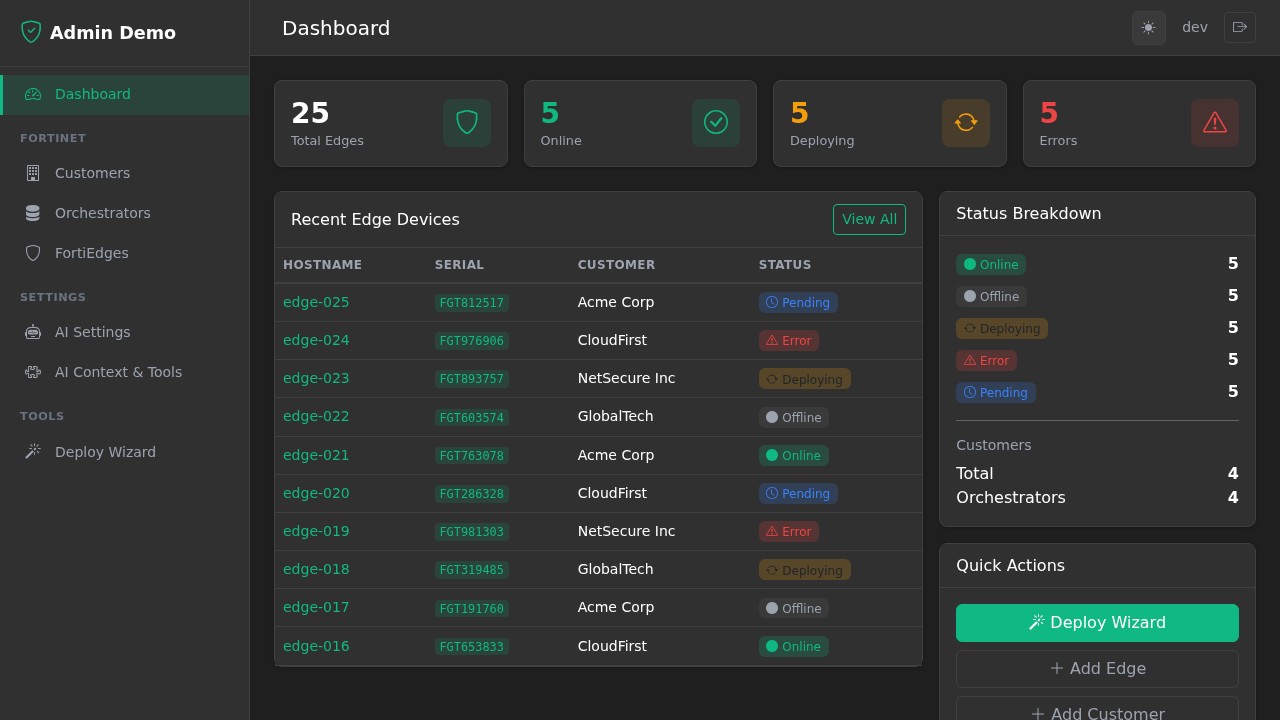
Dashboard with clickable summary cards, recent items, and quick actions
List View
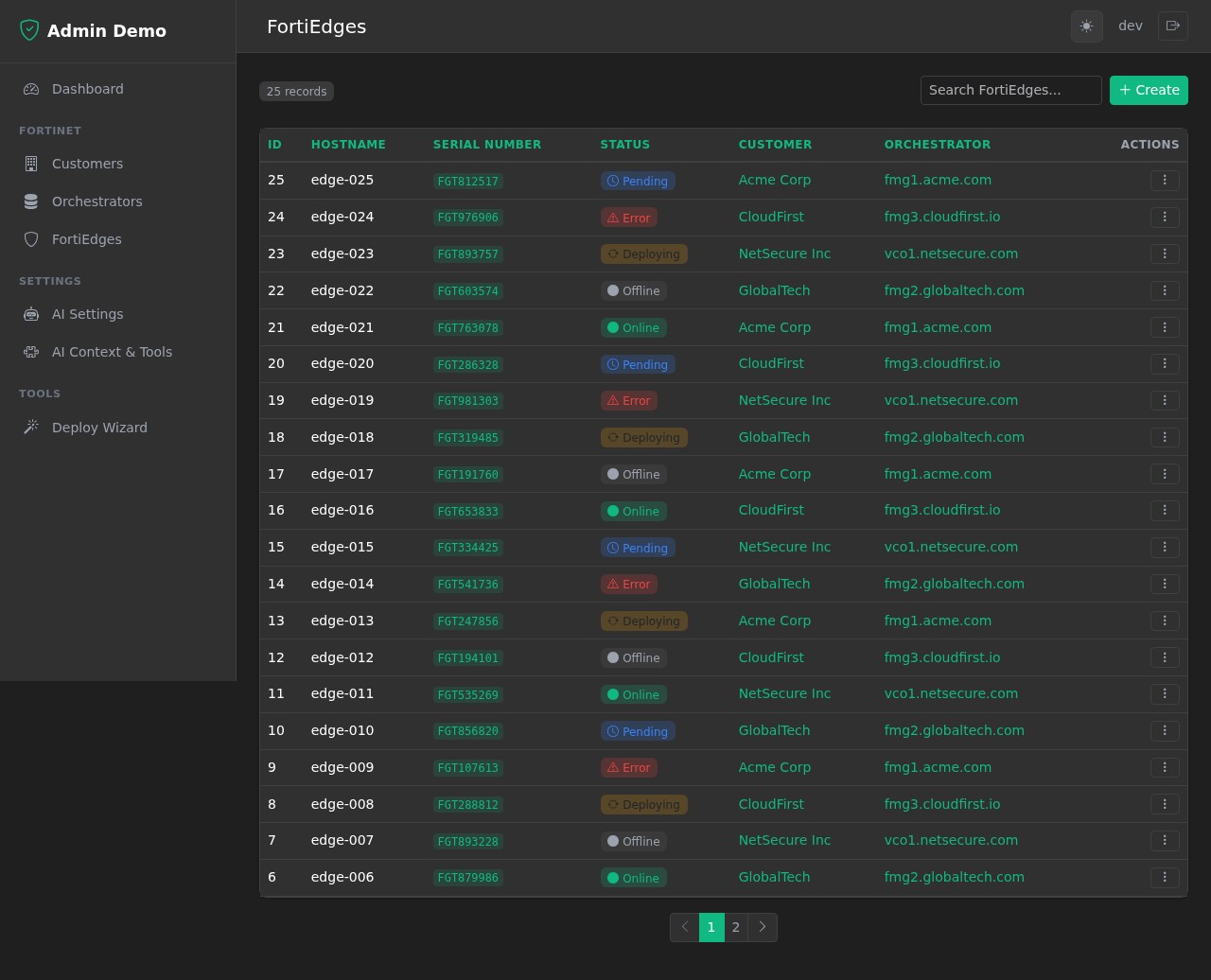
List view with search, sorting, pagination, and row actions
Form with Sections
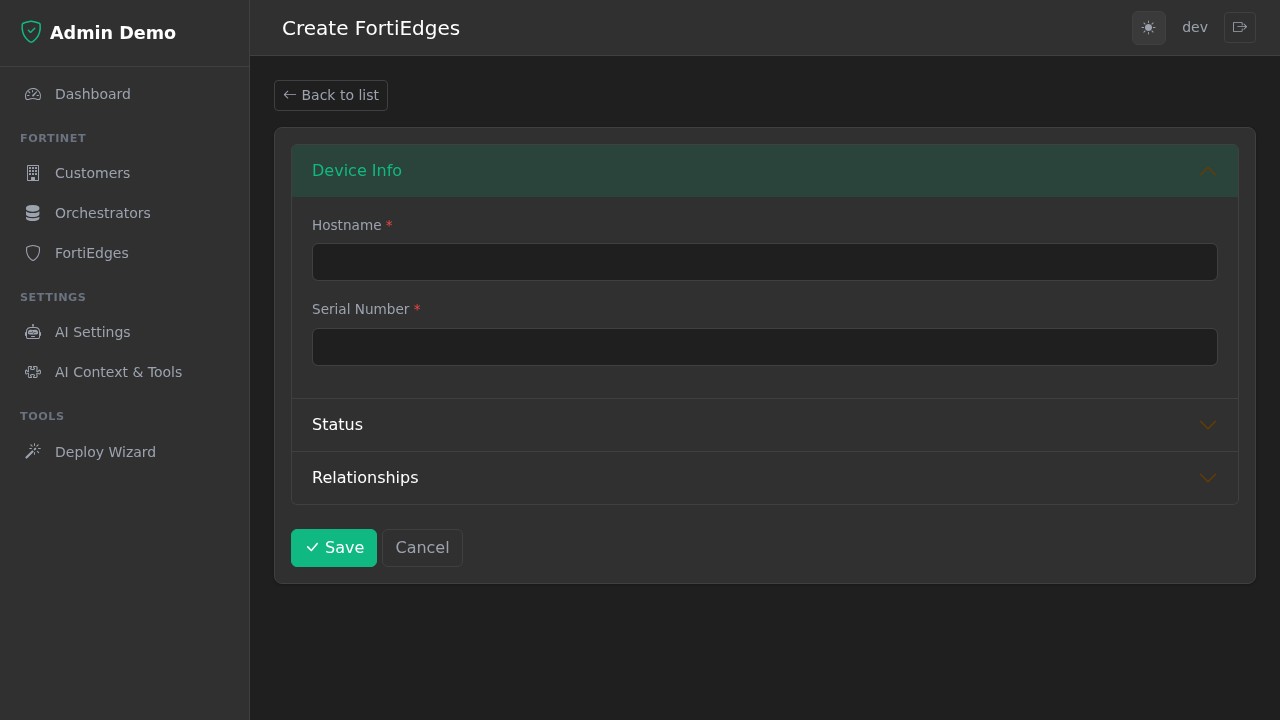
Create/edit form with accordion sections and AJAX select fields
Detail View
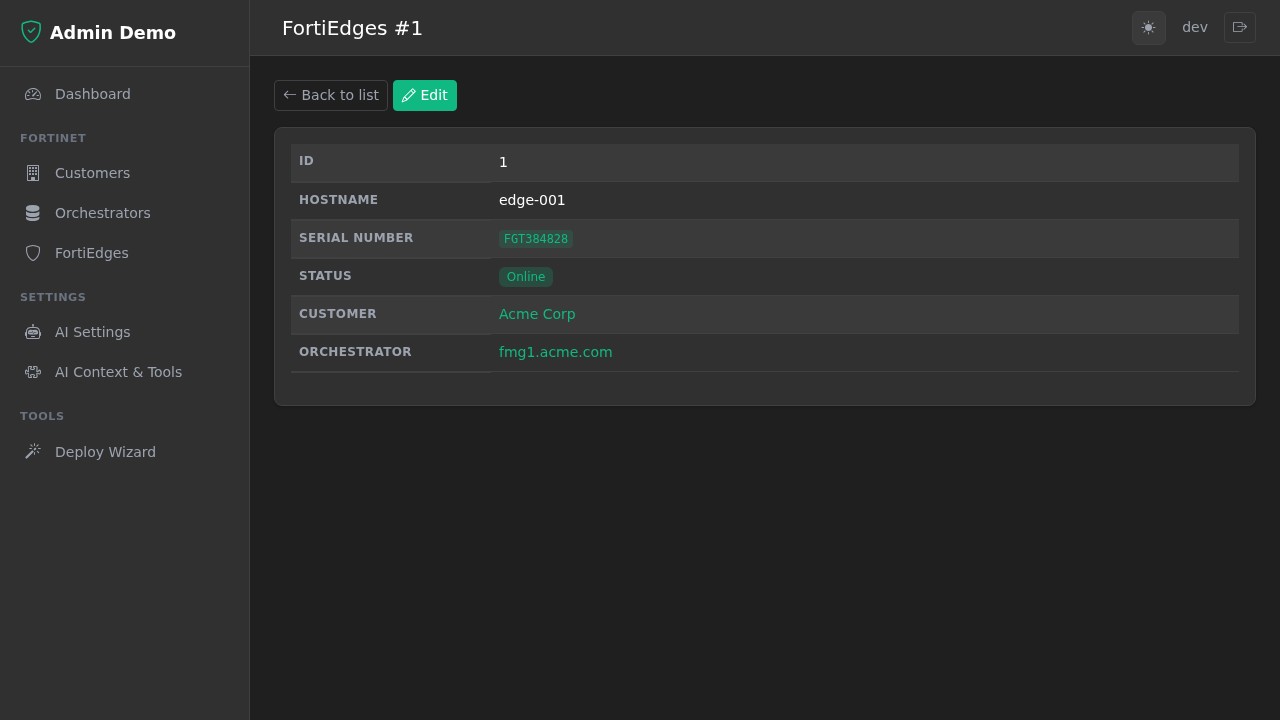
Detail view with formatted fields
Toast Notifications
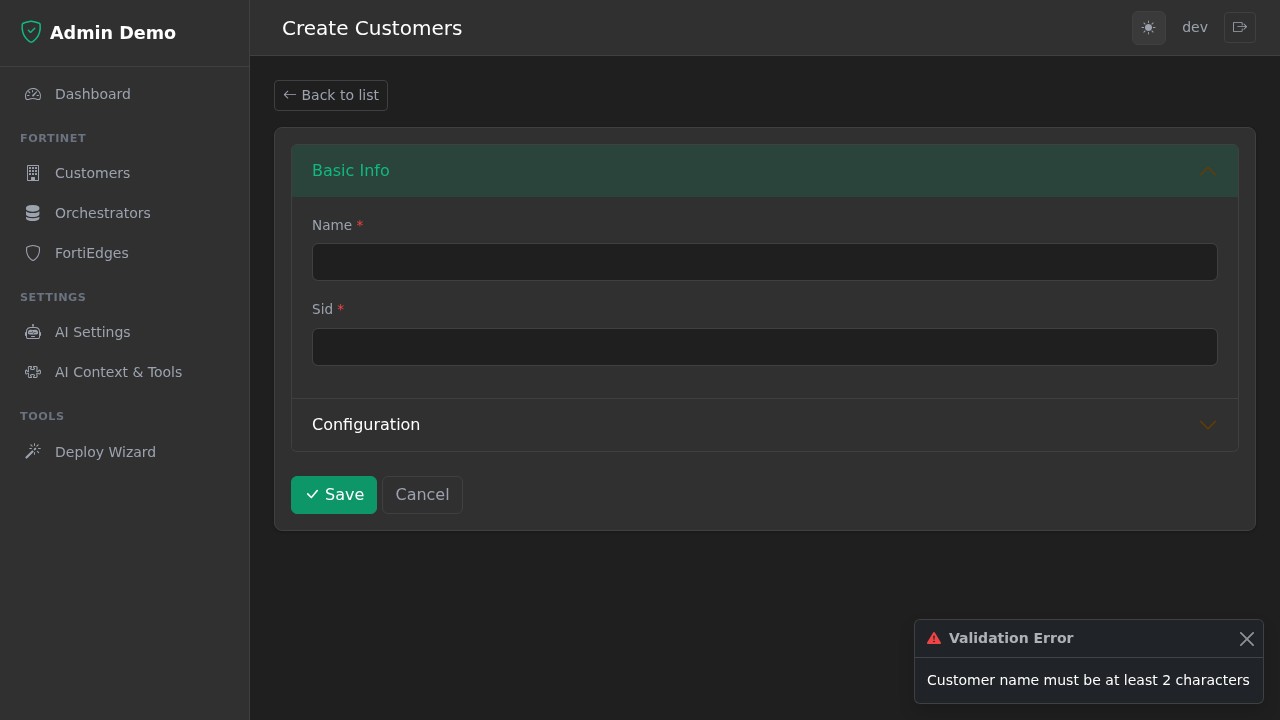
Toast notifications for validation errors and action feedback
AI Settings
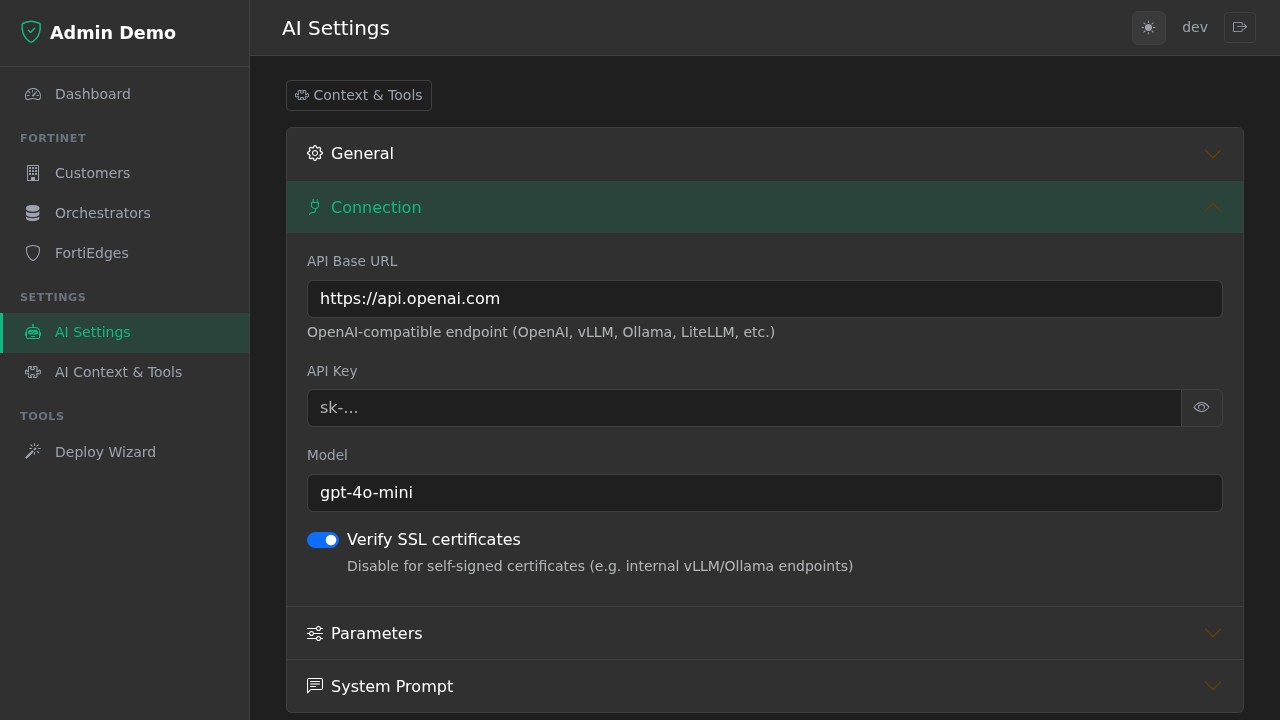
Configure AI provider, model, API key, and connection settings
AI Context & Tools
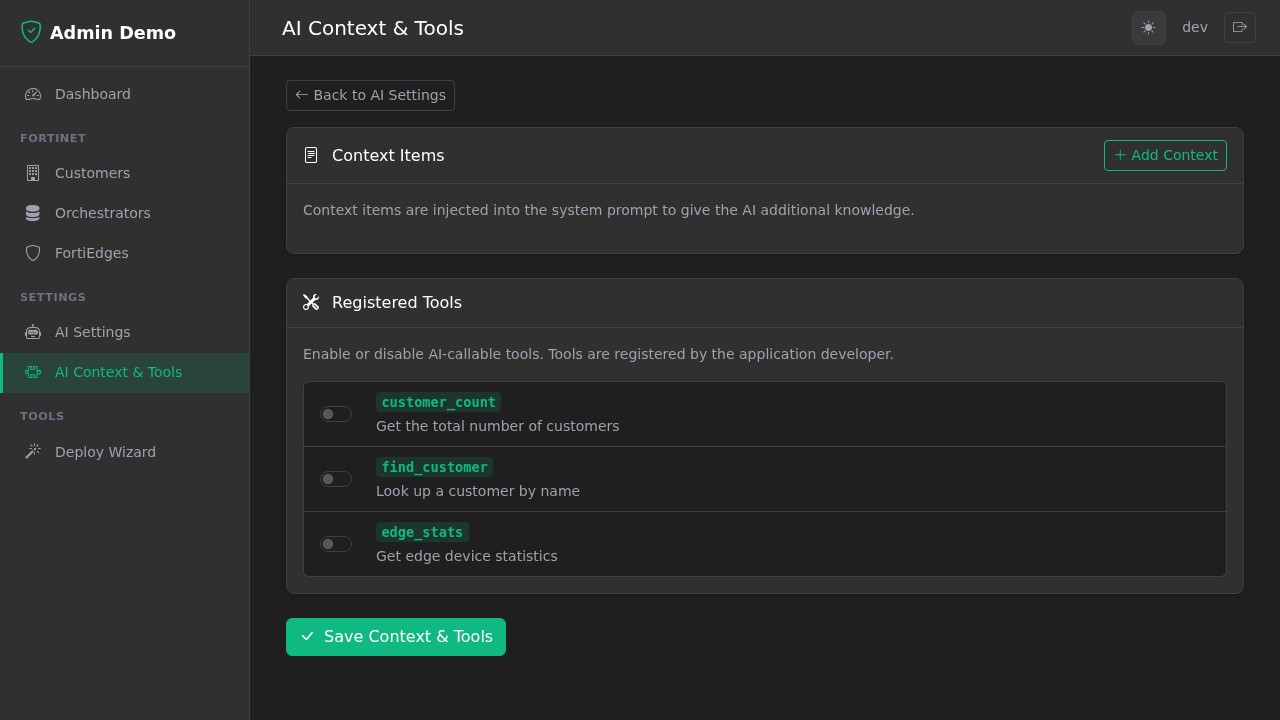
Manage context items and enable/disable AI-callable tools
AI Chat Widget
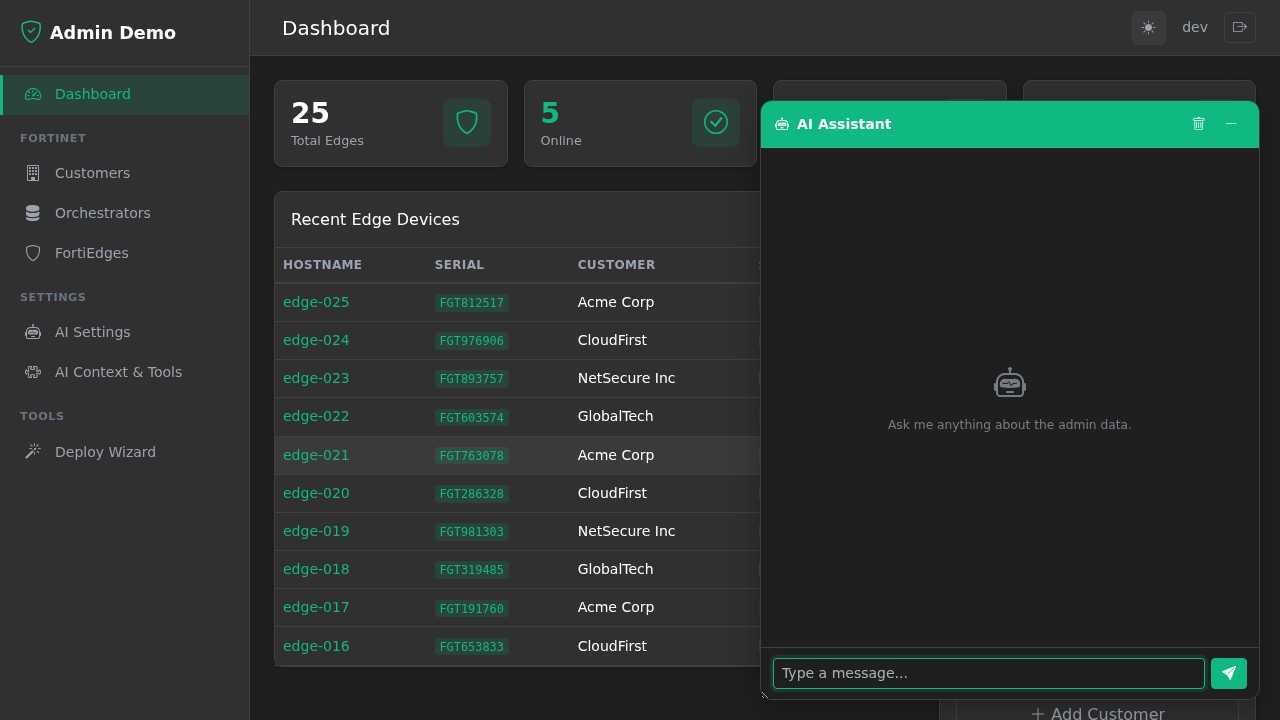
Built-in AI assistant with tool calling and markdown support
1 maintainer

Metadata
1 maintainer
Release files for fasthx-admin 0.6.2
For a detailed explanation of source distributions (sdists) and built distributions (wheels), please see the package formats documentation.
Source distribution (sdist)
| File | Size | Uploaded | Provenance | |
|---|---|---|---|---|
| fasthx_admin-0.6.2.tar.gz | 1.3 MB | Without provenance | Details |
Built distribution (wheel)
| File | Interpreter | ABI | Platform | Reset |
|---|---|---|---|---|
| fasthx_admin-0.6.2-py3-none-any.whl | Python 3 | none | any | Details |
Total release size: 2.0 MB
Release files / fasthx_admin-0.6.2.tar.gz
| Download URL | fasthx_admin-0.6.2.tar.gz |
|---|---|
| Size | 1.3 MB |
| Tags | Source |
|
SHA-256 checksum How to use checksums |
50b1bebad1be8877b092ed6d68c6a2bebe6d5035ecb76b539a506378f421c4c9
|
|
BLAKE2b-256 checksum How to use checksums |
6a66209381384379fe10c3d18531d3652c43bf25e34c463e75aa859dc9b3dce1
|
| Upload date | |
|
Uploaded using Trusted Publishing? What is trusted publishing? |
No |
| Uploaded via |
twine/6.2.0 CPython/3.10.14
|
Release files / fasthx_admin-0.6.2-py3-none-any.whl
| Download URL | fasthx_admin-0.6.2-py3-none-any.whl |
|---|---|
| Size | 739.6 kB |
| Tags | Python 3 |
|
SHA-256 checksum How to use checksums |
d1a9b463d80d5cbb3f8548fd0a35c6c939b0512b6c73ad23a213bccad6fded1d
|
|
BLAKE2b-256 checksum How to use checksums |
0487b72456c586311f8a52ce15d4e83e28eec6e5255462e6960d23748edec2d1
|
| Upload date | |
|
Uploaded using Trusted Publishing? What is trusted publishing? |
No |
| Uploaded via |
twine/6.2.0 CPython/3.10.14
|
Security for fasthx-admin 0.6.2
Provenance
Provenance describes where a file came from. On PyPI, provenance is shared via attestations, which provide a verifiable record of the build or publishing details. View details, limitations and caveats.
No provenance found
None of the files in this release were uploaded with provenance metadata.
A note on package security
PyPI is a repository for distributing packages, not a service for auditing them. While third-party security researchers and our staff do their best to detect and remove malicious packages, PyPI cannot guarantee the quality, security or suitability of any given package.














