
Interface for interacting with Fellow Aiden coffee brewer

Project description
Fellow Aiden

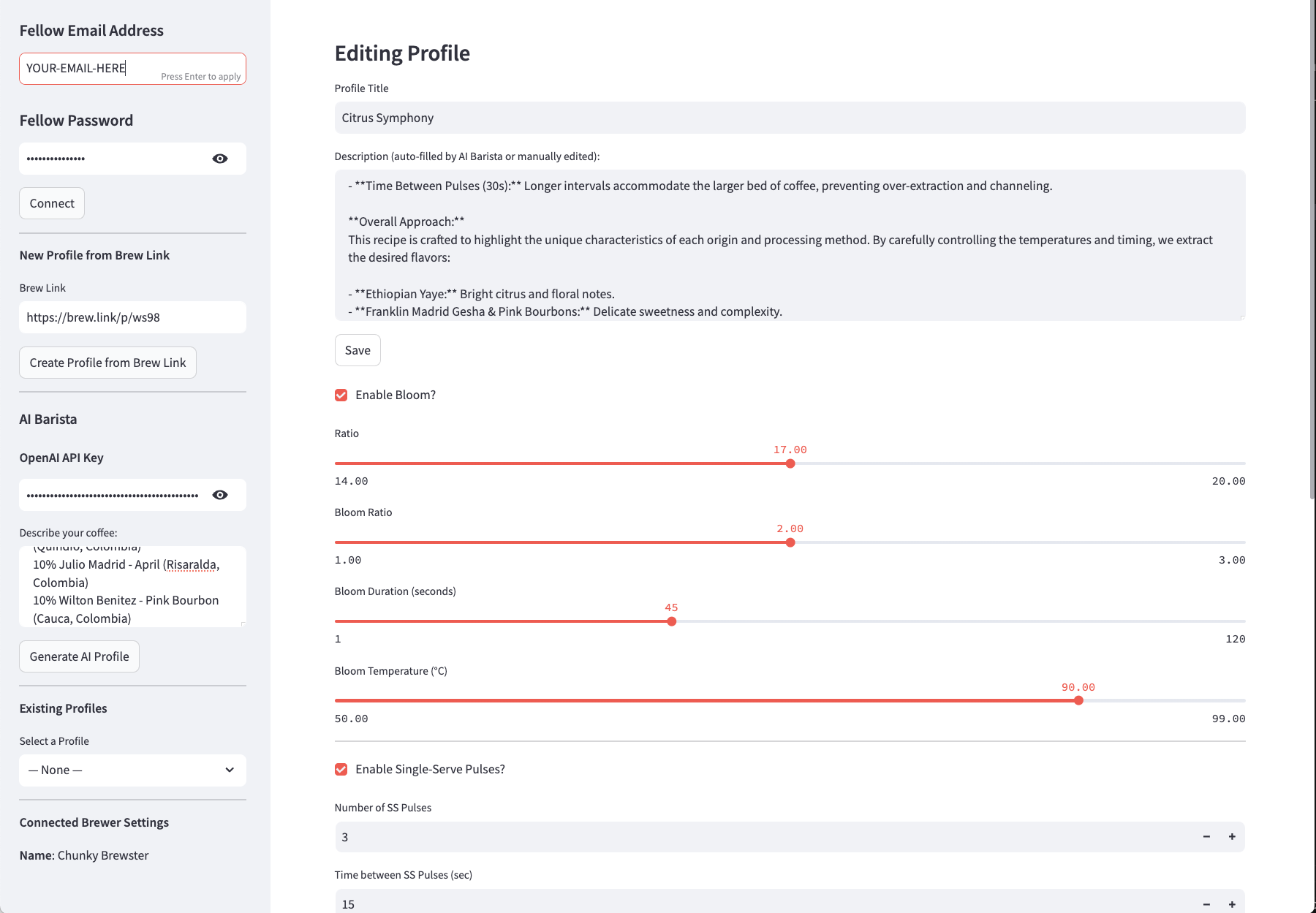
This library provides an interface to the Fellow Aiden coffee brewer. An additional brew studio UI with support for AI-generated recipes is also included. You can run the Brew Studio locally on your system or make use of the hosted version: https://fellow-brew-studio.streamlit.app/
Quick Start
Install the library:
pip install fellow-aiden
# or
python setup.py install
Set ENV variables:
export FELLOW_EMAIL='YOUR-EMAIL-HERE'
export FELLOW_PASSWORD='YOUR-PASSWORD-HERE'
Sample Code
This sample code shows some of the range of functionality within the library:
import os
from fellow_aiden import FellowAiden

# EMAIL = "YOUR-EMAIL-HERE"
# PASSWORD = "YOUR-PASSWORD-HERE"

EMAIL = os.environ['FELLOW_EMAIL']
PASSWORD = os.environ['FELLOW_PASSWORD']

# Create an instance
aiden = FellowAiden(EMAIL, PASSWORD)

# Get display name of brewer
name = aiden.get_display_name()

# Get profiles
profiles = aiden.get_profiles()

# Add a profile
profile = {
    "profileType": 0,
    "title": "Debug-FellowAiden",
    "ratio": 16,
    "bloomEnabled": True,
    "bloomRatio": 2,
    "bloomDuration": 30,
    "bloomTemperature": 96,
    "ssPulsesEnabled": True,
    "ssPulsesNumber": 3,
    "ssPulsesInterval": 23,
    "ssPulseTemperatures": [96,97,98],
    "batchPulsesEnabled": True,
    "batchPulsesNumber": 2,
    "batchPulsesInterval": 30,
    "batchPulseTemperatures": [96,97]
}
aiden.create_profile(profile)

# Find profile
pid = None
option = aiden.get_profile_by_title('FellowAiden', fuzzy=True)
if option:
    pid = option['id'] # p0

# Share a profile
share_link = aiden.generate_share_link(pid)

# Delete a profile
aiden.delete_profile_by_id(pid)

# Add profile from shared brew link
aiden.create_profile_from_link('https://brew.link/p/ws98')
Profile Details
Below is an example profile:
[{
    "id": "p0",
    "profileType": 0,
    "title": "Hot Water",
    "ratio": 15,
    "bloomRatio": null,
    "bloomDuration": null,
    "bloomTemperature": null,
    "ssPulsesNumber": 1,
    "ssPulsesInterval": 1,
    "ssPulseTemperatures": [99],
    "batchPulsesNumber": 1,
    "batchPulsesInterval": 5,
    "batchPulseTemperatures": [99],
    "overallTemperature": null,
    "isDefaultProfile": false,
    "bloomEnabled": false,
    "instantBrew": false,
    "folder": "Custom",
    "duration": null,
    "lastGBQuantity": null,
    "lastUsedTime": null,
    "deviceId": "FB_02c4139a-50c6-f4ce-363b-6f9e1840307e",
    "ssPulsesEnabled": true,
    "batchPulsesEnabled": true,
    "synced": true
}]
Features
- Access all settings and details from Aiden brewer
- Manage custom brewing profiles
- Add shared profiles from URL
- Brew Studio UI with support for AI, Brew Links and Profile adjustments
Release history Release notifications | RSS feed


Download files
Download the file for your platform. If you're not sure which to choose, learn more about installing packages.
Source Distributions
Built Distribution
Filter files by name, interpreter, ABI, and platform.
If you're not sure about the file name format, learn more about wheel file names.
Copy a direct link to the current filters
File details
Details for the file fellow_aiden-0.1.6-py3-none-any.whl.
File metadata
- Download URL: fellow_aiden-0.1.6-py3-none-any.whl
- Upload date:
- Size: 23.9 kB
- Tags: Python 3
- Uploaded using Trusted Publishing? No
- Uploaded via: twine/6.0.1 CPython/3.9.2
File hashes
| Algorithm | Hash digest | |
|---|---|---|
| SHA256 |
0be9aa71611681cf2aa68f231cadd22761ddf45c096bbbddce85ac384cca056d
|
|
| MD5 |
32c0219f25a336e2b6dc1557e48e8190
|
|
| BLAKE2b-256 |
a14c7b47d65fbb082170b9dbf12139cf12df7073693c0b748e0496c488e593ce
|






