









fenicsx-pulse
fenicsx-pulse is a cardiac mechanics solver based on FEniCSx. It is a successor of pulse which is a cardiac mechanics solver based on FEniCS.
- Documentation: https://finsberg.github.io/fenicsx-pulse/
- Source code: https://github.com/finsberg/fenicsx-pulse
Install
You can install the library with pip
python3 -m pip install fenicsx-pulse
or with conda
conda install -c conda-forge fenicsx-pulse
Note that installing with pip requires FEniCSx already installed
We also provide a pre-built docker image with FEniCSx and fenicsx_pulse installed. You pull this image using the command
docker pull ghcr.io/finsberg/fenicsx-pulse:v0.11.0
Getting started
Here is a minimal example of how to use fenicsx-pulse to solve a simple cardiac mechanics problem.
import numpy as np
import dolfinx
import cardiac_geometries
import pulse

# Create a geometry with cardiac-geometries
geo = cardiac_geometries.mesh.lv_ellipsoid(
    outdir="geometry",
    create_fibers=True,
    fiber_space="Quadrature_6",
)
# Convert the geometry to a pulse.Geometry
geometry = pulse.HeartGeometry.from_cardiac_geometries(geo, metadata={"quadrature_degree": 6})

# Create a material model
material_params = pulse.HolzapfelOgden.transversely_isotropic_parameters()
material = pulse.HolzapfelOgden(f0=geo.f0, s0=geo.s0, **material_params)

# Define model for active contraction
Ta = pulse.Variable(dolfinx.fem.Constant(geometry.mesh, dolfinx.default_scalar_type(0.0)), "kPa")
active_model = pulse.ActiveStress(geo.f0, activation=Ta)

# Define model for compressibility
comp_model = pulse.Incompressible()

# Assemble into a cardiac model
model = pulse.CardiacModel(
    material=material,
    active=active_model,
    compressibility=comp_model,
)

# Define boundary conditions
traction = pulse.Variable(
    dolfinx.fem.Constant(geometry.mesh, dolfinx.default_scalar_type(0.0)), "kPa"
)
neumann = pulse.NeumannBC(traction=traction, marker=geometry.markers["ENDO"][0])


def dirichlet_bc(V: dolfinx.fem.FunctionSpace):
    # Find facets for the BASE marker
    facets = geo.ffun.find(geo.markers["BASE"][0])
    # Locate degrees of freedom for the x-component (sub(0)) on these facets
    dofs = dolfinx.fem.locate_dofs_topological(V.sub(0), geo.mesh.topology.dim - 1, facets)
    # Return the Dirichlet BC object
    return [dolfinx.fem.dirichletbc(0.0, dofs, V.sub(0))]


robin_epi = pulse.RobinBC(
    value=pulse.Variable(
        dolfinx.fem.Constant(geometry.mesh, dolfinx.default_scalar_type(1e3)),
        "Pa / m",
    ),
    marker=geometry.markers["EPI"][0],
)
robin_base = pulse.RobinBC(
    value=pulse.Variable(
        dolfinx.fem.Constant(geometry.mesh, dolfinx.default_scalar_type(1e3)),
        "Pa / m",
    ),
    marker=geometry.markers["BASE"][0],
)

bcs = pulse.BoundaryConditions(
    neumann=(neumann,), dirichlet=(dirichlet_bc,), robin=(robin_base, robin_epi)
)

# Create a mechanics problem
problem = pulse.StaticProblem(
    model=model,
    geometry=geometry,
    bcs=bcs,
)
# Perform an initial solve
problem.solve()

# Create a file for storing the solution
vtx = dolfinx.io.VTXWriter(geometry.mesh.comm, "displacement.bp", [problem.u], engine="BP4")
vtx.write(0.0)

# Assign a pressure and activation and ramp them up in steps
target_pressure = 5.0  # kPa
target_activation = 5.0  # kPa
num_steps = 5
for i, (pressure, activation) in enumerate(
    zip(np.linspace(0, target_pressure, num_steps), np.linspace(0, target_activation, num_steps))
):
    traction.assign(pressure)  # kPa
    Ta.assign(activation)  # kPa
    problem.solve()
    # Save the displacement field
    vtx.write(i + 1)
vtx.close()
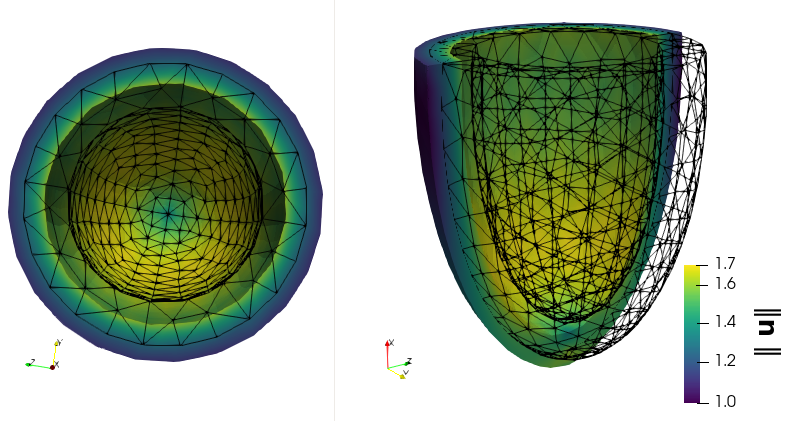
A more realistic example is visualized here:
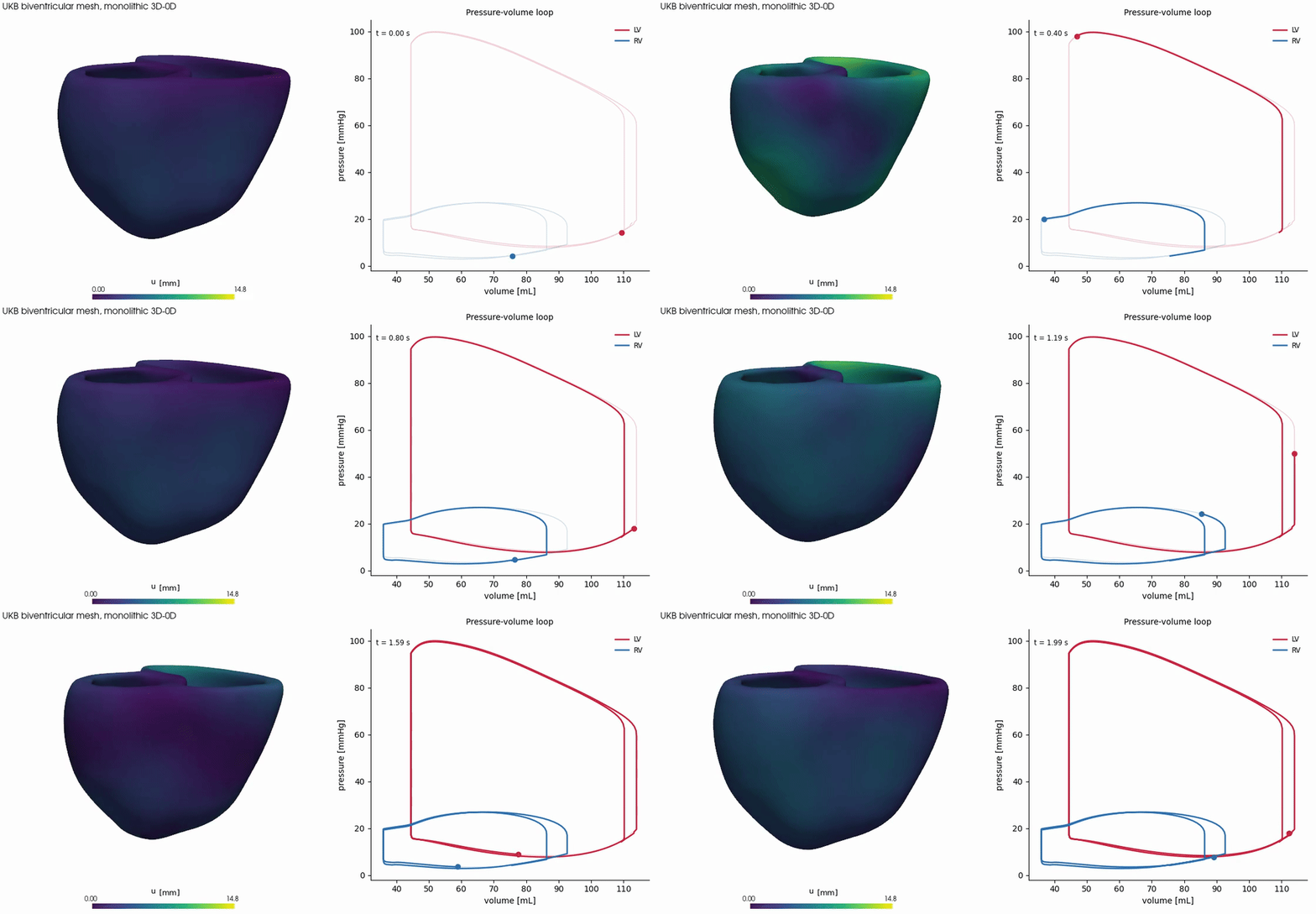
Check out the demos in the documentation for more examples.
Using with Claude
This repo ships a Claude Agent Skill at
.claude/skills/fenicsx-pulse/SKILL.md that teaches
Claude the fenicsx-pulse composition model (CardiacModel, StaticProblem/DynamicProblem,
materials, active contraction, boundary conditions, units, ...) so it can write and review code
against this library more accurately.
To use it in your own project with Claude Code, copy the
skill into your project's .claude/skills/ directory:
mkdir -p .claude/skills/fenicsx-pulse
curl -o .claude/skills/fenicsx-pulse/SKILL.md \
    https://raw.githubusercontent.com/finsberg/fenicsx-pulse/main/.claude/skills/fenicsx-pulse/SKILL.md
Claude will then automatically load it whenever your prompt or code touches fenicsx-pulse/pulse.
To install it globally for all your projects, copy it to ~/.claude/skills/fenicsx-pulse/ instead.
Contributing
See https://finsberg.github.io/fenicsx-pulse/CONTRIBUTING.html
1 maintainer

Metadata
1 maintainer
Release files for fenicsx-pulse 0.11.0
For a detailed explanation of source distributions (sdists) and built distributions (wheels), please see the package formats documentation.
Source distribution (sdist)
| File | Size | Uploaded | |
|---|---|---|---|
| fenicsx_pulse-0.11.0.tar.gz | 138.1 kB | Details |
Built distribution (wheel)
| File | Interpreter | ABI | Platform | Reset |
|---|---|---|---|---|
| fenicsx_pulse-0.11.0-py3-none-any.whl | Python 3 | none | any | Details |
Total release size: 262.8 kB
Release files / fenicsx_pulse-0.11.0.tar.gz
| Download URL | fenicsx_pulse-0.11.0.tar.gz |
|---|---|
| Size | 138.1 kB |
| Tags | Source |
|
SHA-256 checksum How to use checksums |
1dc27bcc2eeda0cae4e5bee2524c8d5e95fc9cc88c6893ed370aa20756de9919
|
|
BLAKE2b-256 checksum How to use checksums |
b44dc43843445e101c430ee3b7952fa21e79a164a0bd82efcbf5a1391846e914
|
| Upload date | |
|
Uploaded using Trusted Publishing? What is trusted publishing? |
Yes |
| Uploaded via |
twine/7.0.0 CPython/3.13.14
|
Provenance
Provenance describes where a file came from. On PyPI, provenance is shared via attestations, which provide a verifiable record of the build or publishing details. View details, limitations and caveats.


PyPI Publish Attestation
PyPI verified that this artifact, at this checksum, originated from the publisher listed below.
Signed by GitHub Actions, verified by PyPI on Oct 5, 2026.
Transparency logRelease files / fenicsx_pulse-0.11.0-py3-none-any.whl
| Download URL | fenicsx_pulse-0.11.0-py3-none-any.whl |
|---|---|
| Size | 124.7 kB |
| Tags | Python 3 |
|
SHA-256 checksum How to use checksums |
97f34587e41bf8dc278d39c6d05a3645969589fde198b7fd9933592d980555bc
|
|
BLAKE2b-256 checksum How to use checksums |
f9e4d02c2ffeed7b8587b89a6f6c8c40152c8099e12da5876f779cd0d5790884
|
| Upload date | |
|
Uploaded using Trusted Publishing? What is trusted publishing? |
Yes |
| Uploaded via |
twine/7.0.0 CPython/3.13.14
|
Provenance
Provenance describes where a file came from. On PyPI, provenance is shared via attestations, which provide a verifiable record of the build or publishing details. View details, limitations and caveats.
PyPI Publish Attestation
PyPI verified that this artifact, at this checksum, originated from the publisher listed below.
Signed by GitHub Actions, verified by PyPI on Oct 5, 2026.
Transparency log













