
A professional financial data fetching toolkit for Python

Project description
finshare
专业的金融数据获取工具库
A Professional Financial Data Fetching Toolkit for Python
📖 在线文档 • 官网 • GitHub • Discord • 问题反馈


📖 在线文档
详细使用文档请访问: 👉 finshare 文档网站
文档网站包含:
- 完整的 API 参考
- 快速开始指南
- 数据源说明
- 常见问题解答
- 更多代码示例
🚀 快速开始
import finshare as fs

# 获取历史K线
df = fs.get_historical_data('000001.SZ', start='2024-01-01', end='2024-12-31')

# 获取实时快照
snapshot = fs.get_snapshot_data('000001.SZ')

# 批量获取快照
snapshots = fs.get_batch_snapshots(['000001.SZ', '600519.SH'])

print(df.head())
✨ 核心特性
- 📊 多数据源 - 东方财富、Yahoo Finance、腾讯、新浪、通达信、BaoStock
- 🔄 自动故障切换 - 数据源失败时自动切换备用源
- 📈 统一数据格式 - 所有数据源返回统一格式
- ⚡ 高性能 - 优化的数据获取性能
- 🔧 简单易用 - 简洁的 API 设计,开箱即用
- 🌍 多市场支持 - A股、港股、美股、期货、基金
📦 安装
pip install finshare
📚 支持的数据类型
| 类别 | 功能 |
|---|---|
| 股票 | K线、实时快照、资金流向、龙虎榜、融资融券 |
| 基金 | 净值、信息、列表、ETF、LOF |
| 期货 | K线、实时快照 |
| 证券列表 | 股票列表、ETF列表、LOF列表、期货列表 |
🛠️ 用 finshare 创建工具
finshare 不仅是一个数据库,更是一个可以快速构建金融工具的基础库。以下是几个示例:
1. 行情看板 (finboard)
# finboard - 实时行情看板
# 基于 Streamlit + finshare 构建

import streamlit as st
import finshare as fs
import plotly.graph_objects as go

# 获取自选股行情
stocks = ['000001.SZ', '600519.SH', '300750.SZ']
data = fs.get_batch_snapshots(stocks)

# 显示行情
for code, snap in data.items():
    st.metric(code, snap.last_price, f"{snap.change_pct:.2f}%")

# K线图
kline = fs.get_historical_data('600519.SH', start='2024-01-01')
fig = go.Figure(data=[go.Candlestick(
    x=kline['trade_date'],
    open=kline['open_price'],
    high=kline['high_price'],
    low=kline['low_price'],
    close=kline['close_price']
)])
st.plotly_chart(fig)
效果预览:
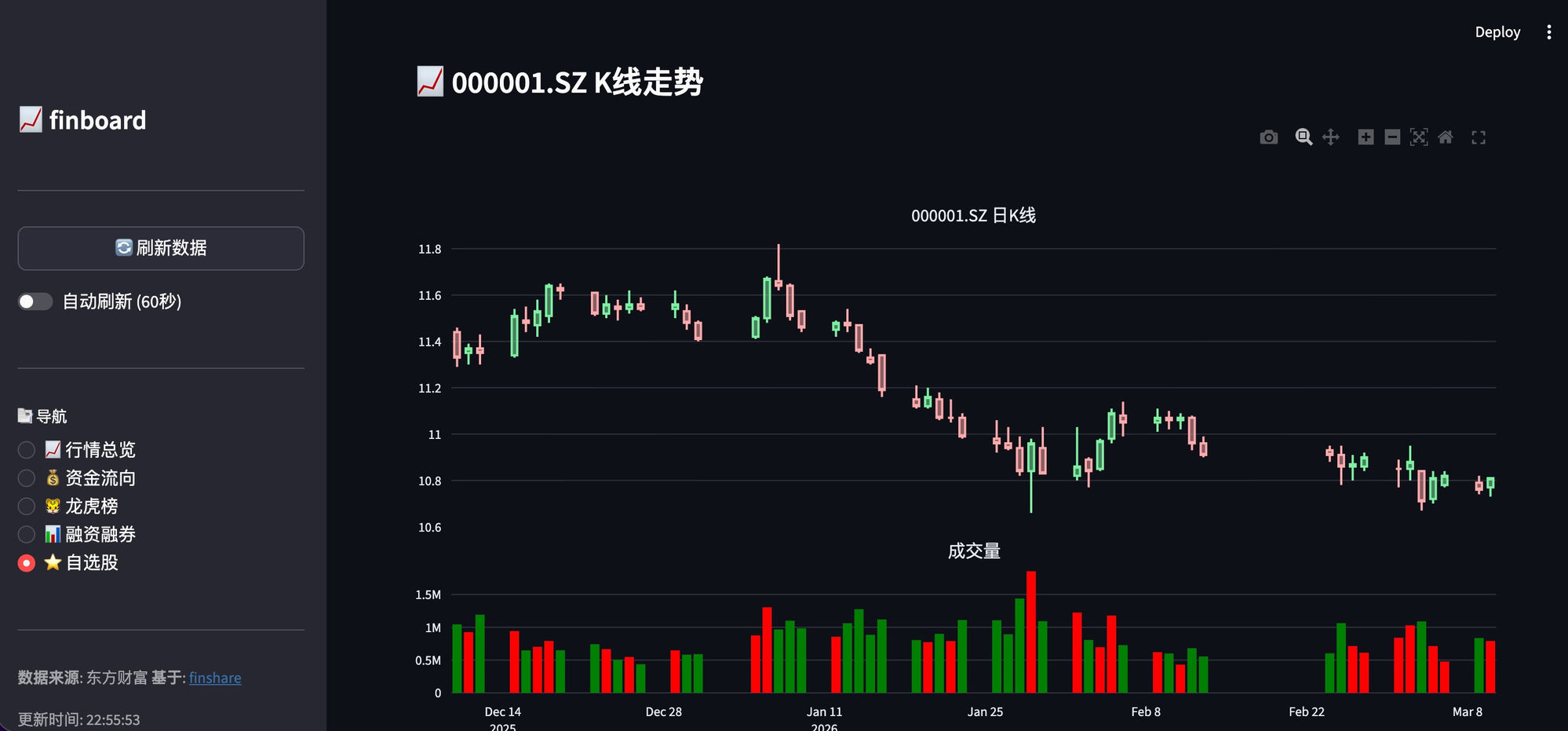
📦 项目地址: finboard
2. 选股器
# 条件选股器
import finshare as fs
import pandas as pd

# 获取全部股票列表
stocks = fs.get_stock_list()

# 筛选条件
# 1. 涨幅 > 5%
# 2. 成交额 > 1亿
# 3. 换手率 > 10%

filtered = stocks[
    (stocks['change_pct'] > 5) &
    (stocks['amount'] > 1e8) &
    (stocks.get('turnover_rate', 0) > 10)
]

print(f"符合条件的股票: {len(filtered)} 只")
print(filtered[['code', 'name', 'change_pct']])
3. 价格提醒机器人
# 微信/钉钉价格提醒
import finshare as fs
import requests
import time

# 监控股票
WATCH_LIST = ['000001.SZ', '600519.SH']
PRICE_ALERTS = {
    '600519.SH': {'high': 2000, 'low': 1800},  # 茅台
}

def send_alert(code, price, alert_type):
    """发送钉钉消息"""
    webhook = "YOUR_DINGTALK_WEBHOOK"
    msg = {
        "msgtype": "text",
        "text": {
            "content": f"🚨 {code} 价格{alert_type}提醒!当前价格: {price}"
        }
    }
    requests.post(webhook, json=msg)

# 持续监控
while True:
    snapshots = fs.get_batch_snapshots(WATCH_LIST)
    for code, snap in snapshots.items():
        if code in PRICE_ALERTS:
            alerts = PRICE_ALERTS[code]
            if snap.last_price >= alerts.get('high'):
                send_alert(code, snap.last_price, "突破")
            elif snap.last_price <= alerts.get('low'):
                send_alert(code, snap.last_price, "跌破")
    time.sleep(60)  # 每分钟检查一次
4. 数据导出工具
# 导出历史数据到 Excel
import finshare as fs

codes = ['000001.SZ', '600519.SH', '601318.SH']

with pd.ExcelWriter('stock_data.xlsx') as writer:
    for code in codes:
        df = fs.get_historical_data(code, start='2020-01-01')
        df.to_excel(writer, sheet_name=code, index=False)

print("数据已导出到 stock_data.xlsx")
5. 实时行情 API
# Flask API 服务
from flask import Flask, jsonify
import finshare as fs

app = Flask(__name__)

@app.route('/quote/<code>')
def get_quote(code):
    snapshot = fs.get_snapshot_data(code)
    return jsonify({
        'code': snapshot.code,
        'price': snapshot.last_price,
        'change_pct': snapshot.change_pct,
        'volume': snapshot.volume
    })

@app.route('/kline/<code>')
def get_kline(code):
    df = fs.get_historical_data(code, start='2024-01-01')
    return jsonify(df.to_dict(orient='records'))

if __name__ == '__main__':
    app.run(host='0.0.0.0', port=5000)
6. 更多创意
| 工具 | 描述 |
|---|---|
| 📊 量化回测 | 使用历史数据进行策略回测 |
| 📈 自动交易 | 条件触发自动买卖 |
| 🔔 新闻监控 | 监控个股相关新闻 |
| 📱 小程序 | 微信/支付宝小程序展示行情 |
| 📊 Excel插件 | Excel 实时看盘 |
📖 更多示例
查看 examples 目录获取更多示例代码。
🌟 相关项目
| 项目 | 描述 |
|---|---|
| finboard | 实时行情看板 |
| finscreener | 智能选股器 |
| finquant | 量化回测框架 |
| finshare-skills | OpenClaw AI 助手技能 |
| meepoquant | 免费量化回测平台 |
🙏 致谢
参照的开源项目
本项目在设计思路和 API 风格上参考了以下优秀的开源项目:
| 项目 | 描述 |
|---|---|
| akshare | 专业的金融数据开源库,为本项目提供了重要参考 |
数据源网站
感谢以下数据源网站提供的免费 API 接口:
| 数据源 | 用途 |
|---|---|
| 东方财富 | A股行情、财务数据、龙虎榜、融资融券 |
| 腾讯财经 | 港股行情、实时报价 |
| 新浪财经 | 港股行情、实时报价 |
| 通达信 | 行情数据 |
| BaoStock | 证券数据 |
| 天天基金 | 基金净值数据 |
🤝 贡献
欢迎贡献代码!查看 贡献指南。
📄 许可证
MIT License - 详见 LICENSE
⭐ 如果这个项目对你有帮助,请给我们一个 Star!
🤖 由 米波量化 团队开发
Release history Release notifications | RSS feed


Download files
Download the file for your platform. If you're not sure which to choose, learn more about installing packages.
Source Distribution
Built Distribution
Filter files by name, interpreter, ABI, and platform.
If you're not sure about the file name format, learn more about wheel file names.
Copy a direct link to the current filters






