
Flask Accounts
Plug-and-play authentication for Flask with UI, database, and email verification included.
A modular, reusable authentication system for Flask applications.
✨ Features
- User registration
- Login / logout
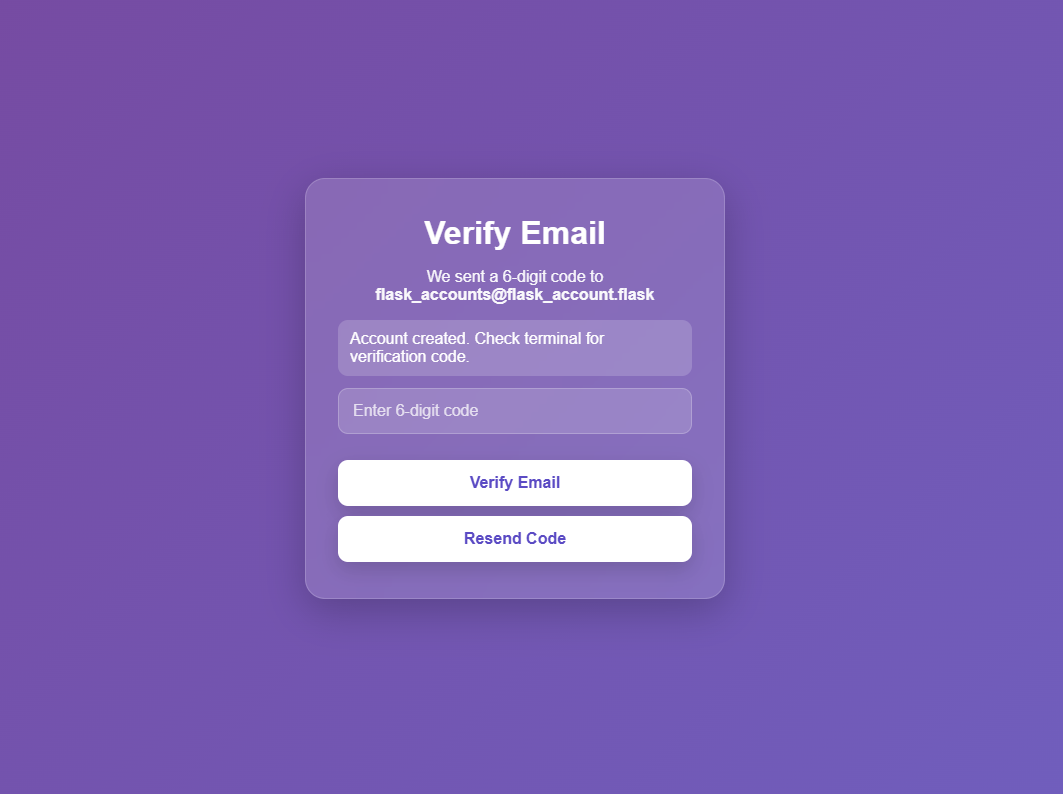
- Email verification (with expiration + resend)
- Password reset flow
- Password hashing (Werkzeug)
- Login and Auth request limiting
- PostgreSQL backend
- Session-based authentication
- Configurable UI (banners, redirects, custom CSS)
- SMTP email support (or terminal mode for development)
- One-command database bootstrap
🚀 Installation
pip install flask-accounts
Latest version: v0.2.0
⚡ Quick Start
Create run.py
from flask import Flask
from flask_accounts import init_auth

app = Flask(__name__)

app.config["SECRET_KEY"] = "your-secret-key"

# Database
app.config["DB_HOST"] = "localhost"
app.config["DB_NAME"] = "accountdb"
app.config["DB_USER"] = "accountuser"
app.config["DB_PASSWORD"] = "yourpassword"

# Email
app.config["SMTP_HOST"] = "smtp.email.com"
app.config["SMTP_PORT"] = 587
app.config["SMTP_USERNAME"] = "youremail@email.com"
app.config["SMTP_PASSWORD"] = "your_app_password"
app.config["SMTP_FROM_EMAIL"] = "youremail@email.com"

# Dev mode (prints emails to terminal)
app.config["USE_TERMINAL_EMAIL"] = True

init_auth(app)

if __name__ == "__main__":
    app.run(debug=True)
🛠️ Database Setup
Recommended (first-time setup)
flask --app run.py auth-bootstrap-db
You will be prompted for your PostgreSQL admin credentials.
This command will:
- Create the database (if it does not exist)
- Create the user (if it does not exist)
- Grant permissions
- Initialize all required tables
Then run:
python run.py
Visit the URL shown in your terminal to access your app.
Initialize schema only (existing database)
flask --app run.py auth-init-db
🧩 Working with Your App
Flask Accounts integrates directly with your existing Flask routes and templates.
🔁 Redirects
Control where users are sent after key actions:
LOGIN_REDIRECT = "home" # <- MUST BE IN 'templates/home.html'>
REGISTER_REDIRECT = "auth.verify_email"
VERIFY_EMAIL_REDIRECT = "auth.show_login"
LOGOUT_REDIRECT = "auth.show_login"
These values must match your Flask endpoint names.
Example
from flask import render_template

@app.route("/home")
def home():
    return render_template("home.html")
🔓 Logout
Use the built-in logout route:
<form method="POST" action="{{ url_for('auth.logout') }}">
    <button type="submit">Logout</button>
</form>
This will:
- Clear the session
- Redirect based on
LOGOUT_REDIRECT
🔐 Protected Route Example
from flask import session, redirect, url_for

@app.route("/dashboard")
def dashboard():
    if "user_id" not in session:
        return redirect(url_for("auth.show_login"))
    return "Welcome to your dashboard"
💡 Notes
- Blueprint routes use: "auth.route_name"
- App routes use: "route_name"
- Session stores
user_idwhen authenticated
🎨 Custom Styling
Place your CSS file in your app:
your_app/static/custom.css
Then configure:
AUTH_CUSTOM_CSS = "custom.css"
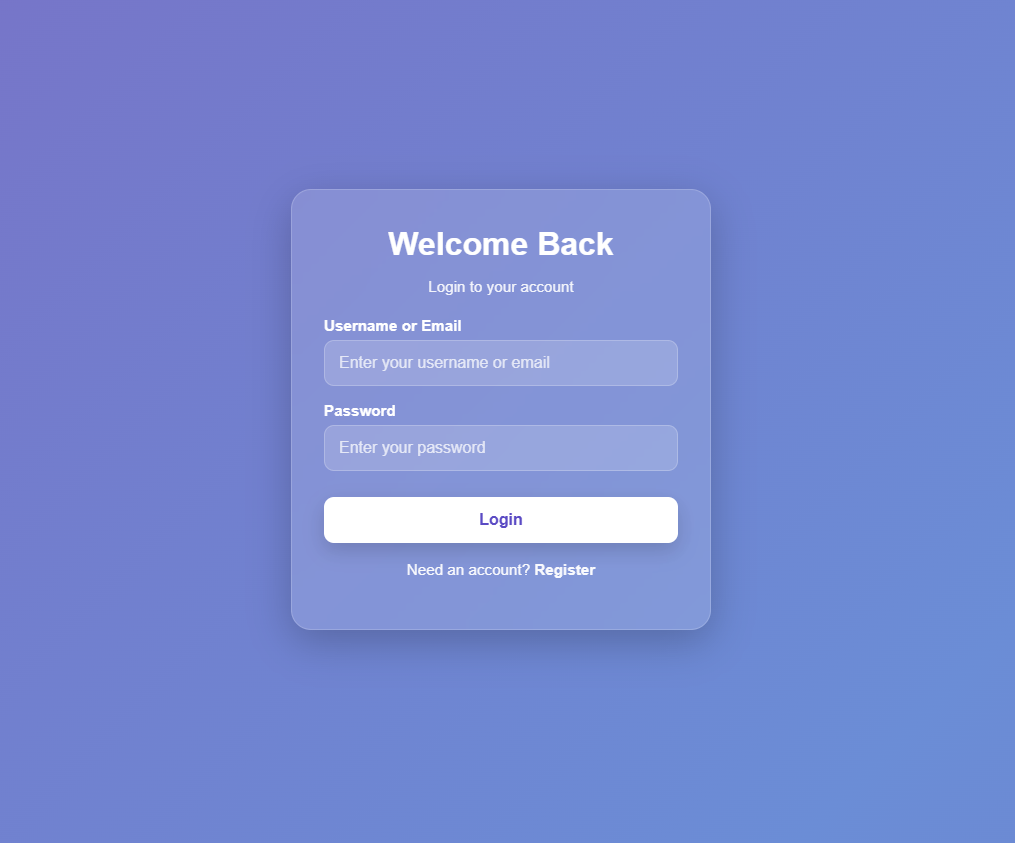
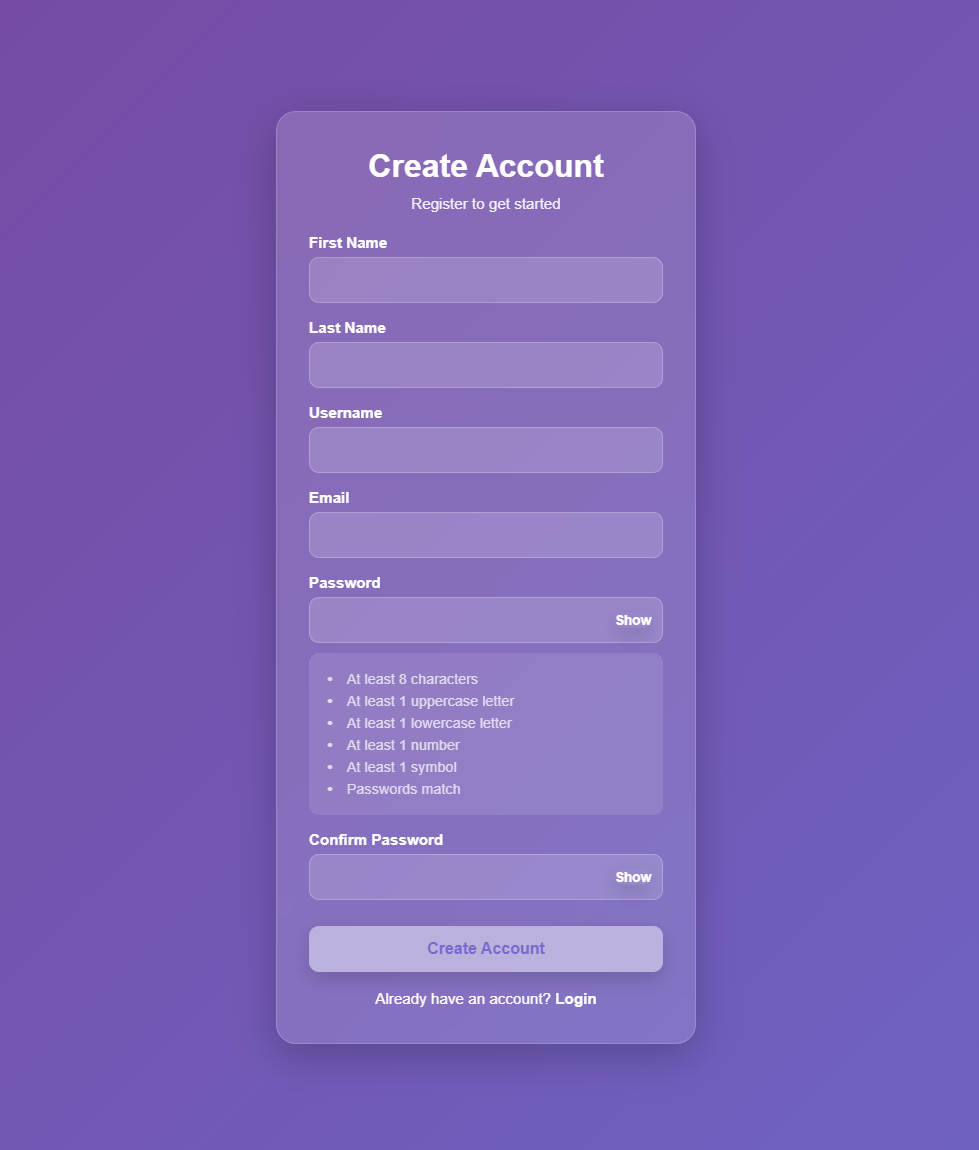
📸 Screenshots
🔐 Login
📝 Register
📧 Email Verification
⚙️ Configuration
Required
SECRET_KEY
DB_HOST
DB_NAME
DB_USER
DB_PASSWORD
SMTP_HOST
SMTP_PORT
SMTP_USERNAME
SMTP_PASSWORD
SMTP_FROM_EMAIL
USE_TERMINAL_EMAIL
Optional
# Redirects
LOGIN_REDIRECT = "home"
REGISTER_REDIRECT = "auth.verify_email"
VERIFY_EMAIL_REDIRECT = "auth.show_login"
LOGOUT_REDIRECT = "auth.show_login"

# UI
LOGIN_BANNER = "Welcome Back"
LOGIN_BANNER_MSG = "Login to your account"

REGISTER_BANNER = "Create Account"
REGISTER_BANNER_MSG = "Register to get started"

# Password reset
PASSWORD_RESET_TOKEN_EXPIRY = 3600
RESET_PASSWORD_REDIRECT = "auth.show_login"

# Styling
AUTH_CUSTOM_CSS = "custom.css"

# Rate limiting
AUTH_LOGIN_RATE_LIMIT = "5 per minute"
AUTH_FORGOT_PASSWORD_RATE_LIMIT = "3 per 10 minutes"
AUTH_RESEND_CODE_RATE_LIMIT = "3 per 10 minutes"
AUTH_VERIFY_EMAIL_RATE_LIMIT = "5 per 10 minutes"
🔐 Authentication Flow
- Register
- Verify email
- Login
- Reset password (if needed)
- Access protected routes
- Logout
🔌 Routes
/auth/register
/auth/login
/auth/logout
/auth/verify-email
/auth/resend-code
/auth/forgot-password
/auth/reset-password/<token>
⚠️ Notes
- Session-based authentication (no JWT)
- PostgreSQL via
psycopg2 - Database setup commands are safe to run multiple times (idempotent)
🚀 Roadmap
- OAuth (Google, GitHub)
- JWT / token-based authentication
- SQLAlchemy support
- Rate limiting
🧑💻 Author
Gabriel Leffew
📜 License
MIT
1 maintainer

Metadata
1 maintainer
Release files for flask-accounts 0.2.2
For a detailed explanation of source distributions (sdists) and built distributions (wheels), please see the package formats documentation.
Source distribution (sdist)
| File | Size | Uploaded | |
|---|---|---|---|
| flask_accounts-0.2.2.tar.gz | 17.7 kB | Details |
Built distribution (wheel)
| File | Interpreter | ABI | Platform | Reset |
|---|---|---|---|---|
| flask_accounts-0.2.2-py3-none-any.whl | Python 3 | none | any | Details |
Total release size: 40.2 kB
Release files / flask_accounts-0.2.2.tar.gz
| Download URL | flask_accounts-0.2.2.tar.gz |
|---|---|
| Size | 17.7 kB |
| Tags | Source |
|
SHA-256 checksum How to use checksums |
1d23c46da5c46fb4e87ba5e4da971990aae243eae21d05426c5b9f0538fb8814
|
|
BLAKE2b-256 checksum How to use checksums |
463b3e2e698410f9014615c399d1faa7b4b2a50499fdad15392adabd0d9d1c55
|
| Upload date | |
|
Uploaded using Trusted Publishing? What is trusted publishing? |
No |
| Uploaded via |
twine/6.1.0 CPython/3.13.12
|
Release files / flask_accounts-0.2.2-py3-none-any.whl
| Download URL | flask_accounts-0.2.2-py3-none-any.whl |
|---|---|
| Size | 22.5 kB |
| Tags | Python 3 |
|
SHA-256 checksum How to use checksums |
73883cd228224341d42107e8a68dbb21fb57a197a980a4b815370de868b4db7b
|
|
BLAKE2b-256 checksum How to use checksums |
8ff030eda5f26ea58f2fffb6097416108f0bf0e1cab109db53f3cd0a2239db2d
|
| Upload date | |
|
Uploaded using Trusted Publishing? What is trusted publishing? |
No |
| Uploaded via |
twine/6.1.0 CPython/3.13.12
|














