
Reusable Flask authentication module with registration, login, and email verification

Project description
Flask Accounts
Plug-and-play authentication for Flask with UI, database, and email verification included.
A modular, reusable authentication system for Flask applications.
✨ Features
- User registration
- Login / logout
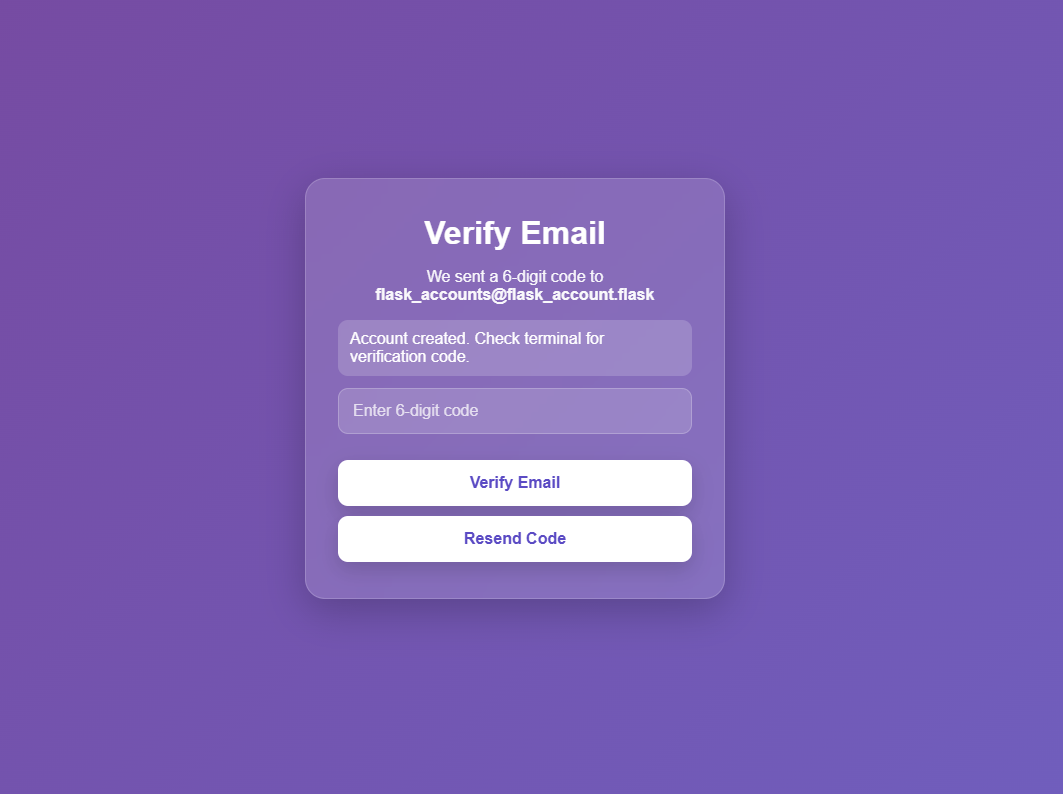
- Email verification (with expiration + resend)
- Password hashing (Werkzeug)
- PostgreSQL backend
- Session-based authentication
- Configurable UI (banners, redirects, custom CSS)
- SMTP email support (or terminal mode for development)
🚀 Installation
pip install flask-accounts
⚡ Quick Start
Create run.py:
from flask import Flask
from flask_accounts import init_auth

app = Flask(__name__)

app.config["SECRET_KEY"] = "your-secret-key"

# Database
app.config["DB_HOST"] = "localhost"
app.config["DB_NAME"] = "accountdb"
app.config["DB_USER"] = "accountuser"
app.config["DB_PASSWORD"] = "yourpassword"

# Email
app.config["SMTP_HOST"] = "smtp.email.com"
app.config["SMTP_PORT"] = 587
app.config["SMTP_USERNAME"] = "youremail@email.com"
app.config["SMTP_PASSWORD"] = "your_app_password"
app.config["SMTP_FROM_EMAIL"] = "youremail@email.com"

# Dev mode
app.config["USE_TERMINAL_EMAIL"] = True

init_auth(app)

if __name__ == "__main__":
    app.run(debug=True)
🛠️ Database Setup
Recommended (first-time setup):
flask --app run.py auth-bootstrap-db
Enter your psql admin username and password - this will create the db.
python run.py
That's it, you now hyave a fully working login and register page with PostgreSQL support. Visit the IP link in the terminal given by flask to open the page.
📸 Screenshots
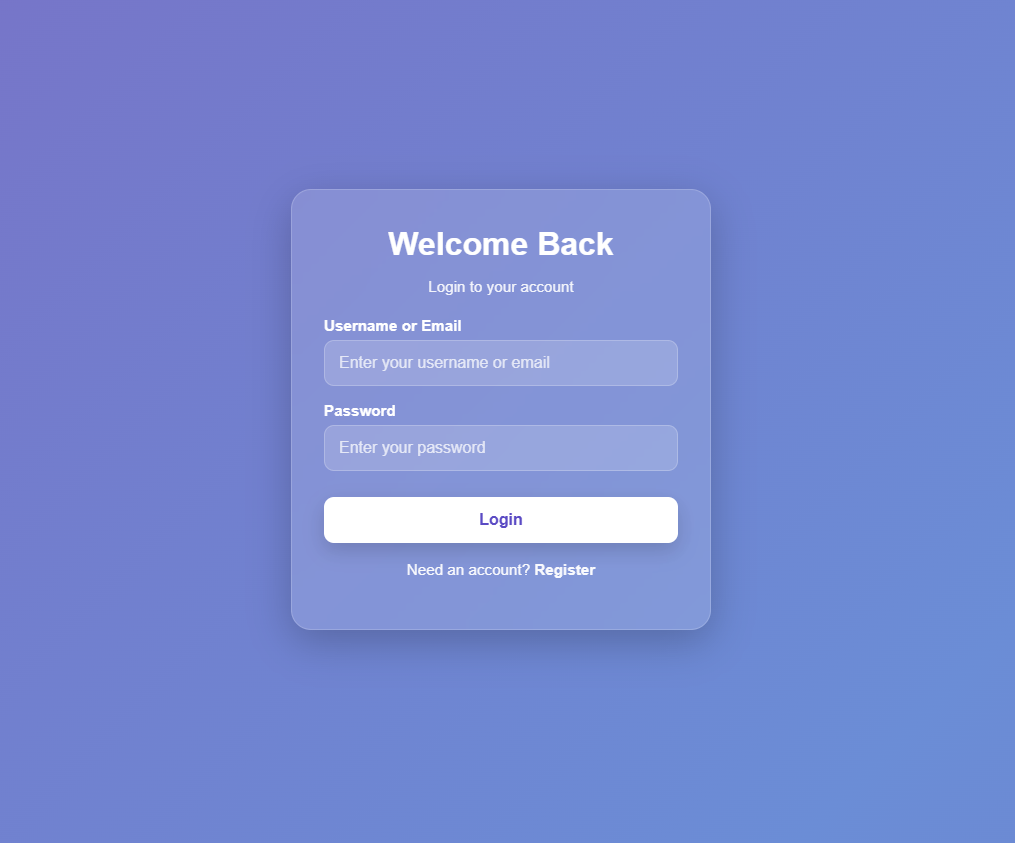
🔐 Login
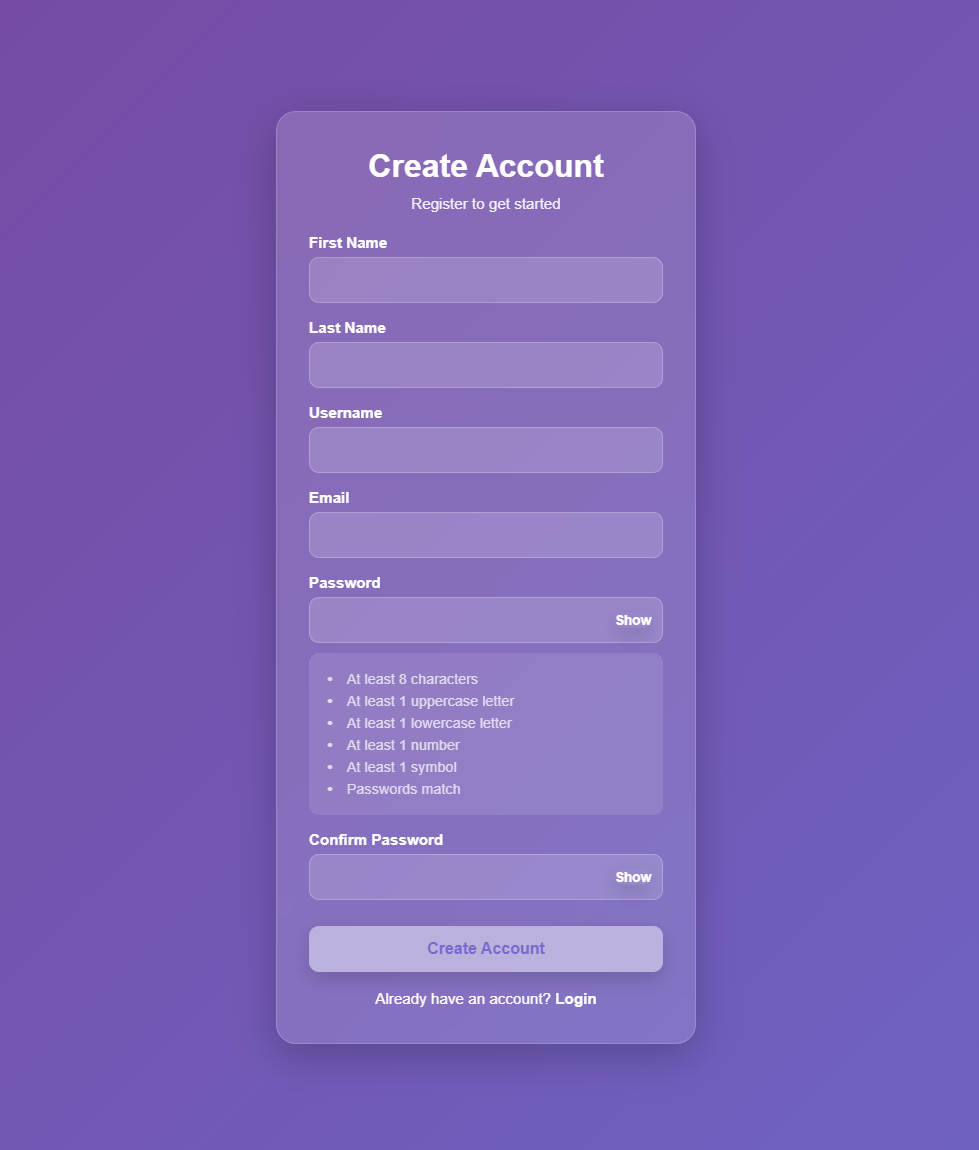
📝 Register
📧 Email Verification
⚙️ Configuration
Required
SECRET_KEY
DB_HOST
DB_NAME
DB_USER
DB_PASSWORD
SMTP_HOST
SMTP_PORT
SMTP_USERNAME
SMTP_PASSWORD
SMTP_FROM_EMAIL
USE_TERMINAL_EMAIL
Optional
LOGIN_REDIRECT = "home"
REGISTER_REDIRECT = "verify_email"
VERIFY_EMAIL_REDIRECT = "login"
LOGIN_BANNER = "Welcome Back"
LOGIN_BANNER_MSG = "Login to your account"
REGISTER_BANNER = "Create Account"
REGISTER_BANNER_MSG = "Register to get started"
AUTH_CUSTOM_CSS = "custom.css"
🎨 Custom Styling
Place CSS in your app:
your_app/static/custom.css
Then:
AUTH_CUSTOM_CSS = "custom.css"
🗄️ Database Setup
CREATE DATABASE accountdb;
CREATE USER accountuser WITH PASSWORD 'yourpassword'; GRANT ALL PRIVILEGES ON DATABASE accountdb TO accountuser;
Run schema:
psql -U accountuser -d accountdb -f schema.sql
🔐 Authentication Flow
- Register
- Verify email
- Login
- Access app
🔌 Routes
/auth/register
/auth/login
/auth/logout
/auth/verify-email
/auth/resend-code
🧠 Protected Route Example
from flask import session, redirect, url_for

@app.route("/dashboard")
def dashboard():
    if "user_id" not in session:
        return redirect(url_for("auth.show_login"))
    return "Welcome to your dashboard"
⚠️ Notes
- Session-based auth
- PostgreSQL via psycopg2
🚀 Roadmap
- Password reset
- OAuth
- JWT
- SQLAlchemy
🧑💻 Author
Gabriel Leffew
📜 License
MIT


Download files
Download the file for your platform. If you're not sure which to choose, learn more about installing packages.
Source Distribution
Built Distribution
Filter files by name, interpreter, ABI, and platform.
If you're not sure about the file name format, learn more about wheel file names.
Copy a direct link to the current filters
File details
Details for the file flask_accounts-0.1.4.tar.gz.
File metadata
- Download URL: flask_accounts-0.1.4.tar.gz
- Upload date:
- Size: 12.9 kB
- Tags: Source
- Uploaded using Trusted Publishing? No
- Uploaded via: twine/6.2.0 CPython/3.12.3
File hashes
| Algorithm | Hash digest | |
|---|---|---|
| SHA256 |
c6c3f92846e93c38ce444b38a668f4108be457f1cbbe446675257f43750a0a98
|
|
| MD5 |
6191db7569140b72f745d65c3b73e61f
|
|
| BLAKE2b-256 |
72cf74b71617c062c20325e9d76277cb42468c17e922d1eeea9a4aaeff3ad905
|
File details
Details for the file flask_accounts-0.1.4-py3-none-any.whl.
File metadata
- Download URL: flask_accounts-0.1.4-py3-none-any.whl
- Upload date:
- Size: 15.4 kB
- Tags: Python 3
- Uploaded using Trusted Publishing? No
- Uploaded via: twine/6.2.0 CPython/3.12.3
File hashes
| Algorithm | Hash digest | |
|---|---|---|
| SHA256 |
df52b8d0f4db50cad7561dba6d3ae4996d765054d938270ce03c8d261c1eeb11
|
|
| MD5 |
286632bbeb8f2376d7ac52350de5ffd7
|
|
| BLAKE2b-256 |
bb923ca980c4c6fed7a922c0157a4dbffb2b76c23c195bb656521c502a5e9cf1
|






