
Flask Real Time Log Viewer
Real time log view
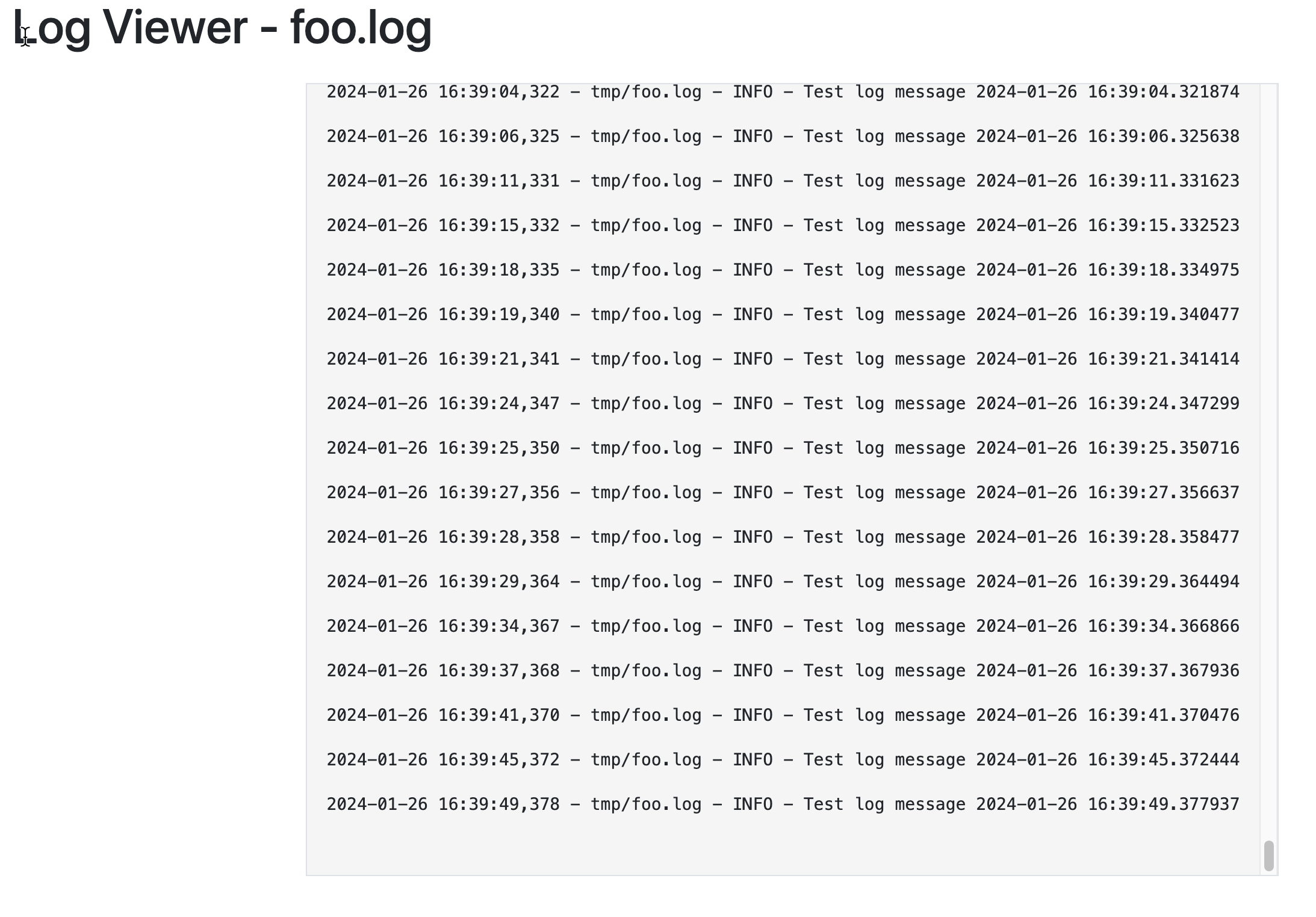
Display logs in real time through a browser with flask.
Background
Looking at a few different projects and writes up showing how to stream logs to a browser and found they relied on WebSockets (wss), and Redis. Which complicates simple projects and increases expense. Flask / Python at large has a few hurdles
- Websockets in gunicorns works, but only if you have 1 worker
- This limits performance even with threads
- uWSGI - maybe if you're willing to compile it
- Dockerized slim images require the addition of gcc slowing the build down
- Flasks Werkzeug isn't production hardened.
So the criteria for this project was
- A simple web based real time log viewer
- Could run across workers (forks)
- Did not rely on WSS (Websockets)
This was designed using gunicorns but should work with any wsgi server.
Install & Configuration
This is a flask blueprint, and might not suit everyones setup but feel free to suggest changes.
pip install flask-log-viewer
Within your main flask app configure the following
from flask_log_viewer.viewer import log_viewer_blueprint
import os

log_directory = "/app/logs" #Directory logs are stored in
app = Flask(__name__)

log_viewer = log_viewer_blueprint(base_path=log_directory, allowed_directories=[log_directory])

app.register_blueprint(log_viewer, url_prefix='/logs')
......
......
This will now create the following urls
/logs/stream/<string: log_file>
Thus http://hostname/logs/stream/foo.log will look for a /app/logs/foo.log and begin tailing it emitting http stream events. Feel free to change the prefix as needed.
If you have logs in subdirectories like /app/logs/monday/foo.log
- ensure /app/logs/monday is added to allowed_directories
- the url will now be http://hostname/logs/stream/monday/foo.log
Using the included viewer
A reference viewer is included, using htmx to make it easier. This can be copied and modified to meet your needs and frameworks.
The viewer is at http://hostname/logs/view/ without a log name, a random set of strings is streamed back. Include a log file with http://hostname/logs/view/file-name
How logs are tailed
Under the covers we are using pygtail https://pypi.org/project/pygtail/ | https://github.com/bgreenlee/pygtail from Brad Greenlee. Pygtail is GPL licensed, use accordingly
Pygtail monitors log files for rotation, keeps track of the seek position, ensuring every time it's called, it goes back to the last position of the file being read from, which is stored on disk as 'file-name.log.offset'
This is useful in Server Side Events as sockets close and additional requests can be made by a client that can end up at any WSGI worker.
However it can also prevent a file from being re-read at the moment. Future //TODO: provide a method to reset
Files
What to look for if git cloning
├── LICENSE
├── README.md
├── app.py
├── app_logger
│   └── logger.py
├── flask_log_viewer
│   ├── static
│   │   └── js
│   │       └── ansi_html.js
│   ├── templates
│   │   └── viewer.html
│   └── viewer.py
├── poetry.lock
└── pyproject.toml
- app.py sample flask app
- app_logger - testing logger
- flask_log_viewer
- viewer.py blueprint code
- templates/viewer.html - a htmx log viewer
- static/js/ansi_html.js - basic ansi colors to html converter
Running with gunicorn
Using gevent with gunicorns reduces the amount of connect closes you receive and is recommended for production level hosting.
gunicorn -k gevent -w 4 -b 0.0.0.0:3001 --access-logfile - --error-logfile - app:app
1 maintainer

Metadata
1 maintainer
Release files for flask-log-viewer 0.2.2
For a detailed explanation of source distributions (sdists) and built distributions (wheels), please see the package formats documentation.
Source distribution (sdist)
| File | Size | Uploaded | |
|---|---|---|---|
| flask_log_viewer-0.2.2.tar.gz | 6.3 kB | Details |
Built distribution (wheel)
| File | Interpreter | ABI | Platform | Reset |
|---|---|---|---|---|
| flask_log_viewer-0.2.2-py3-none-any.whl | Python 3 | none | any | Details |
Total release size: 13.4 kB
Release files / flask_log_viewer-0.2.2.tar.gz
| Download URL | flask_log_viewer-0.2.2.tar.gz |
|---|---|
| Size | 6.3 kB |
| Tags | Source |
|
SHA-256 checksum How to use checksums |
f8d87d8cfa8a5dc5c4fefb25d13aec0924154a716efdc536a8ae10d0dbf106f0
|
|
BLAKE2b-256 checksum How to use checksums |
5246faeee74e9339a6e5de59a3ef50bda4ddd040cd2a46415120e855e358f9a6
|
| Upload date | |
|
Uploaded using Trusted Publishing? What is trusted publishing? |
Yes |
| Uploaded via |
twine/4.0.2 CPython/3.11.7
|
Release files / flask_log_viewer-0.2.2-py3-none-any.whl
| Download URL | flask_log_viewer-0.2.2-py3-none-any.whl |
|---|---|
| Size | 7.2 kB |
| Tags | Python 3 |
|
SHA-256 checksum How to use checksums |
6c2e6598ee5f26ade93d9b91c9beb928889bc3d36f260379647f246cc25e0e9c
|
|
BLAKE2b-256 checksum How to use checksums |
8c3723b6b171bfab39cdfaa76c3e5d02055d103c36d0066a49c5f7ce278260c1
|
| Upload date | |
|
Uploaded using Trusted Publishing? What is trusted publishing? |
Yes |
| Uploaded via |
twine/4.0.2 CPython/3.11.7
|














