






About
flask_typed_routes is a Flask extension designed to effortlessly validate requests with Pydantic based on standard Python type hints.
Documentation: https://rmoralespp.github.io/flask_typed_routes/
Features
- Easy: Easy to use and integrate with Flask applications.
- Standard-based: Based on OpenAPI Specification
- Data validation: Fast data verification based on Pydantic
Requirements
- Python 3.10+
- Pydantic 2.0+
- Flask
Installation
To install flask_typed_routes using pip, run the following command:
pip install flask_typed_routes
Getting Started
This tool allows you to validate request parameters in Flask, similar to how FastAPI handles validation. It supports Path, Query, Header, Cookie, and Body validation.
Example
Create a file items.py with:
# -*- coding: utf-8 -*-

import flask
import flask_typed_routes as ftr

app = flask.Flask(__name__)
ftr.FlaskTypedRoutes(app=app)


@app.get("/")
def read_root():
    return flask.jsonify({"Hello": "World"})


@app.get("/items/<user>/")
def read_items(user: str, skip: int = 0, limit: int = 10):
    return flask.jsonify({"user": user, "skip": skip, "limit": limit})
Run the server with:
flask --app items run --debug
Open your browser and go to http://127.0.0.1:5000/items/myuser/?skip=20
You will see the JSON response as:
{
  "limit": 10,
  "skip": 20,
  "user": "myuser"
}
Validation: Open your browser and go to http://127.0.0.1:5000/items/myuser/?skip=abc
You will see the JSON response with the error details because the skip parameter is not an integer:
{
  "errors": [
    {
      "input": "abc",
      "loc": [
        "query",
        "skip"
      ],
      "msg": "Input should be a valid integer, unable to parse string as an integer",
      "type": "int_parsing",
      "url": "https://errors.pydantic.dev/2.9/v/int_parsing"
    }
  ]
}
Example Body Validation
You can also use Pydantic models to validate the request body.
Now let's update the items.py file with:
# -*- coding: utf-8 -*-

import flask
import flask_typed_routes as ftr
import pydantic


app = flask.Flask(__name__)
ftr.FlaskTypedRoutes(app=app)


class Item(pydantic.BaseModel):
    name: str
    price: float
    description: str = None


@app.get("/")
def read_root():
    return flask.jsonify({"Hello": "World"})


@app.get("/items/<user>/")
def read_items(user: str, skip: int = 0, limit: int = 10):
    return flask.jsonify({"user": user, "skip": skip, "limit": limit})


@app.post('/items/')
def create_item(item: Item):
    return flask.jsonify(item.model_dump())


@app.put('/items/<item_id>/')
def update_item(item_id: int, item: Item):
    return flask.jsonify({'item_id': item_id, **item.model_dump()})
Example Flask Blueprints
Now let's update the items.py file with:
# -*- coding: utf-8 -*-

import flask
import flask_typed_routes as ftr

app = flask.Flask(__name__)
ftr.FlaskTypedRoutes(app=app)
orders = flask.Blueprint('orders', __name__)


@orders.get("/orders/<user>/")
def read_orders(user: str, skip: int = 0, limit: int = 10):
    return flask.jsonify({"user": user, "skip": skip, "limit": limit})


app.register_blueprint(orders)
Example Flask Class-Based Views
Now let's update the items.py file with:
# -*- coding: utf-8 -*-

import flask
import flask.views
import flask_typed_routes as ftr

app = flask.Flask(__name__)
ftr.FlaskTypedRoutes(app=app)


class UserProducts(flask.views.View):

    def dispatch_request(self, user: str, skip: int = 0, limit: int = 10):
        data = {'user': user, 'skip': skip, 'limit': limit}
        return flask.jsonify(data)


class UserOrders(flask.views.MethodView):

    def get(self, user: str, skip: int = 0, limit: int = 10):
        data = {'user': user, 'skip': skip, 'limit': limit}
        return flask.jsonify(data)


app.add_url_rule('/products/<user>/', view_func=UserProducts.as_view('user_products'))
app.add_url_rule('/orders/<user>/', view_func=UserOrders.as_view('user_orders'))
Interactive API docs
You can generate interactive API docs for your Flask application using OpenAPI schema generated by flask_typed_routes
with any OpenAPI UI library. For example, you can use swagger-ui-py to generate the API docs.
pip install swagger-ui-py # ignore if already installed
# -*- coding: utf-8 -*-

import flask
import flask_typed_routes as ftr
import pydantic
import swagger_ui

app = flask.Flask(__name__)
app_ftr = ftr.FlaskTypedRoutes(app=app)


class Item(pydantic.BaseModel):
    name: str
    price: float
    description: str = None


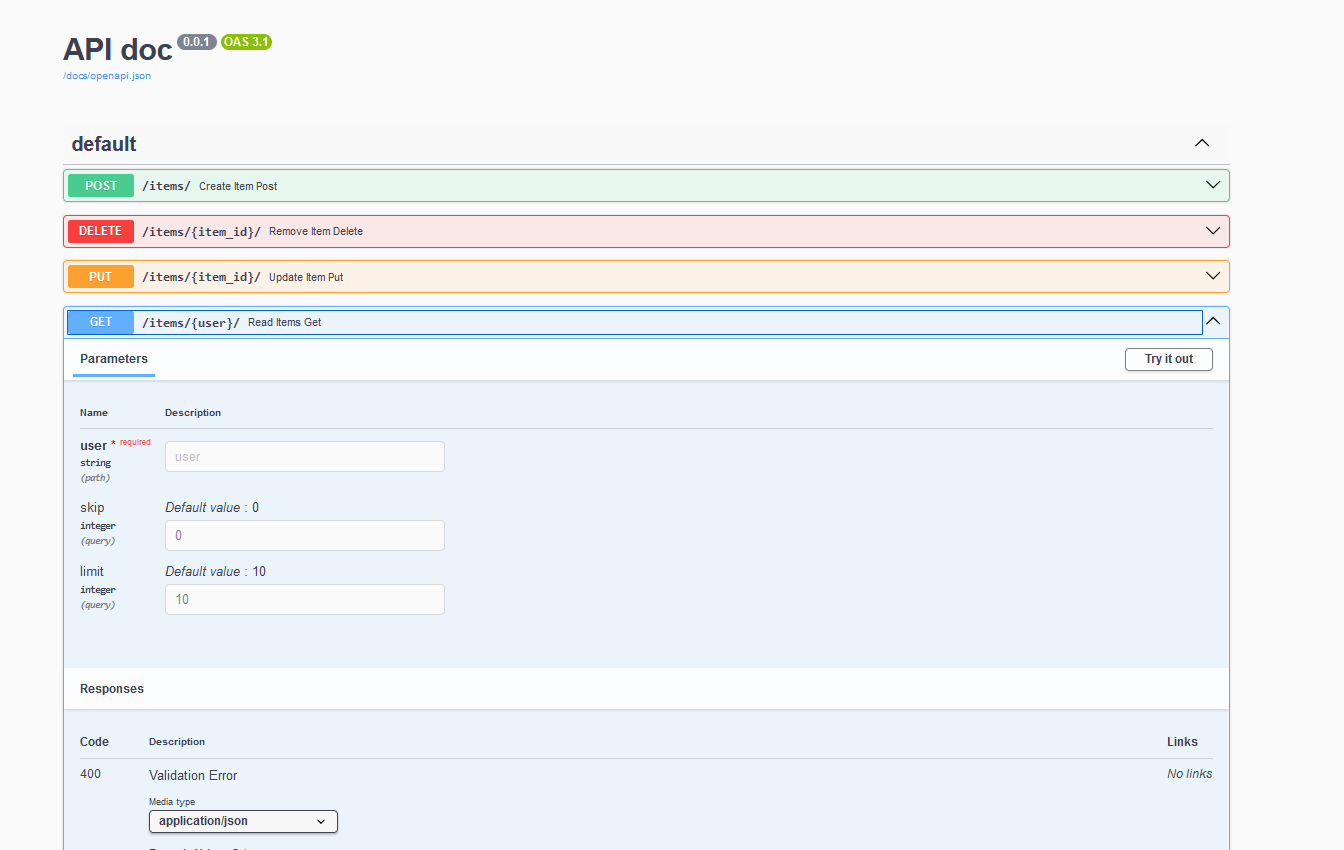
@app.get('/items/<user>/')
def read_items(user: str, skip: int = 0, limit: int = 10):
    data = {'user': user, 'skip': skip, 'limit': limit}
    return flask.jsonify(data)


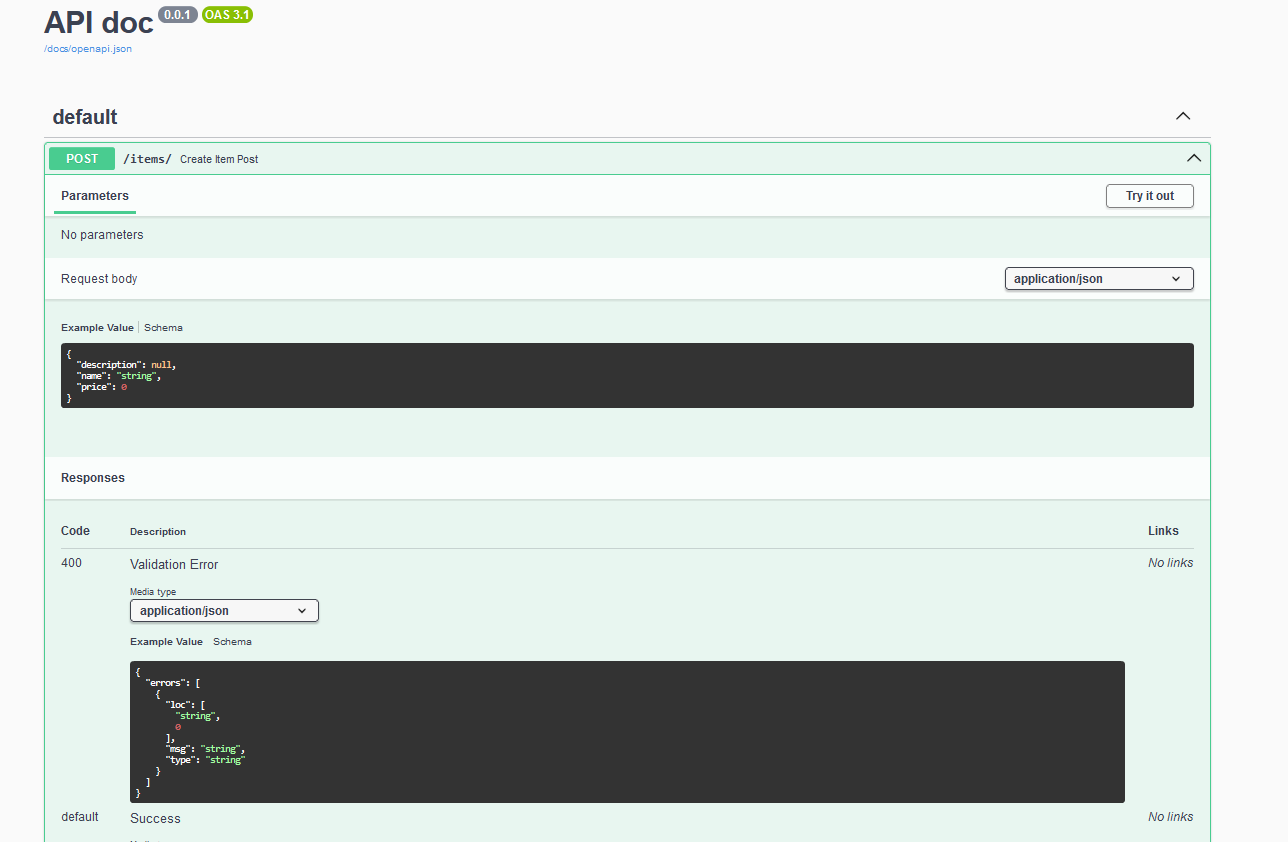
@app.post('/items/')
def create_item(item: Item):
    return flask.jsonify(item.model_dump())


@app.put('/items/<item_id>/')
def update_item(item_id: int, item: Item):
    return flask.jsonify({'item_id': item_id, **item.model_dump()})


@app.delete('/items/<item_id>/')
def remove_item(item_id: int):
    return flask.jsonify({'item_id': item_id})


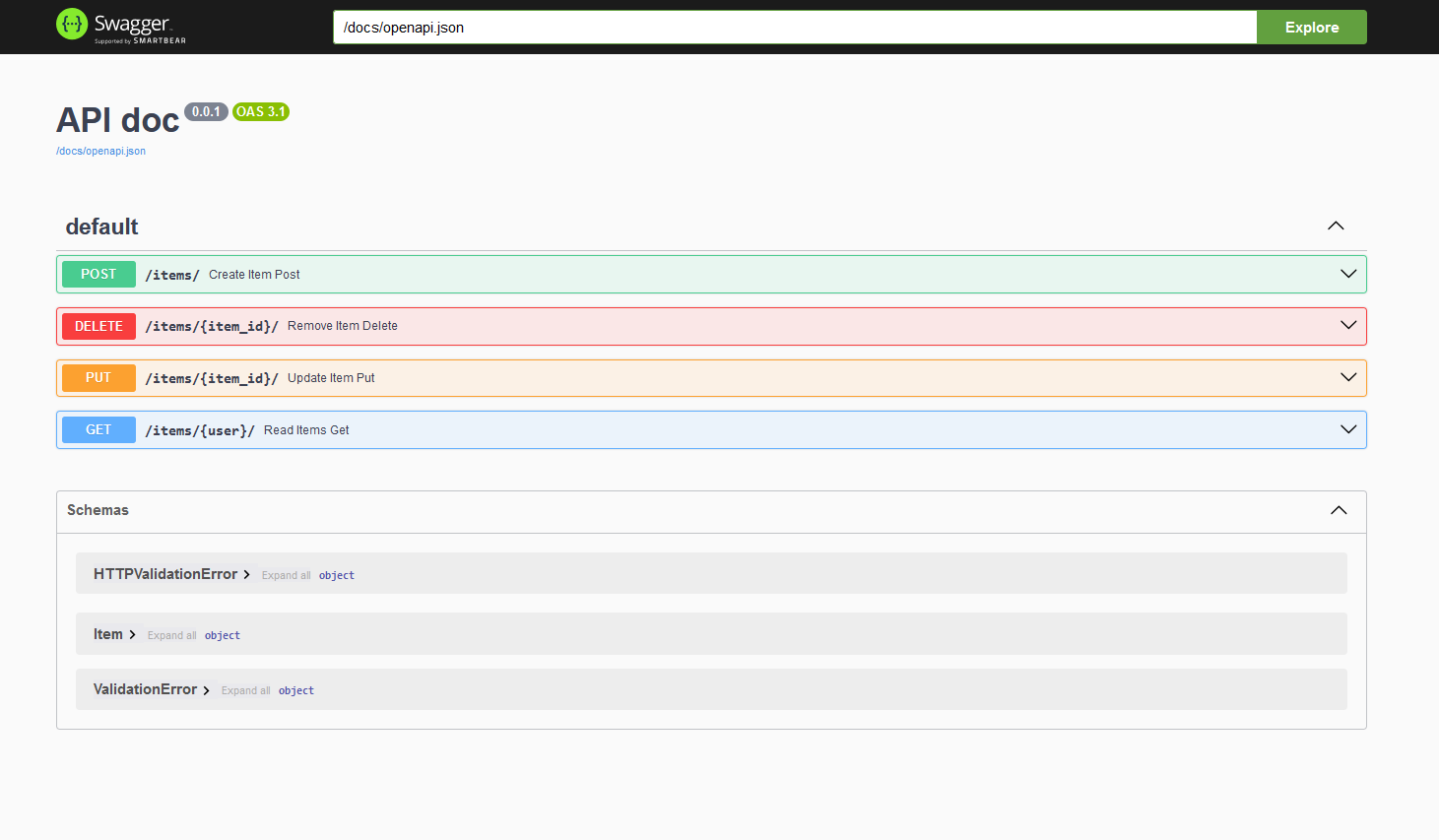
swagger_ui.api_doc(app, config=app_ftr.get_openapi_schema(), url_prefix='/docs')
Open your browser and go to http://127.0.0.1:5000/docs/
Create item endpoint:
Read Items endpoint:
Documentation
For more detailed information and usage examples, refer to the project documentation
Development
To contribute to the project, you can run the following commands for testing and documentation:
Setting up the Development Environment
Ensure you have PIP updated:
python -m pip install --upgrade pip
Running Unit Tests
Install the test dependencies and run the tests:
pip install --group=test --upgrade  # Skip if already installed
python -m pytest tests/
python -m pytest --cov  # With coverage report
Running the Linter
To run the linter, use the following commands:
pip install --group=lint --upgrade  # Skip if already installed
ruff check .
Building the Documentation
To build the documentation locally, use the following commands:
pip install --group=doc --upgrade  # Skip if already installed
mkdocs serve  # Start live-reloading docs server
mkdocs build  # Build the documentation site
License
This project is licensed under the MIT license.
1 maintainer

Metadata
1 maintainer
Release files for flask-typed-routes 0.2.9
For a detailed explanation of source distributions (sdists) and built distributions (wheels), please see the package formats documentation.
Source distribution (sdist)
| File | Size | Uploaded | |
|---|---|---|---|
| flask_typed_routes-0.2.9.tar.gz | 20.1 kB | Details |
Built distribution (wheel)
| File | Interpreter | ABI | Platform | Reset |
|---|---|---|---|---|
| flask_typed_routes-0.2.9-py3-none-any.whl | Python 3 | none | any | Details |
Total release size: 39.7 kB
Release files / flask_typed_routes-0.2.9.tar.gz
| Download URL | flask_typed_routes-0.2.9.tar.gz |
|---|---|
| Size | 20.1 kB |
| Tags | Source |
|
SHA-256 checksum How to use checksums |
9b73c1c00d1cc86e9532094e79f044bbf77bf0c213ccb070f7ea9e757f9d2658
|
|
BLAKE2b-256 checksum How to use checksums |
17589115a28a7f10b52eea32e2d541165732d24bb91a209cbd7de97d4fd5d228
|
| Upload date | |
|
Uploaded using Trusted Publishing? What is trusted publishing? |
No |
| Uploaded via |
twine/6.1.0 CPython/3.13.7
|
Release files / flask_typed_routes-0.2.9-py3-none-any.whl
| Download URL | flask_typed_routes-0.2.9-py3-none-any.whl |
|---|---|
| Size | 19.6 kB |
| Tags | Python 3 |
|
SHA-256 checksum How to use checksums |
5497ee5d68bd17d9134f12eff41fdb97aacef5664689e057bec43c50d5975a75
|
|
BLAKE2b-256 checksum How to use checksums |
a4fe0dc7a5a407a989d6f8a280b3e9271f9e7ff94b51db609b5d9d6f7258a5bd
|
| Upload date | |
|
Uploaded using Trusted Publishing? What is trusted publishing? |
No |
| Uploaded via |
twine/6.1.0 CPython/3.13.7
|














