
⚡Flet-Easy is a user-friendly add-on package for Flet, offering a cleaner code structure with numerous customizable features like JWT, routers, decorators, middleware and more.

Project description
🔥Flet-Easy














[!NOTE] Compatibility: Python 3.9+ · Flet 0.27+ · 🖥️ Desktop · 🌐 Web · 📱 Mobile 📚 Documentation: daxexs.github.io/flet-easy
Flet-Easy is a comprehensive package built as an add-on for Flet. It provides a clean, intuitive API with advanced routing, authentication, middleware, page caching, and responsive design capabilities for building modern desktop, web, and mobile applications — with full compatibility from Flet v0.27 all the way to the latest releases.
✨ Features (v0.3.0)
| Feature | Description | Docs | |
|---|---|---|---|
| 🐍 | Python 3.9+ | Works with any modern Python — uses built-in generics and type hints | — |
| ⚡ | Flet 0.27+ Compatible | Tested across 0.27.* → 0.80+ with automatic API fallbacks |
— |
| 🖥️ | All Platforms | Desktop (Win/macOS/Linux), Web, and Mobile from a single codebase | — |
| 🛣️ | Advanced Routing | Dynamic URLs, regex validation, custom 404, and NavigationBar integration | Docs |
| 🎭 | Dual Rendering Modes | Supports both Imperative and Declarative (@ft.component) routing |
Docs |
| 💾 | Page Caching | Per-page state preservation — controls keep their values across navigation | Docs |
| 🔐 | JWT Authentication | Built-in HS256 / RS256 / RS512 session management with auto-logout | Docs |
| 🔒 | Route Protection | Guard routes by login state with protected_route and config_login |
Docs |
| 🔧 | Enhanced Middleware | Global and per-page interceptors, functional and class-based | Docs |
| 🔗 | Concurrency-Safe | contextvars session isolation — safe in multi-user async environments |
— |
| 🎨 | Sub-router Modules | Organize pages with AddPagesy and independent route prefixes |
Docs |
| 🎛️ | Dynamic Controls | Real-time UI updates with dynamic_control(), even on cached pages |
Docs |
| 🗂️ | Data Sharing | Controlled sharing of data between pages with share_data |
Docs |
| ⌨️ | Keyboard Events | Easy on_keyboard_event integration per page |
Docs |
| 📐 | Responsive Design | ResponsiveControlsy + on_resize for adaptive desktop/tablet/mobile layouts |
Docs |
| 🌐 | Works with Other Apps | Integrate with FastAPI, Django, and other Python web frameworks | Docs |
| 📦 | App Packaging | Supports Flet's official packaging for distribution on all platforms | view |
| 🛠️ | CLI Scaffolding | fs init generates a ready-to-run project structure instantly |
Docs |
| 📚 | Full Docs & Examples | Step-by-step guides, API reference, and practical code examples | Docs |
🔄 How Flet-Easy Works (Architecture Flow)
Here is a high-level visual flowchart illustrating the lifecycle of a request within Flet-Easy, integrating routing, caching, and state management mechanisms for both Declarative (@ft.component) and Imperative models.
flowchart TD
    %% Triggers
    subgraph Triggers ["Events & Inputs"]
        UserAction("User Navigation / Click")
        FletEvents("Native Flet Events (route_change, resize, keyboard)")
    end

    %% State and Configuration
    subgraph Core ["Core Context (Datasy)"]
        InitApp("FletEasy Application initialized")
        StateData("Shared Data & JWT Authentication Cache")
        EventData("Keyboard & Resize Hooks")
        InitApp -.-> StateData
        InitApp -.-> EventData
    end

    Triggers --> InitApp

    %% Routing
    subgraph Engine ["Advanced Routing Engine"]
        SubRouters("Sub-routers appended (AddPagesy)") -.-> Matcher
        Matcher{"Route Matching Engine"}

        MatchExact["Exact Route Lookup"]
        MatchDynamic["Dynamic Route Lookup (Regex / Custom Parameters)"]

        Matcher --> MatchExact
        Matcher --> MatchDynamic

        NoMatch["No Match"]
        Page404["Render custom 404 Page"]
        Matcher -->|Fail| NoMatch --> Page404

        ExtractData("Extract URL Params to Datasy")
        MatchExact --> ExtractData
        MatchDynamic --> ExtractData

        AuthCheck{"Route Protected?"}
        ExtractData --> AuthCheck

        VerifyLogin["Execute config_login Callback"]
        RedirLogin["Redirect to route_login"]

        AuthCheck -->|Yes| VerifyLogin
        VerifyLogin -->|Invalid| RedirLogin

        AuthPassed["Proceed to Middlewares"]
        AuthCheck -->|No| AuthPassed
        VerifyLogin -->|Valid| AuthPassed
    end

    InitApp --> Matcher

    %% Middlewares
    subgraph Middlewares ["Middleware Interception Pipeline"]
        GlobalMid["Execute Global Middlewares (before_request)"]
        PageMid["Execute Page Middlewares (before_request)"]
        MidResult{"Middleware Result?"}
        MidStop["Halt & Redirect / Stop"]

        AuthPassed --> GlobalMid --> PageMid --> MidResult
        MidResult -->|Redirect/False| MidStop
    end

    %% UI Resolution
    subgraph ViewBuilder ["View Resolution Pipeline"]
        ViewStart["Start View Builder"]
        MidResult -->|Valid| ViewStart

        ModeEval{"Render Mode"}
        Declarative["Declarative Mode (ft component caching)"]
        Imperative["Imperative Mode (View array append)"]

        ViewStart --> ModeEval
        ModeEval -->|React Style| Declarative
        ModeEval -->|Classic| Imperative

        ResolveRouteCache{"Page Cached?"}
        Declarative --> ResolveRouteCache
        Imperative --> ResolveRouteCache

        InjectData["Inject Datasy, AppBars, Dynamic NavBars"]
        ResolveRouteCache -.-> InjectData
    end

    %% Final
    subgraph LifecycleEnd ["Lifecycle Termination"]
        Render["Render Views / UI Screen Update"]
        AfterReq["Execute After-Request Middlewares"]
        Finish("Deploy final UI to Client")

        InjectData --> Render --> AfterReq --> Finish
    end

    %% Colors & Styling
    style Core fill:#1f2937,stroke:#374151,color:#f3f4f6
    style Engine fill:#0f172a,stroke:#1e293b,color:#f8fafc
    style Middlewares fill:#064e3b,stroke:#0f766e,color:#ecfdf5
    style ViewBuilder fill:#450a0a,stroke:#7f1d1d,color:#fef2f2
    style LifecycleEnd fill:#312e81,stroke:#4338ca,color:#eef2ff
📌 Flet events it handles
on_route_change: Dynamic routingon_view_popon_keyboard_eventon_resizeon_error
💻 Ways to install
Install Flet-Easy Complete
[!NOTE] If you use the
fscli, it is important to havegitinstalled.
Installs all the dependencies to use, you can use all the functionalities provided by FletEasy
pip install flet-easy[all]
Install clean Flet-Easy
Requires installation of Flet >= 0.28.0.
pip install flet[all]
If you do not use: CLI-to-create-app
pip install flet-easy
Install FletEasy if you need to use Basic-JWT
pip install flet-easy[JWT]
💻 Update
pip install flet-easy[all] --upgrade
🔥 Flet-Easy app example
Here is an example showcasing the new NavigationBar layout and routing features:
import flet as ft
import flet_easy as fs

app = fs.FletEasy(route_init="/home")

# 1. Define a Global View
# This layout (AppBar, NavigationBar, etc.) will be shared across pages
@app.view
def main_view(data: fs.Datasy):
    return fs.Viewsy(
        appbar=ft.AppBar(
            title=ft.Text("My Flet-Easy App"),
            bgcolor=ft.Colors.BLUE,
        ),
        navigation_bar=ft.NavigationBar(
            destinations=[
                ft.NavigationBarDestination(icon=ft.Icons.HOME, label="Home"),
                ft.NavigationBarDestination(icon=ft.Icons.INFO, label="About"),
            ],
            on_change=data.go_navigation_bar, # Handles automatic routing via index
        ),
        bgcolor=ft.Colors.GREY_50,
    )

# 2. Create the Home Page
@app.page("/home", title="Home", index=0) # index=0 matches the first Nav interface
def home_page(data: fs.Datasy):
    data.view.appbar.title = ft.Text("Welcome Home! 🏠")

    return ft.View(
        controls=[
            ft.Text("Welcome to Flet-Easy! 🎉", size=30, weight=ft.FontWeight.BOLD),
            ft.Text("Now with page caching and NavigationBar support!", size=16),
            ft.ElevatedButton(
                "Go to About",
                on_click=lambda _: data.go_route("/about"), # Direct navigation
            ),
        ],
        appbar=data.view.appbar,
        navigation_bar=data.view.navigation_bar,
        vertical_alignment="center",
        horizontal_alignment="center",
    )

# 3. Create the About Page
@app.page("/about", title="About", index=1)
def about_page(data: fs.Datasy):
    data.view.appbar.title = ft.Text("About Flet-Easy")

    return ft.View(
        controls=[
            ft.Text("About Flet-Easy", size=24),
            ft.Text("Build amazing apps with Python and new caching features!"),
            ft.ElevatedButton("← Back Home", on_click=lambda _: data.go_back()),
        ],
        appbar=data.view.appbar,
        navigation_bar=data.view.navigation_bar,
        vertical_alignment="center",
        horizontal_alignment="center",
    )

# 4. Run the application
if __name__ == "__main__":
    app.run()
🎬 Demo
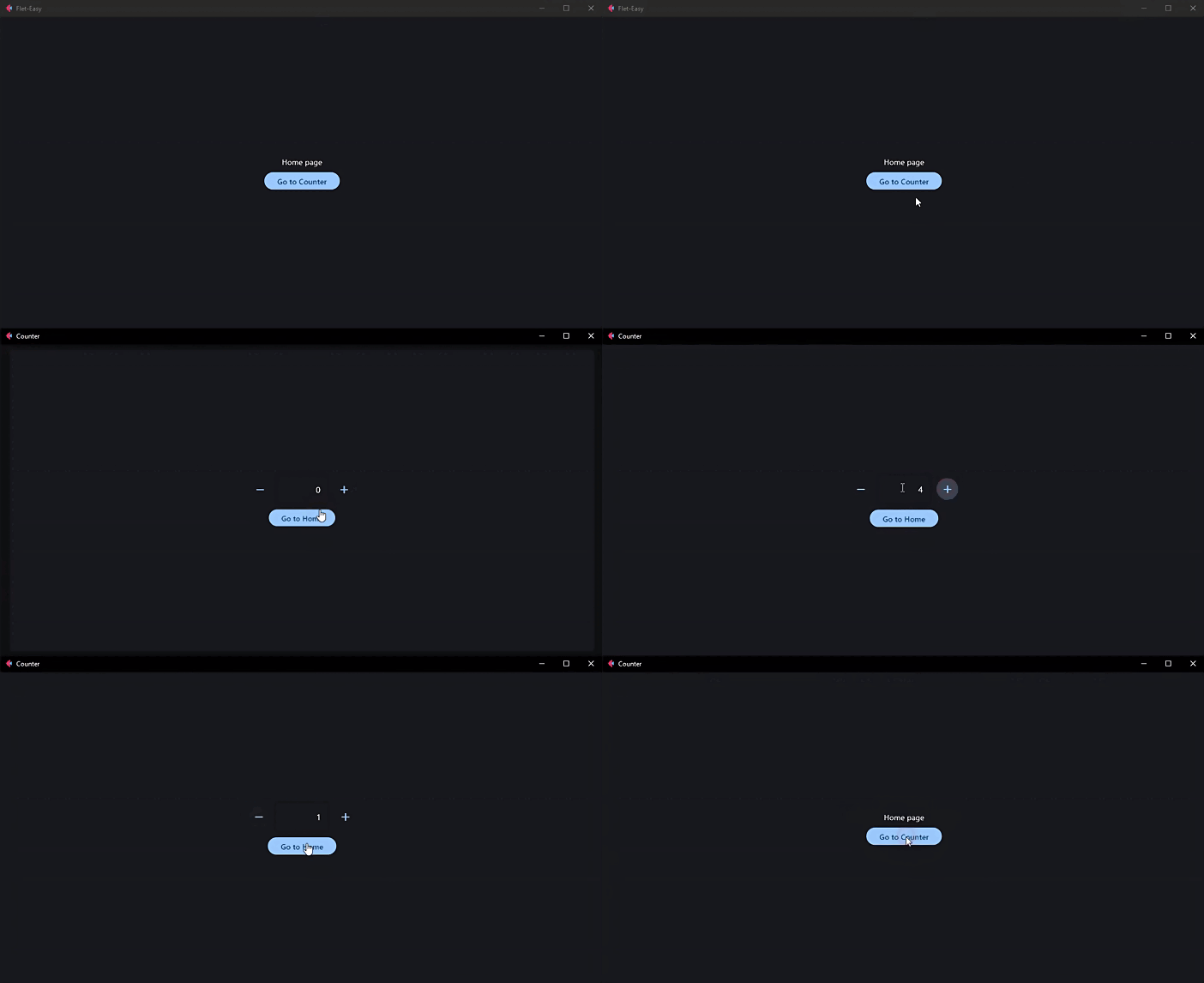
🚀 How to use Flet-Easy?
[!IMPORTANT] 📑 Documentation: https://daxexs.github.io/flet-easy/
👀 Code examples
🔎 Contribute to this project
Read the CONTRIBUTING.md file
🧾 License
Release history Release notifications | RSS feed


Download files
Download the file for your platform. If you're not sure which to choose, learn more about installing packages.
Source Distribution
Built Distribution
Filter files by name, interpreter, ABI, and platform.
If you're not sure about the file name format, learn more about wheel file names.
Copy a direct link to the current filters
File details
Details for the file flet_easy-0.3.0.dev26.tar.gz.
File metadata
- Download URL: flet_easy-0.3.0.dev26.tar.gz
- Upload date:
- Size: 43.6 kB
- Tags: Source
- Uploaded using Trusted Publishing? No
- Uploaded via: uv/0.11.19 {"installer":{"name":"uv","version":"0.11.19","subcommand":["publish"]},"python":null,"implementation":{"name":null,"version":null},"distro":null,"system":{"name":null,"release":null},"cpu":null,"openssl_version":null,"setuptools_version":null,"rustc_version":null,"ci":null}
File hashes
| Algorithm | Hash digest | |
|---|---|---|
| SHA256 |
402dfc411c03dcaa977b3249dfc71749aba7bbe25c215f8e036d7116fa214eab
|
|
| MD5 |
b34be318cefd6aa2a7d58674a9404abd
|
|
| BLAKE2b-256 |
276f69d7e8d016f23e9e056bcc87f86322077d96fbfac1cfeabf9b3280d2f947
|
File details
Details for the file flet_easy-0.3.0.dev26-py3-none-any.whl.
File metadata
- Download URL: flet_easy-0.3.0.dev26-py3-none-any.whl
- Upload date:
- Size: 57.0 kB
- Tags: Python 3
- Uploaded using Trusted Publishing? No
- Uploaded via: uv/0.11.19 {"installer":{"name":"uv","version":"0.11.19","subcommand":["publish"]},"python":null,"implementation":{"name":null,"version":null},"distro":null,"system":{"name":null,"release":null},"cpu":null,"openssl_version":null,"setuptools_version":null,"rustc_version":null,"ci":null}
File hashes
| Algorithm | Hash digest | |
|---|---|---|
| SHA256 |
f989e098118f4a16a997eec7b21de7faac0b98b0386eb30a09e589e9ef599c6c
|
|
| MD5 |
f499fea866e4d98fc5a83780b3ccf922
|
|
| BLAKE2b-256 |
c217bd848b51afa2db30ca68576072e1d887bd248e91522196abe4231c477f1a
|






