
Declarative LLM Orchestration at Scale

Project description







Tired of wrestling with paragraphs of prompt text just to get your AI agent to perform a specific, structured task? 😫
Enter Flock, the agent framework that lets you ditch the prompt-palaver and focus on what you want your agents to achieve through a declarative approach. Define your agent's inputs, outputs, and available tools using clear Python structures (including type hints!), and let Flock handle the complex LLM interactions and orchestration.
Built with real-world deployment in mind, Flock integrates seamlessly with tools like Temporal (optional) for building robust, fault-tolerant, and scalable agent systems right out of the box.
Looking for examples and tutorials? Check out the dedicated 👉 flock-showcase Repository!
✨ Why Join the Flock?
Flock offers a different way to build agentic systems:
| Traditional Agent Frameworks 😟 | Flock Framework 🐤🐧🐓🦆 |
|---|---|
| 🤯 Prompt Nightmare | ✅ Declarative Simplicity |
| Long, brittle, hard-to-tune prompts | Clear input/output specs (typed!) |
| 💥 Fragile & Unpredictable | ⚡ Robust & Production-Ready |
| Single errors can halt everything | Fault-tolerant via Temporal option |
| 🧩 Monolithic & Rigid | 🔧 Modular & Flexible |
| Hard to extend or modify logic | Pluggable Evaluators, Modules, Tools |
| ⛓️ Basic Chaining | 🚀 Advanced Orchestration |
| Often just linear workflows | Dynamic Routing, Batch Processing |
| 🧪 Difficult Testing | ✅ Testable Components |
| Hard to unit test prompt logic | Clear I/O contracts aid testing |
| 📄 Unstructured Output | ✨ Structured Data Handling |
| Parsing unreliable LLM text output | Native Pydantic/Typed Dict support |
📹 Video Demo
https://github.com/user-attachments/assets/bdab4786-d532-459f-806a-024727164dcc
💡 Core Concepts
Flock's power comes from a few key ideas (Learn more in the Full Documentation):
- Declarative Agents: Define agents by what they do (inputs/outputs), not how. Flock uses Evaluators (like the default
DeclarativeEvaluatorpowered by DSPy) to handle the underlying logic. - Typed Signatures: Specify agent inputs and outputs using Python type hints and optional descriptions (e.g.,
"query: str | User request, context: Optional[List[MyType]]"). - Modular Components: Extend agent capabilities with pluggable Modules (e.g., for memory, metrics, output formatting) that hook into the agent's lifecycle.
- Intelligent Workflows: Chain agents explicitly or use Routers (LLM-based, Agent-based, or custom) for dynamic decision-making.
- Reliable Execution: Run locally for easy debugging or seamlessly switch to Temporal (optional) for production-grade fault tolerance, retries, and state management.
- Tool Integration: Equip agents with standard or custom Python functions (
@flock_tool) registered via theFlockRegistry. - Registry: A central place (
@flock_component,@flock_type,@flock_tool) to register your custom classes, types, and functions, enabling robust serialization and dynamic loading.
💾 Installation - Use Flock in your project
Get started with the core Flock library:
# Using uv (recommended)
uv pip install flock-core

# Using pip
pip install flock-core
Extras: Install optional dependencies for specific features:
# Common tools (Tavily, Markdownify)
uv pip install flock-core[tools]

# All optional dependencies (including tools, docling, etc.)
uv pip install flock-core[all]
🔑 Installation - Develop Flock
git clone https://github.com/whiteducksoftware/flock.git
cd flock

# One-liner dev setup after cloning
pip install poethepoet && poe install
Additional provided poe tasks and commands:
poe install # Install the project
poe build # Build the project
poe docs # Serve the docs
poe format # Format the code
poe lint # Lint the code
🔑 Environment Setup
Flock uses environment variables (typically in a .env file) for configuration, especially API keys. Create a .env file in your project root:
# .env - Example

# --- LLM Provider API Keys (Required by most examples) ---
# Add keys for providers you use (OpenAI, Anthropic, Gemini, Azure, etc.)
# Refer to litellm docs (https://docs.litellm.ai/docs/providers) for names
OPENAI_API_KEY="your-openai-api-key"
# ANTHROPIC_API_KEY="your-anthropic-api-key"

# --- Tool-Specific Keys (Optional) ---
# TAVILY_API_KEY="your-tavily-search-key"
# GITHUB_PAT="your-github-personal-access-token"

# --- Default Flock Settings (Optional) ---
DEFAULT_MODEL="openai/gpt-4o" # Default LLM if agent doesn't specify

# --- Flock CLI Settings (Managed by `flock settings`) ---
# SHOW_SECRETS="False"
# VARS_PER_PAGE="20"
Be sure that the .env file is added to your .gitignore!
⚡ Quick Start Syntax
While detailed examples and tutorials now live in the flock-showcase repository, here's a minimal example to illustrate the core syntax:
from flock.core import Flock, FlockFactory

# 1. Create the main orchestrator
# Uses DEFAULT_MODEL from .env or defaults to "openai/gpt-4o" if not set
my_flock = Flock(name="SimpleFlock")

# 2. Declaratively define an agent using the Factory
# Input: a topic (string)
# Output: a title (string) and bullet points (list of strings)
brainstorm_agent = FlockFactory.create_default_agent(
    name="idea_generator",
    description="Generates titles and key points for a given topic.",
    input="topic: str | The subject to brainstorm about",
    output="catchy_title: str, key_points: list[str] | 3-5 main bullet points"
)

# 3. Add the agent to the Flock
my_flock.add_agent(brainstorm_agent)

# 4. Run the agent!
if __name__ == "__main__":
    input_data = {"topic": "The future of AI agents"}
    try:
        # The result is a Box object (dot-accessible dict)
        result = my_flock.run(start_agent="idea_generator", input=input_data)
        print(f"Generated Title: {result.catchy_title}")
        print("Key Points:")
        for point in result.key_points:
            print(f"- {point}")
    except Exception as e:
        print(f"An error occurred: {e}")
        print("Ensure your LLM API key (e.g., OPENAI_API_KEY) is set in your .env file!")
🐤 New in Flock 0.4.0 Magpie 🐤

🚀 REST API – Deploy Flock Agents as REST API Endpoints
Easily deploy your Flock agents as scalable REST API endpoints. Interact with your agent workflows via standard HTTP requests.
The all-in-one flock.serve() method turns your Flock into a proper REST API!
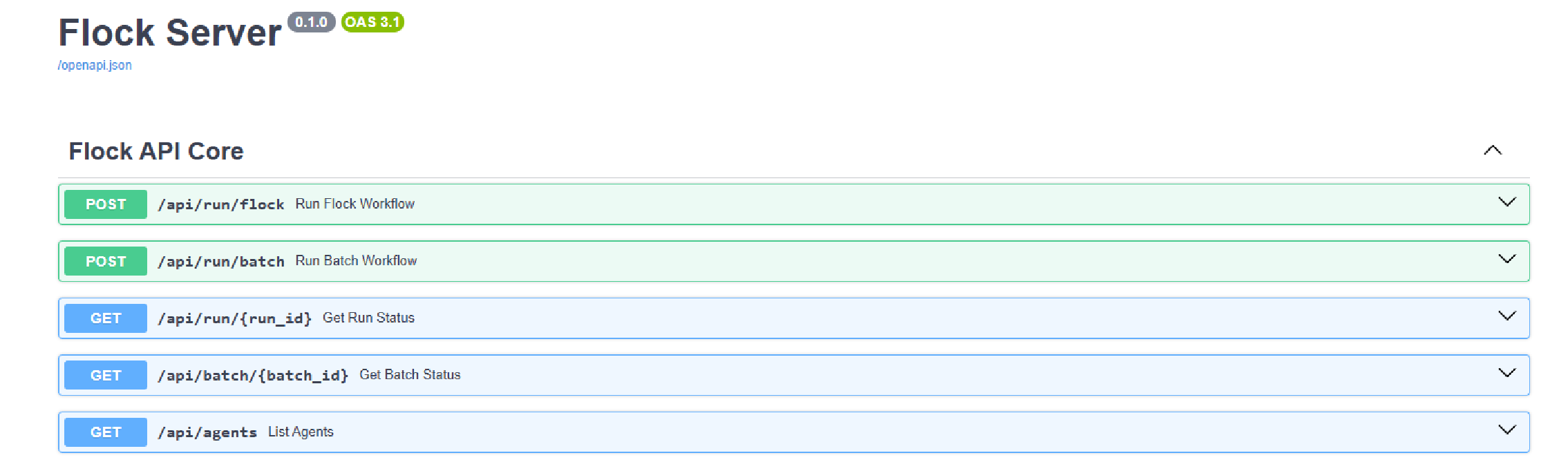
Need custom endpoints to wrap abstract agent logic or add business logic? We've got you. Define them. Declaratively.
word_count_route = FlockEndpoint(
    path="/api/word_count",
    methods=["GET"],
    callback=word_count,
    query_model=WordCountParams,
    response_model=WordCountResponse,
    summary="Counts words in a text",
    description="Takes a text and returns the number of words in it.",
)

flock.serve(custom_endpoints=[img_url_route, word_count_route, yoda_route])

Want chat and UI too? Just turn them on.
flock.serve(ui=True, chat=True)
🖥️ Web UI – Test Flock Agents in the Browser
Test and interact with your Flock agents directly in your browser using an integrated web interface.
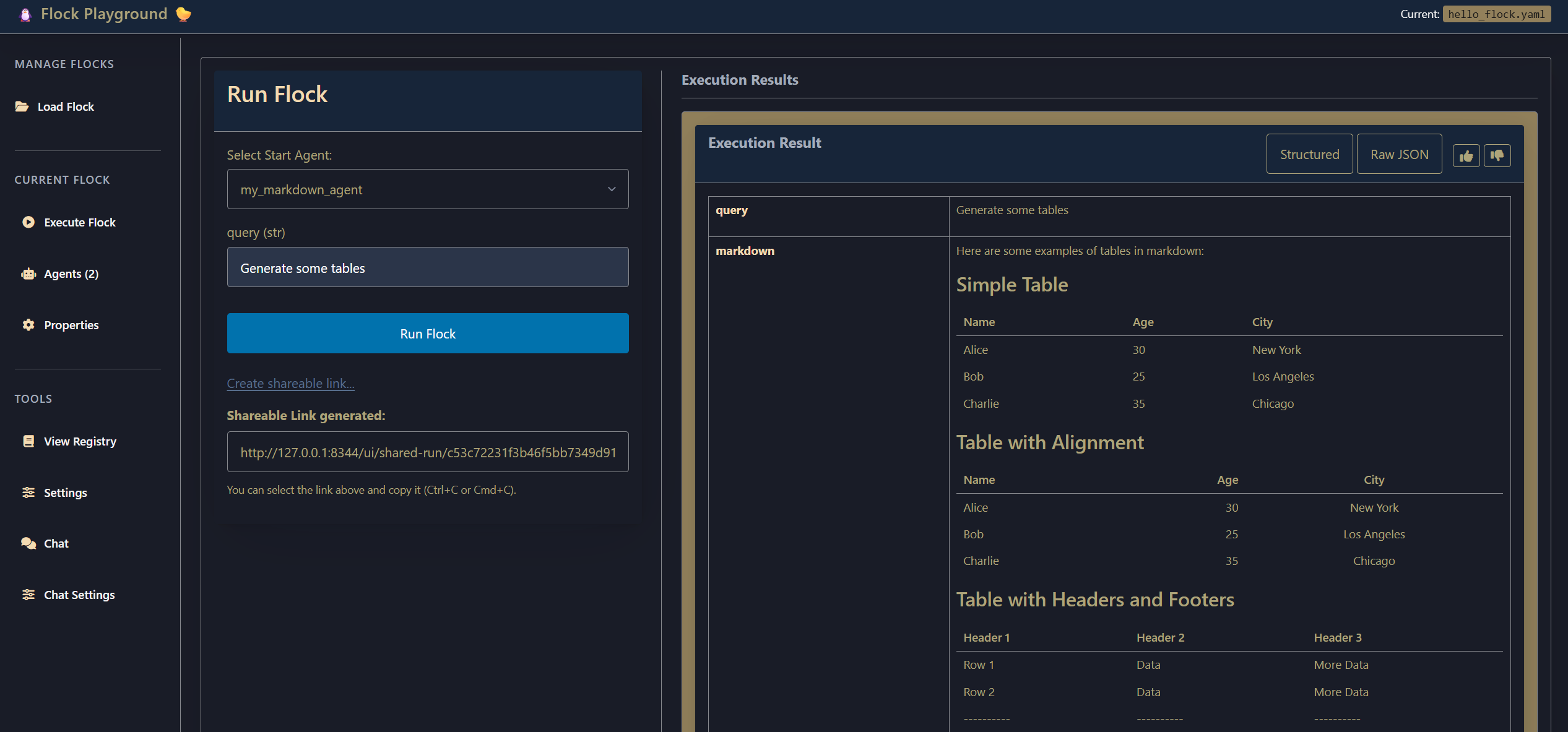
Highlights of this feature-rich interface:
- Run all your agents and agent flows
- Chat with your agents
- Create sharable links – these freeze agent config so testers can focus on evaluation
- Send direct feedback – includes everything needed to reproduce issues
- Switch modes – like standalone chat mode, which hides all but the chat
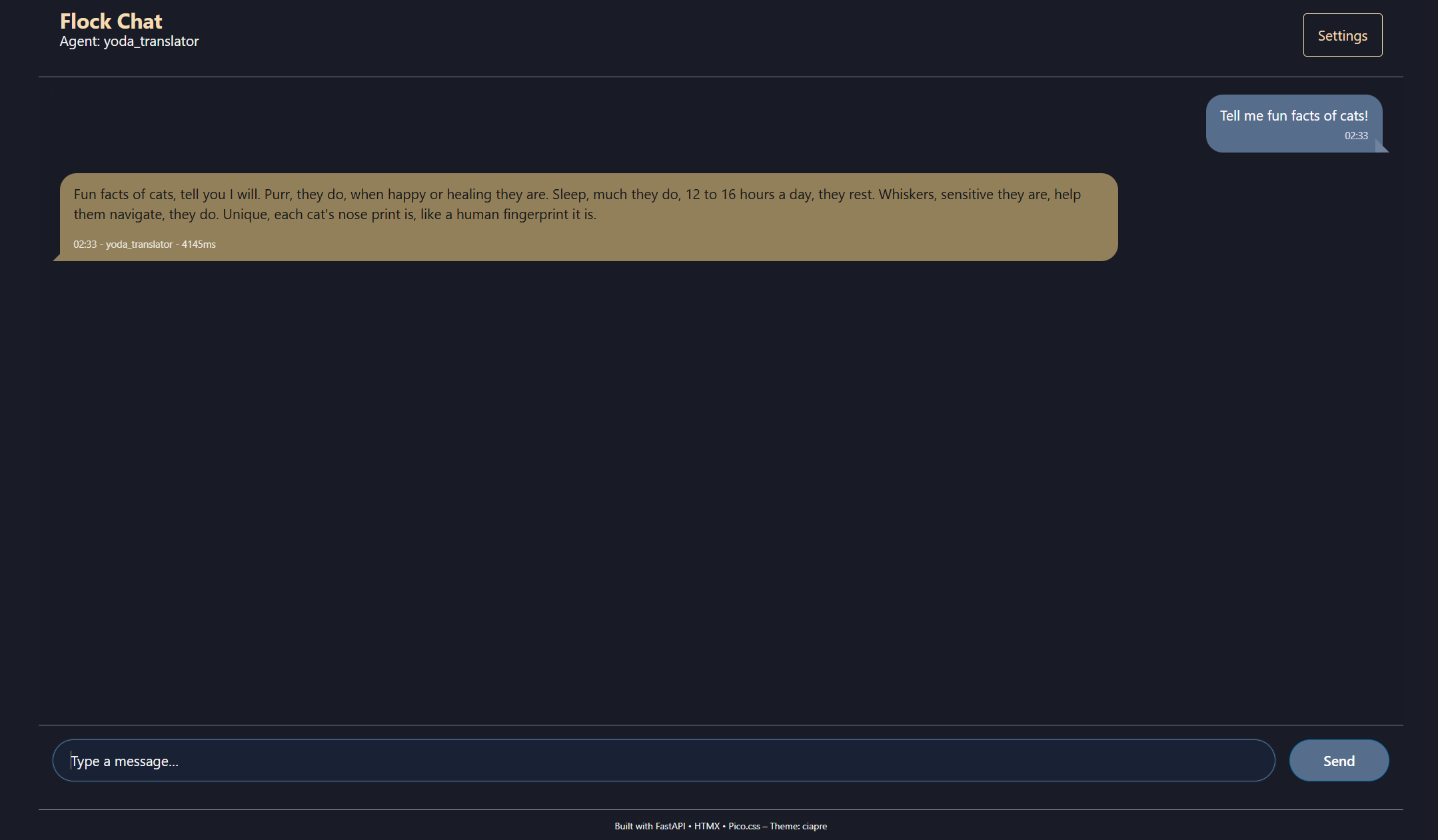
And much, much more... All features are based on real-world client feedback and serve actual business needs.
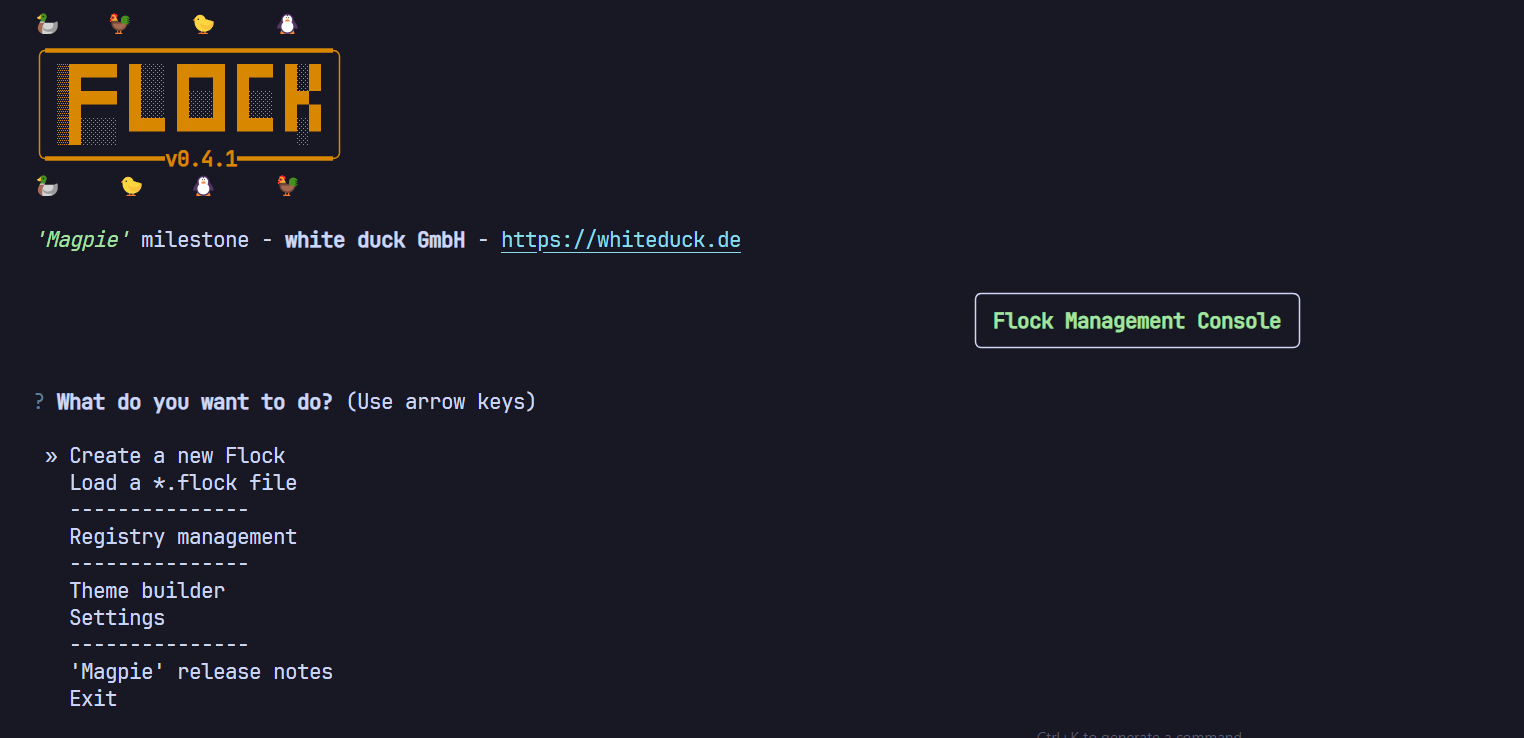
⌨️ CLI Tool – Manage Flock Agents via Command Line
Manage configurations, run agents, and inspect results – all from your terminal. A quick way to test and validate serialized flocks.
💾 Enhanced Serialization – Share, Deploy, and Run Flocks from YAML
Define and share entire Flock configurations using readable YAML files. Perfect for versioning, deployment, and portability.
Take note how even custom types like FantasyCharacter are serialized so the target system doesn't even need your code! Everything portable!
name: pydantic_example
model: openai/gpt-4o
enable_temporal: false
enable_logging: false
show_flock_banner: false
temporal_start_in_process_worker: true
agents:
  character_agent:
    name: character_agent
    model: openai/gpt-4o
    description: Generates fantasy RPG character profiles for a specified number of
      characters.
    input: 'number_of_characters: int | The number of fantasy character profiles to
      generate.'
    output: 'character_list: list[FantasyCharacter] | A list containing the generated
      character profiles.'
    write_to_file: false
    wait_for_input: false
    evaluator:
      name: default
      config:
        model: openai/gpt-4o
        use_cache: true
        temperature: 0.8
        max_tokens: 8192
        stream: false
        include_thought_process: false
        kwargs: {}
      type: DeclarativeEvaluator
    modules:
      output:
        name: output
        config:
          enabled: true
          theme: abernathy
          render_table: false
          max_length: 1000
          truncate_long_values: true
          show_metadata: true
          format_code_blocks: true
          custom_formatters: {}
          no_output: false
          print_context: false
        type: OutputModule
      metrics:
        name: metrics
        config:
          enabled: true
          collect_timing: true
          collect_memory: true
          collect_token_usage: true
          collect_cpu: true
          storage_type: json
          metrics_dir: metrics/
          aggregation_interval: 1h
          retention_days: 30
          alert_on_high_latency: true
          latency_threshold_ms: 30000
        type: MetricsModule
types:
  FantasyCharacter:
    module_path: __main__
    type: pydantic.BaseModel
    schema:
      description: 'Data model for fantasy RPG character information.

        Docstrings and Field descriptions can help guide the LLM.'
      properties:
        name:
          description: A creative fantasy character name.
          title: Name
          type: string
        race:
          description: The character's race.
          enum:
          - human
          - elf
          - dwarf
          - orc
          - halfling
          title: Race
          type: string
        class_type:
          description: The character's class.
          enum:
          - warrior
          - mage
          - rogue
          - cleric
          - ranger
          title: Class Type
          type: string
        level:
          description: Character level
          title: Level
          type: integer
        strength:
          description: Strength stat
          title: Strength
          type: integer
        dexterity:
          description: Dexterity stat
          title: Dexterity
          type: integer
        constitution:
          description: Constitution stat
          title: Constitution
          type: integer
        intelligence:
          description: Intelligence stat
          title: Intelligence
          type: integer
        wisdom:
          description: Wisdom stat
          title: Wisdom
          type: integer
        charisma:
          description: Charisma stat
          title: Charisma
          type: integer
        weapons:
          description: A list of weapons the character carries.
          items:
            type: string
          title: Weapons
          type: array
        backstory:
          description: A brief, engaging backstory (2-3 sentences).
          title: Backstory
          type: string
        motivation:
          description: The character's motivation for their adventuring.
          title: Motivation
          type: string
        alignment:
          description: Character's moral alignment
          title: Alignment
          type: string
      required:
      - name
      - race
      - class_type
      - level
      - strength
      - dexterity
      - constitution
      - intelligence
      - wisdom
      - charisma
      - weapons
      - backstory
      - motivation
      - alignment
      type: object
components:
  DeclarativeEvaluator:
    type: flock_component
    module_path: flock.evaluators.declarative.declarative_evaluator
    file_path: src\\flock\\evaluators\\declarative\\declarative_evaluator.py
    description: Evaluator that uses DSPy for generation.
  OutputModule:
    type: flock_component
    module_path: flock.modules.output.output_module
    file_path: src\\flock\\modules\\output\\output_module.py
    description: Module that handles output formatting and display.
  MetricsModule:
    type: flock_component
    module_path: flock.modules.performance.metrics_module
    file_path: src\\flock\\modules\\performance\\metrics_module.py
    description: Module for collecting and analyzing agent performance metrics.
dependencies:
- pydantic>=2.0.0
- flock-core>=0.4.0
metadata:
  path_type: relative
  flock_version: 0.4.0
Why is text-based serialization cool? Because agents can manipulate their own config – go wild with meta agents and experiments.
🌀 New Execution Flows – Batch and Evaluation Modes
Run Flock in batch mode to process multiple inputs or in evaluation mode to benchmark agents against question/answer pairs.
batch_data = [
    {"topic": "Robot Kittens", "audience": "Tech Enthusiasts"},
    {"topic": "AI in Gardening", "audience": "Homeowners"},
    ...
]

static_data = {"number_of_slides": 6}

silent_results = flock.run_batch(
    start_agent=presentation_agent,
    batch_inputs=batch_data,
    static_inputs=static_data,
    parallel=True,
    max_workers=5,
    silent_mode=True,
    return_errors=True,
    write_to_csv=".flock/batch_results.csv",
)
Supports CSV in and out. Combine with .evaluate() to benchmark Flock with known Q/A sets.
⏱️ First-Class Temporal Integration
Flock 0.4.0 brings seamless integration with Temporal.io. Build production-grade, reliable, and scalable agent workflows.
flock = Flock(
    enable_temporal=True,
    temporal_config=TemporalWorkflowConfig(
        task_queue="flock-test-queue",
        workflow_execution_timeout=timedelta(minutes=10),
        default_activity_retry_policy=TemporalRetryPolicyConfig(
            maximum_attempts=2
        ),
    ),
)
Just set a flag. Add your constraints. Now you've got retry policies, timeout control, and error handling baked in.
✨ Utility – @flockclass Hydrator
Flock also adds conveniences. With @flockclass, you can turn any Pydantic model into a self-hydrating agent.
from pydantic import BaseModel
from flock.util.hydrator import flockclass

@flockclass(model="openai/gpt-4o")
class CharacterIdea(BaseModel):
    name: str
    char_class: str
    race: str
    backstory_hook: str | None = None
    personality_trait: str | None = None

async def create_character():
    char = CharacterIdea(name="Gorok", char_class="Barbarian", race="Orc")
    print(f"Before Hydration: {char}")

    hydrated_char = await char.hydrate()

    print(f"\nAfter Hydration: {hydrated_char}")
    print(f"Backstory Hook: {hydrated_char.backstory_hook}")
📚 Examples & Tutorials
For a comprehensive set of examples, ranging from basic usage to complex projects and advanced features, please visit our dedicated showcase repository:
➡️ github.com/whiteducksoftware/flock-showcase ⬅️
The showcase includes:
- Step-by-step guides for core concepts.
- Examples of tool usage, routing, memory, and more.
- Complete mini-projects demonstrating practical applications.
📖 Documentation
Full documentation, including API references and conceptual explanations, can be found at:
➡️ whiteducksoftware.github.io/flock/ ⬅️
🤝 Contributing
We welcome contributions! Please see the CONTRIBUTING.md file (if available) or open an issue/pull request on GitHub.
Ways to contribute:
- Report bugs or suggest features.
- Improve documentation.
- Contribute new Modules, Evaluators, or Routers.
- Add examples to the flock-showcase repository.
📜 License
Flock is licensed under the MIT License. See the LICENSE file for details.
🏢 About
Flock is developed and maintained by white duck GmbH, your partner for cloud-native solutions and AI integration.
Release history Release notifications | RSS feed


Download files
Download the file for your platform. If you're not sure which to choose, learn more about installing packages.
Source Distribution
Built Distribution
Filter files by name, interpreter, ABI, and platform.
If you're not sure about the file name format, learn more about wheel file names.
Copy a direct link to the current filters
File details
Details for the file flock_core-0.4.5.tar.gz.
File metadata
- Download URL: flock_core-0.4.5.tar.gz
- Upload date:
- Size: 4.3 MB
- Tags: Source
- Uploaded using Trusted Publishing? No
- Uploaded via: uv/0.7.6
File hashes
| Algorithm | Hash digest | |
|---|---|---|
| SHA256 |
e3c9c859f65c88f4fb362d7e8615881aca99e4e010548b834131e5a96ac54887
|
|
| MD5 |
88d33172d6a51155b27a7b3405c253db
|
|
| BLAKE2b-256 |
12d6761f6bcb6db5b95752df199b38687bfea97cad9333aba95f2f47e46fca31
|
File details
Details for the file flock_core-0.4.5-py3-none-any.whl.
File metadata
- Download URL: flock_core-0.4.5-py3-none-any.whl
- Upload date:
- Size: 664.4 kB
- Tags: Python 3
- Uploaded using Trusted Publishing? No
- Uploaded via: uv/0.7.6
File hashes
| Algorithm | Hash digest | |
|---|---|---|
| SHA256 |
657096b6051f2c7693dd73291f5e59489a32daa7ccf74b69f95b6c7c3cd7a4b4
|
|
| MD5 |
a98de2b26fd237497f7534497c5b11f1
|
|
| BLAKE2b-256 |
8dfae6a087d126a3a7270c8d0e41479fae9402f67ec5f7936ba8edd9eec5156d
|






