
Declarative LLM Orchestration at Scale

Project description







The Problem You Know Too Well
🤯 Prompt Hell: Brittle 500-line prompts that break with every model update.
💥 System Failures: One bad LLM response crashes your entire workflow
🧪 Testing Nightmares: "How do I unit test a prompt?" (You don't.)
🧪 Measuring Quality: "How do I know my prompts are close to optimal?" (You also don't.)
📄 Output Chaos: Parsing unstructured LLM responses into reliable data
⛓️ Orchestration Limits: Moving beyond simple chains and DAGs? Good luck
🚀 Production Gap: Jupyter notebooks don't scale to enterprise systems
After building dozens of AI systems for enterprise clients, we realized the tooling was fundamentally broken.
Build with agents, not against them.
The Flock Solution
What if you could just skip that 'prompt engineering' step?
Flock is an agent framework for declarative AI workflows. You define what goes in and what should come out, the how is handled by the agent.
No brittle prompts. No guesswork. Just reliable, testable AI agents.
✅ Declarative Contracts: Define inputs/outputs with Pydantic models. Flock handles the LLM complexity.
⚡ Built-in Resilience: Automatic retries, state persistence, and workflow resumption via Temporal.io
🧪 Actually Testable: Clear contracts make agents unit-testable like any other code
🧪 Optimal Quality: Agents posses multiple self-optimization algorithms based on latest research
🚀 Dynamic Workflows: Self-correcting loops, conditional routing, and intelligent decision-making
🔧 Zero-Config Production: Deploy as REST APIs with one command. Scale without rewriting.
Ready to see it in action?
⚡ Quick Start
from flock.core import Flock, FlockFactory

# 1. Create the main orchestrator
my_flock = Flock(model="openai/gpt-4.1")

# 2. Declaratively define an agent
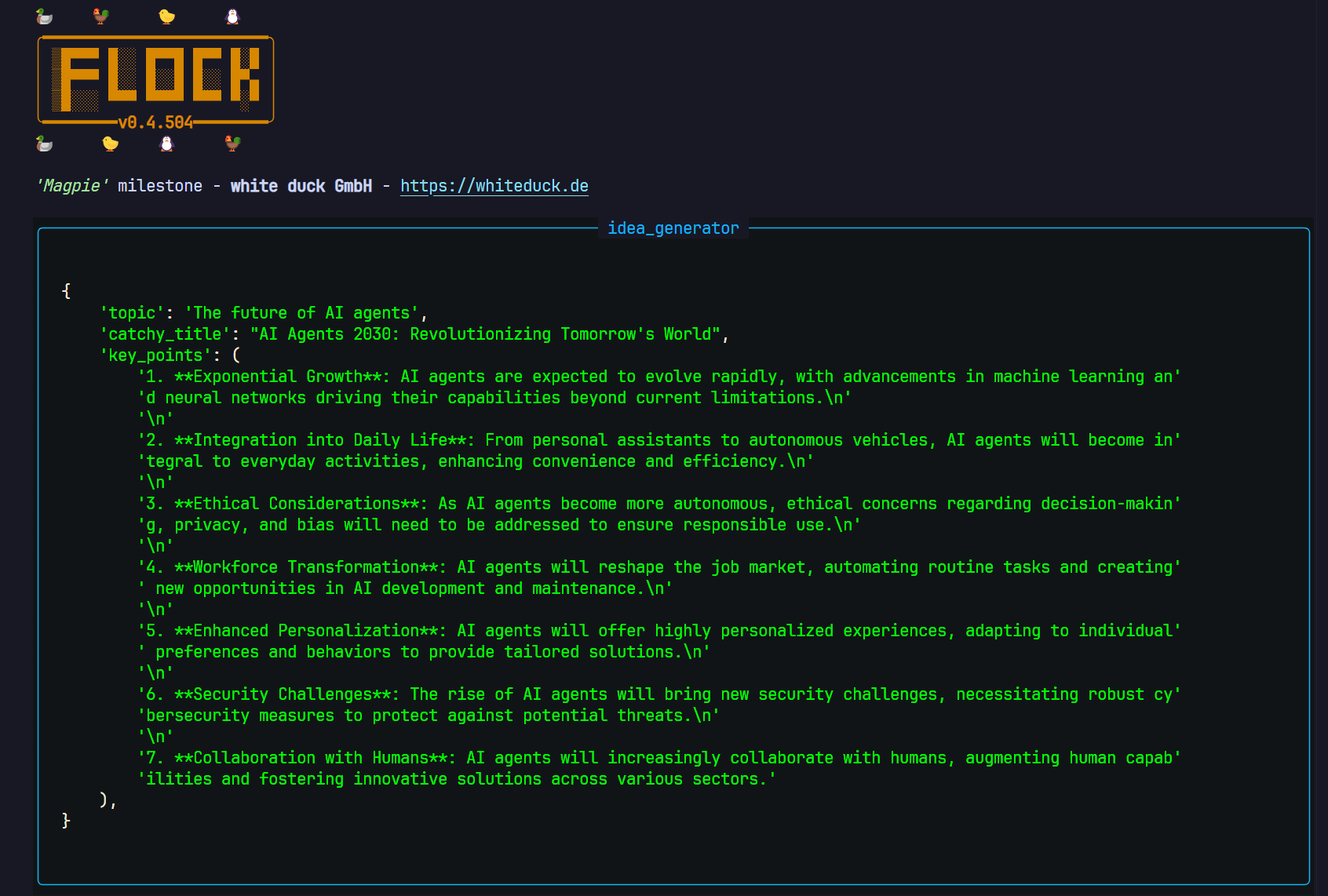
brainstorm_agent = FlockFactory.create_default_agent(
    name="idea_generator",
    input="topic",
    output="catchy_title, key_points"
)

# 3. Add the agent to the Flock
my_flock.add_agent(brainstorm_agent)

# 4. Run the agent!
input_data = {"topic": "The future of AI agents"}
result = my_flock.run(start_agent="idea_generator", input=input_data)

# The result is a Box object (dot-accessible dict)
print(f"Generated Title: {result.catchy_title}")
print(f"Key Points: {result.key_points}")
No 20-line prompt fiddling. Just structured output, every time.
Explore more examples → Flock Showcase Repository
💾 Installation - Use Flock in your project
Get started with the core Flock library:
# Using uv (recommended)
uv pip install flock-core

# Using pip
pip install flock-core
Extras: Install optional dependencies for specific features:
# Flock tools and mcp server
uv pip install flock-mcp
🔑 Installation - Develop Flock
git clone https://github.com/whiteducksoftware/flock.git
cd flock

# One-liner dev setup after cloning
pip install poethepoet && poe install
Additional provided poe tasks and commands:
poe install # Install the project
poe build # Build the project
poe docs # Serve the docs
poe format # Format the code
poe lint # Lint the code
🔑 Environment Setup
Flock uses environment variables (typically in a .env file) for configuration, especially API keys. Create a .env file in your project root:
# .env - Example

# --- LLM Provider API Keys (Required by most examples) ---
# Add keys for providers you use (OpenAI, Anthropic, Gemini, Azure, etc.)
# Refer to litellm docs (https://docs.litellm.ai/docs/providers) for names
OPENAI_API_KEY="your-openai-api-key"
# ANTHROPIC_API_KEY="your-anthropic-api-key"

# --- Tool-Specific Keys (Optional) ---
# TAVILY_API_KEY="your-tavily-search-key"
# GITHUB_PAT="your-github-personal-access-token"

# --- Default Flock Settings (Optional) ---
DEFAULT_MODEL="openai/gpt-4o" # Default LLM if agent doesn't specify

# --- Flock CLI Settings (Managed by `flock settings`) ---
# SHOW_SECRETS="False"
# VARS_PER_PAGE="20"
Be sure that the .env file is added to your .gitignore!
🐤 New in Flock 0.5.0 Kea 🐤
Keas are one of the smartest birds in the world famous for figuring out multi-step puzzles, unlatching doors, and coordinating in small groups to get what it wants.
Self-optimizing agents
Everything you need to evaluate and optimize agents
Benchmarks
Smooth Jupyter experience
Multi-Threading and Thread Safety
📚 Examples & Tutorials
For a comprehensive set of examples, ranging from basic usage to complex projects and advanced features, please visit our dedicated showcase repository:
➡️ github.com/whiteducksoftware/flock-showcase ⬅️
The showcase includes:
- Step-by-step guides for core concepts.
- Examples of tool usage, routing, memory, and more.
- Complete mini-projects demonstrating practical applications.
📖 Documentation
Full documentation, including API references and conceptual explanations, can be found at:
➡️ whiteducksoftware.github.io/flock/ ⬅️
🤝 Contributing
We welcome contributions! Please see the CONTRIBUTING.md file (if available) or open an issue/pull request on GitHub.
Ways to contribute:
- Report bugs or suggest features.
- Improve documentation.
- Contribute new Modules, Evaluators, or Routers.
- Add examples to the flock-showcase repository.
📜 License
Flock is licensed under the MIT License. See the LICENSE file for details.
🏢 About
Flock is developed and maintained by white duck GmbH, your partner for cloud-native solutions and AI integration.
Release history Release notifications | RSS feed


Download files
Download the file for your platform. If you're not sure which to choose, learn more about installing packages.
Source Distribution
Built Distribution
Filter files by name, interpreter, ABI, and platform.
If you're not sure about the file name format, learn more about wheel file names.
Copy a direct link to the current filters
File details
Details for the file flock_core-0.5.0b10.tar.gz.
File metadata
- Download URL: flock_core-0.5.0b10.tar.gz
- Upload date:
- Size: 4.5 MB
- Tags: Source
- Uploaded using Trusted Publishing? No
- Uploaded via: uv/0.7.21
File hashes
| Algorithm | Hash digest | |
|---|---|---|
| SHA256 |
6fed869b260563d7f398f0e2295531d44e253bb8f299467f476c3f74646b47e2
|
|
| MD5 |
ea093e50b353efbcc8be9b221de379e0
|
|
| BLAKE2b-256 |
4a3d2be49a1796cc445c40a5ec8fdce1e5445cba0ebe871b22a7f02a112207aa
|
File details
Details for the file flock_core-0.5.0b10-py3-none-any.whl.
File metadata
- Download URL: flock_core-0.5.0b10-py3-none-any.whl
- Upload date:
- Size: 640.1 kB
- Tags: Python 3
- Uploaded using Trusted Publishing? No
- Uploaded via: uv/0.7.21
File hashes
| Algorithm | Hash digest | |
|---|---|---|
| SHA256 |
4ab6a484da2943f0b41cb1b9db2eab87797ccf5c01d010a3b54de12b192da7c9
|
|
| MD5 |
7f7dc2d225c7cbf22c9d760ebf9a1333
|
|
| BLAKE2b-256 |
8042d0cfad0cbb7571f71b180cfc28be4c545f009939233650de516a154e5d7e
|






