










FlowLLM: Build LLM applications with ease.
FlowLLM is a configuration-driven LLM application framework that organizes workflows, service entrypoints, and long-lived components with Service, Job, Step, and Component.
🧠 FlowLLM Development Skill
FlowLLM ships with a development Skill for coding agents. It explains the framework conventions, repository map, extension points, testing workflow, and review checklist for building or extending FlowLLM applications.
Start here when changing the codebase: FlowLLM Development Skill.
✨ Core Features
- Configuration-driven: Starts from
flowllm/config/default.yaml, with config files and dot-notation overrides. - Unified path:
CLI / Client -> Service -> Application -> Job -> Step -> Component. - Flexible Jobs: Supports sync, streaming, background, and scheduled tasks exposed through HTTP or MCP.
- Pluggable components: Extend Steps, Services, Clients, LLMs, Embeddings, Embedding Stores, and Agent Wrappers
through registry
R.

🚀 Quick Start
Installation
FlowLLM requires Python 3.11+.
Install from pip:
pip install flowllm
Install from source:
git clone https://github.com/flowllm-ai/flowllm.git
cd flowllm
pip install -e .
Start the Service
flowllm start
The default service address is 127.0.0.1:2333, and the default workspace is .flowllm/.
Override configuration with dot notation:
flowllm start service.port=8181 enable_logo=false
flowllm start workspace_dir=/tmp/flowllm-demo service.host=127.0.0.1 service.port=8181
See the Quick Start for more startup and invocation examples.
🧩 Use FlowLLM
flowllm version
flowllm health_check
flowllm help
flowllm demo query="Hello FlowLLM" min_score=0.8
flowllm add a=1 b=2
CLI commands other than start call server-side Jobs with the same name. HTTP uses POST /<job_name>:
curl -s http://127.0.0.1:2333/add \
  -H 'Content-Type: application/json' \
  -d '{"a":1,"b":2}'
See Quick Start for service, CLI, HTTP, and streaming examples.
⚙️ Build Applications
FlowLLM applications are configured from flowllm/config/default.yaml or your own YAML/JSON config. Add a capability by
registering a Step or Component, then exposing it as a Job:
jobs:
  reverse:
    backend: base
    description: "reverse text"
    steps:
      - backend: reverse_step
Configuration supports .env, ${VAR}, ${VAR:-default}, dot-notation overrides, and direct config files:
flowllm start config=/path/to/app.yaml
For implementation rules and examples, use the FlowLLM Development Skill. For the compact architecture reference, see Code Framework.
🆕 Minimal CLI Flow
For scripts that do not need the full service framework, flowllm.lite maps fl --action --field value to a Pydantic
config and a small ordered BaseFlow. See FlowLLM Lite.
📚 Documentation
🤝 Open Source and Contributing
FlowLLM is licensed under Apache 2.0. Before contributing, read the contribution guide and development skill.
Install development dependencies from source:
pip install -e ".[dev]"
Before submitting changes, run:
pre-commit run --all-files
pytest
📄 License
This project is open source under the Apache License 2.0. See LICENSE for details.
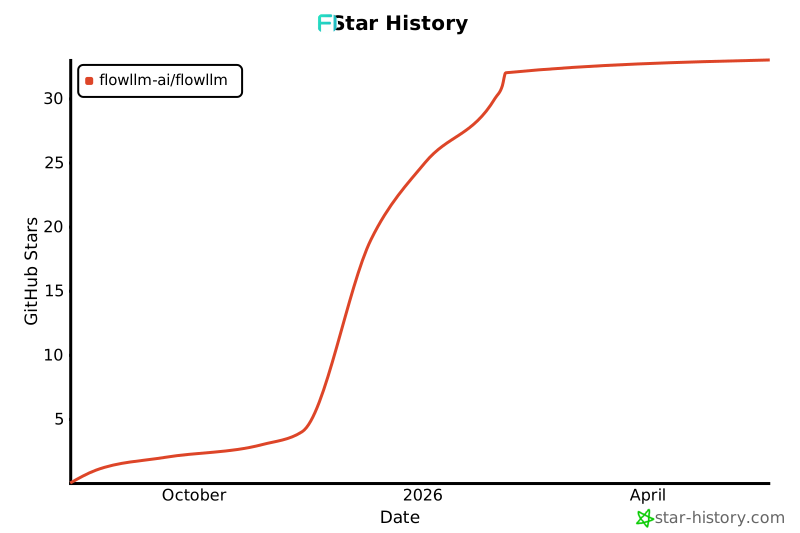
⭐ Star History
1 maintainer

Metadata
1 maintainer
Release files for flowllm 0.3.0.0
For a detailed explanation of source distributions (sdists) and built distributions (wheels), please see the package formats documentation.
Source distribution (sdist)
| File | Size | Uploaded | |
|---|---|---|---|
| flowllm-0.3.0.0.tar.gz | 69.1 kB | Details |
Built distribution (wheel)
| File | Interpreter | ABI | Platform | Reset |
|---|---|---|---|---|
| flowllm-0.3.0.0-py3-none-any.whl | Python 3 | none | any | Details |
Total release size: 160.2 kB
Release files / flowllm-0.3.0.0.tar.gz
| Download URL | flowllm-0.3.0.0.tar.gz |
|---|---|
| Size | 69.1 kB |
| Tags | Source |
|
SHA-256 checksum How to use checksums |
702e3f28a5ffd474c2fd7a133ed0474bef5c709261d172b32f93d6bad0bd9796
|
|
BLAKE2b-256 checksum How to use checksums |
2c5d17bd0aa55ecbf5958cbfaf828de686952d9c9955abfa4359b7fe3d2e71ba
|
| Upload date | |
|
Uploaded using Trusted Publishing? What is trusted publishing? |
No |
| Uploaded via |
twine/6.1.0 CPython/3.13.12
|
Release files / flowllm-0.3.0.0-py3-none-any.whl
| Download URL | flowllm-0.3.0.0-py3-none-any.whl |
|---|---|
| Size | 91.0 kB |
| Tags | Python 3 |
|
SHA-256 checksum How to use checksums |
c13f07149bc08311e8aee76f327012e1b2a78146ef66033e136c9c0f1a054b7b
|
|
BLAKE2b-256 checksum How to use checksums |
3bc1ab640747d26a2653db83cdee6aa666691770e5b7c11249b2db7005a10e2a
|
| Upload date | |
|
Uploaded using Trusted Publishing? What is trusted publishing? |
No |
| Uploaded via |
twine/6.1.0 CPython/3.13.12
|














