
FlowLLM: Simplifying LLM-based HTTP/MCP Service Development

Project description

FlowLLM:让基于LLM的HTTP/MCP服务开发更简单
如果觉得有用,欢迎给个 ⭐ Star,您的支持是我们持续改进的动力




English | 简体中文
📖 简介
FlowLLM 将 LLM/Embedding/vector_store 能力封装为 HTTP/MCP 服务,适用于 AI 对话助手、RAG 应用、工作流服务等场景,并可集成到支持 MCP 的客户端工具中。
🏗️ 架构概览

🌟 基于FlowLLM的应用
| 项目名 | 描述 |
|---|---|
| ReMe | 面向智能体的记忆管理工具包 |
📚 学习资料分享
项目开发者会在这里分享最近的学习资料。
| 日期 | 标题 | 描述 |
|---|---|---|
| 2025-11-10 | LangChain&Manus视频资料 | LangChain & Manus Context Management Video |
| 2025-11-10 | 上下文管理指南 | 从提示工程到上下文工程的演进指南 |
| 2025-11-13 | Gemini CLI 上下文管理机制 | Gemini CLI 的多层上下文管理策略 |
⭐ 核心特性
-
简单易用的 Op 开发:继承 BaseOp 或 BaseAsyncOp 基类,实现业务逻辑即可。FlowLLM提供了延迟初始化的 LLM、Embedding 模型和向量库,开发者只需通过
self.llm、self.embedding_model、self.vector_store即可轻松使用这些资源。同时FlowLLM提供了完整的 Prompt 模板管理能力,通过prompt_format()和get_prompt()方法进行格式化和使用。 -
灵活的 Flow 编排:通过 YAML 配置文件将 Op 组合成 Flow,支持灵活的编排方式。
>>表示串行组合,|表示并行组合,例如SearchOp() >> (AnalyzeOp() | TranslateOp()) >> FormatOp()可构建复杂的工作流。定义输入输出 Schema 后,使用flowllm config=your_config命令即可启动服务。 -
自动生成服务:配置完成后,FlowLLM 会自动生成 HTTP、MCP 和 CMD 服务。HTTP 服务提供标准的 RESTful API,支持同步 JSON 响应和 HTTP Stream 流式响应。MCP 服务会自动注册为 Model Context Protocol 工具,可集成到支持 MCP 的客户端中。CMD 服务支持命令行模式执行单个 Op,适合快速测试和调试。
⚡ 快速开始
📦 Step0 安装
📥 From PyPI
pip install flowllm
🔧 From Source
git clone https://github.com/flowllm-ai/flowllm.git
cd flowllm
pip install -e .
详细安装与配置方法请参考 安装指南。
⚙️ 配置
创建 .env 文件,配置 API Key。你可以从 example.env 复制并修改:
cp example.env .env
然后在 .env 文件中配置你的 API Key:
FLOW_LLM_API_KEY=sk-xxxx
FLOW_LLM_BASE_URL=https://xxxx/v1
FLOW_EMBEDDING_API_KEY=sk-xxxx
FLOW_EMBEDDING_BASE_URL=https://xxxx/v1
详细配置说明请参考 配置指南。
🛠️ Step1 构建Op
from flowllm.core.context import C
from flowllm.core.op.base_async_op import BaseAsyncOp
from flowllm.core.schema import Message
from flowllm.core.enumeration import Role

@C.register_op()
class SimpleChatOp(BaseAsyncOp):
    async def async_execute(self):
        query = self.context.get("query", "")
        messages = [Message(role=Role.USER, content=query)]
        response = await self.llm.achat(messages=messages)
        self.context.response.answer = response.content.strip()
详细内容请参考 简单 Op 指南、LLM Op 指南 和 高级 Op 指南(包含 Embedding、VectorStore 和并发执行等高级功能)。
📝 Step2 配置config
以下示例展示如何构建一个 MCP(Model Context Protocol)服务。创建配置文件 my_mcp_config.yaml:
backend: mcp

mcp:
  transport: sse
  host: "0.0.0.0"
  port: 8001

flow:
  demo_mcp_flow:
    flow_content: MockSearchOp()
    description: "Search results for a given query."
    input_schema:
      query:
        type: string
        description: "User query"
        required: true

llm:
  default:
    backend: openai_compatible
    model_name: qwen3-30b-a3b-instruct-2507
    params:
      temperature: 0.6
🚀 Step3 启动 MCP 服务
flowllm \
  config=my_mcp_config \
  backend=mcp \  # 可选,覆盖config配置
  mcp.transport=sse \  # 可选,覆盖config配置
  mcp.port=8001 \  # 可选,覆盖config配置
  llm.default.model_name=qwen3-30b-a3b-thinking-2507  # 可选,覆盖config配置
服务启动后可以参考Client Guide来使用服务,可以直接获取模型所需要的tool_call。
📚 详细文档
🚀 入门指南
🔧 Op 开发
🔀 Flow 编排
🌐 服务使用
🤝 参与贡献
欢迎各种形式的贡献!具体参与方式请参考 贡献指南。
📄 许可证
本项目采用 Apache 2.0 许可证。
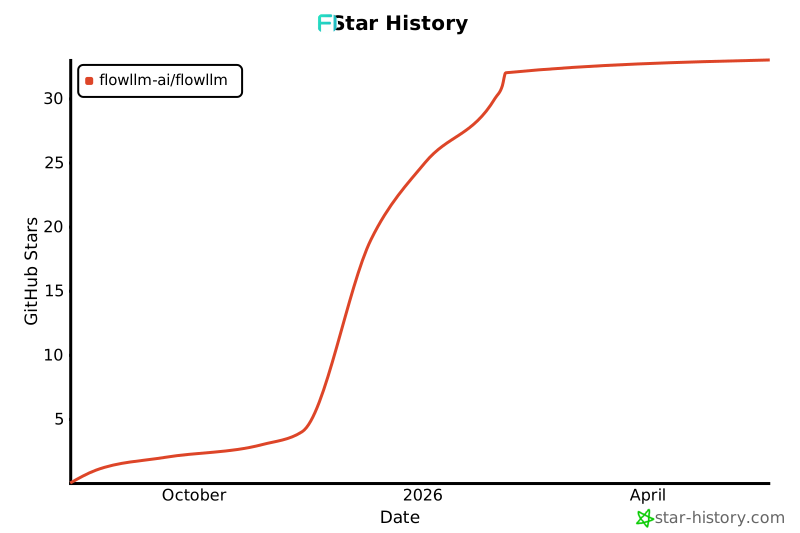
Star History
Release history Release notifications | RSS feed


Download files
Download the file for your platform. If you're not sure which to choose, learn more about installing packages.
Source Distribution
Built Distribution
Filter files by name, interpreter, ABI, and platform.
If you're not sure about the file name format, learn more about wheel file names.
Copy a direct link to the current filters
File details
Details for the file flowllm-0.2.0.1.tar.gz.
File metadata
- Download URL: flowllm-0.2.0.1.tar.gz
- Upload date:
- Size: 133.4 kB
- Tags: Source
- Uploaded using Trusted Publishing? No
- Uploaded via: twine/6.1.0 CPython/3.13.7
File hashes
| Algorithm | Hash digest | |
|---|---|---|
| SHA256 |
318d358e9d38f700d4401e5c483cb486edb0c1401924182ef54c29da82e77b7a
|
|
| MD5 |
1ee257dc8d09a55025ba6e91ea57e976
|
|
| BLAKE2b-256 |
7fddc96b4b1525fb5b60415d16b580880614d912e35f864d6f39dab0f5237488
|
File details
Details for the file flowllm-0.2.0.1-py3-none-any.whl.
File metadata
- Download URL: flowllm-0.2.0.1-py3-none-any.whl
- Upload date:
- Size: 150.5 kB
- Tags: Python 3
- Uploaded using Trusted Publishing? No
- Uploaded via: twine/6.1.0 CPython/3.13.7
File hashes
| Algorithm | Hash digest | |
|---|---|---|
| SHA256 |
62259c8f40f84642ff4fc2caa6793140c476e24d916120f442d0996ec414cda8
|
|
| MD5 |
801af77c68aa0c4946af53a47c225860
|
|
| BLAKE2b-256 |
e1f2c44e581f4f7ea9ed31d09c97118f5ae972faa30232f7fc98720ba16a360e
|






