
CLI Terraria world map renderer

Project description

Flyingsnake
CLI Terraria world map renderer
Links

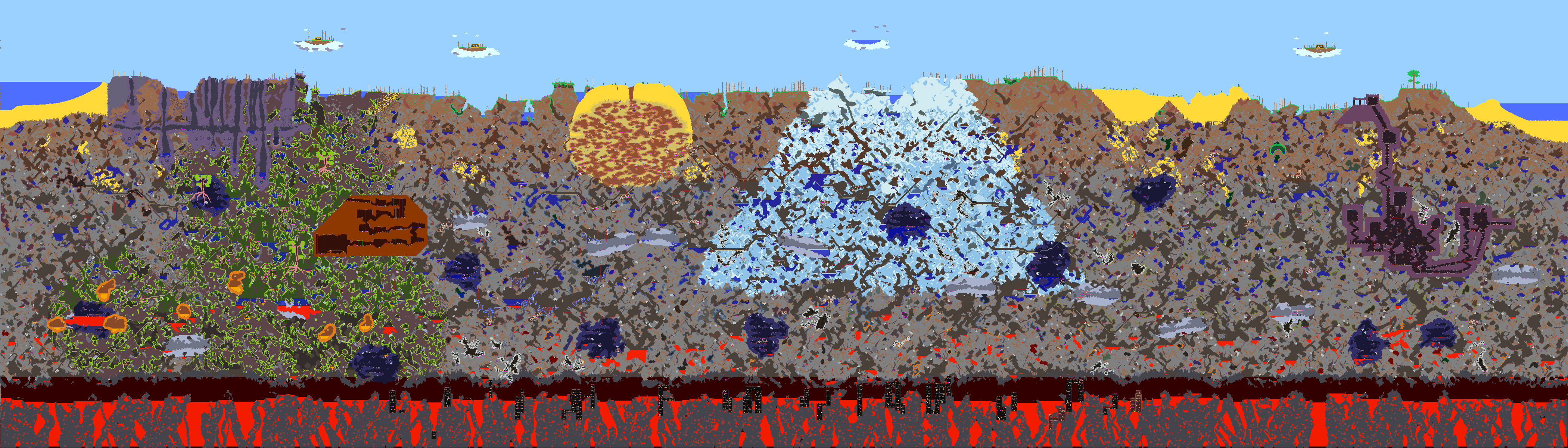
Screenshots
Requirements
To use flyingsnake, you need Python 3.7 or higher installed on your machine and inside your PATH.
Installing
Windows
Open either Windows PowerShell (Windows 10) or the Command Prompt (other Windows versions) and enter:
pip install flyingsnake --upgrade
Linux
Enter this in your terminal:
python3.7 -m pip install flyingsnake --upgrade
Usage
Warning
Loading maliciously designed Terraria worlds can drain system resources, crash the interpreter, or possibly do more evil things!
Make sure you trust the worlds you are rendering!
To create a world map image named Output.png from the Small_Example.wld file present in your current working directory, run in your terminal:
flyingsnake Small_Example.wld Output.png
Layers
The world map is generated by merging together multiple layers that can be enabled/disabled through flags.
In order, those are:
- Background
- Walls
- Liquids
- Blocks
- Wires
Background
The background layer is made by coloring the Overworld, the Underground and the Caverns their respective background color.
It can be selected exclusively with the --background flag, or turned off with the --no-background flag.

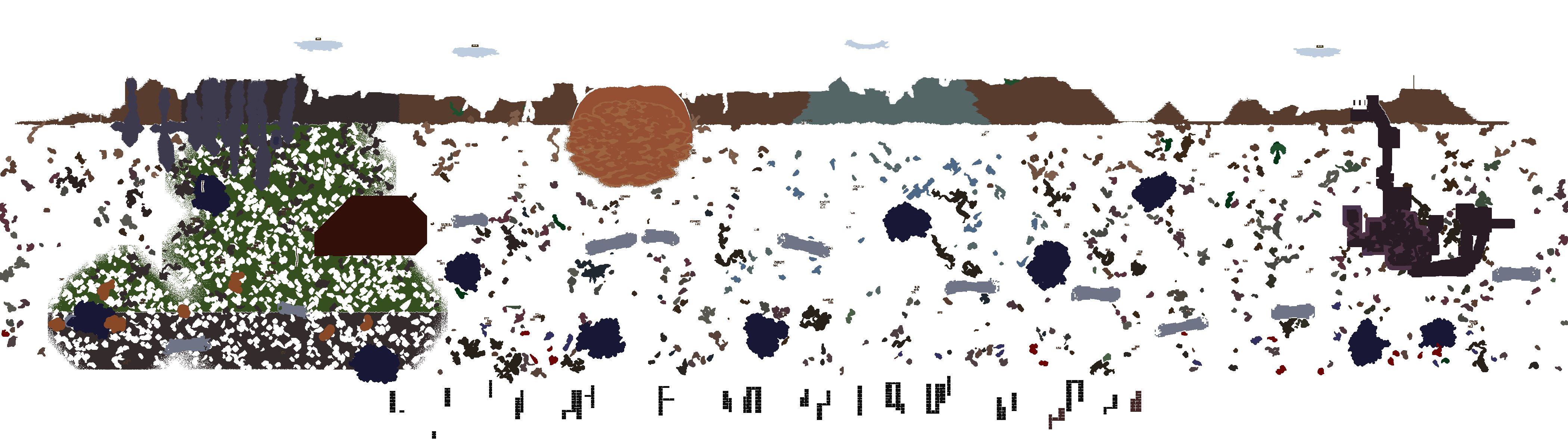
Walls
The walls layer contains the colors of the walls present in the world.
It can be selected exclusively with the --walls flag, or turned off with the --no-walls flag.
If the walls are painted, they will be colored with the paint color.
You can turn off paint colors with the --no-paints option.
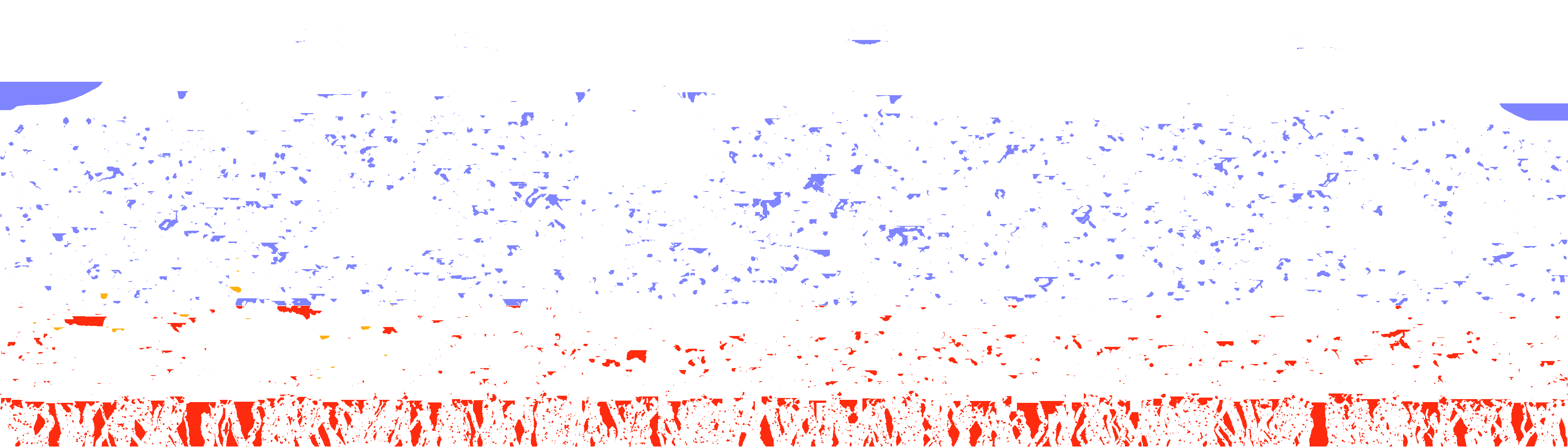
Liquids
The liquids layer contains the colors of the liquids present in the world (water, lava, honey...)
It can be selected exclusively with the --liquids flag, or turned off with the --no-liquids flag.
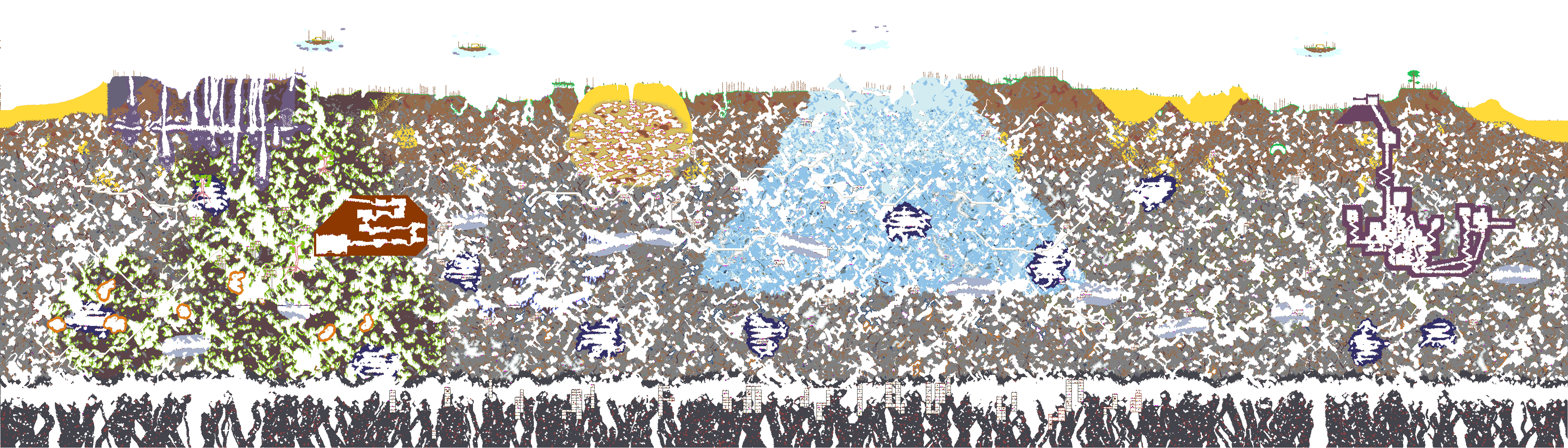
Blocks
The blocks layer contains the colors of the blocks present in the world.
It can be selected exclusively with the --blocks flag, or turned off with the --no-blocks flag.
If the blocks are painted, they will be colored with the paint color.
You can turn off paint colors with the --no-paints option.
Wires
The wires layer is a semi-transparent overlay of the wires present in the world.
It can be selected exclusively with the --wires flag, or turned off with the --no-wires flag.

Custom colors
By default, flyingsnake uses the colors defined in the TEdit settings file.
However, you can use different colors by passing the --colors colors.json option to the command.
You can see an example colors file here; the colors are in RGBA format, and go from 0 to 255.
License
flyingsnake is licensed under the AGPL 3.0.
Basically, you're allowed to do whatever you want with this program, but you have to publish all modified code, and it has to be published under the same license.
See also
If you are interested in flyingsnake, you might be interested in these other programs too:
Release history Release notifications | RSS feed


Download files
Download the file for your platform. If you're not sure which to choose, learn more about installing packages.
Source Distribution
Built Distribution
Filter files by name, interpreter, ABI, and platform.
If you're not sure about the file name format, learn more about wheel file names.
Copy a direct link to the current filters
File details
Details for the file flyingsnake-3.1.2.tar.gz.
File metadata
- Download URL: flyingsnake-3.1.2.tar.gz
- Upload date:
- Size: 37.8 kB
- Tags: Source
- Uploaded using Trusted Publishing? No
- Uploaded via: twine/5.1.1 CPython/3.12.5
File hashes
| Algorithm | Hash digest | |
|---|---|---|
| SHA256 |
7afc017a1f2afa6a2376150d355d30b19c5f55185761acdb57e7ce87ae26236b
|
|
| MD5 |
05eda163b9227719d66fd0c21a136bf1
|
|
| BLAKE2b-256 |
d18768ecef85ef2141f9a38af701a606c8ab1d9661882328c5f611f9ccfe83c1
|
File details
Details for the file flyingsnake-3.1.2-py3-none-any.whl.
File metadata
- Download URL: flyingsnake-3.1.2-py3-none-any.whl
- Upload date:
- Size: 29.9 kB
- Tags: Python 3
- Uploaded using Trusted Publishing? No
- Uploaded via: twine/5.1.1 CPython/3.12.5
File hashes
| Algorithm | Hash digest | |
|---|---|---|
| SHA256 |
34c871f14ab7454085afe76e6966193ffe709be34f9e15a9b8cd4c0982a117f9
|
|
| MD5 |
2411796b42aa044324d8049ab004dae4
|
|
| BLAKE2b-256 |
ae92b4e187bf097854b8e49b8970c5b707db91aa3f71d8c90b32ce8556639f20
|






