
Foghorn is a fast, pluggable DNS server that caches, filters, routes, and bends DNS to your will. Up- and down-stream UDP, TCP, DoT, and DoH. DNSEC. Because DNS should do what you want.

Project description
Foghorn Configuration & Operations
Foghorn is a versatile DNS server designed for flexibility and performance. Built on a robust caching forwarder or recursive resolver foundation, it seamlessly integrates with YAML-based configuration and modular plugins to transform into a powerful ad-blocker, local hosts service, kid-safe filter. Fine-tune its capabilities with a Redis backend, InfluxDB logging, and customizable function-cache sizes tailored to your specific needs.
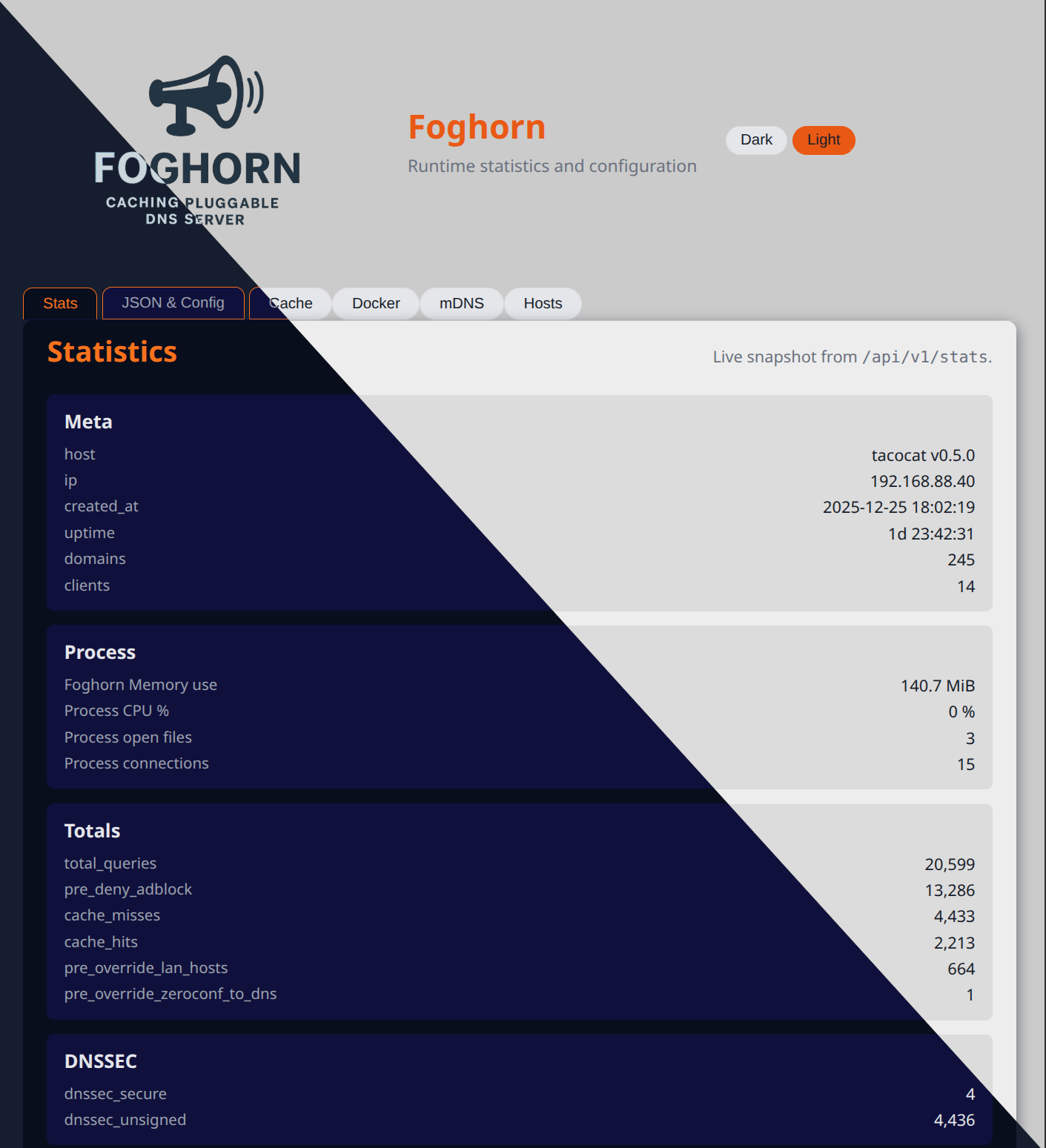
With built-in admin and API server support, Foghorn empowers you to monitor and manage its operations efficiently. Plugins extend its functionality by providing their own status pages, seamlessly integrated into the admin dashboard.



The configuration file is validated against a JSON Schema, but you rarely need to read the schema directly. This guide walks through the main sections (vars, server, upstreams, logging, stats, and plugins), then shows concrete examples for every built‑in plugin.
Table of Contents
- 0. Thanks
- 1. Quick start: minimal config
- 2. Configuration layout overview
- 3. Listeners and upstreams by example
- 4. Plugin cookbook
- 4.1 Access control (acl)
- 4.2 DNS prefetch (prefetch)
- 4.3 Docker containers (docker)
- 4.4 Hosts files (hosts)
- 4.5 Example rewrites EXAMPLE(examples)
- 4.6 List downloader (lists)
- 4.7 Domain filter / adblock (filter)
- 4.8 Flaky upstream simulator (flaky)
- 4.9 Greylist new names EXAMPLE (greylist_example)
- 4.10 mDNS / Bonjour bridge (mdns)
- 4.11 New-domain WHOIS filter EXAMPLE (new_domain)
- 4.12 Rate limiting (rate)
- 4.13 Per-domain upstream routing (router)
- 4.14 Inline and file-based records (zone)
- 5. Sample configurations
0. Thanks
With special thanks to Fiona Weatherwax for their contributions and inspiration, to the dnslib team for the low level / on wire primitives, and to dnspython for the DNSSEC implementation. Additional shout outs to the whole python community, and the teams of fastapi, pydantic, black, ruff, pytest, and every other giant on whose shoulders I stand.
Also thanks to my junior developers, AI from both local and remote models, some via warp.dev, who keeps my docstrings and unit tests up to date, creates good commit messages, and other janitorial tasks. Also a lot of help with the all the HTML/JS. Because I'm just not good at it.
1. Quick start: minimal config
This example listens on all interfaces for UDP/TCP DNS and forwards to a public DoT resolver. It also enables a simple in-memory cache.
# config/config.yaml

vars:
  ENV: prod

server:
  listen:
	dns:
	  udp:
		enabled: true
		host: 0.0.0.0
		port: 53
	  tcp:
		enabled: true
		host: 0.0.0.0
		port: 53
  cache:
	module: memory  # memory | sqlite | redis | memcached | mongodb | none

upstreams:
  strategy: failover        # failover | round_robin | random
  max_concurrent: 1         # 1 | 2 | 4 ...
  endpoints:
	- host: 1.1.1.1
	  port: 853
	  transport: dot        # udp | tcp | dot
	  tls:
		server_name: cloudflare-dns.com

plugins: []
You can start Foghorn with:
foghorn --config config/config.yaml
From here you layer in plugins to get adblocking, hosts files, per-user allowlists, and more.
Makefile helpers
For local development there is a Makefile with a few convenience targets:
make run– create a venv if needed and start Foghorn withconfig/config.yaml.make env/make env-dev– create the virtualenv in./venvand install dependencies (with dev extras forenv-dev).make build– prepare the development environment (keeps the JSON schema up to date).make schema– regenerateassets/config-schema.jsonfrom the Python code.make test– run the test suite with coverage.make clean– remove the venv, build artefacts, and temporary files.make docker,make docker-build,make docker-run,make docker-logs,make docker-clean,make docker-ship– build and run Docker images/containers.make package-build/make package-publish/make package-publish-dev– build and (optionally) publish Python packages.make ssl-cert– generate a self-signed TLS key and certificate under./varusingopenssl req -x509.
2. Configuration layout overview
2.1 Top-level keys
At the top level the schema defines these keys:
vars: key/value variables for interpolation inside the rest of the file.server: listener, DNSSEC, resolver, cache, and admin HTTP settings.upstreams: how outbound DNS queries are sent.logging: global logging level and outputs.stats: runtime statistics and query-log persistence.plugins: the ordered list of plugins that wrap each query.
Conceptually, a request flows like this:
client ---> UDP/TCP/DoH listener
		---> DNS cache (memory, redis, etc) (optional)
		---> plugins (pre_resolve chain)
		---> [maybe upstream DNS calls or recursive resolving]
		---> plugins (post_resolve chain)
		---> response or deny
Note: when a pre_resolve plugin returns an override decision the generated
response is sent immediately and the post_resolve chain is skipped entirely; a
post_resolve override short-circuits any later post_resolve plugins for that
query.
2.2 Server block
Key parts of server:
server.listendns.udp/dns.tcp: classic DNS listeners.dns.dot: DNS-over-TLS listener.doh: DNS-over-HTTPS listener.
server.cachemodule: which cache plugin to use.config: plugin-specific cache settings.modify/decorated_overrides: optional overrides for internal helper caches.
server.dnssec- Mode and DNSSEC validation knobs (e.g., UDP payload size).
server.resolver- Timeouts, recursion depth, and whether Foghorn runs as a forwarder or recursive resolver.
server.http- Admin web UI listener configuration.
2.3 Upstreams block
upstreams describes how Foghorn talks to other DNS servers:
strategy:failover(try in order),round_robin, orrandom.max_concurrent: maximum simultaneous outstanding upstream queries.endpoints: list ofupstream_hostdefinitions.
An upstream_host entry:
upstreams:
  endpoints:
	- host: 9.9.9.9
	  port: 53        # 853 for DoT
	  transport: udp  # udp | tcp | dot
	  tls:
		server_name: dns.quad9.net
		verify: true  # true | false
An upstream_host entry: using DNS-over-HTTP(s)
upstreams:
  endpoints:
	- transport: doh
	  url: https://dns.example.com/dns-query
	  method: POST    # POST | GET
	  tls:
		verify: true  # true | false
		ca_file: /etc/ssl/certs/ca-certificates.crt
2.4 Logging
logging controls both the process-wide Python logger and the
statistics/query-log backends.
Python logging (global defaults):
logging:
  python:
	level: info       # debug | info | warn | error | critical
	stderr: true      # true | false
	file: ./var/foghorn.log
	syslog: false     # false | true | {address, facility, tag}
Plugins can also override logging per-instance via their own logging block on
the plugin entry, using the same shape as logging.python.
logging.backends describes where persistent stats/query-log data is written.
Each entry maps to a statistics backend such as SQLite or MQTT logging:
logging:
  async: true          # default async behaviour for stats backends
  query_log_only: false  # false | true
  backends:
	- id: local-log
	  backend: sqlite
	  config:
		db_path: ./config/var/stats.db
		batch_writes: true
	- id: backup-mqtt
	  backend: mqtt_logging
	  config:
		host: mqtt.internal
		port: 1883
		topic: foghorn/query_log
2.5 Stats and query log
The stats section controls runtime statistics behaviour and selects which
logging backend to read from. When logging.async is true, writes to
stats/query-log backends are performed by a background worker so request
handling stays fast; setting it to false forces synchronous writes.
Important fields include:
enabled: master on/off switch for statistics.source_backend: whichlogging.backends[*].id(or backend alias) to treat as the primary read backend.
Example:
logging:
  async: true
  query_log_only: false     # false | true
  backends:
	- id: local-log
	  backend: sqlite
	  config:
		db_path: ./config/var/stats.db
		batch_writes: true

stats:
  enabled: true
  source_backend: local-log
  interval_seconds: 300
  ignore:
	include_in_stats: true
	ignore_single_host: false
	top_domains_mode: suffix   # exact | suffix
	top_domains:
	  - example
2.6 Plugins
In the plugins list each entry is a PluginInstance:
plugins:
  - type: filter
	id: main-filter
	enabled: true
	setup:
	  abort_on_failure: true
	hooks:
``    pre_resolve:
		enabled: true
		priority: 50
	logging:
	  level: info
	config:
	  # plugin-specific config here
You normally care about:
type: short alias for the plugin.id: optional stable identifier for this plugin instance (surfaced in stats, logs, and admin UI).enabled: whether it runs.hooks: per-hook enable/priority overrides (optional).setup: one-time setup behaviour;abort_on_failurecontrols whether a failing setup() aborts startup.logging: per-plugin logging overrides (level, file, stderr, syslog) using the same shape as the globalloggingblock.config: the actual configuration for that plugin.
Common plugin‑wide options:
- Client targeting (all resolve plugins honor this):
config.targets: list (or single string) of CIDR/IPs to explicitly target. When set, only matching clients are affected.config.targets_ignore: list (or single string) of CIDR/IPs to skip. When onlytargets_ignoreis set, all other clients are targeted by default.
- qtype targeting:
config.target_qtypes: list of qtype names or'*'for all types, e.g.['A', 'AAAA'],['MX']or['*'].
- Per-plugin logging:
- The
loggingstanza on the plugin instance lets you bump log level or direct output differently from the global logger.
- The
Example with targeting and qtype selection:
plugins:
  - type: filter
	id: lan-filter
	enabled: true
	logging:
	  level: debug
	config:
	  targets:
		- 192.168.0.0/16
	  targets_ignore:
		- 192.168.0.10
	  target_qtypes: ['A', 'AAAA']  # '*' | ['A'] | ['A', 'AAAA']
3. Listeners and upstreams by example
3.1 UDP/TCP listener
A typical server.listen.dns configuration:
server:
  listen:
	dns:
	  udp:
		enabled: true
		host: 0.0.0.0
		port: 53
	  tcp:
		enabled: true
		host: 0.0.0.0
		port: 53
Turn TCP off if you never want to accept TCP DNS:
	  tcp:
		enabled: false  # true | false
3.2 DNS-over-TLS (DoT) upstream
To talk to an upstream DoT resolver:
upstreams:
  strategy: round_robin      # failover | round_robin | random
  endpoints:
	- host: 1.1.1.1
	  port: 853
	  transport: dot
	  tls:
		server_name: cloudflare-dns.com
		verify: true
You can mix DoT and plain UDP endpoints in the same list; the strategy decides how they are chosen.
3.3 DNS-over-HTTPS (DoH) listener with TLS
To expose a DoH listener directly from Foghorn (for example on port 8053 with TLS termination):
server:
  listen:
	# ... dns.udp / dns.tcp here ...
	doh:
	  enabled: true
	  host: 0.0.0.0
	  port: 8053
	  cert_file: /etc/foghorn/tls/server.crt
	  key_file: /etc/foghorn/tls/server.key
3.4 DoH listener behind an HTTP reverse proxy
When Foghorn itself is running behind an HTTP reverse proxy (for example, nginx or Envoy), you typically terminate TLS at the proxy and run the DoH listener as plain HTTP on localhost. The proxy handles https:// and forwards /dns-query to Foghorn:
server:
  listen:
	# ... dns.udp / dns.tcp here ...
	doh:
	  enabled: true
	  host: 127.0.0.1
	  port: 8053
	  # No cert_file/key_file here; TLS is terminated at the reverse proxy.
Your reverse proxy is then configured to listen on 443 with TLS and proxy requests such as https://dns.example.com/dns-query to http://127.0.0.1:8053/dns-query.
3.5 Helper Make targets for TLS keys and certificates
For quick local testing, the Makefile includes convenience targets that generate a small CA and server key material under ./keys:
make ssl-ca– createfoghorn_ca.keyand a self-signedfoghorn_ca.crtwith CA key usage.make ssl-ca-pem– export the CA certificate asfoghorn_ca.pemfor use as a trust anchor (e.g.upstreams.*.tls.ca_file).make ssl-cert– create a server key and certificate signed by the local CA, namedfoghorn_${CNAME}.key/.crt.make ssl-server-pem– build a combinedfoghorn_${CNAME}.pemcontaining the server certificate and key.
Use ca.pem when Foghorn is a TLS client and needs to trust an internal CA (for example for DoT/DoH upstreams via tls.ca_file). Use server.pem when Foghorn is acting as a TLS server and you need a single file containing both cert and key for a listener.
These are intended for development and lab environments only; for production, use your normal PKI or certificate management.
4. Plugin cookbook
Below are the built‑in plugins, with short descriptions and minimal configs. All examples assume they live in the shared plugins: list.
Some resolver filters are shipped as examples only and now live under
foghorn.plugins.resolve.examples (for example the DNS prefetch, example
rewrites, greylist, and new-domain WHOIS filters). They are not wired into a
running server by default; configuration that references these example types
will not work unless you first move or copy the corresponding module into
foghorn.plugins.resolve. This is an intentional speed bump so that you review
and understand what they do before enabling them in your own deployment.
4.1 Access control (acl)
IP-based allow/deny control at the edge.
plugins:
  - type: acl
	config:
	  default: allow       # allow | deny
	  allow:
		- 192.168.1.1 # Overrides the deny below.
		- 10.0.0.0/8
	  deny:
		- 192.168.0.0/16
		- 172.16.0.0/12
4.2 Example: DNS prefetch (prefetch)
Prefetches the most popular names from statistics to keep the cache warm. Not very effecient yet, but it shows the concept
plugins:
  - type: prefetch
	config:
	  interval_seconds: 60
	  prefetch_top_n: 100
	  max_consecutive_misses: 5
	  qtypes: ['A', 'AAAA']
4.3 Docker containers (docker)
Expose Docker container names as DNS answers.
plugins:
  - type: docker
	config:
	  endpoints:
		- url: unix:///var/run/docker.sock
		- url: tcp://my.server.lan:2375
	  ttl: 60
	  health: ['healthy', 'running']
	  discovery: true   # false | true
4.4 Hosts files (hosts)
Serve additional records from one or more hosts-style files.
plugins:
  - type: hosts
	config:
	  file_paths:
		- /etc/hosts
		- ./config/hosts.local
	  ttl: 300
	  watchdog_enabled: true   # null | true | false
4.5 Example rewrites (examples)
A playground plugin that can rewrite responses or demonstrate behaviours.
plugins:
  - type: examples
	config:
	  base_labels: 2
	  max_subdomains: 5
	  apply_to_qtypes: ['A']
4.6 List downloader (lists)
Fetches remote blocklists/allowlists on a schedule and stores them as files for other plugins.
plugins:
  - type: lists
	hooks: # Setup early so other plugins have their files available.
	  setup:  { priority: 10 }
	config:
	  download_path: ./config/var/lists
	  interval_days: 1
	  hash_filenames: true # false | true - Multiple "hosts.txt" files easily handled by hashing the URL
	  urls:
		- https://example.com/ads.txt
		- https://example.com/hosts.txt
		- https://serverA/hosts.txt
		- https://serverB/hosts.txt
4.7 Domain filter / adblock (filter)
Flexible domain/IP/pattern filter used to build adblockers and kid-safe DNS.
plugins:
  - type: filter
	config:
	  hooks:
		pre_resolve:  { priority: 25 } # Run early in block queries so other plugins don't do anything
		post_resolve: { priority: 25 } # Post-resolve IP filtering and policy
	  default: allow  # deny | allow
	  targets:
		- 10.0.1.0/24 # Kids subnet
	  ttl: 300
	  # When a pre_resolve deny happens, synthesize an IP response pointing at a sinkhole address
	  deny_response: ip  # nxdomain | refused | servfail | ip | noerror_empty
	  deny_response_ip4: 0.0.0.0

	  # Post-resolve IP filtering rules (answer inspection)
	  blocked_ips:
		- ip: 203.0.113.10        # Replace a specific IP with a safer landing page
		  action: replace
		  replace_with: 0.0.0.0
		- ip: 203.0.113.0/24      # Strip an entire subnet from answers
		  action: remove
		- ip: 198.51.100.42       # Block a single IP entirely (maps to deny)
		  action: deny

	  blocked_domains_files:
		- ./config/var/lists/*.txt
	  allowed_domains:
		- homework.example.org
	  blocked_domains:
		- how-to-cheat.org
		- current-game-obession.io
4.8 Flaky upstream simulator (flaky)
Injects DNS errors and timeouts for testing client behaviour.
plugins:
  - type: flaky
	config:
	  servfail_percent: 5
	  nxdomain_percent: 0
	  timeout_percent: 1
	  truncate_percent: 0
	  noerror_empty_percent: 0
	  apply_to_qtypes: ['A', 'AAAA']
4.9 Greylist new names (greylist_example)
Introduces a delay window before new names are allowed. The origin of the project! Started as a greylist for security researches working on phishing protection. It would sound an alarm when potential phishing domain names were spotted. Things like "mycorp.phishing.com". The idea was most of these phishing domains don't see any traffic before the campagin is active.
plugins:
  - type: greylist_example
	config:
	  db_path: ./config/var/greylist.db
	  cache_ttl_seconds: 300
	  duration_hours: 24
4.10 mDNS / Bonjour bridge (mdns)
Expose mDNS / DNS-SD services as normal DNS records.
plugins:
  - type: mdns
	config:
	  domain: '.local'
	  ttl: 120
	  include_ipv4: true   # true | false
	  include_ipv6: true   # true | false
	  network_enabled: true
4.11 New-domain WHOIS filter EXAMPLE (new_domain)
Blocks domains that appear too new according to WHOIS data.
plugins:
  - type: new_domain
	config:
	  threshold_days: 7
	  whois_db_path: ./config/var/whois_cache.db
	  whois_cache_ttl_seconds: 3600
4.12 Rate limiting (rate)
Adaptive rate limiting per client or per (client,domain).
plugins:
  - type: rate
	config:
	  mode: per_client        # per_client | per_client_domain | per_domain
	  window_seconds: 10
	  warmup_windows: 6
	  burst_factor: 3.0
	  min_enforce_rps: 50.0
	  deny_response: nxdomain # nxdomain | refused | servfail | noerror_empty | ip
	  deny_response_ip4: 0.0.0.0
	  db_path: ./config/var/rate_limit.db
4.13 Per-domain upstream routing (router)
Send different domains to different upstreams.
upstreams:
  strategy: failover
  endpoints:
	- host: 9.9.9.9
	  port: 53
	  transport: udp

plugins:
  - type: router
	config:
	  routes:
		- domain: internal.example
		  upstreams:
			- host: 10.0.0.53
			  port: 53
		- suffix: corp.local
		  upstreams:
			- host: 192.168.1.1
			  port: 53
4.14 Inline and file-based records (zone)
Define custom records either inline or in zone files.
plugins:
  - type: zone
	config:
	  file_paths:
		- ./config/zones.d/internal.zone
	  records:
		- 'printer.lan|A|300|192.168.1.50'
		- 'files.lan|AAAA|300|2001:db8::50'
	  ttl: 300
5. Sample configurations
These sketches show how all the pieces fit together. Adjust paths and IPs to match your environment.
5.1 local: workstation config
Goals:
- Cache locally for speed.
- Forward to a public DoT resolver.
- No plugins yet.
vars:
  PROFILE: local

server:
  listen:
	dns:
	  udp: {enabled: "true", host: "127.0.0.1", port: 5353}
  cache:
	module: memory

upstreams:
  strategy: failover
  endpoints:
	- host: 1.1.1.1
	  port: 853
	  transport: dot
	  tls: {server_name: "cloudflare-dns.com", verify: true}

logging:
  python:
	level: info
  query_log_only: true

stats:
  enabled: true
  source_backend: local-log

plugins: []
5.2 lan: home LAN with adblock and kid filter
Goals:
- Listen on all interfaces.
- Use filter+lists to block ads.
- Use a second filter instance as a stricter allowlist for kids.
- Route internal corp domains to a separate upstream.
vars:
  PROFILE: lan
  LAN: 192.168.0.0/16
  KIDS: 192.168.2.0/24

server:
  listen:
	dns:
	  udp: {enabled: true, host: 0.0.0.0, port: 53}
  cache:
	module: sqlite
	config:
	  db_path: ./config/var/dns_cache.db

upstreams:
  strategy: round_robin
  endpoints:
	- host: 9.9.9.9
	  port: 53
	  transport: udp
	- host: 1.1.1.1
	  port: 53
	  transport: udp

logging:
  python:
	level: info
  async: true
  query_log_only: false
  backends:
	- id: lan-log
	  backend: sqlite
	  config:
		db_path: ./config/var/stats_lan.db

stats:
  enabled: true
  source_backend: lan-log

plugins:
  - type: lists
	id: blocklists
	config:
	  pre_priority: 20
	  download_path: ./config/var/lists
	  interval_days: 1
	  urls:
		- https://example.com/ads.txt

  - type: filter
	id: adblock  # Ad block for everyone
	config:
	  pre_priority: 40
	  default: allow
	  blocked_domains_files:
		- ./config/var/lists/ads.txt

  - type: filter
	id: kids  # Filter just for the kids.
	config:
	  pre_priority: 50
	  targets: ${KIDS}
	  default: deny
	  allowed_domains:
		- homework.example.org
		- library.example.org
	  deny_response: ip
	  deny_response_ip4: 0.0.0.0

  - type: router
	id: corp-router
	config:
	  pre_priority: 80
	  routes:
		- suffix: corp
		  upstreams:
			- host: 192.168.100.53
			  port: 53
5.3 smb: small business
Goals:
- Persistent DNS cache.
- Local LAN overrides via hosts, mDNS bridge, and zone records.
- Simple access control and rate limiting.
- Query-log persistence in MariaDB/MySQL (configured via logging.backends).
vars:
  PROFILE: smb
  LISTEN: "0.0.0.0"
  LAN: 192.168.0.0/16
  FLOOR1: 192.168.10.50
  FLOOR2: 192.168.20.50
  FLOOR1_NET: 192.168.10.0/24
  FLOOR2_NET: 192.168.20.0/24

server:
  listen:
	dns:
	  udp: {enabled: true, host: ${LISTEN}, port: 53}
	  tcp: {enabled: true, host: ${LISTEN}, port: 53}
  cache:
	module: sqlite
	config:
	  db_path: ./config/var/dns_cache.db

upstreams:
  strategy: failover
  endpoints:
	- host: dot1.myisp.example
	  port: 853
	  transport: dot
	  tls: {server_name: dot1.myisp.example, verify: true}
	- host: dot2.myisp.example
	  port: 853
	  transport: dot
	  tls: {server_name: dot2.myisp.example, verify: true}

logging:
  python:
	level: info
  async: true
  query_log_only: false
  backends:
	- id: mariadb
	  backend: mariadb
	  config:
		host: db.internal
		port: 3306
		user: foghorn
		database: foghorn_stats

stats:
  enabled: true
  source_backend: mariadb

plugins:
  - type: acl
	id: lan-only
	config:
	  pre_priority: 10
	  default: deny
	  allow:
		- ${LAN}

  - type: hosts
	id: office-hosts
	config:
	  pre_priority: 20
	  file_paths:
		- /etc/hosts
		- ./config/hosts.office

  - type: mdns
	id: office-mdns
	config:
	  pre_priority: 30
	  domain: 'devices.mycorp'
	  ttl: 120

  - type: zone
	id: printers-floor1
	config:
	  pre_priority: 40
	  targets: ${FLOOR1_NET}
	  records:
		- 'printer.corp|A|300|${FLOOR1}'

  - type: zone
	id: printers-floor2
	config:
	  pre_priority: 41
	  targets: ${FLOOR2_NET}
	  records:
		- 'printer.corp|A|300|${FLOOR2}'

  - type: docker
	id: lan-docker
	config:
	  pre_priority: 50
	  targets: ${LAN}
	  endpoints:
		- url: unix:///var/run/docker.sock
	  ttl: 60

  - type: rate
	id: smb-rate
	config:
	  pre_priority: 90
	  mode: per_client
	  window_seconds: 10
	  min_enforce_rps: 20.0
	  deny_response: servfail
5.4 enterprise: layered caches and rich stats
Goals:
- Redis or Memcached cache for large edge deployments.
- Multiple PostgreSQL statistics backends plus Influx logging.
- Heavy use of plugins (router, filter, docker, mdns, zone).
- Fine-grained client targeting and per-plugin priorities.
vars:
  PROFILE: enterprise
  LISTEN: 0.0.0.0
  LAN: 10.0.0.0/16
  OFFICE: 10.10.0.0/16
  OFFICE_REMOTE: 10.20.0.0/16

server:
  listen:
	dns:
	  udp: {enabled: true, host: ${LISTEN}, port: 53}
	  tcp: {enabled: true, host: ${LISTEN}, port: 53}
	  dot:
		enabled: true
		host: ${LISTEN}
		port: 853
		cert_file: /etc/foghorn/tls/server.crt
		key_file: /etc/foghorn/tls/server.key
  cache:
	module: redis # redis | memcached | sqlite | memory | mongodb | none
	config:
	  url: redis://redis-cache.internal:6379/0
	  namespace: foghorn:dns_cache:

upstreams:
  strategy: round_robin
  max_concurrent: 4
  endpoints:
	- host: 10.0.0.53
	  port: 53
	  transport: udp
	  pool:
		max_connections: 64
		idle_timeout_ms: 30000
	- host: 10.0.1.53
	  port: 53
	  transport: udp
	  pool:
		max_connections: 64
		idle_timeout_ms: 30000
	- host: 10.0.2.53
	  port: 853
	  transport: dot
	  tls: {server_name: dns.corp.example, verify: true}
	  pool:
		max_connections: 32
		idle_timeout_ms: 60000

logging:
  python:
	level: info
  async: true
  query_log_only: false
  backends:
	- id: pg_primary
	  backend: postgr   - id: pg_reporting
	  backend: postgres
	  config:
		  host: pg-reporting.internal
		  port: 5432
		  user: foghorn_ro
		  database: foghorn_stats
	- id: influx-logging
	  backend: influx
	  config:
		  write_url: http://metrics.internal:8086/api/v2/write
		  bucket: dns
		  org: infra

stats:
  enabled: true
  source_backend: pg_primary

plugins:
  - type: acl
	id: lan-only
	config:
	  pre_priority: 10
	  default: deny
	  allow:
		- ${LAN}

  - type: docker
	id: lan-docker
	config:
	  pre_priority: 20
	  targets: ${LAN}
	  endpoints:
		- url: unix:///var/run/docker.sock
	  ttl: 60

  - type: mdns
	id: enterprise-mdns
	config:
	  pre_priority: 30
	  domain: 'devices.lan'
	  ttl: 120

  - type: zone
	id: zone-1-office
	config:
	  pre_priority: 40
	  targets: ${OFFICE}
	  file_paths:
		- ./config/zones.d/zone-1.zone

  - type: zone
	id: zone-2-remote
	config:
	  pre_priority: 41
	  targets: ${OFFICE_REMOTE}
	  file_paths:
		- ./config/zones.d/zone-2.zone

  - type: router
	id: corp-router
	config:
	  pre_priority: 60
	  routes:
		- suffix: corp.example
		  upstreams:
			- host: 10.1.0.53
			  port: 53

  - type: filter
	id: global-filter
	config:
	  pre_priority: 80
	  default: allow
	  blocked_domains_files:
		- ./config/var/lists/global_block.txt
From here you can mix and match plugins, caches, and stats backends to shape Foghorn into exactly the DNS service you need.


Download files
Download the file for your platform. If you're not sure which to choose, learn more about installing packages.
Source Distribution
Built Distribution
Filter files by name, interpreter, ABI, and platform.
If you're not sure about the file name format, learn more about wheel file names.
Copy a direct link to the current filters
File details
Details for the file foghorn-0.6.0.tar.gz.
File metadata
- Download URL: foghorn-0.6.0.tar.gz
- Upload date:
- Size: 4.6 MB
- Tags: Source
- Uploaded using Trusted Publishing? No
- Uploaded via: twine/6.2.0 CPython/3.13.11
File hashes
| Algorithm | Hash digest | |
|---|---|---|
| SHA256 |
a3eff2d48f5726271c3aa8cb0b0144e172f531ac0aae6ba35b27f549d746b3a5
|
|
| MD5 |
a867414d71ed897f2ac8cdef206c38fb
|
|
| BLAKE2b-256 |
23e601969acd1949b8546e6a8bacefb9a7506c59108fef02daa13955436e8c64
|
File details
Details for the file foghorn-0.6.0-py3-none-any.whl.
File metadata
- Download URL: foghorn-0.6.0-py3-none-any.whl
- Upload date:
- Size: 4.5 MB
- Tags: Python 3
- Uploaded using Trusted Publishing? No
- Uploaded via: twine/6.2.0 CPython/3.13.11
File hashes
| Algorithm | Hash digest | |
|---|---|---|
| SHA256 |
035be4bd394428b6df056a63270c26bb9098d975115208490148bf06a1a8f70d
|
|
| MD5 |
0f820ceecdf346ec66bc5f820e955c2c
|
|
| BLAKE2b-256 |
a7d551dc217af3f470829b1bc6c06c130847d15a81ed5f9dd22dc218352ffb9b
|






