
FORTRAN Language Server - dev version


Project description
Fortran Language Server - dev version
This is the developer's version for @hansec's original
fortran-language-server. It contains bug fixes and new features that are yet to be merged into the main repository.




A Fortran implementation of the Language Server Protocol using Python (3.6+).
Editor extensions using this language server to provide autocomplete and other IDE-like functionality are available for Atom, Visual Studio Code, Visual Studio, (Neo)vim, and Emacs.
Language Server Features
- Document symbols (
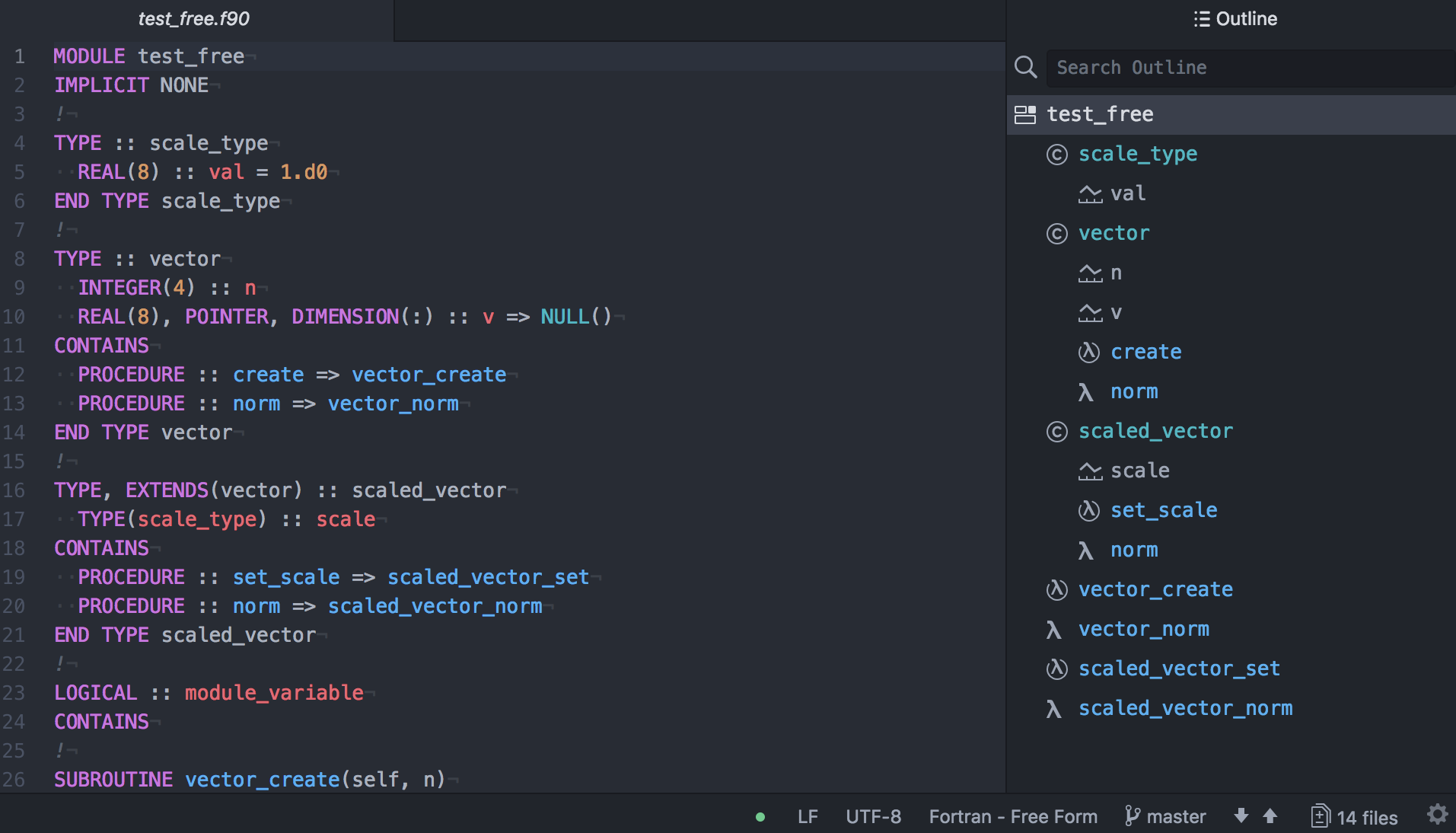
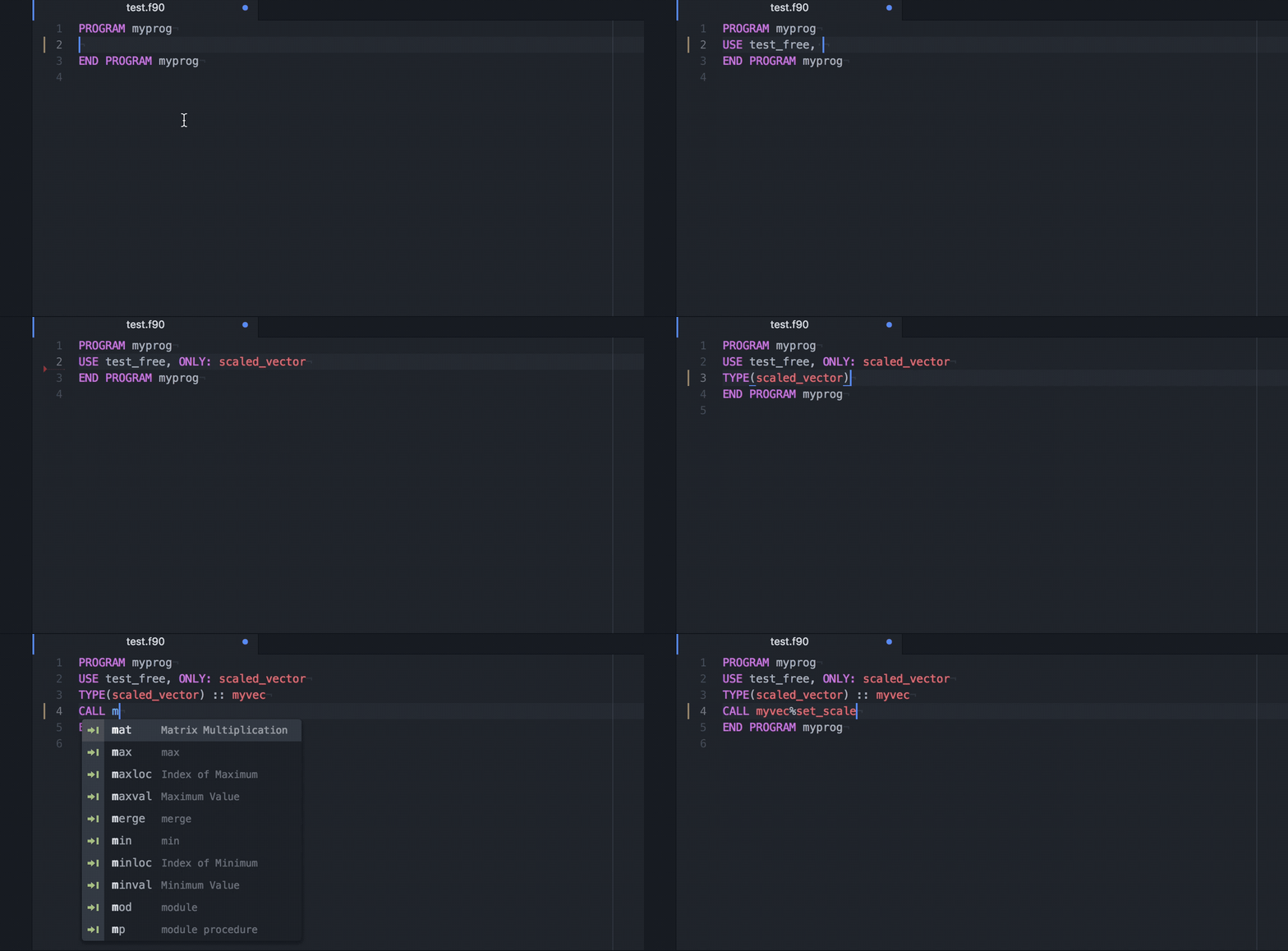
textDocument/documentSymbol) - Auto-complete (
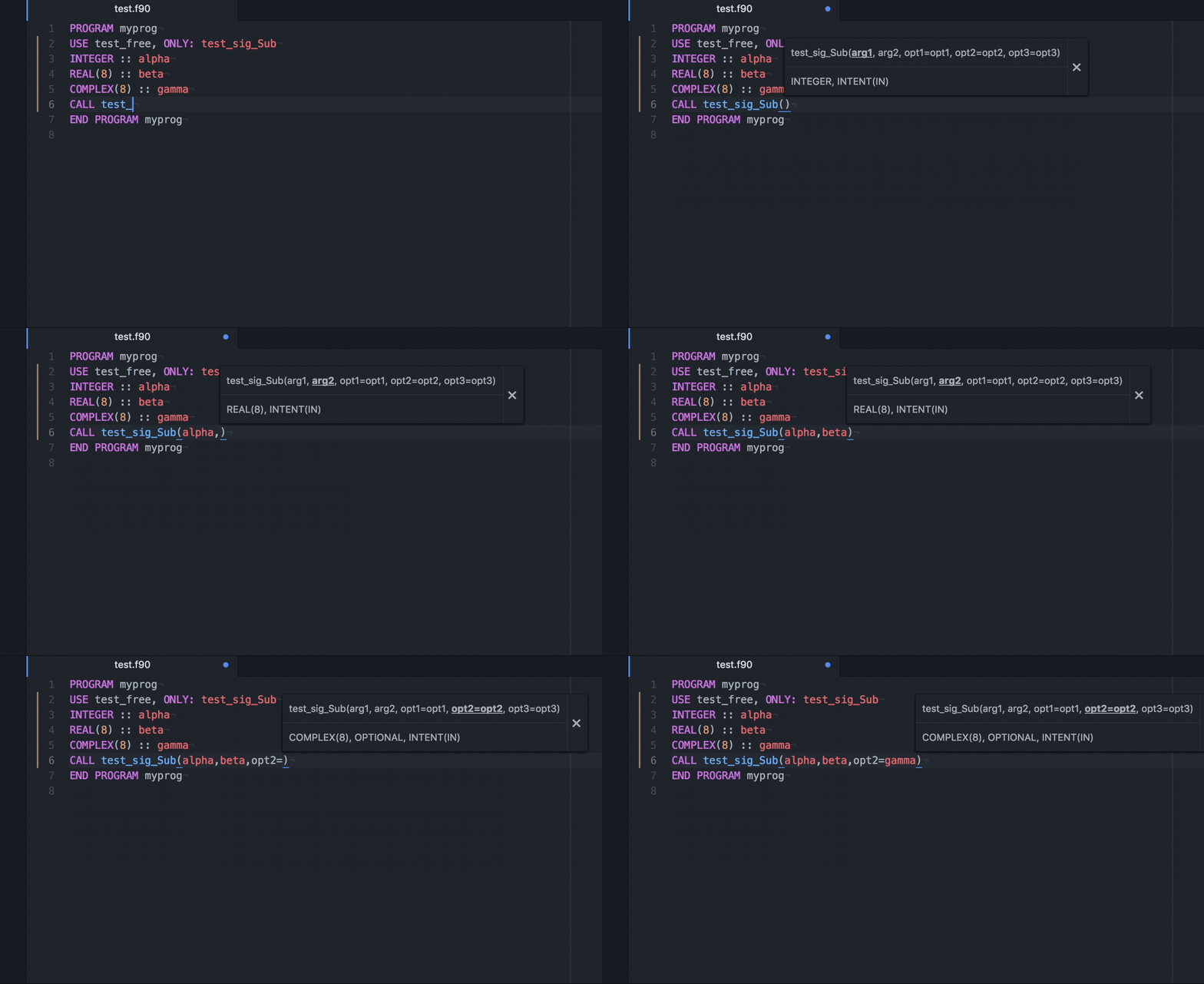
textDocument/completion) - Signature help (
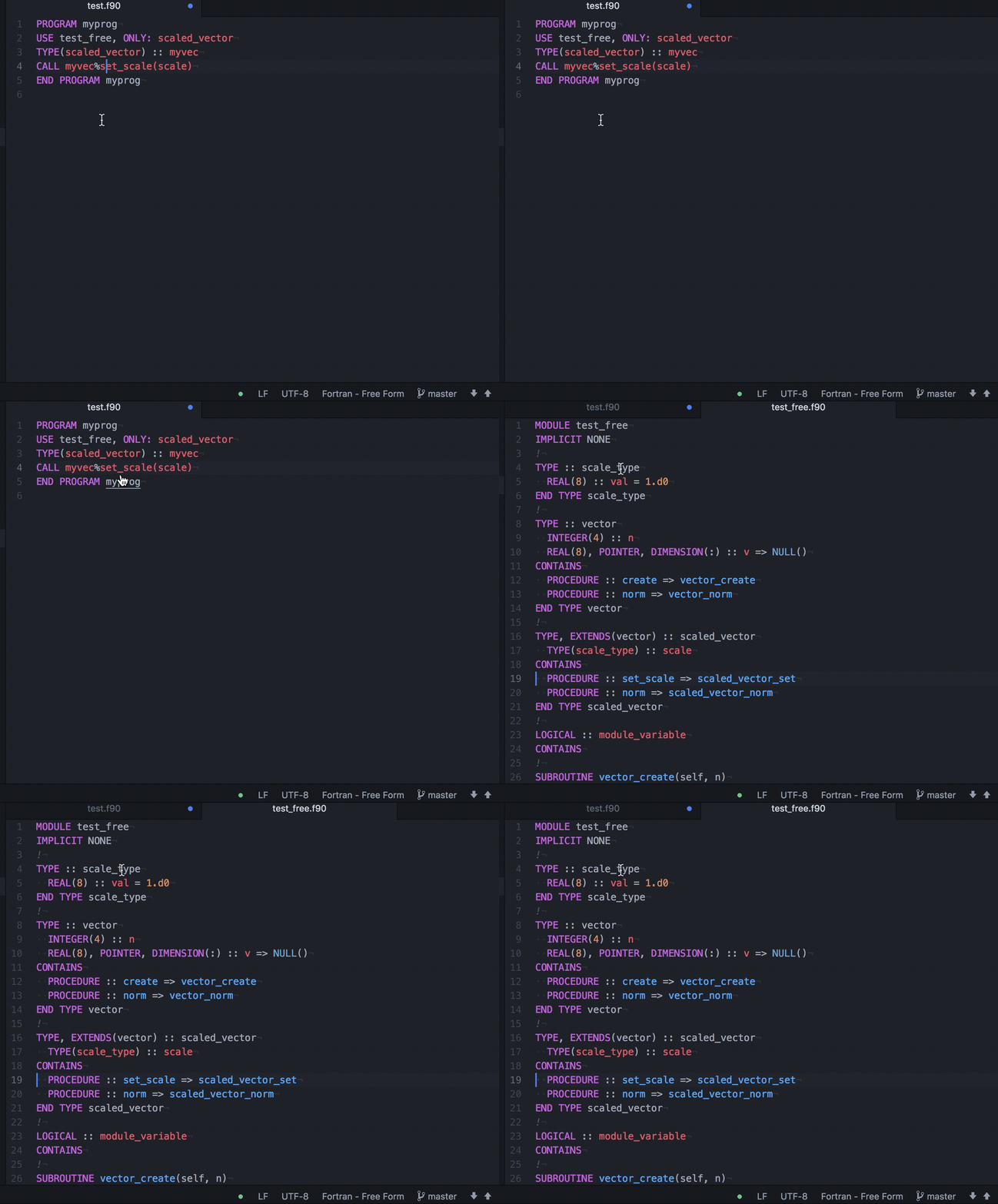
textDocument/signatureHelp) - GoTo/Peek definition (
textDocument/definition) - Hover (
textDocument/hover) - GoTo implementation (
textDocument/implementation) - Find/Peek references (
textDocument/references) - Project-wide symbol search (
workspace/symbol) - Symbol renaming (
textDocument/rename) - Documentation parsing (Doxygen and FORD styles)
- Diagnostics (limited)
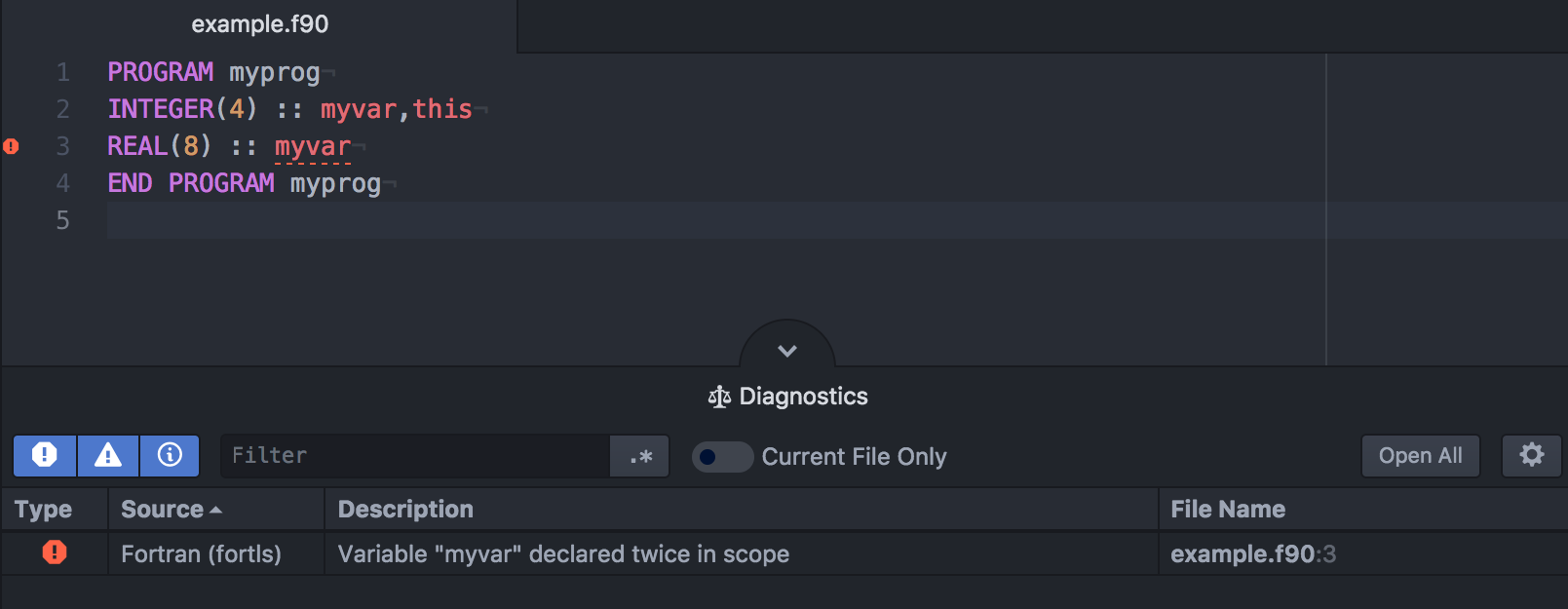
- Multiple definitions with the same variable name
- Variable definition masks definition from parent scope
- Missing subroutine/function arguments
- Unknown user-defined type used in "TYPE"/"CLASS" definition (only if visible in project)
- Unclosed blocks/scopes
- Invalid scope nesting
- Unknown modules in "USE" statement
- Unimplemented deferred type-bound procedures
- Use of unimported variables/objects in interface blocks
- Statement placement errors ("CONTAINS", "IMPLICIT", "IMPORT")
- Code actions (
textDocument/codeAction) [Experimental]- Generate type-bound procedures and implementation templates for deferred procedures
Notes/Limitations
- Signature help is not available for overloaded subroutines/functions
- Diagnostics are only updated when files are saved or opened/closed
Installation
pip install fortls
Language server settings
The following global settings can be used when launching the language server.
--nthreadsNumber of threads to use during workspace initialization (default: 4)--notify_initSend notification message when workspace initialization is complete--symbol_skip_memDo not include type members in document symbol results--incremental_syncUse incremental document synchronization--autocomplete_no_prefixDo not filter autocomplete results by variable prefix--autocomplete_no_snippetsDo not use snippets with place holders in autocomplete results--autocomplete_name_onlyComplete only the name of procedures and not the parameters--lowercase_intrinsicsUse lowercase for intrinsics and keywords in autocomplete requests--use_signature_helpUse signature help instead of snippets for subroutines/functions--variable_hoverShow hover information for variables (default: subroutines/functions only)--hover_signatureShow signature information in hover for argument (also enables '--variable_hover')--preserve_keyword_orderDisplay variable keywords information in original order (default: sort to consistent ordering)--enable_code_actionsEnable experimental code actions (default: false)--disable_diagnosticsDisable code diagnostics (default: false)--max_line_lengthMaximum line length (default: none)--max_comment_line_lengthMaximum comment line length (default: none)--debug_logWrite debug information toroot_dir/fortls_debug.log(requires a specifiedroot_dirduring initialization)
Debug settings
The following settings can be used to perform standalone debug tests on the language server.
--debug_filepath=DEBUG_FILEPATHFile path for language server tests--debug_rootpath=DEBUG_ROOTPATHRoot path for language server tests--debug_line=DEBUG_LINELine position for language server tests (1-indexed)--debug_char=DEBUG_CHARCharacter position for language server tests (1-indexed)--debug_full_resultPrint full result object instead of condensed version--debug_parserTest source code parser on specified file--debug_diagnosticsTest diagnostic notifications for specified file--debug_symbolsTest symbol request for specified file--debug_workspace_symbols=QUERY_STRINGTest workspace/symbol request for project-wide search--debug_completionTest completion request for specified file and position--debug_signatureTest signatureHelp request for specified file and position--debug_definitionTest definition request for specified file and position--debug_hoverTest hover request for specified file and position--debug_implementationTest implementation request for specified file and position--debug_referencesTest references request for specified file and position--debug_rename=RENAME_STRINGTest rename request for specified file and position--debug_actionsTest codeAction request for specified file and position
Configuration
Project specific settings can be specified by placing a JSON file named
.fortls (example below) in the root_dir directory.
lowercase_intrinsicsUse lowercase for intrinsics and keywords in autocomplete requests (default: false)debug_logWrite debug information toroot_dir/fortls_debug.log(default: false)disable_diagnosticsDisable diagnostics for this project only (default: false)max_line_lengthMaximum line length (default: none)max_comment_line_lengthMaximum comment line length (default: none)
Additional settings
Default file extensions
By default all files with the suffix F,F77,F90,F95,F03,F08,FOR,FPP
(case-insensitive) in the root_dir directory, specified during
initialization, and all its sub-directories are parsed and included in
the project.
Excluding folders and file extensions
Directories and files can be excluded from the project by specifying
their paths in the excl_paths variable in the.fortls file.
Paths can be absolute or relative to root_dir.
Excluded directories will not exclude all sub-directories.
Source files with a common suffix may also be excluded using the
excl_suffixes variable.
NOTE: All directory inputs fields (
excl_paths,source_dirs,include_dirs) support Python glob patterns e.g./**,*, etc.
Including source directories
By default all source directories under root_dir are recursively included.
Source file directories can also be specified manually by specifying
their paths in the source_dirs variable in .fortls.
Paths can be absolute or relative to root_dir.
the .fortls file.
When defining source_dirs in .fortls the default behaviour (i.e. including
all files in all subdirectories under root_dir) is overriden. To include them
back again one can do
{
  "source_dirs": ["/**", "all", "other", "dirs"]
}
NOTE:
root_dirdoes not need to be specified manually as it is always included.
Preprocessing
Note: Preprocessor support is not "complete", see below. For
preprocessed files the language server will only analyze code within
preprocessor conditional regions if the conditional test can be
evaluated by the server or if the region is the default path (ie. a
bare #else region).
Note: Currently, #include statements are only used for
preprocessing (ie. tracking definitions). Fortran objects defined in
these files will not be processed.
File suffixes for preprocessing can be controlled with the variable
pp_suffixes in a workspace's .fortls file. When this variable is
used only those files with the specified suffixes will be
preprocessed. If an empty array is specified then no preprocessing
will be performed on any files. By default, or if the variable is
omitted or null, only files with upper case suffixes are preprocessed.
Preprocessor definitions can be set for each project, to improve support
for Fortran files using conditional compilation, using the pp_defs
variable in the .fortls file. Preprocessing is performed only for
files where the file extension is all caps (ie. ".F90", ".F", etc.).
Currently, support for preprocessing is limited to variables declared in
the project's .fortls file or in the source file of interest as
#include files and inheritance through USE statements are yet not
supported. Variable substitution is also performed within files, but is
currently limited to non-recursive cases. For example, #define PP_VAR1 PP_VAR2 will cause PP_VAR1 to be replaced with the text PP_VAR2
throughout the file, not that value of PP_VAR2.
Include directories can be specified using the variable include_dirs
in a workspace's .fortls file. These directories are only used to
search for preprocessor #include'd files. The directory containing the
file where an #include statement is encountered is always searched.
File search is performed starting with the containing directory followed
by the specified include_dirs specified paths, in order (left to
right).
{
  "source_dirs": ["subdir1/**", "subdir2"],
  "excl_paths": ["subdir3/**", "subdir1/file_to_skip.F90"],
  "excl_suffixes": ["_skip.f90"],
  "pp_suffixes": [".f03", ".F90"],
  "pp_defs": { "HAVE_PACKAGE": "" },
  "include_dirs": ["rel_include/dir_path", "/abs/include/dir/path"],
  "lowercase_intrinsics": false,
  "debug_log": false
}
Bug reports
When filing bugs please provide example code to reproduce the observed issue.
License
This project is made available under the MIT License.
Support
If you really like this package you can buy me a coffee to say thanks.
Editor examples (Atom)
Document symbols (textDocument/documentSymbol):
Auto-complete (textDocument/completion):
Signature help (textDocument/signatureHelp):
Goto definition (textDocument/definition):
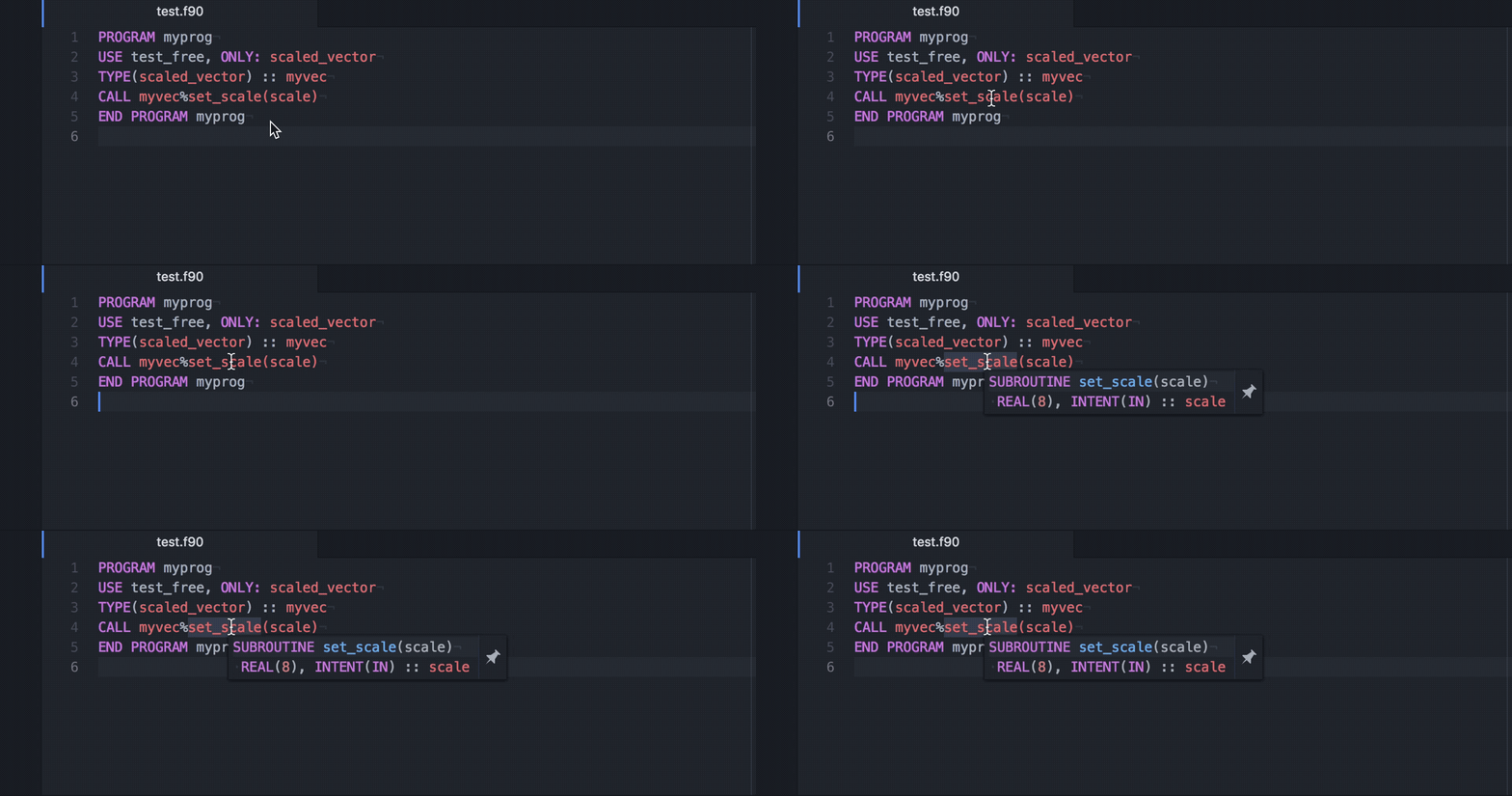
Hover (textDocument/hover):
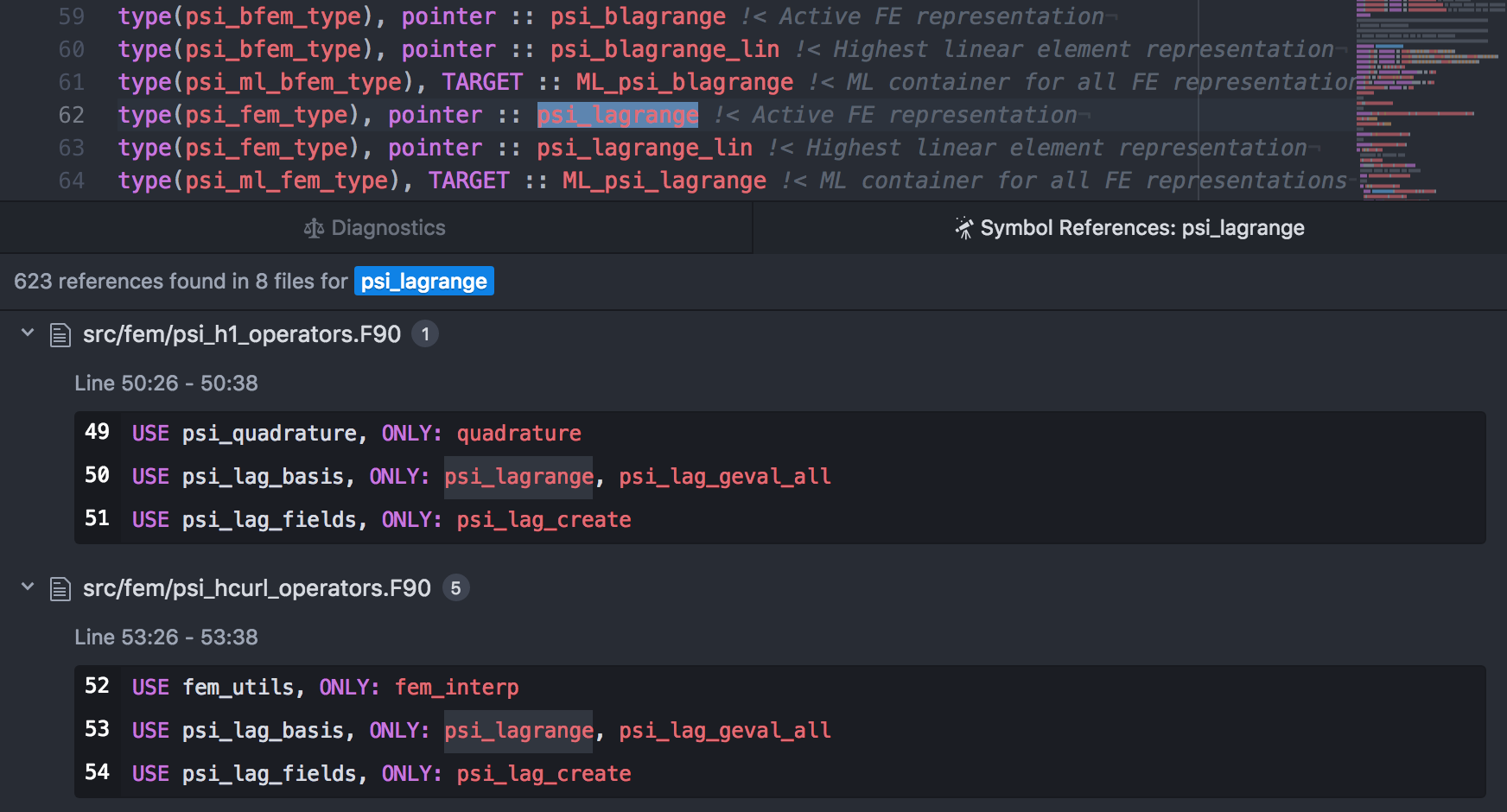
Find references (textDocument/references):
Diagnostics:
Release history Release notifications | RSS feed


Download files
Download the file for your platform. If you're not sure which to choose, learn more about installing packages.
Source Distribution
Built Distribution
Filter files by name, interpreter, ABI, and platform.
If you're not sure about the file name format, learn more about wheel file names.
Copy a direct link to the current filters
File details
Details for the file fortls-1.14.2.tar.gz.
File metadata
- Download URL: fortls-1.14.2.tar.gz
- Upload date:
- Size: 73.6 kB
- Tags: Source
- Uploaded using Trusted Publishing? No
- Uploaded via: twine/3.7.1 importlib_metadata/4.10.0 pkginfo/1.8.2 requests/2.26.0 requests-toolbelt/0.9.1 tqdm/4.62.3 CPython/3.9.9
File hashes
| Algorithm | Hash digest | |
|---|---|---|
| SHA256 |
1d63f74bec84c77d7cdcb1c0a47f9febe7c3e63f353db5f436c551198dee5dc6
|
|
| MD5 |
b990ab4db9fae8e2b4b275e09ef56d46
|
|
| BLAKE2b-256 |
79373128c599c5741717ae44643a5b09dc9e298639f586bd1be6c4df4147e4ca
|
File details
Details for the file fortls-1.14.2-py3-none-any.whl.
File metadata
- Download URL: fortls-1.14.2-py3-none-any.whl
- Upload date:
- Size: 68.7 kB
- Tags: Python 3
- Uploaded using Trusted Publishing? No
- Uploaded via: twine/3.7.1 importlib_metadata/4.10.0 pkginfo/1.8.2 requests/2.26.0 requests-toolbelt/0.9.1 tqdm/4.62.3 CPython/3.9.9
File hashes
| Algorithm | Hash digest | |
|---|---|---|
| SHA256 |
a4885b89edb6f627a501eb9b2a7592eb64ef0f8ab3e38f021087970b45d9886b
|
|
| MD5 |
4073a987a6b86e115804fb6b25330087
|
|
| BLAKE2b-256 |
5e769b013f1e6d5d86f985bcef00459cf6a68f4e14be722f8304e244e52a047b
|






