
Fullseye



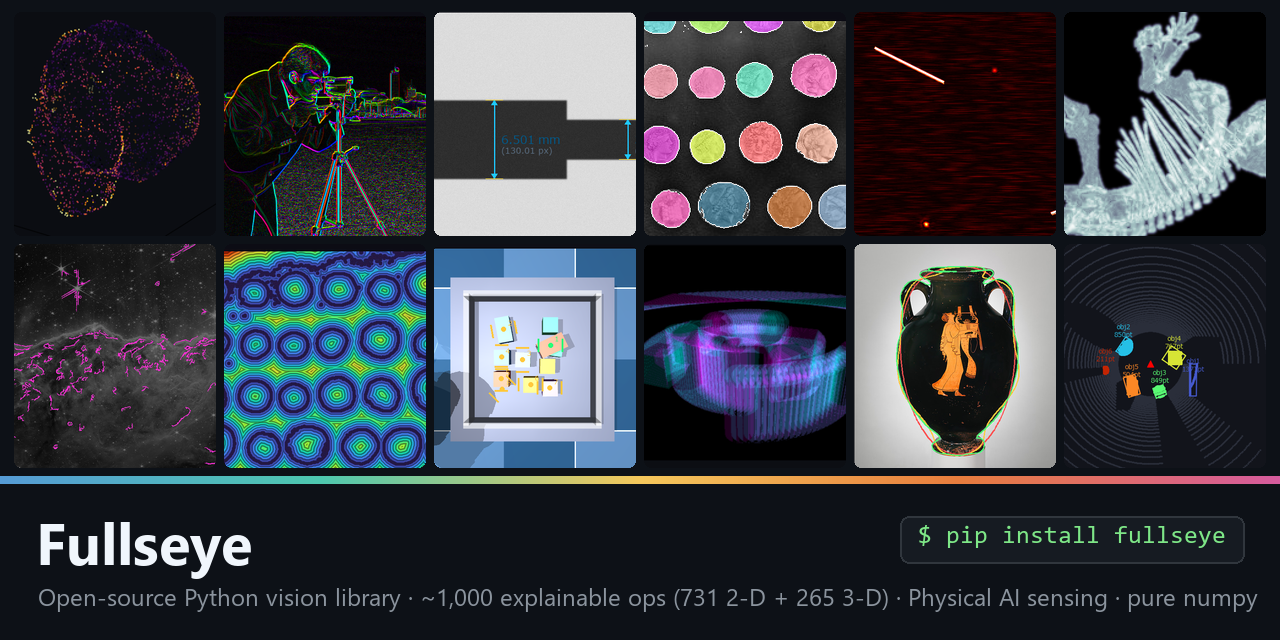
An in-house, numpy-native image-processing operator library and evolutionary pipeline designer. Every operator is reimplemented from published algorithms and open-source libraries (OpenCV, scikit-image, SciPy, Pillow, PyWavelets, SimpleITK, mahotas, kornia/torch), given a single typed interface, and contract-tested (finite, deterministic, sort-typed). On top of the operators sits an evolutionary search that designs pipelines and gates them honestly on a held-out set.
Two ways to use it: apply known operators (most of the time), or evolve a new
pipeline when no single operator solves the task. It is pip-installable and works
on plain numpy arrays, so other projects can drop it into a vision pipeline directly.
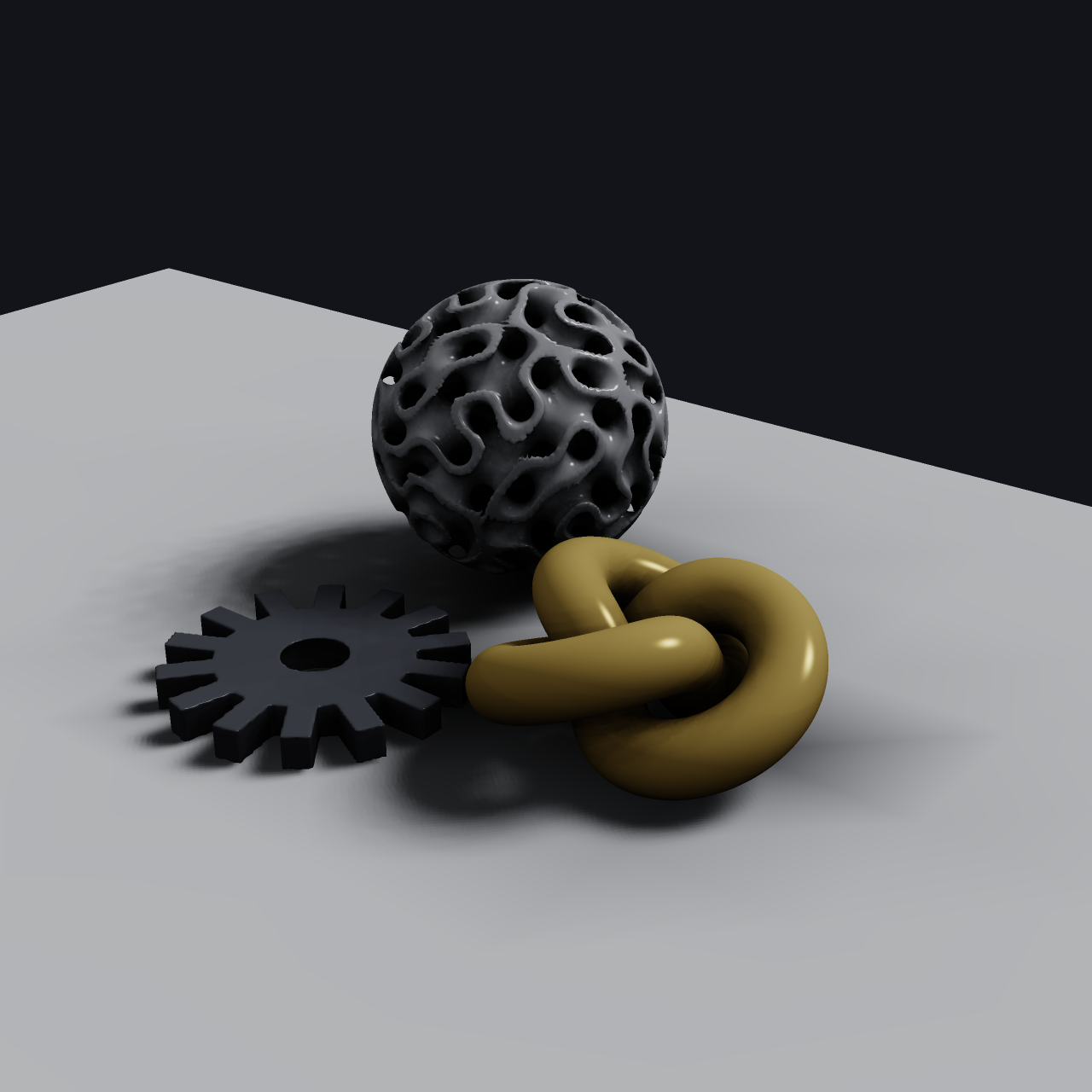
Rendered by Fullseye's numpy renderer (SDF → marching cubes → AO / soft shadows / ACES). More real outputs below.
New here? Read the full introduction. A single long-form article walks through the whole system — the three layers, the Studio IDE, the honest-evaluation discipline, and 151 worked exhibits, all illustrated with real operator output. English · 日本語
Install
pip install fullseye        # PyPI (numpy + scipy core)
pip install "fullseye[all]" # + opencv, scikit-image, Pillow, PyWavelets, SimpleITK, kornia/torch, PySide6
# from a checkout: pip install -e .   (per-backend extras: .[opencv] .[skimage] .[gpu] ...)
PyPI: https://pypi.org/project/fullseye/ · Source / issues / operator corpus:
GitHub (linked from the PyPI sidebar). After installing, fullseye-rag sets up the
Claude Code RAG skill; py -3.11 tools/update_fullseye.py updates a checkout without
touching your environment (see docs/AI_RAG_GUIDE.md).
Only numpy and scipy are required; every other backend is optional and only its own operators are affected when it is absent (graceful degradation). GPU is opt-in.
Quickstart (programmatic API)
import fullseye, numpy as np

frame = np.asarray(img, np.float64)                 # gray H×W in [0,1] (H×W×3 for color)
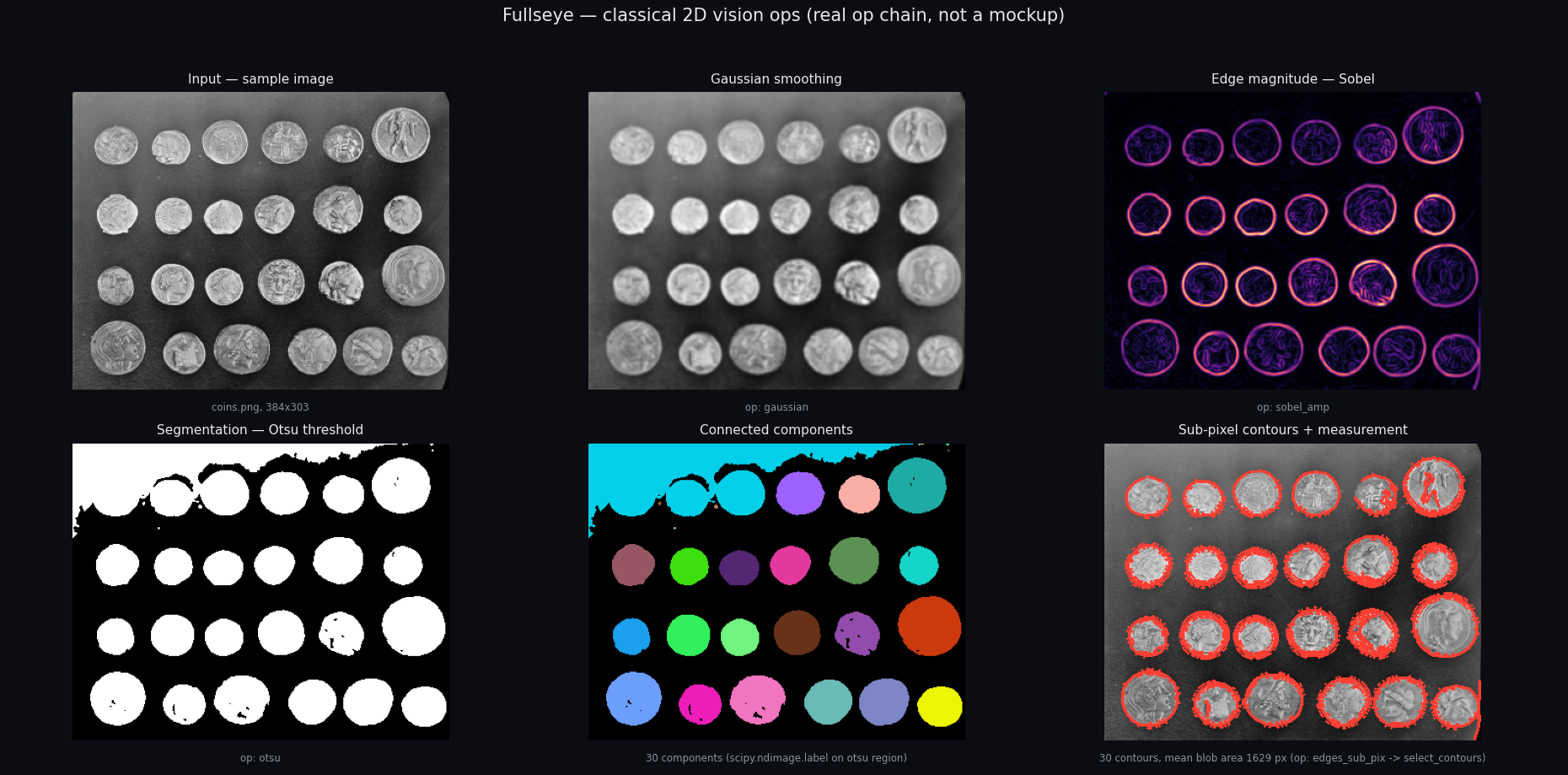
edges = fullseye.apply(frame, "sobel_amp")          # numpy in, numpy out
seg   = fullseye.apply(frame, "otsu")               # image → region (binary {0,1})
n     = fullseye.apply(seg,   "count_obj")          # region → feature → a float
out   = fullseye.run_pipeline(frame, ["gaussian", "sobel_amp", "otsu"])          # shared knobs
out   = fullseye.run_pipeline(frame, [("gaussian",0.3,0.5), ("otsu",0.4,0.5)])   # per-stage knobs
fullseye.list_ops(sort="region"); fullseye.op_names()   # discover
fullseye.apply([a, b], "add_image")                      # n-ary ops take a LIST of inputs
fullseye.apply(img, "ncc_locate", template=patch)        # match ops take the template here
fullseye.apply(frame, "otsu", on_error="raise")          # fail-closed (default: sort-valid fallback,
fullseye.fallbacks()                                     #   recorded + one warning per op)
apply(image, name, a=0.5, b=0.5) and run_pipeline take an operator name and two
knobs in [0, 1]. Feature operators return a Python float; contour operators a dict.
Operator library
~1200 typed operators (measured 2026-09-03: 870 distinct 2-D across 47 categories + 344 3-D
across 63 categories), covering denoising, smoothing, sharpening,
thresholding/segmentation, morphology, edge/corner/blob detection, distance
transforms, color-space conversion, texture/shape features, contours, and the 3-D
modality (point clouds / meshes / volumes / SDF / 6-DoF pose). Sorts: image (gray
[0,1]), color (RGB), region (binary), feature (scalar), contour, volume.
Every operator carries a machine-readable Markdown note under docs/ops/
(call form, type contract, HALCON counterpart, references, author/license/version
fingerprint) — a single source of truth that generates the Studio help pages and
doubles as a retrieval (RAG) corpus for AI coding assistants: an agent such as
Claude Code can look up operators by contract, chain them by sort, and inspect every
intermediate result. One command installs the bundled Claude Code skill and pins the
corpus path (py -3.11 tools/setup_claude_rag.py — see docs/AI_RAG_GUIDE.md).
Coverage against HALCON's 2313 operators is measured, not asserted
(py -3.11 imgevolve.py coverage).
py -3.11 imgevolve.py ops --search edge      # search implemented operators
py -3.11 imgevolve.py apply gaussian in.png out.png --a 0.6
py -3.11 imgevolve.py pipeline in.png out.png --ops "gaussian,sobel_amp,otsu"
py -3.11 imgevolve.py coverage               # honest coverage numbers
Adding one operator makes evolution, code generation, the catalog, and the
machine-readable index (docs/OP_INDEX.json) follow automatically.
Perception stack (robotics-friendly)
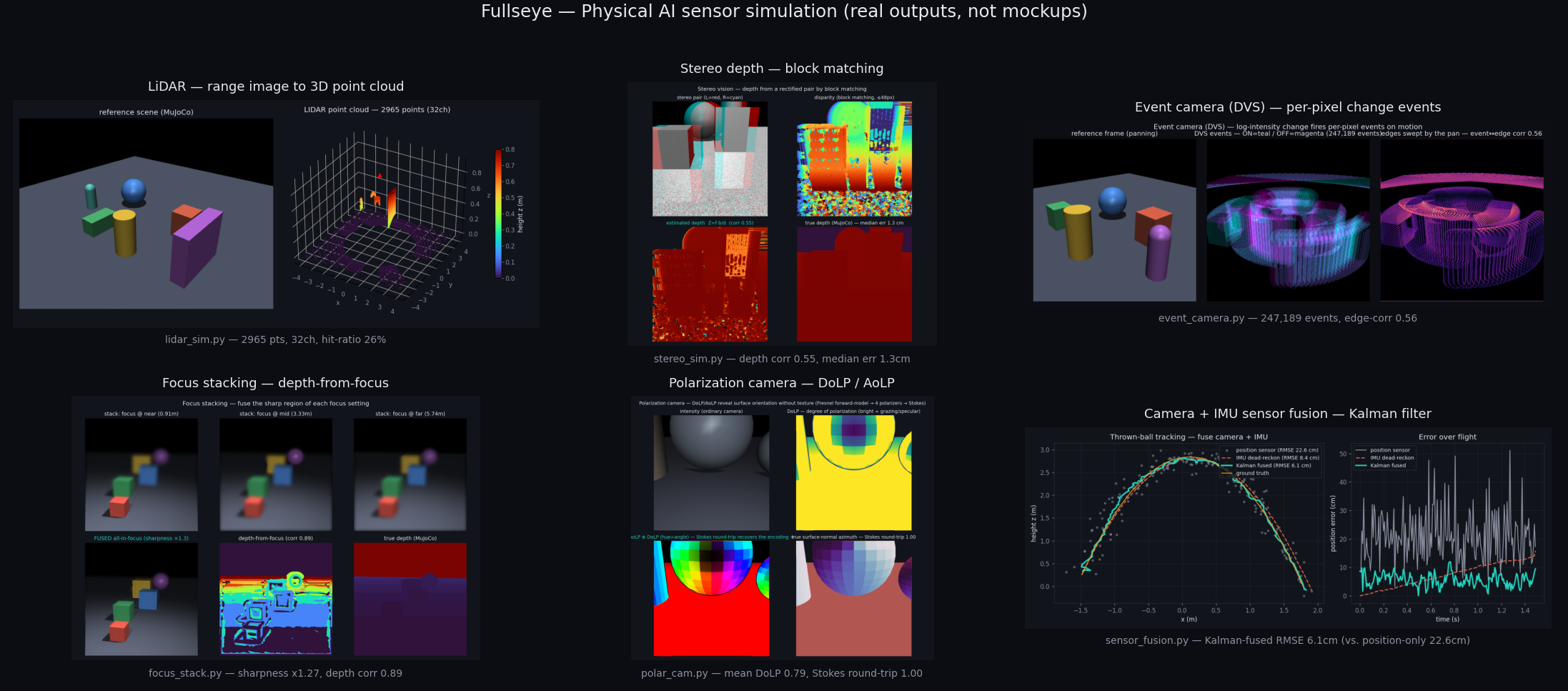
Building blocks that turn frames into geometry and objects — the pieces a robot needs to perceive, measure, and act. A sensor-simulation suite (pseudo-LiDAR, stereo, event camera / DVS, photometric stereo, TSDF fusion, polarization, focus stacking) lets you develop and test perception pipelines without hardware:
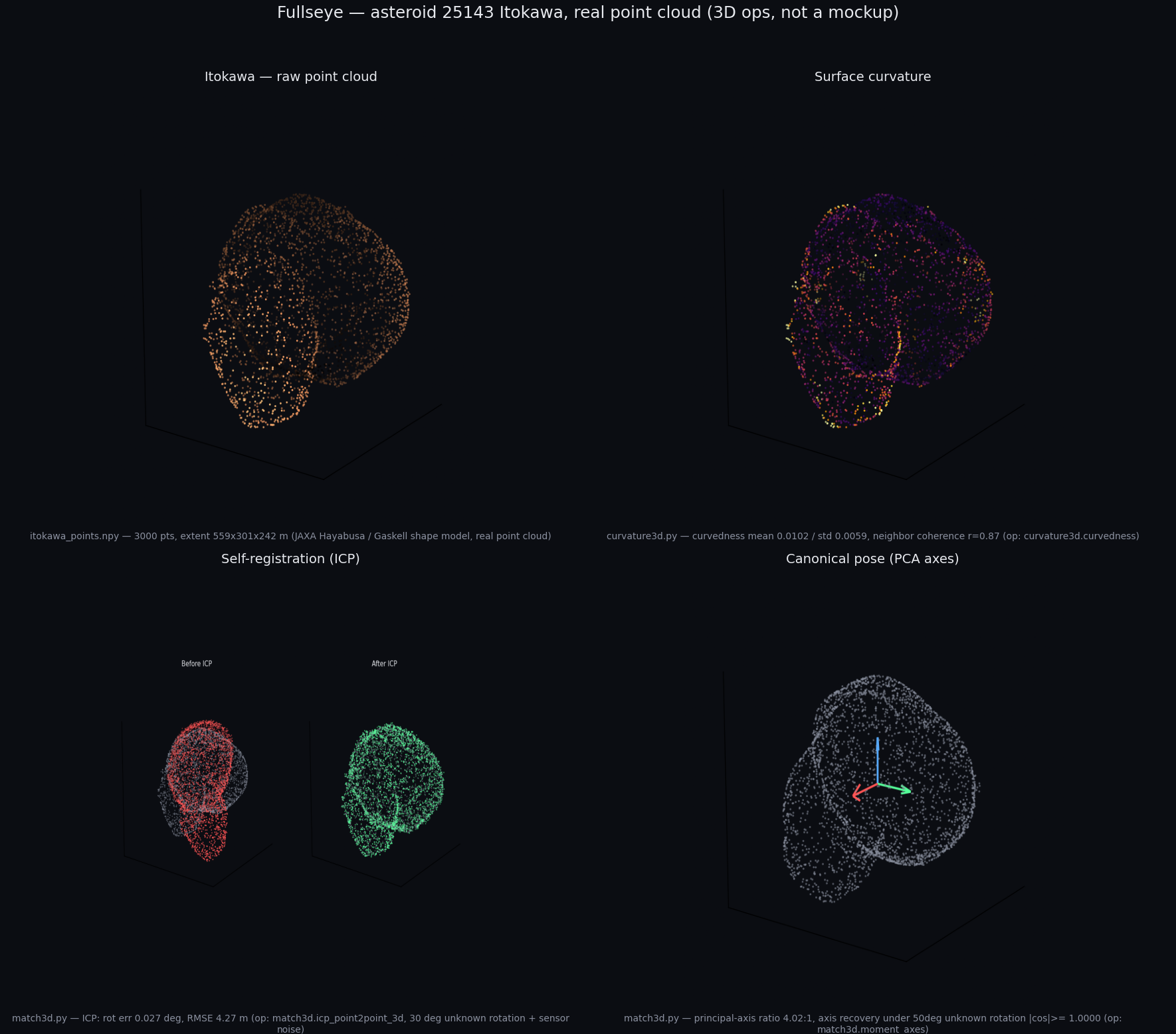
The 3-D side is where Fullseye differentiates most: 265 typed 3-D operators spanning point clouds / meshes / volumes / SDF — 3-D feature descriptors (SHOT, FPFH, spin images), TSDF fusion, fringe projection, photometric stereo, superquadric fitting, medial axis, geodesic distance, visual hull, and boundary-preserving manifold-strict QEM decimation — all pure numpy behind one typed registry. Real data, real numbers (asteroid 25143 Itokawa, JAXA Hayabusa / Gaskell shape model):
import fullseye as fs
disp  = fs.disparity_map(left, right, max_disp=16)         # dense stereo (block matching)
Z     = fs.depth_from_disparity(disp, focal=f, baseline=B) # Z = f·B/d
pts   = fs.reproject_to_points(Z, fx=f, fy=f)              # point cloud (N,3)
grid,_= fs.elevation_map(world_pts, cell=0.05)            # 2.5-D terrain heightmap
ok    = fs.traversability(grid, cell=0.05, max_step=0.1)  # foothold / obstacle mask
objs  = fs.segment_objects(frame, threshold="otsu")       # per-object records (geometry + descriptors)
rgb   = fs.colorize_depth(Z); fs.save_ply("cloud.ply", pts)   # visualise / export (no matplotlib)
Motion, over time — feed it a real clip:
frames = fs.read_frames("clip.mp4", gray=True, step=2)     # (T,H,W) float64 [0,1] (mp4/gif)
for a, b in fs.frame_pairs(frames):
    u, v = fs.optical_flow_lk(a, b)                         # dense flow; also track_points / motion_*
fs.to_float01(x) coerces uint8/uint16/bool/PIL/path inputs to float64 [0,1];
fs.read_frames / iter_frames / write_video / probe handle video I/O (see
docs/PERCEPTION_REALDATA.md for measured results on real footage).
Evolutionary pipeline design
When the task is "find an algorithm that maximizes metric M on my data", evolve one. Fitness is measured on the training split only; a held-out split is tracked but never selected on, so the reported generalization is honest rather than a fit to the evaluation set.
py -3.11 baseline.py --problem denoise --workdir out/mine     # honest floor first
py -3.11 evolve.py   --problem denoise --workdir out/mine --gens 40 --pop 24
py -3.11 robust.py   --problem denoise --workdir out/mine --seeds 5   # best-of-N, train-selected
Performance (optional GPU batch backend)
The default per-image path uses scipy/OpenCV. A batched torch fast path (accel.py,
--device cuda) accelerates the compute-heavy vectorizable operators. Honest note: on
CPU the batch path speeds up heavy operators (≈1.6–2.2×) but loses on trivial
pointwise ops (tensor-conversion overhead); the real win is on GPU, where that overhead
amortizes over large parallelism.
Fullseye Studio (HDevelop-style IDE)
fullseye-studio (or py -3.11 studio.py from a checkout) opens the visual
workbench: operator browser with generated help
(2-D and 3-D), pipeline editor with per-stage timing, breakpoints, continue /
run-from-line execution control, a variable window with watch expressions and
right-click inspection, multi-window graphics scriptable from programs
(dev_open_window / dev_set_window / dev_set_window_extents), worked-example
galleries, and a tabbed Python Editor that opens any sample as editable, runnable
code (F5, subprocess). Combined with the RAG corpus this is aimed at being an
integrated environment for Physical-AI perception work: the AI writes and runs the
pipeline, and the human inspects what it "sees" in the same windows.
Academic use
Fullseye is designed to be citable and reproducible: per-operator notes carry real
literature references (no fabricated DOIs), versions are pinned to the code by a
registry fingerprint with a CI drift test, and evaluation follows the honest
held-out discipline above. If you use it in academic work, please cite via
CITATION.cff.
Documentation map
Everything below lives in the repo — start at the guide that matches what you want to do:
| You want to… | Read |
|---|---|
| Read the whole story end to end (long-form) | docs/articles/fullseye_overview_qiita_en.md · 日本語 |
| See what the operators produce (result gallery) | docs/GALLERY.md |
| Browse the paper exhibits (151 op demos, en/ja) | docs/articles/exhibits/ |
| Look up any of the 1,500+ operators | docs/ops/INDEX.md (full TOC) · docs/OP_CATALOG.md (one-page catalog) |
| Find real sample data (meshes / volumes / images, with licenses) | docs/ops/SAMPLES.md |
| Use Fullseye as an AI/RAG knowledge base | docs/AI_RAG_GUIDE.md (+ fullseye-rag) |
| Drive the Studio IDE | docs/STUDIO_GUIDE.md · docs/HDEVELOP_DEV_OPS.md (dev_* window ops) |
| Add an operator | docs/ADDING_OPS.md · CONTRIBUTING.md |
| Read the Studio and its operator help in your language | Studio ▸ Tools ▸ Language — 日本語 / English / 简体中文 / 繁體中文 / 한국어 / Deutsch |
| Understand the language policy and what is not translated | docs/I18N.md |
| Update a checkout safely | tools/update_fullseye.py --check |
| Cite Fullseye | CITATION.cff |
Design principles
- Reimplemented from public knowledge — published algorithms and open-source libraries, unified behind one typed interface; not derived from any proprietary product.
- Honest by construction — held-out data is never used for selection; coverage and benchmark numbers are measured, not asserted; limitations are disclosed, not hidden.
- Optional heavy dependencies — a numpy+scipy core always works; richer backends and GPU are opt-in.
License
Apache-2.0.
1 maintainer

Download files
Download the file for your platform. If you're not sure which to choose, learn more about installing packages.
Source Distribution
Built Distribution
Filter files by name, interpreter, ABI, and platform.
If you're not sure about the file name format, learn more about wheel file names.
Copy a direct link to the current filters
File details
Details for the file fullseye-0.1.7.tar.gz.
File metadata
- Download URL: fullseye-0.1.7.tar.gz
- Upload date:
- Size: 17.2 MB
- Tags: Source
- Uploaded using Trusted Publishing? No
- Uploaded via:
twine/7.0.0 CPython/3.13.14
File hashes
| Algorithm | Hash digest | |
|---|---|---|
| SHA256 |
e086a24e877617316a980a09bdd4c578cf4d8bc6c210c8755525c569a34e720f
|
|
| MD5 |
3c80282c82faed37f5d52faee9f3fe9d
|
|
| BLAKE2b-256 |
c8be9f76aadade1d56dc9b4aa74b9411bd34c1c7591f85f49f74b0363e2908ca
|
File details
Details for the file fullseye-0.1.7-py3-none-any.whl.
File metadata
- Download URL: fullseye-0.1.7-py3-none-any.whl
- Upload date:
- Size: 32.8 MB
- Tags: Python 3
- Uploaded using Trusted Publishing? No
- Uploaded via:
twine/7.0.0 CPython/3.13.14
File hashes
| Algorithm | Hash digest | |
|---|---|---|
| SHA256 |
c321f6ca3b22a06556a90b2bd588d4ba6ee65b180dd685a06b14c19f3e88f4ca
|
|
| MD5 |
c62de2d0f1e26049c9da9ab0fd53e79f
|
|
| BLAKE2b-256 |
de3dd35995a8b83448e98977a65e91d7ae38e2f30bf3a6eebb1af13fd23d1d9b
|














