
Reading a flow rate from Galileo Flow Sensor

Project description
A class-based interface to the Galileo Flow Sensor
A Galileo-Flow SDK is a class based interface to easily communicate with the Galileo Flow Sensor. It contains essential modules to read the flow rate and do other necessary operations.
Setting up the GALILEO Sensor
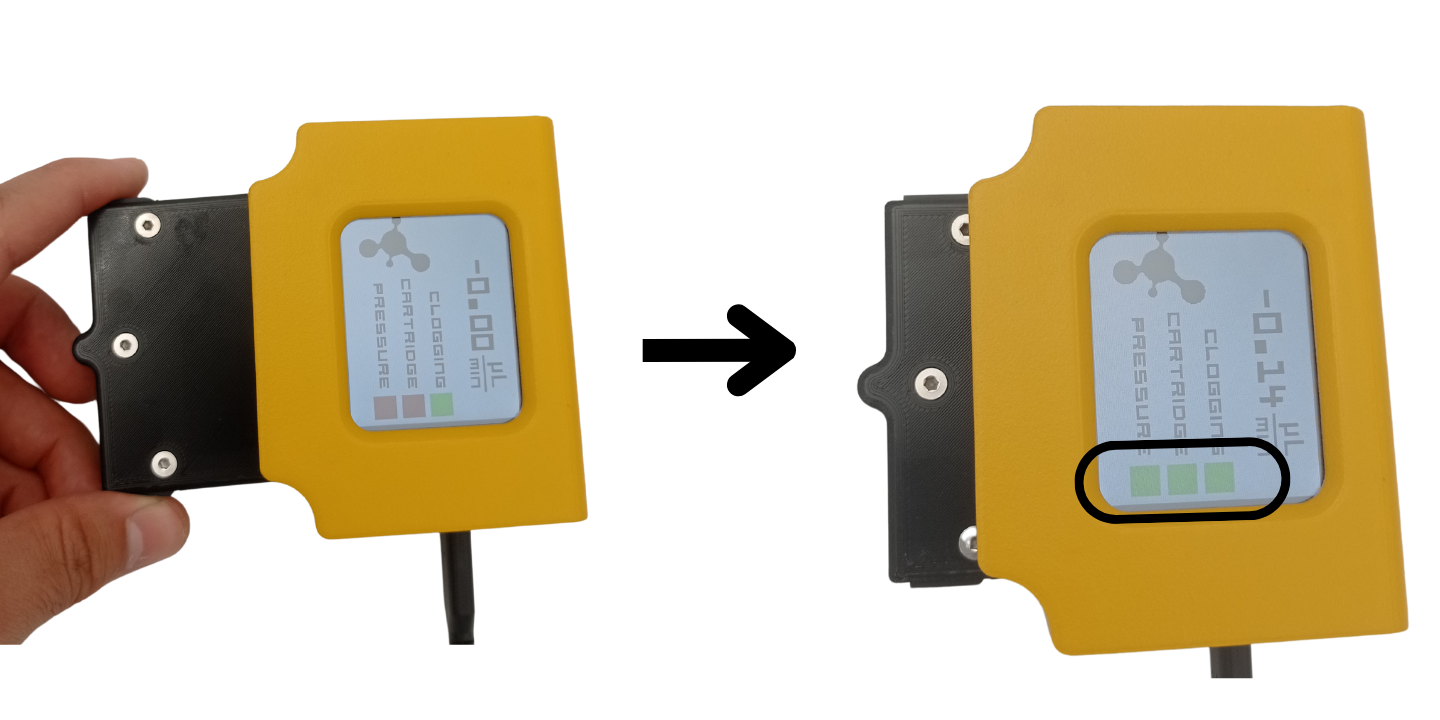
Setting up the Galileo Sensor is straightforward. First, insert the cartridge to the Base and power on the sensor using type-C USB connector. Make sure that all three flags on the screen are green.
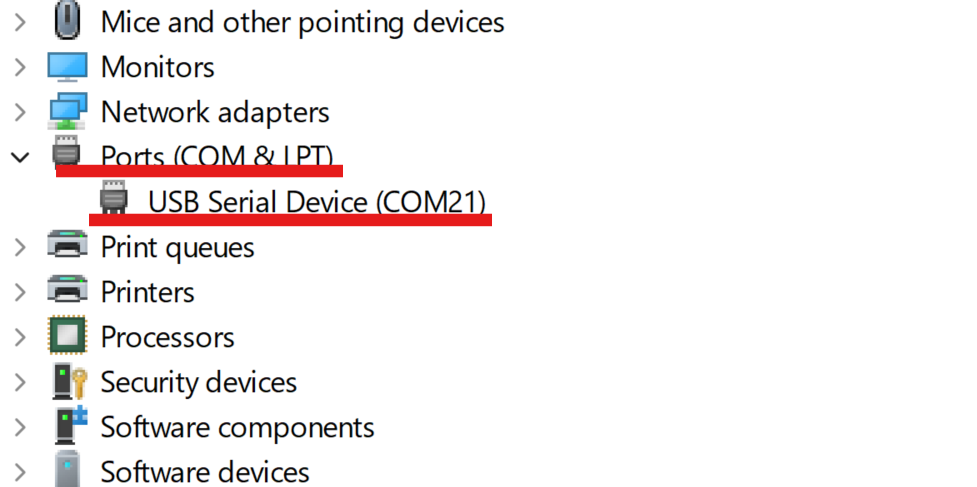
Next, check the COMPORT number of the sensor. In Windows, you can open the Device Manager and find the COMPORT under Ports list:
Example 1. Reading the flow rate) One can use the code snippet below to read the flow rate every second. But, instead of 'COM18', do not forget to write the actual comport value.
from GalileoFlowSDK import GalileoFlowSDK
import time

galileo_sensor = GalileoFlowSDK("COM18")
while(1):
    time.sleep(1)
    print('flow is ' , galileo_sensor.read_flow())
Example 2. Reading the liquid type and changing it
The code snippet below allows to check the liquid type in the Galileo Sensor
from GalileoFlowSDK import GalileoFlowSDK
import time

galileo_sensor = GalileoFlowSDK("COM18")
print('liquid is ' , galileo_sensor.read_liquid())
To change the liquid, one can use update_liquid method. The argument ot this method is a number which cooresponds to a liquid type:
- 0: water,
- 1:ip,
- 2:dmem,
- 3:ethanol
For example, in the code below, we set ethanol as a liquid type:
from GalileoFlowSDK import GalileoFlowSDK
import time

galileo_sensor = GalileoFlowSDK("COM18")
galileo_sensor.update_liquid(3)
time.sleep(1)
print('liquid is ' , galileo_sensor.read_liquid())
galileo_sensor.disconnect()
Example 3. Reading the serial number of the Cartridge Every cartridge has its own unique serial number. This number is useful when utilizing several Galileo Sensors to easily distinguish sensors from each other. In the interface, there is a function to read the serial number:
from GalileoFlowSDK import GalileoFlowSDK
import time
galileo_sensor = GalileoFlowSDK("COM18")
time.sleep(1)
print('liquid is ' , galileo_sensor.read_serial_number())
galileo_sensor.disconnect()


Download files
Download the file for your platform. If you're not sure which to choose, learn more about installing packages.
Source Distributions
Built Distribution
Filter files by name, interpreter, ABI, and platform.
If you're not sure about the file name format, learn more about wheel file names.
Copy a direct link to the current filters
File details
Details for the file GalileoFlowSDK-0.1.3-py3-none-any.whl.
File metadata
- Download URL: GalileoFlowSDK-0.1.3-py3-none-any.whl
- Upload date:
- Size: 7.5 kB
- Tags: Python 3
- Uploaded using Trusted Publishing? No
- Uploaded via: twine/5.1.1 CPython/3.8.2
File hashes
| Algorithm | Hash digest | |
|---|---|---|
| SHA256 |
2f45353d79f177fc438310d5c52b1b1a5f40a7f216409f4ad55dbb7335fd8b2f
|
|
| MD5 |
d806125a40fae0d0fa2da0e4a790d946
|
|
| BLAKE2b-256 |
8f9f3966150abaafeeb270744f594f55568407e7e4a9c8036533d7fd614e11ee
|






