
New Python workflow for openEMS with IHP SG13G2
The files provided here enable openEMS EM simulation with layouts created for the IHP SG13G2 RFIC technology.
See CHANGES.md for recent additions and fixes.
Documentation
An extensive User's Guide of this GDSII to openEMS workflow is available in PDF format here:
Using OpenEMS Python with IHP SG13G2 v2
An overview of the EM solver ecosystem (tools and utilities) for IHP SG13 can be found here:
https://github.com/IHP-GmbH/IHP-Open-PDK/tree/main/ihp-sg13g2/libs.doc/doc
System requirements
This workflow is based on the Python workflow for OpenEMS,
please refer to https://www.openems.de/
and https://docs.openems.de/python/install.html#python-linux-install
In addition to OpenEMS (which includes the CSXCAD Python bindings used directly by this workflow), the Python modules gdspy, shapely, numpy and matplotlib must be installed.
The model_syntax_gds2openEMS example under more_examples/ shows an alternative syntax that uses the gds2openEMS PyPI package (pip install gds2openEMS) instead of a local copy of the workflow/modules code — that package is a separate publish of this repository's workflow/modules folder.
Automatic meshing
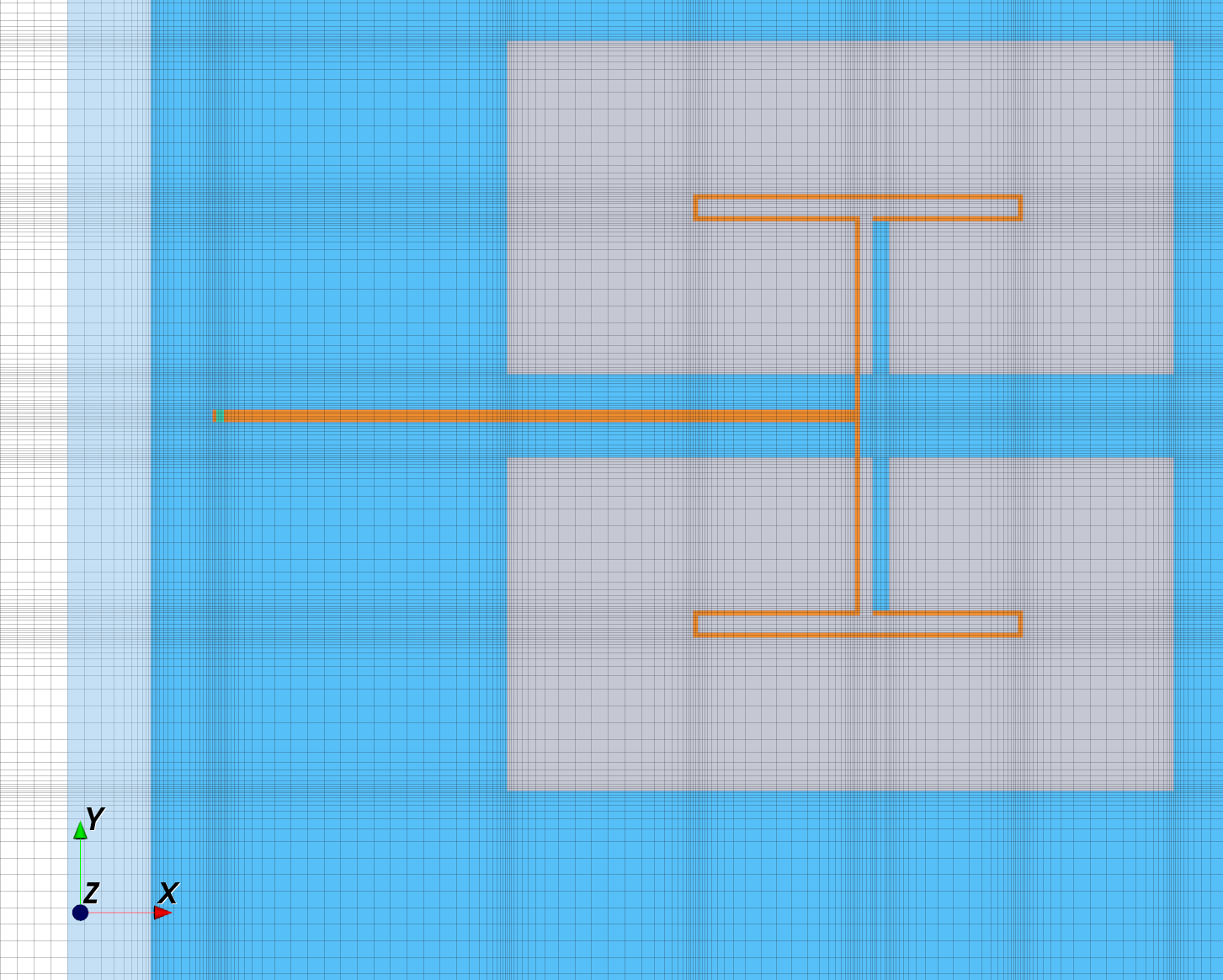
Two meshing methods are available in this workflow. In the examples, automatic meshing based on geometry is enabled, which tries to detect edges and diagonal areas that need local refinement. Mesh lines that are too close (resulting in slow simulation) will be removed or merged automatically.
Minimum configuration
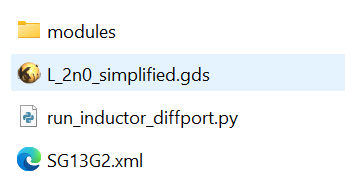
The screenshot below shows a minimum configuration, which consists of the XML technology stackup, the GDSII layout, one simulation model file (here named run_inductor_diffport.py) and the utility modules with all the “behind the scenes” code that you don’t need to modify.
Examples
For all models, the output directory contains the *.XML file for preview in the AppCSXCAD viewer. You can use this to inspect the model and preview the mesh that is generated by this model code.
run_line_viaport
This model simulates a simple thru line, with via ports on both ends. Excitation is only from one side, the reverse path is "faked" for S2P export assuming symmetry. The EM stackup does not include the lossy substrate, because that is shielded by the ground layer anyway.
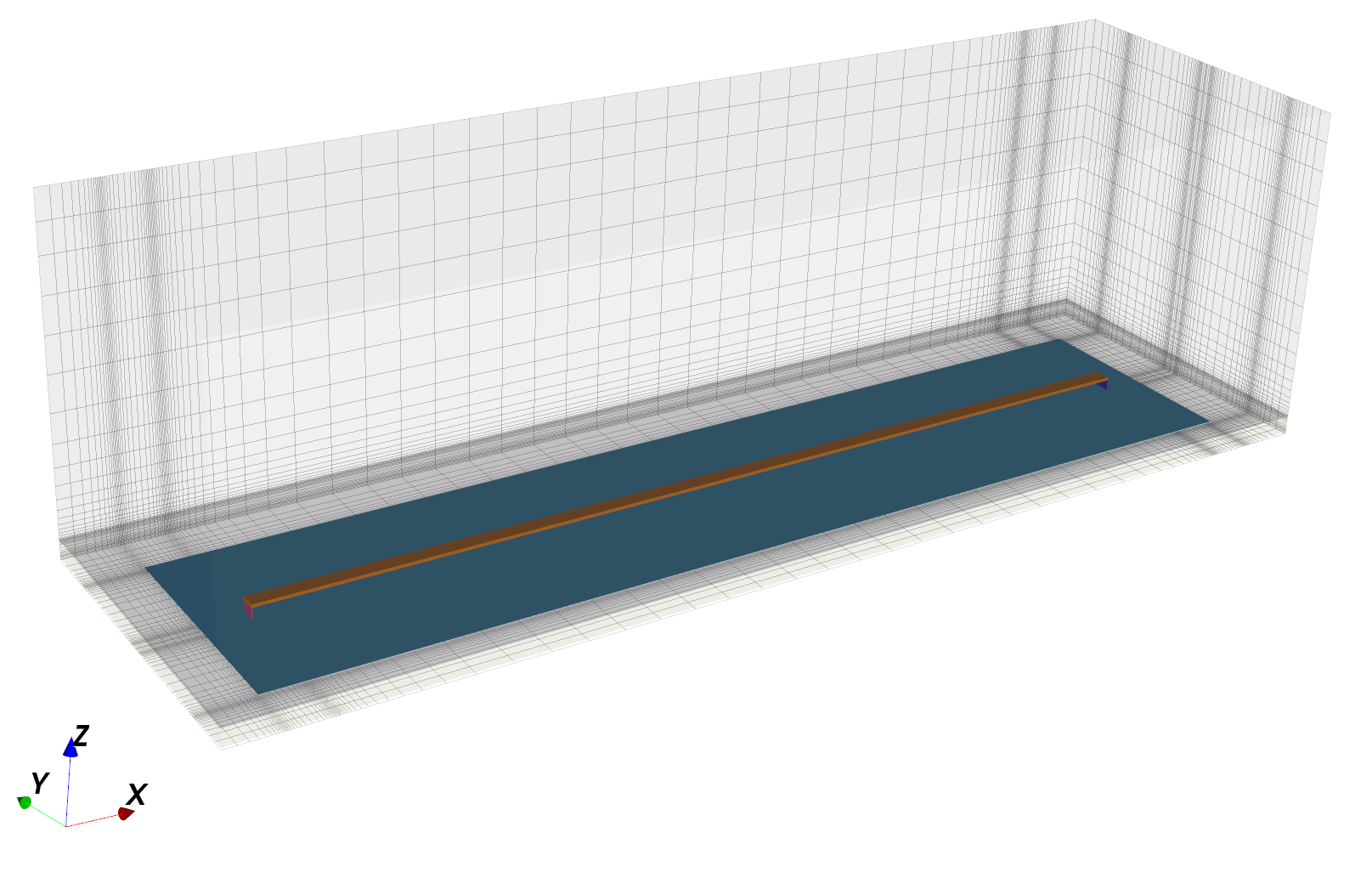
Note that the Metal1 ground plane is modelled and meshed explicitely. It is not recommended to use the bottom PEC boundary for this, because that is a lossless boundary and the Metal1 resistance would not show up in results. Also note that port size will lead to parasitic inductance, port de-embedding is not implemented so far.
run_line_GSG_complex
This model simulates a thru line with GSG pads on both ends. To properly simulate this, we use a composite port from two in-plane openEMS ports, one to each side from signal line to the ground pad. To drive the center conductor in-phase between these two ports, one is defined with opposite polarity. Both ports are in parallel, so each of then is defined with 2x the normal impedance. The resulting S-parameters for each GSG port are calculated in the evaluation code section, combining the data from the "sub-ports" into one effective GSG port result on each end of the line.
In the model code, layout pre-processing is enable to properly handle the cutouts (holes) in polygons. Without that pre-processing, openEMS polygons would not create the proper shape, due to self-intersecting polygons.
run_inductor_diffport
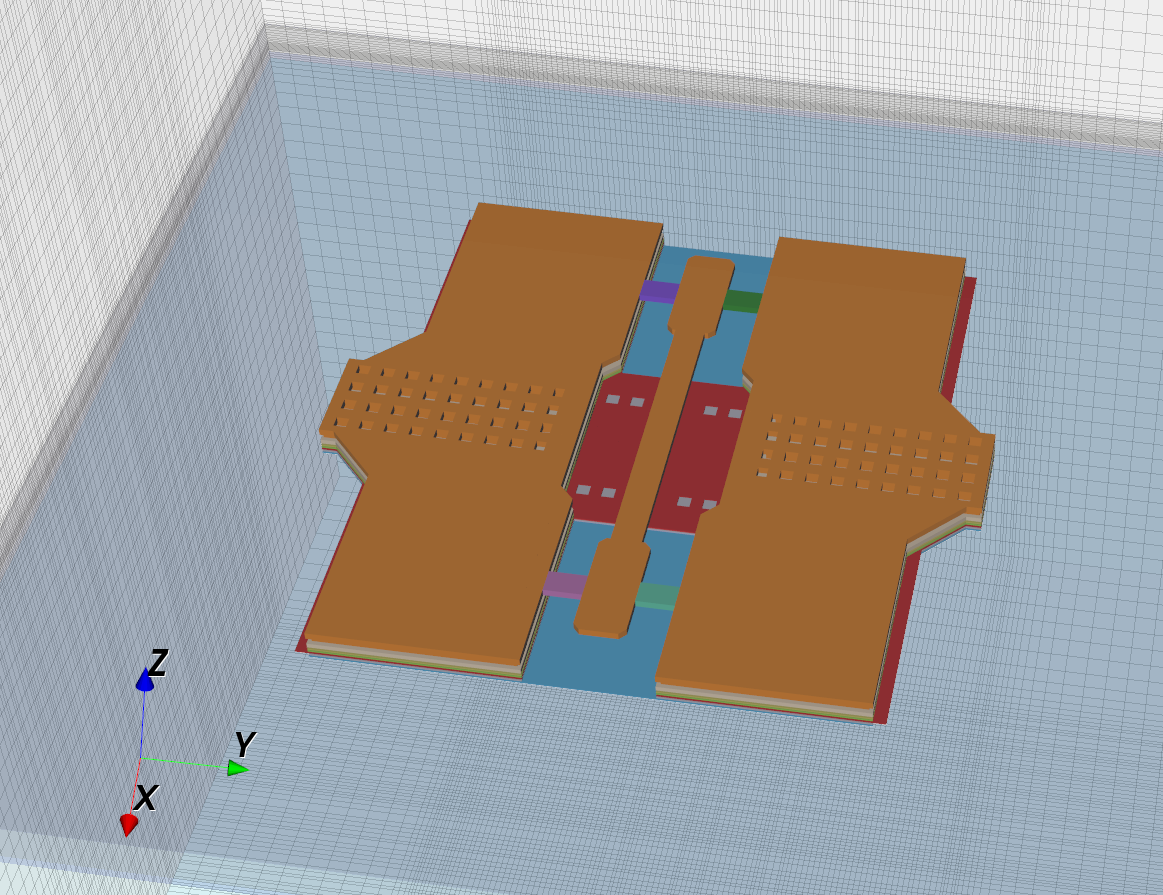
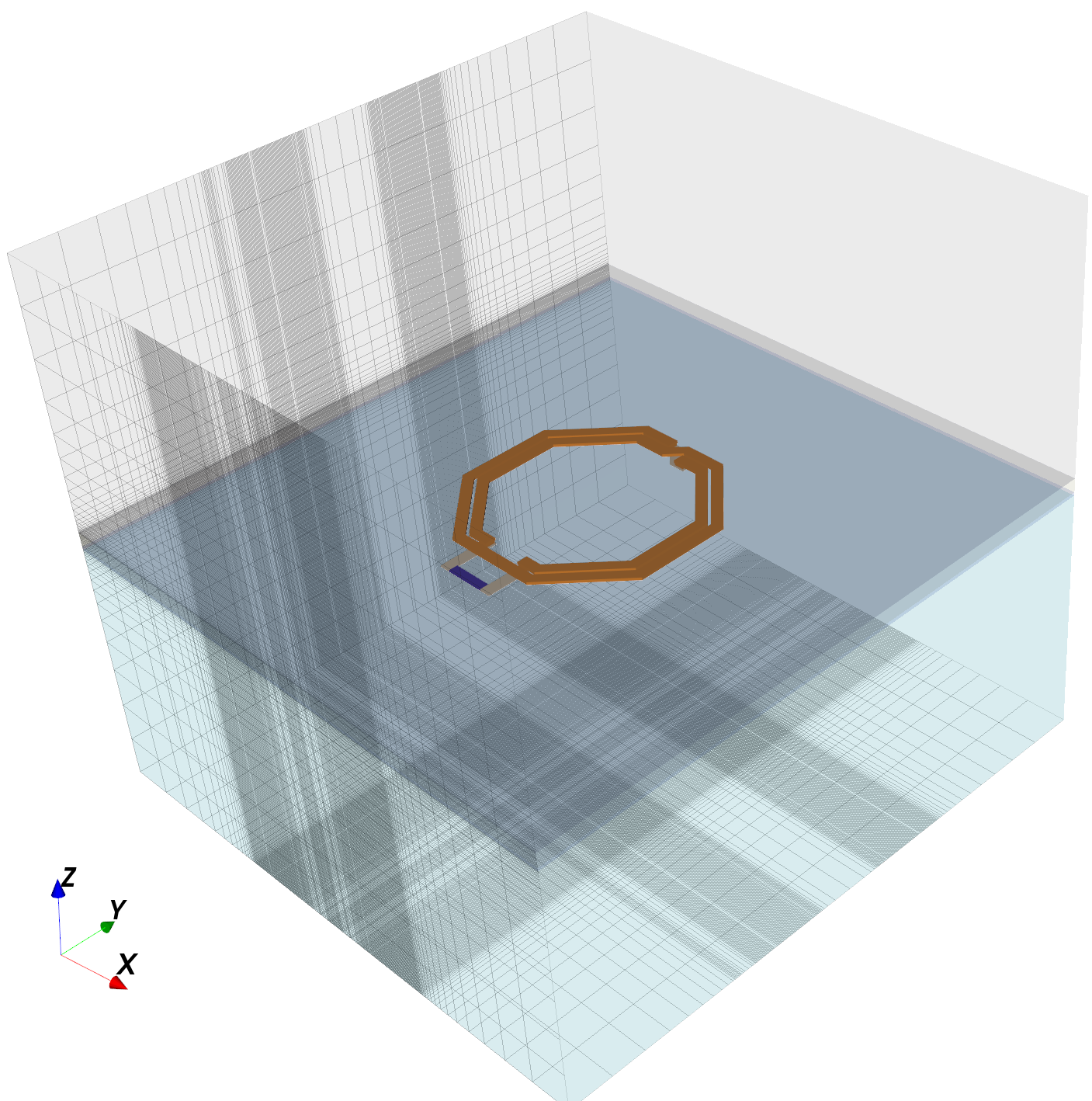
This model simulates an octagon inductor. There is only one in-plane port, placed between the inductor terminals. Results are valid for differential model of operation, and the code plots differential L and Q as well as numerical value for series L and series R at one extraction frequency. That extraction frequency is defined in the evaluation code section.
run_inductor_2port
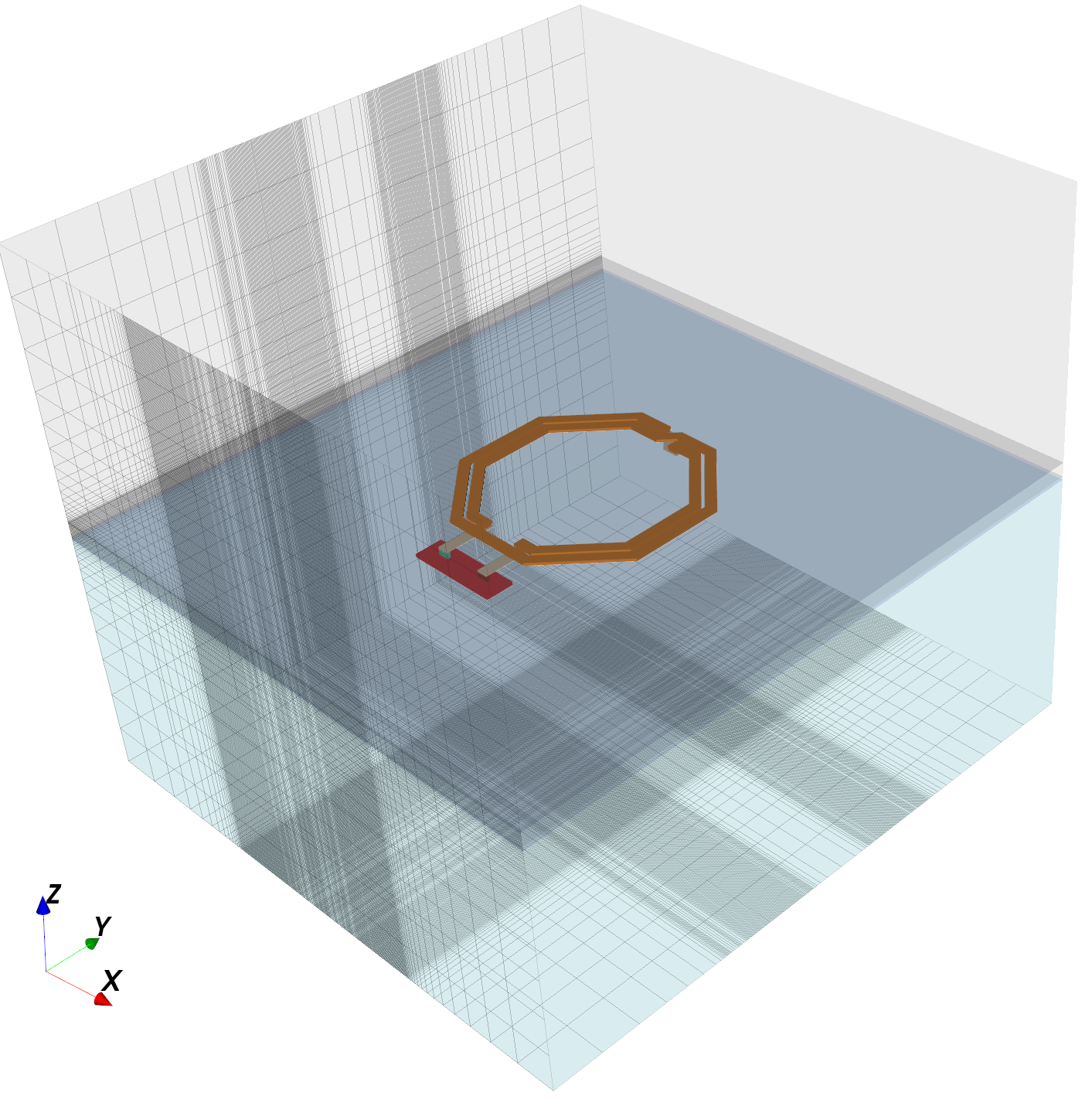
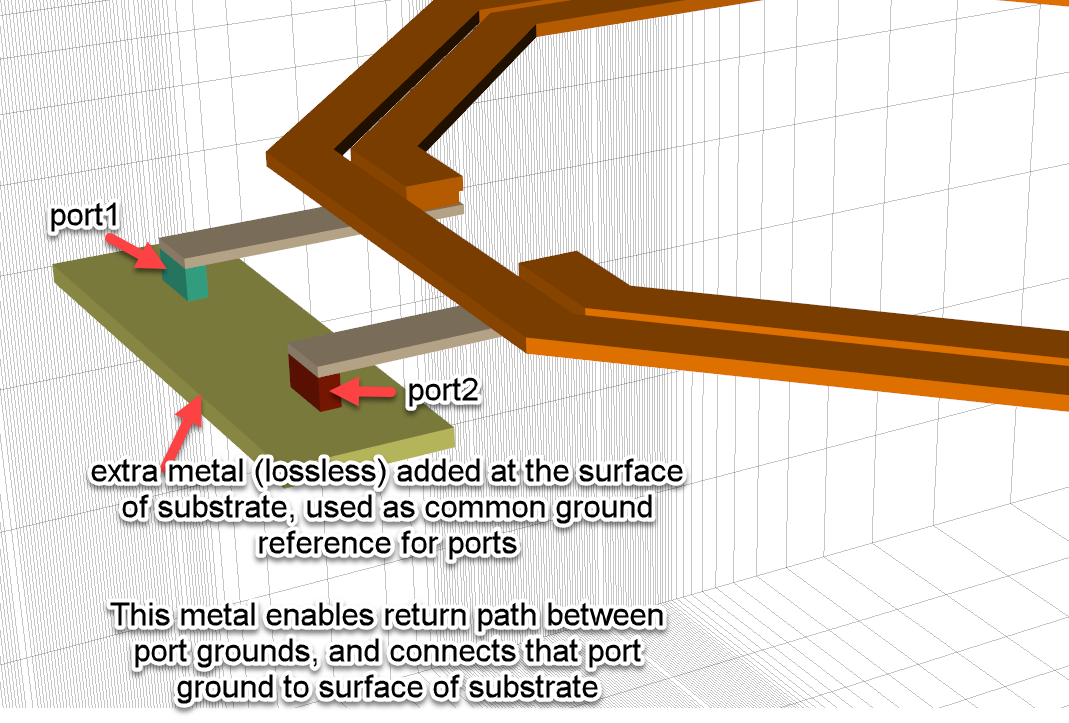
This is the 2-port simulation of the same inductor as mentioned above. Here, two via ports are created down to an artifical common ground reference placed at the surface of the silicon. This ground polygon was added manually in the GDSII file, just like the port polygons.
The resulting S-parameters can be used for simulation, but you can also extract a narrowband lumped element pi model using the pi-from-s2p tool.
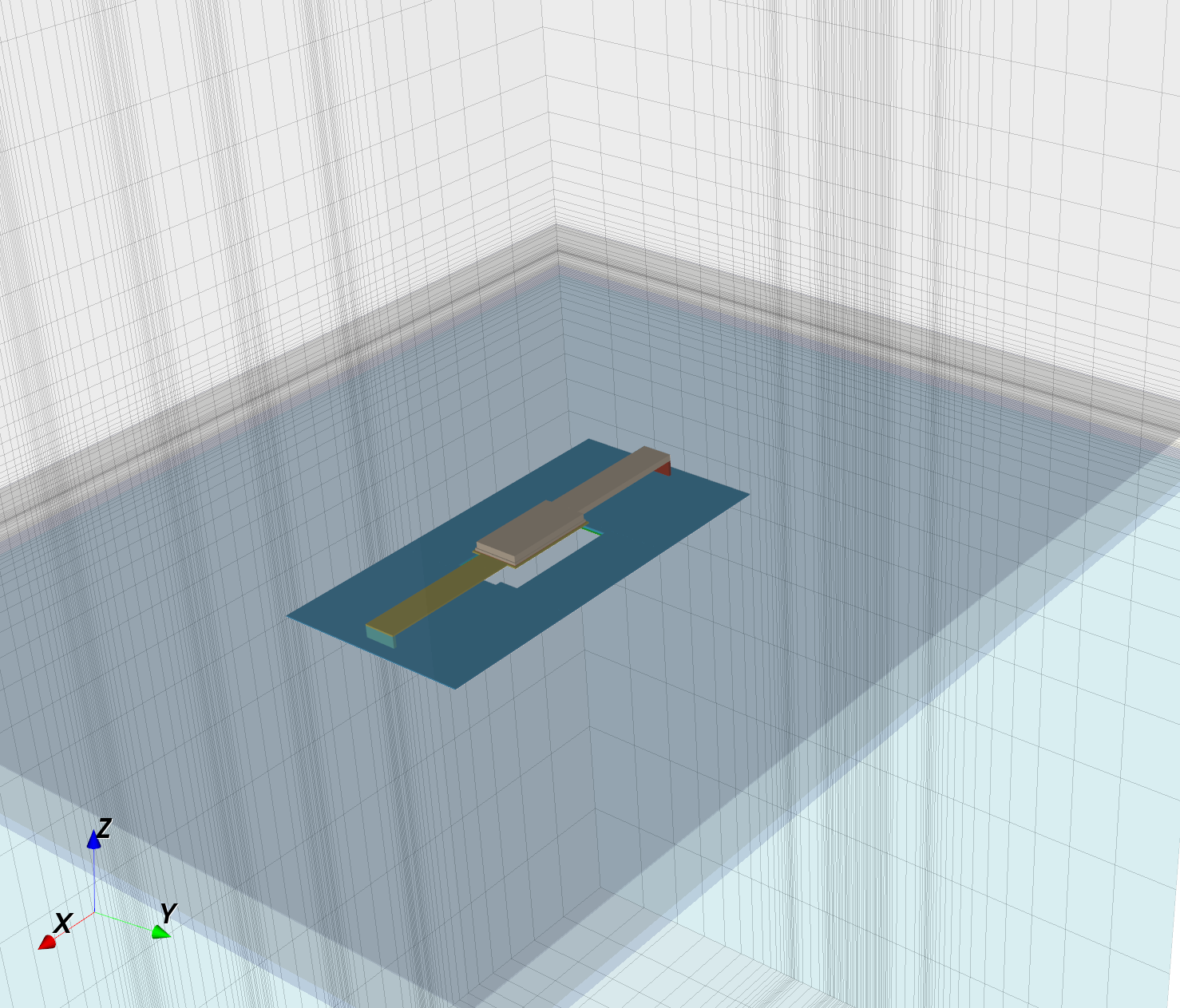
run_dual_dipole
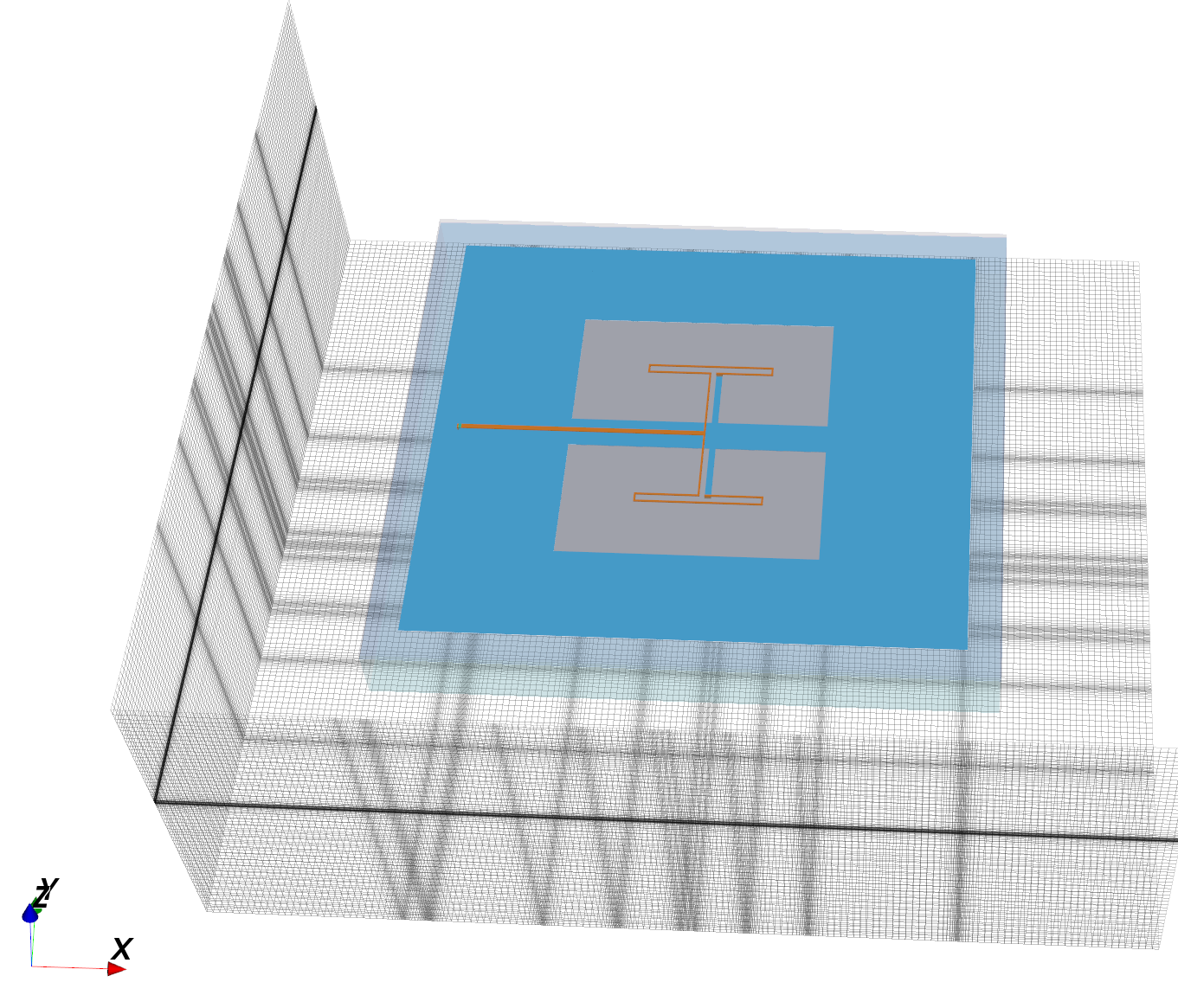
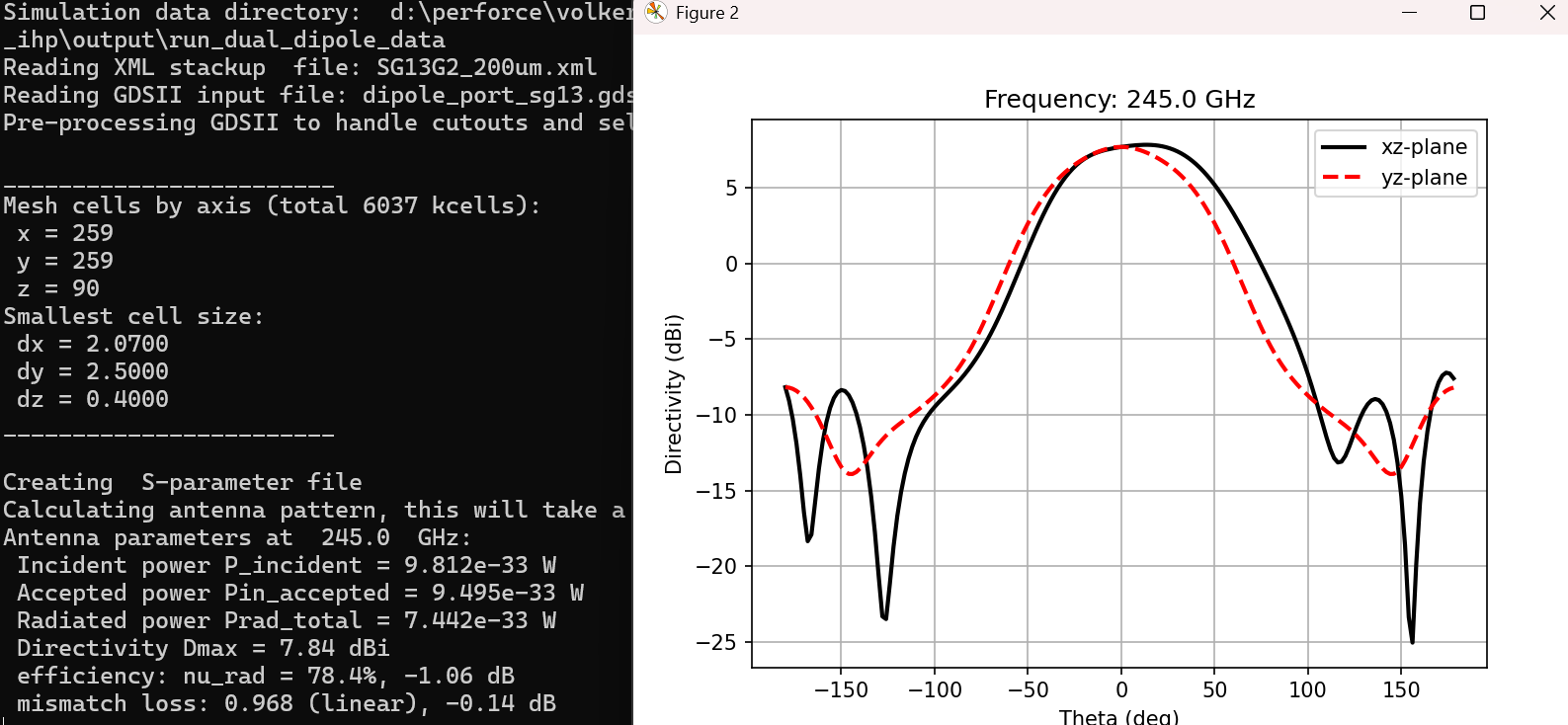
This is an example for antenna simulation, based on a design by IHP authors Klaus Schmalz et al: K. Schmalz, W. Ruoyu, J. Borngräber, W. Debski, W. Winkler , and C.Meliani, “245 GHz SiGe transmitter with integrated antenna and external PLL,” in IEEE IMS, 2013, pp. 1–3
An additional layer of air is added all around the drawn layout, and PML_8 absorbing boundaries are defined instead of the PEC metal box walls in most other models. To enable antenna pattern calculation, a NF2FF field sampling box is added to the model. The data evaluation code demonstrates various details of antenna pattern calculation as well as radiation efficiency etc.
run_rfcmim_2port_full
This is an example for MIM capacitor modelling, demonstrating features like via array merging. The ultra thin MIM dielectric in the stackup is replaced by a thicker dielectric with larger permittivity, resulting in the same area capacitance. This is to prevent an ultra-small time step in simulation that would be required to resolve the ultra-thin MIM dielectric, slowing down simulation.
The resulting S-parameters can be used for simulation, but you can also extract a lumped element pi model using the mim-from-s2p tool.
run_line_noGDSII
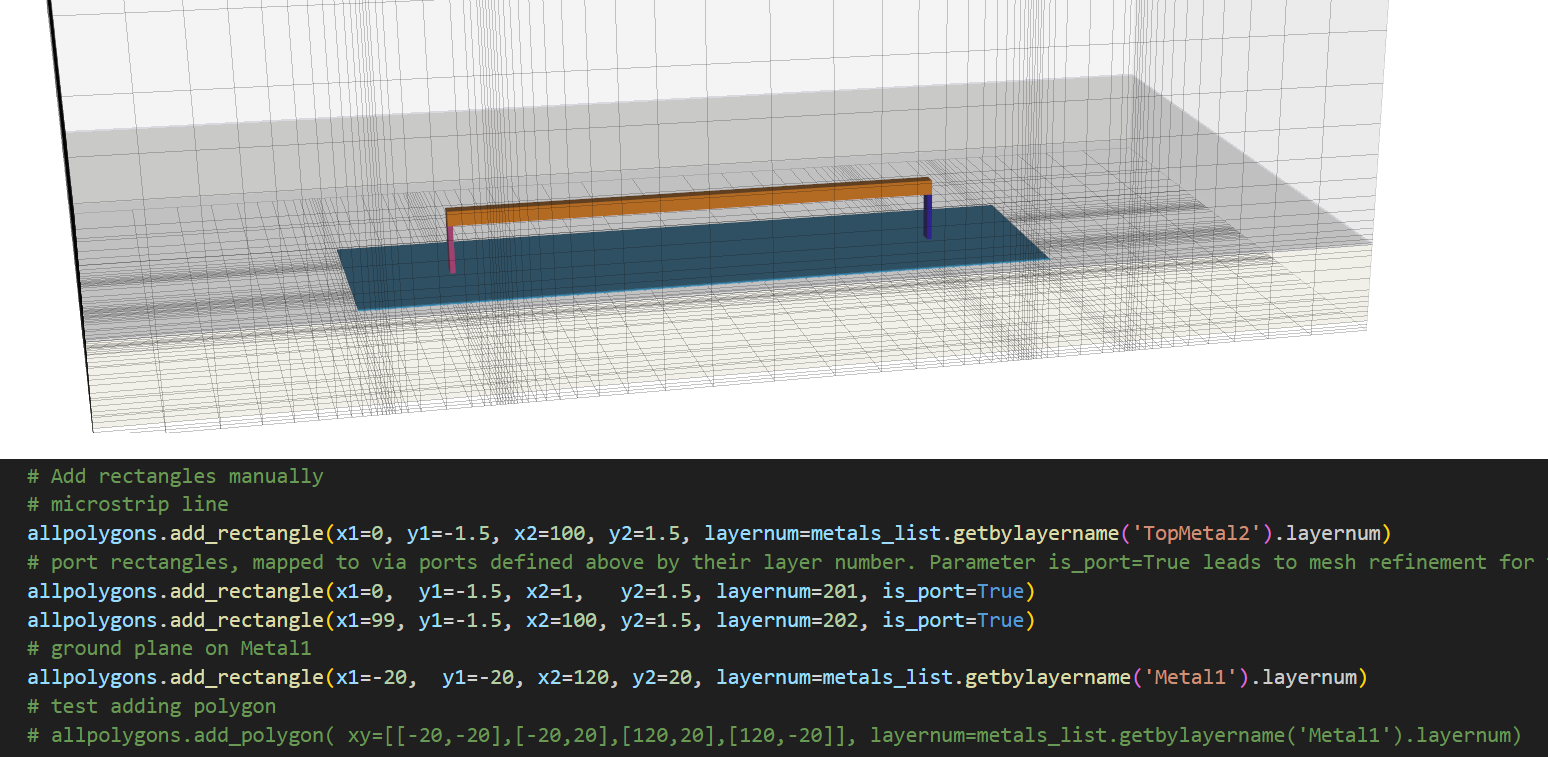
For all models listed above, polygons for layout and port shape are read from GDSII files. This model is different, it shows how rectangles and polygons can be added by code lines. This can be used in addition to GDSII layout, or instead of GDSII layout.
License
This project is licensed under the GNU General Public License v3.0 or later (GPL-3.0-or-later) - see LICENSE for the full text.
Note: the gds2openEMS PyPI package itself only requires:
- gdspy>1.6.0
- CSXCAD
- openEMS
- numpy
- shapely
(Other Python modules mentioned above are only needed to run the example/model scripts in this repository, not to use the installed package.)
1 maintainer

Release files for gds2openEMS 0.2.9
For a detailed explanation of source distributions (sdists) and built distributions (wheels), please see the package formats documentation.
Source distribution (sdist)
| File | Size | Uploaded | |
|---|---|---|---|
| gds2openems-0.2.9.tar.gz | 66.9 kB | Details |
Built distribution (wheel)
| File | Interpreter | ABI | Platform | Reset |
|---|---|---|---|---|
| gds2openems-0.2.9-py3-none-any.whl | Python 3 | none | any | Details |
Total release size: 137.5 kB
Release files / gds2openems-0.2.9.tar.gz
| Download URL | gds2openems-0.2.9.tar.gz |
|---|---|
| Size | 66.9 kB |
| Tags | Source |
|
SHA-256 checksum How to use checksums |
3c96fe04387d01113a9a6138336f8f2f00477ab1a63dd815f2cb2ef5d59f6313
|
|
BLAKE2b-256 checksum How to use checksums |
20acdf32cb593080b4424d1fc2a3fbcec0efe936983e3b90431899e7e39d360a
|
| Upload date | |
|
Uploaded using Trusted Publishing? What is trusted publishing? |
No |
| Uploaded via |
twine/7.0.0 CPython/3.13.14
|
Release files / gds2openems-0.2.9-py3-none-any.whl
| Download URL | gds2openems-0.2.9-py3-none-any.whl |
|---|---|
| Size | 70.6 kB |
| Tags | Python 3 |
|
SHA-256 checksum How to use checksums |
dcc6ad3c6be946ecbf6d4c98ce46dcd118d12106d0a46f60d521a398a2e0eba7
|
|
BLAKE2b-256 checksum How to use checksums |
446d930e9227a03d50f5775bcc91b119b38fd19d1bc66e6336a15dd6f69fac34
|
| Upload date | |
|
Uploaded using Trusted Publishing? What is trusted publishing? |
No |
| Uploaded via |
twine/7.0.0 CPython/3.13.14
|














