
Create AWS Palace FEM Models from GDSII layout files
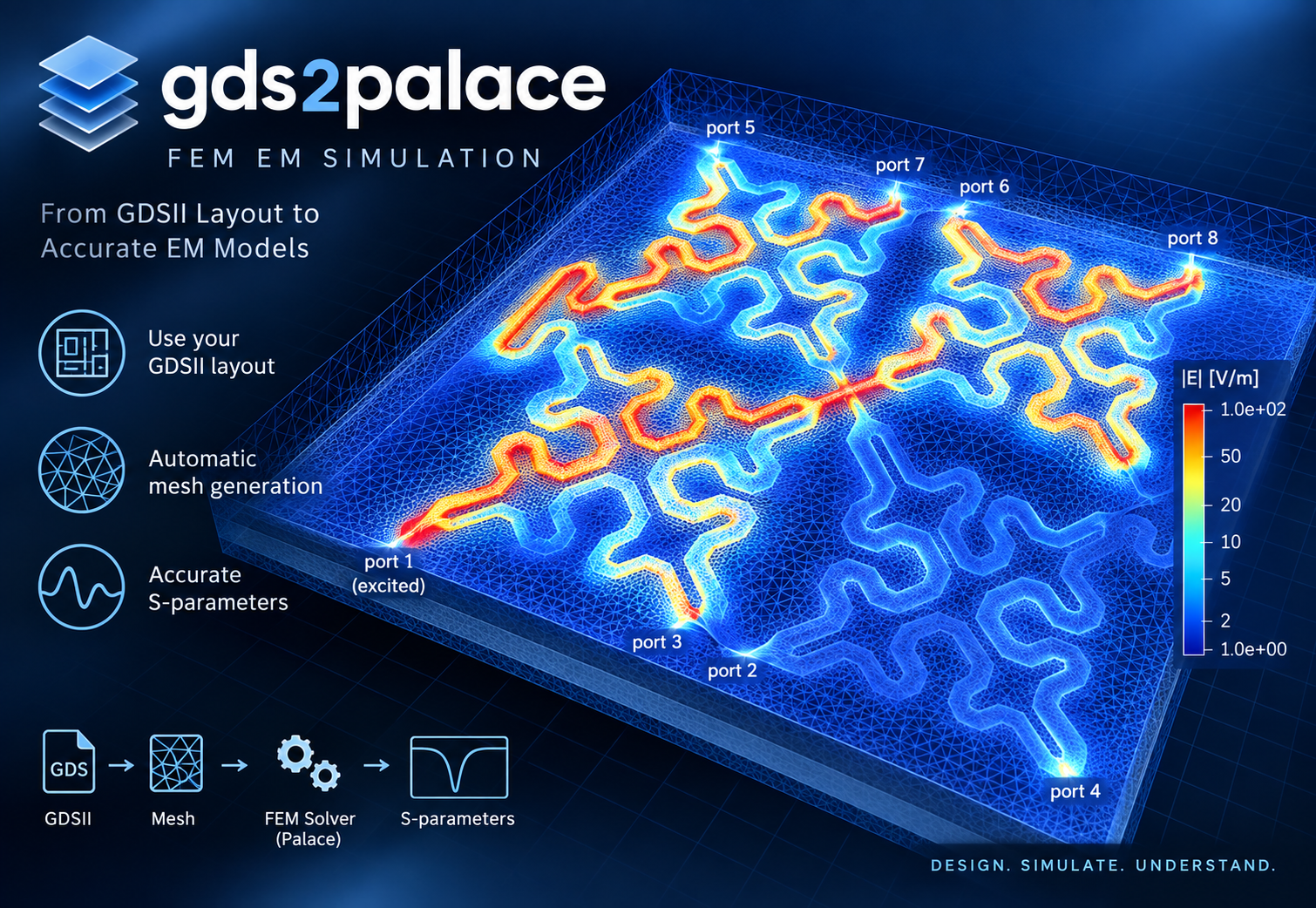
The files provided here enable RFIC FEM simulation using AWS Palace from GDSII layouts created in IHP SG13G2 RFIC technology.
Palace, is an open-source, parallel finite element code for full-wave 3D electromagnetic simulations. It can be scaled from single computer to large high performance simulation clusters and cloud-based computing.
https://awslabs.github.io/palace/stable/
In addition to AWS Palace, gds2palace can also generate models for Elmer FEM, as an additional workflow option for EM (S-parameter) simulation as well as steady-state thermal simulation. See CHANGES.md for this and other recent additions.
The gds2palace workflow in this repository is pre-configured for GDSII layout files in the IHP SG13G2 Open PDK. Special thanks to IHP and the public funded German project FMD-QNC (16ME0831) https://www.elektronikforschung.de/projekte/fmd-qnc for financial support, which has contributed to this work.
Install
pip install gds2palace
Full documentation, installation guide, and usage walkthrough: https://github.com/VolkerMuehlhaus/gds2palace_ihp_sg13g2
Recent changes
15 October-2026
gds2palace 0.9.0
New features
settings['conductor_model'] chooses the conductor model in one setting: 'surface' (default, unchanged behavior), 'solve_inside' (conductors as volumes, the former filled_metals = True) or 'solve_inside_skin' (volumes with skin layers, new). It replaces settings['filled_metals'], see "API changes". Step 4 of each study in more_examples/mesh_convergence compares the three models on five SG13G2 structures: at a 2 µm mesh, the peak Q of coils on TopMetal1/TopMetal2 (2-8 µm traces) is 18-30 % too high with 'surface', 4-8 % too low with 'solve_inside' and 2-3 % too low with 'solve_inside_skin', relative to 'solve_inside_skin' at 1 µm.
'solve_inside_skin' splits each conductor into thin layers along all its faces plus a core, so that the mesh has thin cells next to the conductor surface (where the skin effect puts the current) while the cell size along the surface stays at refined_cellsize. For a single-turn TopMetal2 inductor with peak Q at 77 GHz, it is within 1.3 % of a converged filled model (refined_cellsize 0.125) from 10 to 100 GHz with refined_cellsize 2, at a ninth of the run time; without skin layers, refined_cellsize 2 overestimates the resistance by up to 9 % and underestimates peak Q by 8 %. The depths (0.4 and 1 skin depth at the highest frequency) are automatic. Layers thinner than 4 skin depths at the highest frequency (in SG13G2: Metal1-Metal5 up to about 1 THz) and perfect conductor stand-ins (conductivity above 1e8 S/m) get no skin layers. See "Accuracy at high frequency" in the user's guide, chapter "Conductor loss modelling".
New study more_examples/conductor_models: accuracy and cost of the three conductor models on six SG13G2 structures and straight lines, against the most accurate earlier results and, for L6n2, the measurement.
Documentation
Chapter "Conductor loss modelling" of the user's guide: the z_thickness_factor section is removed (with the L2n0 and microstrip tests and the Palace code walk-through), and so is the section "Transmission line compared with openEMS and measurement", which compared it with the full side wall thickness; the setup of that line and its measurement is now described in chapter "Dielectric loss modelling", conductor_model is the recommended choice. New section "Choosing the conductor model" with the errors and run times of the three models, and a table of what the errors mean for typical designs (VCO phase noise, insertion loss of LNA input matches and baluns, MIM capacitor Q, line loss). The same tables are in the FAQ. The code examples no longer set z_thickness_factor.
New section "Accuracy at high frequency" in chapter "Conductor loss modelling" of the user's guide. It also describes a limitation of the surface impedance model that was not documented: thin conductors that carry current on one face only, e.g. a Metal1-Metal5 ground plane under a line, get up to twice their real loss (line resistance of palace_line_viaport.py 21-41 % too high).
API changes
settings['filled_metals'] is replaced by settings['conductor_model']. Existing scripts keep working: filled_metals = True is the same as conductor_model = 'solve_inside', False the same as 'surface', with the same results, and the model script prints a note. Giving both settings with different meanings stops with an error. setupEM writes conductor_model from its next version on.
settings['z_thickness_factor'] (thickness factor for the side walls of surface impedance conductors) is removed. It also changed the side wall impedance well into the skin effect regime, and the full thickness was closer to openEMS and measured data. A script that sets it to a value other than 1 gets a warning, and the full thickness is used, so its results change. The examples palace_balun_mesh5.py (gds2palace) and palace_rfcmim.py, palace_demo_line.py, palace_balun_mesh2.py (setupEM) used 0.33. For accurate conductor loss, use conductor_model.
All faces of a surface impedance conductor (top, bottom and side walls) are now one physical group, e.g. TopMetal2_1, instead of a horizontal and a vertical group (TopMetal2_1_xy, TopMetal2_1_z): without z_thickness_factor, both groups got the same conductivity and thickness. The mesh and the results are unchanged; only the group names in the mesh file, the Palace config and the Elmer input change, which matters for scripts or Paraview states that refer to the old names. The same applies to the lateral faces of vias in Elmer thermal models (TopVia2_1 instead of TopVia2_1_z).
Bugfixes
Conductor faces of surface impedance models were sorted into horizontal (_xy) and vertical (_z) groups by a normal computed from their boundary vertices, which gave a wrong or zero normal when a face was split, e.g. by a port: in a single-turn inductor, 68 % of the side wall area ended up in the horizontal group. Now the normal of the planar CAD face is used. This only mattered for z_thickness_factor other than 1, which is removed in this version (see above): before, only part of the side walls got the reduced thickness.
Reading a GDSII file printed "WARNING: could not auto-repair 2 invalid polygon(s)" for via ports drawn as a zero-width line (e.g. layers 201/202 in workflow/line_simple_viaport.gds), although the port works and nothing was changed. The check for self-intersecting polygons now only looks at layers that are meshed as solids (stackup metals and vias, dielectric boundary layers, derived layers), not at port and marker layers. Polygons that need repair are repaired as before.
12 October-2026
Bugfixes
Port de-embedding in combine_extend_snp.py (the _deembedded.sNp and _dc_deembedded.sNp files) put the negative inductance of all ports in series at port 1, and nothing at the other ports. For a 2-port with 2.2 pH per port, port 1 was reduced by 4.4 pH and port 2 was not de-embedded at all; for a 3-port, port 1 got the sum of all three values. Now each port gets its own value, in port number order. The raw .sNp and the _dc.sNp files were not affected. De-embedded files created with earlier versions should be created again by running combine_extend_snp.py again. Thanks to Gianluca Simone and David Lurz (FAU) for finding and reporting this bug.
A second fix to the same port de-embedding: when port_information.json had no geometry data for a port, the values of the following ports moved up by one port (for a 3-port without data for port 2, port 2 got the value of port 3 and port 3 was not de-embedded). Each port now gets the value for its own port number, and a port without geometry data is not de-embedded. The de-embedding circuit is now built with scikit-rf's Circuit (named, explicit connections), as recommended by the scikit-rf maintainers, instead of chaining connect().
7 October-2026
Bugfix
gmsh's 3D Delaunay meshing can fail with "Could not recover boundary mesh: error 2", for example for a large LBE cavity or a BACKSIDEGND sheet that covers only part of the substrate bottom. Mesh generation now retries with gmsh's HXT algorithm in that case and prints a note. Models that mesh with Delaunay are not changed. If HXT also fails, model creation stops with an error instead of writing an incomplete mesh.
Full history: CHANGES.md
Note: the gds2palace PyPI package itself only requires:
- gdspy>1.6.0
- gmsh
- numpy
- shapely>=2.0
(Other Python modules mentioned above are only needed to run the example/model scripts in this repository, not to use the installed package.)
1 maintainer

Metadata
1 maintainer
Release files for gds2palace 0.9.0
For a detailed explanation of source distributions (sdists) and built distributions (wheels), please see the package formats documentation.
Source distribution (sdist)
| File | Size | Uploaded | Provenance | |
|---|---|---|---|---|
| gds2palace-0.9.0.tar.gz | 105.9 kB | Without provenance | Details |
Built distribution (wheel)
| File | Interpreter | ABI | Platform | Reset |
|---|---|---|---|---|
| gds2palace-0.9.0-py3-none-any.whl | Python 3 | none | any | Details |
Total release size: 207.2 kB
Release files / gds2palace-0.9.0.tar.gz
| Download URL | gds2palace-0.9.0.tar.gz |
|---|---|
| Size | 105.9 kB |
| Tags | Source |
|
SHA-256 checksum How to use checksums |
2057fceabc7cea4aa3a5a41748a3927a7ce128b25e1a56d5b30d0ca6643db11b
|
|
BLAKE2b-256 checksum How to use checksums |
470fa7583c2455ca0bc070d8f095ad2595f0e6eae1064971b5e7a051c0df07e6
|
| Upload date | |
|
Uploaded using Trusted Publishing? What is trusted publishing? |
No |
| Uploaded via |
twine/7.0.0 CPython/3.13.14
|
Release files / gds2palace-0.9.0-py3-none-any.whl
| Download URL | gds2palace-0.9.0-py3-none-any.whl |
|---|---|
| Size | 101.3 kB |
| Tags | Python 3 |
|
SHA-256 checksum How to use checksums |
f37ec8761ba71fa417c9a3ca0dde64228fa3672ada95a4e0a1be67fc3b4cc5c9
|
|
BLAKE2b-256 checksum How to use checksums |
c764f188adca1d4fe92f4194a7c03936236ee44d839646a75c950c4a74fb5a3e
|
| Upload date | |
|
Uploaded using Trusted Publishing? What is trusted publishing? |
No |
| Uploaded via |
twine/7.0.0 CPython/3.13.14
|
Security for gds2palace 0.9.0
Provenance
Provenance describes where a file came from. On PyPI, provenance is shared via attestations, which provide a verifiable record of the build or publishing details. View details, limitations and caveats.
No provenance found
None of the files in this release were uploaded with provenance metadata.
A note on package security
PyPI is a repository for distributing packages, not a service for auditing them. While third-party security researchers and our staff do their best to detect and remove malicious packages, PyPI cannot guarantee the quality, security or suitability of any given package.














