
A Python package for interactive mapping using Google Earth Engine and ipyleaflet


Project description
geemap














A Python package for interactive geospatial analysis and visualization with Google Earth Engine
- GitHub repo: https://github.com/gee-community/geemap
- Documentation: https://geemap.org
- PyPI: https://pypi.org/project/geemap
- Conda-forge: https://anaconda.org/conda-forge/geemap
- 360+ GEE notebook examples: https://github.com/giswqs/earthengine-py-notebooks
- GEE Tutorials on YouTube: https://youtube.com/@giswqs
- Free software: MIT license
Join our Discord server 👇

Acknowledgment: The geemap project is supported by the National Aeronautics and Space Administration (NASA) under Grant No. 80NSSC22K1742 issued through the Open Source Tools, Frameworks, and Libraries 2020 Program.
Announcement
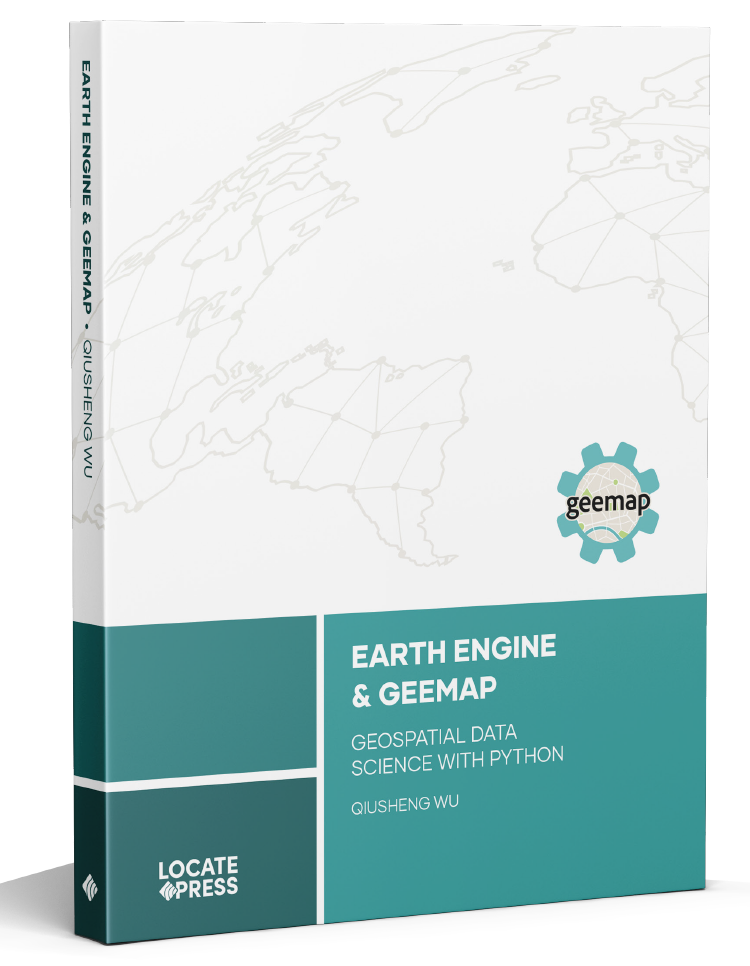
The book Earth Engine and Geemap: Geospatial Data Science with Python, written by Qiusheng Wu, has been published by Locate Press in July 2023. If you're interested in purchasing the book, please visit this URL: https://locatepress.com/book/gee.
Introduction
Geemap is a Python package for interactive geospatial analysis and visualization with Google Earth Engine (GEE), which is a cloud computing platform with a multi-petabyte catalog of satellite imagery and geospatial datasets. During the past few years, GEE has become very popular in the geospatial community and it has empowered numerous environmental applications at local, regional, and global scales. GEE provides both JavaScript and Python APIs for making computational requests to the Earth Engine servers. Compared with the comprehensive documentation and interactive IDE (i.e., GEE JavaScript Code Editor) of the GEE JavaScript API, the GEE Python API has relatively little documentation and limited functionality for visualizing results interactively. The geemap Python package was created to fill this gap. It is built upon ipyleaflet and ipywidgets, and enables users to analyze and visualize Earth Engine datasets interactively within a Jupyter-based environment.
Geemap is intended for students and researchers, who would like to utilize the Python ecosystem of diverse libraries and tools to explore Google Earth Engine. It is also designed for existing GEE users who would like to transition from the GEE JavaScript API to Python API. The automated JavaScript-to-Python conversion module of the geemap package can greatly reduce the time needed to convert existing GEE JavaScripts to Python scripts and Jupyter notebooks.
For video tutorials and notebook examples, please visit the examples page. For complete documentation on geemap modules and methods, please visit the API Reference.
If you find geemap useful in your research, please consider citing the following papers to support my work. Thank you for your support.
- Wu, Q., (2020). geemap: A Python package for interactive mapping with Google Earth Engine. The Journal of Open Source Software, 5(51), 2305. https://doi.org/10.21105/joss.02305
- Wu, Q., Lane, C. R., Li, X., Zhao, K., Zhou, Y., Clinton, N., DeVries, B., Golden, H. E., & Lang, M. W. (2019). Integrating LiDAR data and multi-temporal aerial imagery to map wetland inundation dynamics using Google Earth Engine. Remote Sensing of Environment, 228, 1-13. https://doi.org/10.1016/j.rse.2019.04.015 (pdf | source code)
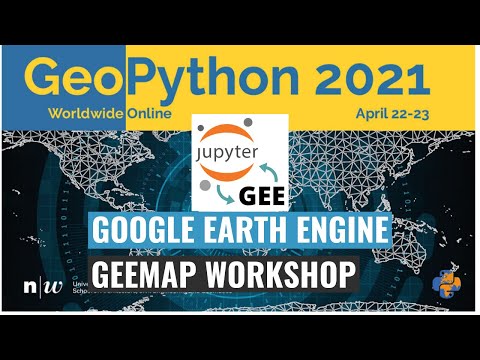
Check out the geemap workshop presented at the GeoPython Conference 2021. This workshop gives a comprehensive introduction to the key features of geemap.
Key Features
Below is a partial list of features available for the geemap package. Please check the examples page for notebook examples, GIF animations, and video tutorials.
- Convert Earth Engine JavaScripts to Python scripts and Jupyter notebooks.
- Display Earth Engine data layers for interactive mapping.
- Support Earth Engine JavaScript API-styled functions in Python, such as
Map.addLayer(),Map.setCenter(),Map.centerObject(),Map.setOptions(). - Create split-panel maps with Earth Engine data.
- Retrieve Earth Engine data interactively using the Inspector Tool.
- Interactive plotting of Earth Engine data by simply clicking on the map.
- Convert data format between GeoJSON and Earth Engine.
- Use drawing tools to interact with Earth Engine data.
- Use shapefiles with Earth Engine without having to upload data to one's GEE account.
- Export Earth Engine FeatureCollection to other formats (i.e., shp, csv, json, kml, kmz).
- Export Earth Engine Image and ImageCollection as GeoTIFF.
- Extract pixels from an Earth Engine Image into a 3D numpy array.
- Calculate zonal statistics by group.
- Add a customized legend for Earth Engine data.
- Convert Earth Engine JavaScripts to Python code directly within Jupyter notebook.
- Add animated text to GIF images generated from Earth Engine data.
- Add colorbar and images to GIF animations generated from Earth Engine data.
- Create Landsat timelapse animations with animated text using Earth Engine.
- Search places and datasets from Earth Engine Data Catalog.
- Use timeseries inspector to visualize landscape changes over time.
- Export Earth Engine maps as HTML files and PNG images.
- Search Earth Engine API documentation within Jupyter notebooks.
- Import Earth Engine assets from personal account.
- Publish interactive GEE maps directly within Jupyter notebook.
- Add local raster datasets (e.g., GeoTIFF) to the map.
- Perform image classification and accuracy assessment.
- Extract pixel values interactively and export as shapefile and csv.
Release history Release notifications | RSS feed


Download files
Download the file for your platform. If you're not sure which to choose, learn more about installing packages.
Source Distribution
Built Distribution
Filter files by name, interpreter, ABI, and platform.
If you're not sure about the file name format, learn more about wheel file names.
Copy a direct link to the current filters
File details
Details for the file geemap-0.38.2rc1.tar.gz.
File metadata
- Download URL: geemap-0.38.2rc1.tar.gz
- Upload date:
- Size: 2.5 MB
- Tags: Source
- Uploaded using Trusted Publishing? No
- Uploaded via: twine/6.2.0 CPython/3.14.5
File hashes
| Algorithm | Hash digest | |
|---|---|---|
| SHA256 |
40ca55f5e830a385413ff466a6b471f8ed399e6bd43252dc6bed256ec3276ac3
|
|
| MD5 |
2a03cf1bea534cd10e62137e66746a89
|
|
| BLAKE2b-256 |
449052bbd00c2e93579c4c6f80be3a546a9179c4ebd622d2fed16a10f9814fd2
|
File details
Details for the file geemap-0.38.2rc1-py3-none-any.whl.
File metadata
- Download URL: geemap-0.38.2rc1-py3-none-any.whl
- Upload date:
- Size: 2.5 MB
- Tags: Python 3
- Uploaded using Trusted Publishing? No
- Uploaded via: twine/6.2.0 CPython/3.14.5
File hashes
| Algorithm | Hash digest | |
|---|---|---|
| SHA256 |
00e979fb74918c4b736cba86bc0c0b3033f23d120219ea2482bae7f88c4b73ff
|
|
| MD5 |
f965d09155b443b13a005f9de8520dca
|
|
| BLAKE2b-256 |
bd0e0429283754a1e7e53a34eefb03851e7bae39c562c7efdedad4640203785d
|






