
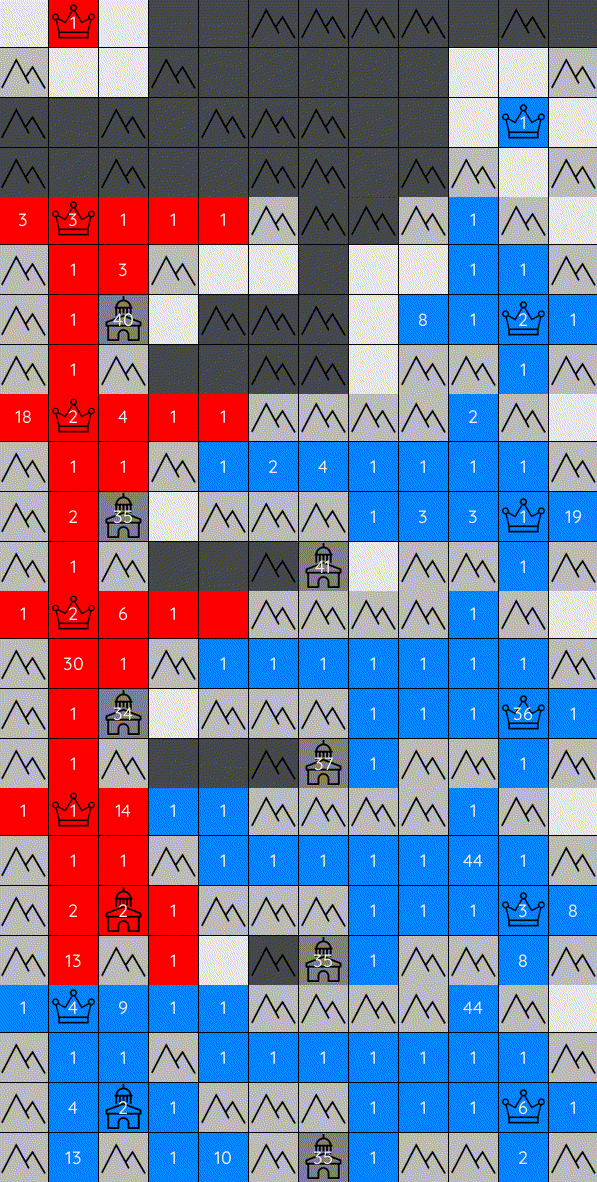


Generals-bots is a fast-paced strategy environment where players compete to conquer their opponents' generals on a 2D grid. While the goal is simple — capture the enemy general — the gameplay combines strategic depth with fast-paced action, challenging players to balance micro and macro-level decision-making. The combination of these elements makes the game highly engaging and complex.
Highlights:
- ⚡ blazing-fast simulator: run thousands of steps per second with
numpy-powered efficiency - 🤝 seamless integration: fully compatible with RL standards 🤸Gymnasium and 🦁PettingZoo
- 🔧 extensive customization: easily tailor environments to your specific needs
- 🚀 effortless deployment: launch your agents to generals.io
- 🔬 analysis tools: leverage features like replays for deeper insights
[!Note] This repository is based on the generals.io game (check it out, it's a lot of fun!). The one and only goal of this project is to provide a bot development platform, especially for Machine Learning based agents.
📦 Installation
You can install the latest stable version via pip for reliable performance
pip install generals-bots
or clone the repo for the most up-to-date features
git clone https://github.com/strakam/generals-bots
cd generals-bots
pip install -e .
[!Note] Under the hood,
make installinstalls poetry and the package usingpoetry.
🌱 Getting Started
Creating an agent is very simple. Start by subclassing an Agent class just like
RandomAgent or ExpanderAgent.
You can specify your agent id (name) and the only thing remaining is to implement the act function,
that has the signature explained in sections down below.
Usage Example (🦁 PettingZoo)
The example loop for running the game looks like this
from generals.agents import RandomAgent, ExpanderAgent
from generals.envs import PettingZooGenerals

# Initialize agents
random = RandomAgent()
expander = ExpanderAgent()

# Names are used for the environment
agent_names = [random.id, expander.id]
# Store agents in a dictionary
agents = {
    random.id: random,
    expander.id: expander
}

# Create environment
env = PettingZooGenerals(agents=agent_names, render_mode="human")
observations, info = env.reset()

terminated = truncated = False
while not (terminated or truncated):
    actions = {}
    for agent in env.agents:
        # Ask agent for action
        actions[agent] = agents[agent].act(observations[agent])
    # All agents perform their actions
    observations, rewards, terminated, truncated, info = env.step(actions)
    env.render()
[!TIP] Check out Wiki for more commented examples to get a better idea on how to start 🤗.
🎨 Custom Grids
Grids on which the game is played on are generated via GridFactory. You can instantiate the class with desired grid properties, and it will generate
grid with these properties for each run. There are two modes of map generation. The uniform one generates grids based on
probabilities that are specified by user. The generalsio mode generates grids that should resemble those generated by the official
generals.io - i.e., same dimensions, city fairness, expected number of mountains,.. When generalsio is provided, you don't have to specify anything else.
from generals.envs import PettingZooGenerals
from generals import GridFactory

grid_factory = GridFactory(
    mode="uniform",                        # Either "generalsio" or "uniform"
    min_grid_dims=(10, 10),                # Grid height and width are randomly selected
    max_grid_dims=(15, 15),
    mountain_density=0.2,                  # Probability of a mountain in a cell
    city_density=0.05,                     # Probability of a city in a cell
    general_positions=[(0,3),(5,7)],       # Positions of generals (i, j)
)

# Create environment
env = PettingZooGenerals(
    grid_factory=grid_factory,
    ...
)
You can also specify grids manually, as a string via options dict:
from generals.envs import PettingZooGenerals

env = PettingZooGenerals(agent_ids=[agent1.id, agent2.id])

grid = """
.3.#
#..A
#..#
.#.B
"""

options = {"grid": grid}

# Pass the new grid to the environment (for the next game)
env.reset(options=options)
Grids are created using a string format where:
.represents passable terrain#indicates impassable mountainsA, Bmark the positions of generals- numbers
0-9andx, wherex=10, represent cities, where the number specifies amount of neutral army in the city, which is calculated as40 + number. The reason forx=10is that the official game has cities in range[40, 50]
[!TIP] Check out complete example for concrete example in the wild!
🔬 Interactive Replays
We can store replays and then analyze them in an interactive fashion. Replay class handles replay related functionality.
Storing a replay
env = ...

options = {"replay_file": "my_replay"}
env.reset(options=options) # The next game will be encoded in my_replay.pkl
Loading a replay
from generals import Replay

# Initialize Replay instance
replay = Replay.load("my_replay")
replay.play()
🕹️ Replay controls
You can control your replays to your liking! Currently, we support these controls:
q— quit/close the replayr— restart replay from the beginning←/→— increase/decrease the replay speedh/l— move backward/forward by one frame in the replayspacebar— toggle play/pausemouseclick on the player's row — toggle the FoV (Field of View) of the given player
[!WARNING] We are using the pickle module which is not safe! Only open replays you trust.
🌍 Environment
🔭 Observation
An agents observation contains a broad swath of information about their position in the game. Values are either numpy matrices with shape (N,M), or int constants:
| Key | Shape | Description |
|---|---|---|
armies |
(N,M) |
Number of units in a visible cell regardless of the owner |
generals |
(N,M) |
Mask indicating visible cells containing a general |
cities |
(N,M) |
Mask indicating visible cells containing a city |
mountains |
(N,M) |
Mask indicating visible cells containing mountains |
neutral_cells |
(N,M) |
Mask indicating visible cells that are not owned by any agent |
owned_cells |
(N,M) |
Mask indicating visible cells owned by the agent |
opponent_cells |
(N,M) |
Mask indicating visible cells owned by the opponent |
fog_cells |
(N,M) |
Mask indicating fog cells that are not mountains or cities |
structures_in_fog |
(N,M) |
Mask showing cells containing either cities or mountains in fog |
owned_land_count |
— | Number of cells the agent owns |
owned_army_count |
— | Total number of units owned by the agent |
opponent_land_count |
— | Number of cells owned by the opponent |
opponent_army_count |
— | Total number of units owned by the opponent |
timestep |
— | Current timestep of the game |
priority |
— | 1 if your move is evaluted first, 0 otherwise |
⚡ Action
Actions are lists of 5 values [pass, cell_i, cell_j, direction, split], where
passindicates whether you want to1 (pass)or0 (play).cell_iis aniindex of the source cell (height)cell_jis ajindex of the source cell (width)directionindicates whether you want to move0 (up),1 (down),2 (left), or3 (right)splitindicates whether you want to1 (split)units and send only half, or0 (no split)where you send all units to the next cell
A convenience function compute_valid_action_mask is also provided for detailing the set of legal moves an agent can make based on its observation. The valid_action_mask is a 3D array with shape (N, M, 4), where each element corresponds to whether a move is valid from cell
[i, j] in one of four directions: 0 (up), 1 (down), 2 (left), or 3 (right).
[!TIP] You can see how actions and observations look like by printing a sample form the environment:
print(env.observation_space.sample())
print(env.action_space.sample())
🎁 Reward
It is possible to implement your own custom reward function. The default reward function for the environments is one that awards only at the end of a game and gives 1 for winning or -1 for losing.
There's another provided reward function available: FrequentAssetRewardFn. It provides frequent rewards (i.e. most turns will see a non-zero reward) based on the change in assets, i.e. land, army, cities.
from generals.core.rewards import RewardFn

class ConstantRewardFn(RewardFn):
    def __call__(self, prior_obs: Observation, prior_action: Action, obs: Observation) -> float:
        # Note: this would be a bad reward function!
        return 42.0

env = gym.make(..., reward_fn=ConstantRewardFn())
observations, info = env.reset()
🚀 Deployment to Live Servers
Complementary to local development, it is possible to run agents online against other agents and players.
We use socketio for communication, and you can either use our autopilot to run agent in a specified lobby indefinitely,
or create your own connection workflow. Our implementations expect that your agent inherits from the Agent class, and has
implemented the required methods.
from generals.remote import autopilot
from generals.agents import ExpanderAgent

import argparse

parser = argparse.ArgumentParser()
parser.add_argument("--user_id", type=str, default=...) # Register yourself at generals.io and use this id
parser.add_argument("--lobby_id", type=str, default="psyo") # After you create a private lobby, copy last part of the url

if __name__ == "__main__":
    args = parser.parse_args()
    agent = ExpanderAgent()
    autopilot(agent, args.user_id, args.lobby_id)
This script will run ExpanderAgent in the specified lobby.
🙌 Contributing
You can contribute to this project in multiple ways:
- 🤖 If you implement ANY non-trivial agent, send it to us! We will publish it, so others can play against it.
- 💡 If you have an idea on how to improve the game, submit an issue or create a PR, we are happy to improve! We also have some ideas (see issues), so you can see what we plan to work on.
[!Tip] Check out wiki to learn in more detail on how to contribute.
1 maintainer

Metadata
1 maintainer
Release files for generals-bots 2.5.0
For a detailed explanation of source distributions (sdists) and built distributions (wheels), please see the package formats documentation.
Source distribution (sdist)
| File | Size | Uploaded | |
|---|---|---|---|
| generals_bots-2.5.0.tar.gz | 13.9 MB | Details |
Built distribution (wheel)
| File | Interpreter | ABI | Platform | Reset |
|---|---|---|---|---|
| generals_bots-2.5.0-py3-none-any.whl | Python 3 | none | any | Details |
Total release size: 27.7 MB
Release files / generals_bots-2.5.0.tar.gz
| Download URL | generals_bots-2.5.0.tar.gz |
|---|---|
| Size | 13.9 MB |
| Tags | Source |
|
SHA-256 checksum How to use checksums |
71c833b6ad34869fb70e8ee7be23c001b46b0cf07cece3d3f0d0870ee6dffef6
|
|
BLAKE2b-256 checksum How to use checksums |
8139347f9ca5b03925ed162689ce702ad8797007f052ee3a9a7b87e185f5ab75
|
| Upload date | |
|
Uploaded using Trusted Publishing? What is trusted publishing? |
No |
| Uploaded via |
poetry/1.8.4 CPython/3.11.0 Linux/6.15.3-arch1-1
|
Release files / generals_bots-2.5.0-py3-none-any.whl
| Download URL | generals_bots-2.5.0-py3-none-any.whl |
|---|---|
| Size | 13.9 MB |
| Tags | Python 3 |
|
SHA-256 checksum How to use checksums |
3b96a3262238a479fcd04de9ecc82e557b08bf9605e6d5621334e3ba08750ec7
|
|
BLAKE2b-256 checksum How to use checksums |
72d4cea4e03e8fef6b89944f017a320311f88d2d7fc32c2dff0420d617b4ed5e
|
| Upload date | |
|
Uploaded using Trusted Publishing? What is trusted publishing? |
No |
| Uploaded via |
poetry/1.8.4 CPython/3.11.0 Linux/6.15.3-arch1-1
|














