
🔄 git2md





🚀 A powerful command-line tool for converting Git repository contents into Markdown format. This tool is perfect for developers and documentation specialists who need to create structured Markdown files based on repository contents, including directory trees and file contents.
Read README in Russian here
✨ Features
- 🌳 Repository Directory Tree Generation: outputs repository structure in
treeblock format. - 📝 File to Markdown Conversion:
- Supports syntax highlighting for code files.
Converts Jupyter Notebook (.ipynb) and PDF (.pdf) to Markdown.
- 🎯 Support for
.gitignore,.globalignoreand.mdignorefor local projects:- Automatically excludes files/directories specified in
.gitignore,.globalignoreor.mdignore.
- Automatically excludes files/directories specified in
- 🔍 Custom Exclusion Patterns: use regular expressions to exclude specific files or directories.
- 🗑️ Skip Empty Files: ignores files without content.
- 📋 Copy Results to Clipboard: simplifies using generated Markdown.
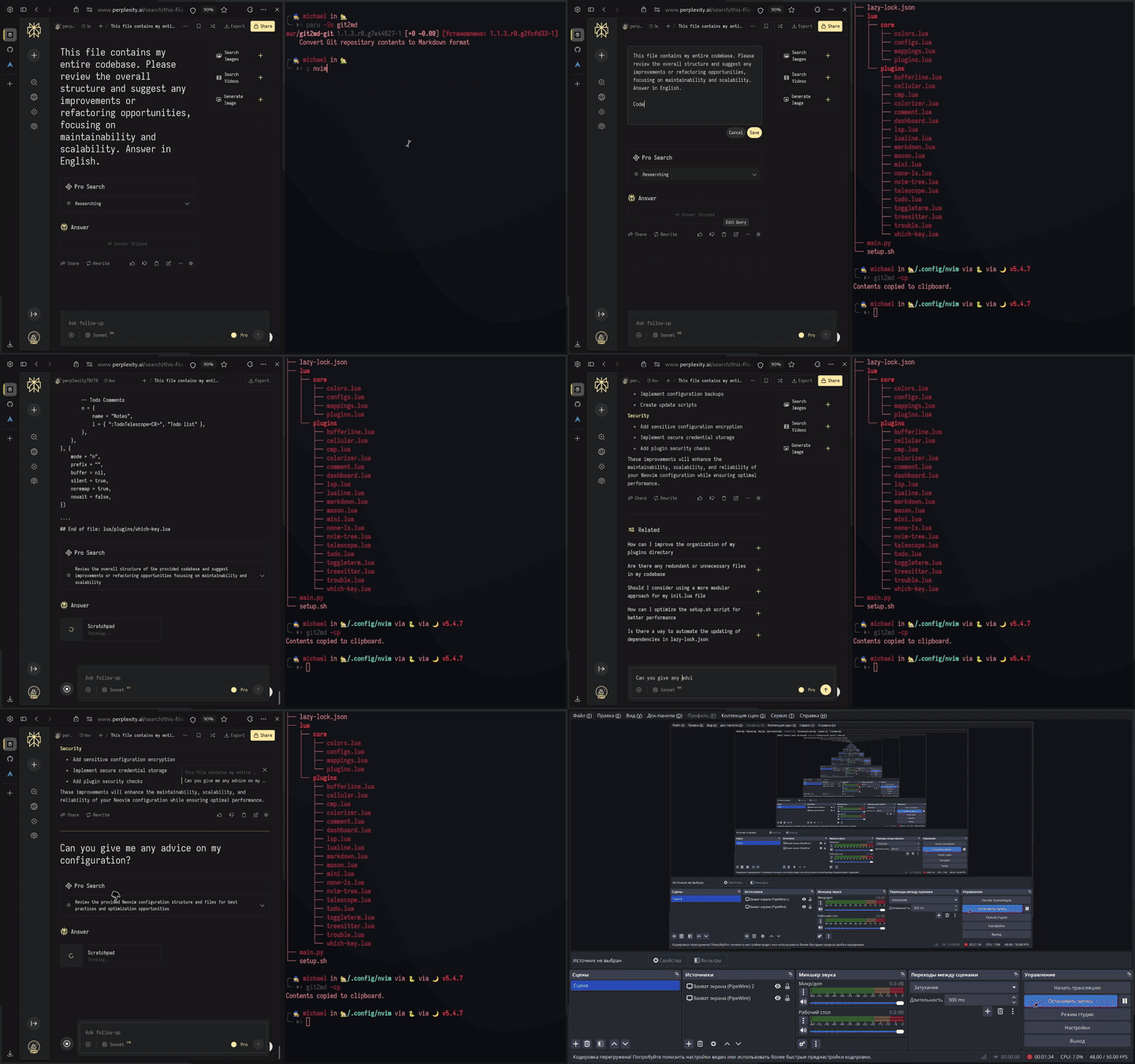
🎬 Demonstration
Below is a demonstration of how git2md works:
📋 Requirements
- 🐍 Python 3.9 or newer
- 🐧
Linux Operating SystemNow supports Windows, MacOS, Linux (X11 and Wayland) - 📦 Dependencies:
pathspec(for.gitignore,.mdignore,.globalignoresupport)nbconvert(for Jupyter Notebook conversion)PyMuPDF4LLM(for PDF conversion)wl-copy/xsel/xclip(optional, Linux-only for clipboard functionality)
📥 Installation
📦 Install via PyPI
You can install git2md directly through PyPI using pip:
pip install git2md
🏗️ Install via AUR (Arch Linux)
For Arch Linux users, the package is available in AUR as python-git2md. It can be installed using AUR helpers like paru or yay:
paru -S python-git2md
🔨 Install from Source
-
Clone the repository:
git clone https://github.com/xpos587/git2md.git
cd git2md
-
Build and install:
python setup.py build
pip install .
🚀 Usage
💻 Basic Command
git2md [path] [options]
If path is not specified, the current directory will be used.
⚙️ Options
| Option | Description |
|---|---|
path |
Path to project directory or Git file (default: current folder) |
-o, --output |
Path to save generated Markdown |
-c, --copy |
Copy result to clipboard |
--ignore |
List of patterns to exclude files or directories |
📝 Examples
📂 Generate Markdown for Entire Repository
git2md /path/to/repo -o output.md
🔍 Exclude Specific Files Using Patterns
git2md --ignore "./assets/style-*.css" "*.log" "*.tmp" -o output.md
🗑️ Copy Result to Clipboard
git2md --copy
📄 Output Format
🌳 Directory Tree
The directory tree is included as a code block with language identifier tree. For example:
src/
├── main.py
├── utils/
│   ├── helper.py
│   └── __init__.py
└── README.md
📑 File Contents
Each file is included with its relative path in the header, followed by its contents in a code block.
🐍 Example for Python File (main.py)
# File: src/main.py

```
print("Hello, world!")
```

# End of file: src/main.py
📓 Example for Jupyter Notebook (notebook.ipynb)
Content is converted from .ipynb to Markdown and included directly:
# File: notebook.ipynb

# Converted content from Jupyter Notebook...

# End of file: notebook.ipynb
📄 Example for PDF (document.pdf)
Text is extracted in Markdown format:
# File: document.pdf

# Extracted content from PDF...

# End of file: document.pdf
🔧 Global Exclusion Patterns
You can create a .mdignore file in the same directory as the script to specify patterns that should be excluded for all repositories. The format is identical to .gitignore.
📝 Example .mdignore
__pycache__/
*.pyc
.mypy_cache/
.env
*.log
👨💻 Development
To set up the development environment:
-
Create a virtual environment:
micromamba create -p ./.micromamba/ -f environment.yml
micromamba activate -p ./.micromamba/
-
Install the project in development mode:
pip install -e .
📄 License
This project is licensed under the MIT License. See the LICENSE file for details.
🤝 Contributing
- Fork the repository.
- Create a feature branch (
git checkout -b feature/amazing-feature). - Commit your changes (
git commit -m 'Add some amazing feature'). - Push to the branch (
git push origin feature/amazing-feature). - Create a Pull Request.
👥 Authors
Michael (x30827pos@gmail.com)
🙏 Acknowledgments
Thanks to the developers of repomix and git2txt.
The idea emerged from the need for universal and simplified repository documentation for LLM-based workflows.
1 maintainer

Metadata
1 maintainer
Release files for git2md 1.1.7
For a detailed explanation of source distributions (sdists) and built distributions (wheels), please see the package formats documentation.
Source distribution (sdist)
| File | Size | Uploaded | Provenance | |
|---|---|---|---|---|
| git2md-1.1.7.tar.gz | 13.4 kB | With provenance | Details |
Built distribution (wheel)
| File | Interpreter | ABI | Platform | Reset |
|---|---|---|---|---|
| git2md-1.1.7-py3-none-any.whl | Python 3 | none | any | Details |
Total release size: 26.9 kB
Release files / git2md-1.1.7.tar.gz
| Download URL | git2md-1.1.7.tar.gz |
|---|---|
| Size | 13.4 kB |
| Tags | Source |
|
SHA-256 checksum How to use checksums |
907df69c446e0e747d6530fd8ec1d882835c2d56daf1eeffbb2032fb7b3d2d9d
|
|
BLAKE2b-256 checksum How to use checksums |
5caaf0fd0fdfb48b8543ae60f612defc13ab85e9cdadd23dc9851b892d9b2193
|
| Upload date | |
|
Uploaded using Trusted Publishing? What is trusted publishing? |
Yes |
| Uploaded via |
twine/6.1.0 CPython/3.12.8
|
Provenance
Provenance describes where a file came from. On PyPI, provenance is shared via attestations, which provide a verifiable record of the build or publishing details. View details, limitations and caveats.


PyPI Publish Attestation
PyPI verified that this artifact, at this checksum, originated from the publisher listed below.
Signed by GitHub Actions, verified by PyPI on Feb 12, 2025.
Transparency logRelease files / git2md-1.1.7-py3-none-any.whl
| Download URL | git2md-1.1.7-py3-none-any.whl |
|---|---|
| Size | 13.6 kB |
| Tags | Python 3 |
|
SHA-256 checksum How to use checksums |
f99d9d6216824d408a8b3a2f0263ee7f0be501a7954c6e27e8eb3e4fed47a8af
|
|
BLAKE2b-256 checksum How to use checksums |
05f8a8fcbb1b06cc5bb6ef5fe53e9b882e0e7598ef932235e6f15f46ff1bb001
|
| Upload date | |
|
Uploaded using Trusted Publishing? What is trusted publishing? |
Yes |
| Uploaded via |
twine/6.1.0 CPython/3.12.8
|
Provenance
Provenance describes where a file came from. On PyPI, provenance is shared via attestations, which provide a verifiable record of the build or publishing details. View details, limitations and caveats.
PyPI Publish Attestation
PyPI verified that this artifact, at this checksum, originated from the publisher listed below.
Signed by GitHub Actions, verified by PyPI on Feb 12, 2025.
Transparency logSecurity for git2md 1.1.7
Provenance
Provenance describes where a file came from. On PyPI, provenance is shared via attestations, which provide a verifiable record of the build or publishing details. View details, limitations and caveats.
Full provenance
All 2 files in this release have been uploaded with provenance metadata.
Attestation for git2md-1.1.7.tar.gz
PyPI Publish Attestation
PyPI verified that this artifact, at this checksum, originated from the publisher listed below.
Signed by GitHub Actions, verified by PyPI on Feb 12, 2025.
Transparency logA note on package security
PyPI is a repository for distributing packages, not a service for auditing them. While third-party security researchers and our staff do their best to detect and remove malicious packages, PyPI cannot guarantee the quality, security or suitability of any given package.














