
🗜 gitz - tiny useful git commands, some dangerous 🗜

Project description
🗜 gitz - git commands for rapid development 🗜
This is a collection of seventeen git utilities aimed at people doing rapid development using Git.
Gitz is for two types of users - quality-obsessed individuals who relentlessly manicure their pull requests until every byte is in the right place; and ultra-rapid developers who want to generate large features quickly while taking advantage of continuous integration.
Most of these utilities only exist here, one came from a chat on Reddit and I don’t know where one of them came from.
Four of them are written in Bash, the rest use Python 3. They have been tested on Mac OS/X (Darwin) and on Ubuntu, and will likely work on any Unix-like operating system.
How to install
Use pip:
pip3 install gitzGetting help
This page contains a summary and a link to a manual page for each command. From the terminal, use -h flag like this: git new -h or use man like this: man git-new.
When to use gitz
At the start of a session
git new safely creates fresh branches from upstream
git update for each branch, rebases from upstream and force-pushes
During development
git st is a more compact and prettier git status
git when shows you when documents were last changed
During rapid development
git infer commits files with an automatically generated message - great for committing tiny changes for later rebasing down
While cleaning up a branch for review
git permute permutes, squashes or removes commits in the current branch
git split split one or more commits, perhaps with the staging area, into many small individual commits, one per file
During repository maintenance
git rotate rotates through all branches
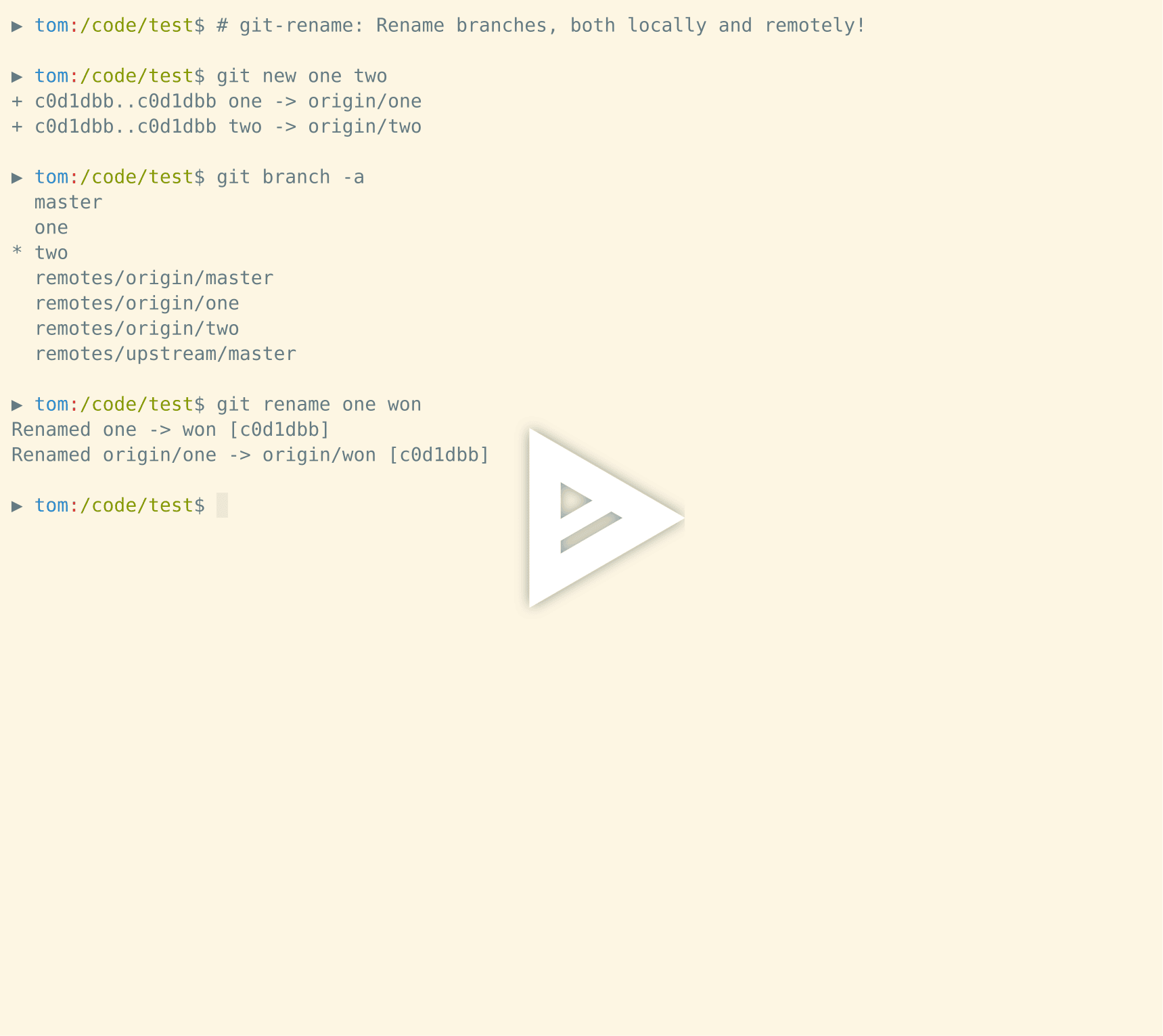
git copy, git delete, and git rename work on both local and upstream branches
Working with continuous integration
git stripe pushes a sequence of commits to individual remote branches where CI can find and test them
The movie
The gitz commands
Safe commands
Informational commands that don’t change your repository
- git gitz
Print information about the gitz git commands
- git go
Go to a specific location in the current repo
- git infer
Commit changes with an automatically generated message
- git multi-pick
Cherry-pick multiple commits, with an optional squash
- git new
Create and push new branches
- git rot
Rotate through branches in a Git repository
- git st
Colorful, compact git status
- git stripe
Push a sequence of commit IDs to a remote repository
- git when
For each file, show the most recent commit that changed it.
Dotfiles are ignored by default.
Dangerous commands that delete, rename or overwrite branches
- git copy
Copy a git branch locally and remotely
- git delete
Delete one or more branches locally and remotely
- git rename
Rename a git branch locally and remotely
By default, the branches develop and master are protected - they are not allowed to be copied to, renamed, or deleted.
You can configure this in three ways:
setting the --all/-a flag ignore protected branches entirely
setting the environment variable GITZ_PROTECTED_BRANCHES overrides these defaults
setting a value for the keys PROTECTED_BRANCHES in the file .gitz.json in the top directory of your Git project has the same effect
Dangerous commands that rewrite history
Slice, dice, shuffle and split your commits.
These commands are not intended for use on a shared or production branch, but can significantly speed up rapid development on private branches.
- git adjust
Amend any commit, not just the last
- git permute
Reorder and delete commits in the current branch
- git split
Split a range of commits into many single-file commits
- git update
Update branches from a reference branch
Release history Release notifications | RSS feed


Download files
Download the file for your platform. If you're not sure which to choose, learn more about installing packages.
Source Distribution
Built Distribution
Filter files by name, interpreter, ABI, and platform.
If you're not sure about the file name format, learn more about wheel file names.
Copy a direct link to the current filters
File details
Details for the file gitz-0.11.0.tar.gz.
File metadata
- Download URL: gitz-0.11.0.tar.gz
- Upload date:
- Size: 40.8 kB
- Tags: Source
- Uploaded using Trusted Publishing? No
- Uploaded via: twine/3.2.0 pkginfo/1.5.0.1 requests/2.24.0 setuptools/49.2.0 requests-toolbelt/0.9.1 tqdm/4.48.0 CPython/3.6.6
File hashes
| Algorithm | Hash digest | |
|---|---|---|
| SHA256 |
ceedd409e685463df1df3fb47fc664701257bd883632427add12535d06b15cca
|
|
| MD5 |
22260a22970221fbb8038894e44932e9
|
|
| BLAKE2b-256 |
94019b215816d3d5f5d5d6bf6398639ecb77b24c7f534afefdb008b6aa754526
|
File details
Details for the file gitz-0.11.0-py3-none-any.whl.
File metadata
- Download URL: gitz-0.11.0-py3-none-any.whl
- Upload date:
- Size: 65.6 kB
- Tags: Python 3
- Uploaded using Trusted Publishing? No
- Uploaded via: twine/3.2.0 pkginfo/1.5.0.1 requests/2.24.0 setuptools/49.2.0 requests-toolbelt/0.9.1 tqdm/4.48.0 CPython/3.6.6
File hashes
| Algorithm | Hash digest | |
|---|---|---|
| SHA256 |
5a693afe142a92ad28fccc315f0a725253fdd6aa09aa0ee90519ca6b624b3fac
|
|
| MD5 |
2d33bee370d79eb1257592cbb9e1e662
|
|
| BLAKE2b-256 |
3d07e7351237d4cde95d5183920b7ae490ddbb331e873fa870b0d8f2b3fc4169
|






