








gotranx
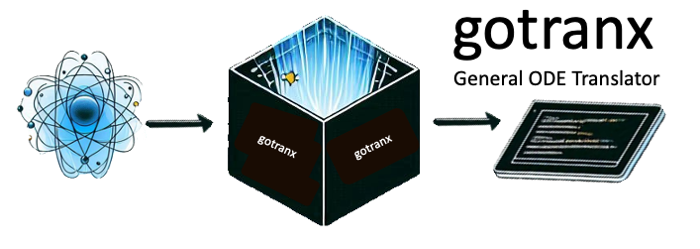
gotranx is the next generation General ODE translator. The general idea is that you write your ODE in a high level markup language and use gotranx to generate code for solving the ODE in different programming languages. gotranx uses sympy to create a symbolic representation of the ODE which is used to generate the jacobian and numerical schemes.
gotranx makes it also possible generate code from e.g CellML models using conversion tools from myokit.
- Source code: https://github.com/finsberg/gotranx
- Documentation: https://finsberg.github.io/gotranx/
Install
Install with pip
python3 -m pip install gotranx
or for the development version
python3 -m pip install git+https://github.com/finsberg/gotranx
You can also install gotranx using conda
conda install -c conda-forge gotranx
Quick start
Define your ODE in a .ode file, e.g file.ode with the content
states(x=1, y=0)
parameters(a=1.0)

dx_dt = a * y
dy_dt = -x
which defines the ODE system
$$ \begin{align} \frac{dx}{dt} &= ay \ \frac{dy}{dt} &= -x \end{align} $$
with the initial conditions $x(0) = 1$ and $y(0) = 0$ and the parameter $a$ with a value of 1.0. Now generate code in python for solving this ODE with the explicit euler scheme using the command
gotranx ode2py file.ode --scheme explicit_euler -o file.py
which will create a file file.py containing functions for solving the ODE.
The same ODE can be turned into C (ode2c), Julia (ode2julia), a
ModelingToolkit system (ode2mtk), UFL (ode2ufl), Markdown (ode2md),
CellML (ode2cellml) or a CytoZoo
cell-model adapter (ode2cytozoo -- whose output needs a CytoZoo providing
resolve_parameter, not yet released). Now you can solve the ode using the following code snippet
import file as model
import numpy as np
import matplotlib.pyplot as plt

s = model.init_state_values()
p = model.init_parameter_values()
dt = 1e-4  # 0.1 ms
T = 2 * np.pi
t = np.arange(0, T, dt)

x_index = model.state_index("x")
x = [s[x_index]]
y_index = model.state_index("y")
y = [s[y_index]]

for ti in t[1:]:
    s = model.explicit_euler(s, ti, dt, p)
    x.append(s[x_index])
    y.append(s[y_index])

plt.plot(t, x, label="x")
plt.plot(t, y, label="y")
plt.legend()
plt.show()

Alternatively, you can use a third-party ODE solver, e.g scipy.integrate.solve_ivp to solve the ODE by passing in the right-hand side function
import file as model
from scipy.integrate import solve_ivp
import numpy as np
import matplotlib.pyplot as plt

s = model.init_state_values()
p = model.init_parameter_values()
dt = 1e-4  # 0.1 ms
T = 2 * np.pi
t = np.arange(0, T, dt)

res = solve_ivp(
    model.rhs,
    (0, T),
    s,
    method="RK45",
    t_eval=t,
    args=(p,),
)

plt.plot(res.t, res.y.T)
plt.legend()
plt.show()
Note that this is a rather artificial example, so check out the demos in the documentation for more elaborate examples.
Syntax highlighting in VS Code
If you would like to have syntax highlighting in VS code for the .ode files, then you can check out the vscode extension found here: https://github.com/finsberg/gotranx-ode-vscode
FAQ
Why should I use gotranx?
The main reasons to use gotranx are
- You want to solve your model using different programming languages (e.g python and C)
- You want to create a custom numerical scheme that can utilize the symbolic representation of the ODE
- You would like to share your model in a high level representation (i.e a markup language)
How does it differ from scipy.integrate.solve_ivp?
scipy.integrate.solve_ivp is an ODE solver which takes as input a function defining the right-hand side. gotranx takes a high level representation of the ODE and can generate code for the right hand side. In other words, you can use scipy.integrate.solve_ivp to solve the ODE and use gotranx to generate the right hand side.
Automated tests
Unit tests
Automated tests can be found in the test folder. To run the tests please install the test dependencies
python3 -m pip install "gotranx[test]"
or if you have cloned the repo locally you can do
python3 -m pip install ".[test]"
To run the tests you should execute the following command
python3 -m pytest
Also note that the tests are run on every push and pull request to main using GitHub actions.
Linting and formatting
We use pre-commit to run a set of linters and formatters in order to ensure consistent code style. Developers should install the pre-commit hooks by first installing pre-commit
python3 -m pip install pre-commit
and then install the pre-commit hooks
pre-commit install
To run the hooks on all the files you can do
pre-commit run --all
For further instructions see the contributing guide.
Note also that we run all hooks as a part of our continuous integration, and we are also using pre-commit.ci to update branches automatically that can fix issues automatically.
Performance monitoring
We have defined a set of benchmarks that run on every push to the main branch using codspeed. To monitor the performance over time you can check out the performance report.
To run the benchmarks locally you can install the pytest-codspeed plugin
python3 -m pip install pytest-codspeed
and run
python3 -m pytest tests/ --codspeed
You can find more info at https://docs.codspeed.io/benchmarks/python
Citing
If you use gotranx in your research project we would appreciate if you could use the following citation
@article{Finsberg2024,
    doi = {10.21105/joss.07063},
    url = {https://doi.org/10.21105/joss.07063},
    year = {2024},
    publisher = {The Open Journal},
    volume = {9},
    number = {102},
    pages = {7063},
    author = {Henrik Finsberg and Johan Hake},
    title = {gotranx: General ODE translator},
    journal = {Journal of Open Source Software}
}
License
MIT
Contributing
Contributions are very welcomed, but please read the contributing guide first
1 maintainer

Metadata
1 maintainer
Release files for gotranx 2.5.0
For a detailed explanation of source distributions (sdists) and built distributions (wheels), please see the package formats documentation.
Source distribution (sdist)
| File | Size | Uploaded | |
|---|---|---|---|
| gotranx-2.5.0.tar.gz | 147.8 kB | Details |
Built distribution (wheel)
| File | Interpreter | ABI | Platform | Reset |
|---|---|---|---|---|
| gotranx-2.5.0-py3-none-any.whl | Python 3 | none | any | Details |
Total release size: 247.4 kB
Release files / gotranx-2.5.0.tar.gz
| Download URL | gotranx-2.5.0.tar.gz |
|---|---|
| Size | 147.8 kB |
| Tags | Source |
|
SHA-256 checksum How to use checksums |
c0b2ab0db3934f739c3748dbb6d3ffc78f0341d9adbf8bc2b8b44a8cf389257b
|
|
BLAKE2b-256 checksum How to use checksums |
840d6821b0e5b80b740a7a9216540088eb2744312fb72aaf8e3172d9575eb7f3
|
| Upload date | |
|
Uploaded using Trusted Publishing? What is trusted publishing? |
Yes |
| Uploaded via |
twine/7.0.0 CPython/3.13.14
|
Provenance
Provenance describes where a file came from. On PyPI, provenance is shared via attestations, which provide a verifiable record of the build or publishing details. View details, limitations and caveats.


PyPI Publish Attestation
PyPI verified that this artifact, at this checksum, originated from the publisher listed below.
Signed by GitHub Actions, verified by PyPI on Oct 12, 2026.
Transparency logRelease files / gotranx-2.5.0-py3-none-any.whl
| Download URL | gotranx-2.5.0-py3-none-any.whl |
|---|---|
| Size | 99.6 kB |
| Tags | Python 3 |
|
SHA-256 checksum How to use checksums |
794042eaa7b30d2df799ec722973ad04b349ee03815790e0dea8c9c939640259
|
|
BLAKE2b-256 checksum How to use checksums |
aaaea1cb3b5899704cca63b1ae1f110c1bc558b2fde6dad232d967cb52393f17
|
| Upload date | |
|
Uploaded using Trusted Publishing? What is trusted publishing? |
Yes |
| Uploaded via |
twine/7.0.0 CPython/3.13.14
|
Provenance
Provenance describes where a file came from. On PyPI, provenance is shared via attestations, which provide a verifiable record of the build or publishing details. View details, limitations and caveats.
PyPI Publish Attestation
PyPI verified that this artifact, at this checksum, originated from the publisher listed below.
Signed by GitHub Actions, verified by PyPI on Oct 12, 2026.
Transparency log













