
A keyboard-driven, plain-text diagram tool with vim-style editing
Verified details
These details have been verified by PyPIProject links
GitHub Statistics
Maintainers

Project description
grafli
A keyboard-driven, plain-text diagram tool for developers.
grafli lets you sketch architecture diagrams, code-review notes, and design
sketches without leaving the keyboard. Files are line-oriented .grafli text
that diffs cleanly in git and that LLMs can read and produce reliably.
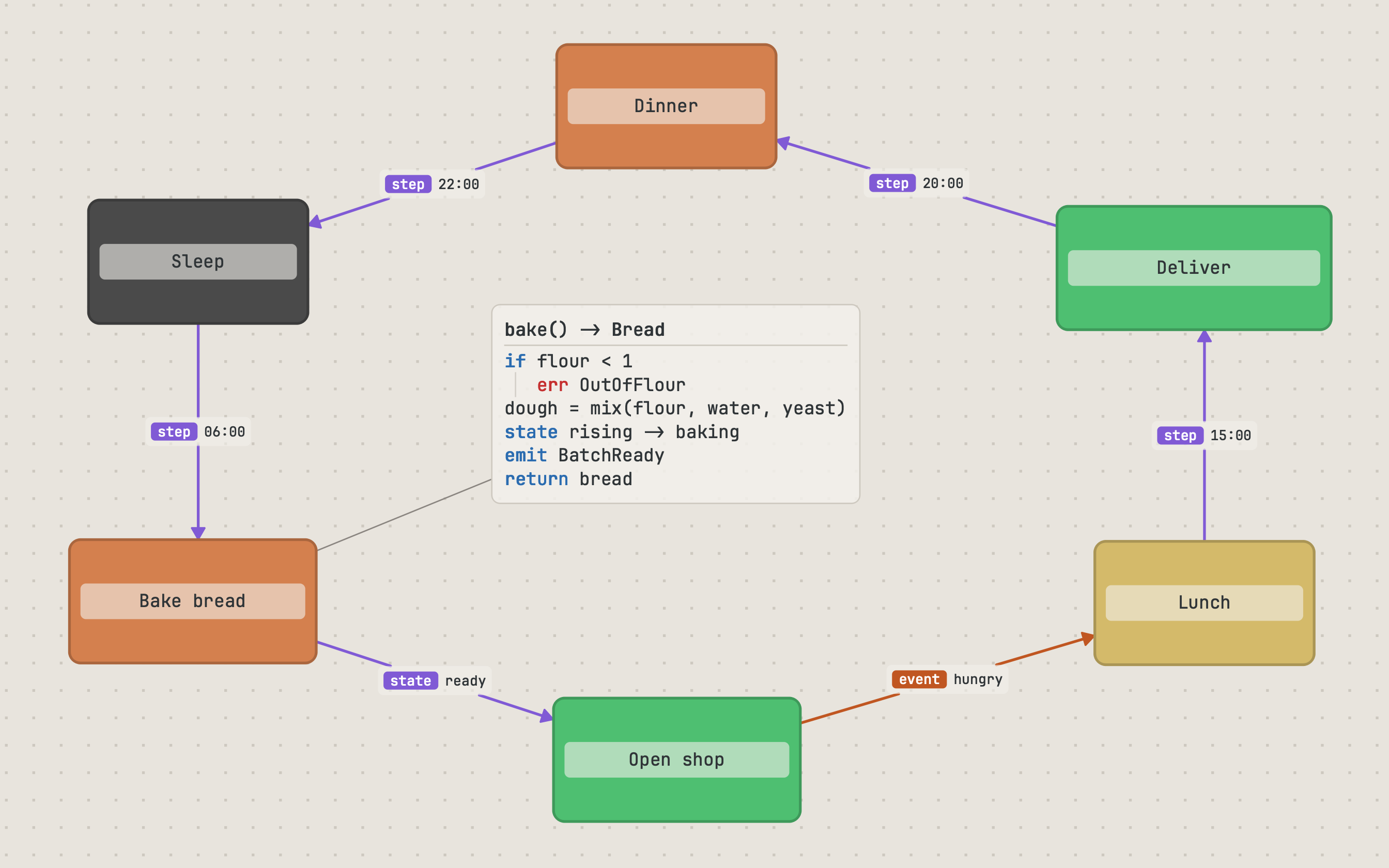
Documentation and feature tour: https://grafli.mistergc.dev
Install
pip install grafli
grafli my-diagram.grafli
Requirements: Python 3.12+, PySide6 (Qt 6.7+).
Design philosophy
- Keyboard-first. Modal editing in the spirit of vim — Select, Rect, Text, Connect — composes a small set of keystrokes into rich diagrams.
- Less is more. Three primitives (boxes, arrows, notes) plus visible containment cover the cases that matter, without a menu maze.
- Text for AI, git, humans.
.graflifiles are line-oriented plain text; there are no binary blobs and no cloud dependency.
Capabilities at a glance
- Modal vim-style editing with directional creation (one keystroke spawns a connected neighbor box or note).
- Semantic edge labels — prefixes such as
call:,data:,event:,verify:,risk:render as colored chips and tint their arrow. - Code-mode notes — minimal pseudocode for review-oriented diagrams: a
bold function signature on the first line, control/effect keywords
(
if,for,call,emit, …) in blue, contract keywords (pre,post,verify,risk, …) in red, and clickable@file:linerefs. - Tasks (
T:/TODO:), questions (Q:/QUESTION:, both case-insensitive), and threaded discussions inside notes. - Find and focus — combine these at will:
- Subgraph focus (B) — fade everything not reachable from the selection; cycle direction (incoming / outgoing / both) and depth (1-hop / unlimited).
- Complexity heatmap (A) — color nodes by connectivity to find hot spots.
- Dim connectors (,) / dim notes (Shift+N) — fade arrows or text-notes to 8% opacity to read the rest.
- Minimap (M) — corner overview with boxes, notes, and connector density.
- Jump labels and graph navigation — every visible element is one or two keys away; hold Alt to follow connectors edge by edge.
- Sub-graflis — link any node to a deeper diagram in its own file.
- Markdown resources — attach a markdown note to any element and edit it in a full-window zen editor.
- Auto-save and external file watching — open a
.graflinext to your editor; changes flow both ways. - Yank as PNG (Y), SVG export (Ctrl+E).
File format
@ box frontend "Frontend" 100,100 160x60 %secondary
@ box backend  "Backend"  320,100 160x60 %primary
@ box db       "Database" 320,240 160x60 %subtle

@ arrow frontend -> backend "REST API"
@ arrow backend  -> db      "data: queries" !dashed

@ note 100,240 "SPA with React"
@ note logic 100,320 """
code:
handleRequest(req) -> Response
pre req.id is set
call validate(req)
emit RequestAccepted(req.id)
return ok  @api/handler.py:42
"""
| Element | Syntax |
|---|---|
| Box | @ box <id> "<label>" <x>,<y> <w>x<h> [color] [^anchor] [~size] [!style] [>parent] |
| Arrow | @ arrow <from> <op> <to> ["label"] [!style] [~size] |
| Note | @ note [<id>] <x>,<y> "<text>" [color] [~size] [!style] [>parent] |
Arrow operators: -> right, <- left, <-> both, -- none.
Triple-quoted block notes are supported when a note contains quote characters or spans multiple lines.
Keybindings (selection)
| Key | Action |
|---|---|
| v / n / t / c | Switch mode: Select / Rect / Text / Connect |
Shift+click in n/t mode |
Stay in create mode for rapid placement |
| h j k l | Move selection (vim directions) |
| Ctrl+h/k/l | Create connected box (left/up/right) |
| Alt (hold) | Graph navigation — follow connectors |
| / | Search by label |
| Ctrl+J | Jump mode (all visible items) |
| B / Shift+B | Subgraph focus (cycle direction / toggle depth) |
| , / Shift+N | Dim arrows / dim notes (focus on the rest) |
| Y / Ctrl+E | Yank PNG to clipboard / Export SVG |
| F1 | In-app cheat sheet and text-annotation reference |
The full set is in the in-app F1 dialog and on the documentation site.
Project
- Documentation: https://grafli.mistergc.dev
- Source: https://github.com/MisterGC/grafli
- Issues: https://github.com/MisterGC/grafli/issues
License
MIT
Project details
Verified details
These details have been verified by PyPIProject links
GitHub Statistics
Maintainers


Download files
Download the file for your platform. If you're not sure which to choose, learn more about installing packages.
Source Distribution
Built Distribution
Filter files by name, interpreter, ABI, and platform.
If you're not sure about the file name format, learn more about wheel file names.
Copy a direct link to the current filters
File details
Details for the file grafli-0.1.1.tar.gz.
File metadata
- Download URL: grafli-0.1.1.tar.gz
- Upload date:
- Size: 1.6 MB
- Tags: Source
- Uploaded using Trusted Publishing? Yes
- Uploaded via: twine/6.1.0 CPython/3.13.12
File hashes
| Algorithm | Hash digest | |
|---|---|---|
| SHA256 |
4bd777eac0932cb7fb9bbea0a51e317e7b5513dcadb390403496044be44ee4ba
|
|
| MD5 |
b5bb6715c3a13feda2dd402da4c3b36b
|
|
| BLAKE2b-256 |
e47976225e5a884b731274cc119176ff4b4b6140822e2be66ad89c5dfc1399b3
|
Provenance
The following attestation bundles were made for grafli-0.1.1.tar.gz:
Publisher:
release.yml on MisterGC/grafli
-
Statement:
-
Statement type:
https://in-toto.io/Statement/v1 -
Predicate type:
https://docs.pypi.org/attestations/publish/v1 -
Subject name:
grafli-0.1.1.tar.gz -
Subject digest:
4bd777eac0932cb7fb9bbea0a51e317e7b5513dcadb390403496044be44ee4ba - Sigstore transparency entry: 1435948350
- Sigstore integration time:
-
Permalink:
MisterGC/grafli@92f2fd634fd03802072bf1b2261f351e899d3009 -
Branch / Tag:
refs/tags/v0.1.1 - Owner: https://github.com/MisterGC
-
Access:
public
-
Token Issuer:
https://token.actions.githubusercontent.com -
Runner Environment:
github-hosted -
Publication workflow:
release.yml@92f2fd634fd03802072bf1b2261f351e899d3009 -
Trigger Event:
release
-
Statement type:
File details
Details for the file grafli-0.1.1-py3-none-any.whl.
File metadata
- Download URL: grafli-0.1.1-py3-none-any.whl
- Upload date:
- Size: 1.6 MB
- Tags: Python 3
- Uploaded using Trusted Publishing? Yes
- Uploaded via: twine/6.1.0 CPython/3.13.12
File hashes
| Algorithm | Hash digest | |
|---|---|---|
| SHA256 |
9d5594a48e1b8b9012e1f45063b8e3ed869622283684ef99bc939a9acefe5964
|
|
| MD5 |
ad0a206f857038e87637de3a8e73f8ab
|
|
| BLAKE2b-256 |
50b217d4f7a4b6bbceb75ad551ca7f8cb5b786e5e0d525f21265833f80e1112f
|
Provenance
The following attestation bundles were made for grafli-0.1.1-py3-none-any.whl:
Publisher:
release.yml on MisterGC/grafli
-
Statement:
-
Statement type:
https://in-toto.io/Statement/v1 -
Predicate type:
https://docs.pypi.org/attestations/publish/v1 -
Subject name:
grafli-0.1.1-py3-none-any.whl -
Subject digest:
9d5594a48e1b8b9012e1f45063b8e3ed869622283684ef99bc939a9acefe5964 - Sigstore transparency entry: 1435948352
- Sigstore integration time:
-
Permalink:
MisterGC/grafli@92f2fd634fd03802072bf1b2261f351e899d3009 -
Branch / Tag:
refs/tags/v0.1.1 - Owner: https://github.com/MisterGC
-
Access:
public
-
Token Issuer:
https://token.actions.githubusercontent.com -
Runner Environment:
github-hosted -
Publication workflow:
release.yml@92f2fd634fd03802072bf1b2261f351e899d3009 -
Trigger Event:
release
-
Statement type:






