
query graph databases via an interactive console

Project description
graphc

graphc (stands for "graph console") lets you query Neo4j/AWS Neptune databases
via an interactive console.
💾 Installation
uv tool install graphc
⚡️ Usage
usage: graphc [OPTIONS]

Query Neo4j/AWS Neptune databases via an interactive console

options:
  -h, --help            show this help message and exit
  -q STRING, --query STRING
                        Cypher query to execute. If not provided, starts interactive console
  -d STRING, --db-uri STRING
                        Database URI
  -b, --benchmark       Benchmark query execution times without showing results (only applicable in query mode)
  -n INTEGER, --bench-num-runs INTEGER
                        Number of benchmark runs (default: 5)
  -W INTEGER, --bench-warmup-num-runs INTEGER
                        Number of warmup runs before benchmarking (default: 0)
  --debug               Print debug information without doing anything
  -w, --write           Write query results to file (or start console with 'write results' mode on)
  -f {json,csv}, --format {json,csv}
                        Output file format for query results
  -p, --print-query     Print the query (or start console with 'print query' mode on)
# Interactive mode
export DB_URI='bolt://127.0.0.1:7687'
export DB_USER='user'
export DB_PASSWORD='password'
graphc

graphc -d 'bolt://abc.xyz.us-east-1.neptune.amazonaws.com:8182'

# One-off query mode
graphc --query 'MATCH (n: Node) RETURN n.id, n.name LIMIT 5'

graphc -q - < query.cypher

echo 'MATCH (n: Node) RETURN n.id, n.name LIMIT 5' | graphc -q -
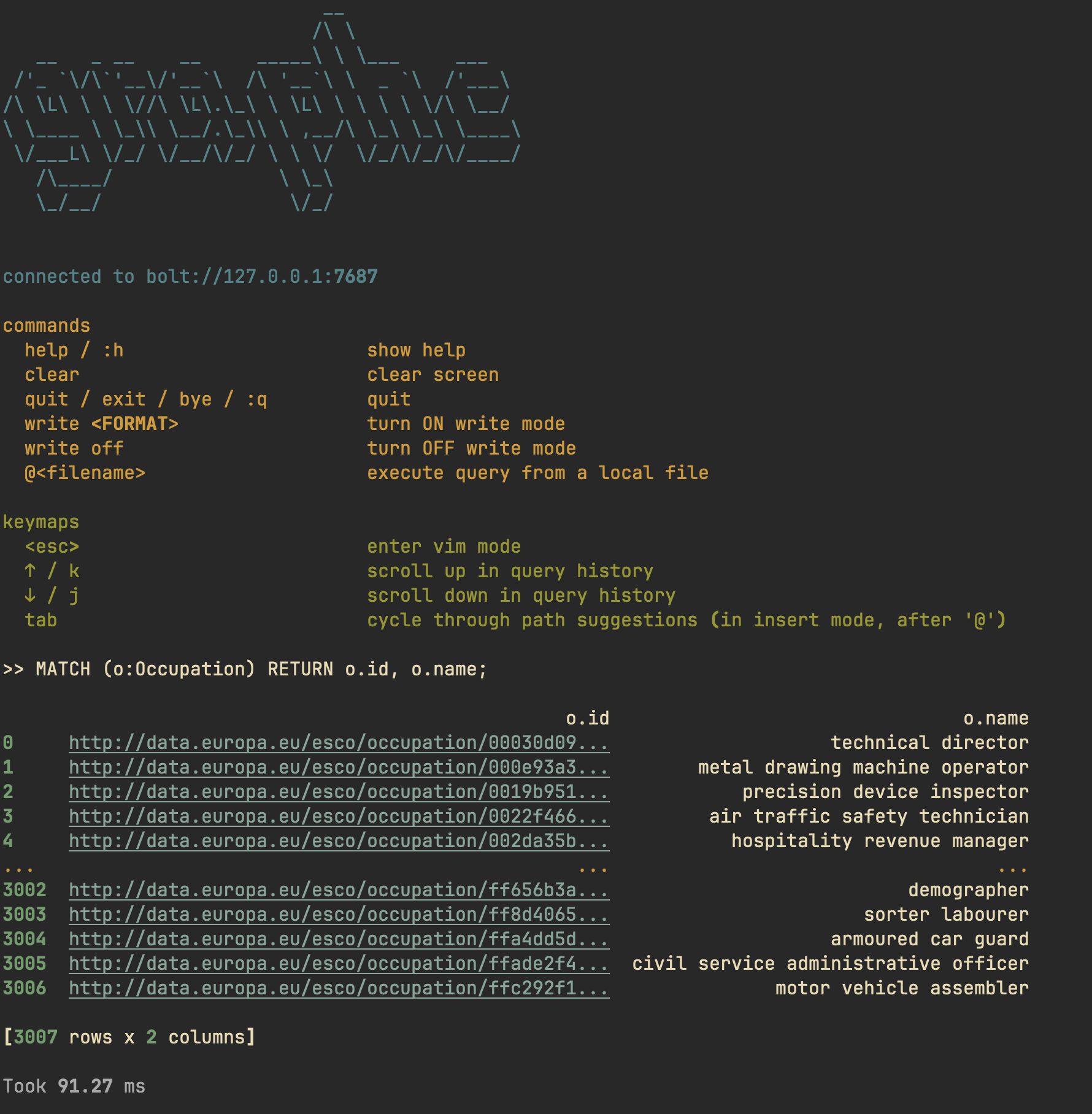
📟 Console
graphc comes with a console where you can execute queries in an interactive
manner.

Commands
| Command(s) | Description |
|---|---|
help / :h |
show help |
clear |
clear screen |
quit / exit / bye / :q |
quit |
write <FORMAT> |
turn ON "write results" mode |
write off |
turn OFF "write results" mode |
@<filename> |
execute query from a local file |
print <on/off> |
toggle "print query" mode |
Keymaps
| Key | Description |
|---|---|
<esc> |
enter vim mode |
↑ / k |
scroll up in query history |
↓ / j |
scroll down in query history |
tab |
cycle through path suggestions (in insert mode, after @) |
✏️ Write mode
graphc lets you save query results to a file in both one-off query mode and
console mode.
cat query.cypher | graphc -q - --write
In console mode, use the command write <FORMAT> (format can be csv or
json).
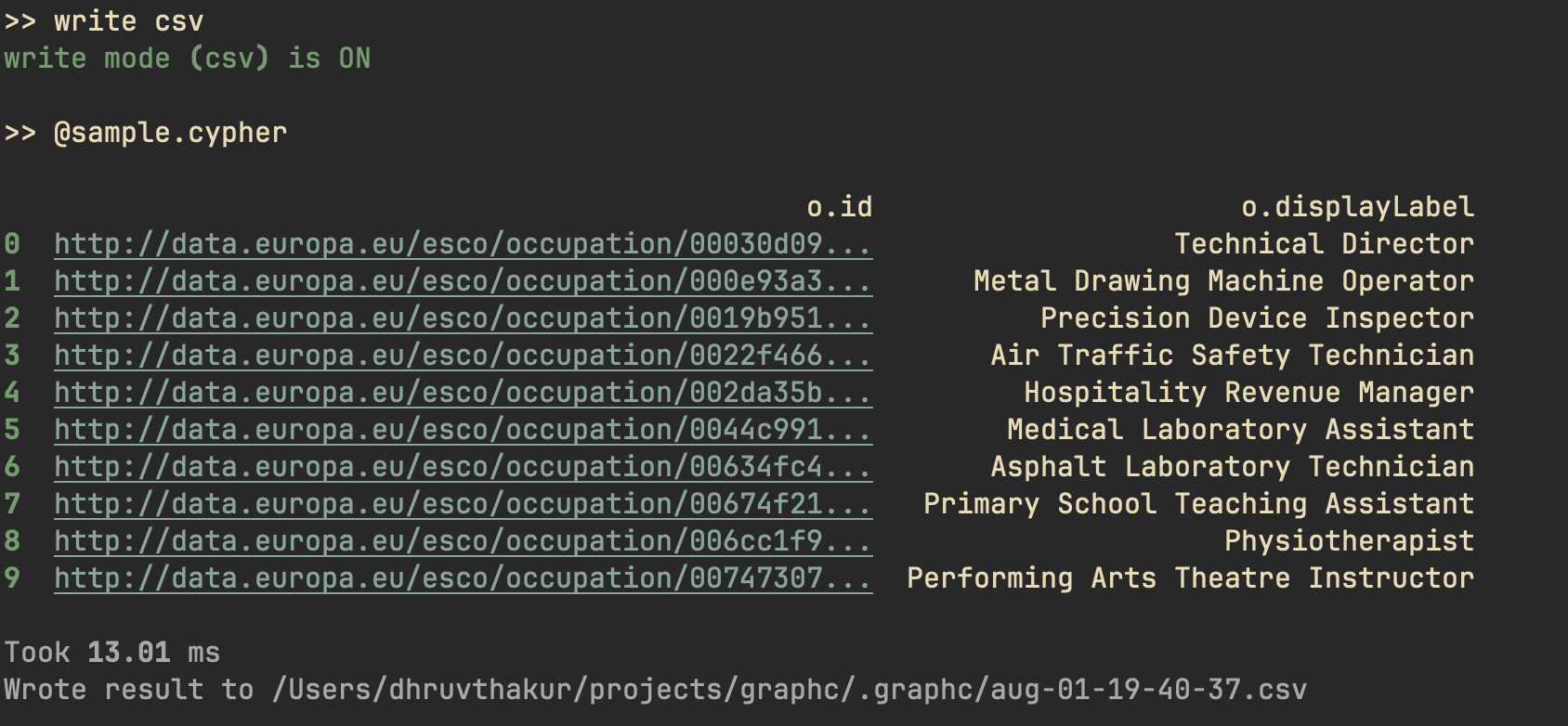
graphc will save results in the directory it's run in, in a subdirectory
called .graphc.
🔢 Benchmarking
You can benchmark the execution times for a query using the --benchmark/-b
flag.
cat query.cypher | graphc -c - -b -n 5 -w 2
Warming up (2 runs) ...
Warmup  1:   627.84 ms
Warmup  2:   452.06 ms

Benchmarking (5 runs) ...
Run  1:   451.92 ms
Run  2:   449.51 ms
Run  3:   451.52 ms
Run  4:   453.09 ms
Run  5:   445.73 ms

Statistics:
Mean:     450.35 ms
Median:   451.52 ms
Min:      445.73 ms
Max:      453.09 ms
Release history Release notifications | RSS feed


Download files
Download the file for your platform. If you're not sure which to choose, learn more about installing packages.
Source Distribution
Built Distribution
Filter files by name, interpreter, ABI, and platform.
If you're not sure about the file name format, learn more about wheel file names.
Copy a direct link to the current filters
File details
Details for the file graphc-0.1.1.tar.gz.
File metadata
- Download URL: graphc-0.1.1.tar.gz
- Upload date:
- Size: 13.6 kB
- Tags: Source
- Uploaded using Trusted Publishing? No
- Uploaded via: uv/0.8.4
File hashes
| Algorithm | Hash digest | |
|---|---|---|
| SHA256 |
43749ad1ce71a1a15d377e0058fa3f89be9b2924284f71bee5af3ea66985c9d1
|
|
| MD5 |
998fbd780ad245cd9b23673ea57a232a
|
|
| BLAKE2b-256 |
f37432722f3dbd6d5e42699c48a92a359193425935e1f32a0aa6d75c9b44ce72
|
File details
Details for the file graphc-0.1.1-py3-none-any.whl.
File metadata
- Download URL: graphc-0.1.1-py3-none-any.whl
- Upload date:
- Size: 14.4 kB
- Tags: Python 3
- Uploaded using Trusted Publishing? No
- Uploaded via: uv/0.8.4
File hashes
| Algorithm | Hash digest | |
|---|---|---|
| SHA256 |
a87fa0c9a93523ff6e1925b463e5f4113cfa36369f60180cbcad2a0e078d3b64
|
|
| MD5 |
1653c3cef28f806ad0e0ad71f8cc2253
|
|
| BLAKE2b-256 |
3eae031f89f4ca41bba2fa34847eccd4e2718ebc4987a9b337c082de98419804
|






