
graphtty



Turn any directed graph into colored ASCII art for your terminal. Pure Python, zero external dependencies.
Installation
pip install graphtty
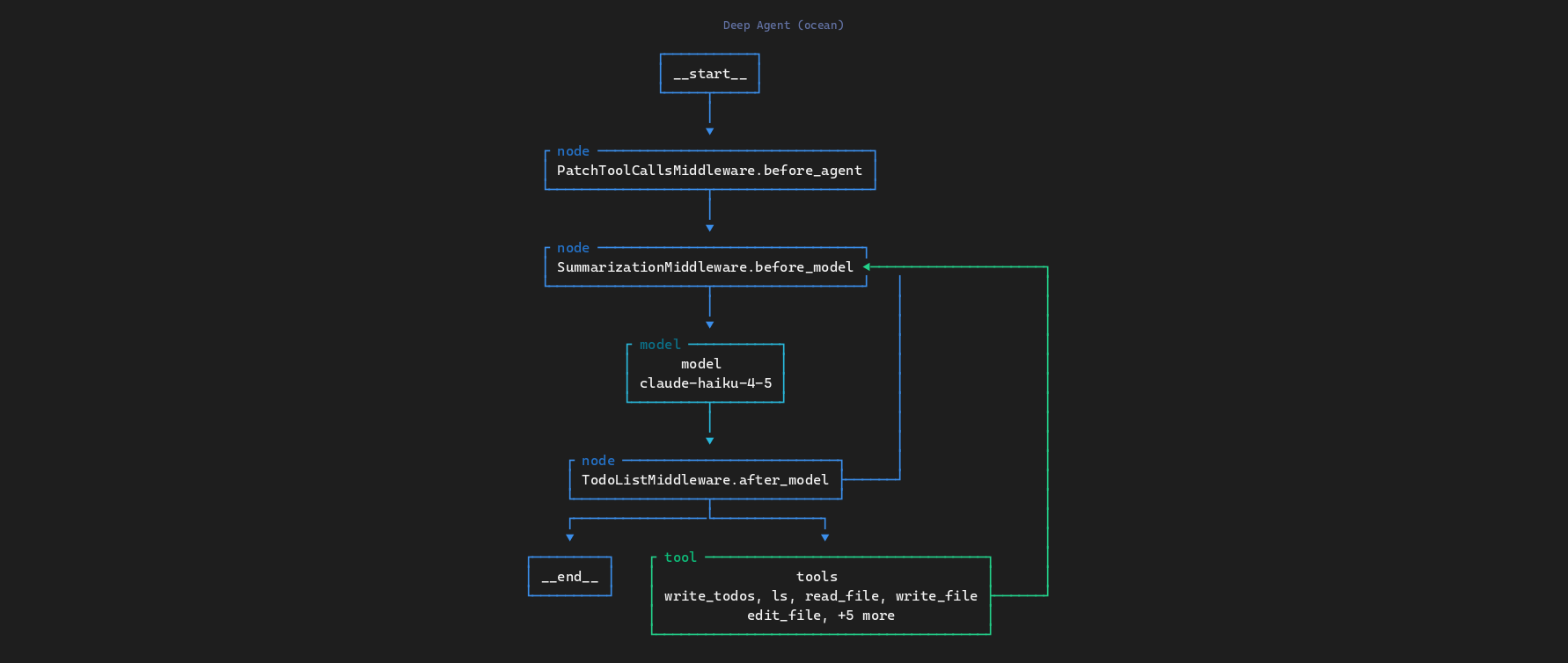
Deep Agent (ocean theme)
Supervisor Agent (dracula theme)
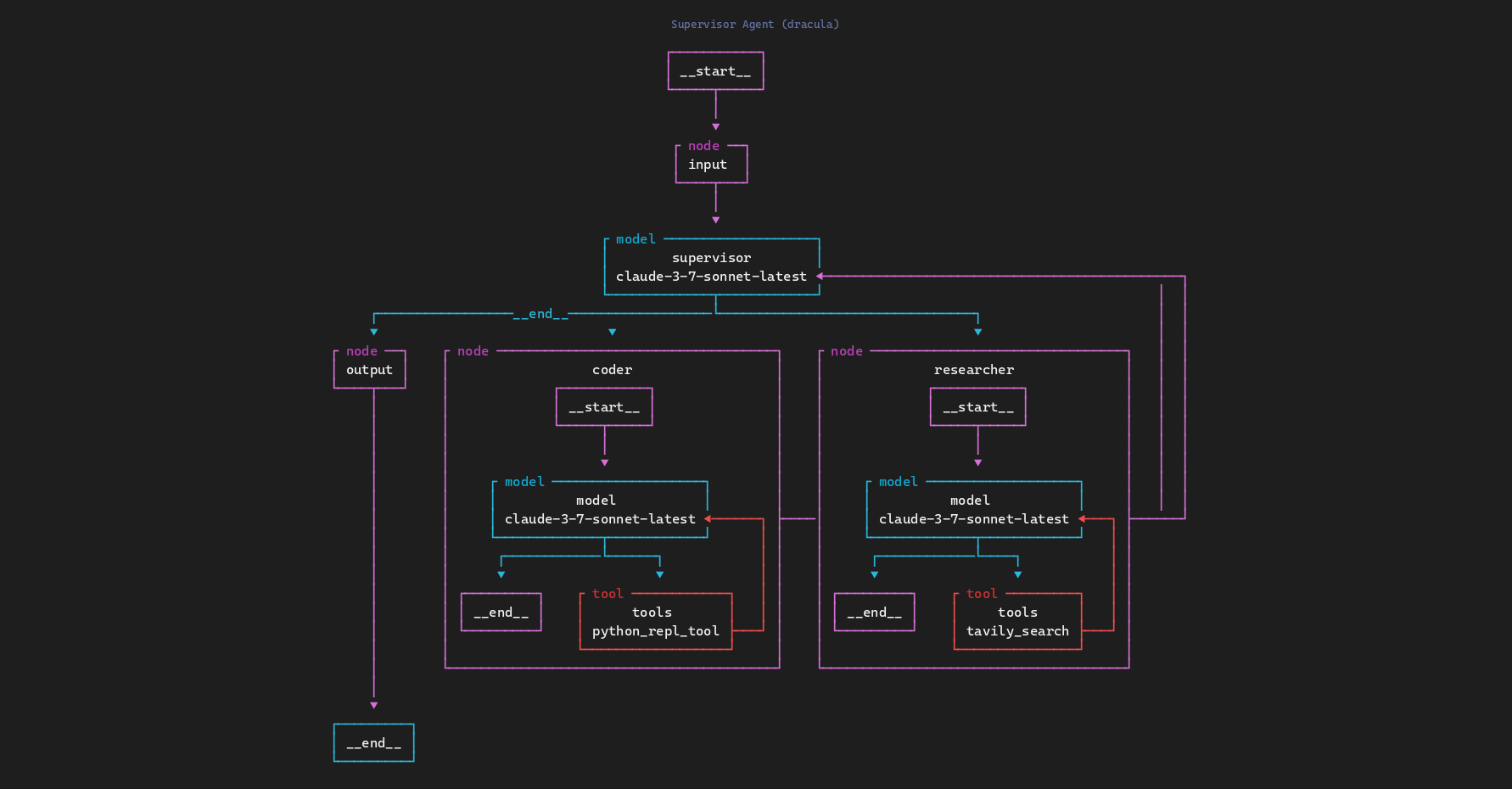
More examples available in the
screenshots/directory.
Quick start
from graphtty import render

graph = {
    "nodes": [
        {"id": "start", "name": "User Input", "type": "entry"},
        {"id": "router", "name": "Router", "type": "condition"},
        {"id": "search", "name": "Web Search", "type": "tool"},
        {"id": "calc", "name": "Calculator", "type": "tool"},
        {"id": "respond", "name": "Respond", "type": "model"},
    ],
    "edges": [
        {"source": "start", "target": "router"},
        {"source": "router", "target": "search", "label": "search"},
        {"source": "router", "target": "calc", "label": "calc"},
        {"source": "search", "target": "respond"},
        {"source": "calc", "target": "respond"},
    ],
}

print(render(graph))
           ┌ entry ─────┐
           │ User Input │
           └─────┬──────┘
                 │
                 ▼
          ┌ condition ──┐
          │   Router    │
          └──────┬──────┘
         ┌search─└──calc───┐
         ▼                 ▼
  ┌ tool ──────┐    ┌ tool ──────┐
  │ Web Search │    │ Calculator │
  └──────┬─────┘    └──────┬─────┘
         └───────┌─────────┘
                 ▼
            ┌ model ──┐
            │ Respond │
            └─────────┘
Nodes support descriptions and nested subgraphs:
# Descriptions appear as extra lines inside the box
{"id": "a", "name": "LLM", "type": "model", "description": "gpt-4o"}

# Nested subgraphs render as boxes within boxes
{"id": "b", "name": "Pipeline", "type": "subgraph", "subgraph": {"nodes": [...], "edges": [...]}}
Apply a color theme:
from graphtty import render, RenderOptions, get_theme

print(render(graph, RenderOptions(theme=get_theme("monokai"))))
CLI
graphtty graph.json
graphtty graph.json --theme monokai
graphtty graph.json --ascii
graphtty graph.json --no-types
Themes
Ten built-in color themes:
default monokai ocean forest dracula solarized nord catppuccin gruvbox tokyo-night
graphtty --list-themes
JSON format
graphtty reads a simple JSON format:
{
  "nodes": [
    { "id": "a", "name": "Start", "type": "entry" },
    { "id": "b", "name": "Process", "type": "tool", "description": "optional detail" },
    { "id": "c", "name": "End", "type": "exit" }
  ],
  "edges": [
    { "source": "a", "target": "b", "label": "optional" },
    { "source": "b", "target": "c" }
  ]
}
Benchmarks
graphtty uses a custom Sugiyama-style layout engine and optimized canvas operations for fast rendering. Benchmarks across all 12 sample graphs (50 iterations each, Python 3.11):
| Sample | Avg (ms) | Ops/sec |
|---|---|---|
| react-agent (4 nodes) | 0.15 | 6,593 |
| book-writer-agent (6 nodes) | 0.25 | 4,083 |
| deep-agent (7 nodes) | 0.32 | 3,144 |
| function-agent (8 nodes) | 0.37 | 2,686 |
| travel-rag-agent (8 nodes) | 0.41 | 2,451 |
| workflow-agent (11 nodes) | 0.49 | 2,060 |
| world-map (15 nodes) | 0.61 | 1,651 |
| orchestrator-agent (9 nodes) | 0.64 | 1,561 |
| rag-pipeline (10 nodes) | 0.70 | 1,427 |
| supervisor-agent (7+subs) | 0.80 | 1,250 |
| etl-pipeline (12 nodes) | 0.82 | 1,225 |
| code-review (8+subs) | 1.21 | 829 |
Run python scripts/benchmark.py to reproduce on your machine.
Related Projects
- uipath-dev: Developer console for debugging and inspecting AI agents
- uipath-python: Python SDK and CLI to build, test, and deploy AI agents
Metadata
Release files for graphtty 0.1.8
For a detailed explanation of source distributions (sdists) and built distributions (wheels), please see the package formats documentation.
Source distribution (sdist)
| File | Size | Uploaded | |
|---|---|---|---|
| graphtty-0.1.8.tar.gz | 638.0 kB | Details |
Built distribution (wheel)
| File | Interpreter | ABI | Platform | Reset |
|---|---|---|---|---|
| graphtty-0.1.8-py3-none-any.whl | Python 3 | none | any | Details |
Total release size: 663.5 kB
Release files / graphtty-0.1.8.tar.gz
| Download URL | graphtty-0.1.8.tar.gz |
|---|---|
| Size | 638.0 kB |
| Tags | Source |
|
SHA-256 checksum How to use checksums |
069cd84764cc64d414928451071fc9c97c05becbf564c2f0278691a6451a8240
|
|
BLAKE2b-256 checksum How to use checksums |
9eb30756e1b1e46b61a4db4a463a76ca113e62113742f97ac6cf383dd05d6a97
|
| Upload date | |
|
Uploaded using Trusted Publishing? What is trusted publishing? |
Yes |
| Uploaded via |
twine/6.1.0 CPython/3.13.7
|
Provenance
Provenance describes where a file came from. On PyPI, provenance is shared via attestations, which provide a verifiable record of the build or publishing details. View details, limitations and caveats.


PyPI Publish Attestation
PyPI verified that this artifact, at this checksum, originated from the publisher listed below.
Signed by GitHub Actions, verified by PyPI on Feb 15, 2026.
Transparency logRelease files / graphtty-0.1.8-py3-none-any.whl
| Download URL | graphtty-0.1.8-py3-none-any.whl |
|---|---|
| Size | 25.5 kB |
| Tags | Python 3 |
|
SHA-256 checksum How to use checksums |
4e19e6d66b9ef79e2715377163f61a6542b5b9ee00d50406b80a40d0ba094f67
|
|
BLAKE2b-256 checksum How to use checksums |
7da966d01580a4a92b576c056e9967d552a28ed836540eaf73b436474c514bc2
|
| Upload date | |
|
Uploaded using Trusted Publishing? What is trusted publishing? |
Yes |
| Uploaded via |
twine/6.1.0 CPython/3.13.7
|
Provenance
Provenance describes where a file came from. On PyPI, provenance is shared via attestations, which provide a verifiable record of the build or publishing details. View details, limitations and caveats.
PyPI Publish Attestation
PyPI verified that this artifact, at this checksum, originated from the publisher listed below.
Signed by GitHub Actions, verified by PyPI on Feb 15, 2026.
Transparency log













