
Turn any directed graph into colored ASCII art for your terminal
Project description
graphtty



Turn any directed graph into colored ASCII art for your terminal. Pure Python, zero external dependencies.
Installation
pip install graphtty
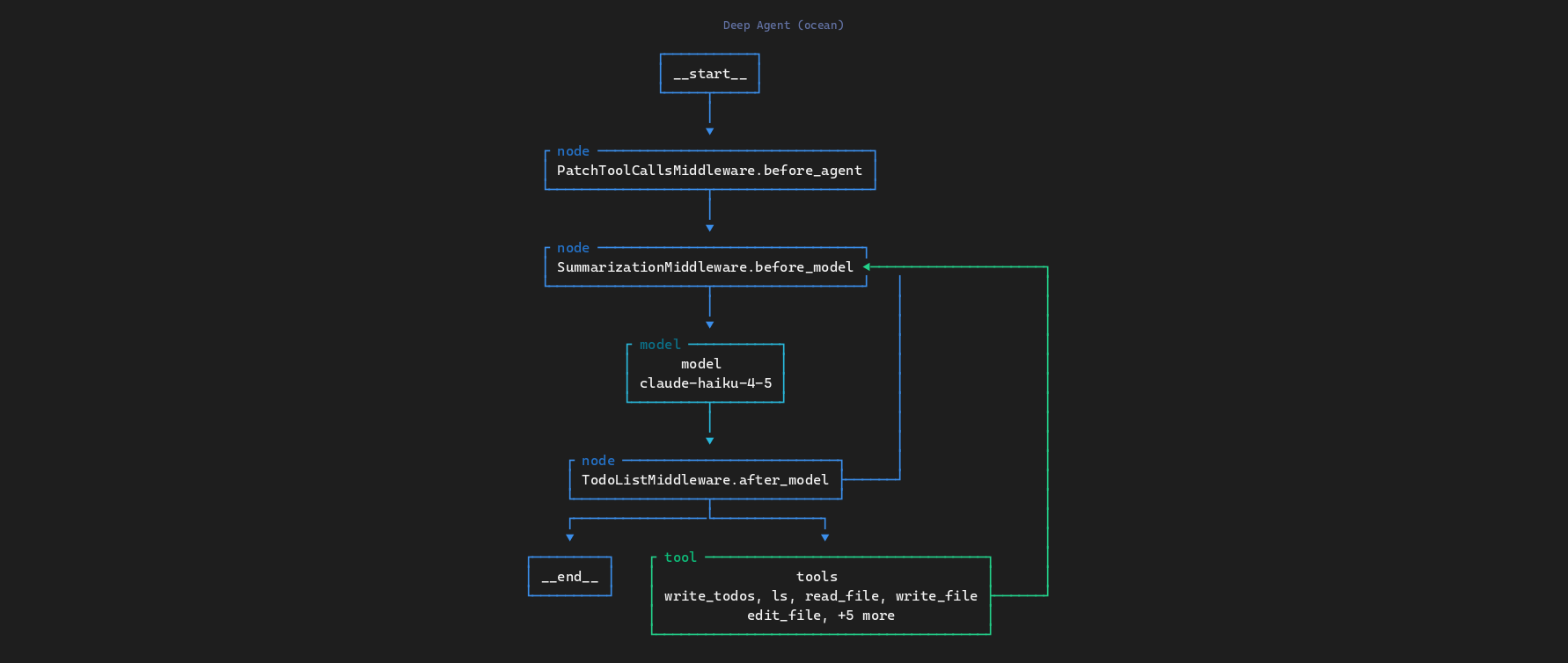
Deep Agent (ocean theme)
Supervisor Agent (dracula theme)
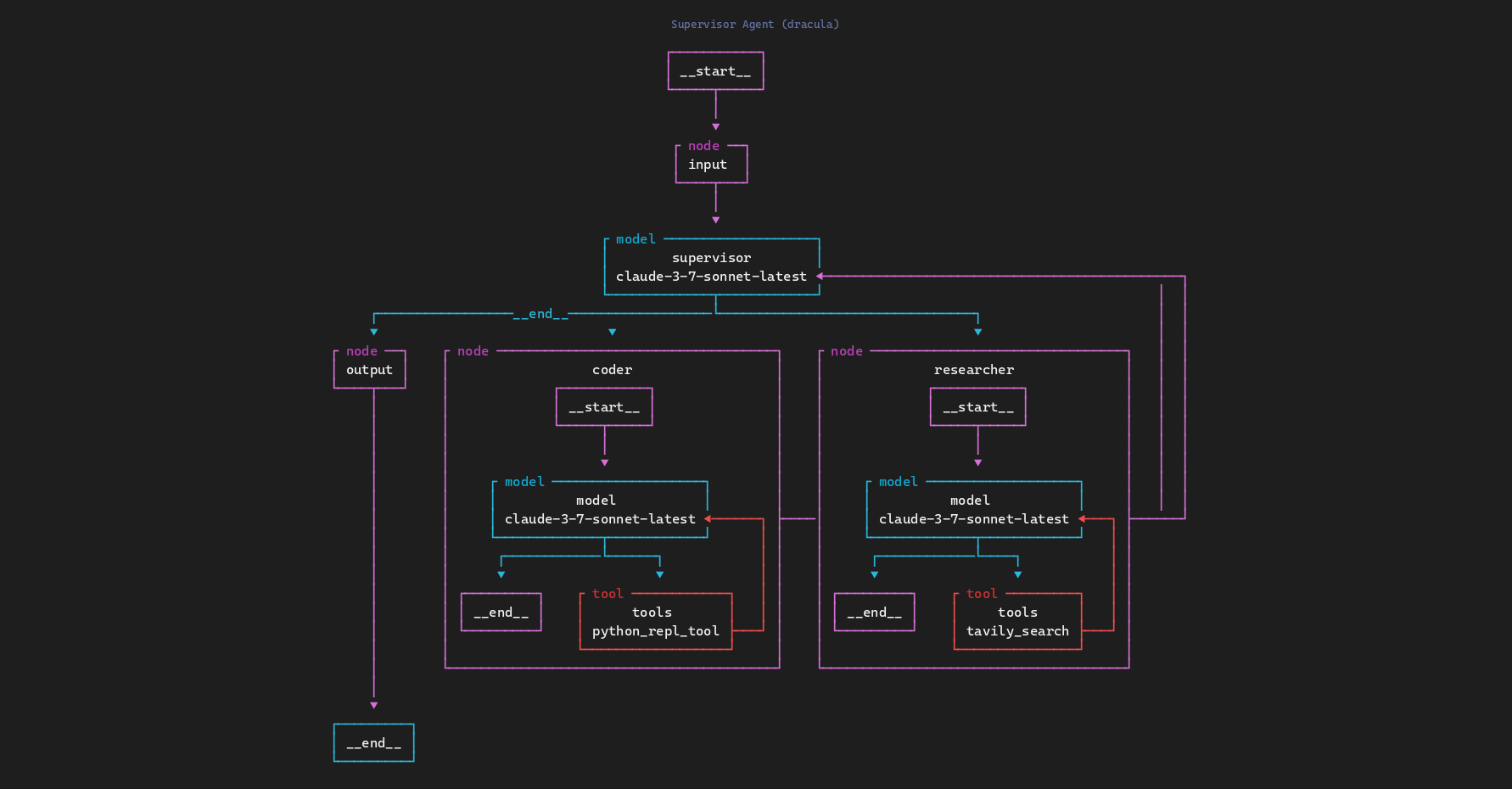
More examples available in the
screenshots/directory.
Quick start
from graphtty import render

graph = {
    "nodes": [
        {"id": "start", "name": "User Input", "type": "entry"},
        {"id": "router", "name": "Router", "type": "condition"},
        {"id": "search", "name": "Web Search", "type": "tool"},
        {"id": "calc", "name": "Calculator", "type": "tool"},
        {"id": "respond", "name": "Respond", "type": "model"},
    ],
    "edges": [
        {"source": "start", "target": "router"},
        {"source": "router", "target": "search", "label": "search"},
        {"source": "router", "target": "calc", "label": "calc"},
        {"source": "search", "target": "respond"},
        {"source": "calc", "target": "respond"},
    ],
}

print(render(graph))
           ┌ entry ─────┐
           │ User Input │
           └─────┬──────┘
                 │
                 ▼
          ┌ condition ──┐
          │   Router    │
          └──────┬──────┘
         ┌search─└──calc───┐
         ▼                 ▼
  ┌ tool ──────┐    ┌ tool ──────┐
  │ Web Search │    │ Calculator │
  └──────┬─────┘    └──────┬─────┘
         └───────┌─────────┘
                 ▼
            ┌ model ──┐
            │ Respond │
            └─────────┘
Nodes support descriptions and nested subgraphs:
# Descriptions appear as extra lines inside the box
{"id": "a", "name": "LLM", "type": "model", "description": "gpt-4o"}

# Nested subgraphs render as boxes within boxes
{"id": "b", "name": "Pipeline", "type": "subgraph", "subgraph": {"nodes": [...], "edges": [...]}}
Apply a color theme:
from graphtty import render, RenderOptions, get_theme

print(render(graph, RenderOptions(theme=get_theme("monokai"))))
CLI
graphtty graph.json
graphtty graph.json --theme monokai
graphtty graph.json --ascii
graphtty graph.json --no-types
Themes
Ten built-in color themes:
default monokai ocean forest dracula solarized nord catppuccin gruvbox tokyo-night
graphtty --list-themes
JSON format
graphtty reads a simple JSON format:
{
  "nodes": [
    { "id": "a", "name": "Start", "type": "entry" },
    { "id": "b", "name": "Process", "type": "tool", "description": "optional detail" },
    { "id": "c", "name": "End", "type": "exit" }
  ],
  "edges": [
    { "source": "a", "target": "b", "label": "optional" },
    { "source": "b", "target": "c" }
  ]
}
Benchmarks
graphtty uses a custom Sugiyama-style layout engine and optimized canvas operations for fast rendering. Benchmarks across all 8 sample graphs (50 iterations each, Python 3.11):
| Sample | Avg (ms) | Ops/sec |
|---|---|---|
| react-agent (4 nodes) | 0.17 | 5,985 |
| deep-agent (7 nodes) | 0.35 | 2,824 |
| workflow-agent (11 nodes) | 0.46 | 2,173 |
| world-map (15 nodes) | 0.62 | 1,603 |
| rag-pipeline (10 nodes) | 0.77 | 1,305 |
| supervisor-agent (7+subs) | 0.86 | 1,167 |
| etl-pipeline (12 nodes) | 0.87 | 1,151 |
| code-review (8+subs) | 1.40 | 713 |
Run python scripts/benchmark.py to reproduce on your machine.
Related Projects
- uipath-dev: Developer console for debugging and inspecting AI agents
- uipath-python: Python SDK and CLI to build, test, and deploy AI agents
Project details
Release history Release notifications | RSS feed


Download files
Download the file for your platform. If you're not sure which to choose, learn more about installing packages.
Source Distribution
Built Distribution
Filter files by name, interpreter, ABI, and platform.
If you're not sure about the file name format, learn more about wheel file names.
Copy a direct link to the current filters
File details
Details for the file graphtty-0.1.2.tar.gz.
File metadata
- Download URL: graphtty-0.1.2.tar.gz
- Upload date:
- Size: 444.4 kB
- Tags: Source
- Uploaded using Trusted Publishing? Yes
- Uploaded via: twine/6.1.0 CPython/3.13.7
File hashes
| Algorithm | Hash digest | |
|---|---|---|
| SHA256 |
c0b215dc6f94560152ec0ee10bbc9d77e85f79129ee80e48521d9f54c7895d7a
|
|
| MD5 |
e6c0bf0ae67b0a0d3d77433b6c408069
|
|
| BLAKE2b-256 |
bb2a7e7f028df636ac89077f3484851ee0cd2c5dc00a2e23a01a3c52ae27052f
|
Provenance
The following attestation bundles were made for graphtty-0.1.2.tar.gz:
Publisher:
cd.yml on UiPath/graphtty
-
Statement:
-
Statement type:
https://in-toto.io/Statement/v1 -
Predicate type:
https://docs.pypi.org/attestations/publish/v1 -
Subject name:
graphtty-0.1.2.tar.gz -
Subject digest:
c0b215dc6f94560152ec0ee10bbc9d77e85f79129ee80e48521d9f54c7895d7a - Sigstore transparency entry: 929808065
- Sigstore integration time:
-
Permalink:
UiPath/graphtty@d75a4d37b49c2f47acdb773c88818a31de7b0526 -
Branch / Tag:
refs/heads/main - Owner: https://github.com/UiPath
-
Access:
public
-
Token Issuer:
https://token.actions.githubusercontent.com -
Runner Environment:
github-hosted -
Publication workflow:
cd.yml@d75a4d37b49c2f47acdb773c88818a31de7b0526 -
Trigger Event:
push
-
Statement type:
File details
Details for the file graphtty-0.1.2-py3-none-any.whl.
File metadata
- Download URL: graphtty-0.1.2-py3-none-any.whl
- Upload date:
- Size: 21.0 kB
- Tags: Python 3
- Uploaded using Trusted Publishing? Yes
- Uploaded via: twine/6.1.0 CPython/3.13.7
File hashes
| Algorithm | Hash digest | |
|---|---|---|
| SHA256 |
751dc5545199ddec8657ff1dd183b5ff851d9e80b58ff9d44b199392c60c817d
|
|
| MD5 |
730d563683fa03d865fc494665aa3538
|
|
| BLAKE2b-256 |
f167389ed4d2e822e1538b530ce292a0e73eeb060cf67a8cb3534041de03375f
|
Provenance
The following attestation bundles were made for graphtty-0.1.2-py3-none-any.whl:
Publisher:
cd.yml on UiPath/graphtty
-
Statement:
-
Statement type:
https://in-toto.io/Statement/v1 -
Predicate type:
https://docs.pypi.org/attestations/publish/v1 -
Subject name:
graphtty-0.1.2-py3-none-any.whl -
Subject digest:
751dc5545199ddec8657ff1dd183b5ff851d9e80b58ff9d44b199392c60c817d - Sigstore transparency entry: 929808068
- Sigstore integration time:
-
Permalink:
UiPath/graphtty@d75a4d37b49c2f47acdb773c88818a31de7b0526 -
Branch / Tag:
refs/heads/main - Owner: https://github.com/UiPath
-
Access:
public
-
Token Issuer:
https://token.actions.githubusercontent.com -
Runner Environment:
github-hosted -
Publication workflow:
cd.yml@d75a4d37b49c2f47acdb773c88818a31de7b0526 -
Trigger Event:
push
-
Statement type:






