







A zero-dependency, standards-anchored AI security toolkit that any developer or security reviewer can run in seconds — in the IDE, in CI, or from the terminal.
🔌 MCP-native. Grey Panda secures MCP and ships as an MCP server — wire it into Claude Code, Cursor, Windsurf, or VS Code with one command and review code without leaving your editor. Jump to setup ↓
Deterministic by design — no LLM in the loop. Same code, same verdict, every run; fully offline, private, and free. Your CI gate never flakes and your source never leaves your machine.
Quick start · The bundle · How it works · Standards · In your IDE · Honest limits · Contributing
"Stop trying to build a model that cannot be fooled. Build the system around it, so that when the model is fooled — and it will be — nothing important breaks."
Grey Panda makes the secure path the easy path for anyone building LLM-powered, agentic, or Model Context Protocol (MCP) features — from a solo indie developer to an enterprise AppSec team.
⚡ Quick start
pip install grey-panda        # pure Python, zero dependencies
gp scan .                     # scan your repo — real findings, beautiful report
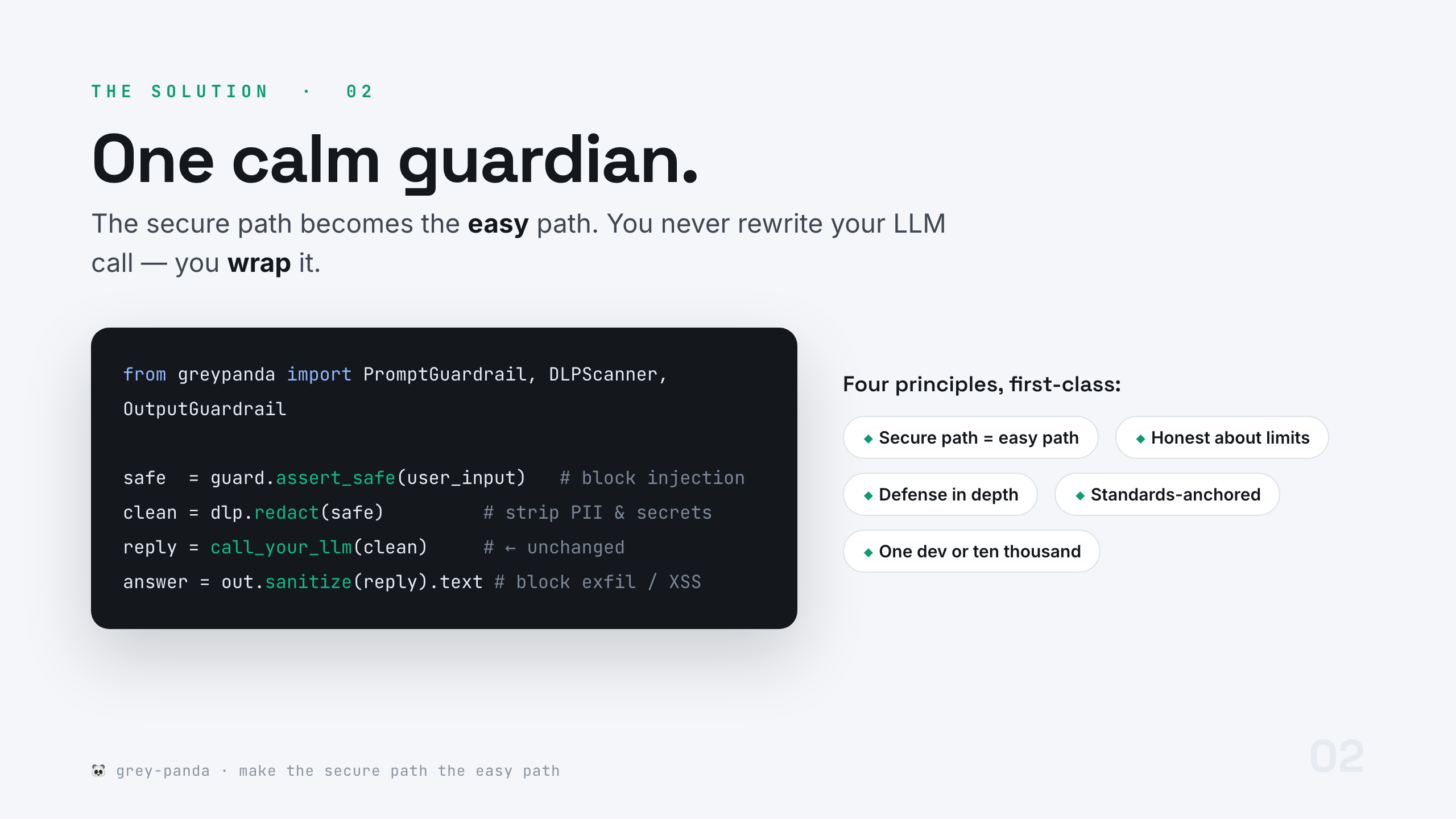
Add drop-in guardrails to an existing LLM call in under two minutes — you never rewrite the call, you wrap it:
from greypanda import PromptGuardrail, DLPScanner, OutputGuardrail

guard, dlp, out = PromptGuardrail(), DLPScanner(), OutputGuardrail()

safe   = guard.assert_safe(user_input)        # block known injection + strip invisible Unicode
clean  = dlp.redact(safe)                       # remove PII & secrets before the model sees them
reply  = call_your_llm(clean)                   # ← your existing call, unchanged
answer = out.sanitize(reply).sanitized_text     # XSS-safe by default (HTML-escapes model output)
🎯 Why this exists
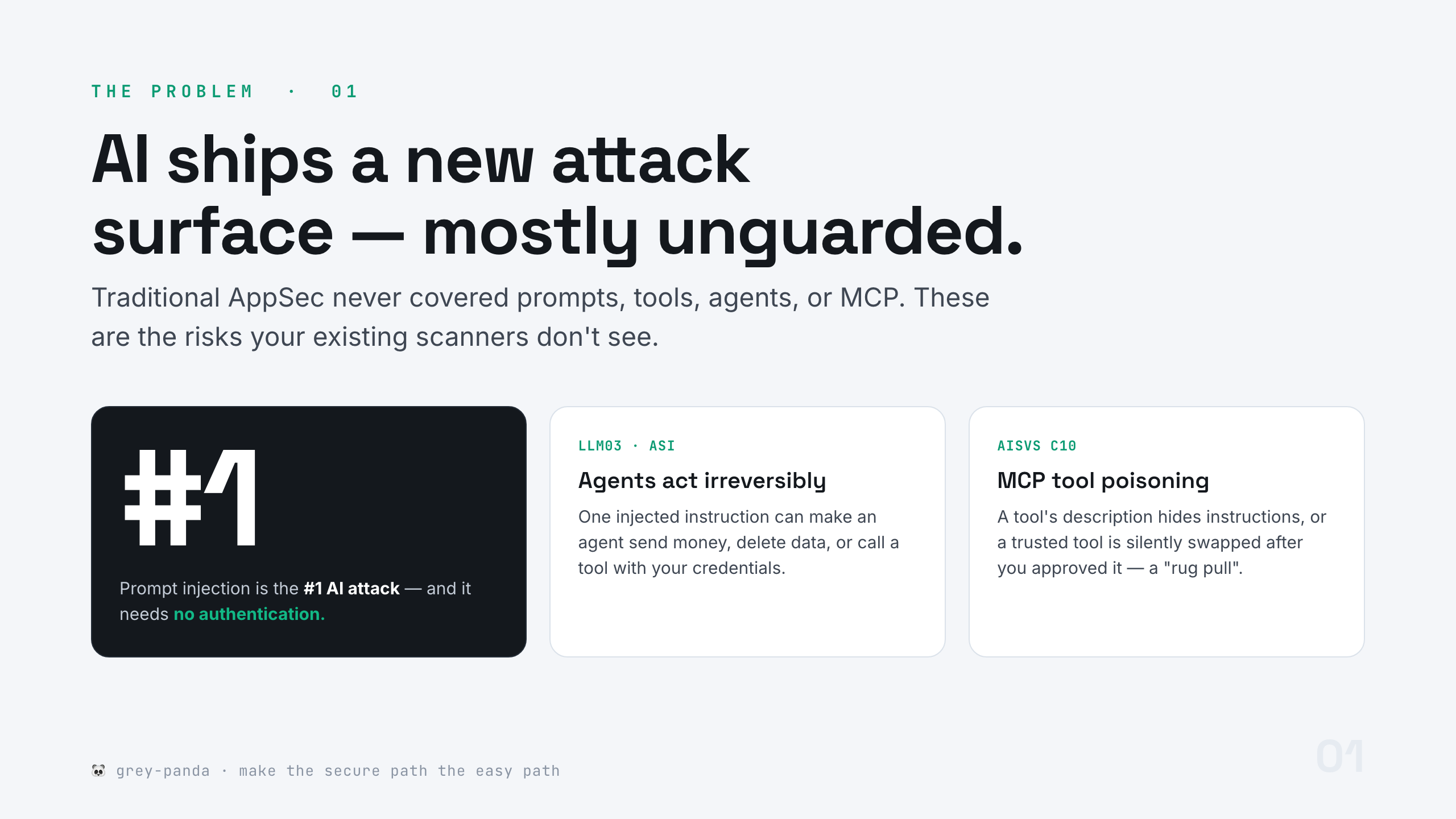
Prompt injection is the #1 AI attack pattern and it needs no authentication (OWASP LLM01). Agentic systems can take an irreversible action from a single injected instruction. And MCP has opened a whole new surface — tool poisoning and rug pulls. Your existing AppSec tools don't see any of it.
🐼 The idea: one calm guardian
Grey Panda keeps two rare qualities as non-negotiable: intellectual honesty (a whole doc on what it can and cannot do) and standards-anchoring (every rule cites an OWASP ID). No neon-hacker theatre — just controls that are a joy to adopt.
📦 What's in the bundle
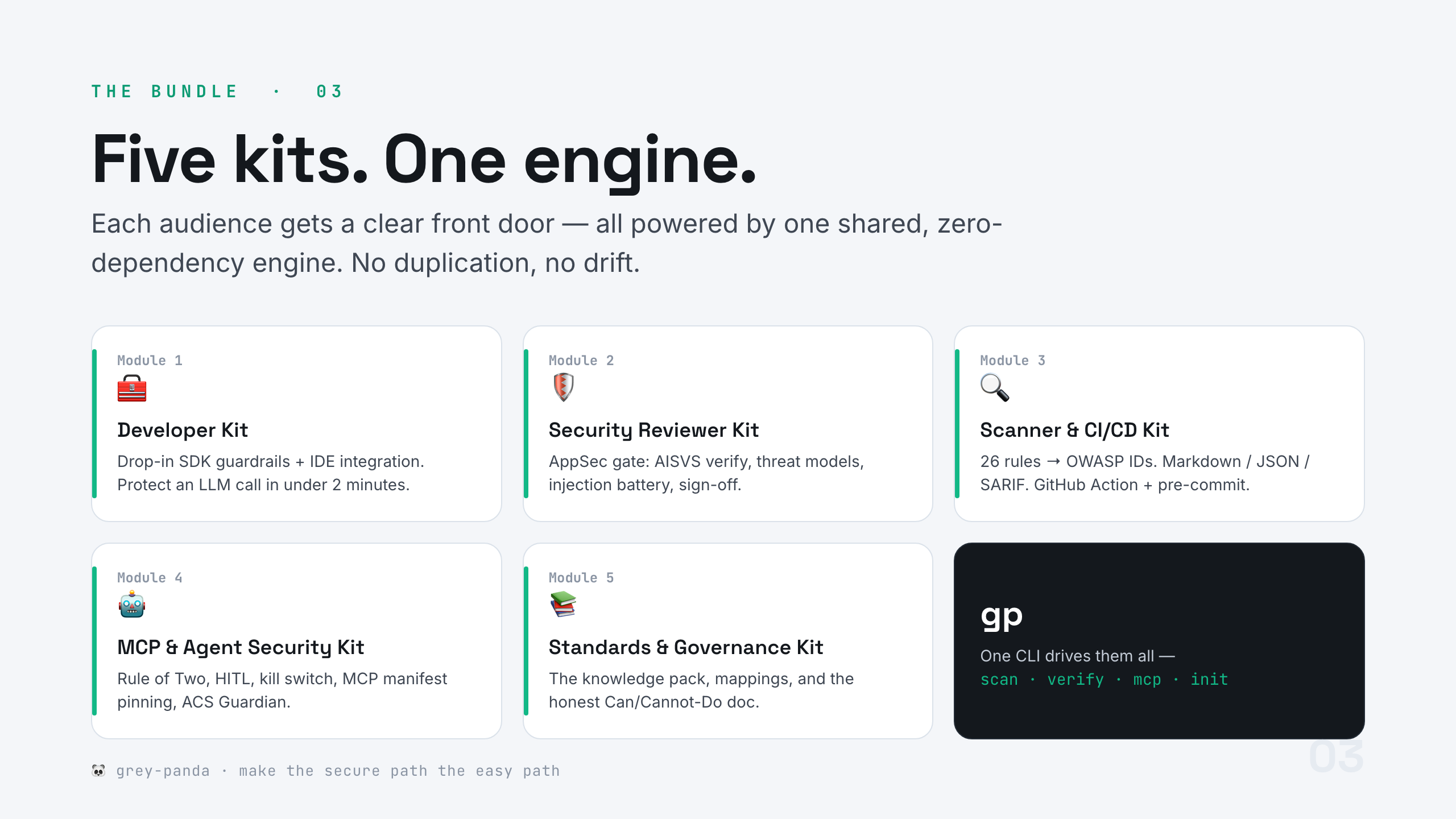
Five audience-facing module kits, all powered by one shared, zero-dependency engine:
| Kit | For | Start here |
|---|---|---|
| 🧰 Module 1 — Developer Kit | Building AI features | Drop-in SDK + IDE integration |
| 🛡️ Module 2 — Security Reviewer Kit | Reviewing / gating | AISVS verify, threat models, sign-off |
| 🔍 Module 3 — Scanner & CI/CD Kit | Platform / DevOps | 26 rules, SARIF, GitHub Action |
| 🤖 Module 4 — MCP & Agent Security Kit | Agents & MCP | Rule of Two, HITL, manifest pinning, ACS |
| 📚 Module 5 — Standards & Governance Kit | Everyone / compliance | Knowledge pack, mappings, Can/Cannot-Do |
⚙️ How it works
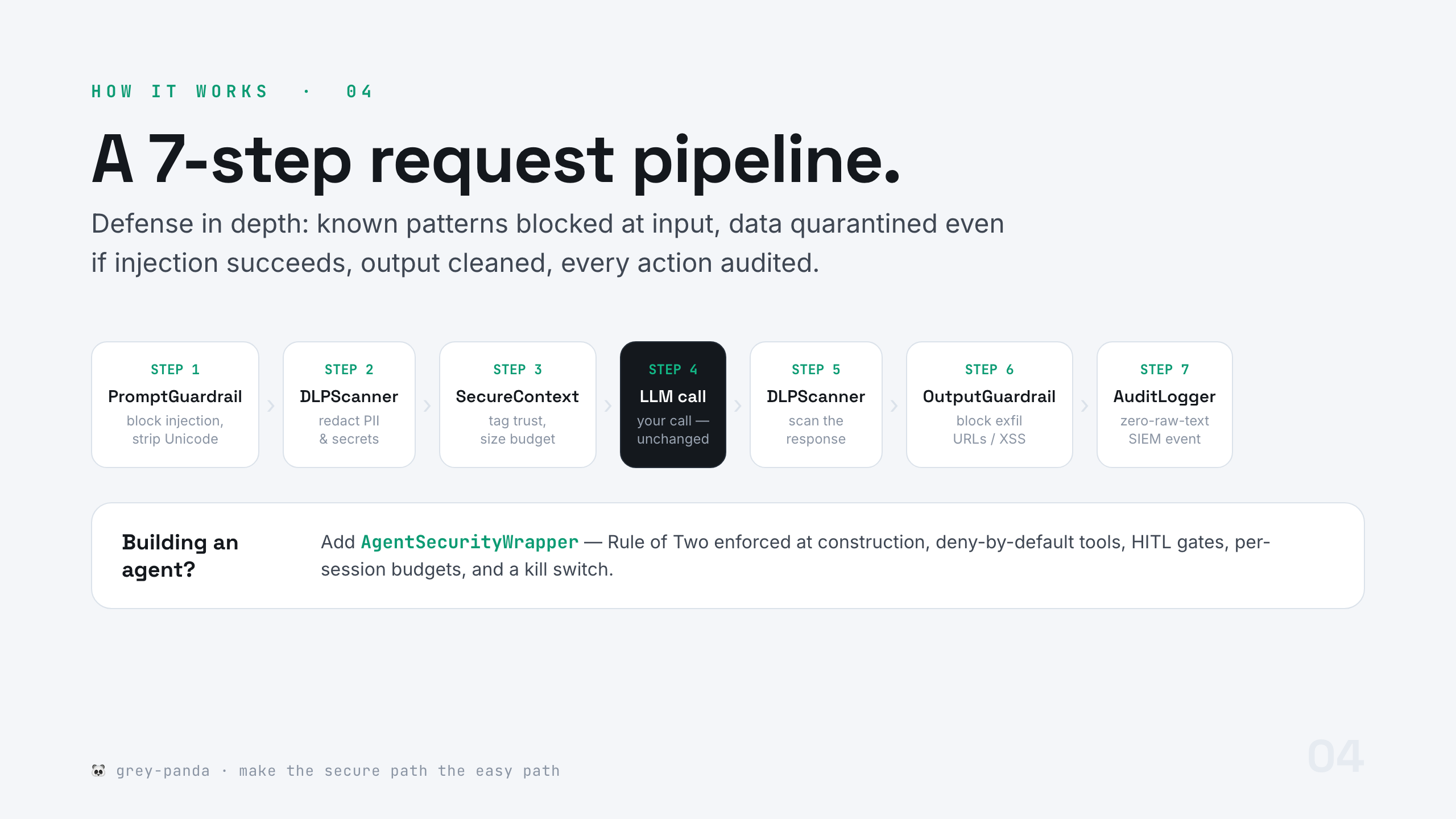
Defense in depth, not prevention theatre. Full walkthrough: HOW-TO-add-guardrails · architecture: docs/ARCHITECTURE.md.
🔐 Standards-anchored
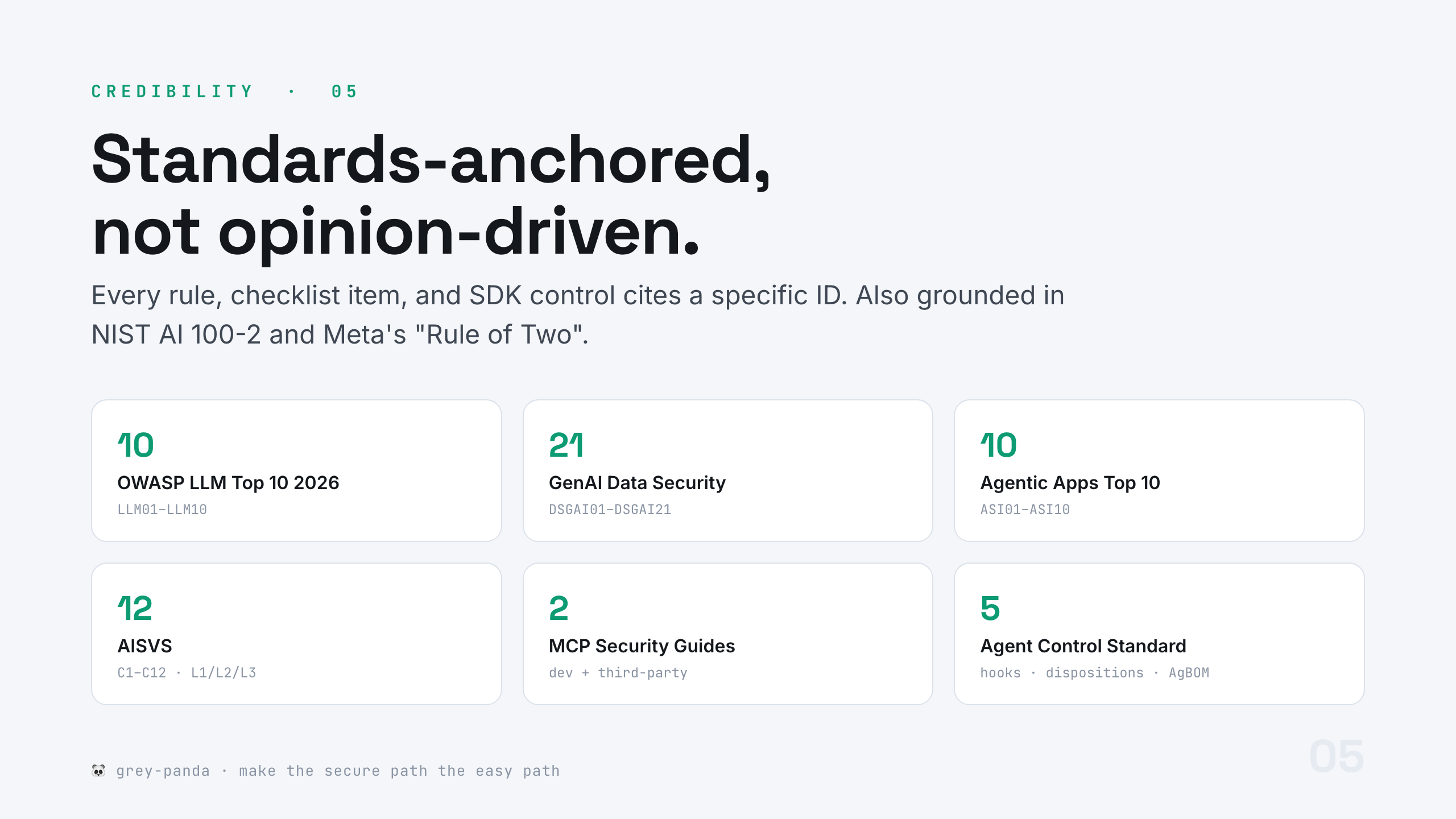
Every rule, checklist item, and SDK control cites a specific ID. Explore any control from the CLI:
gp standards LLM01:2026      # explain a control + its Grey Panda fix
gp standards                 # list every standard and control ID
Full mapping tables: Module 5 → mappings/.
✅ Proof
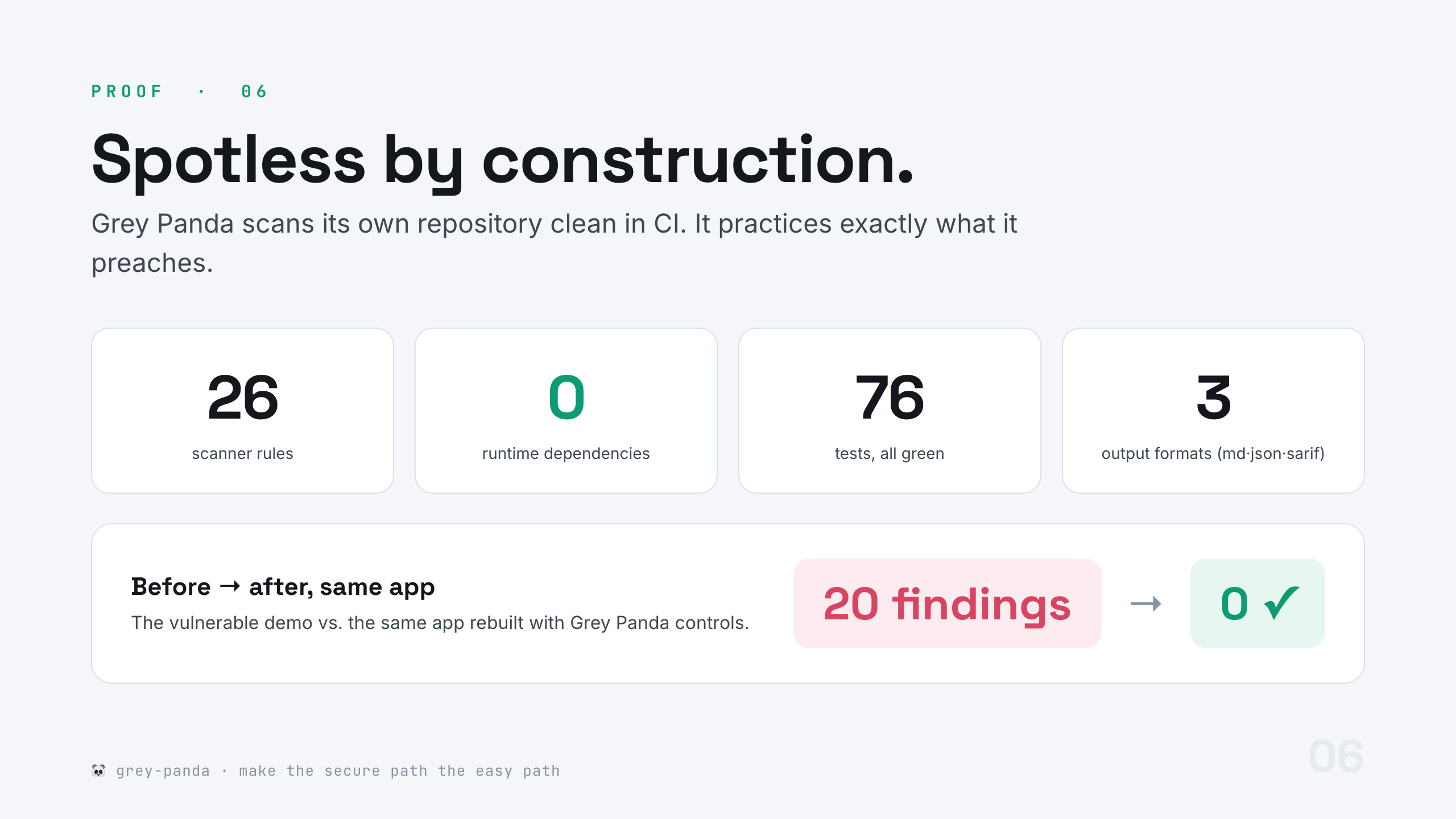
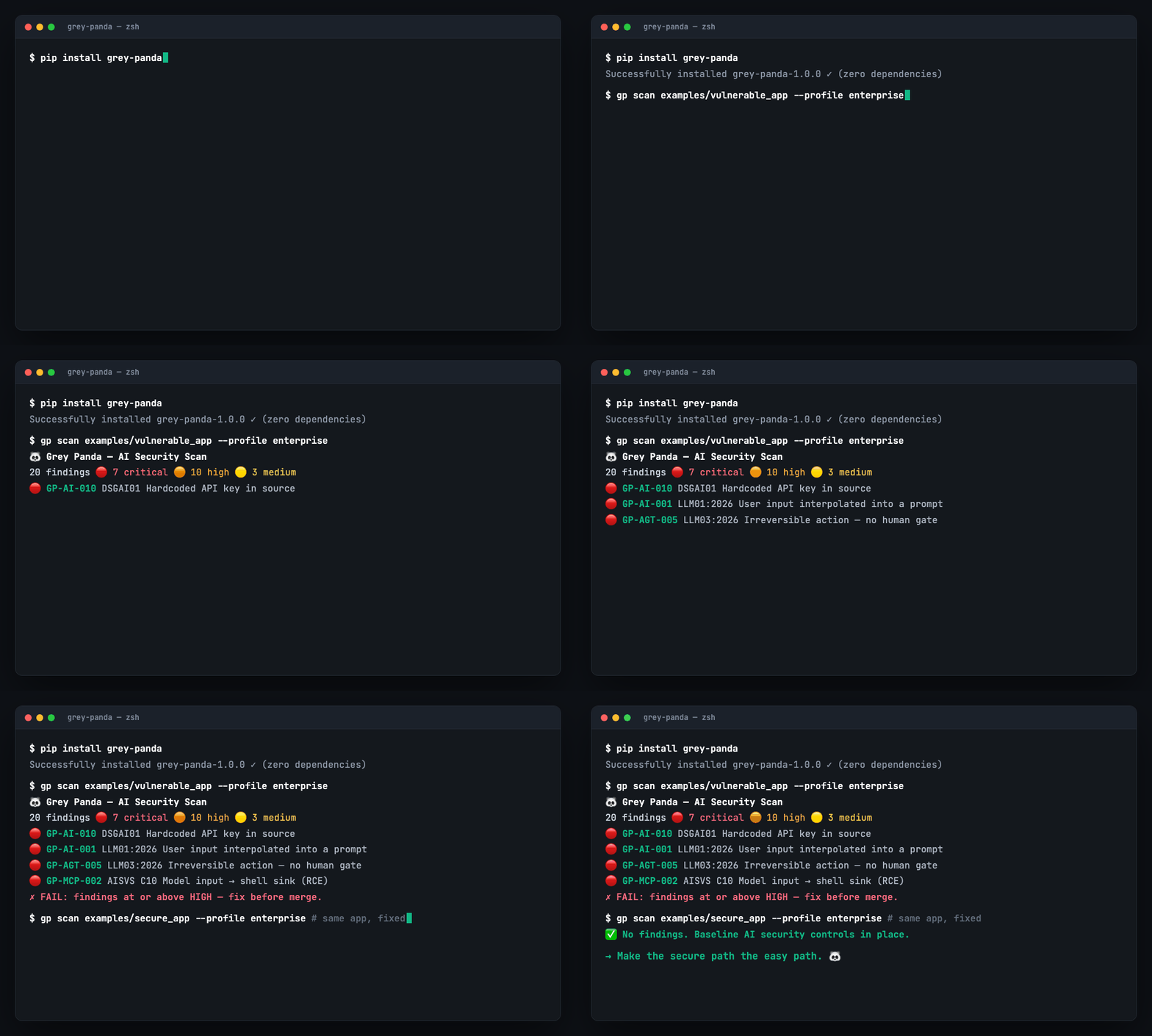
See the before/after for yourself — the same app, insecure vs. rebuilt with Grey Panda controls:
gp scan examples/vulnerable_app --profile enterprise    # 🔴 findings
gp scan examples/secure_app     --profile enterprise    # ✅ clean
👥 For everyone
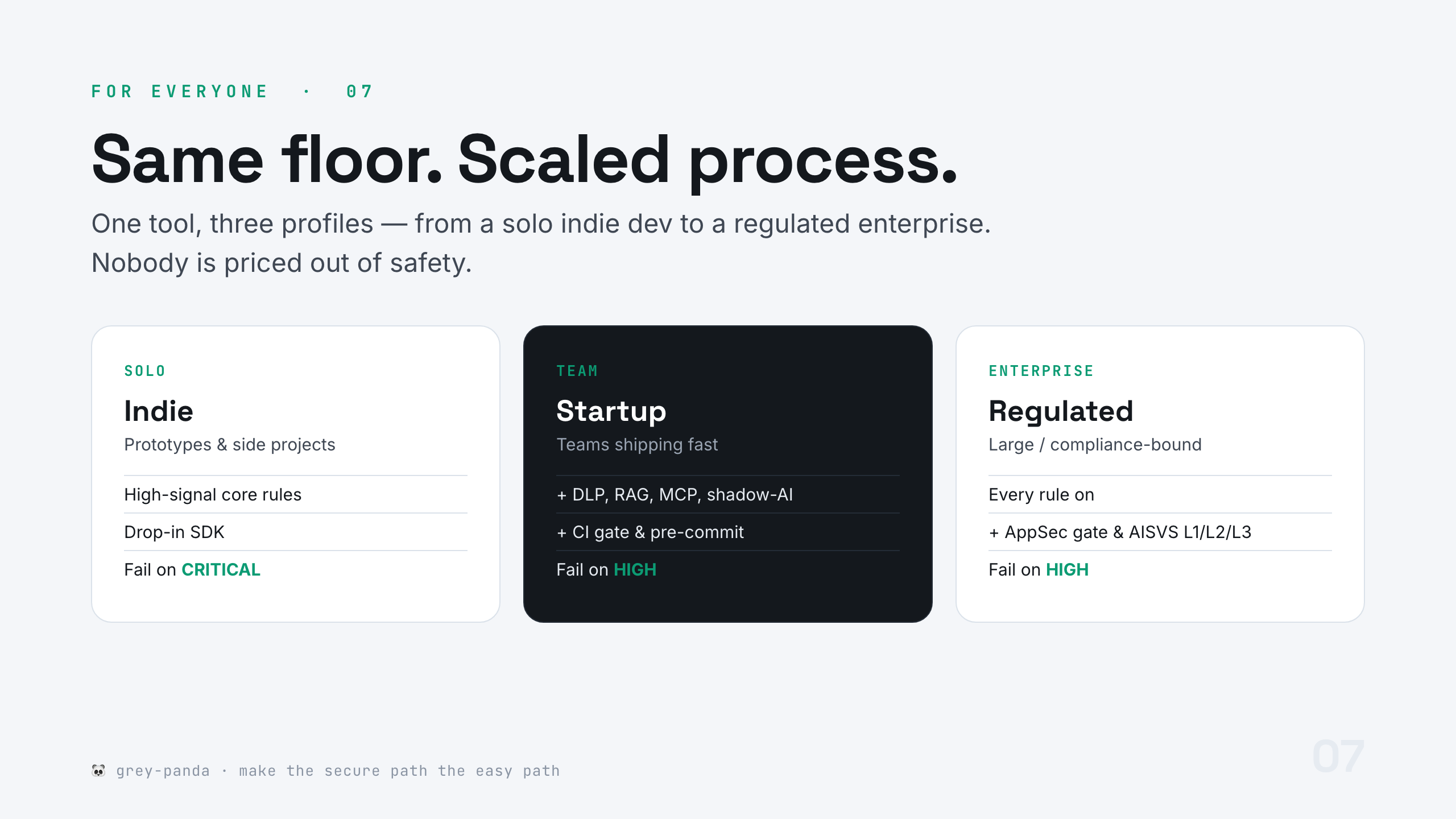
gp scan . --profile solo          # high-signal core, fail on CRITICAL
gp init  . --profile team         # scaffold config + GitHub Action + pre-commit
gp verify . --level 2             # AISVS Level 2 verification report
More: Module 1 → PROFILES.
🚀 Get started
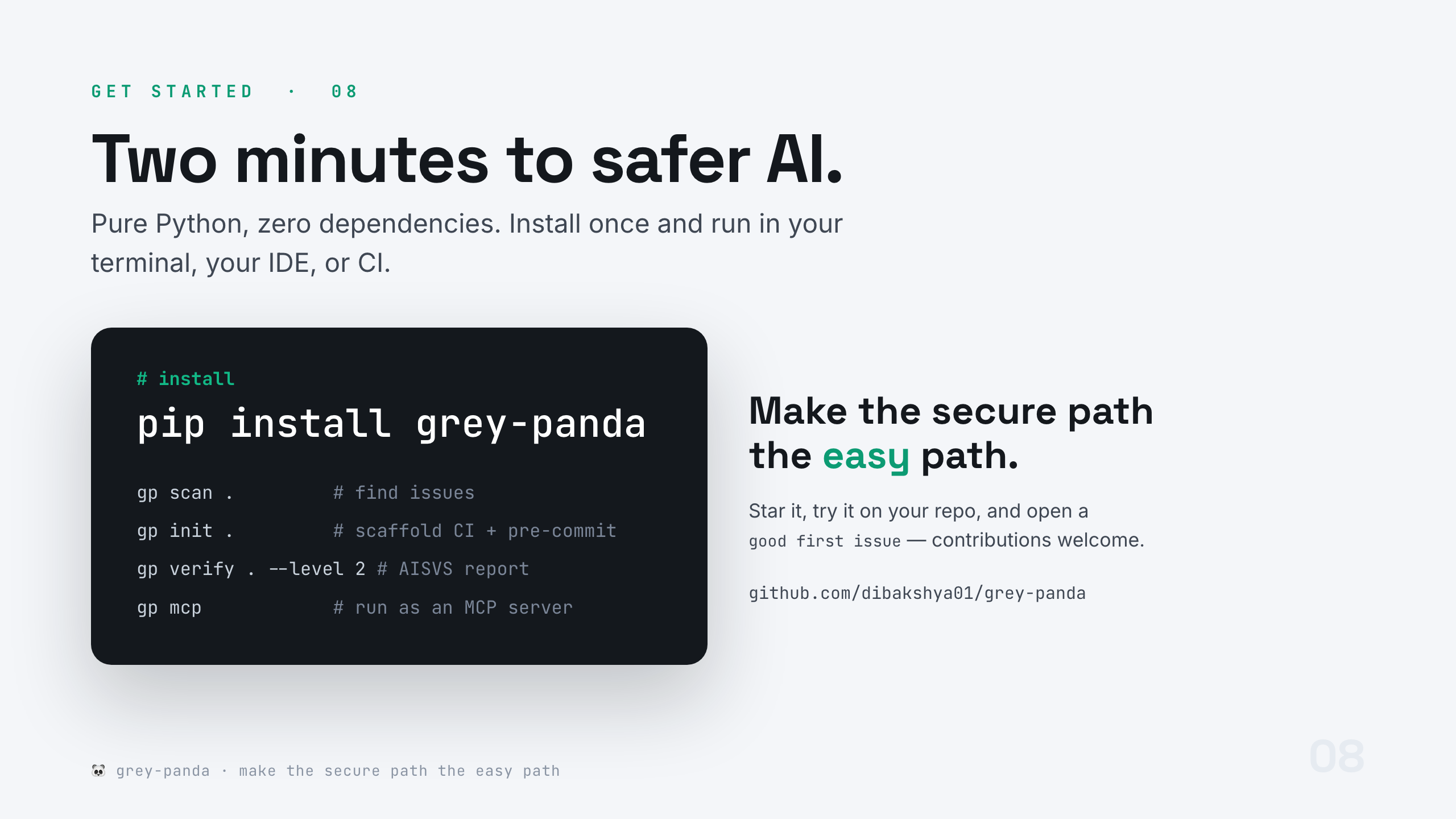
pip install grey-panda           # from PyPI
pipx install grey-panda          # isolated CLI
uvx grey-panda scan .            # zero-install run
| Command | Does |
|---|---|
gp scan [path] |
Scan for AI/agent/MCP issues (--profile, --format md/json/sarif, --fail-on) |
gp init [path] |
Scaffold config, GitHub Action, and pre-commit into a repo |
gp verify [path] |
AISVS Level 1/2/3 verification report |
gp checklist |
Print the AI security checklist |
gp standards [id] |
List or explain standards / control IDs |
gp agbom <agent> |
Emit an Agent Bill of Materials |
gp mcp |
Run Grey Panda as an MCP server (stdio) |
gp doctor |
Environment self-check + honest-limits pointer |
🤝 In your IDE
Grey Panda secures MCP — and ships as an MCP server, so Claude Code, Cursor, Windsurf, or VS Code can call it while you code. One command wires it into Claude Code:
claude mcp add grey-panda -- gp mcp
Cursor / Windsurf / VS Code use a tiny config file — see the how-to. The server is deterministic: the model in your IDE does the reasoning, Grey Panda hands back reproducible, OWASP-cited findings.
Then ask your assistant "review this file with grey panda", "are we AISVS Level 2 ready?", or "explain LLM01:2026". It exposes six tools — scan, review-snippet, verify, explain-risk, list-standards, checklist. Details: Module 1 → HOW-TO-use-in-your-ide and Module 4 → HOW-TO-run-the-mcp-server.
🧭 Honest about limits
Grey Panda is a strong floor, not a ceiling. Pattern matching cannot stop all prompt injection; regex DLP is language-specific; static analysis has false positives and negatives. We ship a whole document — with a confidence level and failure condition for every capability: WHAT_IT_CAN_AND_CANNOT_DO.md. Read it before you rely on the tool.
🌱 Contributing
Adding a scanner rule is editing one dataclass with a bad + good example — see CONTRIBUTING.md and Module 3 → HOW-TO-write-a-rule. Everyone is welcome under our Code of Conduct. Found a vulnerability in Grey Panda itself? See SECURITY.md.
Build from source:
git clone https://github.com/dibakshya01/grey-panda && cd grey-panda
pip install -e ".[dev]"
python -m unittest discover -s tests        # zero-dependency test suite
gp scan . --profile enterprise --fail-on HIGH   # Grey Panda scans itself, clean
📄 License
Apache-2.0. Standards cited are the property of their respective authors (see NOTICE). OWASP® is a registered trademark of the OWASP Foundation; Grey Panda is an independent, community project and is not affiliated with or endorsed by OWASP.
🐼 Grey Panda — make the secure path the easy path.
1 maintainer

Metadata
1 maintainer
Release files for grey-panda 1.0.6
For a detailed explanation of source distributions (sdists) and built distributions (wheels), please see the package formats documentation.
Source distribution (sdist)
| File | Size | Uploaded | |
|---|---|---|---|
| grey_panda-1.0.6.tar.gz | 121.2 kB | Details |
Built distribution (wheel)
| File | Interpreter | ABI | Platform | Reset |
|---|---|---|---|---|
| grey_panda-1.0.6-py3-none-any.whl | Python 3 | none | any | Details |
Total release size: 201.5 kB
Release files / grey_panda-1.0.6.tar.gz
| Download URL | grey_panda-1.0.6.tar.gz |
|---|---|
| Size | 121.2 kB |
| Tags | Source |
|
SHA-256 checksum How to use checksums |
5d304bfcd9da0afb45325eafc03efc40b06e532f091765f43a15d2b182dab0e1
|
|
BLAKE2b-256 checksum How to use checksums |
c504701f0715df5ba0cf15a3118e33bbbdf60dd6b469c5d15a5f43f38db9bca1
|
| Upload date | |
|
Uploaded using Trusted Publishing? What is trusted publishing? |
No |
| Uploaded via |
twine/6.2.0 CPython/3.9.6
|
Release files / grey_panda-1.0.6-py3-none-any.whl
| Download URL | grey_panda-1.0.6-py3-none-any.whl |
|---|---|
| Size | 80.3 kB |
| Tags | Python 3 |
|
SHA-256 checksum How to use checksums |
5546cf6899be33ec503a11d296dd416f11be00cc6e30ec6f40fb80409a0e3629
|
|
BLAKE2b-256 checksum How to use checksums |
a09e239db585463633d7c5464996b37aa788af79c2368709da35f62a324e92ad
|
| Upload date | |
|
Uploaded using Trusted Publishing? What is trusted publishing? |
No |
| Uploaded via |
twine/6.2.0 CPython/3.9.6
|














