
A high-performance inference engine specifically designed for the GPT-SoVITS text-to-speech model

Project description

GSV-TTS-Lite
A high-performance inference engine specifically designed for the GPT-SoVITS text-to-speech model








About
The original motivation for this project was the pursuit of ultimate performance. While using the original GPT-SoVITS, I found that the inference latency often struggled to meet the demands of real-time interaction due to the computing power bottlenecks of the RTX 3050 (Laptop).
To break through these limitations, GSV-TTS-Lite was developed as an inference backend based on GPT-SoVITS (V2/V2Pro/V2ProPlus). Through deep optimization techniques, this project successfully achieves millisecond-level real-time response in low-VRAM environments.
Beyond the leap in performance, GSV-TTS-Lite implements the decoupling of timbre and style, supporting independent control over the speaker's voice and emotion. It also features character-level timestamps alignment and voice conversion (timbre transfer).
To facilitate integration for developers, GSV-TTS-Lite features a significantly streamlined code architecture and is available on PyPI as the gsv-tts-lite library, supporting one-click installation via pip.
The currently supported languages are Chinese, Japanese, and English. The available models include V2, V2Pro and V2ProPlus.
Performance Comparison
[!NOTE] Test Environment: NVIDIA GeForce RTX 3050 (Laptop)
| Backend | Settings | TTFT (First Packet) | RTF (Real-time Factor) | VRAM | Speedup |
|---|---|---|---|---|---|
| Original | streaming_mode=3 |
436 ms | 0.381 | 1.6 GB | - |
| Lite Version | Flash_Attn=Off |
150 ms | 0.125 | 0.8 GB | ⚡ 2.9x Speed |
| Lite Version | Flash_Attn=On |
133 ms | 0.108 | 0.8 GB | 🔥 3.3x Speed |
As shown, GSV-TTS-Lite achieves 3x ~ 4x speed improvements while halving the VRAM usage! 🚀
| GPU Model | Throughput (tok/s) | FlashAttention2 |
|---|---|---|
| RTX-PRO-6000 | 1122.72 | Enable |
| H200 | 886.47 | Enable |
| A100 | 660.73 | Enable |
| T4 | 281.06 | Disabled |
Core optimization technologies: CUDA Graph, Nested KV Cache, and Continuous Batching.
Deployment (For Developers)
Prerequisites
- CUDA Toolkit
[!IMPORTANT] The current version provides full support for CUDA, MPS (Apple Silicon), and CPU inference backends. Future updates will integrate ONNX Runtime to further enhance inference performance on CPU and MPS.
Installation Steps
1. Environment Configuration
It is recommended to create a virtual environment using Python >=3.10.
# NVIDIA GPU (CUDA 12.8)
pip install torch torchvision torchaudio --index-url https://download.pytorch.org/whl/cu128

# Apple Silicon (MPS) or Linux/Windows (CPU Only)
pip install torch torchvision torchaudio
2. Install GSV-TTS-Lite
If you have prepared the above basic environment, you can directly execute the following command to complete the integration:
pip install gsv-tts-lite==0.4.2.3
WebUI Visual Interface
- Install Dependencies:
cd WebUI
pip install -r requirements.txt
- Start the Program:
python web.py
API Service Interface
- Install Dependencies:
cd API
pip install -r requirements.txt
- Core Documentation: Go to API Detailed Guide Directory ➔
Python SDK Interface
[!TIP] The program will automatically download the required pre-trained models upon the first run.
1. Basic Inference
from gsv_tts import TTS

tts = TTS()
# tts = TTS(use_bert=True) # Recommended setting for better Chinese synthesis results.
# tts = TTS(use_flash_attn=True) # Recommended setting if Flash Attention is installed.

# Load GPT model weights from the specified path into memory; loads the default model here.
tts.load_gpt_model()

# Load SoVITS model weights from the specified path into memory; loads the default model here.
tts.load_sovits_model()

# Pre-load and cache resources to significantly reduce latency during the first inference.
# tts.init_language_module("ja")
# tts.cache_spk_audio("examples\laffey.mp3")
# tts.cache_prompt_audio(
#     prompt_audio_paths="examples\AnAn.ogg",
#     prompt_audio_texts="ちが……ちがう。レイア、貴様は間違っている。",
# )

# infer is the most rudimentary and basic inference method, suitable only for short text. It is generally recommended to use infer_batched instead of infer.
audio = tts.infer(
    spk_audio_path="examples\laffey.mp3", # Voice reference audio (Timbre)
    prompt_audio_path="examples\AnAn.ogg", # Style reference audio (Prompt)
    prompt_audio_text="ちが……ちがう。レイア、貴様は間違っている。", # The corresponding text for the style reference audio
    text="へぇー、ここまでしてくれるんですね。", # Target text to be generated
    # gpt_model = None, # Path to the GPT model for inference; defaults to the first loaded GPT model.
    # sovits_model = None, # Path to the SoVITS model for inference; defaults to the first loaded SoVITS model.
)

audio.play()
tts.audio_queue.wait()
# tts.audio_queue.stop() # Stop playback
https://github.com/user-attachments/assets/72635b40-7287-4318-a5e9-aea93adfabf9
2. Stream Inference / Subtitle Synchronization
import time
import queue
import threading
from gsv_tts import TTS

class SubtitlesQueue:
    def __init__(self):
        self.q = queue.Queue()
        self.t = None

    def process(self):
        last_i = 0
        last_t = time.time()

        while True:
            subtitles, text = self.q.get()

            if subtitles is None:
                break

            for subtitle in subtitles:
                if subtitle["start_s"] > time.time() - last_t:
                    time.sleep(subtitle["start_s"] - (time.time() - last_t))

                if subtitle["end_s"] and subtitle["end_s"] > time.time() - last_t:
                    if subtitle["orig_idx_end"] > last_i:
                        print(text[last_i:subtitle["orig_idx_end"]], end="", flush=True)
                        last_i = subtitle["orig_idx_end"]
                        time.sleep(subtitle["end_s"] - (time.time() - last_t))

        self.t = None

    def add(self, subtitles, text):
        self.q.put((subtitles, text))
        if self.t is None:
            self.t = threading.Thread(target=self.process, daemon=True)
            self.t.start()

tts = TTS(sovits_cache=[50, 55]) # 50 = stream_chunk * 2 = 25 * 2, 55 = stream_chunk * 2 + overlap_len = 25 * 2 + 5

# infer, infer_stream, and infer_batched all support returning character-level timestamps; infer_stream is used here just as an example.
subtitlesqueue = SubtitlesQueue()

# infer_stream implements token-level streaming output, significantly reducing first-token latency and enabling a ultra-low latency real-time feedback experience.
generator = tts.infer_stream(
    spk_audio_path="examples\laffey.mp3",
    prompt_audio_path="examples\AnAn.ogg",
    prompt_audio_text="ちが……ちがう。レイア、貴様は間違っている。",
    text="へぇー、ここまでしてくれるんですね。",
    stream_chunk = 25,
    overlap_len = 5,
    return_subtitles=True,
    debug=False,
)

for audio in generator:
    audio.play()
    subtitlesqueue.add(audio.subtitles, audio.orig_text)

tts.audio_queue.wait()
subtitlesqueue.add(None, None)
print()
https://github.com/user-attachments/assets/3d2758b3-a283-48b0-960e-a9389dd73129
3. Batched Inference
from gsv_tts import TTS

# TTS parameter gpt_cache: Static cache configuration for the GPT model's CUDA graph.
    # Expects a list of tuples: [(batch_size, sequence_length), ...].
    # Defining specific segments for batch_size and sequence_length based on your needs helps optimize CUDA memory usage and inference performance.
    # Note:
    # 1. The maximum batch_size determines the maximum throughput for batch processing.
    # 2. The maximum sequence_length within a batch determines the maximum generation length per request.

tts = TTS()

# infer_batched is optimized specifically for long-form text and multi-sentence synthesis scenarios. This mode not only offers significant advantages in processing efficiency but also supports assigning different reference audios to different sentences within the same batch, providing high synthesis freedom and flexibility.
audios = tts.infer_batched(
    spk_audio_paths="examples\laffey.mp3",
    prompt_audio_paths="examples\AnAn.ogg",
    prompt_audio_texts="ちが……ちがう。レイア、貴様は間違っている。",
    texts=["へぇー、ここまでしてくれるんですね。", "The old map crinkled in Leo’s trembling hands."],
    bert_batch_size=20,
    sovits_batch_size=10,
)

for i, audio in enumerate(audios):
    audio.save(f"audio{i}.wav")
https://github.com/user-attachments/assets/c2edeb24-b2a8-4360-9d68-8866efbed30c
4. Voice Conversion
from gsv_tts import TTS

tts = TTS(always_load_cnhubert=True)

# Although infer_vc supports zero-shot voice conversion and offers convenience, its conversion quality still has room for improvement compared to specialized voice conversion models like RVC or SVC.
audio = tts.infer_vc(
    spk_audio_path="examples\laffey.mp3",
    prompt_audio_path="examples\AnAn.ogg",
    prompt_audio_text="ちが……ちがう。レイア、貴様は間違っている。",
)

audio.play()
tts.audio_queue.wait()
5. Speaker Verification
from gsv_tts import TTS

tts = TTS(always_load_sv=True)

# verify_speaker is used to compare the speaker characteristics of two audio clips to determine if they are the same person.
similarity = tts.verify_speaker("examples\laffey.mp3", "examples\AnAn.ogg")
print("Speaker Similarity:", similarity)
6. Other Function Interfaces
1. Model Management
init_language_module(languages)
Preload necessary language processing modules.
load_gpt_model(model_paths)
Load GPT model weights from specified paths into memory.
load_sovits_model(model_paths)
Load SoVITS model weights from specified paths into memory.
unload_gpt_model(model_paths) / unload_sovits_model(model_paths)
Unload models from memory to free up resources.
get_gpt_list() / get_sovits_list()
Get the list of currently loaded models.
to_safetensors(checkpoint_path)
Converts PyTorch checkpoint files (.pth or .ckpt) into the safetensors format.
2. Audio Cache Management
cache_spk_audio(spk_audio_paths)
Preprocess and cache speaker reference audio data.
cache_prompt_audio(prompt_audio_paths, prompt_audio_texts, prompt_audio_languages)
Preprocess and cache prompt reference audio data.
del_spk_audio(spk_audio_list) / del_prompt_audio(prompt_audio_paths)
Remove audio data from the cache.
get_spk_audio_list() / get_prompt_audio_list()
Get the list of audio data in the cache.
3. Asynchronous Invocations
infer_async(...)
Asynchronous version of the infer method.
infer_stream_async(...)
Asynchronous version of the infer_stream method.
infer_batched_async(...)
Asynchronous version of the infer_batched method.
Flash Attn
If you are looking for lower latency and higher throughput, it is highly recommended to enable Flash Attention support.
Since this library has specific compilation requirements, please install it manually based on your system:
-
🐧 Linux / Build from Source
- Official Repo: Dao-AILab/flash-attention
-
🪟 Windows Users
- Pre-compiled Wheels: lldacing/flash-attention-windows-wheel
[!TIP] After installation, set
use_flash_attn=Truein your TTS configuration to enjoy the acceleration! 🚀
Credits
Special thanks to the following projects:
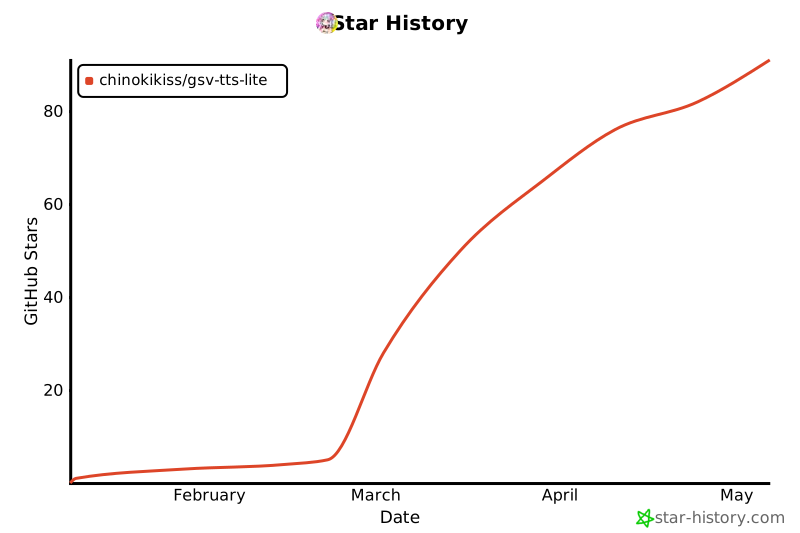
⭐ Star History
Release history Release notifications | RSS feed


Download files
Download the file for your platform. If you're not sure which to choose, learn more about installing packages.
Source Distribution
Built Distribution
Filter files by name, interpreter, ABI, and platform.
If you're not sure about the file name format, learn more about wheel file names.
Copy a direct link to the current filters
File details
Details for the file gsv_tts_lite-0.4.5.tar.gz.
File metadata
- Download URL: gsv_tts_lite-0.4.5.tar.gz
- Upload date:
- Size: 96.7 kB
- Tags: Source
- Uploaded using Trusted Publishing? No
- Uploaded via: twine/6.2.0 CPython/3.11.14
File hashes
| Algorithm | Hash digest | |
|---|---|---|
| SHA256 |
3fbe91b3d9aac74f9941c4b337242295320139d4a19cd01708c4ac13bb4e23c5
|
|
| MD5 |
b0eba224c42b04e37023a67cdbf82aee
|
|
| BLAKE2b-256 |
426f06744be6c7ea73c549085a5a2d5b6dee9c9c96a0aa1fc720911050b3ada3
|
File details
Details for the file gsv_tts_lite-0.4.5-py3-none-any.whl.
File metadata
- Download URL: gsv_tts_lite-0.4.5-py3-none-any.whl
- Upload date:
- Size: 109.1 kB
- Tags: Python 3
- Uploaded using Trusted Publishing? No
- Uploaded via: twine/6.2.0 CPython/3.11.14
File hashes
| Algorithm | Hash digest | |
|---|---|---|
| SHA256 |
f12dec24e5cf792958de900eebf24ecb003e39e57e2f7dc43336bc74bb829752
|
|
| MD5 |
d10a3e1660843182b70e520b7018fa23
|
|
| BLAKE2b-256 |
979f7f9806fc239af350a53861ac1a527ddbac99b2625b4fbb1bd56276254e33
|






