
GTKTube

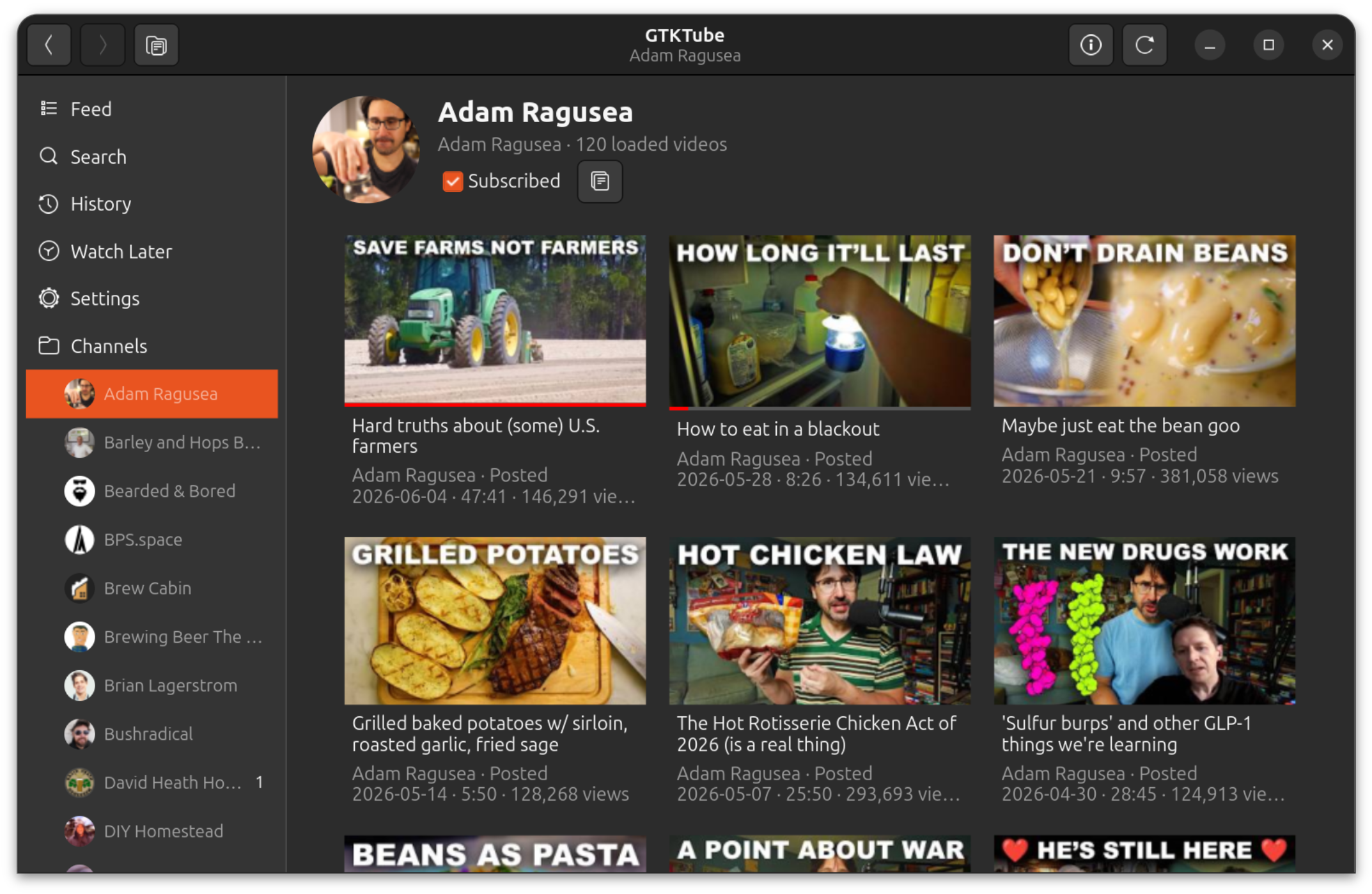
GTKTube is a local privacy-first Python/GTK4 YouTube player for Linux. It stores subscriptions and viewing history locally in SQLite, and does not require a Google account. The feed has no algorithm. It just shows recent videos from the channels you subscribe to.
Features
- Browse recent videos from your subscribed channels without YouTube recommendations.
- Watch without ads.
- No tracking by GTKTube.
- Search YouTube for videos and channels without signing in.
- Personalized home feed with recommended videos (requires browser cookies).
- Subscribe and unsubscribe locally; no Google account or OAuth required.
- Optionally import your YouTube subscriptions one time from browser cookies.
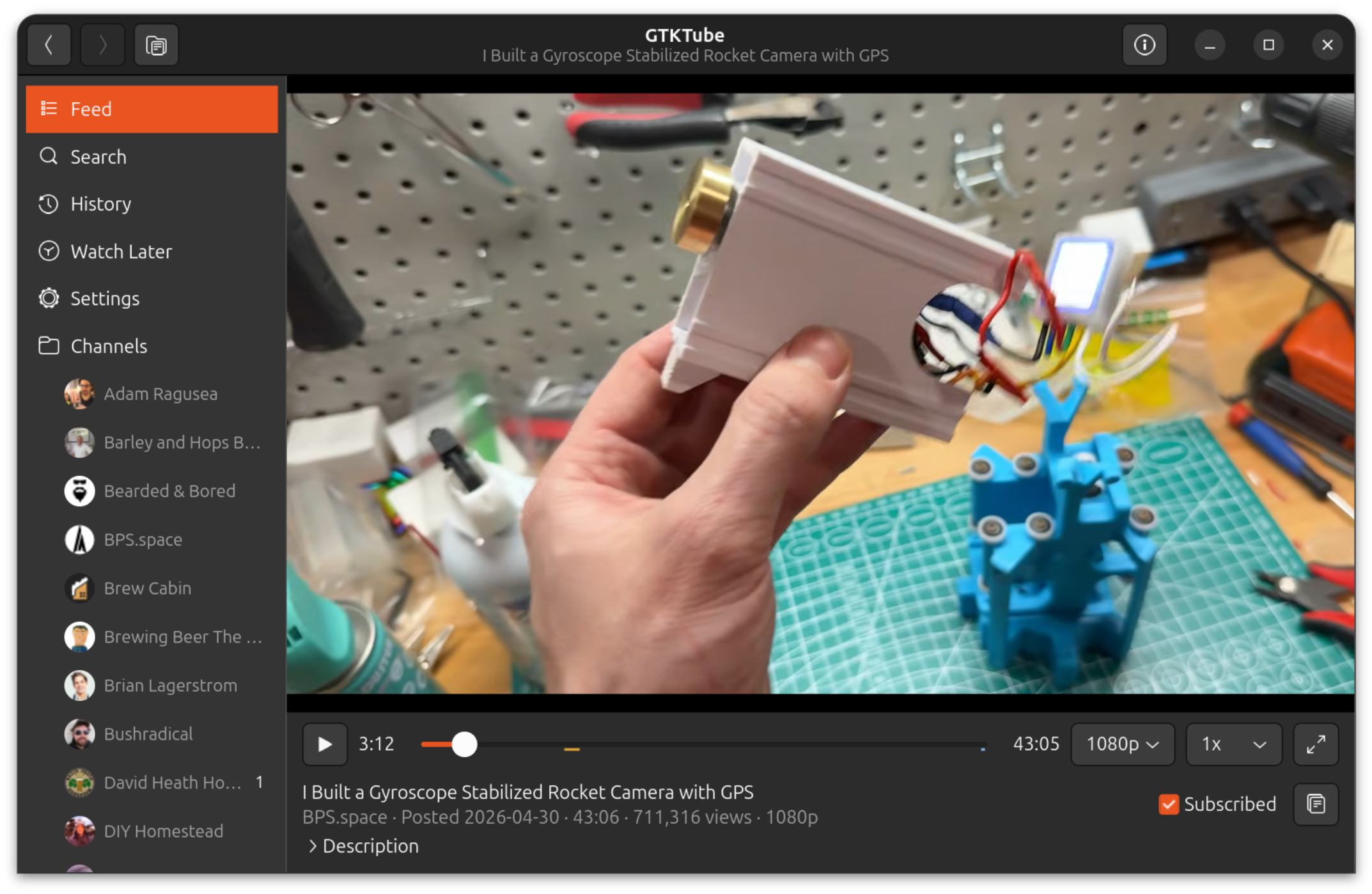
- Play videos inside the GTK app with MPV.
- Choose playback quality and speed, including speeds up to 4x.
- Choose streaming or fetch playback per quality/speed option; fetch downloads the selected stream to a temporary app cache before playback to avoid throttling.
- Use normal playback shortcuts for play/pause, seeking, fullscreen, and speed changes.
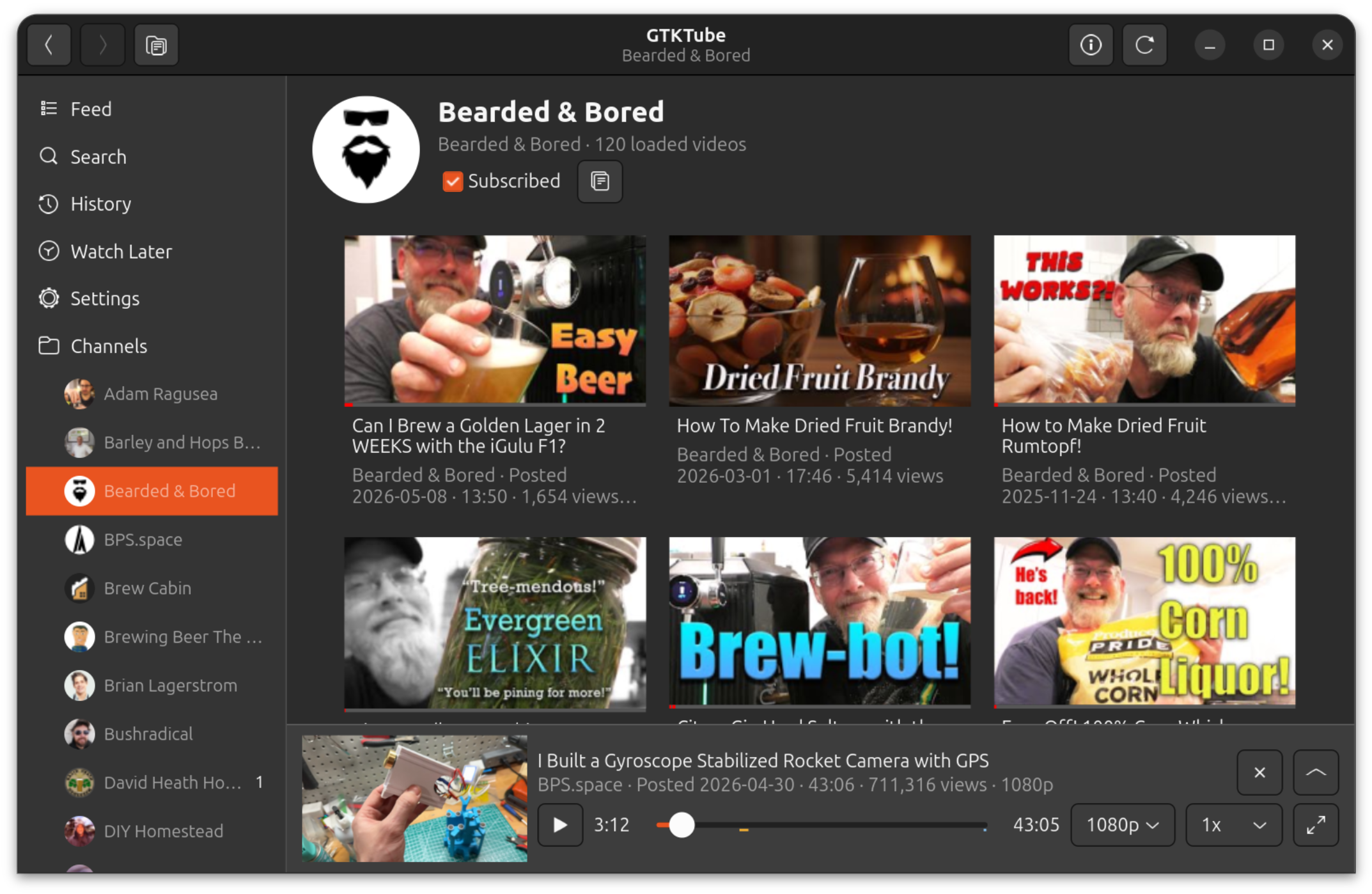
- Keep watching while browsing with a mini-player.
- Save videos to Watch Later.
- Queue videos in Up Next and optionally save remaining queued videos to Watch Later when quitting.
- Download videos into GTKTube-managed local storage and play downloaded copies automatically when available.
- Track watch history locally, including watched time ranges rather than only a last position.
- Search and review local watch history.
- Optionally configure yt-dlp to extract browser cookies for age-restricted, members-only, recommendations, watch-history import, and subscription import features.
- Optionally use SponsorBlock to show and skip community-maintained segment ranges.
- Show video chapters, captions, SponsorBlock segments, and chapter ticks in the player.
- Limit how many videos a single channel can put in each feed day.
- Refresh subscriptions in parallel with per-channel progress in the sidebar, including automatic startup refreshes for channels that are due.
- Check PyPI for updates and upgrade/restart from inside the app.
- Store thumbnails on disk and app data in SQLite.
Screenshots
Channel Browsing
Player
Mini-Player
Install
pipx ensurepath
pipx install --system-site-packages gtktube
gtktube --install-desktop
GTKTube also needs GTK4/PyGObject, libmpv, and a JavaScript runtime for yt-dlp from your Linux distribution. If required system dependencies are missing, the app can launch a small installer helper.
On Debian/Ubuntu, install the system dependencies with:
sudo apt-get update
sudo apt-get install -y \
  python3-gi \
  python3-gi-cairo \
  gir1.2-gtk-4.0 \
  gir1.2-adw-1 \
  libmpv2 \
  python3-mpv \
  nodejs
The same package list is used by scripts/install-apt-deps.sh and the in-app
dependency installer.
Python dependencies, including yt-dlp and SecretStorage for browser
cookie extraction, are declared in pyproject.toml. requirements.txt installs
that same project dependency set for source checkouts.
Run
GTKTube installs a desktop app entry, so you can launch it from your normal Linux app launcher. You can also run it from a terminal:
gtktube
When launched as the installed gtktube command, GTKTube also installs or updates
its desktop launcher entry in your user application directory. If your desktop
environment does not show it immediately after installation, run gtktube once
from a terminal or run gtktube --install-desktop.
Useful startup flags:
gtktube --show-upgradeopens the upgrade dialog even when GTKTube has not detected a newer version.gtktube --show-deps-installeropens the system dependency installer even when GTKTube thinks dependencies are present.gtktube --db /path/to/gtktube.sqlite3uses a specific SQLite database file.gtktube --install-desktopinstalls the desktop launcher entry and exits.gtktube -vorgtktube --verboseprints detailed playback diagnostics to stderr.
Development runs with python -m gtktube do not auto-install a desktop launcher or check PyPI for upgrades.
Developer-only modal preview flag:
python -m gtktube --debug-modal=open-urlpython -m gtktube --debug-modal=import-subscriptionspython -m gtktube --debug-modal=sponsorblockpython -m gtktube --debug-modal=up-next-quitpython -m gtktube --debug-modal=update
Updates
When launched from an installed gtktube command, GTKTube checks PyPI for newer
releases. If an update is available, the app can run the appropriate upgrade
command and restart itself. Pipx installs use pipx upgrade gtktube; other
installs use python3 -m pip install --upgrade gtktube.
Data Storage
GTKTube keeps its state on your machine:
- subscriptions and watch history in SQLite
- thumbnails and temporary fetch playback cache under the user cache directory
- downloaded videos under the user data directory
- optional one-time browser-cookie reads for importing YouTube subscriptions and watch history
- no cloud sync
- no analytics or tracking by GTKTube
License
GTKTube is licensed under the GNU General Public License v3.0. See LICENSE.
1 maintainer

Metadata
1 maintainer
Release files for gtktube 1.9.5
For a detailed explanation of source distributions (sdists) and built distributions (wheels), please see the package formats documentation.
Source distribution (sdist)
| File | Size | Uploaded | |
|---|---|---|---|
| gtktube-1.9.5.tar.gz | 1.3 MB | Details |
Built distribution (wheel)
| File | Interpreter | ABI | Platform | Reset |
|---|---|---|---|---|
| gtktube-1.9.5-py3-none-any.whl | Python 3 | none | any | Details |
Total release size: 3.7 MB
Release files / gtktube-1.9.5.tar.gz
| Download URL | gtktube-1.9.5.tar.gz |
|---|---|
| Size | 1.3 MB |
| Tags | Source |
|
SHA-256 checksum How to use checksums |
be5794c7be0aeb804aea2fe2946a2ef121f8d80155e36677f52992bbaacc269d
|
|
BLAKE2b-256 checksum How to use checksums |
1d99686619fe00f5009e3bb189943677898bae05734ac9a14edfe7626f2c5343
|
| Upload date | |
|
Uploaded using Trusted Publishing? What is trusted publishing? |
Yes |
| Uploaded via |
twine/7.0.0 CPython/3.13.14
|
Provenance
Provenance describes where a file came from. On PyPI, provenance is shared via attestations, which provide a verifiable record of the build or publishing details. View details, limitations and caveats.


PyPI Publish Attestation
PyPI verified that this artifact, at this checksum, originated from the publisher listed below.
Signed by GitHub Actions, verified by PyPI on Aug 15, 2026.
Transparency logRelease files / gtktube-1.9.5-py3-none-any.whl
| Download URL | gtktube-1.9.5-py3-none-any.whl |
|---|---|
| Size | 2.4 MB |
| Tags | Python 3 |
|
SHA-256 checksum How to use checksums |
9c38e5b4f04f37b4e6be4e4619c327f4bae5835ab4647f2b234ee338eec619a7
|
|
BLAKE2b-256 checksum How to use checksums |
3ce25ca679949c83fa9798927ec87a87c05bf6d2138df5b3ed9e4134fa01647e
|
| Upload date | |
|
Uploaded using Trusted Publishing? What is trusted publishing? |
Yes |
| Uploaded via |
twine/7.0.0 CPython/3.13.14
|
Provenance
Provenance describes where a file came from. On PyPI, provenance is shared via attestations, which provide a verifiable record of the build or publishing details. View details, limitations and caveats.
PyPI Publish Attestation
PyPI verified that this artifact, at this checksum, originated from the publisher listed below.
Signed by GitHub Actions, verified by PyPI on Aug 15, 2026.
Transparency log













