
gym-aloha
A gym environment for ALOHA
Installation
Create a virtual environment with Python 3.10 and activate it, e.g. with miniconda:
conda create -y -n aloha python=3.10 && conda activate aloha
Install gym-aloha:
pip install gym-aloha
Quickstart
# example.py
import imageio
import gymnasium as gym
import numpy as np
import gym_aloha

env = gym.make("gym_aloha/AlohaInsertion-v0")
observation, info = env.reset()
frames = []

for _ in range(1000):
    action = env.action_space.sample()
    observation, reward, terminated, truncated, info = env.step(action)
    image = env.render()
    frames.append(image)

    if terminated or truncated:
        observation, info = env.reset()

env.close()
imageio.mimsave("example.mp4", np.stack(frames), fps=25)
Description
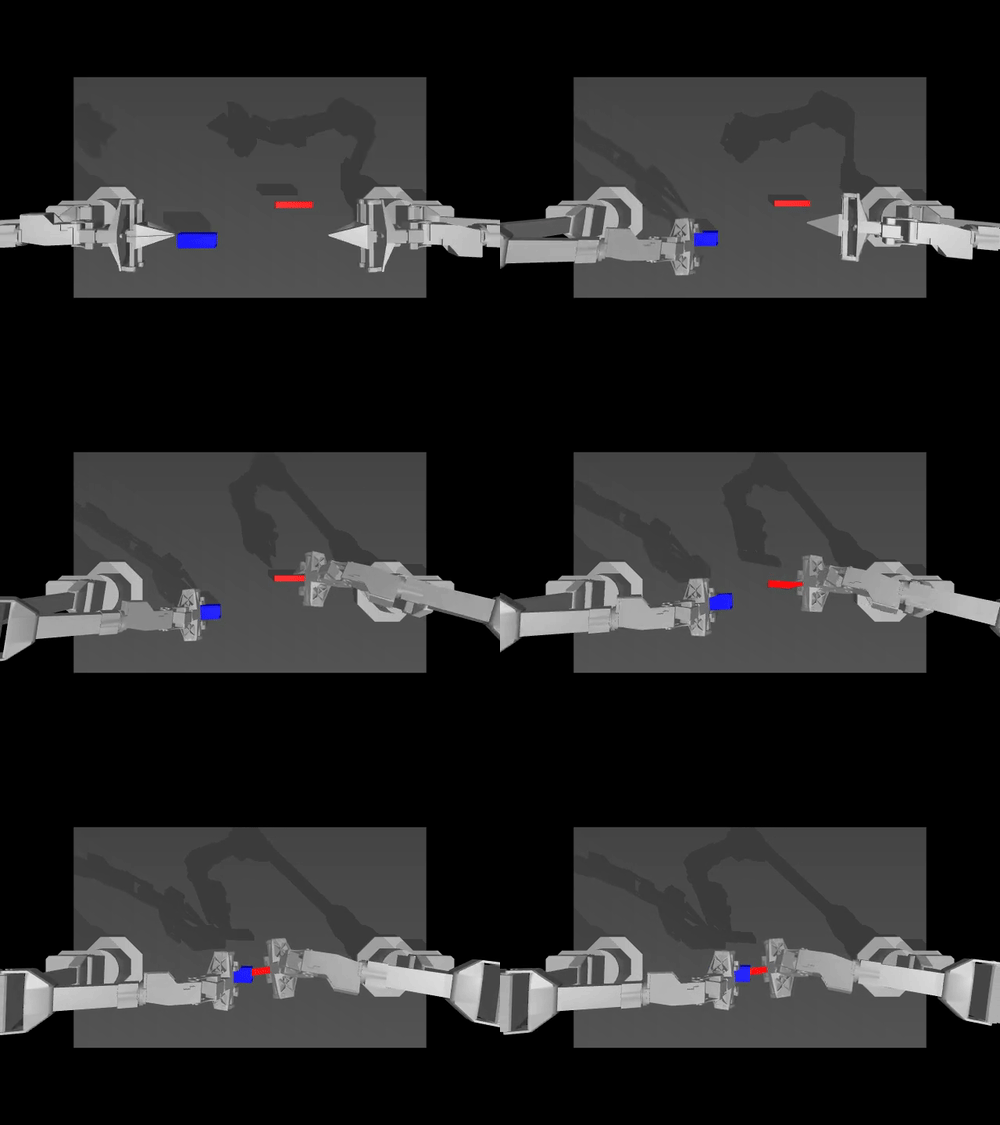
Aloha environment.
Two tasks are available:
- TransferCubeTask: The right arm needs to first pick up the red cube lying on the table, then place it inside the gripper of the other arm.
- InsertionTask: The left and right arms need to pick up the socket and peg respectively, and then insert in mid-air so the peg touches the “pins” inside the socket.
Action Space
The action space consists of continuous values for each arm and gripper, resulting in a 14-dimensional vector:
- Six values for each arm's joint positions (absolute values).
- One value for each gripper's position, normalized between 0 (closed) and 1 (open).
Observation Space
Observations are provided as a dictionary with the following keys:
qposandqvel: Position and velocity data for the arms and grippers.images: Camera feeds from different angles.env_state: Additional environment state information, such as positions of the peg and sockets.
Rewards
- TransferCubeTask:
- 1 point for holding the box with the right gripper.
- 2 points if the box is lifted with the right gripper.
- 3 points for transferring the box to the left gripper.
- 4 points for a successful transfer without touching the table.
- InsertionTask:
- 1 point for touching both the peg and a socket with the grippers.
- 2 points for grasping both without dropping them.
- 3 points if the peg is aligned with and touching the socket.
- 4 points for successful insertion of the peg into the socket.
Success Criteria
Achieving the maximum reward of 4 points.
Starting State
The arms and the items (block, peg, socket) start at a random position and angle.
Arguments
>>> import gymnasium as gym
>>> import gym_aloha
>>> env = gym.make("gym_aloha/AlohaInsertion-v0", obs_type="pixels", render_mode="rgb_array")
>>> env
<TimeLimit<OrderEnforcing<PassiveEnvChecker<AlohaEnv<gym_aloha/AlohaInsertion-v0>>>>>
-
obs_type: (str) The observation type. Can be eitherpixelsorpixels_agent_pos. Default ispixels. -
render_mode: (str) The rendering mode. Onlyrgb_arrayis supported for now. -
observation_width: (int) The width of the observed image. Default is640. -
observation_height: (int) The height of the observed image. Default is480. -
visualization_width: (int) The width of the visualized image. Default is640. -
visualization_height: (int) The height of the visualized image. Default is480.
🔧 GPU Rendering (EGL)
Rendering on the GPU can be significantly faster than CPU. However, MuJoCo may silently fall back to CPU rendering if EGL is not properly configured. To force GPU rendering and avoid fallback issues, you can use the following snippet:
import distutils.util
import os
import subprocess

if subprocess.run('nvidia-smi').returncode:
  raise RuntimeError(
      'Cannot communicate with GPU. '
      'Make sure you are using a GPU runtime. '
      'Go to the Runtime menu and select Choose runtime type.'
  )

# Add an ICD config so that glvnd can pick up the Nvidia EGL driver.
# This is usually installed as part of an Nvidia driver package, but the
# kernel doesn't install its driver via APT, and as a result the ICD is missing.
# (https://github.com/NVIDIA/libglvnd/blob/master/src/EGL/icd_enumeration.md)
NVIDIA_ICD_CONFIG_PATH = '/usr/share/glvnd/egl_vendor.d/10_nvidia.json'
if not os.path.exists(NVIDIA_ICD_CONFIG_PATH):
  with open(NVIDIA_ICD_CONFIG_PATH, 'w') as f:
    f.write("""{
    "file_format_version" : "1.0.0",
    "ICD" : {
        "library_path" : "libEGL_nvidia.so.0"
    }
}
""")

# Check if installation was successful.
try:
  print('Checking that the installation succeeded:')
  import mujoco
  from mujoco import rollout
  mujoco.MjModel.from_xml_string('<mujoco/>')
except Exception as e:
  raise e from RuntimeError(
      'Something went wrong during installation. Check the shell output above '
      'for more information.\n'
      'If using a hosted Colab runtime, make sure you enable GPU acceleration '
      'by going to the Runtime menu and selecting "Choose runtime type".')

print('Installation successful.')

# Tell XLA to use Triton GEMM, this improves steps/sec by ~30% on some GPUs
xla_flags = os.environ.get('XLA_FLAGS', '')
xla_flags += ' --xla_gpu_triton_gemm_any=True'
os.environ['XLA_FLAGS'] = xla_flags
Contribute
Instead of using pip directly, we use poetry for development purposes to easily track our dependencies.
If you don't have it already, follow the instructions to install it.
Install the project with dev dependencies:
poetry install --all-extras
Follow our style
# install pre-commit hooks
pre-commit install

# apply style and linter checks on staged files
pre-commit
Acknowledgment
gym-aloha is adapted from ALOHA
2 maintainers


Metadata
2 maintainers
Release files for gym-aloha 0.1.4
For a detailed explanation of source distributions (sdists) and built distributions (wheels), please see the package formats documentation.
Source distribution (sdist)
| File | Size | Uploaded | |
|---|---|---|---|
| gym_aloha-0.1.4.tar.gz | 443.5 kB | Details |
Built distribution (wheel)
| File | Interpreter | ABI | Platform | Reset |
|---|---|---|---|---|
| gym_aloha-0.1.4-py3-none-any.whl | Python 3 | none | any | Details |
Total release size: 891.4 kB
Release files / gym_aloha-0.1.4.tar.gz
| Download URL | gym_aloha-0.1.4.tar.gz |
|---|---|
| Size | 443.5 kB |
| Tags | Source |
|
SHA-256 checksum How to use checksums |
0dc4e645045aeb3e74e3c320872d28df6dc93a8751d6ab2f266a2ca11323131f
|
|
BLAKE2b-256 checksum How to use checksums |
4ac5a5b8bdbddfcadec0b52b50e6d1a70325e09e6b594e5f55929d67d9122e2c
|
| Upload date | |
|
Uploaded using Trusted Publishing? What is trusted publishing? |
No |
| Uploaded via |
twine/6.2.0 CPython/3.12.1
|
Release files / gym_aloha-0.1.4-py3-none-any.whl
| Download URL | gym_aloha-0.1.4-py3-none-any.whl |
|---|---|
| Size | 447.9 kB |
| Tags | Python 3 |
|
SHA-256 checksum How to use checksums |
d9044290fbccddf0be4246b5287cf0eb6b9ddee545a3d222ce8d78c93ce7125e
|
|
BLAKE2b-256 checksum How to use checksums |
35e33afd0e517a503aabe255bf65f5136490acb79c43189e8d56a3aa63081a10
|
| Upload date | |
|
Uploaded using Trusted Publishing? What is trusted publishing? |
No |
| Uploaded via |
twine/6.2.0 CPython/3.12.1
|














