

H9A — How Many 9 in 1 to 100
A CLI tool and Python library that counts how many times a digit appears in a range of numbers, with a colorized step-by-step breakdown.



Overview
H9A is an installable Python package that counts how many times a given digit appears in a range of numbers (by default: the digit 9 between 1 and 100). It provides both a h9a command-line tool and an importable library, and it prints each step of the calculation — the per-place counts and the combined total — as styled, colorized output. It is built with rich for console formatting, pyfiglet for an ASCII-art banner, and Pillow for optional terminal-style screenshots.
Screenshot
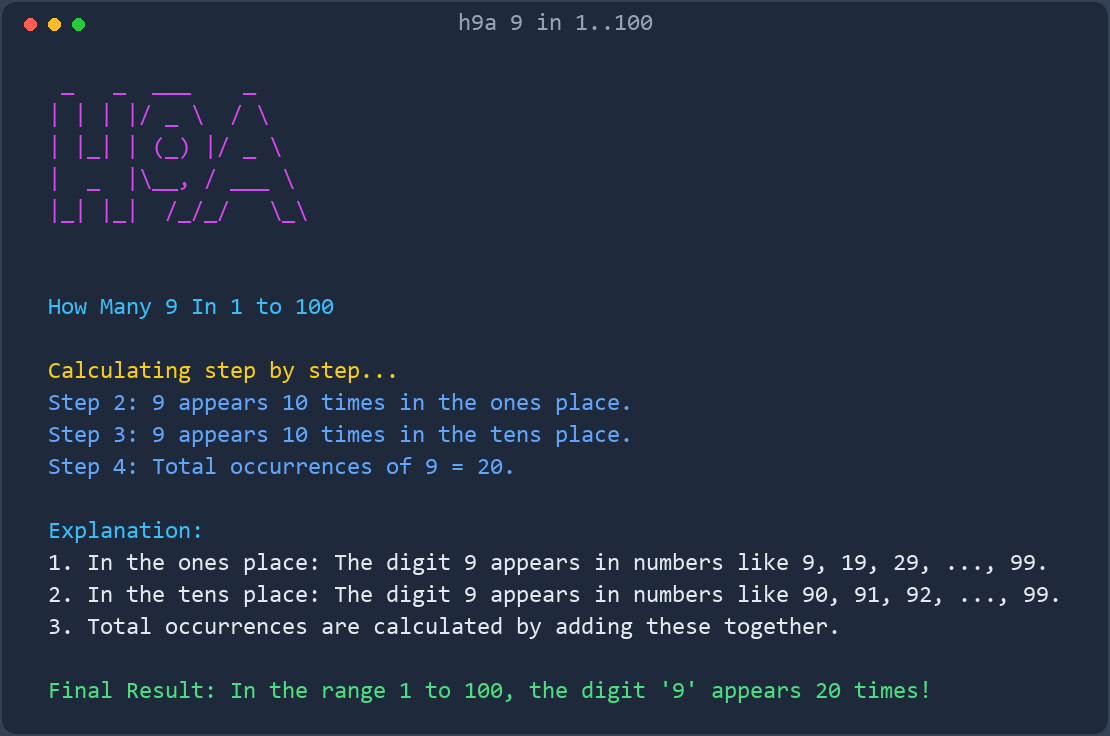
More screenshots: View all screenshots
The screenshot above is generated by the tool itself. Regenerate it at any time with
h9a --screenshot.
Table of Contents
- Overview
- Screenshot
- Key Features
- Installation
- Quick Start
- Usage Examples
- Documentation
- Interface
- Architecture
- Requirements
- Prerequisites
- Development
- Contributing
- Security
- License
- Acknowledgments
Key Features
- Installable package —
pip install h9aprovides theh9acommand and theh9aimportable library (h9a/core.py). - CLI with options —
--digit,--start,--end,--json,--no-color,--screenshot, and--version(h9a/cli.py). - Library API —
count_digit()returns aDigitCountwith a per-place breakdown;build_lines(),render_text(), andgenerate_screenshot()are available to other programs (h9a/__init__.py). - Instant results on huge ranges —
count_digit()uses a closed-form, per-place formula, so ranges like 1 to 1,000,000,000 are counted instantly instead of being iterated number by number. - Step-by-step calculation — prints the count for each decimal place (ones, tens, hundreds, ...) and the running total.
- Colorized output — uses the
richlibrary for styled, readable console output. - ASCII-art banner — renders "H9A" with
pyfiglet(h9a/render.py). - Screenshot generation — renders the output to a terminal-style PNG image with Pillow (
h9a/screenshot.py,Screenshots/home.png).
Installation
From PyPI
python -m pip install h9a
For screenshot support, install the extra:
python -m pip install "h9a[screenshot]"
From the repository
git clone https://github.com/rkriad585/h9a.git
cd h9a
python -m pip install .
For development, install in editable mode with the screenshot extra:
python -m pip install -e .[screenshot]
Dependencies
richpyfigletPillow(optional — only needed for--screenshot/generate_screenshot)
Full instructions are in docs/installation.md.
Quick Start
python -m pip install rich pyfiglet
python -m h9a
If you installed the package, you can also use the console script directly:
h9a
Usage Examples
 _   _  ___    _
| | | |/ _ \  / \
| |_| | (_) |/ _ \
|  _  |\__, / ___ \
|_| |_|  /_/_/   \_\


How Many 9 In 1 to 100

Calculating step by step...
Step 2: 9 appears 10 times in the ones place.
Step 3: 9 appears 10 times in the tens place.
Step 4: Total occurrences of 9 = 20.

Explanation:
1. In the ones place: The digit 9 appears in numbers like 9, 19, 29, ..., 99.
2. In the tens place: The digit 9 appears in numbers like 90, 91, 92, ..., 99.
3. Total occurrences are calculated by adding these together.

Final Result: In the range 1 to 100, the digit '9' appears 20 times!
Count a different digit over a different range:
h9a --digit 5 --start 1 --end 50
Machine-readable output:
h9a --json
{
  "digit": 9,
  "start": 1,
  "end": 100,
  "by_position": {
    "1": 10,
    "10": 10
  },
  "total": 20
}
Documentation
| Document | Description |
|---|---|
| docs/getting-started.md | From a clean environment to the first run. |
| docs/installation.md | Installing the package, dependencies, and the Docker option. |
| docs/usage.md | What the output means, step by step. |
| docs/cli.md | The command-line interface reference. |
| docs/api.md | Using H9A as a Python library. |
| docs/architecture.md | How the package is structured and how it flows. |
| docs/configuration.md | Configuration options (CLI flags; no config files). |
| docs/development.md | Cloning, running, and modifying the source. |
| docs/deployment.md | Running H9A directly, in Docker, or via the automated release pipelines. |
| docs/faq.md | Frequently asked questions. |
| docs/troubleshooting.md | Common errors and fixes. |
| docs/screenshots.md | Screenshot gallery index. |
Interface
Command line
The h9a command takes no positional arguments:
h9a [--digit DIGIT] [--start START] [--end END] [--json] [--no-color] [--screenshot [PATH]] [--version]
| Option | Description |
|---|---|
--digit DIGIT |
Digit (0-9) to count. Default 9. |
--start START |
First number of the range, inclusive. Default 1. |
--end END |
Last number of the range, inclusive. Default 100. |
--json |
Print machine-readable JSON instead of styled text. |
--no-color |
Disable colors in the styled output. |
--screenshot [PATH] |
Render the output to a PNG image (default Screenshots/home.png). |
--version |
Print the version and exit. |
-h, --help |
Show the help text and exit. |
Exit codes: 0 on success, 2 on invalid arguments.
Library
from h9a import count_digit

result = count_digit(digit=9, start=1, end=100)
print(result.total)        # 20
print(result.by_position)  # {1: 10, 10: 10}
See docs/api.md for the full library reference.
Architecture
The project is an installable Python package. The h9a package contains four modules:
flowchart TD
    CLI["h9a/cli.py (argparse)"]
    API["h9a/__init__.py (public API)"]
    Core["h9a/core.py - count_digit()"]
    Render["h9a/render.py - build_lines()"]
    Shot["h9a/screenshot.py - generate_screenshot()"]
    CLI --> Core
    CLI --> Render
    CLI --> Shot
    API --> Core
    API --> Render
    API --> Shot
    Render --> Core
    Shot --> Render
h9a/
├── .github/
│   └── workflows/
│       ├── docs.yml            # documentation -> GitHub Pages
│       └── publish-container.yml  # container -> GHCR
├── Dockerfile
├── LICENSE                 # MIT
├── README.md
├── Screenshots/
│   └── home.png            # generated by `h9a --screenshot`
├── docs/                   # project documentation
├── h9a/                    # installable package
│   ├── __init__.py         # public API
│   ├── __main__.py         # python -m h9a
│   ├── cli.py              # h9a command-line interface
│   ├── core.py             # counting logic
│   ├── render.py           # styled output lines
│   └── screenshot.py       # Pillow screenshot generator
├── logo/
│   └── logo.svg
├── pyproject.toml          # package metadata and h9a entry point
└── tests/                  # pytest suite
Requirements
- Python 3.8 or later
richpyfigletPillow(optional — only for--screenshot/generate_screenshot)
Prerequisites
- A working Python 3.8+ installation with
pip gitto clone the repository- A terminal that supports ANSI colors for the best visual output (colors are optional — the text is readable without them)
Development
git clone https://github.com/rkriad585/h9a.git
cd h9a
python -m pip install -e .[screenshot]
h9a
Run the checks with pytest, ruff, and mypy (installed via python -m pip install -e ".[dev]"). GitHub Actions deploys the documentation to GitHub Pages and publishes the container image to GitHub Container Registry. See docs/development.md.
Contributing
Contributions are welcome. Please read CONTRIBUTING.md and the Code of Conduct before opening a pull request.
Security
Please report security issues privately as described in SECURITY.md.
License
This project is licensed under the MIT License. See the LICENSE file for details.
Acknowledgments
- RK Riad Khan — author and maintainer.
- Built with the
rich,pyfiglet, and Pillow libraries.
1 maintainer

Metadata
1 maintainer
Release files for h9a 0.2.1
For a detailed explanation of source distributions (sdists) and built distributions (wheels), please see the package formats documentation.
Source distribution (sdist)
| File | Size | Uploaded | |
|---|---|---|---|
| h9a-0.2.1.tar.gz | 18.4 kB | Details |
Built distribution (wheel)
| File | Interpreter | ABI | Platform | Reset |
|---|---|---|---|---|
| h9a-0.2.1-py3-none-any.whl | Python 3 | none | any | Details |
Total release size: 31.7 kB
Release files / h9a-0.2.1.tar.gz
| Download URL | h9a-0.2.1.tar.gz |
|---|---|
| Size | 18.4 kB |
| Tags | Source |
|
SHA-256 checksum How to use checksums |
813e42fda82b3bf0ac3360dcbb8125a7e64deb195d1467c7056ac117bbcf2b83
|
|
BLAKE2b-256 checksum How to use checksums |
680b6fceadc1c4453ee739613ac394be631c18f7f820ce864bd257a1b307e50b
|
| Upload date | |
|
Uploaded using Trusted Publishing? What is trusted publishing? |
No |
| Uploaded via |
twine/7.0.0 CPython/3.12.7
|
Release files / h9a-0.2.1-py3-none-any.whl
| Download URL | h9a-0.2.1-py3-none-any.whl |
|---|---|
| Size | 13.3 kB |
| Tags | Python 3 |
|
SHA-256 checksum How to use checksums |
31dc0b36f451fb1421319548336e4ae42e1a81868453b97e023f26a563bf0c50
|
|
BLAKE2b-256 checksum How to use checksums |
037e3fcbb582ae018e5b73a24be5e8703bfc3ef32e14d6df1470b06703a96ffc
|
| Upload date | |
|
Uploaded using Trusted Publishing? What is trusted publishing? |
No |
| Uploaded via |
twine/7.0.0 CPython/3.12.7
|














